MikroTik MCP can now sign in with an SSH agent key
1 hour ago

This change lets the MikroTik server authenticate with a key held by your SSH agent. The author's own example is the 1Password agent. The private key stays inside the agent, and the server only asks it to sign. It's controlled by two new settings, allow SSH agent and SSH agent key.
Ask about this presentation
Chapters
Show transcriptHide transcript
This change lets the MikroTik server authenticate with a key held by your SSH agent. The author's own example is the 1Password agent. The private key stays inside the agent, and the server only asks it to sign. It's controlled by two new settings, allow SSH agent and SSH agent key.
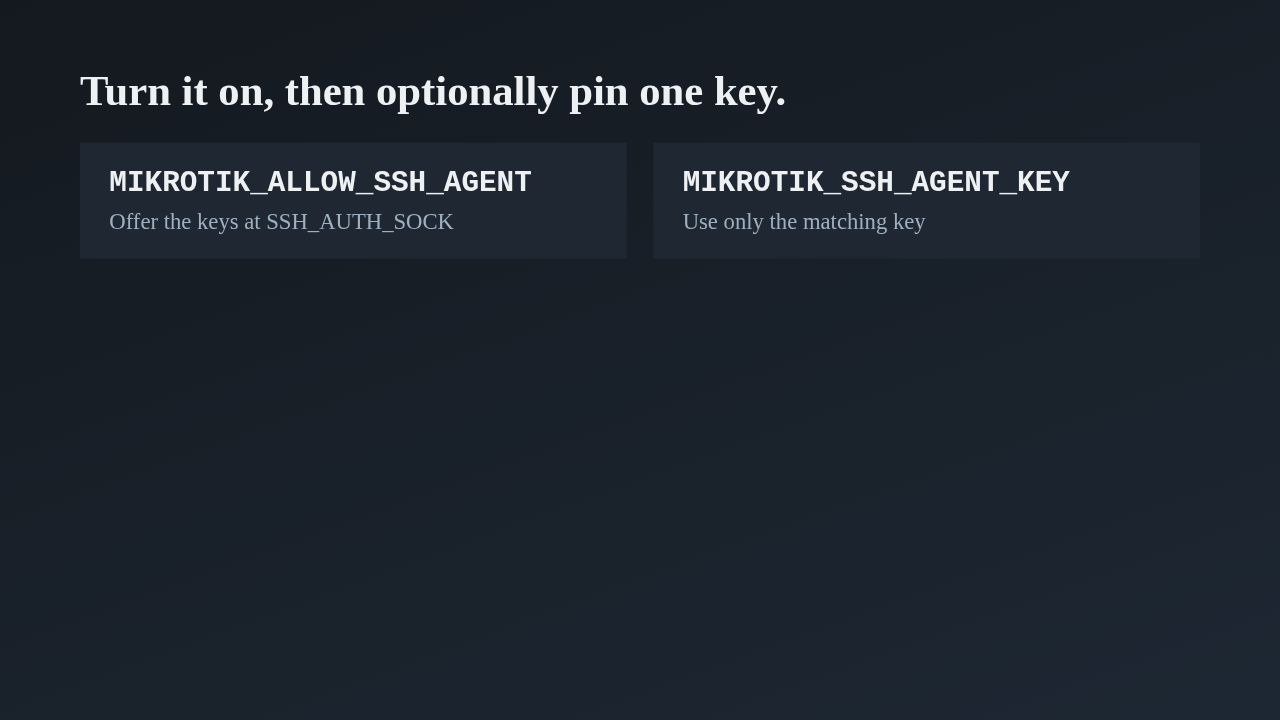
The first setting switches the feature on, and the server then offers whatever keys the agent at SSH auth sock holds. The second is optional. It narrows the choice to a single key, given as a full public key line, its base64 blob, or a SHA256 fingerprint. The second commit renamed both from plain agent to SSH agent, so the names say what they are.
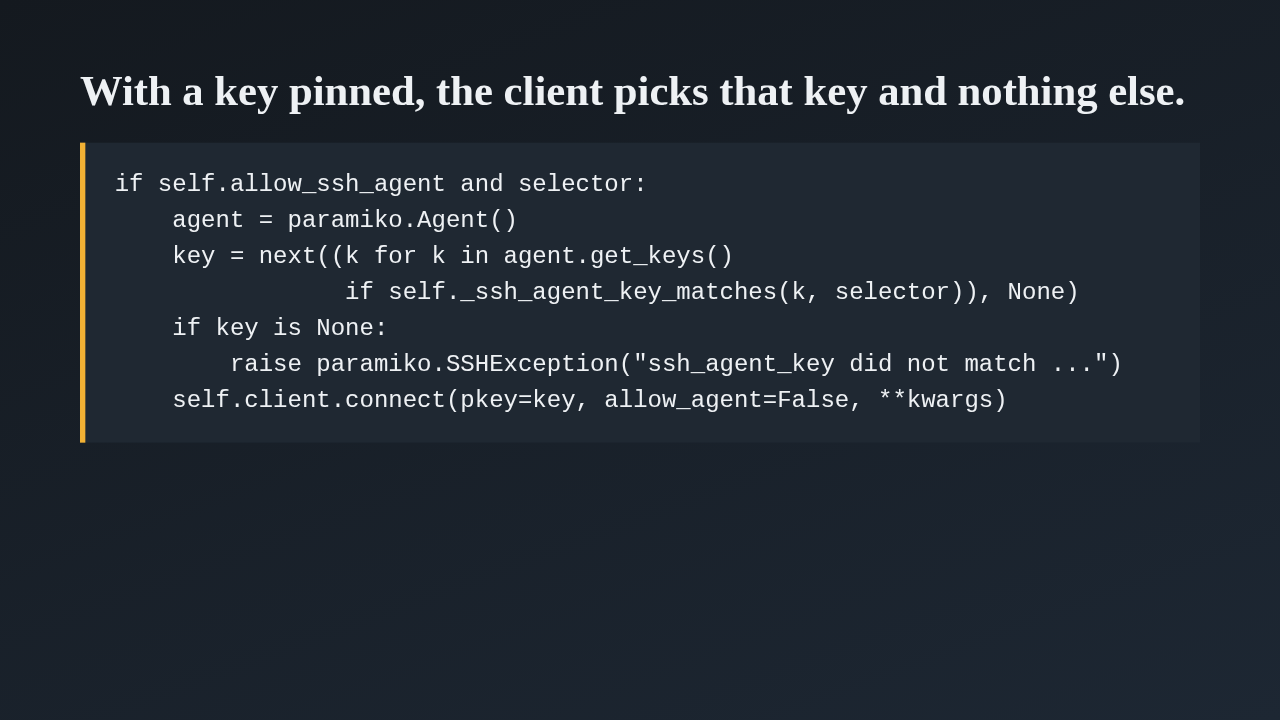
The interesting part is in the SSH client's connect method. When a key is pinned, it walks the keys the agent offers and takes the first that matches the selector. A fingerprint is compared as SHA256 of the key bytes, anything else is compared against the base64 blob. If nothing matches, it raises an error that points you at ssh-add dash l. Otherwise it connects with exactly that key and turns the general agent search off, so the agent can't hand over other keys. Without a pinned key, it simply lets paramiko try every agent key.
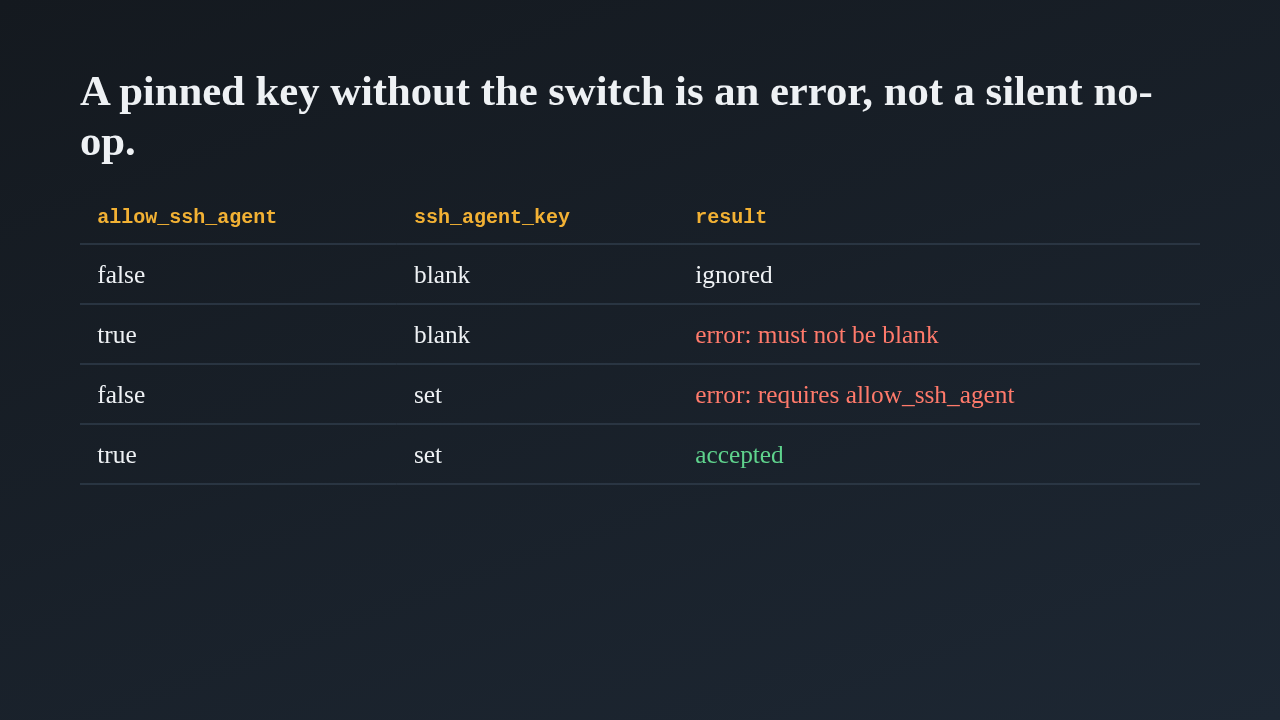
The second commit tightened the edge cases. A blank key with the feature off is ignored. A blank key with the feature on is an error, and so is a real key with the feature off, since you'd otherwise think you were pinning a key that is never used. Only switch on with a real key is accepted. The commit also updated the docs and the Docker entrypoint, and the tests cover config, the entrypoint and the SSH client.
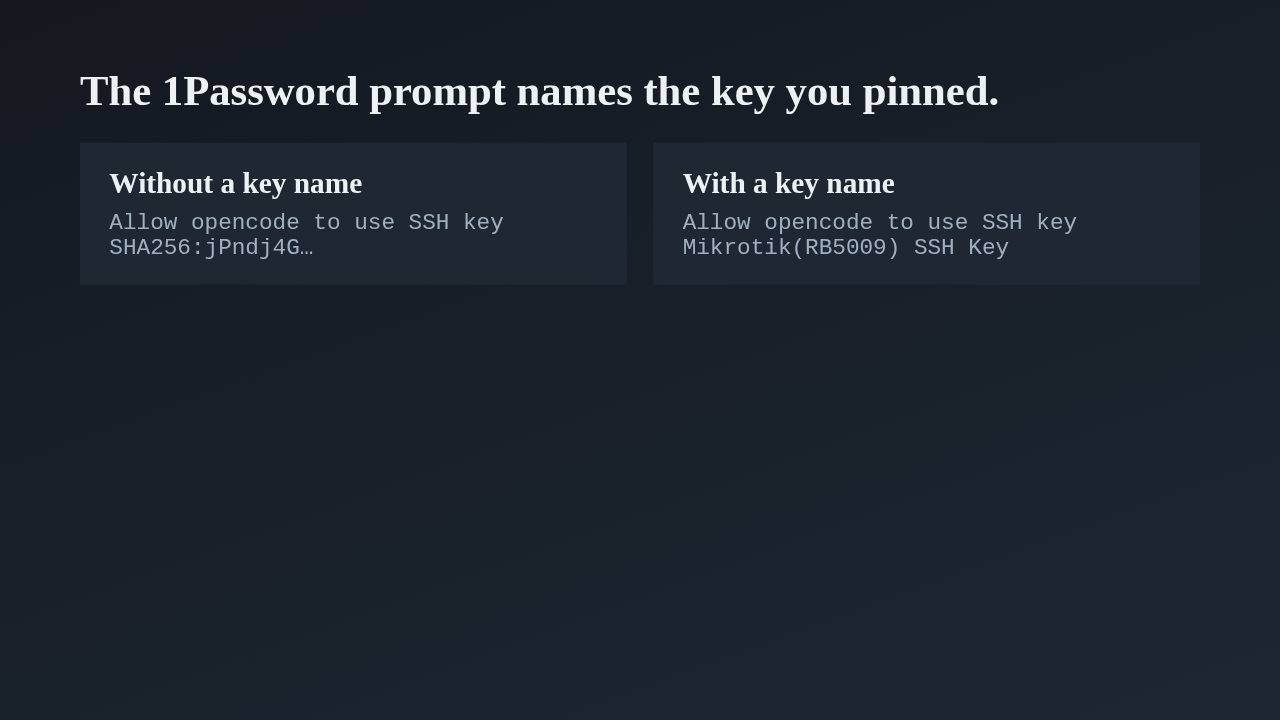
The author attached two screenshots of the 1Password approval prompt, shown here as text. Without a pinned key, the prompt shows only a fingerprint. With one pinned, it shows the key's own name, Mikrotik RB5009 SSH Key, so you can see which router key is being requested before you approve with Touch ID.
This pull request is already merged, so treat this as a read-through. The feature only works when an agent is running and its socket path is set in the server's environment, and a pinned key that isn't loaded fails with an error. If you look at anything, look at the fingerprint and blob matching, and at the validation table. The author says it was written with help from an AI model. In short, the server can sign in with an SSH agent key.
Up next
 1:36
PR 118: draw.io diagrams now live in docs/diagrams
@wiresage/mikrotik-mcp · 58 minutes ago
 2:01
A README edit no longer publishes a release
@wiresage/mikrotik-mcp · 1 hour ago
 1:46
Read-only mode for MikroTik MCP: tools that can look but not change
@wiresage/mikrotik-mcp · 1 hour ago
 1:52
Sensitive-hiding mode keeps router secrets away from the model
@wiresage/mikrotik-mcp · 1 hour ago
 2:08
Safe Mode for MikroTik MCP: try a change, then keep it or drop it
@wiresage/mikrotik-mcp · 1 hour ago
 2:01
Migrating the MikroTik MCP server to mcp 2.0
@wiresage/mikrotik-mcp · 1 hour ago
 2:00
Pull request 47: the project moves from pip to uv
@wiresage/mikrotik-mcp · 1 hour ago
 1:33
Fleet article and multi-device prompt examples
@wiresage/mikrotik-mcp · 1 hour ago
 2:29
One MikroTik MCP server, many routers
@wiresage/mikrotik-mcp · 1 hour ago
 2:22
Escape quotes, backslashes, $ and non-ASCII in text sent to RouterOS
@wiresage/mikrotik-mcp · 1 hour ago
 1:58
Bridge VLAN table and port PVID tools for MikroTik MCP
@wiresage/mikrotik-mcp · 1 hour ago
 2:02
Raw firewall tools for MikroTik MCP: 16 tools that drop traffic before connection tracking
@wiresage/mikrotik-mcp · 1 hour ago