Orca v1.4.262 runs 150 agent chats in a third of the memory and adds git blame
2 days ago
Orca v1.4.262 runs agent chats in a third of the memory on macOS and Linux, sets up any agent from one card, adds git blame to the editor, clears chats left by deleted workspaces, and names your Claude and Codex accounts.
Links
Ask about this presentation
Chapters
Show transcriptHide transcript
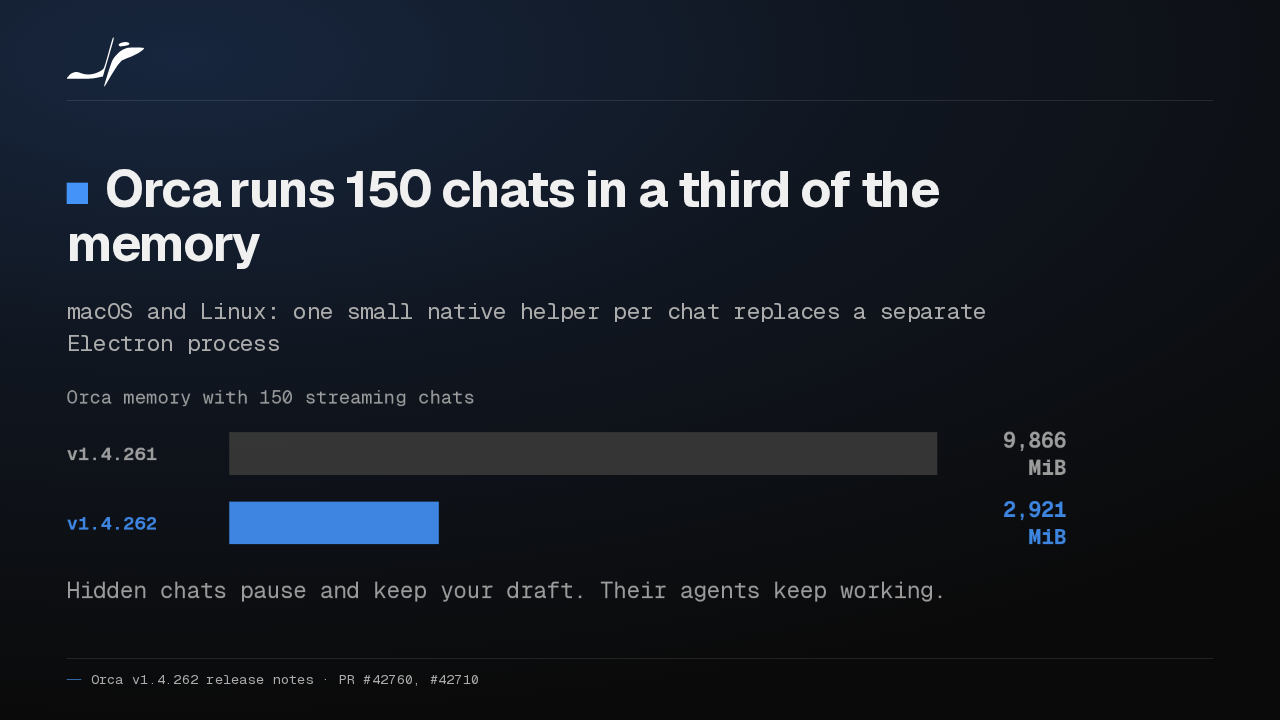
Orca v1.4.262 drops the extra Electron process behind every chat on macOS and Linux. At a hundred and fifty streaming chats, memory falls from about ten gigabytes to three. Hidden chats pause while their agents keep working.
Slide text

Orca runs 150 chats in a third of the memory
macOS and Linux: one small native helper per chat replaces a separate Electron process
Orca memory with 150 streaming chats v1.4.261 9,866 MiBv1.4.262 2,921 MiBHidden chats pause and keep your draft. Their agents keep working.
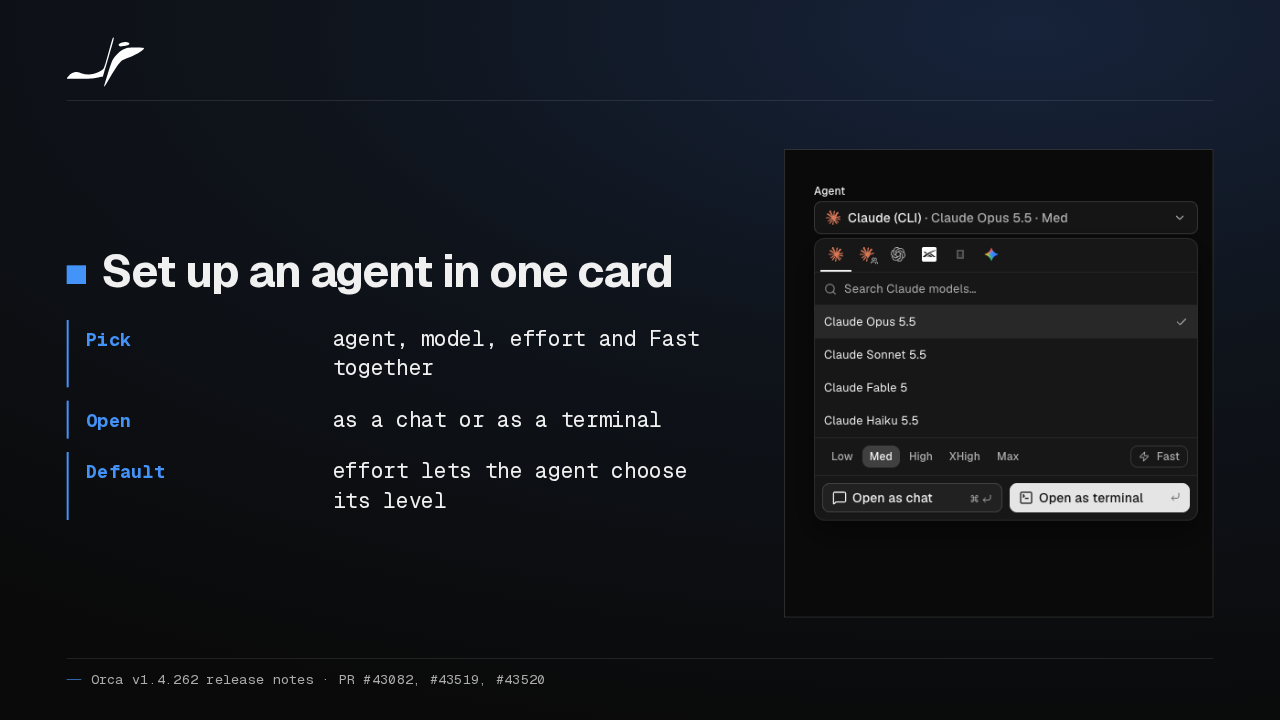
Starting an agent now takes one card: agent, model, effort and Fast mode together. Open it as a chat or as a terminal, or pick Default effort and let the agent choose.
Slide text
Set up an agent in one card
- Pick
- agent, model, effort and Fast together
- Open
- as a chat or as a terminal
- Default
- effort lets the agent choose its level

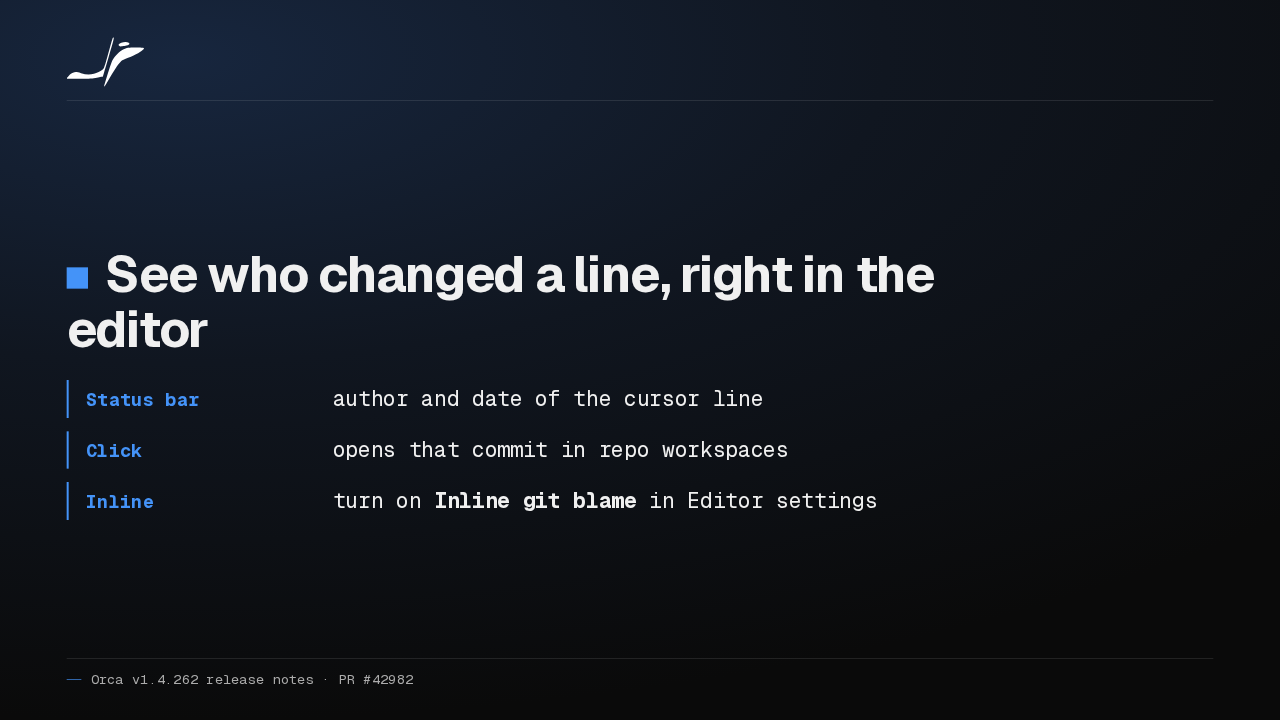
Orca's editor now has git blame. The status bar shows who last changed your cursor's line, and when. Click it to open the commit, or turn on inline blame beside your code.
Slide text
See who changed a line, right in the editor
- Status bar
- author and date of the cursor line
- Click
- opens that commit in repo workspaces
- Inline
- turn on Inline git blame in Editor settings
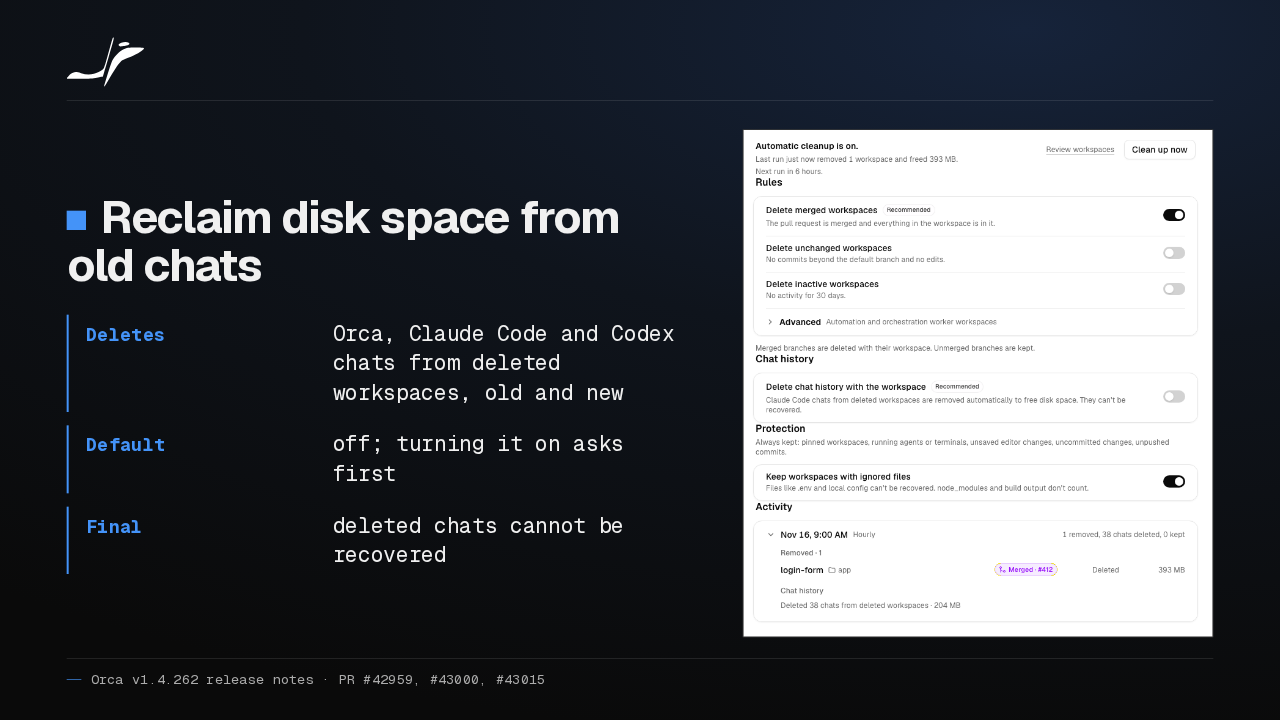
Workspace Cleanup can now delete the Orca, Claude Code and Codex chats of deleted workspaces, including older ones. It's off by default and asks first, and deleted chats can't be recovered.
Slide text
Reclaim disk space from old chats
- Deletes
- Orca, Claude Code and Codex chats from deleted workspaces, old and new
- Default
- off; turning it on asks first
- Final
- deleted chats cannot be recovered

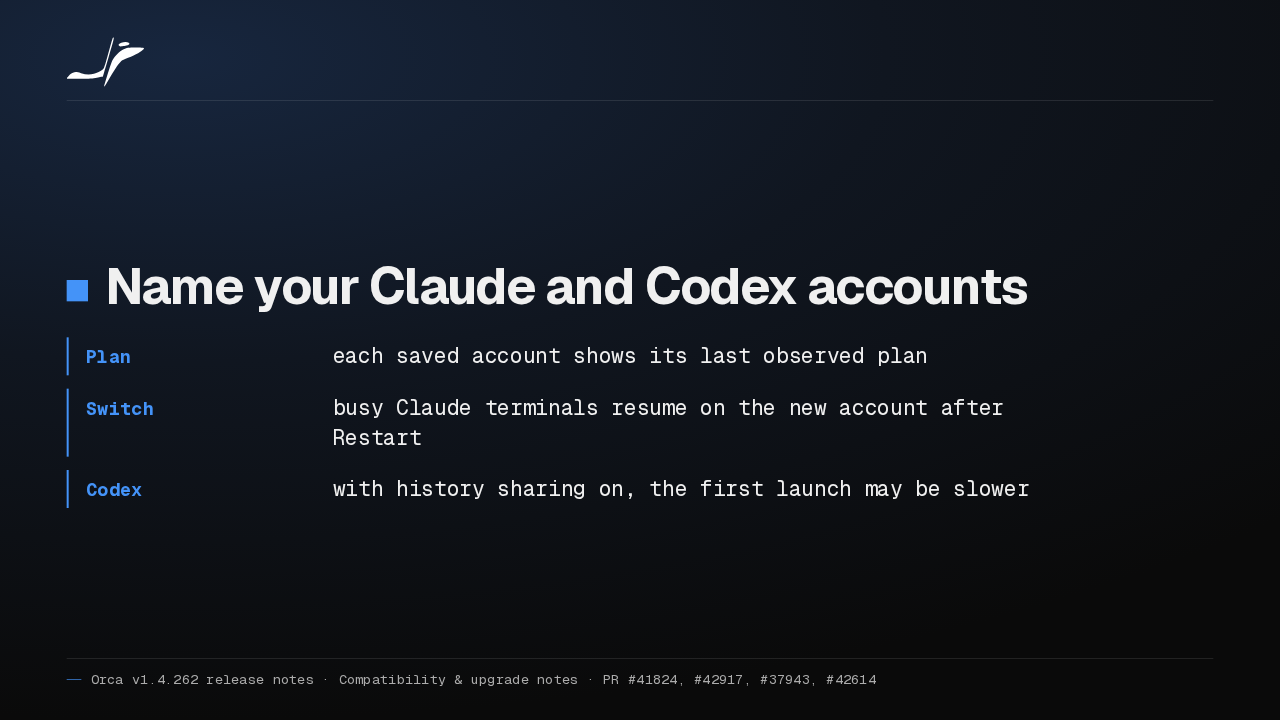
You can now name saved Claude and Codex accounts and see each one's last observed plan. Choose Restart when you switch, and busy Claude terminals resume on the new account. With Codex history sharing on, the first launch may be slower.
Slide text
Name your Claude and Codex accounts
- Plan
- each saved account shows its last observed plan
- Switch
- busy Claude terminals resume on the new account after Restart
- Codex
- with history sharing on, the first launch may be slower
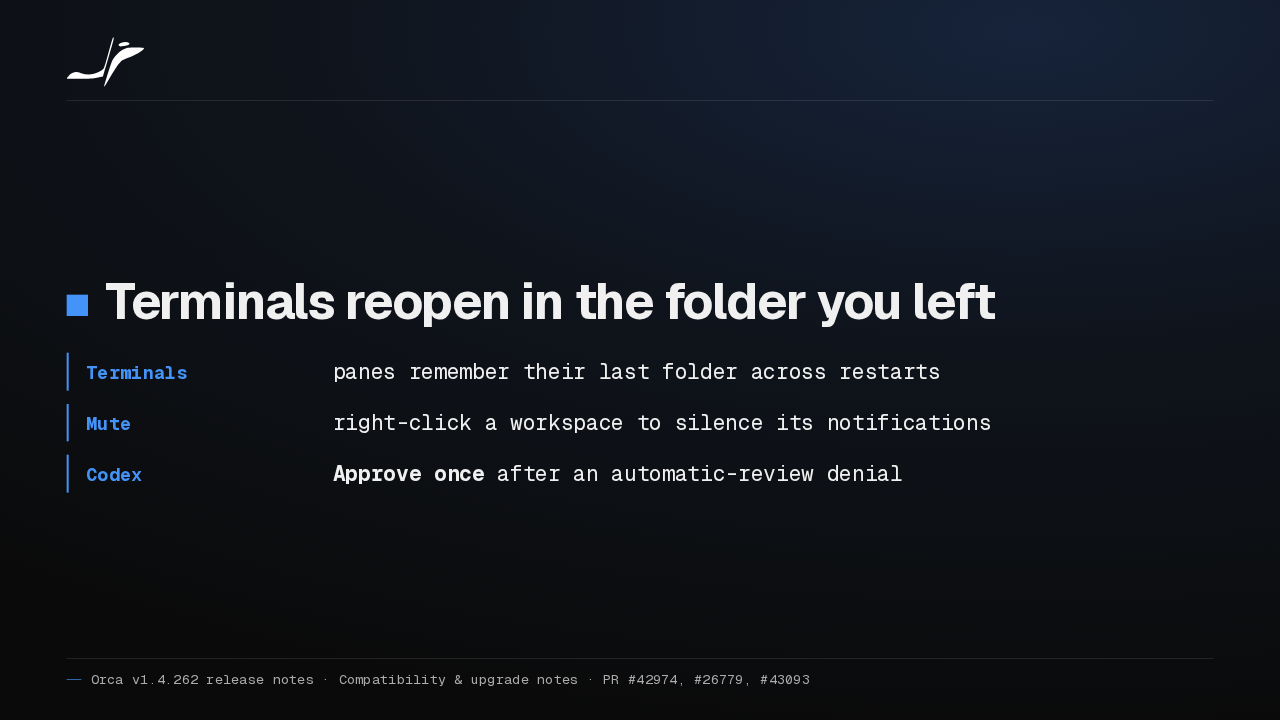
Terminal panes now reopen in the folder you last moved to. You can mute a single workspace, and when Codex's automatic review blocks an action, Chat offers Approve once.
Slide text
Terminals reopen in the folder you left
- Terminals
- panes remember their last folder across restarts
- Mute
- right-click a workspace to silence its notifications
- Codex
- Approve once after an automatic-review denial
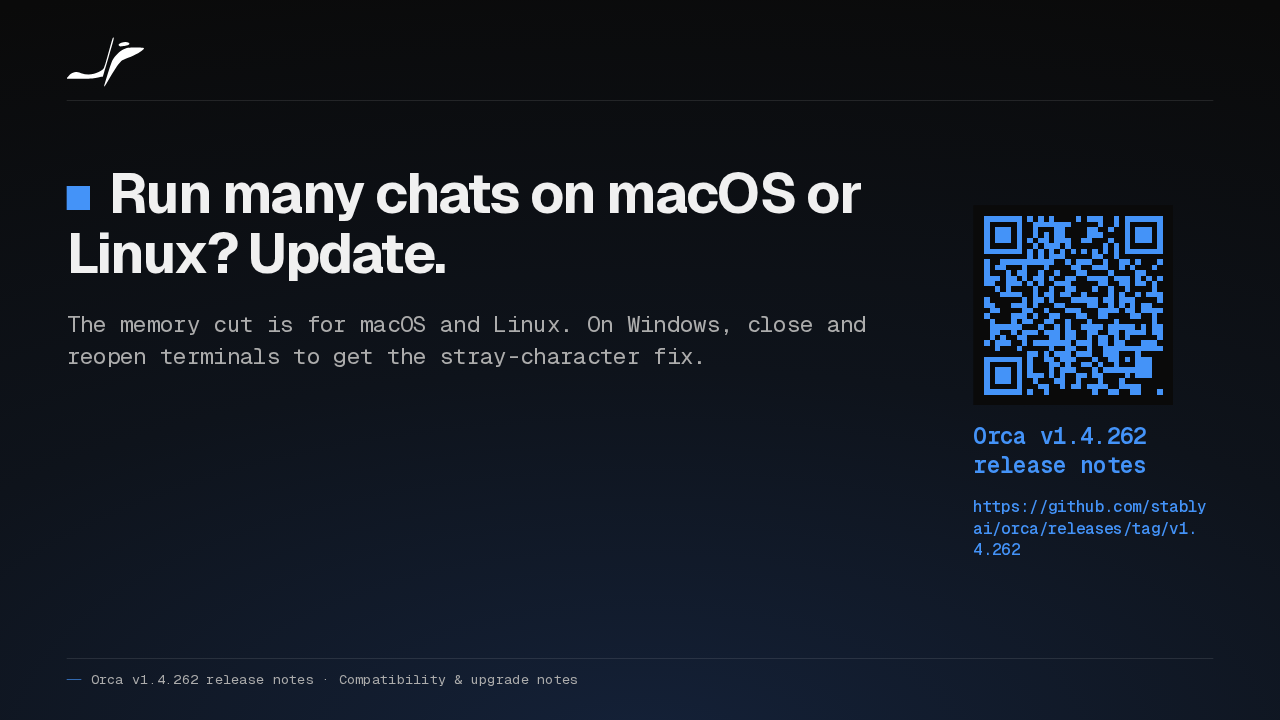
If you keep many chats open on macOS or Linux, I'd update. The memory cut needs one of those two. On Windows, reopen your terminals to get the stray-character fix. Upgrade notes are in the release notes.
Slide text
Run many chats on macOS or Linux? Update.
The memory cut is for macOS and Linux. On Windows, close and reopen terminals to get the stray-character fix.
Orca v1.4.262 release notes
https://github.com/stablyai/orca/releases/tag/v1.4.262
Up next
 1:54
Orca bots now get their own tools on Grok, OpenCode, Pi and Antigravity
@orca
6 hours ago
 1:35
Orca v1.4.263 runs Hermes in Chat and opens Chrome extension side panels
@orca
1 day ago
 1:27
Orca v1.4.261 brings Cursor into Chat and frees memory from idle browser tabs
@orca
2 days ago
 1:30
Orca v1.4.259 clears out the workspaces your agents leave behind
@orca
5 days ago
 1:30
Orca v1.4.258 runs GitHub Copilot in Chat and scrolls phone chats again
@orca
1 week ago
 1:34
Orca v1.4.257 freezes less on long agent chats and keeps your browser notes
@orca
1 week ago
 1:35
Orca v1.4.256 sets up dictation in one click and keeps your phone drafts
@orca
1 week ago
 0:57
Orca v1.4.255 puts every agent from every desktop on your phone
@orca
1 week ago
 1:33
Orca adds a Git Graph tab, and /btw asks a side question mid-chat
@orca
1 week ago
 1:32
Orca v1.4.252 forks a chat from any reply, and /plan plans before it builds
@orca
1 week ago
 1:39
Orca v1.4.251 sends any file or terminal selection to your agent's chat
@orca
1 week ago
 1:46
Orca can keep idle chat agents running, and many terminals no longer crash it
@orca
2 weeks ago