generate runs without the database
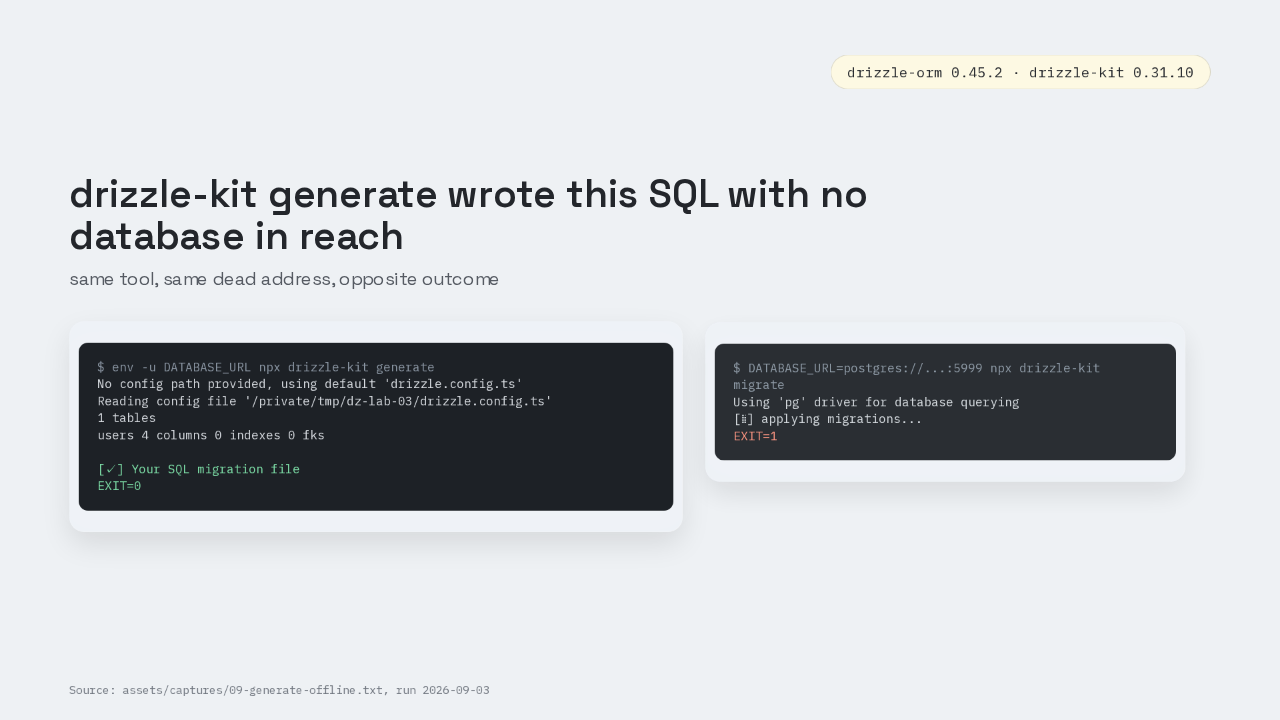
$ env -u DATABASE_URL npx drizzle-kit generate
No config path provided, using default 'drizzle.config.ts'
Reading config file '/private/tmp/dz-lab-03/drizzle.config.ts'
1 tables
users 4 columns 0 indexes 0 fks

[✓] Your SQL migration file
EXIT=0
$ DATABASE_URL=postgres://...:5999 npx drizzle-kit migrate
Using 'pg' driver for database querying
[⣷] applying migrations...
EXIT=1
Drizzle ORM just wrote a SQL migration file with no database anywhere near it. The database URL variable is unset. drizzle-kit generate still exits zero. Point drizzle-kit migrate at a port with nothing listening and migrate exits one. Generate still finishes. Migrate cannot start without the database.
Two lines install Drizzle
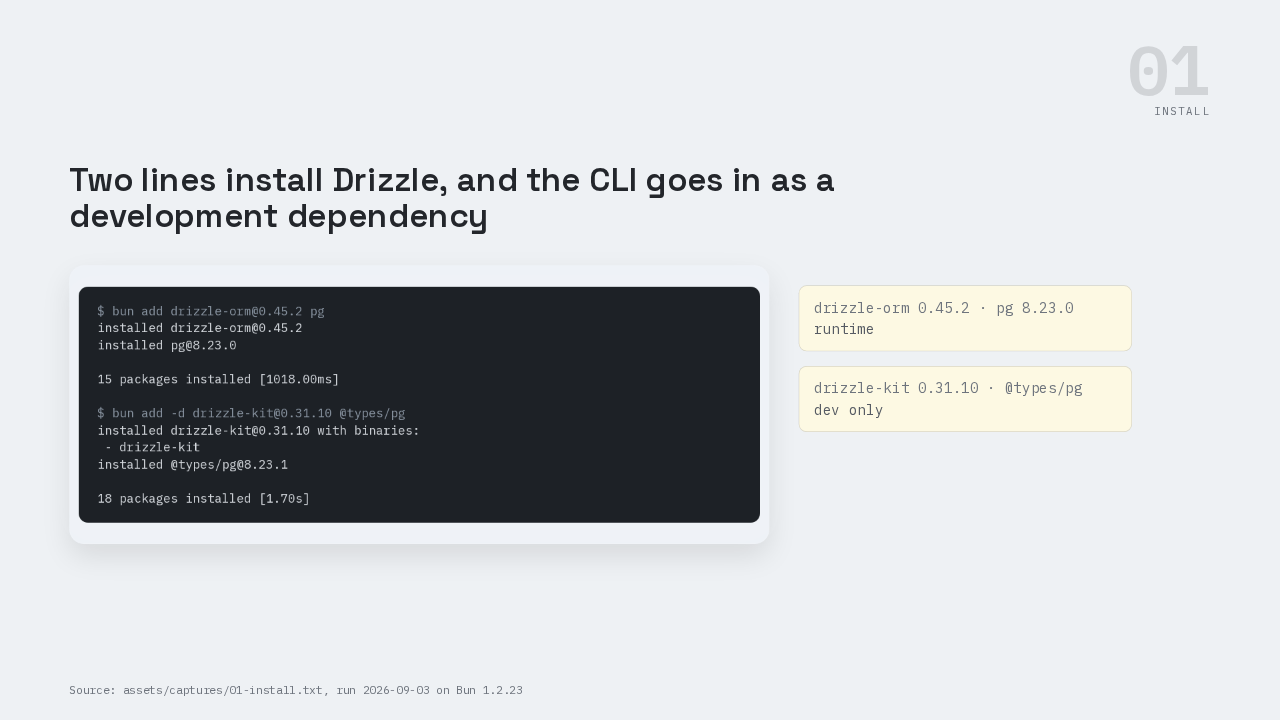
$ bun add drizzle-orm@0.45.2 pg
installed drizzle-orm@0.45.2
installed pg@8.23.0

15 packages installed [1018.00ms]

$ bun add -d drizzle-kit@0.31.10 @types/pg
installed drizzle-kit@0.31.10 with binaries:
 - drizzle-kit
installed @types/pg@8.23.1

18 packages installed [1.70s]
runtime
dev only
Install is two lines. bun add drizzle-orm at 0.45.2 and pg puts the query builder and the PostgreSQL driver in the project. bun add dash d drizzle-kit at 0.31.10 adds the command line tool as a development dependency, because drizzle-kit never runs in production. Eighteen packages, one and seven tenths of a second.
Stable line version contract
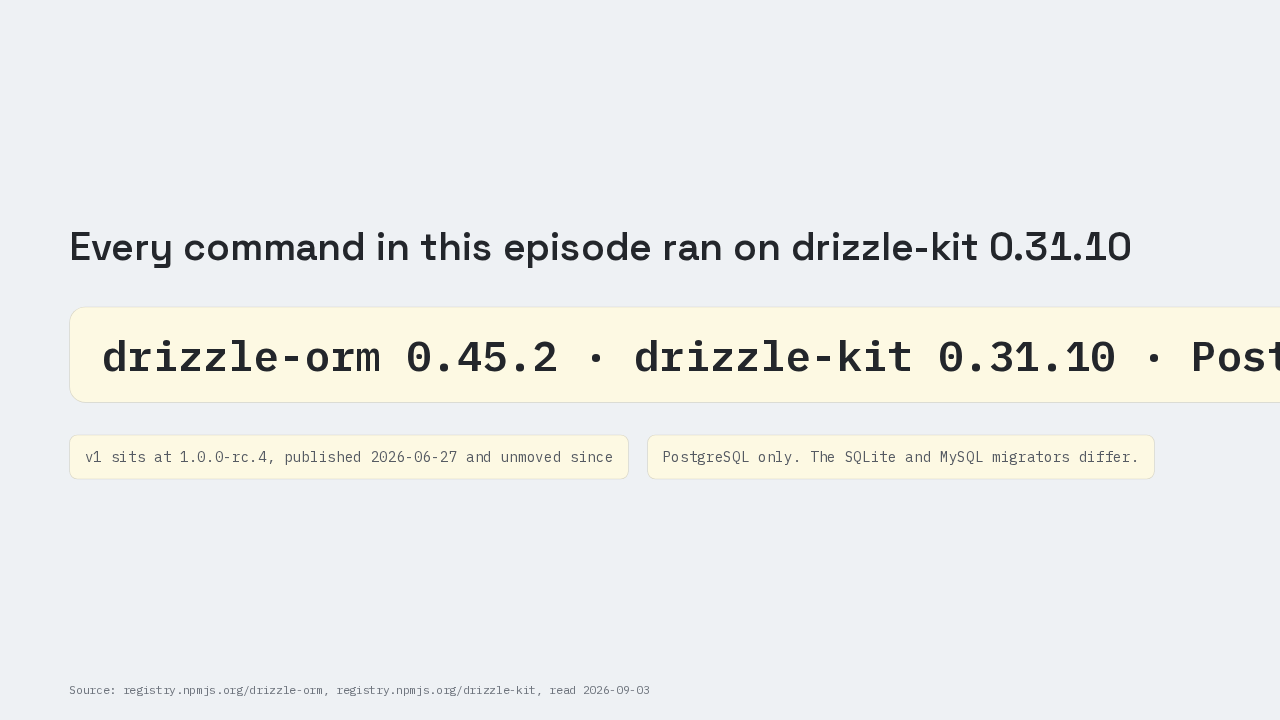
drizzle-orm 0.45.2 and drizzle-kit 0.31.10, on PostgreSQL 17.10. A version one is on the way, 1.0.0 release candidate 4, published in June and unmoved since. This is the stable line, and this is PostgreSQL. The SQLite and MySQL migrators behave differently.
Schema and config files
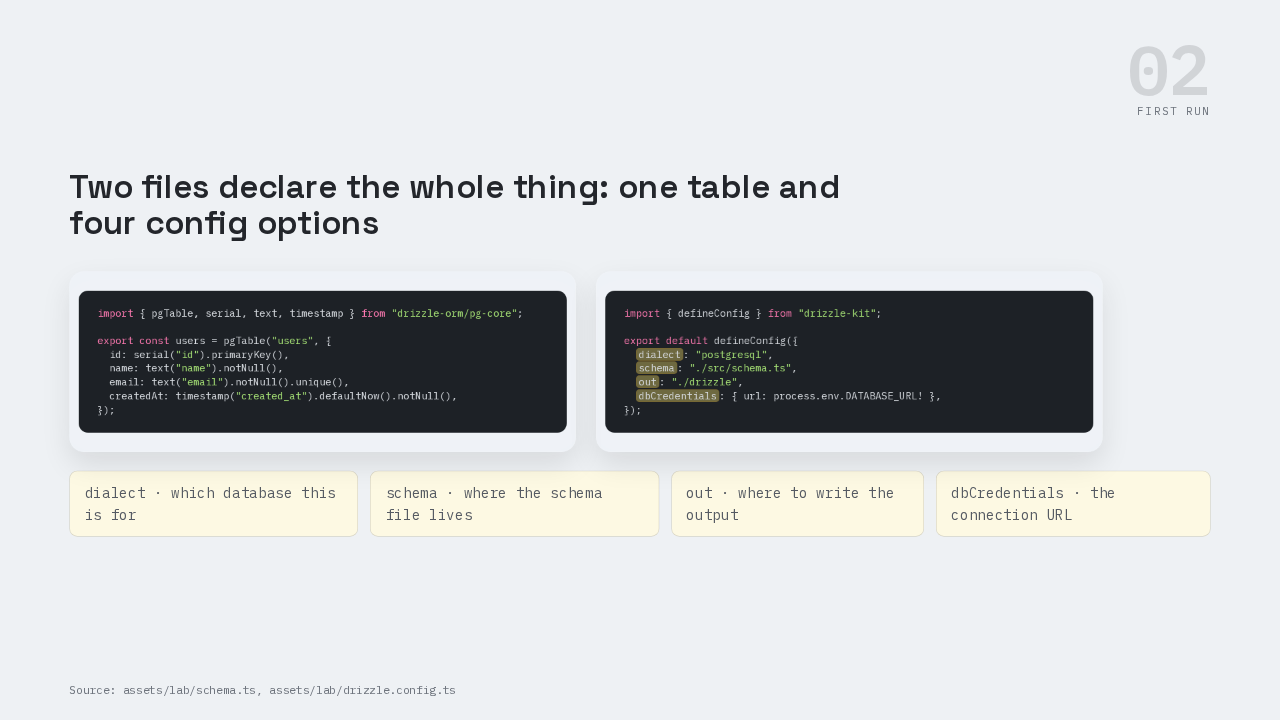
import { pgTable, serial, text, timestamp } from "drizzle-orm/pg-core";

export const users = pgTable("users", {
  id: serial("id").primaryKey(),
  name: text("name").notNull(),
  email: text("email").notNull().unique(),
  createdAt: timestamp("created_at").defaultNow().notNull(),
});
import { defineConfig } from "drizzle-kit";

export default defineConfig({
  dialect: "postgresql",
  schema: "./src/schema.ts",
  out: "./drizzle",
  dbCredentials: { url: process.env.DATABASE_URL! },
});
schema dot ts declares one table: a users table with four columns: id, name, a unique email, and a created-at stamp that defaults to now. drizzle dot config dot ts is four options: which database this is for, where the schema file lives, where to write the output, and the connection URL. A migration is a file of SQL that moves your database from the shape it has now to the shape your code expects, kept in order so it runs once and only once.
Generated SQL and constraint name
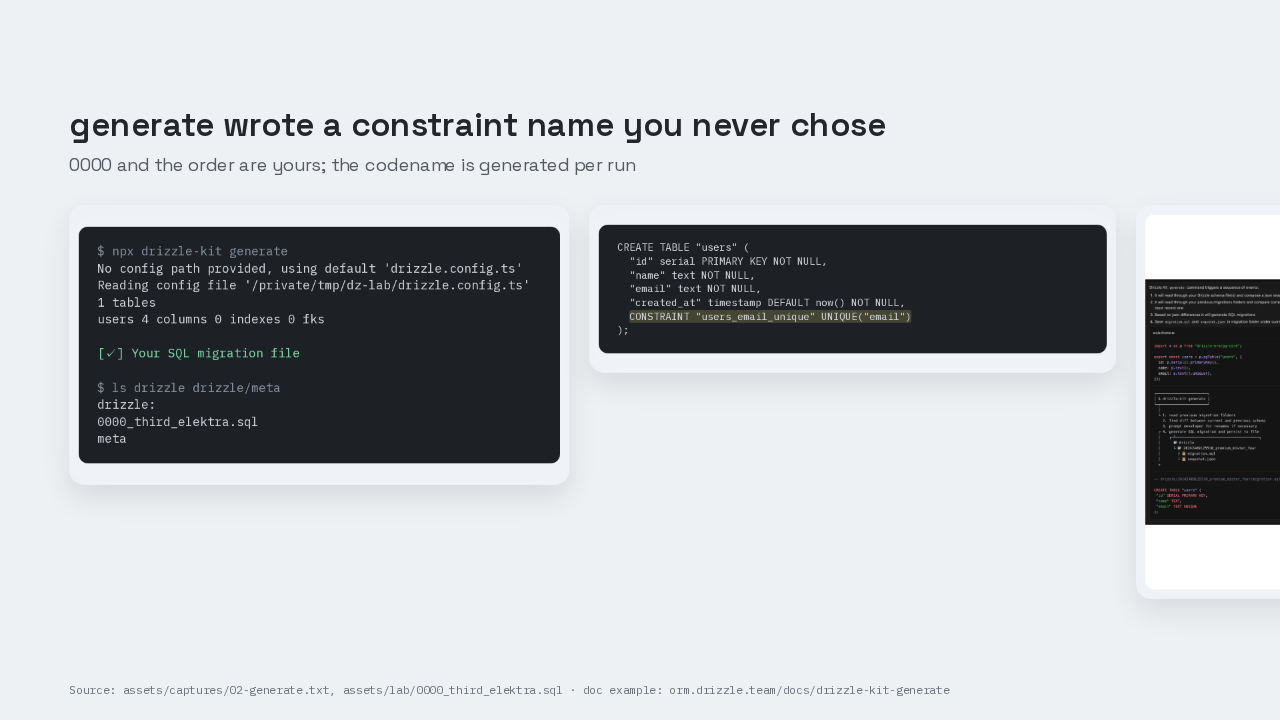
$ npx drizzle-kit generate
No config path provided, using default 'drizzle.config.ts'
Reading config file '/private/tmp/dz-lab/drizzle.config.ts'
1 tables
users 4 columns 0 indexes 0 fks

[✓] Your SQL migration file

$ ls drizzle drizzle/meta
drizzle:
0000_third_elektra.sql
meta
CREATE TABLE "users" (
  "id" serial PRIMARY KEY NOT NULL,
  "name" text NOT NULL,
  "email" text NOT NULL,
  "created_at" timestamp DEFAULT now() NOT NULL,
  CONSTRAINT "users_email_unique" UNIQUE("email")
);
Run npx drizzle-kit generate. It prints one tables, then users, four columns, and writes a file called 0000 third elektra dot sql. Four TypeScript lines became four SQL columns, plus a table constraint named users email unique. The doc page's own example writes email as text unique, inline. 0.31.10 emits lowercase types and an explicit not null on every column. The docs skip this.
The generate docs under the hood
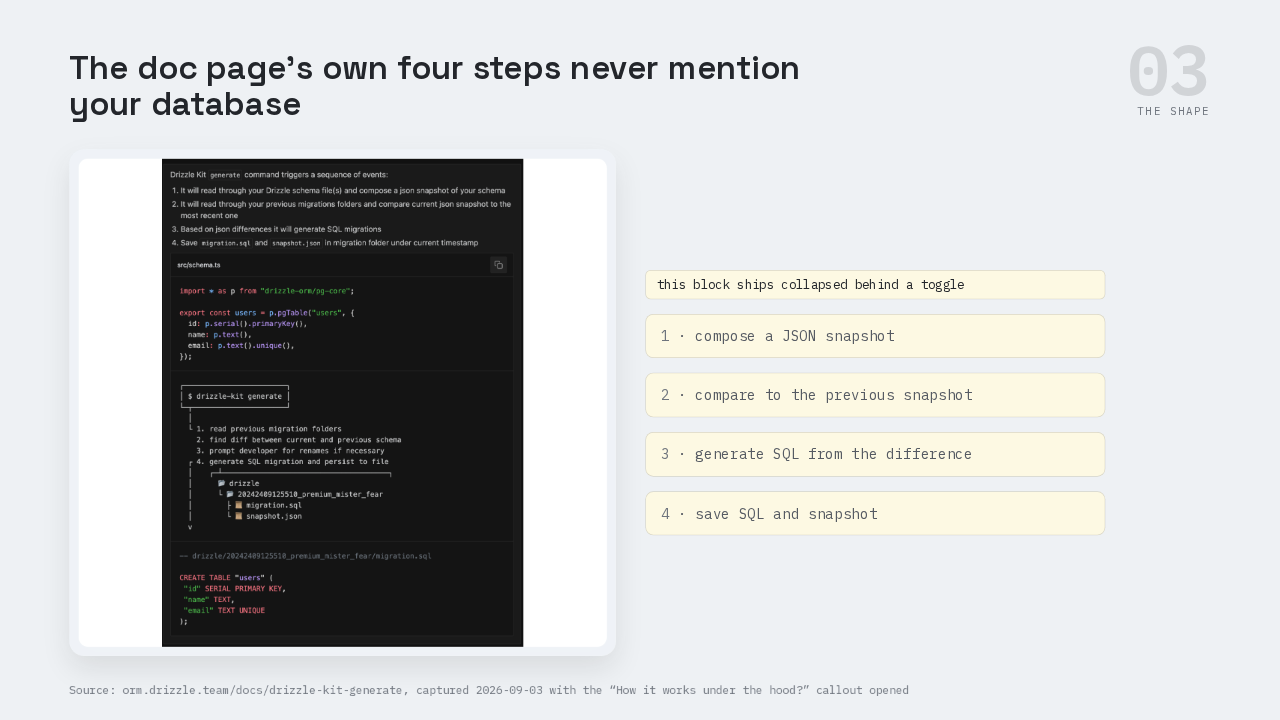
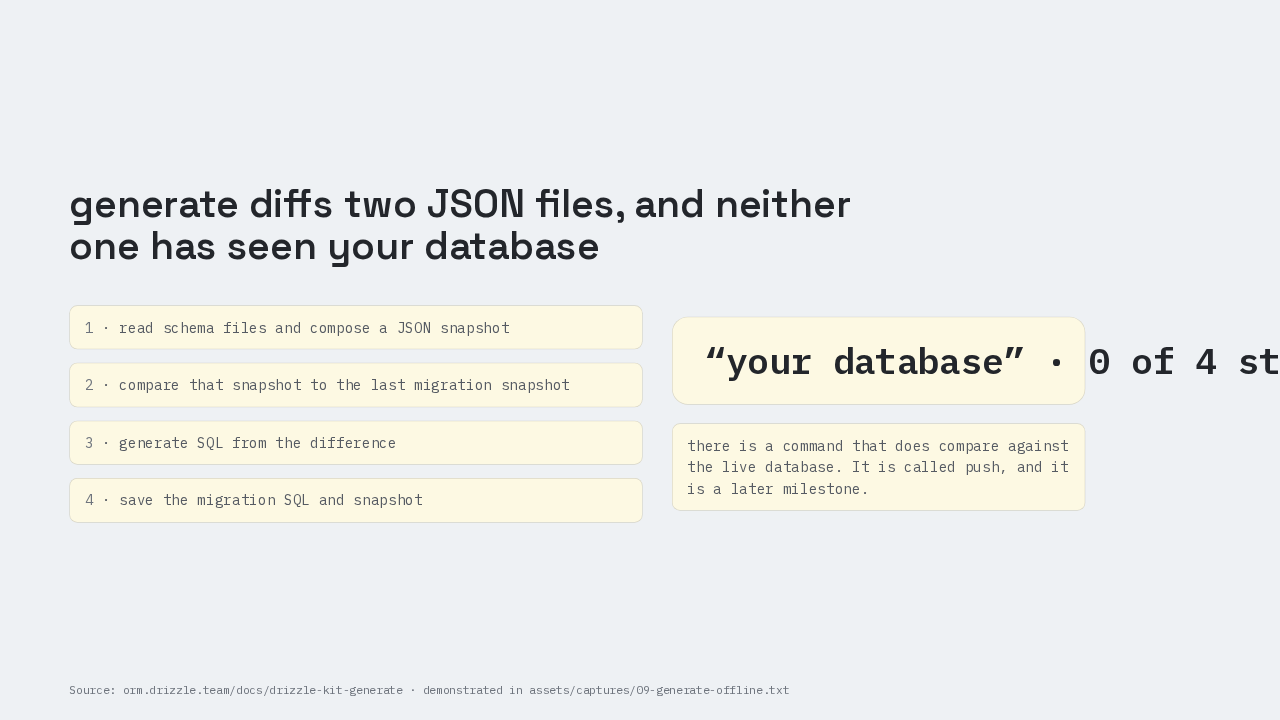
On the generate doc page, a toggle labelled how it works under the hood sits closed when the page loads. Open it and the page lists four steps. One: read your schema files and compose a JSON snapshot. Two: read the previous migration folders and compare the current snapshot to the most recent one. Three: generate SQL from the differences between those two JSON files. Four: save the migration SQL and the snapshot. The manual does say this. It just does not say it where you would see it.
generate diffs JSON files
Your database appears in zero of those four steps. Nothing in generate opens a connection. A JSON snapshot is a plain description of every table and every column your schema files declare, written to disk right next to the SQL, so that the next run has something to compare against. So the diff generate computes runs between two JSON files on your disk. Drizzle does have a command that compares against the live database instead. It is called push, and it is a later milestone.
The migrations folder is the record
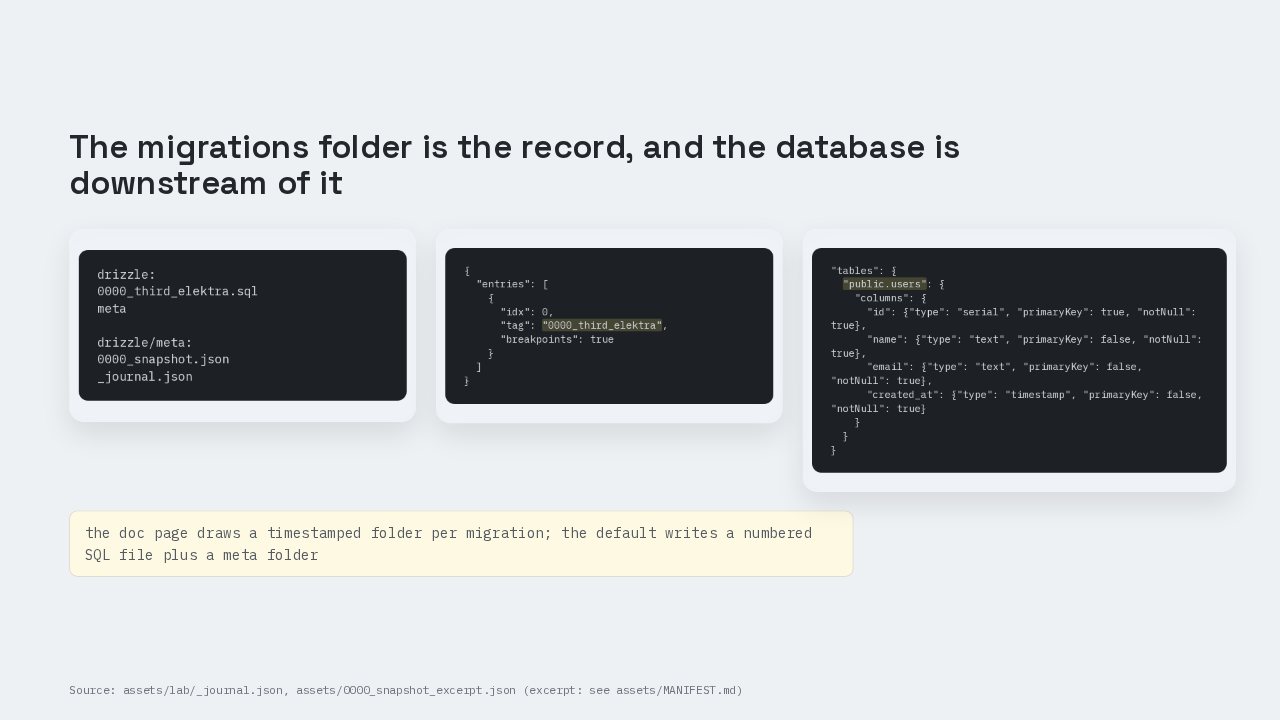
drizzle:
0000_third_elektra.sql
meta

drizzle/meta:
0000_snapshot.json
_journal.json
{
  "entries": [
    {
      "idx": 0,
      "tag": "0000_third_elektra",
      "breakpoints": true
    }
  ]
}
"tables": {
"public.users": {
"columns": {
"id": {"type": "serial", "primaryKey": true, "notNull": true},
"name": {"type": "text", "primaryKey": false, "notNull": true},
"email": {"type": "text", "primaryKey": false, "notNull": true},
"created_at": {"type": "timestamp", "primaryKey": false, "notNull": true}
}
}
}Open drizzle slash meta and there are two files. Underscore journal dot json is an index listing every migration in order, with its name and the moment it was generated. One entry so far, 0000 third elektra. And 0000 snapshot dot json is the description of the database as of that migration, listing public dot users, your table in the default schema, with its four columns spelled out. That pair of files is what the next generate compares against. So the migrations folder goes into version control next to your code, and deleting the folder to start clean destroys the only record of what your database has ever been told.
Renames are ambiguous
Is full_name column in users table created or renamed from another column?
+ full_name create column
name rename columnALTER TABLE "users" RENAME COLUMN "name" TO "full_name";
ALTER TABLE "users" ADD COLUMN "full_name" text NOT NULL;
ALTER TABLE "users" DROP COLUMN "name";
drops the column and its values
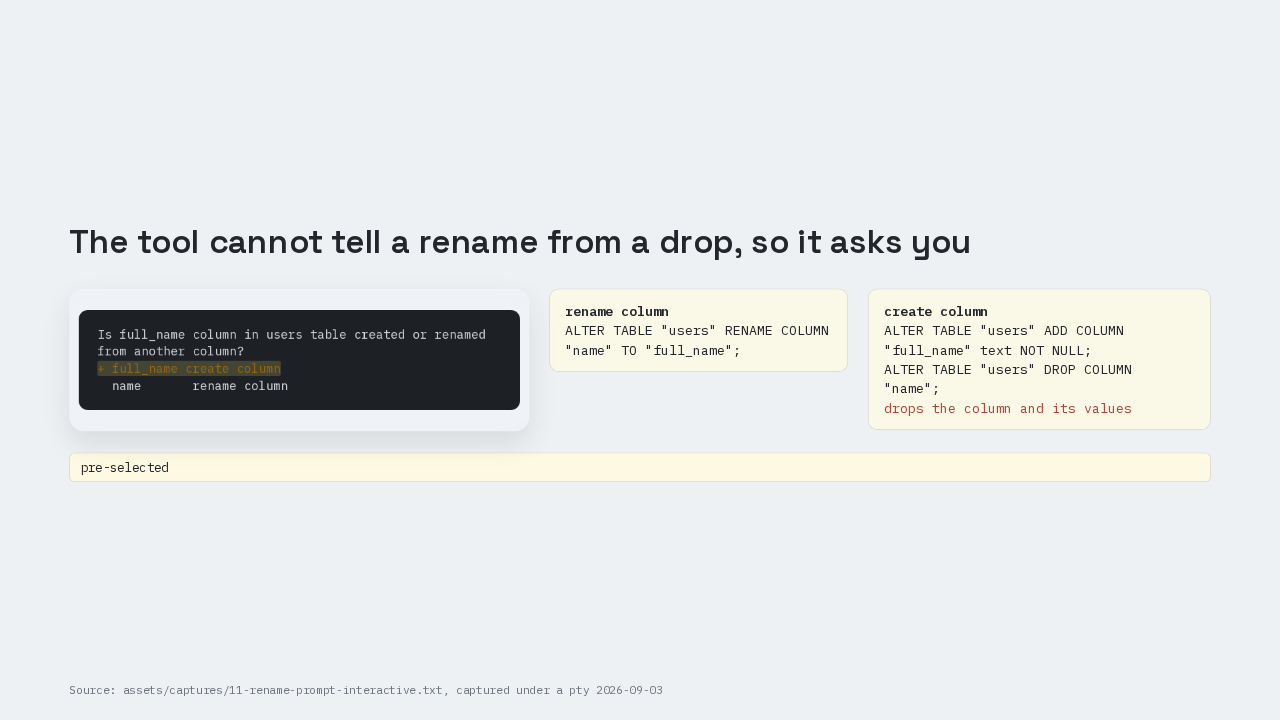
Rename name to full name in the schema file and run generate again. The old snapshot has a name column. The new one has a full name column and no name column. That is what a rename looks like. It is also what dropping one column and adding another looks like, and neither JSON file ever saw the data. So the tool stops and asks: is full name in the users table created, or renamed from another column? Answer rename column and it writes one alter table rename line. Answer create column and it writes add column full name, then drop column name, and that drop takes every value in it. Create column is already selected, so a stray Enter loses the data.
migrate applies SQL online
$ npx drizzle-kit migrate
No config path provided, using default 'drizzle.config.ts'
Reading config file '/private/tmp/dz-lab/drizzle.config.ts'
Using 'pg' driver for database querying
[✓] migrations applied successfully!
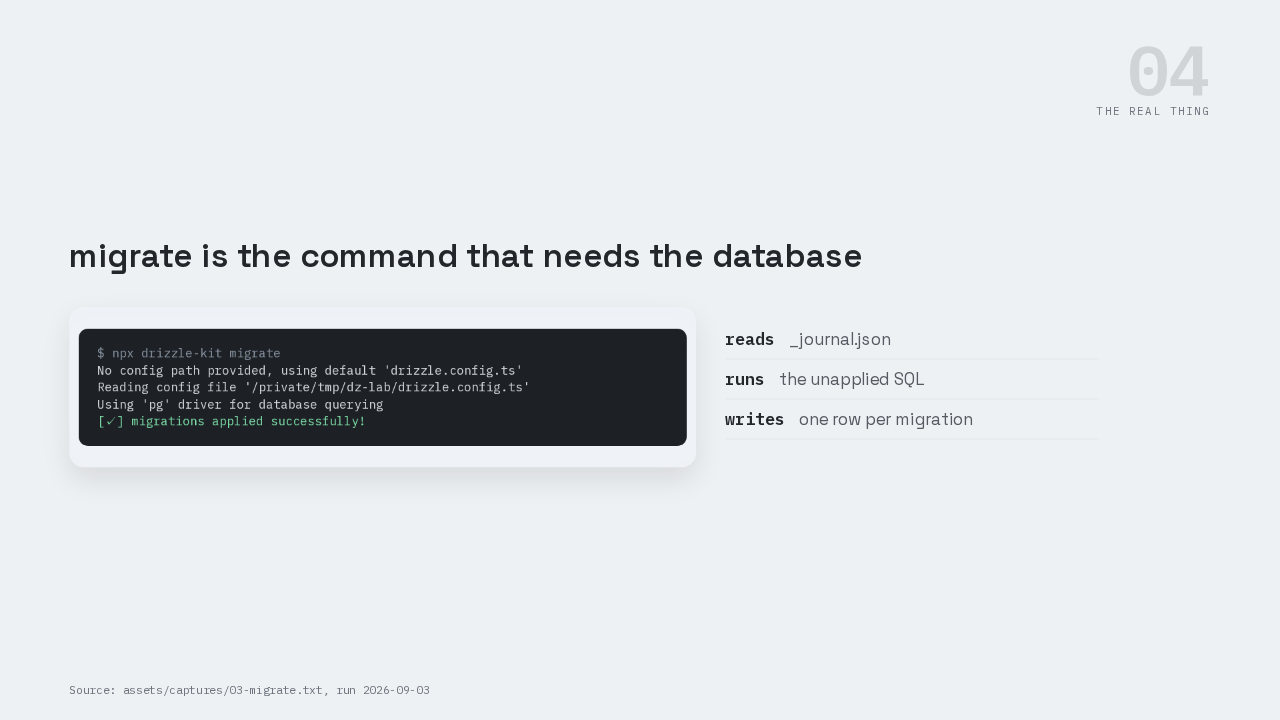
drizzle-kit migrate reads the journal, finds the migrations that are not recorded as applied yet, runs their SQL, and writes a row for each one into a log table.
PostgreSQL confirms the table
$ psql -d drizzle_manual -c '\dt'
         List of relations
 Schema | Name  | Type  |   Owner
--------+-------+-------+-----------
 public | users | table | siderakis
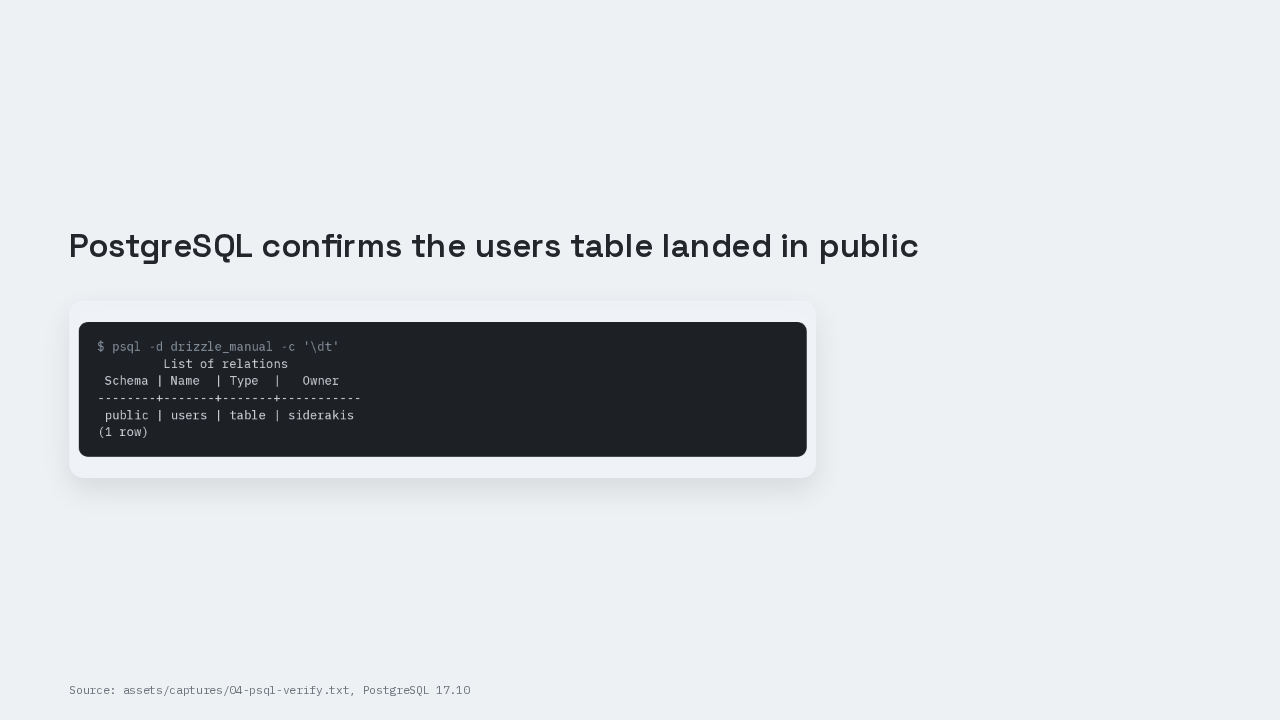
(1 row)Ask PostgreSQL directly. Backslash d t lists one table, users, in the public schema. That is PostgreSQL's own answer, not Drizzle's.
Insert and select the row
import { drizzle } from "drizzle-orm/node-postgres";
import { users } from "./schema";

const db = drizzle(process.env.DATABASE_URL!);

await db.insert(users).values({ name: "Ada", email: "ada@example.com" });
console.log(await db.select().from(users));
process.exit(0);
$ bun src/index.ts
[
  {
    id: 1,
    name: "Ada",
    email: "ada@example.com",
    createdAt: 2026-09-03T...
  }
]
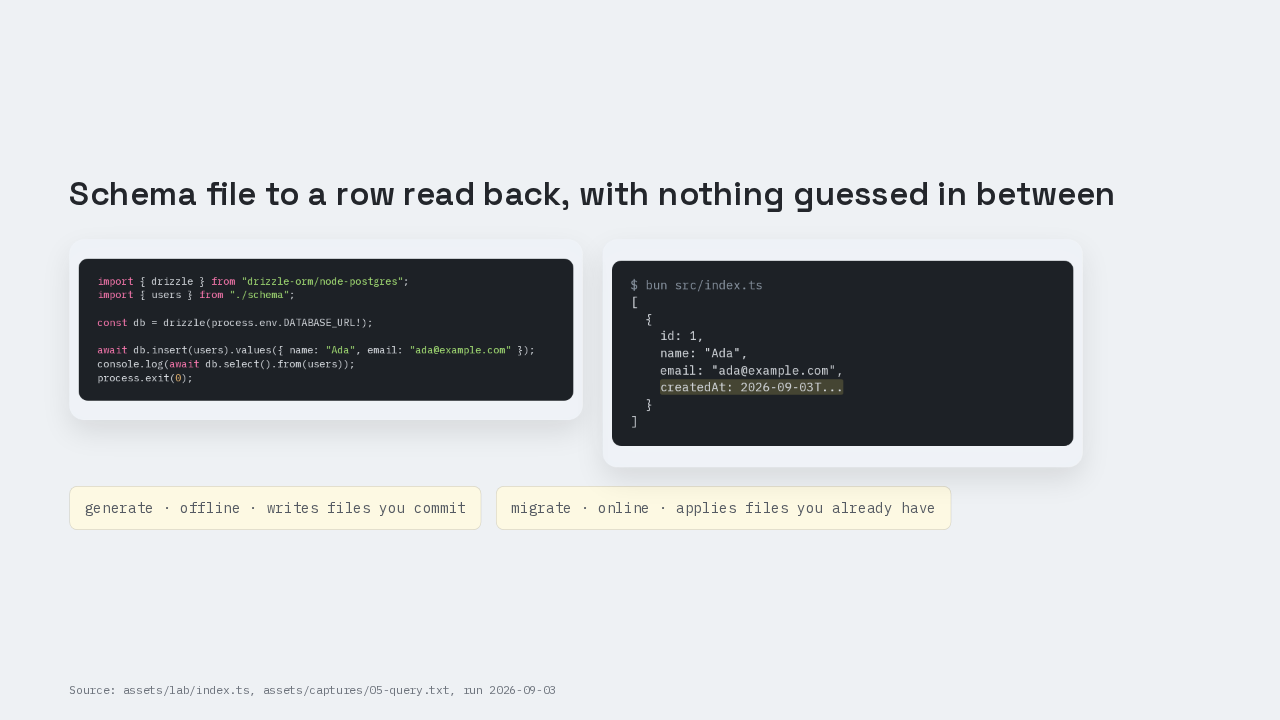
Eight lines of application code: connect, insert one row for Ada, select it back. bun src slash index dot ts prints the row. Id one, the name Ada, the email, and a created-at timestamp PostgreSQL filled in from the default. Generate is offline and produces files you commit. Migrate is online and applies files you already have.
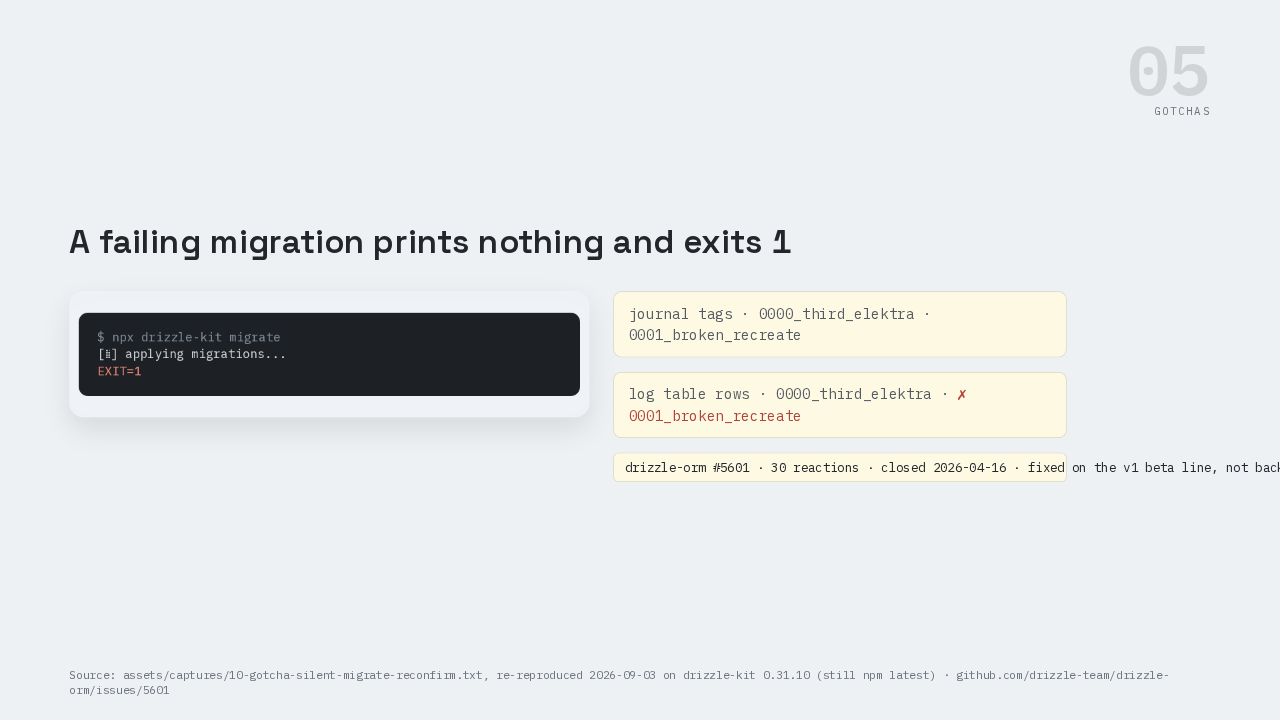
A failing migration exits one
$ npx drizzle-kit migrate
[⣷] applying migrations...
EXIT=1
This is the part people get wrong. Run migrate against a migration whose SQL fails and you get a spinner, then exit code one, and no error text. You get the same silence when the database is simply unreachable. That is drizzle-orm issue 5601, thirty reactions. Closed upstream on the version one beta line in April, never backported, still what stable 0.31.10 does today. Compare the journal against the log table. The first tag missing from the log is the one that failed.
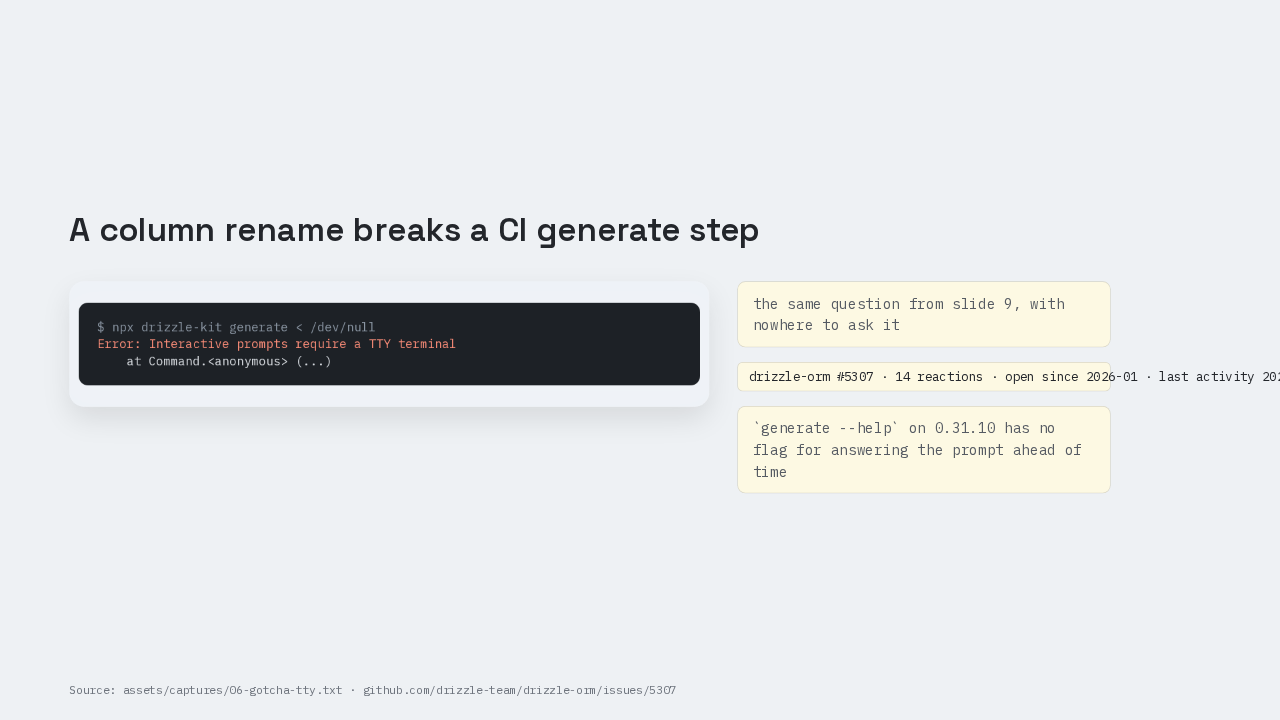
Rename prompts need a TTY
$ npx drizzle-kit generate < /dev/null
Error: Interactive prompts require a TTY terminal
    at Command.<anonymous> (...)
This is the part people get wrong. In a shell with no terminal attached, generate throws: interactive prompts require a TTY terminal. That is issue 5307, open since January, fourteen reactions, and generate still has no flag for answering the prompt ahead of time. Generate on a developer's machine and commit the files. Continuous integration runs migrate, never generate.
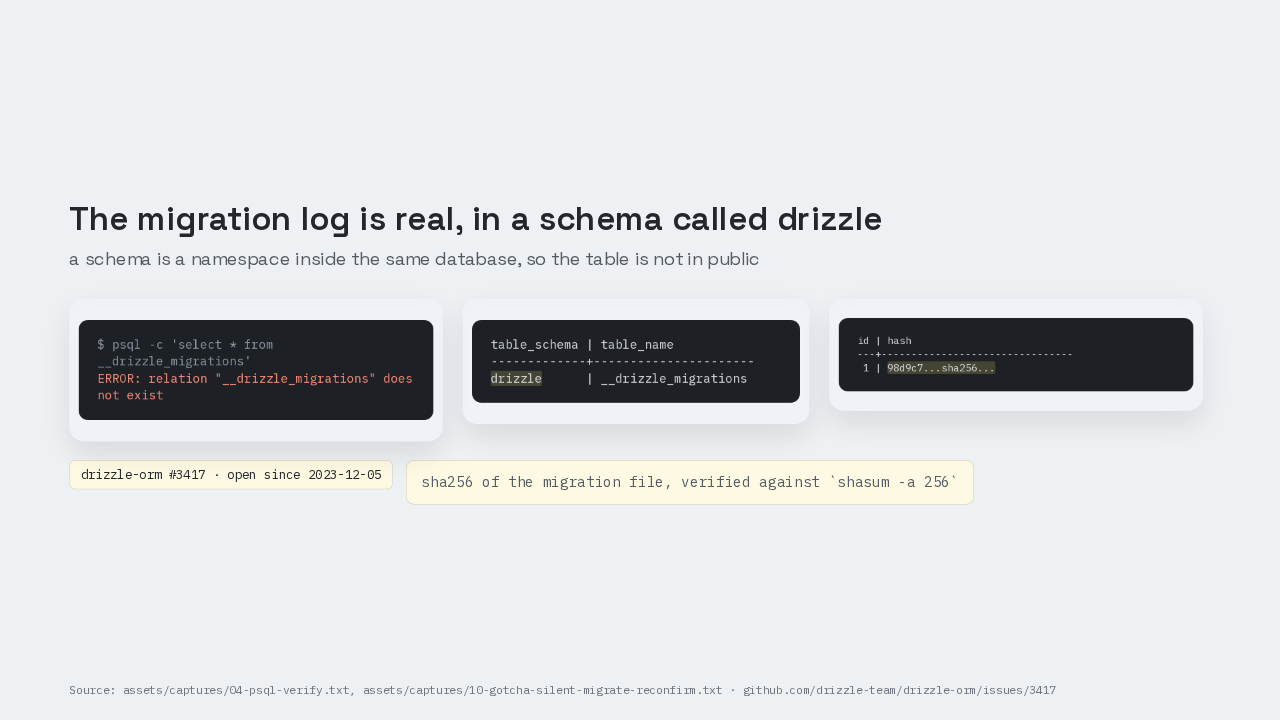
Migration log table lives in drizzle
$ psql -c 'select * from __drizzle_migrations'
ERROR: relation "__drizzle_migrations" does not exist
table_schema | table_name
-------------+----------------------
drizzle      | __drizzle_migrations
id | hash
---+--------------------------------
1 | 98d9c7...sha256...This is the part people get wrong. Ask for the migration log the obvious way and PostgreSQL says the relation does not exist. Search information schema and there it is, in a schema called drizzle. A schema here is a namespace inside the same database, so the log table is not in public with your own tables. Query the log table and each row holds a sha256 fingerprint of one migration file's exact contents. That is issue 3417, open since 2023.
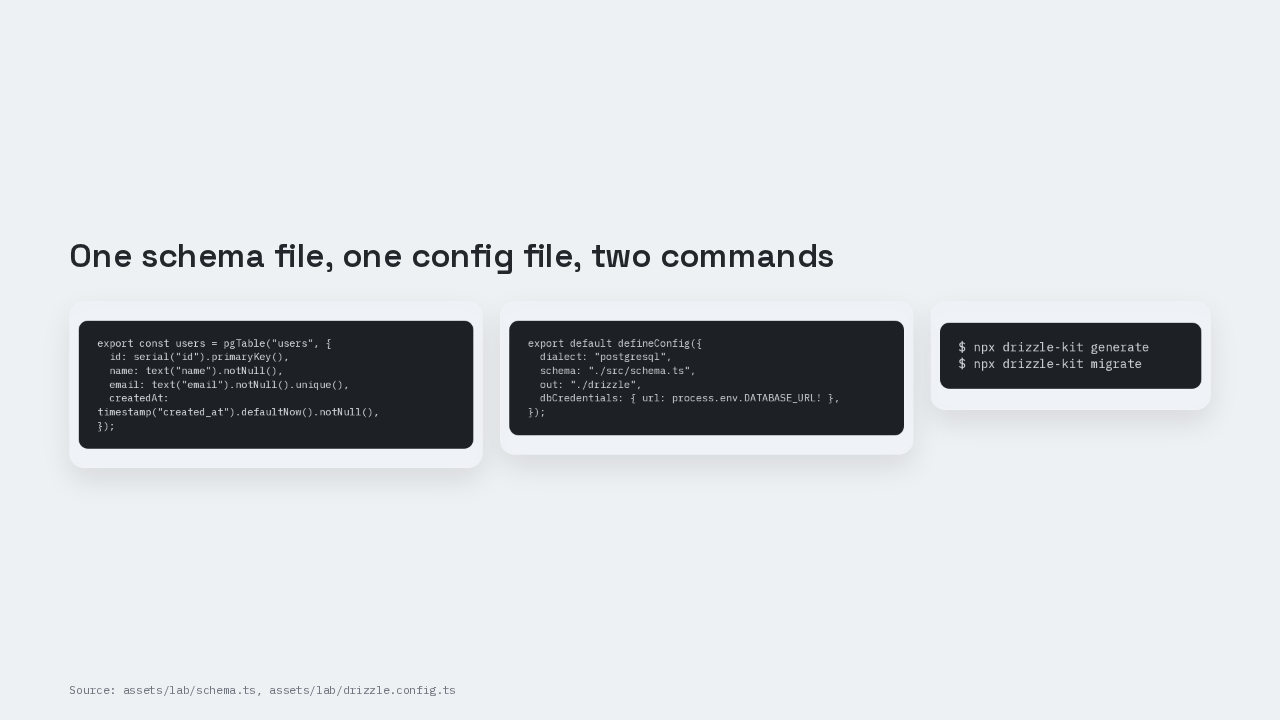
The runnable set
export const users = pgTable("users", {
  id: serial("id").primaryKey(),
  name: text("name").notNull(),
  email: text("email").notNull().unique(),
  createdAt: timestamp("created_at").defaultNow().notNull(),
});
export default defineConfig({
dialect: "postgresql",
schema: "./src/schema.ts",
out: "./drizzle",
dbCredentials: { url: process.env.DATABASE_URL! },
});$ npx drizzle-kit generate $ npx drizzle-kit migrate
The folder that generate and migrate write is the record of every shape your database has been asked to take, and the database is downstream of it.
Who decides the database shape
drizzle-orm 0.45.2, drizzle-kit 0.31.10, PostgreSQL 17.10. If you deleted your migrations folder tomorrow, what could you actually reconstruct? Who decides what your database looks like, your code or your database?