A typed profile from one call
$ bun profile.ts   # 5 runs, qwen2.5:3b on local Ollama
--- run 1
{
  name: "Evelyn Chen",
  age: 28,
}
real 0.89
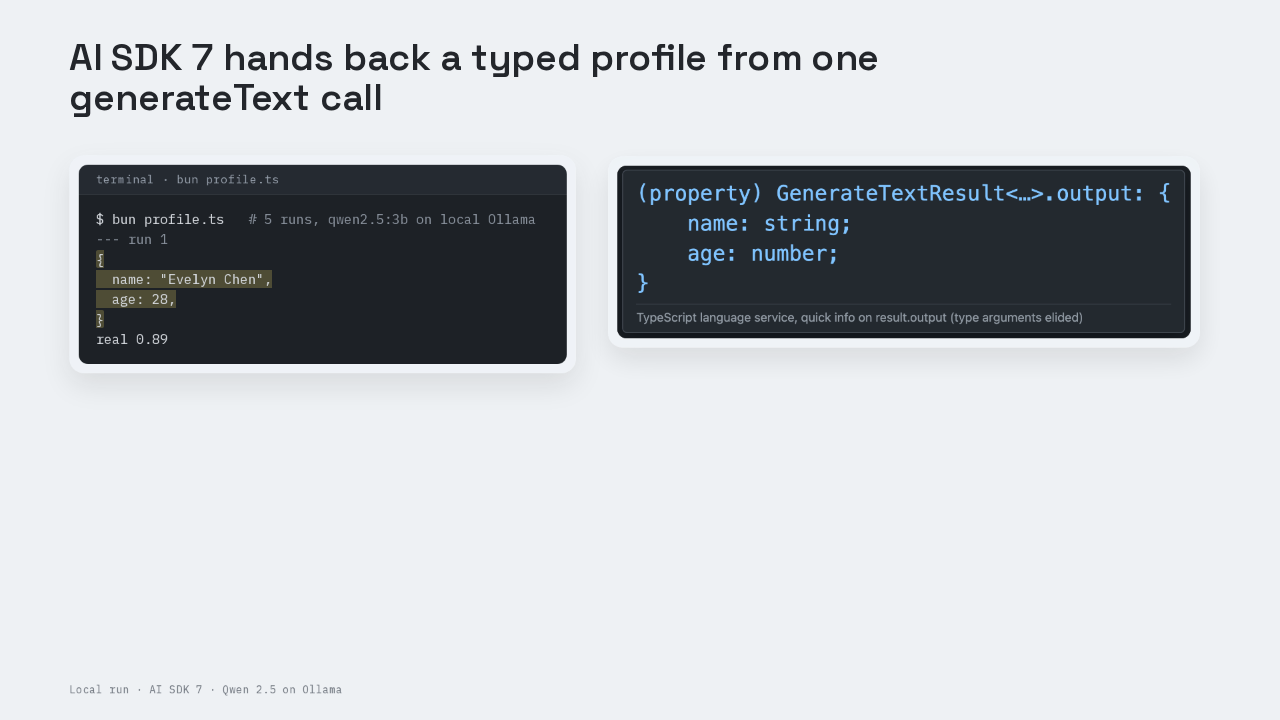
One `generateText` call handed back this profile, a name and an age. The editor already knew the age was a number before the script ever ran. This is AI SDK 7, Vercel's TypeScript toolkit for calling AI models from an app. `generateText` is its call that runs a model and returns the finished result. The option on that call, Output dot object, asks the model for an object in a shape you describe. Then the AI SDK checks the reply against that shape, before your code gets the object.
Install three packages
$ bun add ai @ai-sdk/openai zod
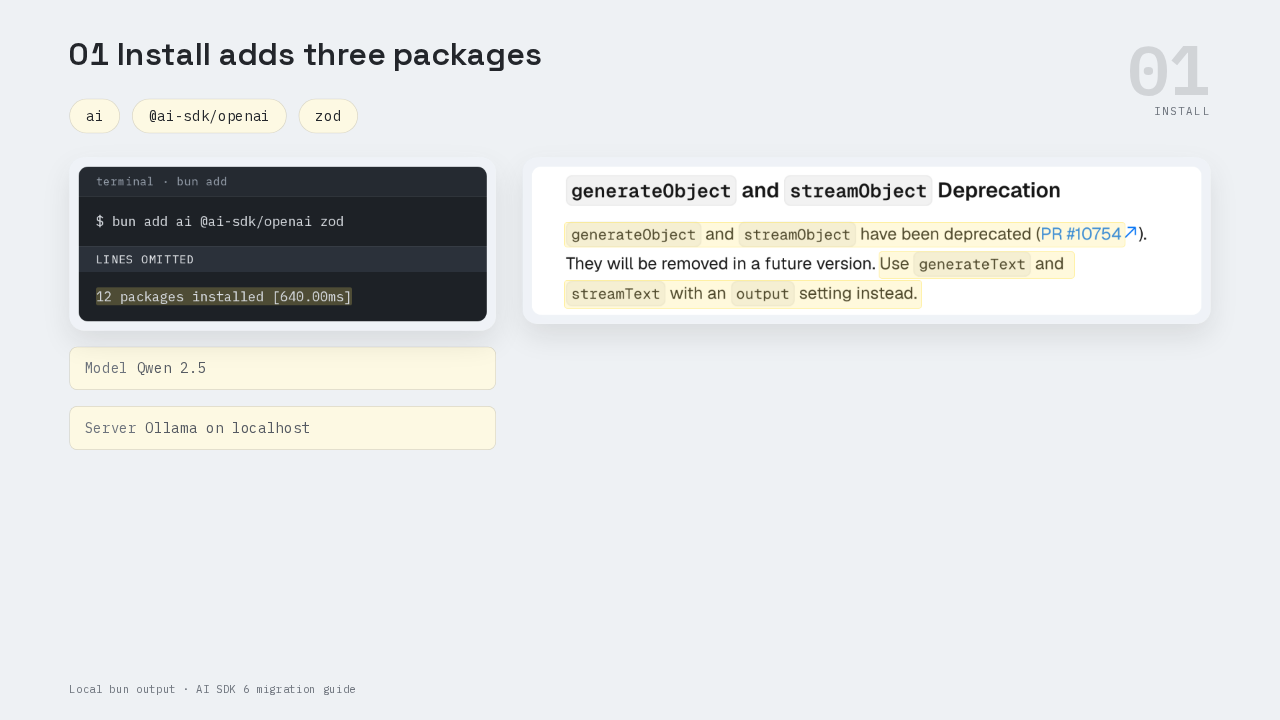
12 packages installed [640.00ms]This was run on AI SDK 7. One Bun command installs three packages. The `ai` package is the AI SDK itself. The second, the AI SDK's OpenAI provider, turns AI SDK calls into requests a model server understands. The third is Zod, a TypeScript library that describes the shape of data and checks real data against that shape. The model is Qwen 2.5, a small open model, running on this machine in Ollama, a local app that serves open models in OpenAI's API format. Older tutorials teach `generateObject` for this job. AI SDK 6 deprecated `generateObject` in favor of this output setting, and AI SDK 7 still ships it marked deprecated.
One file with one call
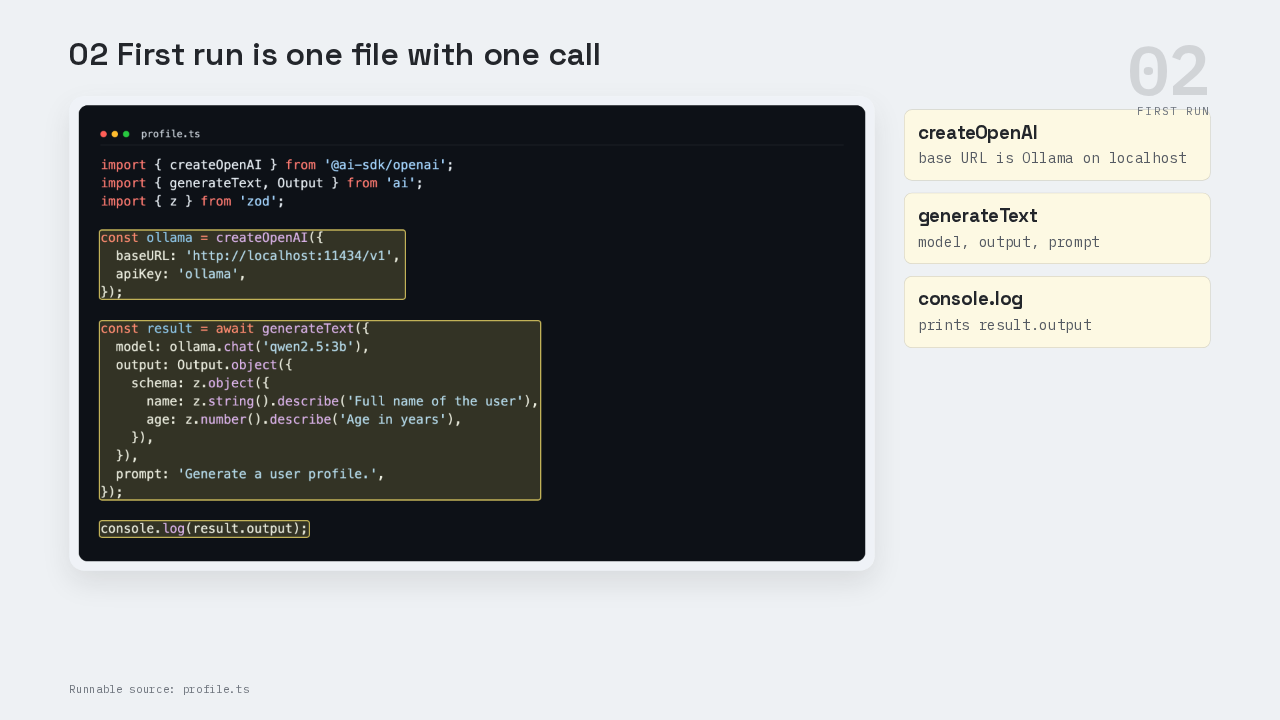
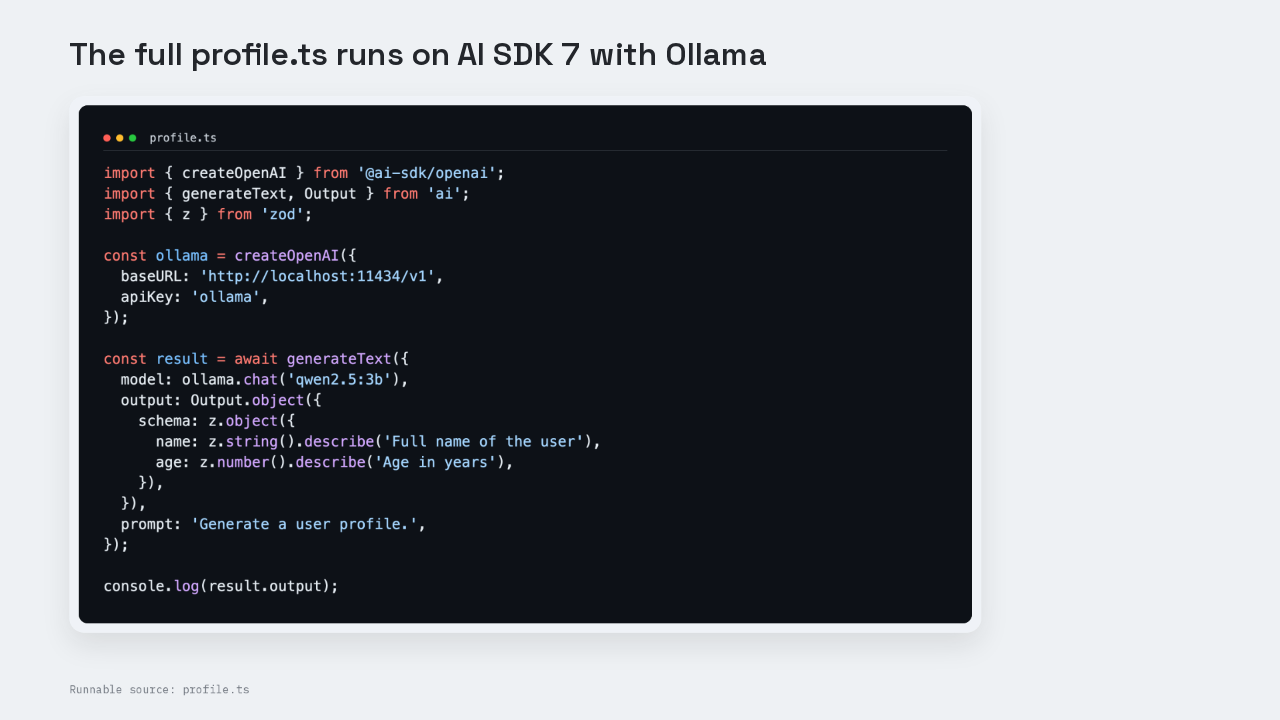
The whole program is one file, profile dot T S. At the top, `createOpenAI` builds a provider whose base URL points at Ollama on localhost. Below that sits one `generateText` call with three settings, the model, the output and the prompt. The output setting is Output dot object, wrapped around a Zod object with two fields. The name field is a string, and the age field is a number. Each field also carries a dot describe call, a short hint for the model in plain English. The prompt says, generate a user profile. The last line prints result dot output.
The Output reference page
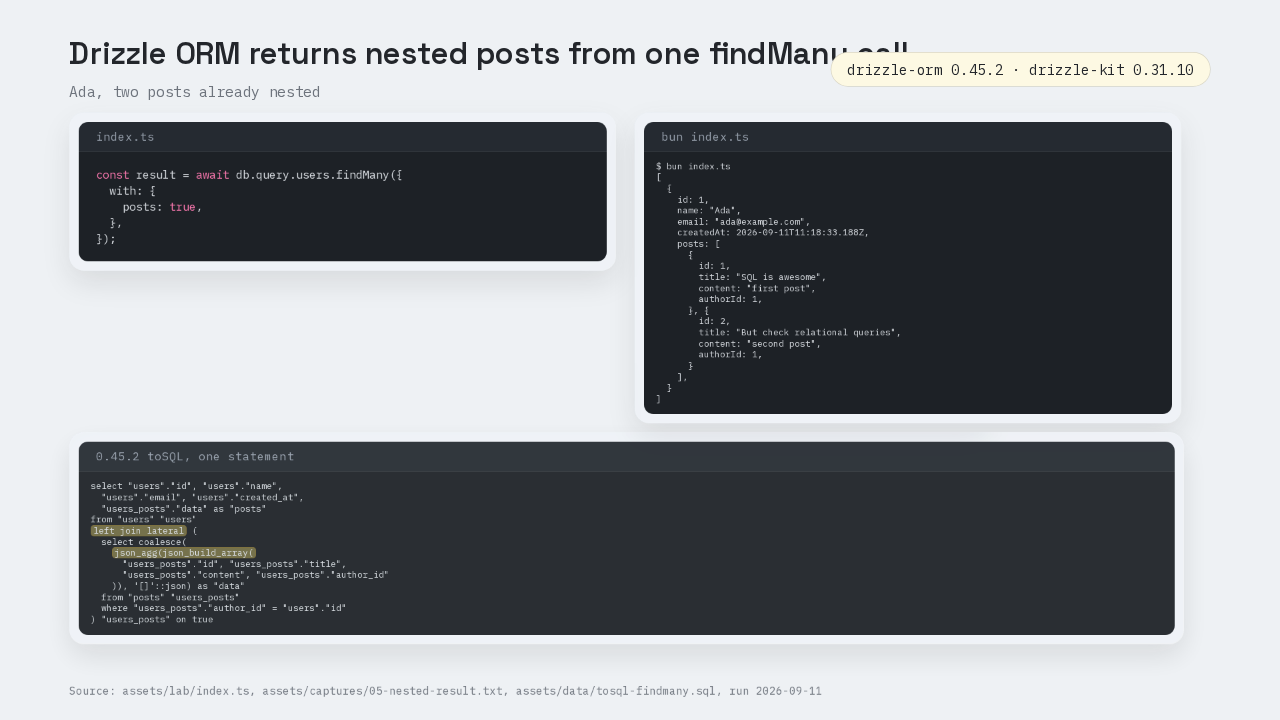
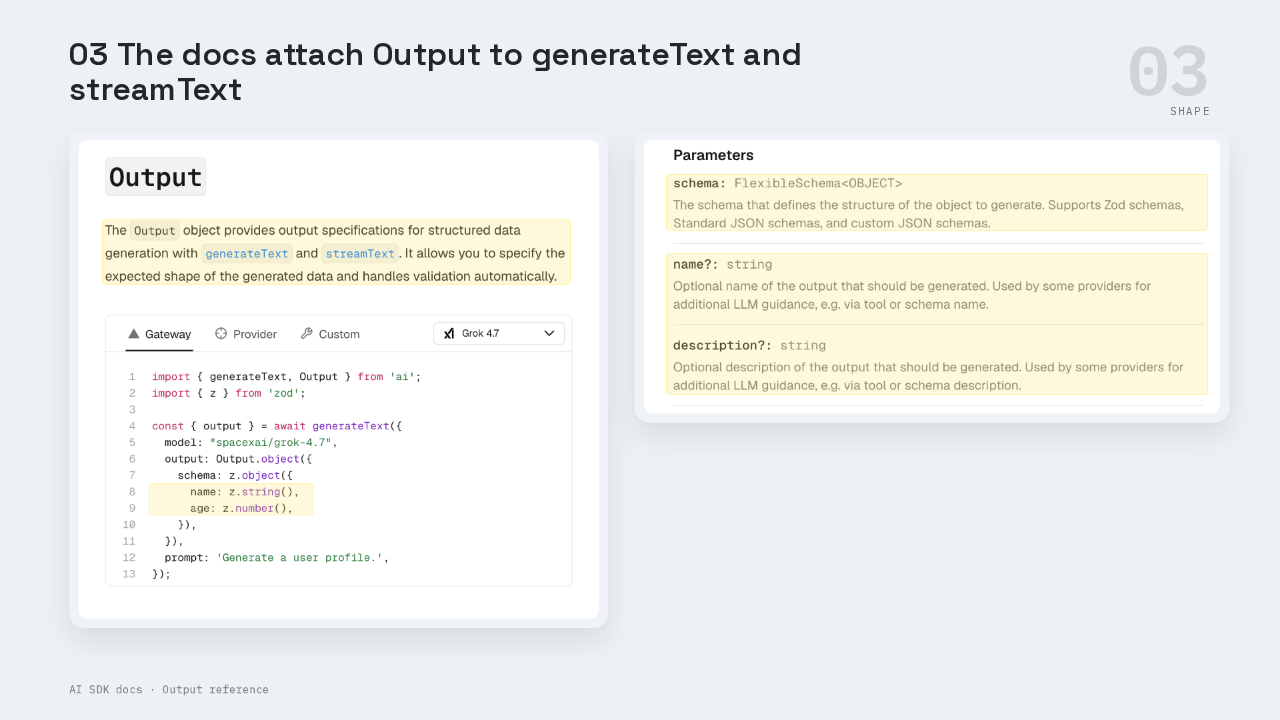
The official Output reference page opens with this same example, a name and an age. The page says Output works with `generateText` and `streamText`, and handles validation automatically. Output dot object takes one required setting, the schema. The schema can be a Zod schema or a JSON Schema, a JSON format for describing the shape of data. Two optional settings, a name and a description, give some providers extra guidance for the model.
One schema, two jobs
  "response_format": {
    "type": "json_schema",
    "json_schema": {
      "schema": {
        "$schema": "http://json-schema.org/draft-07/schema#",
        "type": "object",
        "properties": {
          "name": {
            "type": "string",
            "description": "Full name of the user"
          },
          "age": {
            "type": "number",
            "description": "Age in years"
          }
        },
        "required": [
          "name",
          "age"
        ],
        "additionalProperties": false
      },
      "strict": true,
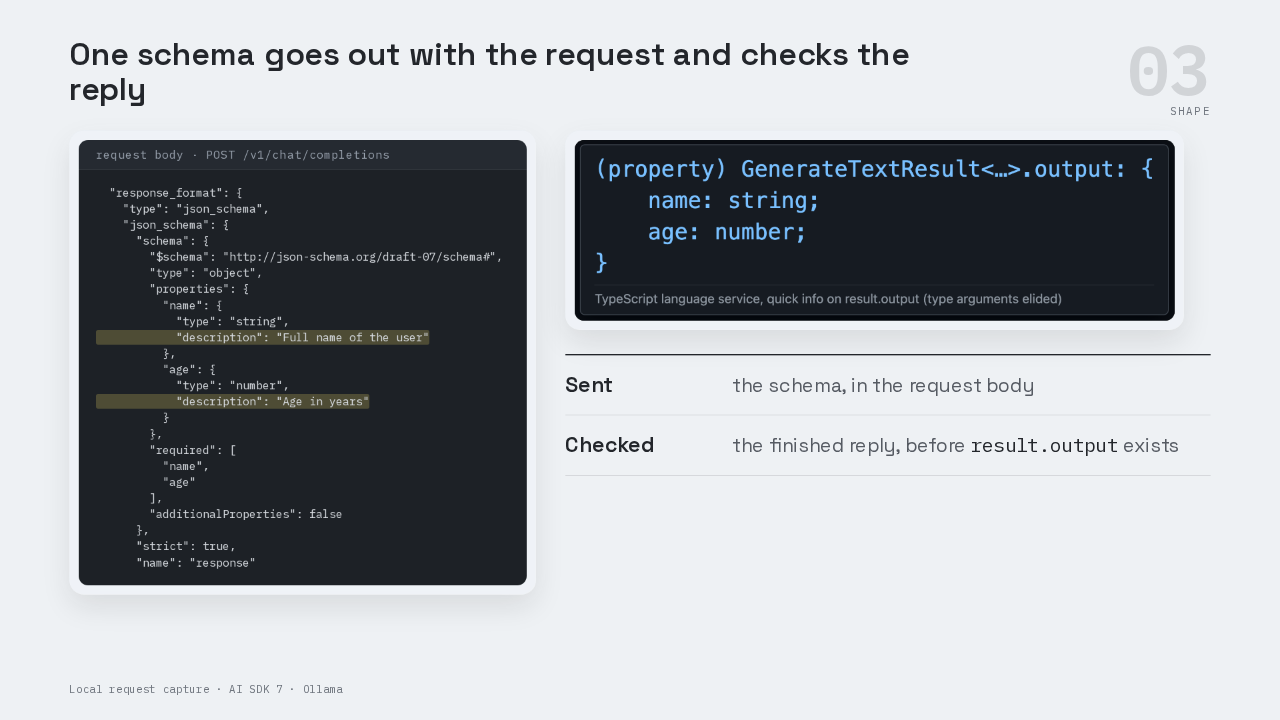
"name": "response"The one Zod schema does two jobs. First, the AI SDK turns the schema into JSON Schema and sends it with the request. This is the request body the script sent to Ollama. The schema sits in a field called response format. The two describe hints ride along as each field's description, full name of the user, and age in years. So the model gets the shape and the hints before it writes a word. Second, the reply comes back as text. The AI SDK parses that text and checks it against the same Zod schema. Only a reply that passes becomes result dot output. TypeScript reads the output's type from that same Zod object. The hover says name is a string and age is a number because the schema says so. The check and the type come from one object, so a change to the schema changes both.
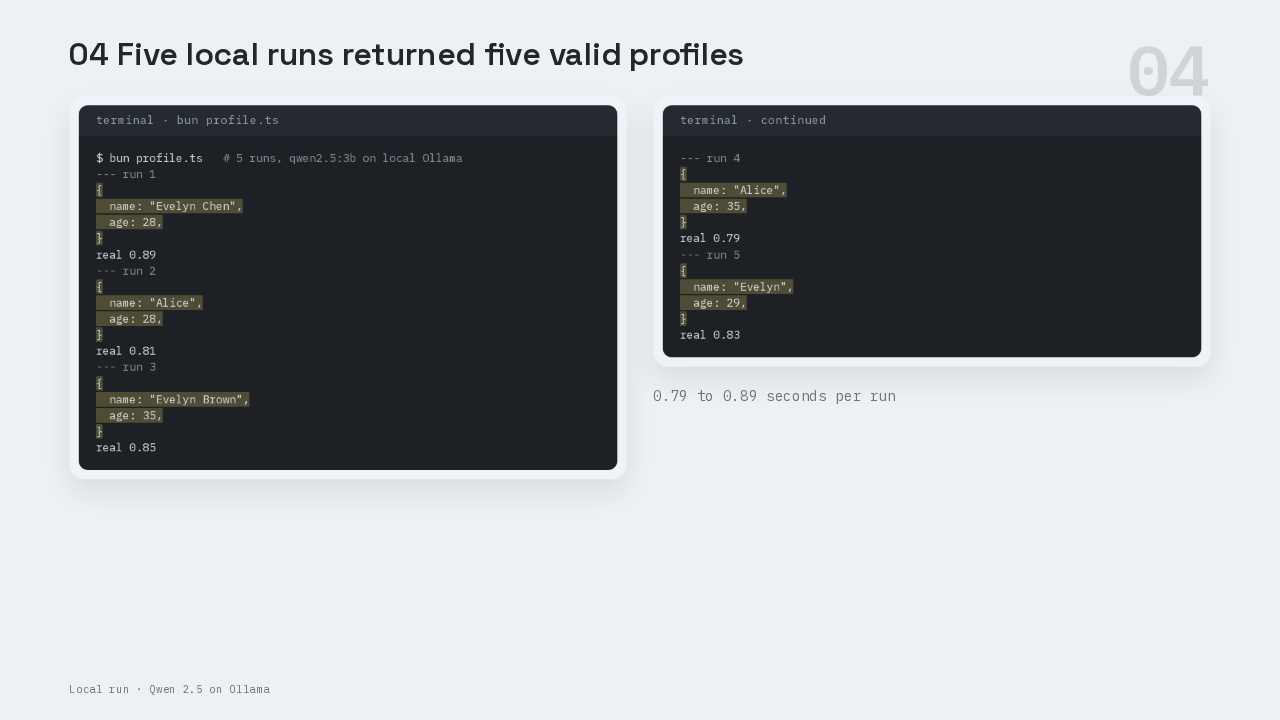
Five runs, five profiles
$ bun profile.ts   # 5 runs, qwen2.5:3b on local Ollama
--- run 1
{
  name: "Evelyn Chen",
  age: 28,
}
real 0.89
--- run 2
{
  name: "Alice",
  age: 28,
}
real 0.81
--- run 3
{
  name: "Evelyn Brown",
  age: 35,
}
real 0.85
--- run 4
{
  name: "Alice",
  age: 35,
}
real 0.79
--- run 5
{
  name: "Evelyn",
  age: 29,
}
real 0.83
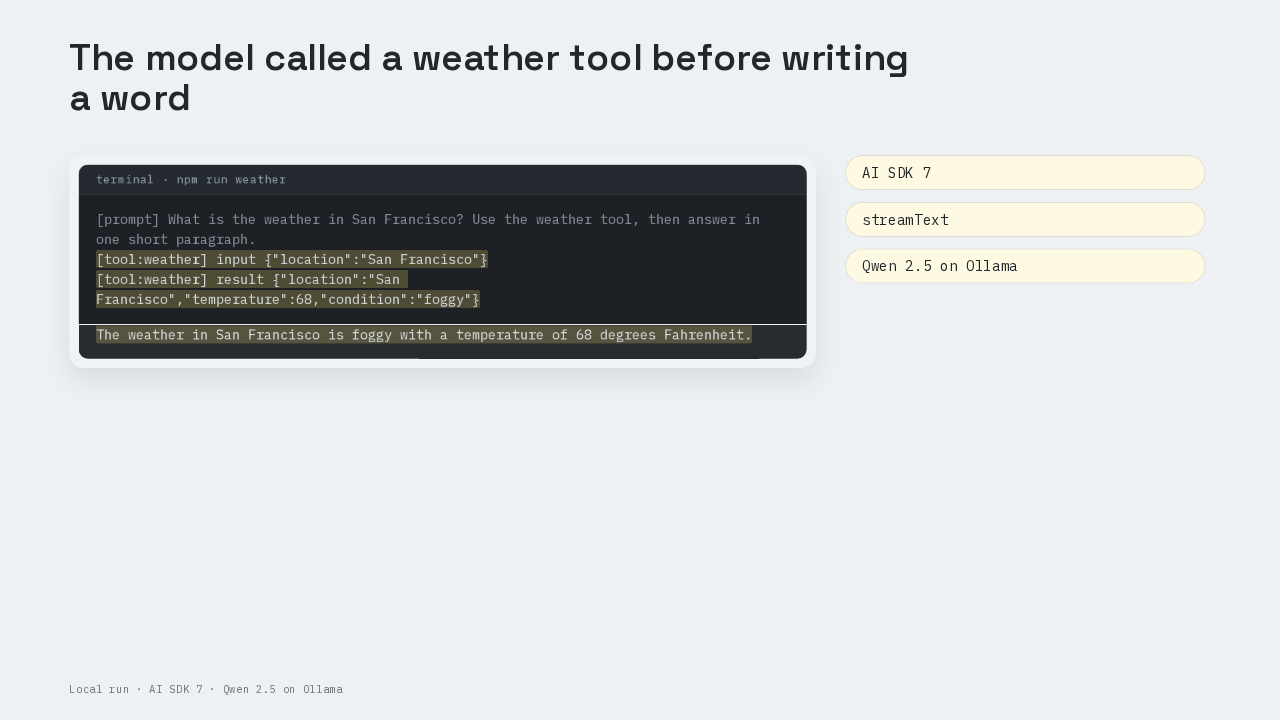
The script ran five times in a row. All five runs printed a profile that matched the schema. The names were Evelyn Chen, Alice, Evelyn Brown, Alice again, and Evelyn. The ages ran from twenty-eight to thirty-five. Each run took under a second on this small local model. Every profile arrived as a real object, with age as a number. The script got there with zero calls to JSON dot parse and zero hand-written types.
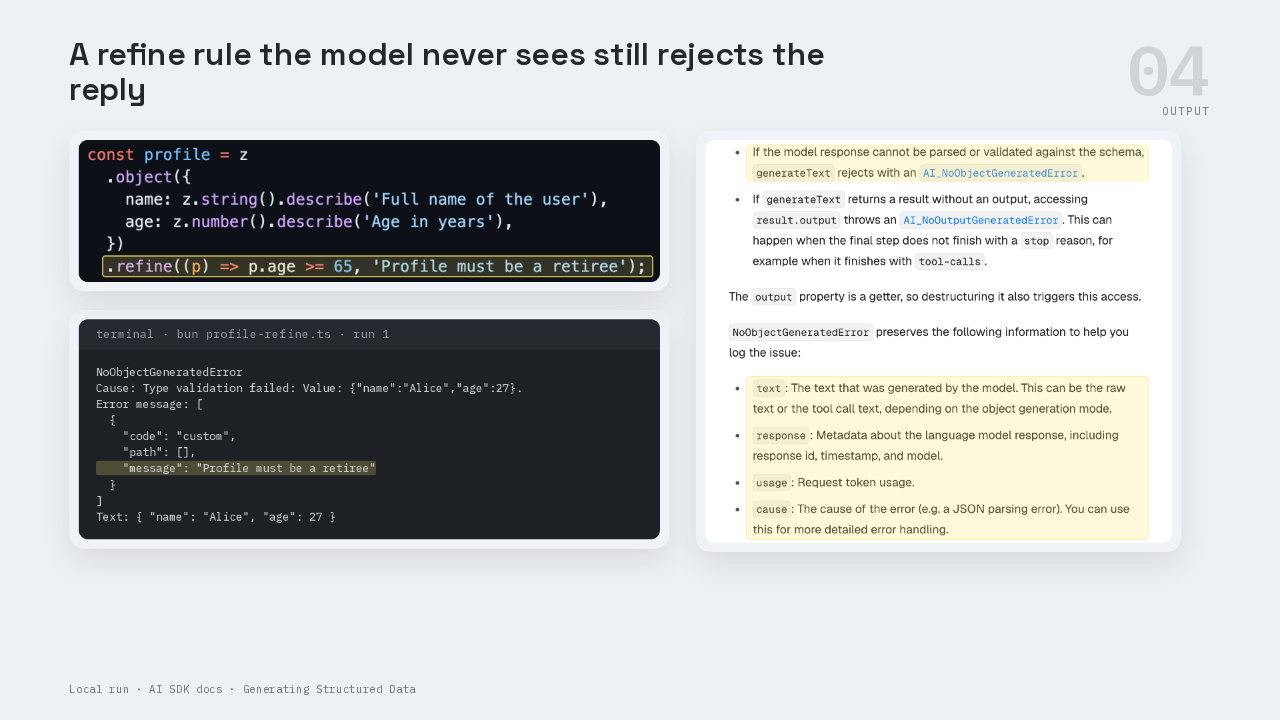
A rule the model never sees
NoObjectGeneratedError
Cause: Type validation failed: Value: {"name":"Alice","age":27}.
Error message: [
  {
    "code": "custom",
    "path": [],
    "message": "Profile must be a retiree"
  }
]
Text: { "name": "Alice", "age": 27 }Zod's refine method adds a custom check to the schema, written as a function. This check says the profile must be a retiree, sixty-five or older. A function can't travel inside a JSON Schema. The request with the rule matches the request without it, byte for byte, so the model never sees the rule. Across three runs, the model wrote ages of twenty-seven, thirty and thirty-two. The AI SDK's check caught all three. Each time, `generateText` threw a No Object Generated Error. The error carries the raw text the model wrote, the response details, the token usage, and a cause. The cause says type validation failed, profile must be a retiree. A reply that breaks your schema fails at the call, where your code can catch and log it.
NoOutputGeneratedError
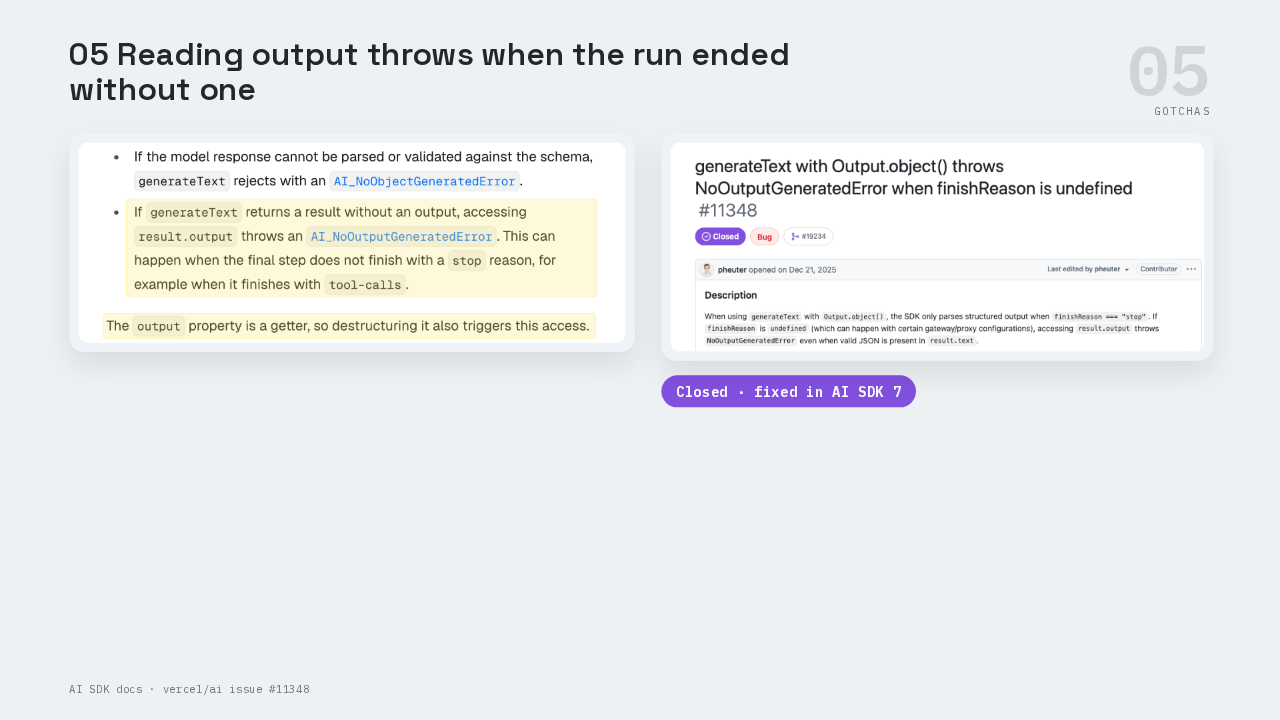
This is the part people get wrong. The docs name a second error, No Output Generated Error. It fires when you read result dot output from a run that ended without an output. One example is a run whose last step stopped on a tool call. A tool call is the model asking your app to run a named function. The output property is a getter, a property that runs code when you read it. So even destructuring output from the result throws. Issue eleven three forty-eight hit this error when a gateway dropped the finish reason, the model's label for why it stopped. The AI SDK threw with valid JSON sitting in the reply text. That issue closed in August, and the fix ships in AI SDK 7. Read result dot output inside the same try block as the call.
The output needs a step
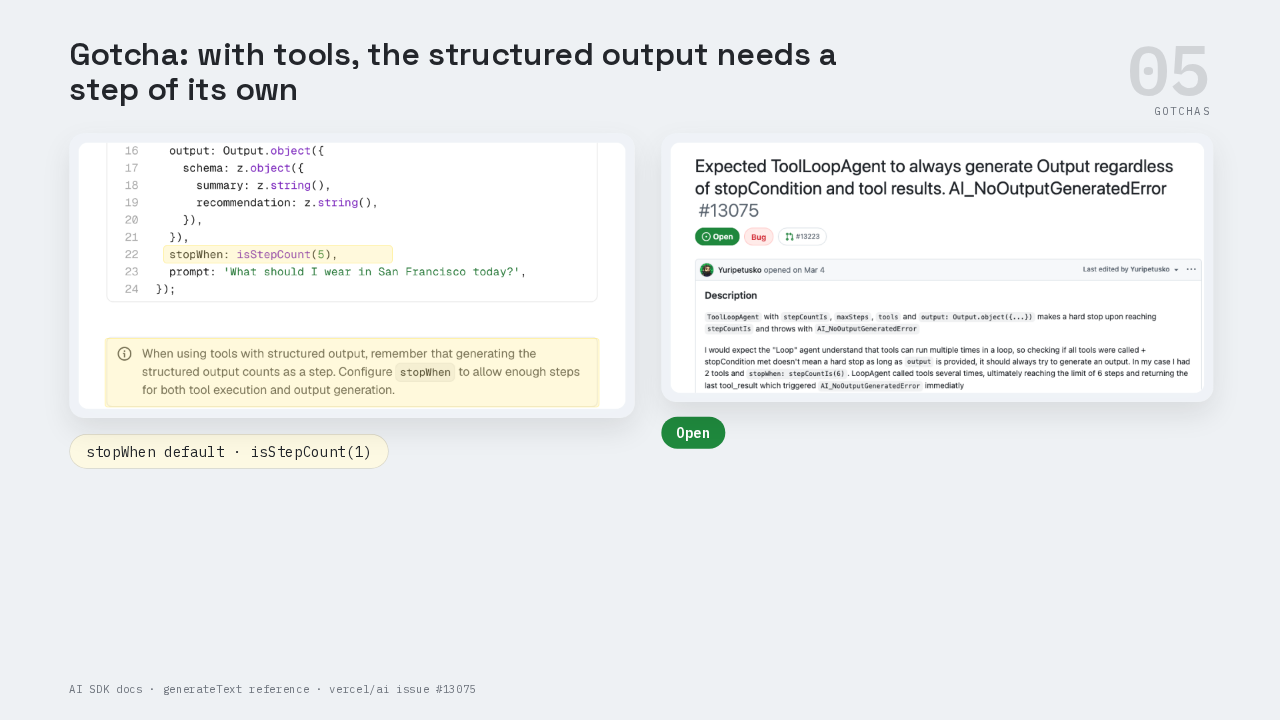
This is the part people get wrong once tools join the call. `generateText` runs as a loop of steps. Each model call or tool run is one step. The docs say the structured output counts as a step too. The stop when setting decides when the loop ends, and its default is one step. So with a tool and no stop when setting, the run can end right after the tool call, with no output to read. The docs example allows five steps. Issue thirteen oh seven five is open. The reporter's agent had two tools and a six-step limit. The agent kept calling tools until the limit, and reading output threw. Give stop when enough steps for every tool call, plus one more for the output.
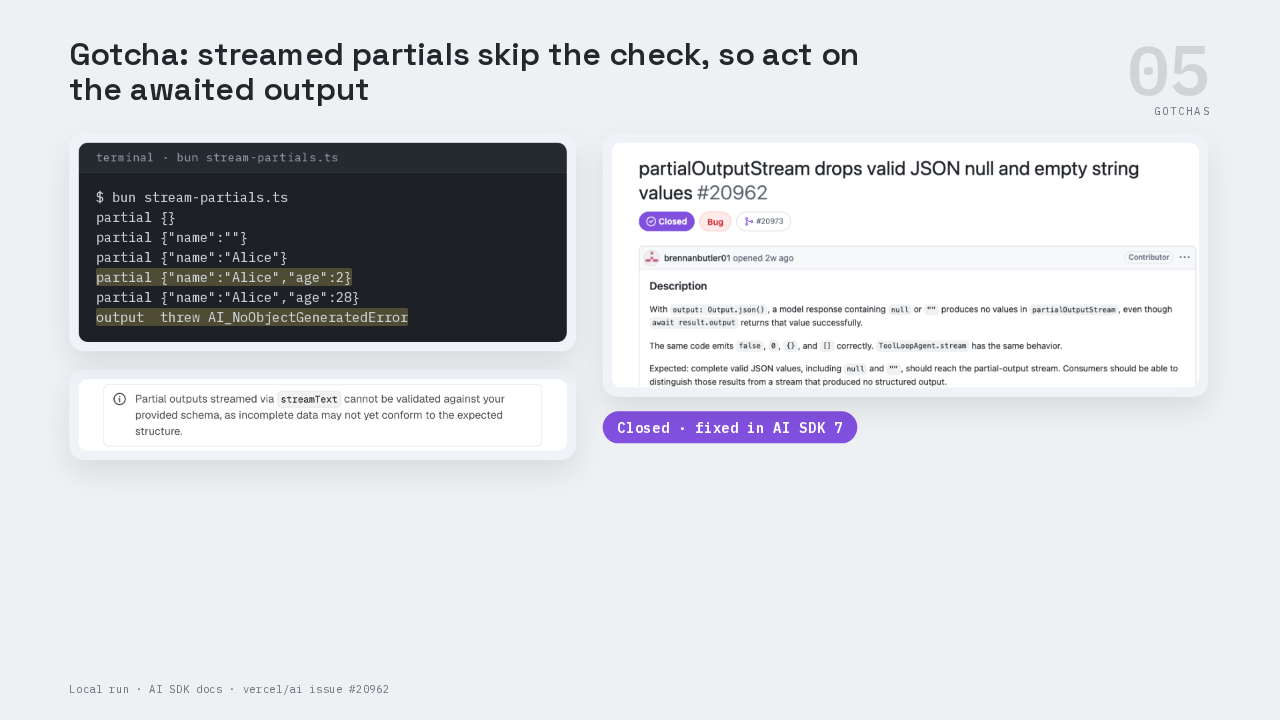
Streamed partials skip the check
$ bun stream-partials.ts
partial {}
partial {"name":""}
partial {"name":"Alice"}
partial {"name":"Alice","age":2}
partial {"name":"Alice","age":28}
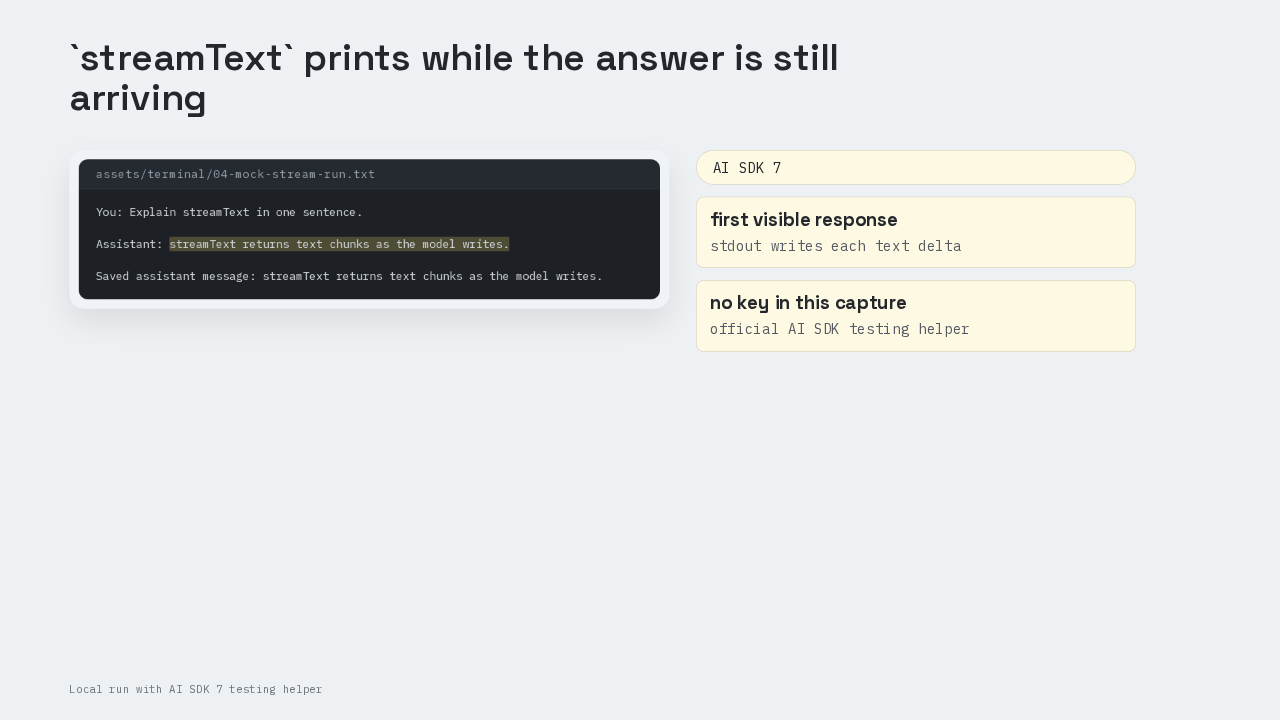
output threw AI_NoObjectGeneratedErrorThis is the part people get wrong when streaming. `streamText` with the same output setting gives you a partial output stream. Each partial is a half-built object, where any field may still be missing. The docs say those partials can't be validated, because incomplete data may not fit the schema yet. This run used the retiree rule. The partials went from an empty object, to an empty name, to Alice, to Alice aged two, then Alice aged twenty-eight. Then awaiting the finished output threw No Object Generated Error. Issue two oh nine six two found a different gap. The partial stream dropped null and empty-string values, and the finished output kept them. That issue closed as fixed in September. Save only the awaited output.
The full profile.ts
The provider points at Ollama on localhost. One `generateText` call carries Output dot object, with the Zod profile schema inside it. The last line prints result dot output, typed as a name string and an age number.