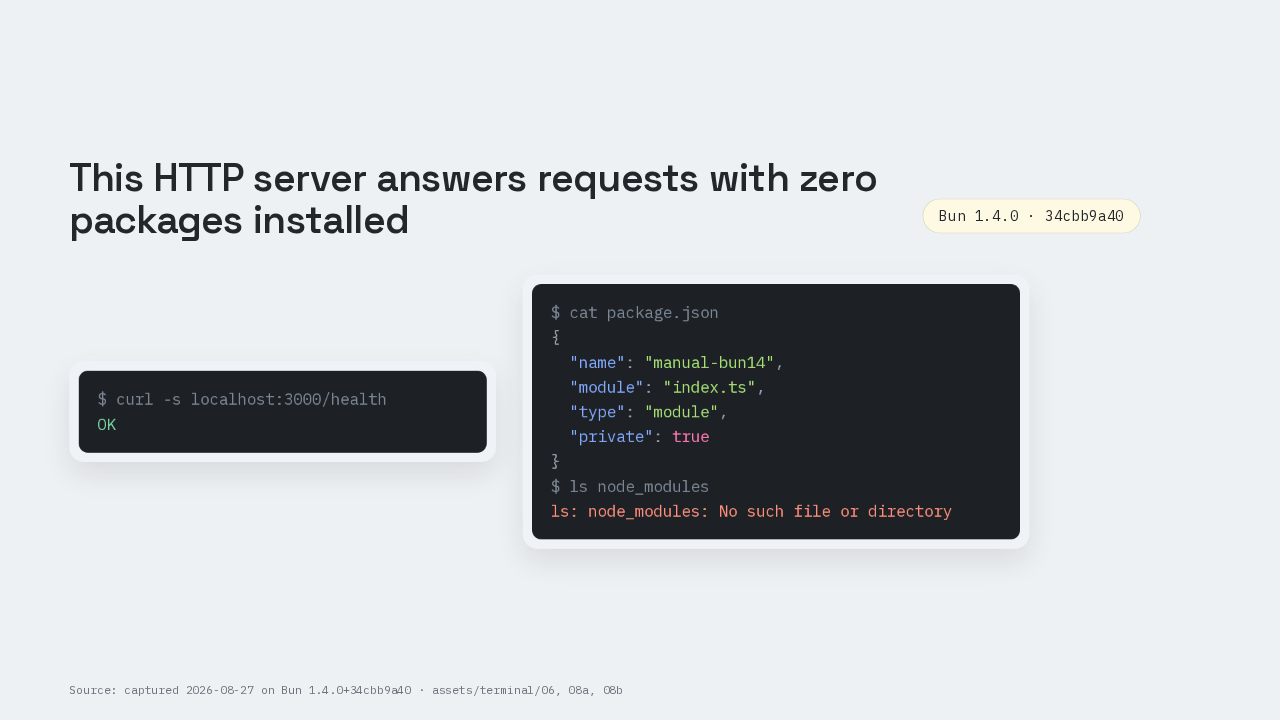

A server answering with zero packages installed
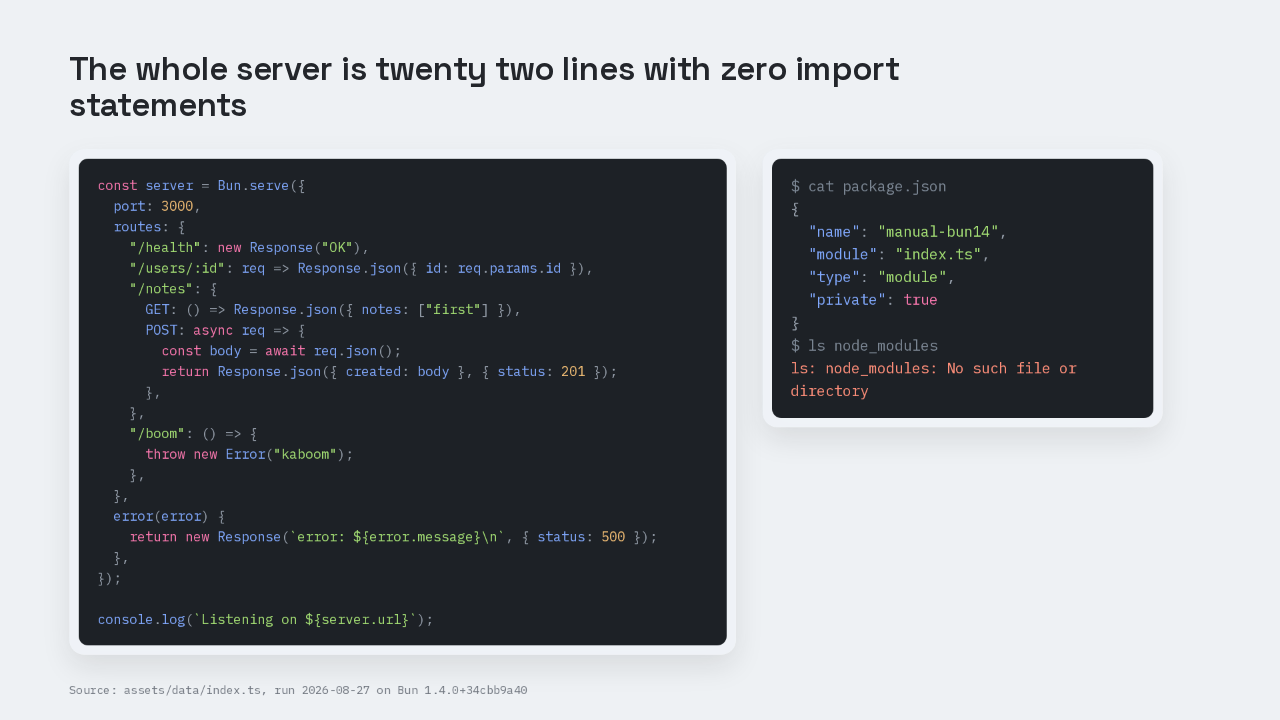
That response came back from a server running on Bun 1.4. Its entire package.json is the six lines on the right, and no dependency list appears anywhere in it. There is no node_modules folder beside it either. Getting here from a machine that has never had Bun on it is one install line and one file of TypeScript, and one reason does the work three times over.
One line installs Bun
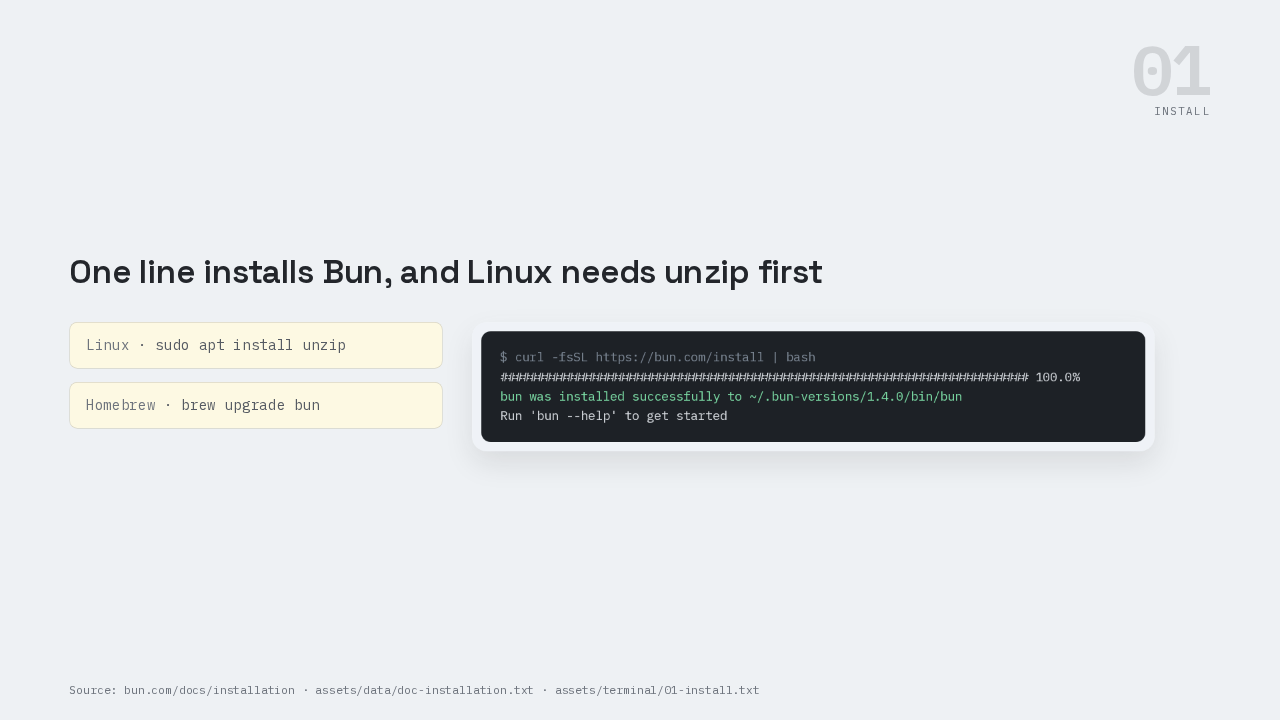
Install is one line. Curl the install script from bun dot com and pipe it into bash. Two things the page says that people skip. On Linux the unzip package has to be there first, or the installer stops. And a Homebrew install upgrades with brew upgrade bun, because bun upgrade there puts two package managers on one binary.
One build of Bun for every command
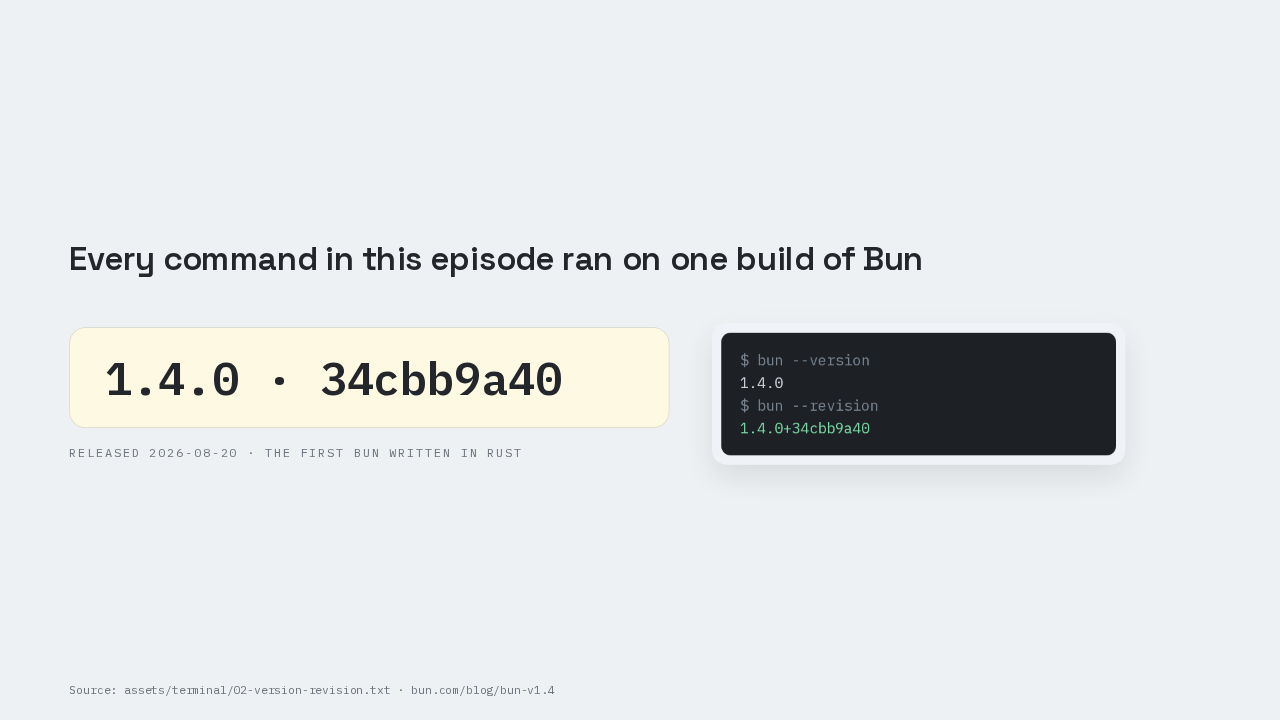
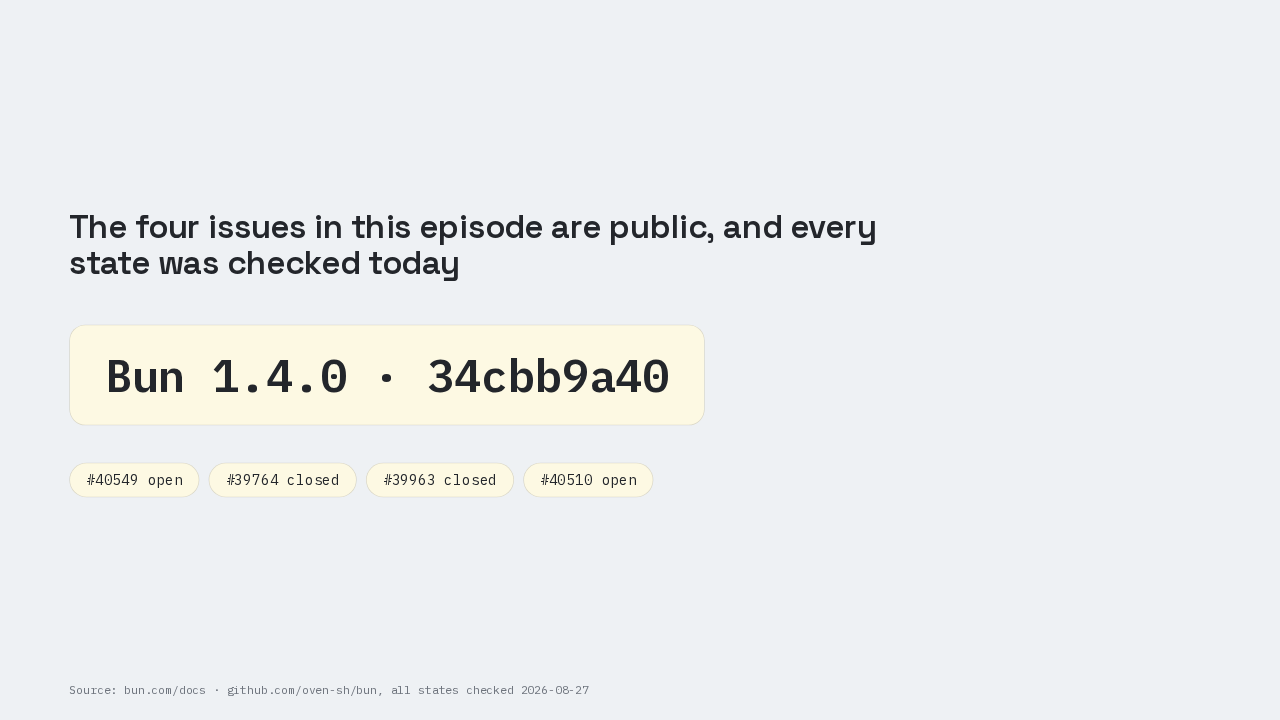
Then two commands, and people skip the second one. Bun dash dash version prints 1.4.0. Bun dash dash revision prints 1.4.0 plus 34cbb9a40, the commit that binary was built from. A version number on its own cannot reproduce a bug, so the revision string is what an issue report needs. Bun 1.4.0 landed on August the twentieth, and the release post calls it the first Bun written in Rust.
bun init writes five files
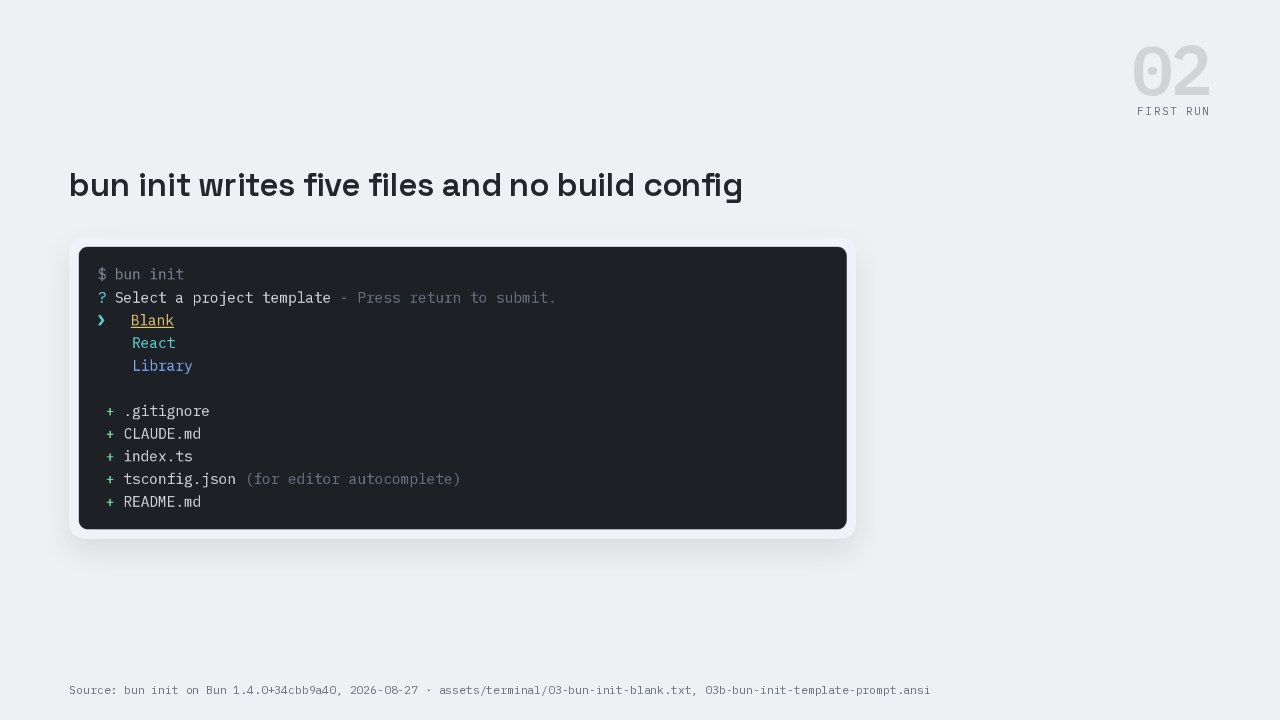
Run bun init. It asks which template you want: Blank, React or Library, and Blank is the default. It writes five files. A gitignore, a CLAUDE dot md, an index dot ts, a tsconfig dot json and a README. That is the entire project.
The only two entries are type definitions
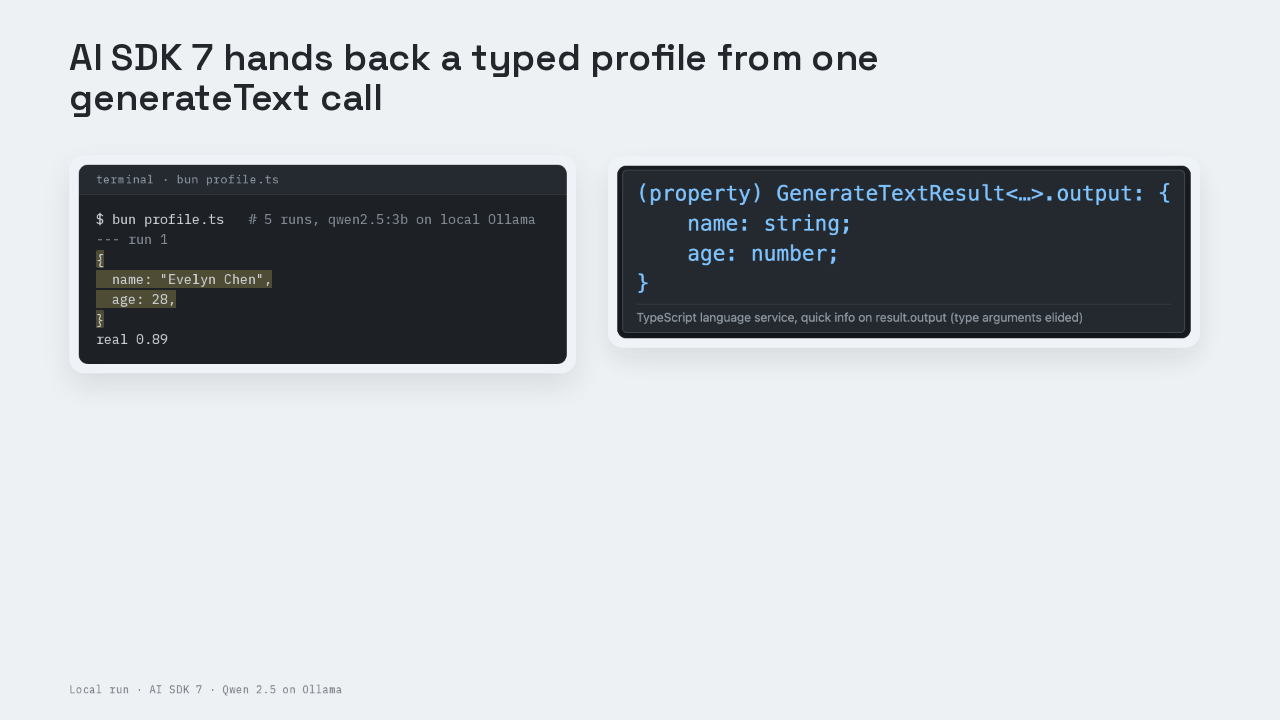
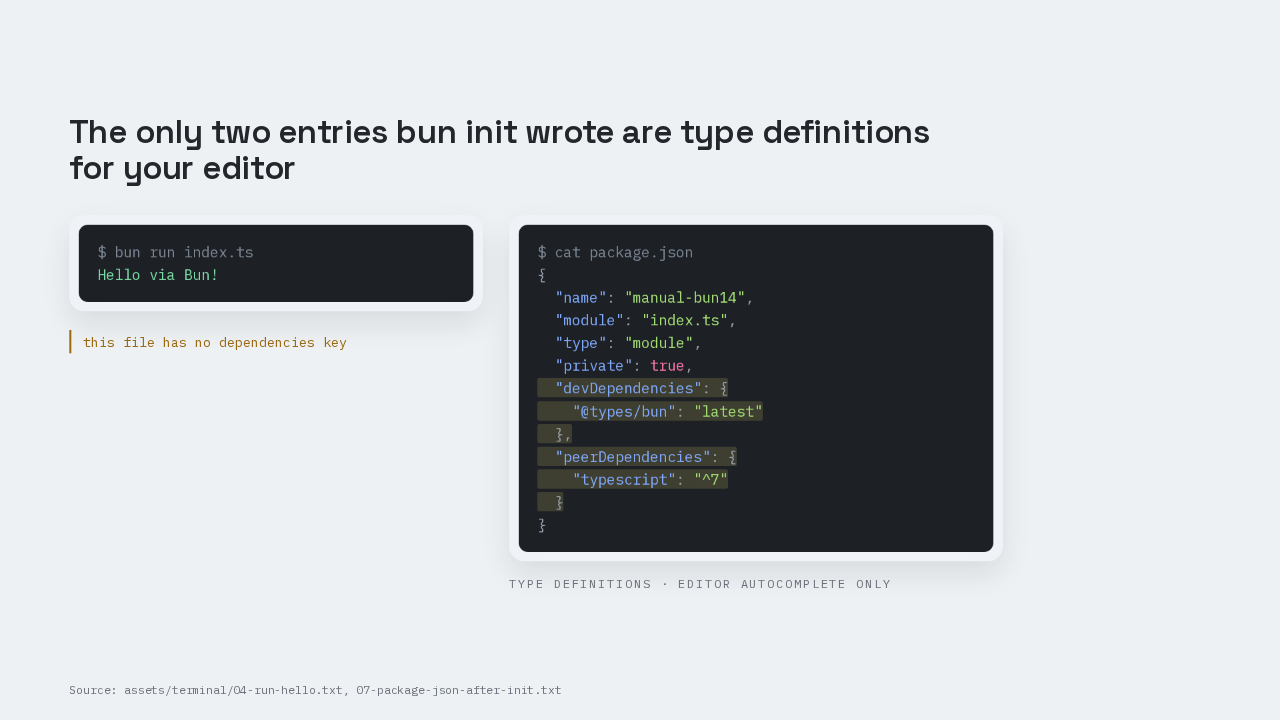
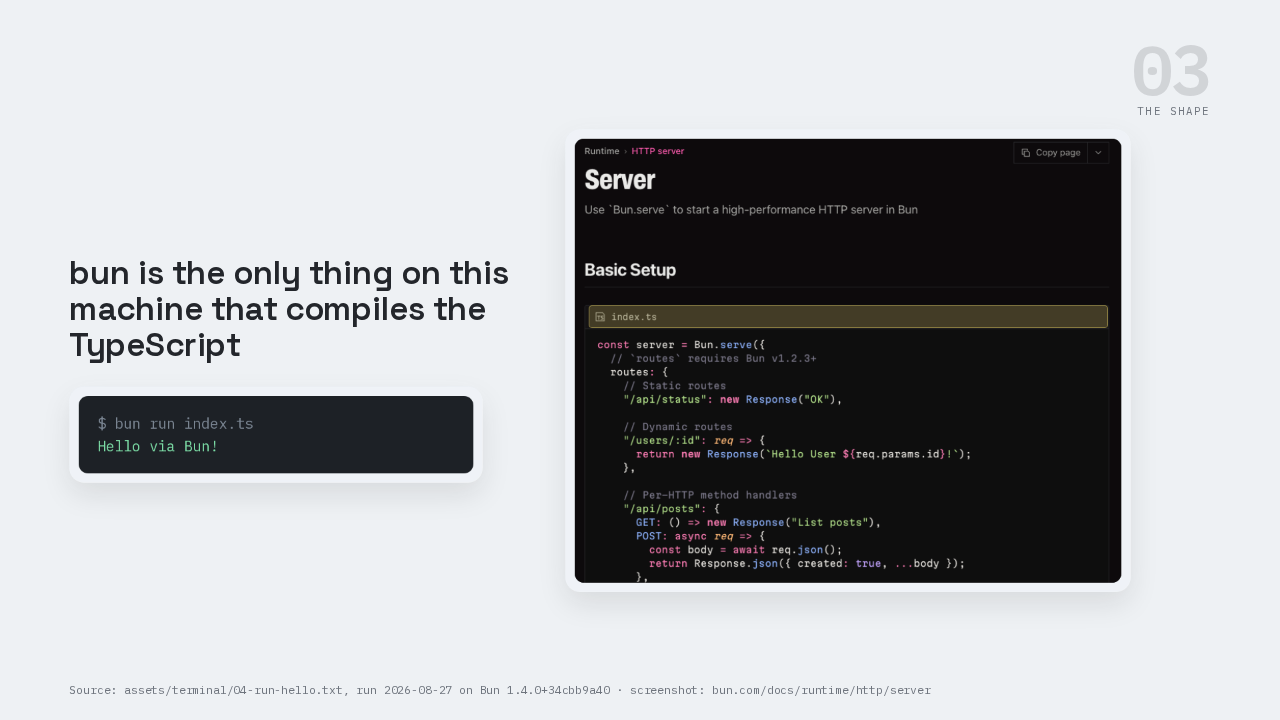
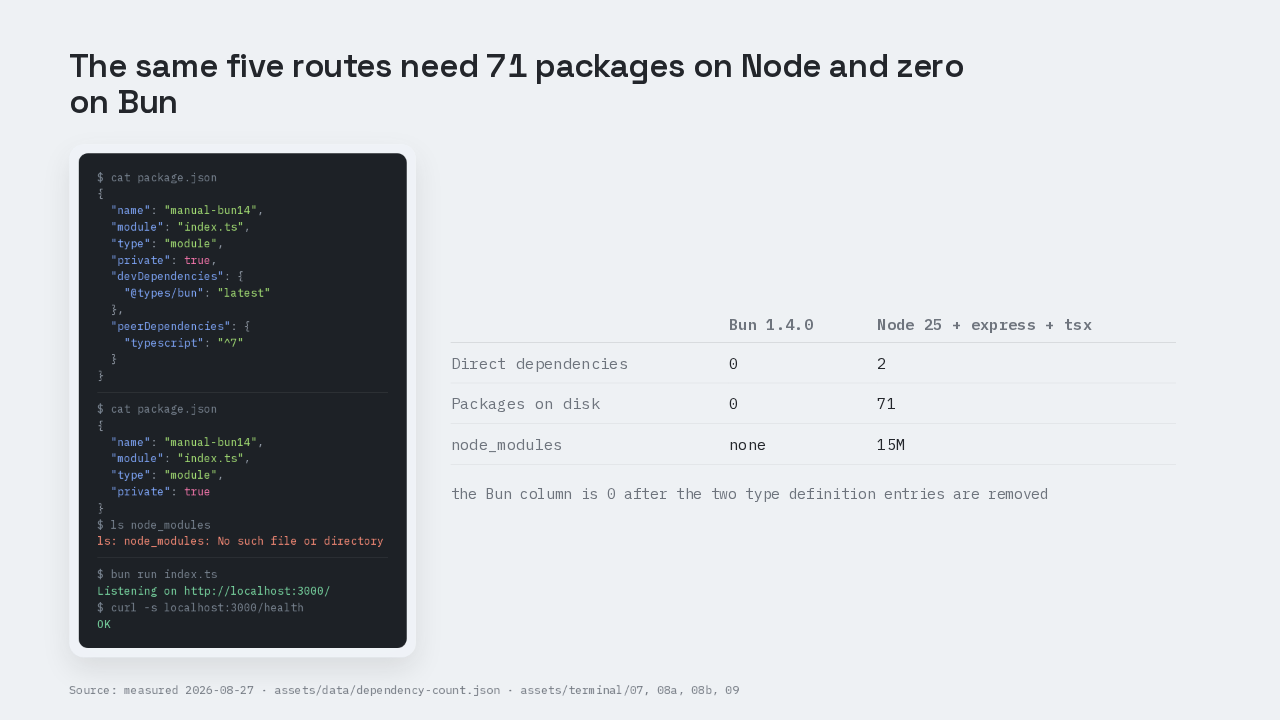
Bun run index dot ts prints Hello via Bun. There was no build step, no tsc call, and no TypeScript runner in package.json. That is the first dependency simply gone. Now look at what bun init did leave. Two entries, and both are type definitions. Types slash bun, and typescript as a peer dependency. They feed your editor's autocomplete, and no code imports them. The file has no dependencies key at all.
bun compiles the TypeScript itself
The build step is missing for a reason. The program that turns TypeScript into something runnable lives inside the bun executable that just ran your file. In the Node world that program is a separate install, and you keep its version in step with your TypeScript version by hand. Here there is nothing separate to keep in step. One dependency deleted, and the mechanism is one sentence: the tool moved inside the runtime. The next two moves are that same sentence with different tools in it.
A route is a value you hand to Bun.serve
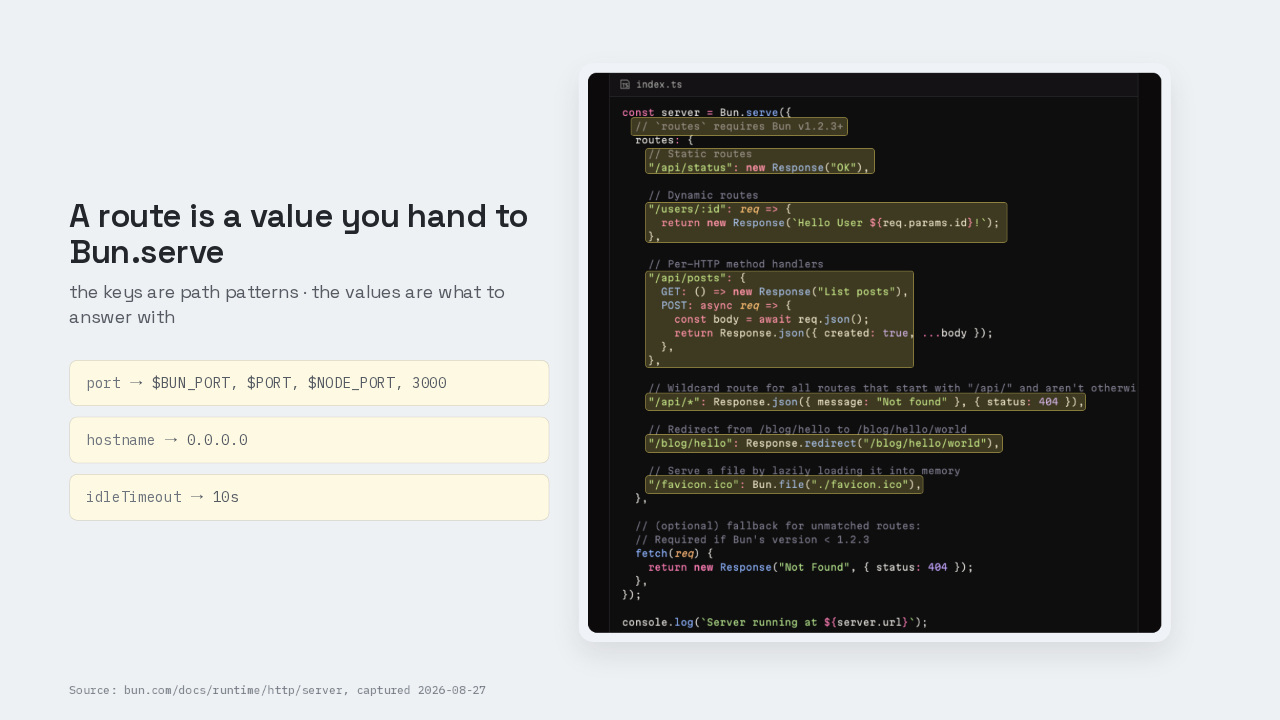
If you have used Express, you register each route by calling a function once per path. Bun dot serve takes a plain object instead. Slash health maps to a bare Response holding the string OK, a response object sitting in a data structure. Slash users slash colon i-d maps to a function, and the colon segment arrives as req dot params dot i-d. One key can hold a GET and a POST side by side. There is no app dot use and no router package, because a router is a lookup table and the server already owns one. Second dependency deleted, same mechanism. The routes option needs Bun 1.2.3 or newer, so routing is not what 1.4 added. What 1.4 changed is everything around it.
Image, markdown and cron are built in
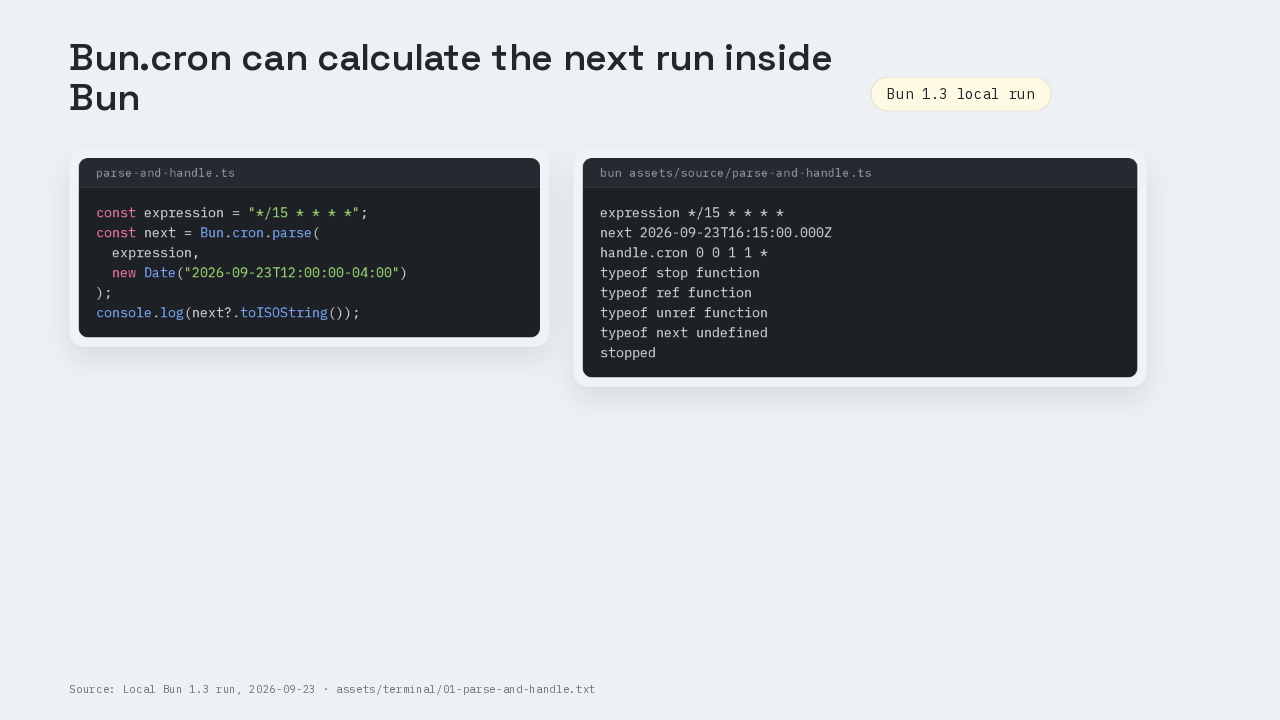
The utilities a small service reaches for next are in the binary too. Bun dot Image resizes an upload. Bun dot markdown renders markdown. Bun dot cron runs a nightly job. Those three built-ins are new in 1.4, and here is where they stop. When Bun dot Image shrinks an image it blends the stored numbers rather than the light those numbers stand for, so the result comes out a shade off. That is issue 40510, open as of this recording. For this milestone the runtime is enough. For image work you ship to users, check Bun dot Image against the library you already trust.
One Bun.serve call plus an error handler
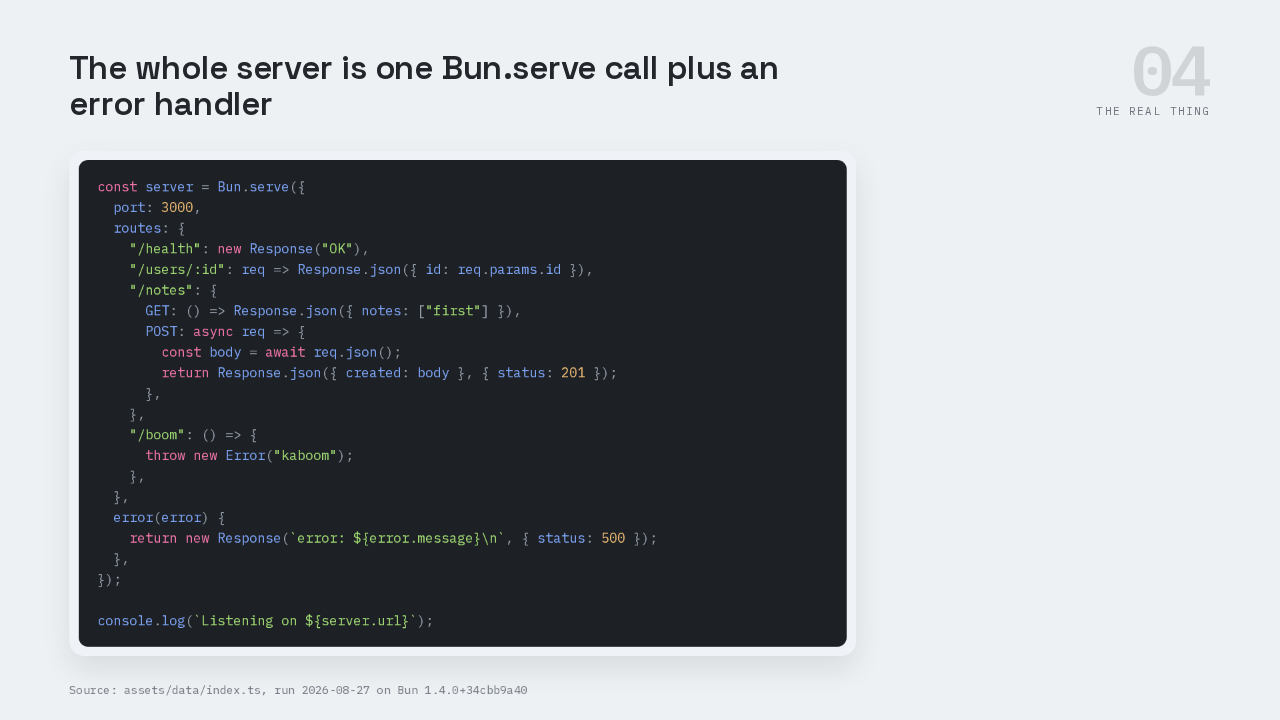
Now build the server the title promised. Start from the quickstart's Bun dot serve call and grow it. It gets a static route at slash health, a parameter route at slash users slash colon i-d, and a GET and POST pair at slash notes where the POST awaits req dot json. The error handler turns a thrown exception into a real response instead of a stack trace.
Every route answers, including the one that throws
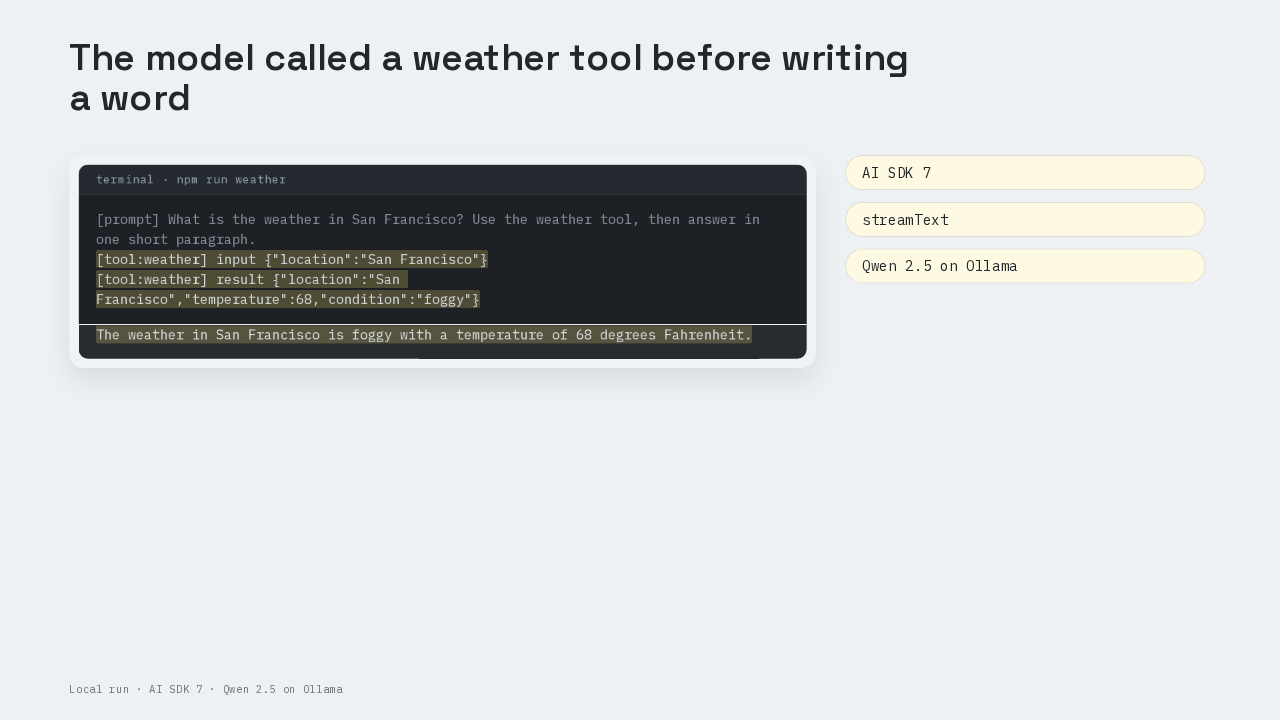
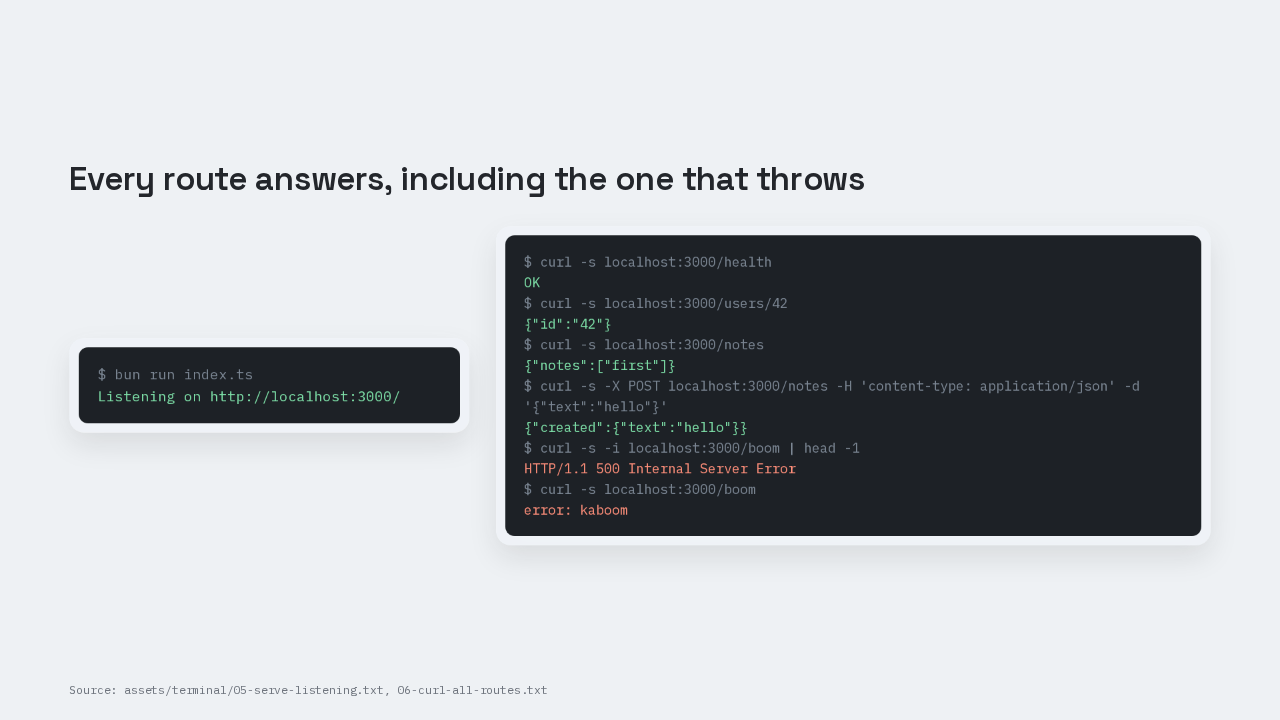
Bun run index dot ts prints Listening on localhost port 3000. In the second pane, curl every route. Slash health returns OK. Slash users slash 42 returns the id 42 as JSON. Posting a JSON body to slash notes echoes it back under the key created. And slash boom returns a 500 with the message kaboom, because the error handler caught the exception.
Five routes, 71 packages on Node and zero on Bun
| Bun 1.4.0 | Node 25 + express + tsx | |
|---|---|---|
| Direct dependencies | 0 | 2 |
| Packages on disk | 0 | 71 |
| node_modules | none | 15M |
Now read the package.json. There is no dependencies block in it, only the two type definition entries bun init wrote back in step two. So delete those two entries. Delete node_modules. Run the server again. It still answers. Zero packages on disk, and the server is serving. Beside it, the same five routes built on Node. Express supplies the router and the JSON body parsing, and tsx runs the TypeScript. That is two direct dependencies, 71 packages on disk and 15 megabytes.
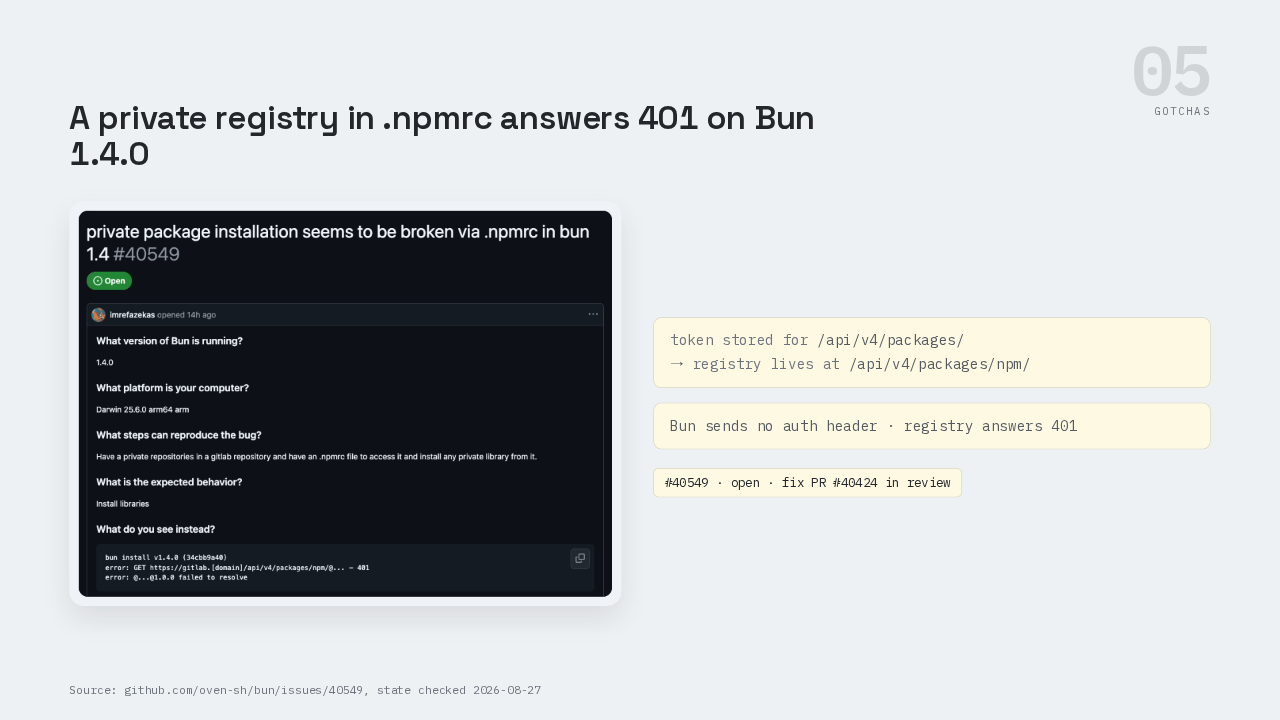
A private registry in .npmrc answers 401
→ registry lives at /api/v4/packages/npm/
This is the part people get wrong. A private registry that works under npm fails under Bun 1.4.0, and the reason is a string match. Bun matches the auth token key against the registry path exactly, while npm walks that path upward. So a token stored one path segment up never applies, and the registry answers 401. Issue 40549 is open, and its fix is still in review.
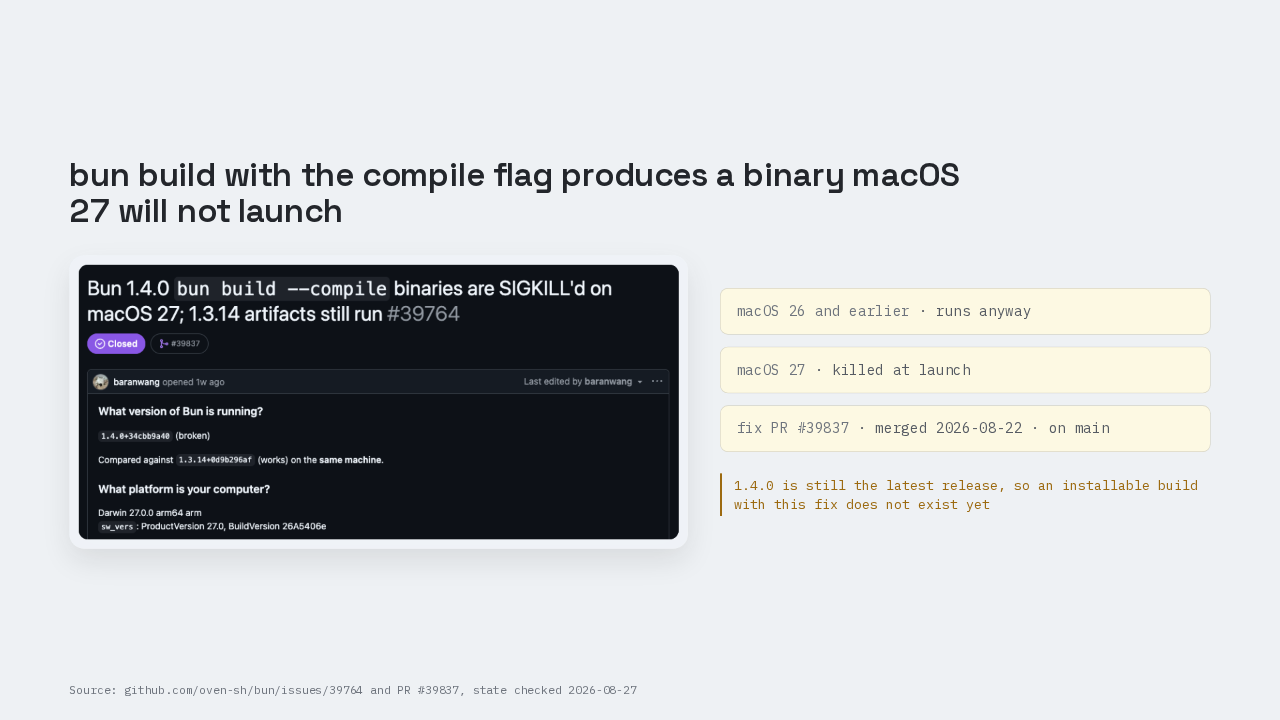
A compiled binary macOS 27 will not launch
People get this one wrong on macOS. The compiled output fails Apple's code signature check, and macOS 26 and earlier ran it anyway, so the same broken binary only started dying when people upgraded to macOS 27. Issue 39764 is closed, fixed by pull request 39837, merged on August the twenty second. That fix is on main, not in a build you can install today.
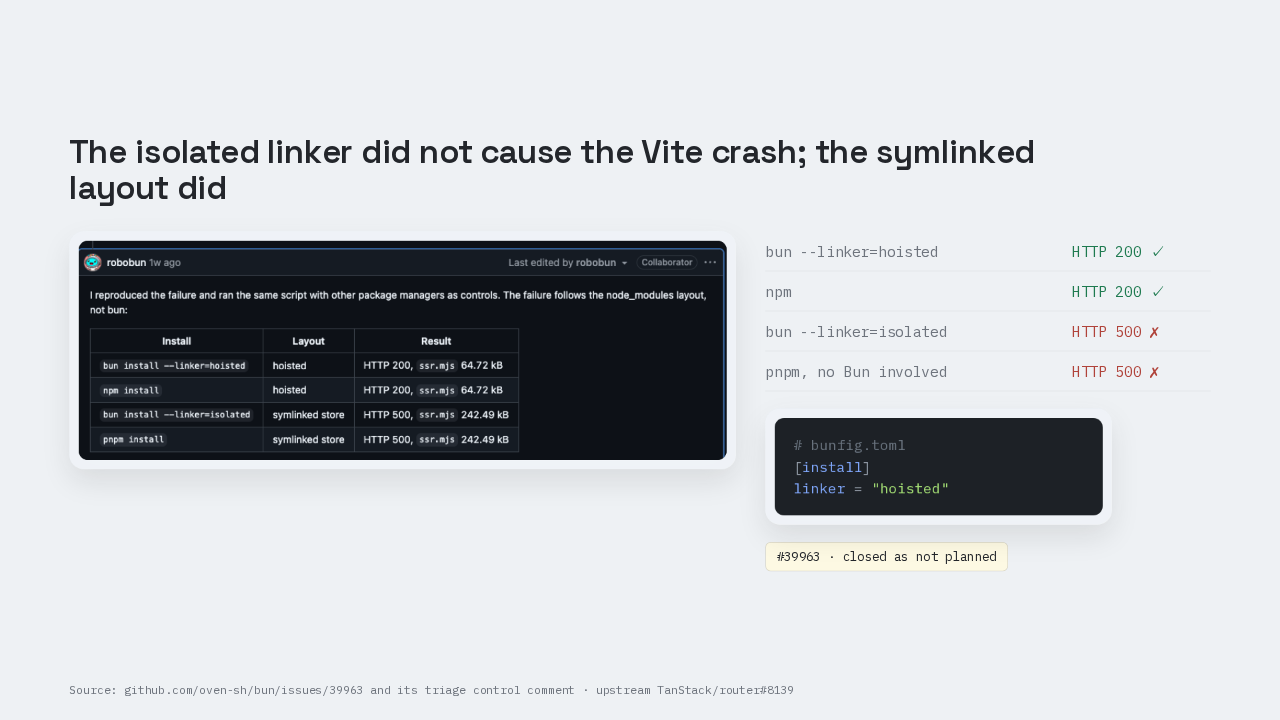
The symlinked layout caused the Vite crash
| bun --linker=hoisted | HTTP 200 ✓ |
| npm | HTTP 200 ✓ |
| bun --linker=isolated | HTTP 500 ✗ |
| pnpm, no Bun involved | HTTP 500 ✗ |
The third one is a misdiagnosis, and the diagnosis is the part people get wrong. The isolated linker is an install mode you turn on with a flag, and it gives every package one shared copy on disk instead of a copy per project. People blamed that flag when Vite and Nitro server rendering died with a use before initialization error. Bun's triage ran the controls. The hoisted linker and npm both return a 200. The isolated linker and pnpm both return a 500, and the pnpm run has no Bun in it at all. The failure follows the symlinked layout, so the bug went upstream. Any toolchain that breaks under pnpm breaks under that flag too. Set linker to hoisted in bunfig dot toml.
Twenty two lines with zero import statements
Here is the whole file, and it is the file that was running for every curl in this episode. Twenty two lines, one Bun dot serve call, and zero import statements at the top. Beside it, the package.json, with no dependencies block and no node_modules folder to go with it.
The four issues in this episode are public
So take one question back to your own project. How many of the packages sitting in your package.json are doing work the runtime now does by itself?