Google Vids turns this week’s policy PDFs into a Friday catch-up video
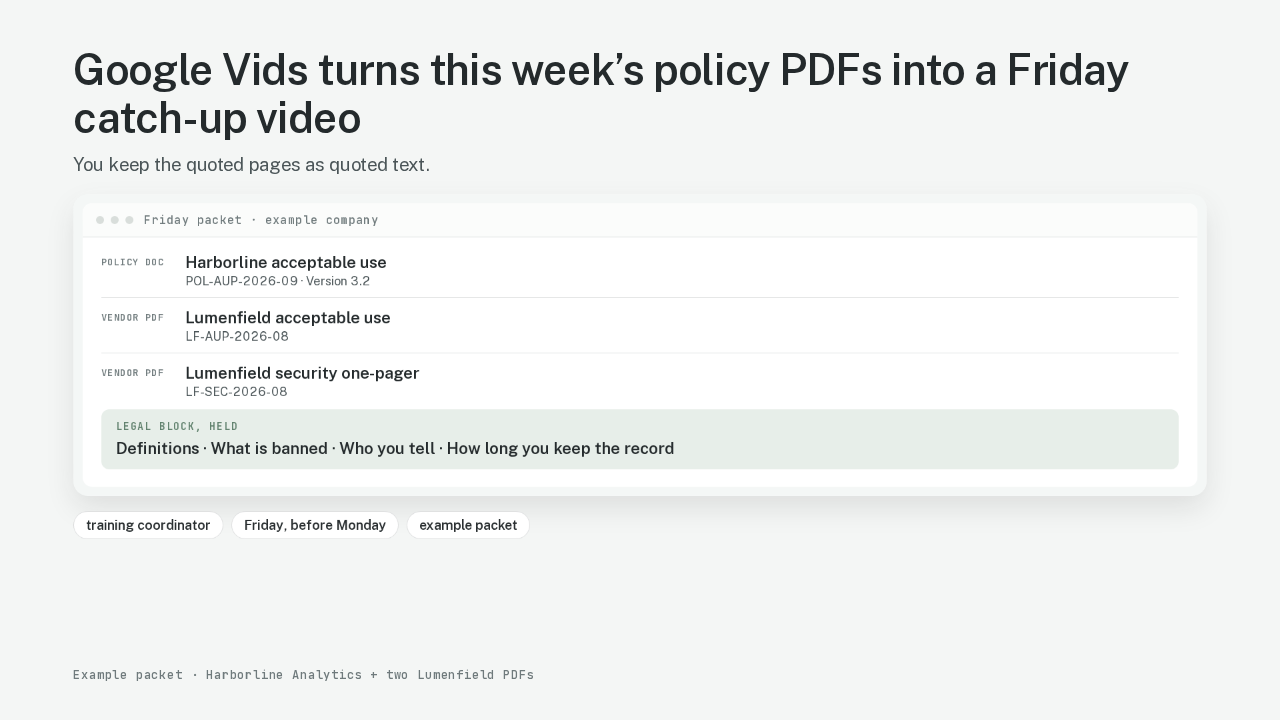
This week’s policy files are still unread. Monday’s team still needs the update. Google Vids is Google’s video editor in Workspace. Google Vids already sits next to Docs and Slides. Google Vids turns this week’s policy Doc and two vendor PDFs into a Friday catch-up video. This packet is Harborline Analytics, an example company, plus two vendor PDFs from Lumenfield, an example vendor. A training coordinator owns this job most weeks. The slow part is reading three files. Then you decide. Some pages can shorten. Some pages have to stay quoted. Those quoted pages are the legal block: definitions, what is banned, who you tell, how long you keep the record.
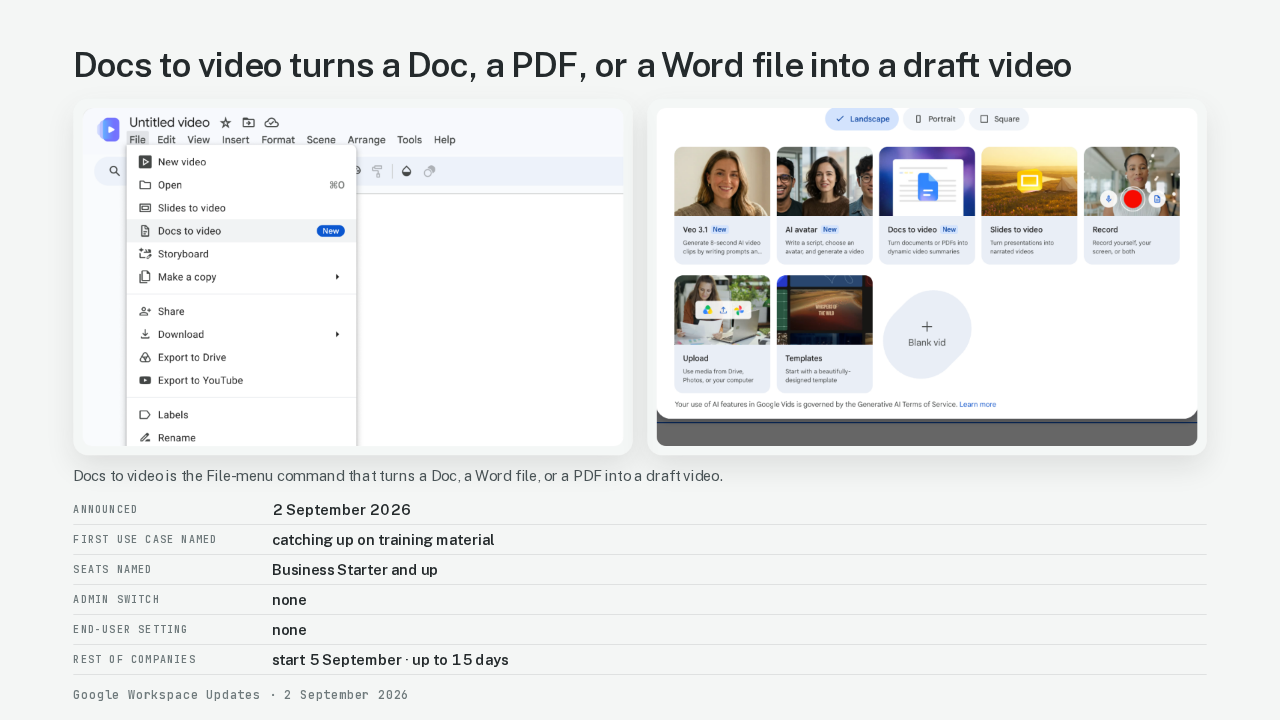
Docs to video turns a Doc, a PDF, or a Word file into a draft video
| Announced | 2 September 2026 |
|---|---|
| First use case named | catching up on training material |
| Seats named | Business Starter and up |
| Admin switch | none |
| End-user setting | none |
| Rest of companies | start 5 September · up to 15 days |
As of 2 September 2026, Google Vids can turn Google Docs, PDFs, and Word files into a draft video. The draft comes with a generated script, a computer reading that script, and pictures. Workspace named catching up on training material as the first use case. The File-menu command is Docs to video. Docs to video turns a Doc, a Word file, or a PDF into a draft video. Docs to video is on Business Starter, the Workspace seat most companies already have. Some company domains already have Docs to video. The rest of the companies start on 5 September. The feature can take up to fifteen days to show up. There is no admin switch. There is no end-user setting. If the company domain has Docs to video, the File menu has Docs to video. Another Google tool already turns docs into video. This walk is the Vids File-menu path on a weekly training packet.
Docs to video chops the file into scenes you edit before Create
drafts
Docs to video · scene list · computer voice
owns
quoted pages · confidential vendor pages · dates and version stamps · then Create
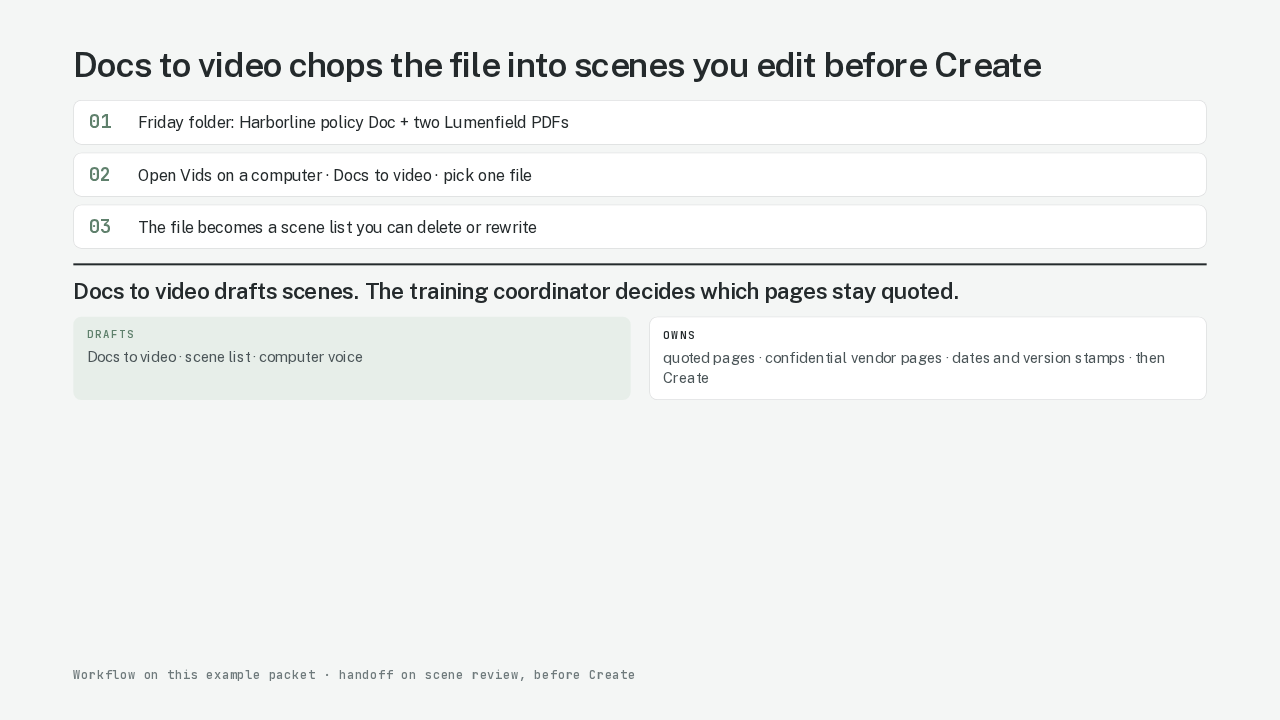
A policy PDF is still a document. Docs to video first chops the file into scenes. A scene is one slide of the draft video, with its own script you can delete or rewrite. Google’s help page says each section of the source becomes a scene. Live on the Harborline policy PDF, five headings became twelve paraphrased scenes. Those twelve scenes included a rewrite of the legal block into training-speak. You still get a script you can review. You delete a section. You edit the words. You pick the computer voice. Create is the button that turns the reviewed script into a narrated video with pictures. The review step sits before Create. Create runs on whatever scenes you leave. Training prose can shorten. A legal block stays quoted. Definitions stay quoted. What is banned stays quoted. Who you tell stays quoted. How long you keep the record stays quoted. Those pages stay on screen as quoted text. Or those pages leave the video, and the source Doc is linked instead. Docs to video drafts scenes. The training coordinator decides which pages stay quoted.
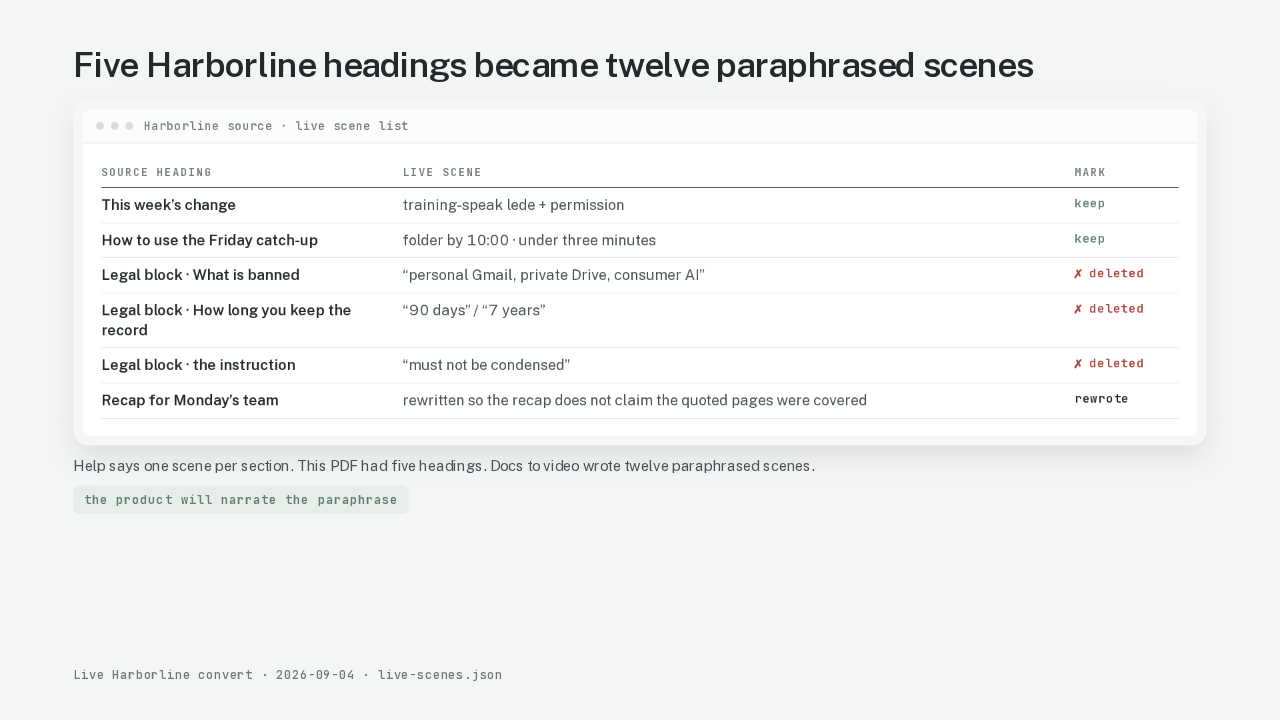
Five Harborline headings became twelve paraphrased scenes
| Source heading | Live scene | Mark |
|---|---|---|
| This week’s change | training-speak lede + permission | keep |
| How to use the Friday catch-up | folder by 10:00 · under three minutes | keep |
| Legal block · What is banned | “personal Gmail, private Drive, consumer AI” | ✗ deleted |
| Legal block · How long you keep the record | “90 days” / “7 years” | ✗ deleted |
| Legal block · the instruction | “must not be condensed” | ✗ deleted |
| Recap for Monday’s team | rewritten so the recap does not claim the quoted pages were covered | rewrote |
The useful step is the scene list you edit before Create. The Harborline source sits next to the live scene list. Heading three is the legal block. Docs to video wrote three paraphrases of heading three. One paraphrase restated what is banned, as training-speak. One paraphrase restated how long you keep the record: ninety days for the catch-up video, seven years for the policy Doc. One paraphrase restated the instruction and still skipped the four quoted rules. The product will narrate those paraphrases. The training coordinator stops that on the scene list, before anyone hears a computer voice read a clause that has to be quoted word-for-word. This run deleted those three scenes. Then Create.
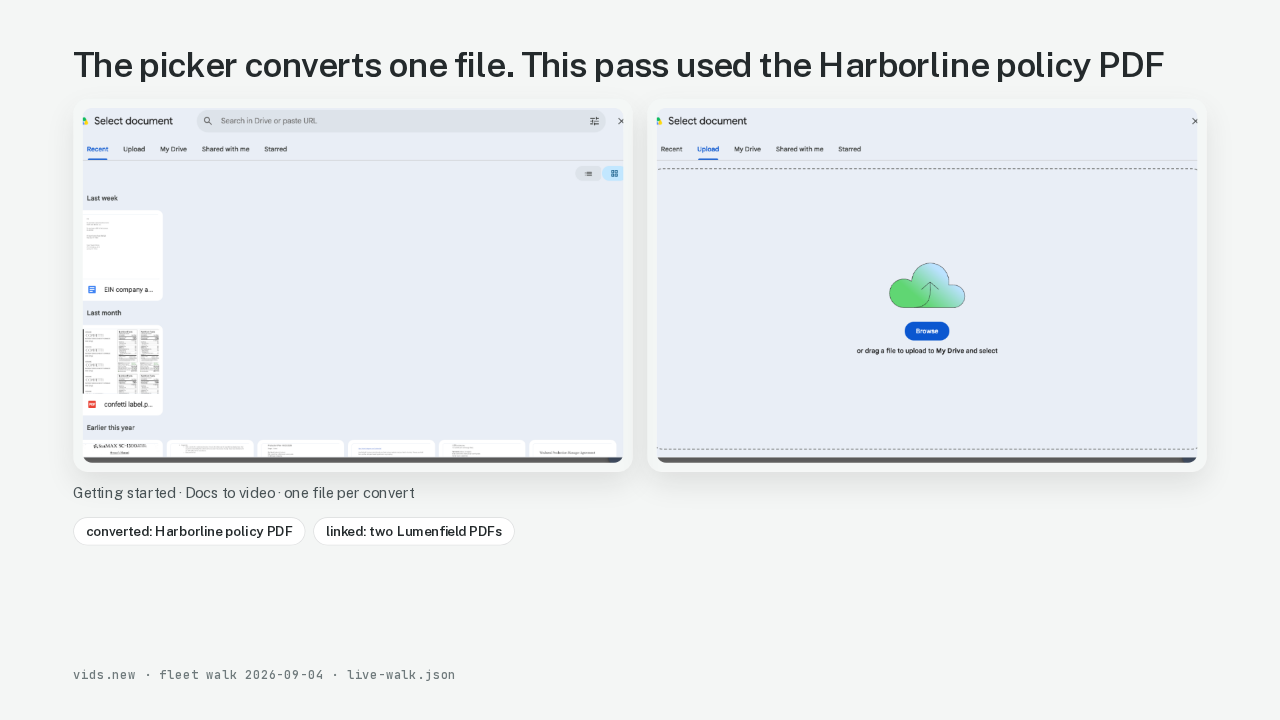
The picker converts one file. This pass used the Harborline policy PDF
Open Google Vids on a computer. The address is vids.new. Google’s own screenshot shows Docs to video on the File menu. This walk clicked Docs to video on Getting started. The picker title is Select document. The picker takes one file. This pass used the Harborline policy PDF. Recent also lists Google Docs. Upload accepts a Word file or a PDF. The two Lumenfield vendor PDFs stay linked. Those two PDFs stay out of this convert. Link them for Monday’s team.
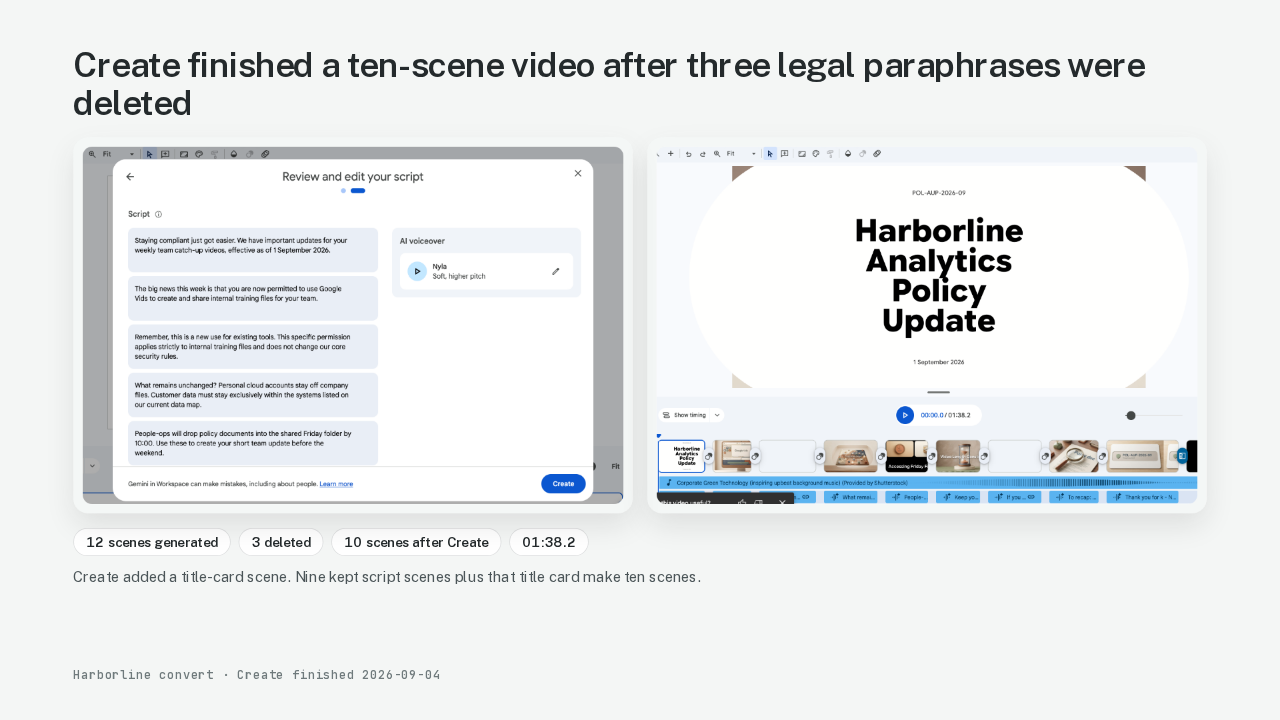
Create finished a ten-scene video after three legal paraphrases were deleted
The script appears as twelve paraphrased scenes. The Harborline file had five headings. Delete the three legal-block paraphrases. Rewrite the recap so the recap sends people to the source Doc for the quoted pages. The computer voice reads whatever is still on the list. Then Create. This run finished. Ten scenes on the canvas. One minute and thirty-eight seconds. Create added a title-card scene. Nine kept script scenes plus that title card make ten scenes. The title card reads Harborline Analytics Policy Update.
The training coordinator decides which scenes stay quoted
Docs to video drafts scenes. The training coordinator decides which pages stay quoted. The coordinator owns every scene that would misquote a required page if that scene were shortened. That split is a human edit on the scene list. Google’s help page already documents delete and rewrite. Here is where I’d stop and read the scene list myself. A shortened training scene can still be a weak summary. That read is the job. The quoted pages stayed out of the computer voice. Create runs on whatever scenes you leave. Skip this step, and Docs to video will leave a legal-block paraphrase on the list.
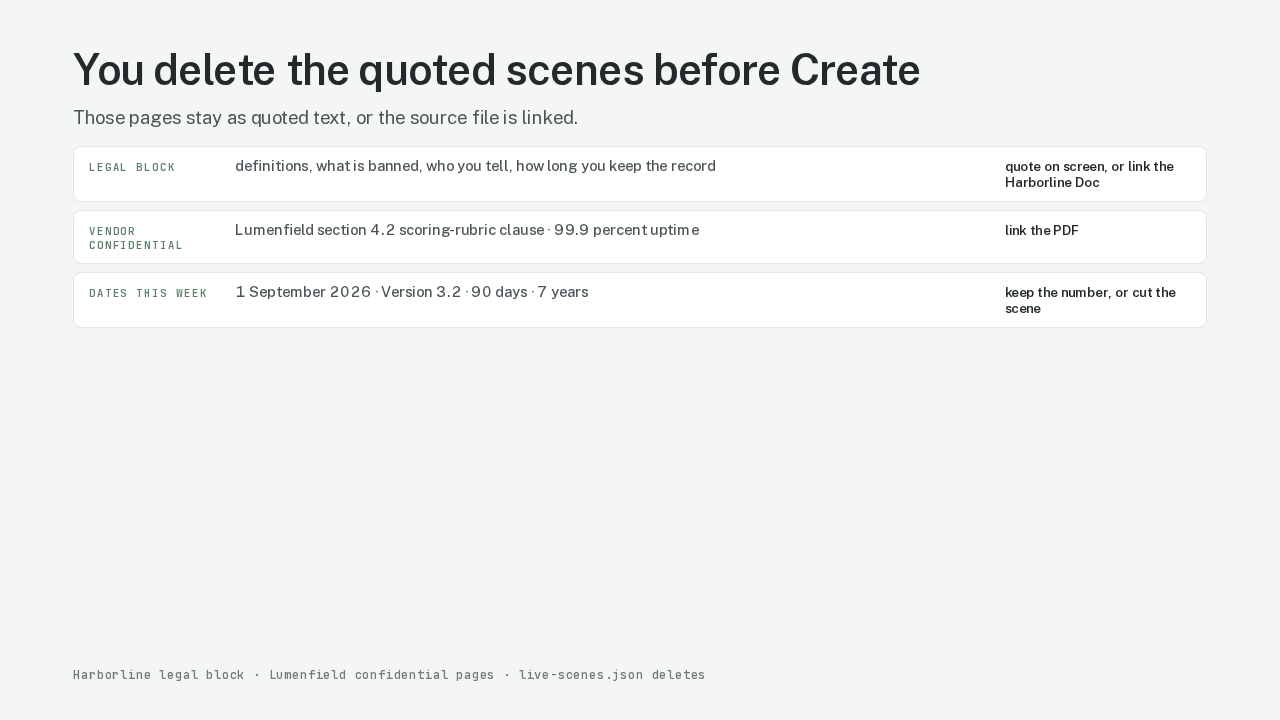
You delete the quoted scenes before Create
Google Vids will narrate the whole policy PDF. Delete the quoted pages from the scene list before Create. Three kinds of page stay out of the computer voice. First, the legal block. Those pages stay quoted on screen, or they leave the video and the source Doc is linked. Second, anything the vendor PDF labels confidential, or quotes as a contractual obligation. The clause stays in the PDF. The video links the PDF. Lumenfield’s scoring-rubric clause sits in that pile. The 99.9 percent uptime clause sits in that pile. Third, numbers that change this week. Effective dates, version stamps, as-of tables. If Docs to video smooths 1 September 2026 into this month, the video is wrong. The product leaves those scenes editable. The skip is deleting or rewriting them on the script-review step.
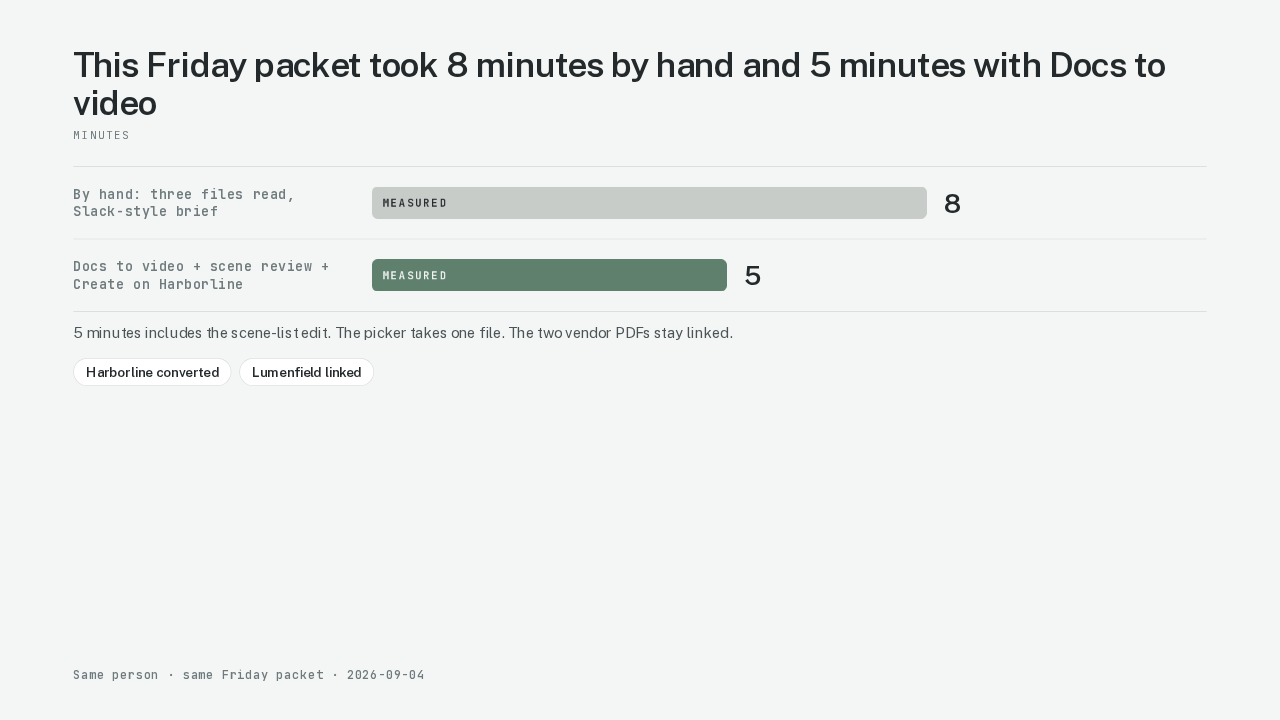
This Friday packet took 8 minutes by hand and 5 minutes with Docs to video
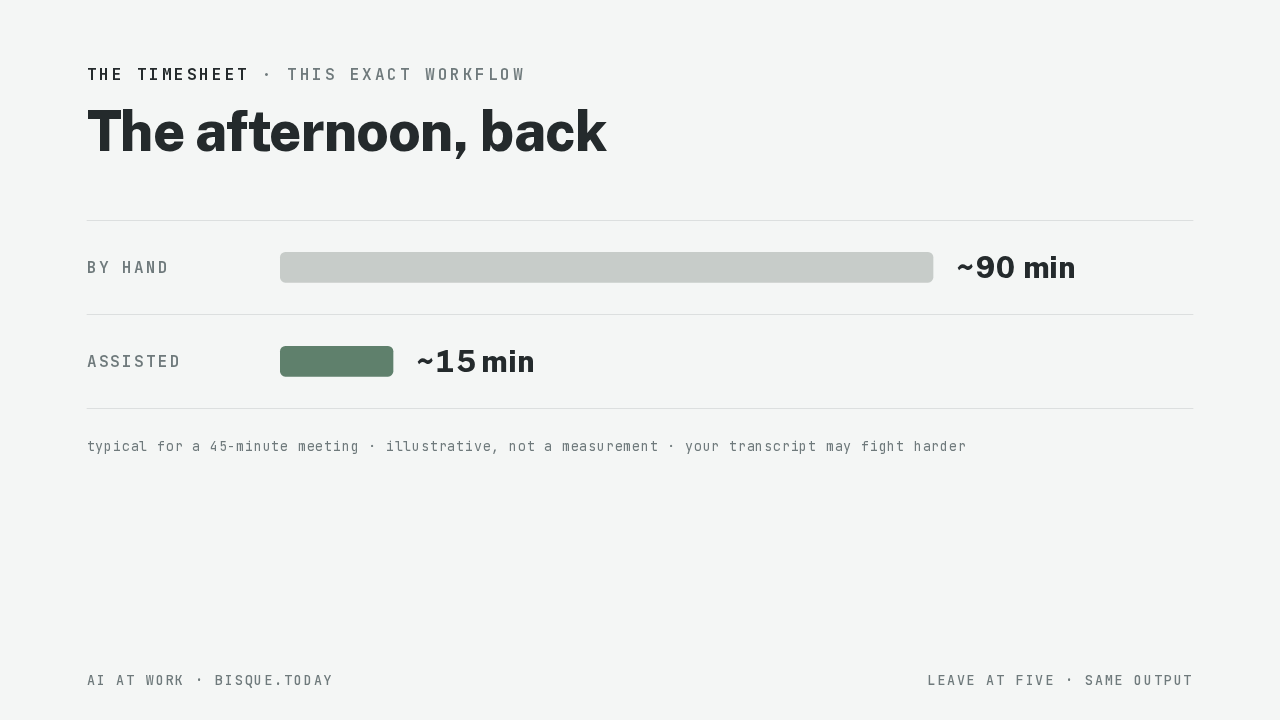
The same person did the same Friday job twice. By hand, a read of the Harborline policy Doc and both Lumenfield PDFs, then a Slack-style Friday brief: eight minutes. That eight minutes is measured. With Docs to video, scene review, and Create on the Harborline PDF: five minutes. That five minutes is measured. The five minutes include the scene-list edit. The assisted run converts only Harborline. The two vendor PDFs stay linked. The picker takes one file.
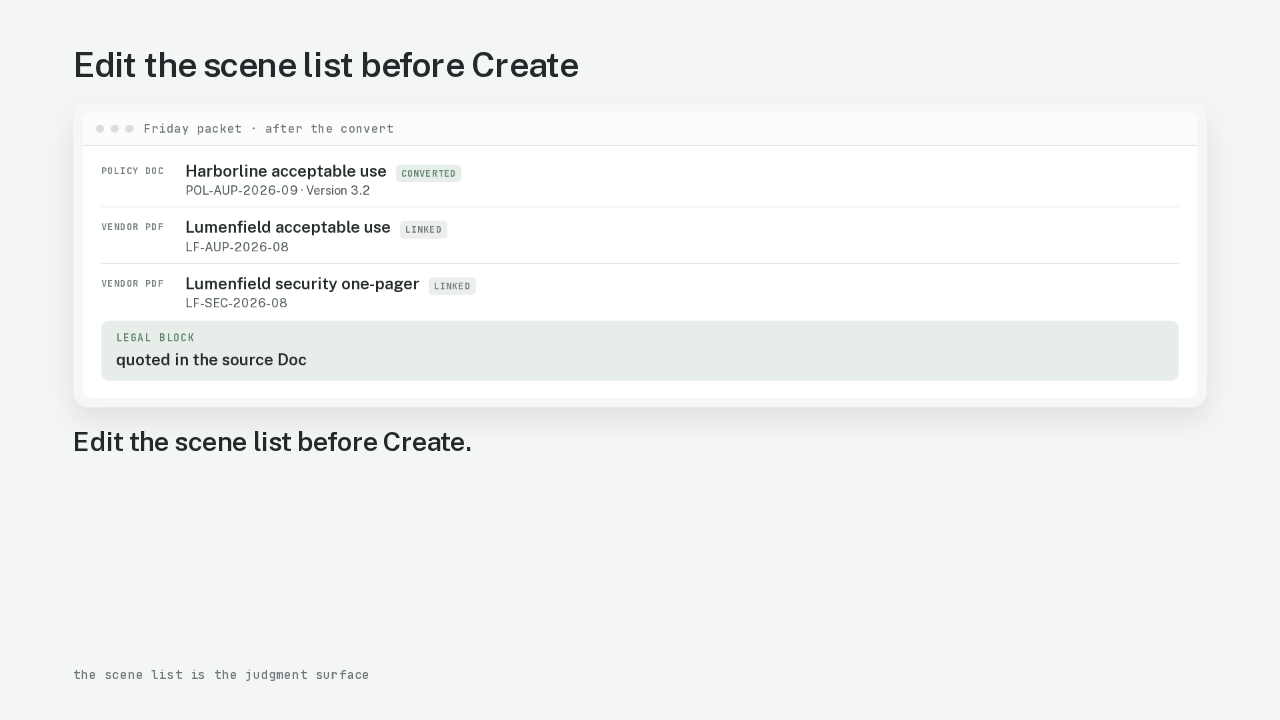
Edit the scene list before Create
Here is the Friday packet again. Monday’s team got the catch-up. The team can watch before Monday. The quoted pages stayed in the source Doc. Run Docs to video first. The scene list was always the job.