Slide 1
Your AI agent can write a Word doc, a spreadsheet, or a slide deck. But it's doing it blind. OfficeCLI is one binary that gives it eyes for all three.
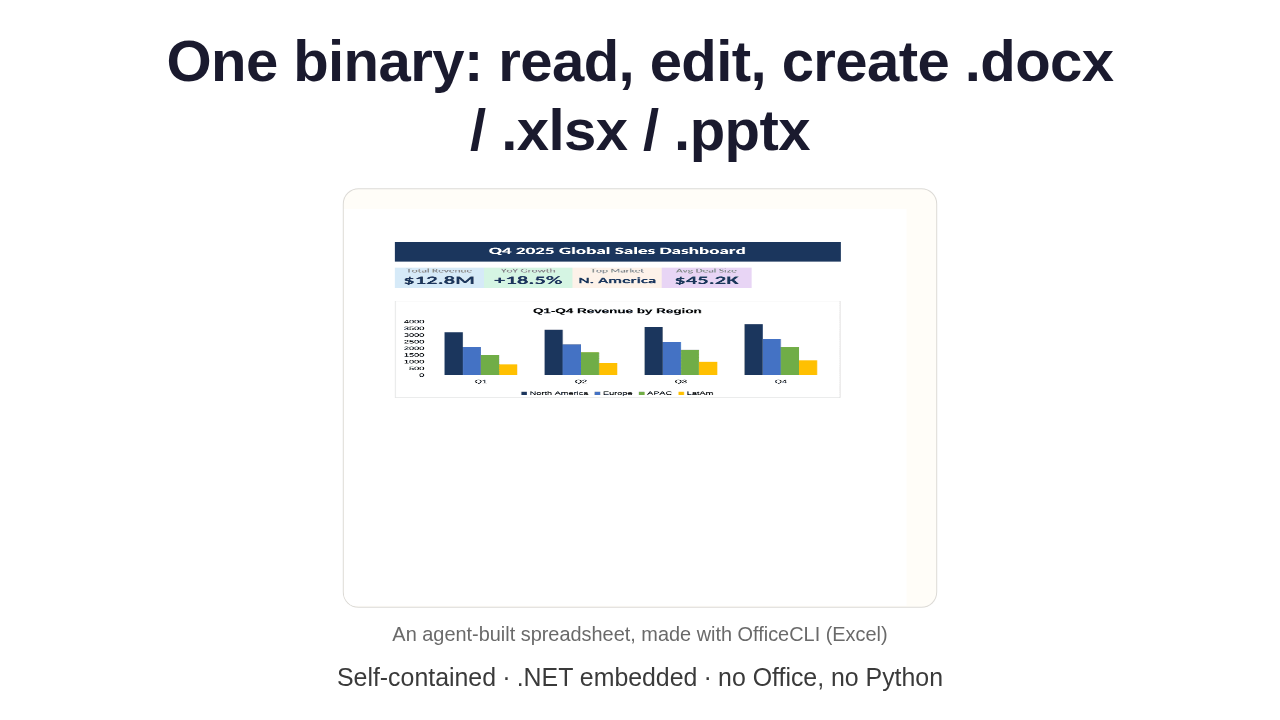
One binary: read, edit, create .docx / .xlsx / .pptx

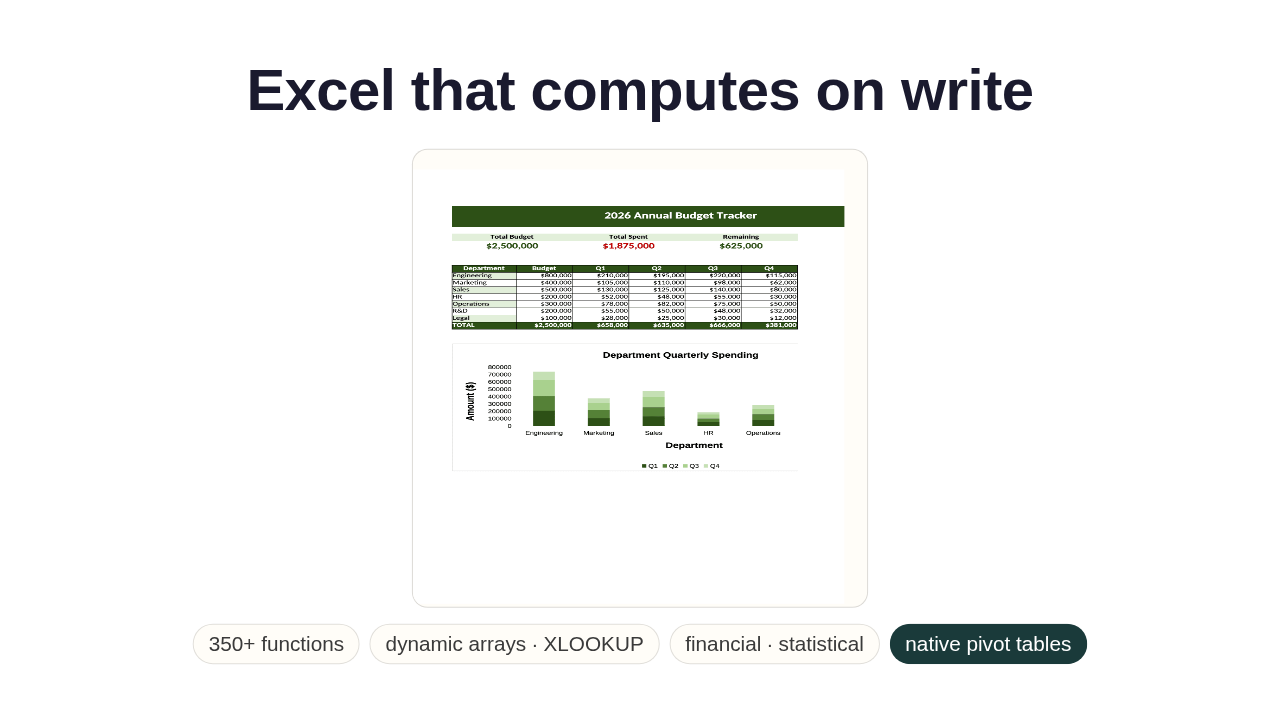
Here's a spreadsheet an agent built with it. Point OfficeCLI at a Word, Excel, or PowerPoint file, and it reads, edits, or creates the whole thing. It's one self-contained binary with dot-NET baked in. No Office, no Python, and it runs on Mac, Linux, and Windows.
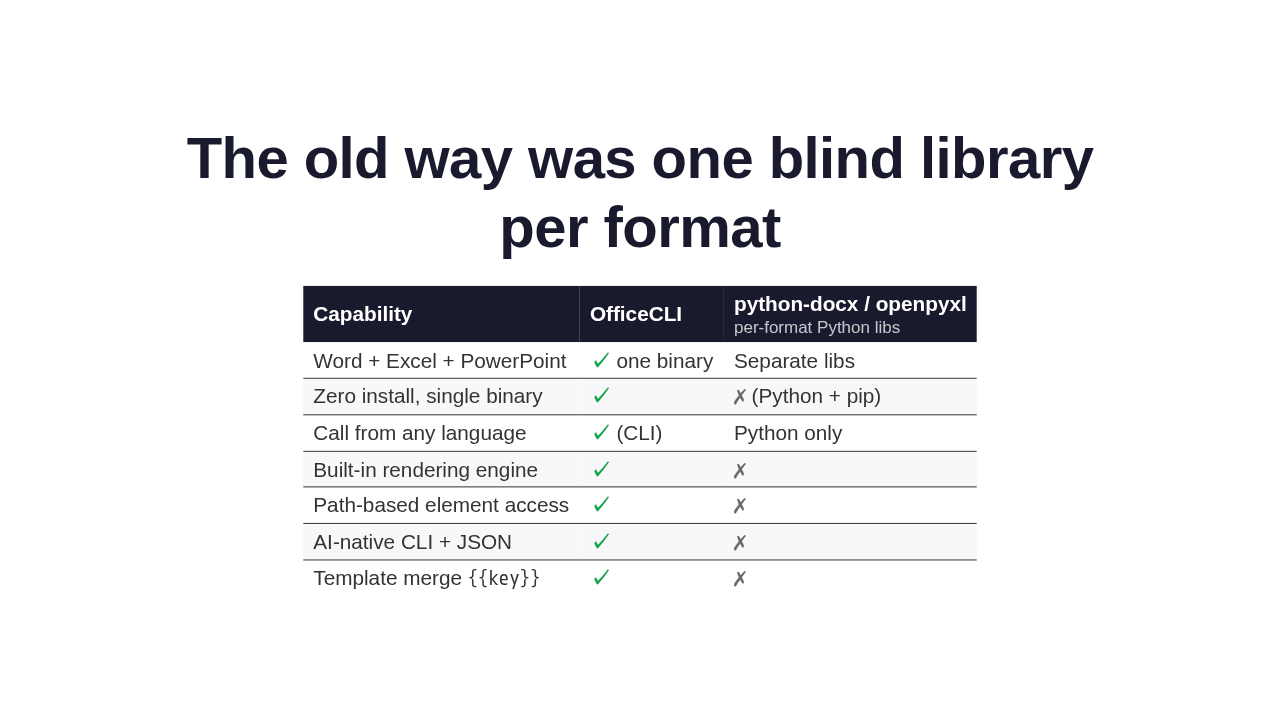
The old way was one blind library per format
| Capability | OfficeCLI | python-docx / openpyxl per-format Python libs |
|---|---|---|
| Word + Excel + PowerPoint | ✓ one binary | Separate libs |
| Zero install, single binary | ✓ | ✗ (Python + pip) |
| Call from any language | ✓ (CLI) | Python only |
| Built-in rendering engine | ✓ | ✗ |
| Path-based element access | ✓ | ✗ |
| AI-native CLI + JSON | ✓ | ✗ |
Template merge {{key}} |
✓ | ✗ |
So why does this matter? The old way to give an agent an Office file was a separate Python library per format, Python only. And blind: it writes the XML and can't tell if the title overflowed or two shapes overlap. OfficeCLI folds all three into one command you call from any language, and adds the missing sense.
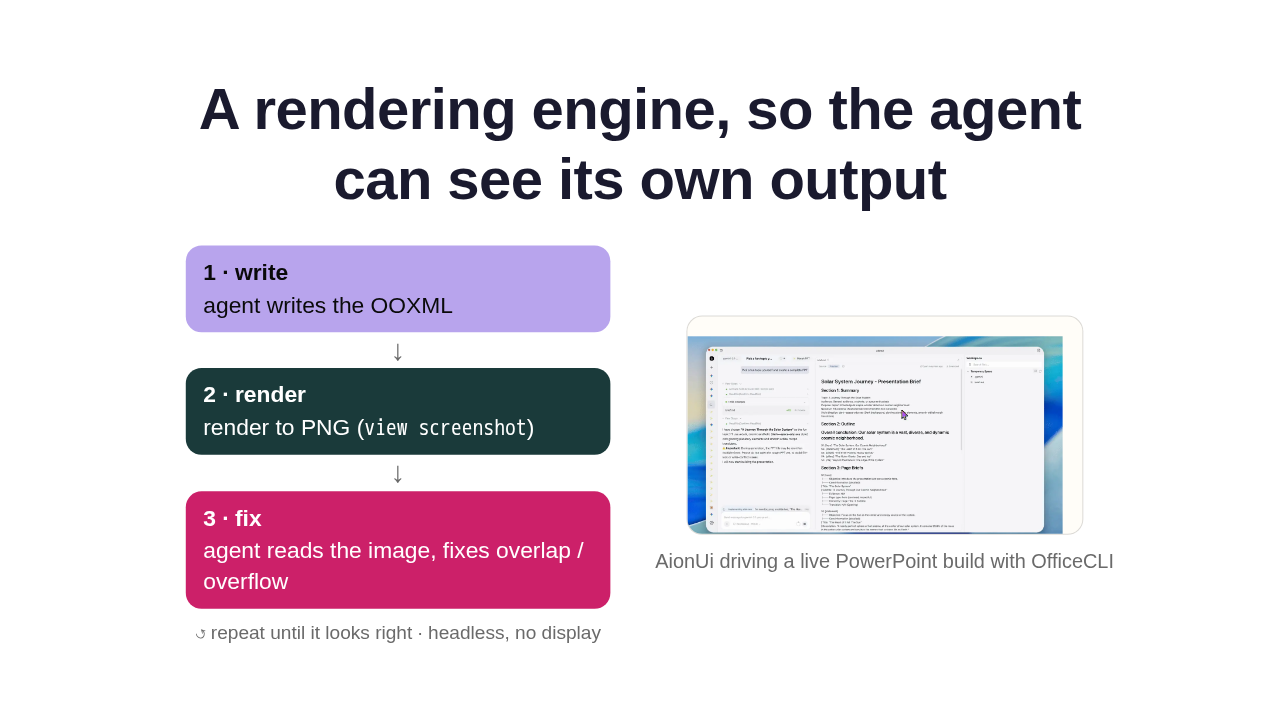
A rendering engine, so the agent can see its own output
view screenshot)

And here's the clever part. Built in, from scratch, is a rendering engine. It turns any document into an image, so a multimodal agent can look at the rendered page instead of guessing from the XML. The agent writes, renders a picture, reads it back, and fixes what's off. Render, look, fix. And because it's in the binary, that loop runs headless, no display required.
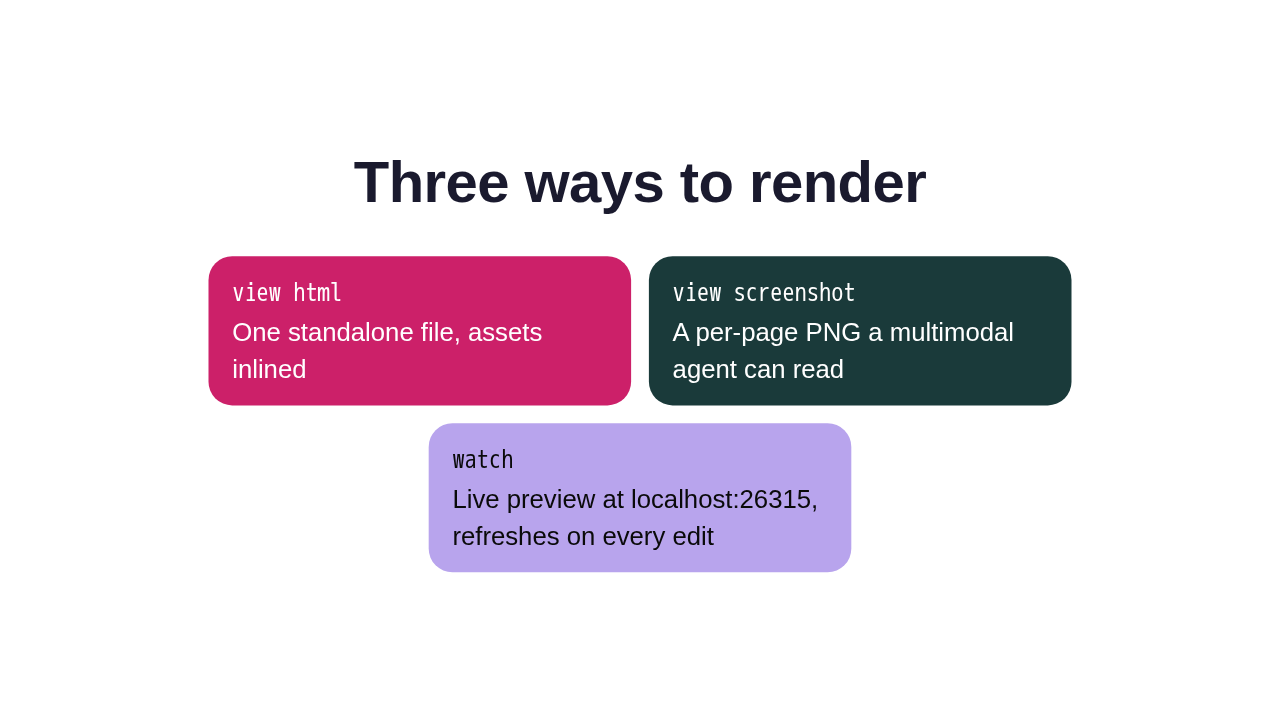
Three ways to render
view html
One standalone file, assets inlined
view screenshot
A per-page PNG a multimodal agent can read
watch
Live preview at localhost:26315, refreshes on every edit
You get that sight three ways. View html gives you one standalone file. View screenshot hands a multimodal agent a per-page picture to read. And watch runs a live local preview that refreshes the moment you change anything.
Excel that computes on write

The Excel side actually computes. Write a formula, read the cell, and the value is already there. Over three hundred fifty built-in functions evaluate on write, from dynamic arrays to XLOOKUP to financial and statistical. And it builds real pivot tables from a range in one command, no round trip through Office.
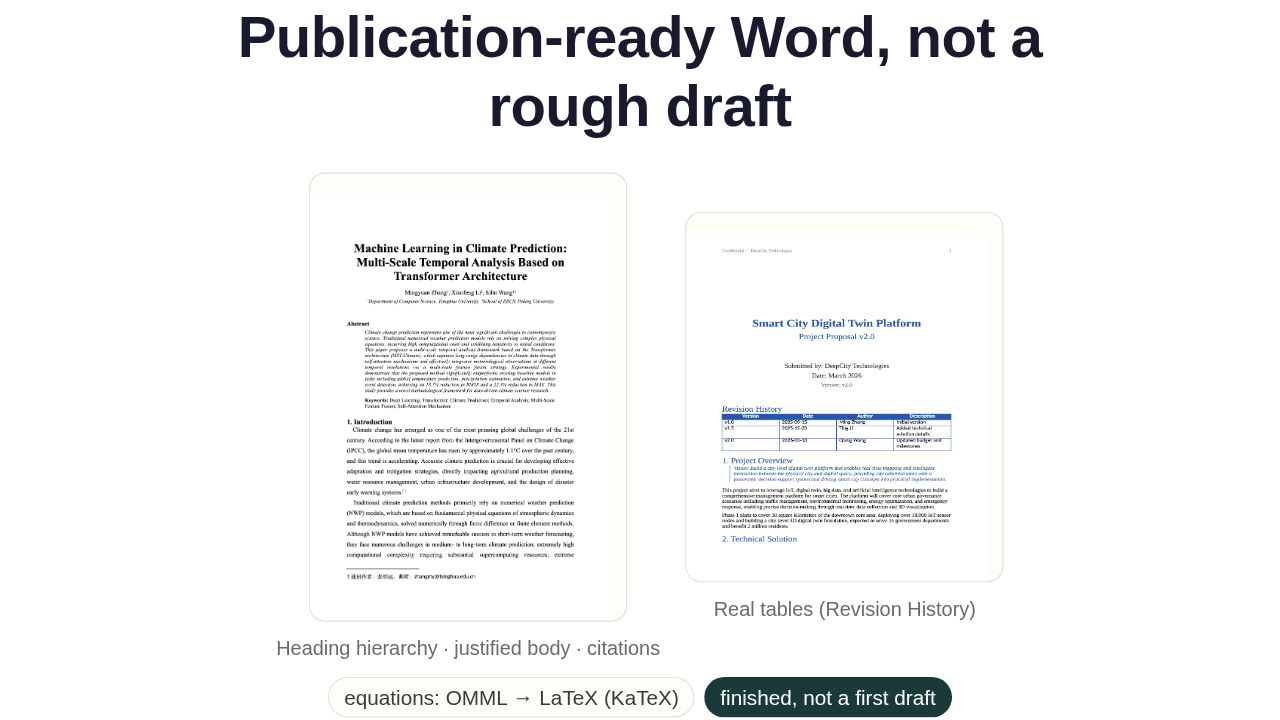
Publication-ready Word, not a rough draft


The same engine drives Word. Headings, body text, tables, even real equations, converted to LaTeX and rendered cleanly. What comes out is a finished, publication-ready document, not a rough first draft you still have to lay out.
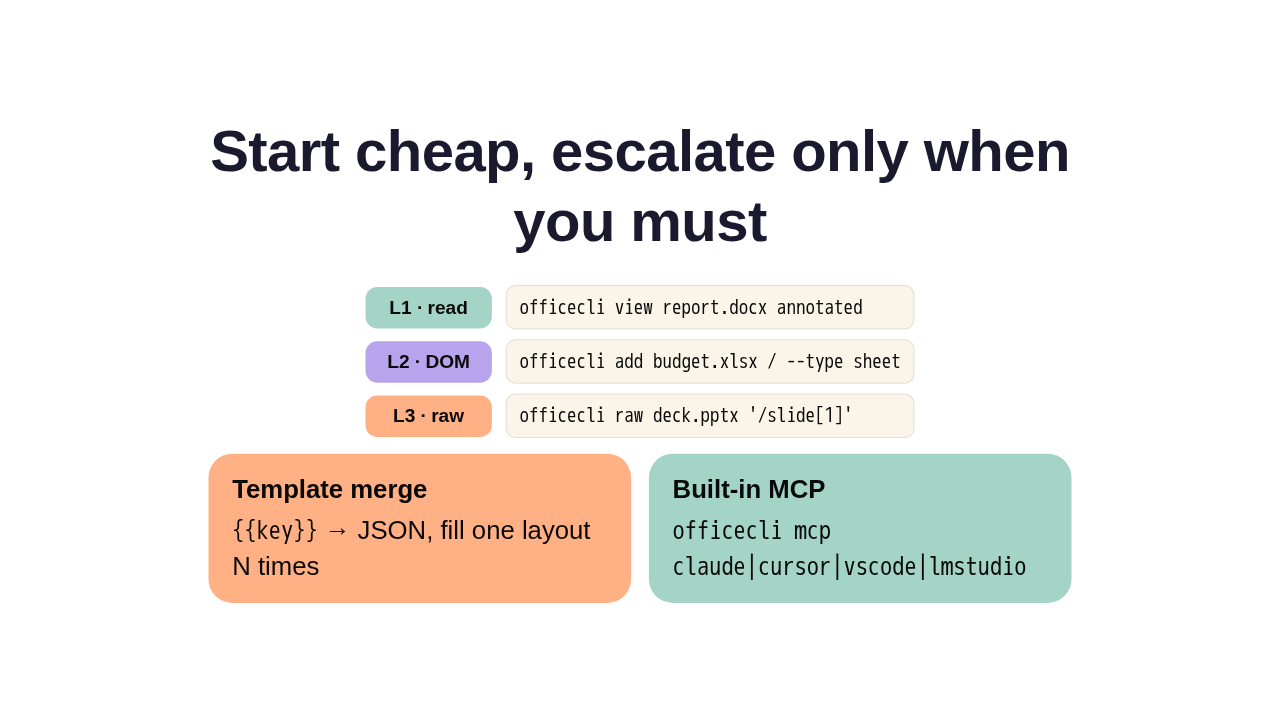
Start cheap, escalate only when you must
officecli view report.docx annotated
officecli add budget.xlsx / --type sheet
officecli raw deck.pptx '/slide[1]'
{{key}} → JSON, fill one layout N times
officecli mcp claude|cursor|vscode|lmstudio
Under the hood, three choices make it agent-native. The API has three layers: read with view, edit by path, drop to raw XML only when needed, so it starts cheap and escalates only when it must. Template merge fills one layout with JSON, deterministic and nearly free. And a built-in MCP server wires it into agents like Claude Code, Cursor, and Codex.
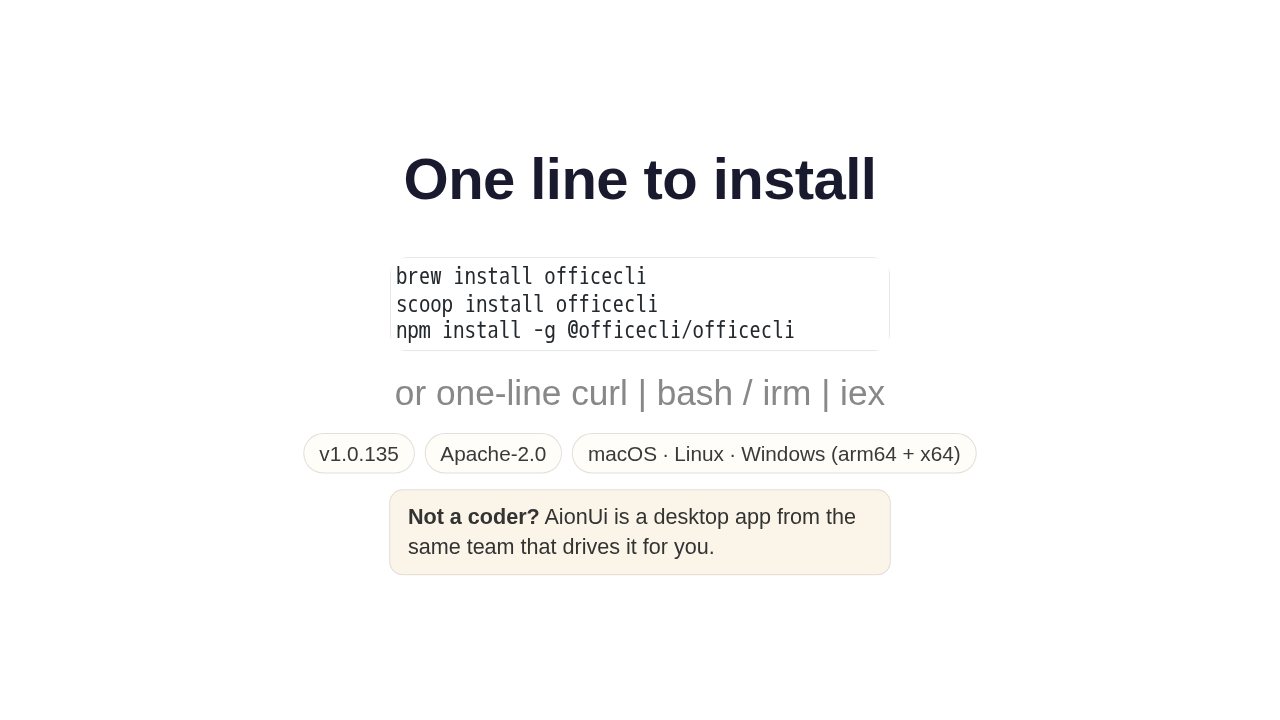
One line to install
brew install officecli
scoop install officecli
npm install -g @officecli/officecliGetting it is one line. Brew, scoop, or npm, or a curl script, with prebuilt binaries for Mac, Linux, and Windows. It's Apache licensed and free. And if you'd rather skip the terminal, AionUi is a desktop app that drives it for you.
OfficeCLI
So that's OfficeCLI. One binary that gives your agent eyes for Office. If your agent builds documents, this is worth a look. The link's on screen, and there's a new repo tomorrow.











