Spirula Studio · Gaussian splatting on any graphics card
Spirula Studio
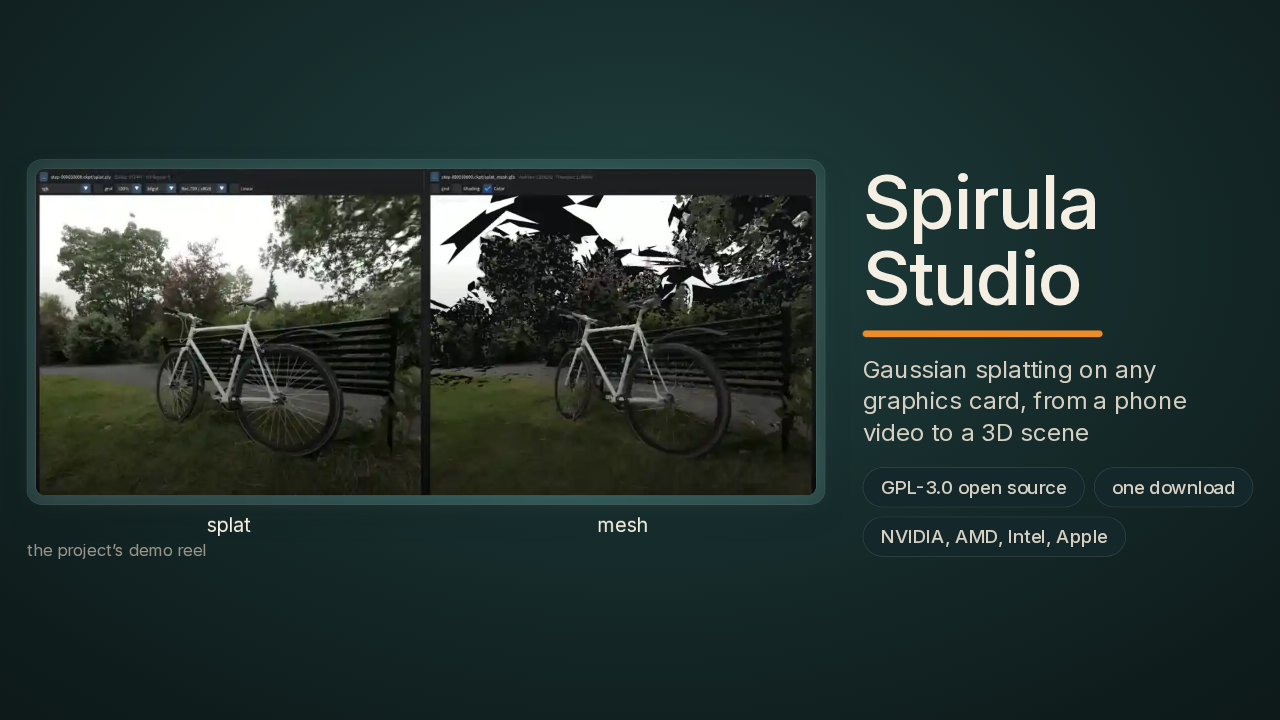
The left bicycle is a cloud of tiny coloured blobs. The right one is a solid model built from them. Spirula Studio made both, and it runs on NVIDIA, AMD, Intel and Apple graphics chips.
What Spirula Studio makes, and from what
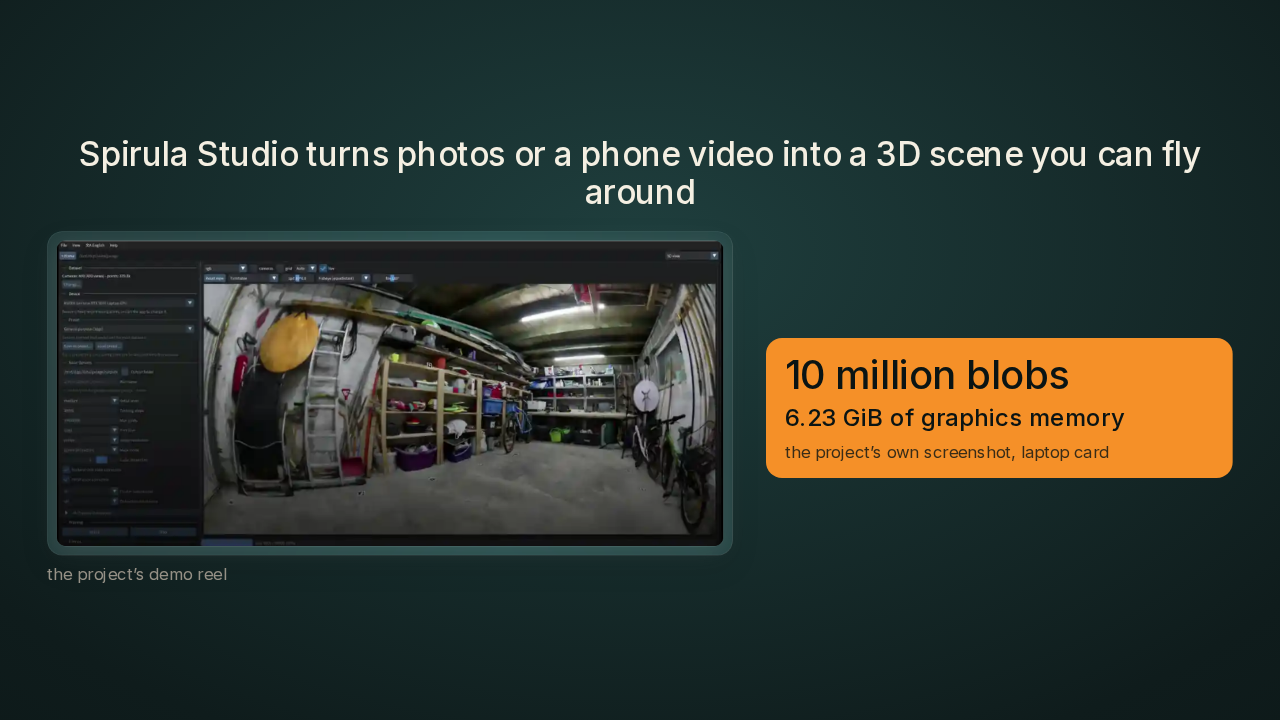
Spirula Studio turns photos or a phone video into a 3D scene you can fly around
Spirula Studio is a free app, built almost entirely by one developer. You give it photos or a phone video, and it gives back a 3D scene you can fly around. The technique is called Gaussian splatting. The scene becomes millions of tiny see-through coloured blobs, and together they redraw the place from any angle. The usual way to do this takes a stack of research code, and often an NVIDIA card. Spirula Studio is one program, and the project's own screen shows ten million blobs training in about six gigabytes of a laptop card's memory. I wanted to know how.
Why a blob is mostly colour, and the catch in the number

By the end, you'll know why a blob is mostly colour. You'll know how Spirula squeezes that colour into two bytes a number. You'll also know the catch. The ten million figure comes from the project's own test, on a computer-made scene, early in the training run. And I'll tell you whether I'd install it over Brush, the free trainer that already runs on AMD and Apple.
Several installs and an NVIDIA card, or one program
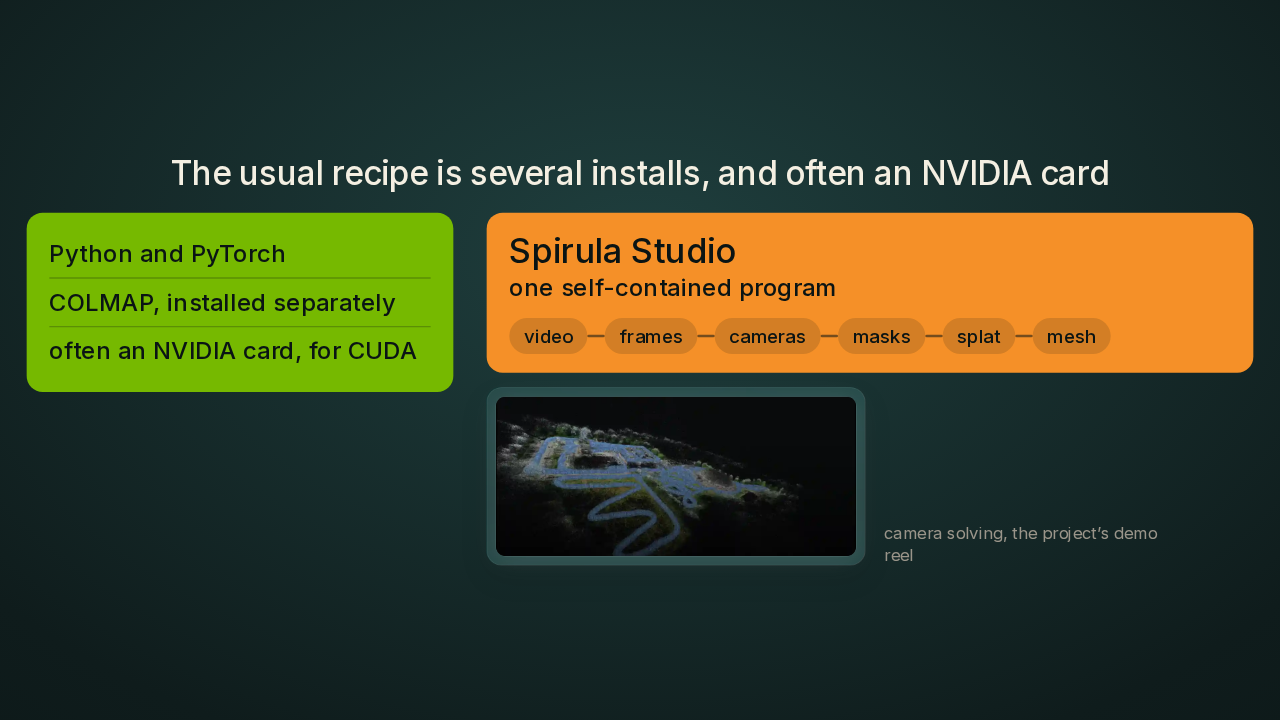
The usual recipe is several installs, and often an NVIDIA card
The usual recipe starts with Python and PyTorch, the programming language and the AI toolkit most research code for this is written in. Then you install COLMAP, a separate tool whose job is working out where the camera stood for every photo. Some trainers also want CUDA, NVIDIA's own toolkit for running code on its cards. Spirula Studio is one self-contained program. It cuts your video into frames, solves the cameras, masks out people who walked through the shot, trains the blobs and builds the mesh, a solid surface of triangles that games and 3D tools open. All five jobs happen inside the same download.
The project’s screen: 10 million blobs in 6.23 GiB
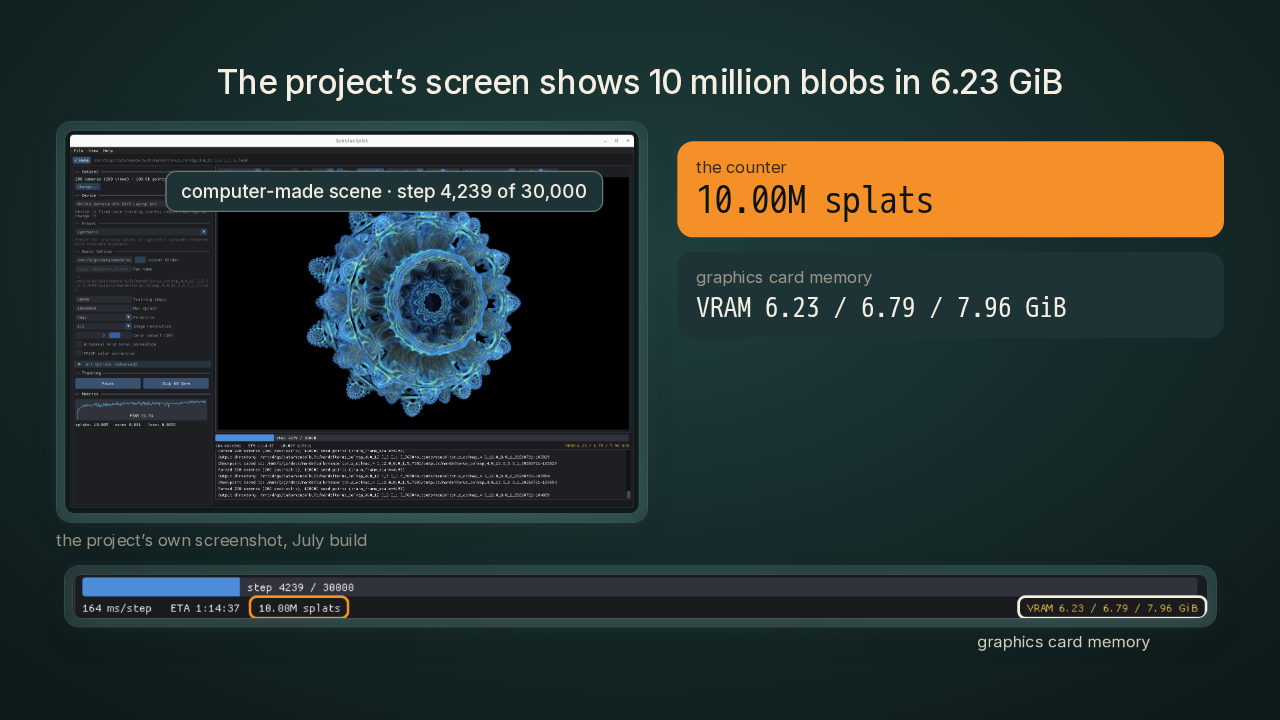
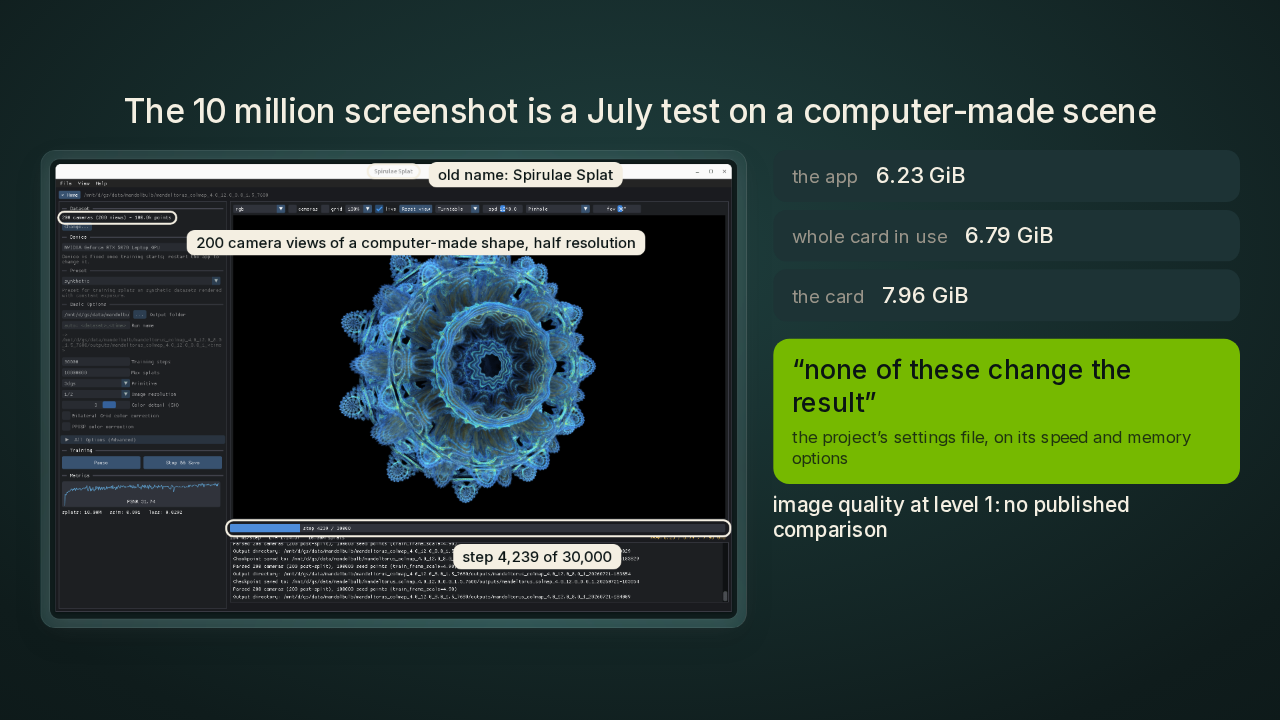
The project’s screen shows 10 million blobs in 6.23 GiB

This is the project's own screenshot, mid-training on an NVIDIA RTX 5070 Laptop card. The counter reads ten million blobs. The app is using six point two three gigabytes of the card's own memory, and the card holds seven point nine six gigabytes. The scene is computer-generated, a spiky mathematical shape, and the run is still early. I'll come back to both. Ten million blobs in six gigabytes needs a trick, and the trick starts with what one blob is made of.
One blob is 59 numbers, and 48 of them are colour
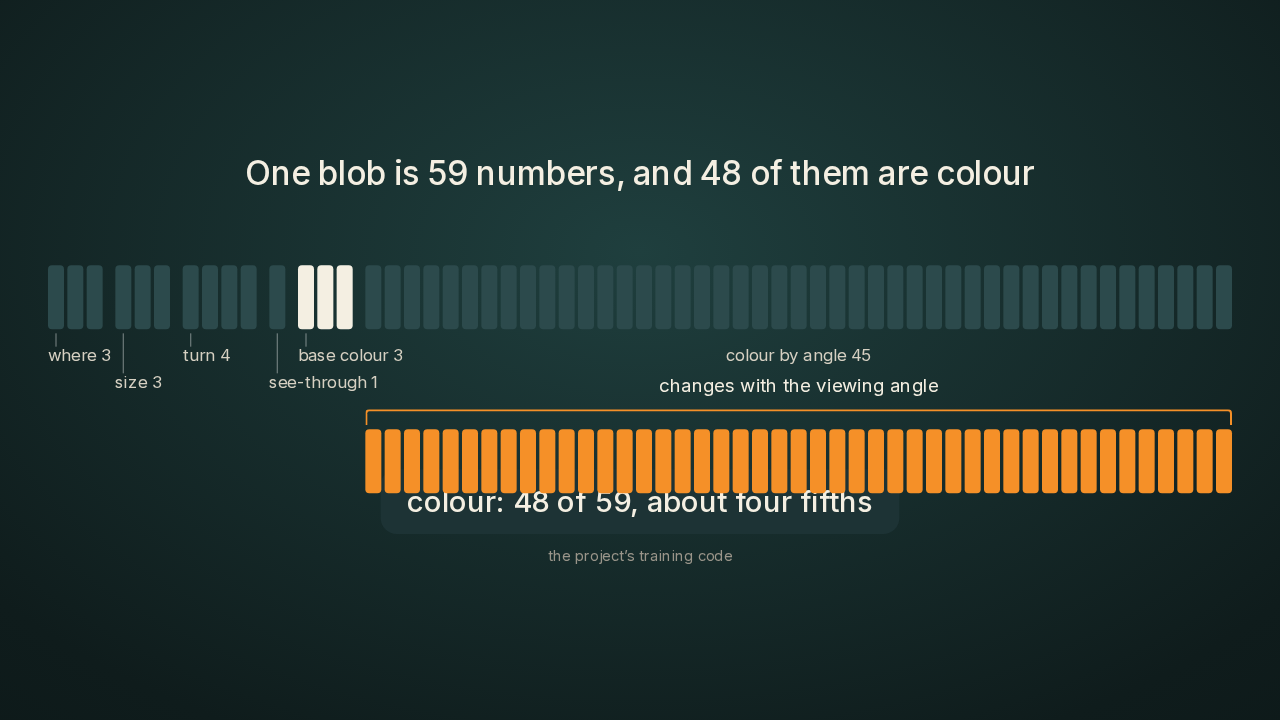
Every blob is a list of fifty-nine numbers. Three numbers say where the blob sits. Three say how big it is, and four say which way it's turned. One number says how see-through it is. The other forty-eight numbers are all colour. Three of them hold the blob's base colour. The last forty-five let the blob change colour with the angle you look from, the way a shiny car door looks different from the left and from the right. So about four fifths of every blob is colour, and most of that colour is the angle part. Those forty-five numbers are where Spirula starts cutting.
Each number costs 16 bytes in textbook training
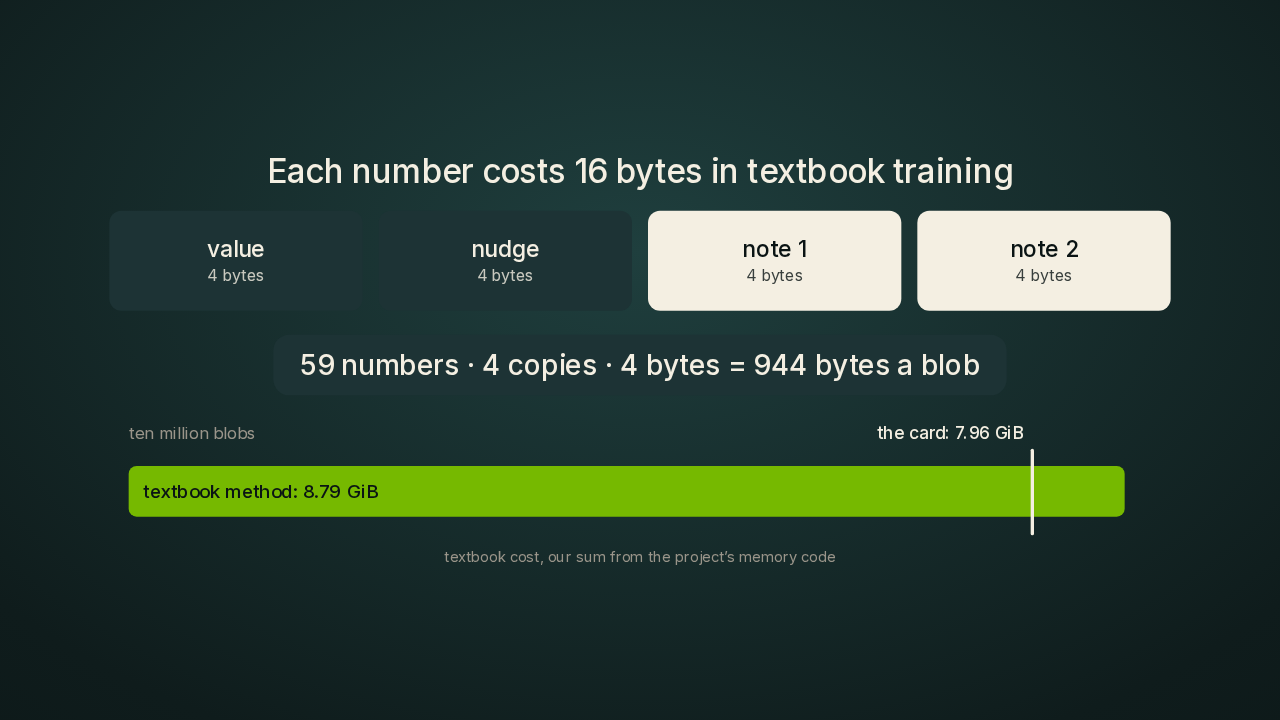
Training makes every number more expensive. The textbook method keeps four copies of each one. The first copy is the value itself. The second is the gradient, the nudge that says which way the value should move after each training step. The other two are notes the training keeps, two running averages of how that number has been moving, so the next nudge is steadier. Each copy takes four bytes, the usual size for a decimal number in memory. By my sum, that makes nine hundred and forty-four bytes a blob. For ten million blobs, the textbook method needs eight point eight gigabytes before a single photo loads. This card holds seven point nine six gigabytes. Spirula spends a lot less.
A range shared by 256 blobs turns decimals into two-byte codes
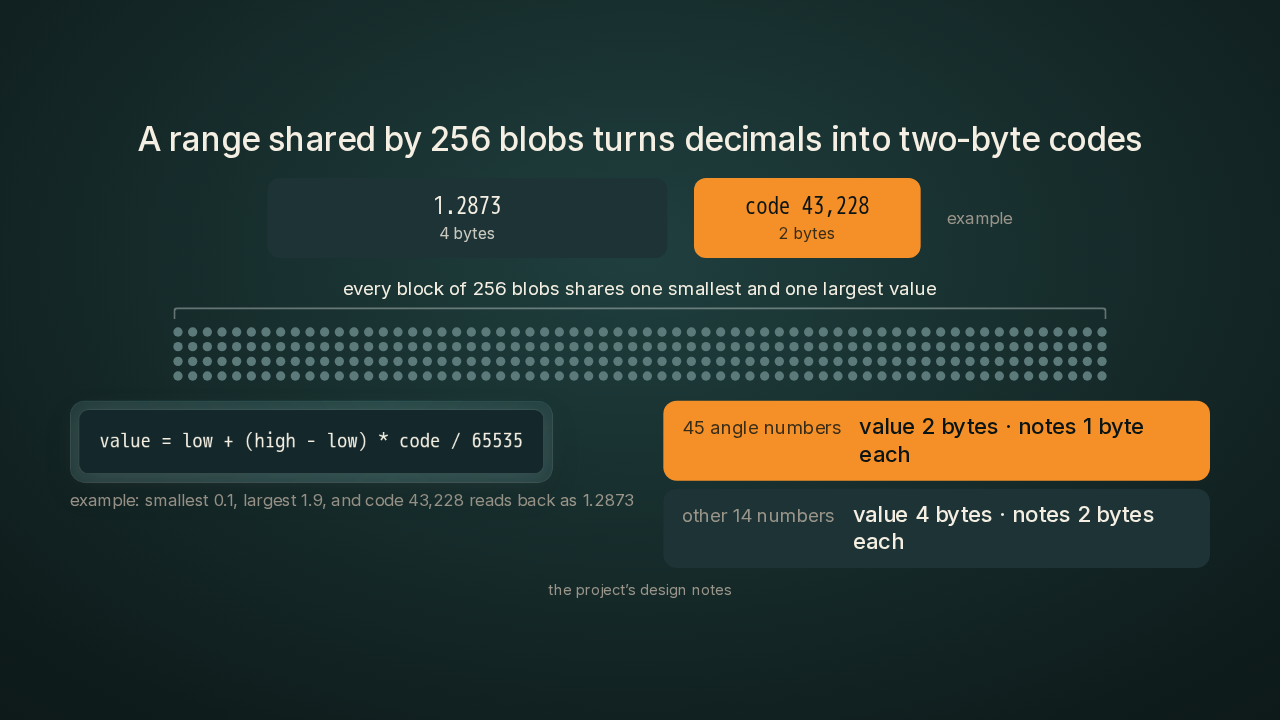
This is the part I like most. Spirula stores each of those forty-five angle numbers as a code, a whole number between zero and sixty-five thousand five hundred and thirty-five. The code takes two bytes instead of four. Every block of two hundred and fifty-six blobs shares one smallest value and one largest value. To read a number back, the program starts at that block's smallest value and moves toward the largest by the code's share of the range. A code halfway up the range lands halfway between the two. The notes for those forty-five numbers shrink further, to one byte each, a whole number from zero to two hundred and fifty-five. The other fourteen numbers keep full-size values: where the blob sits, its size, its turn, how see-through it is, and its base colour. Their notes drop to two bytes each.
The default keeps each blob under a third of its textbook size
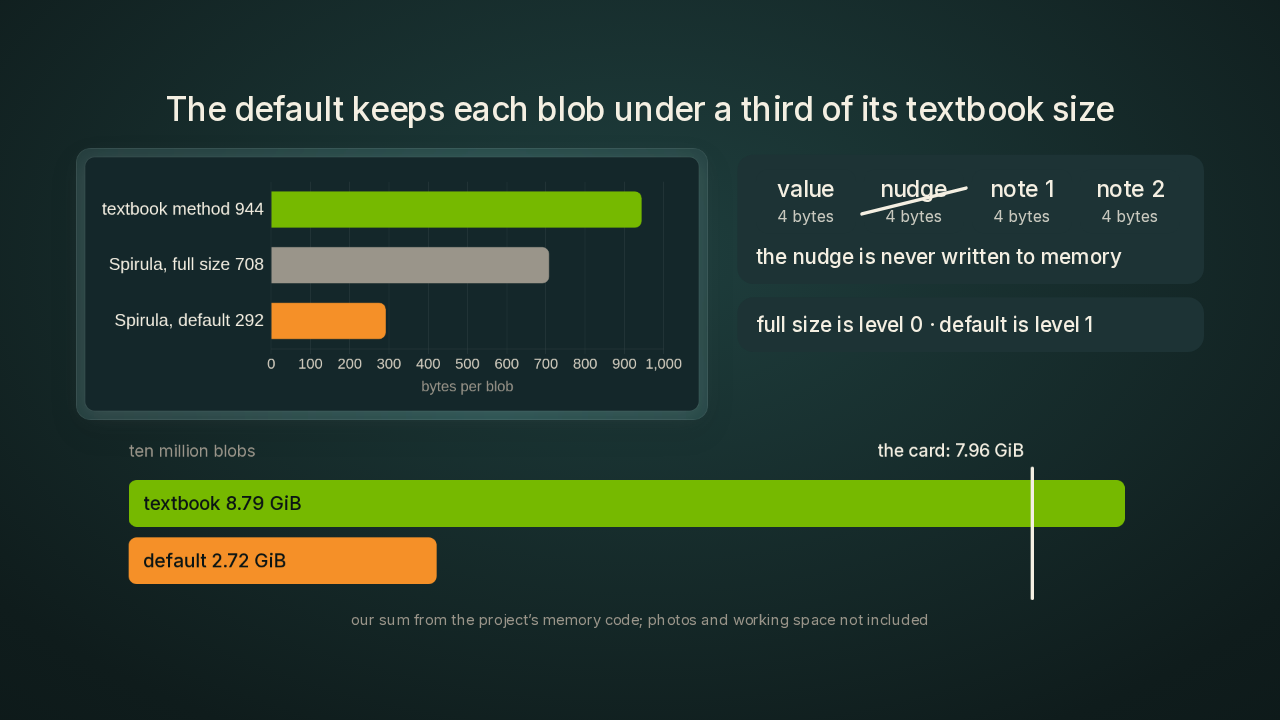
The nudge slot goes away too. In the default setting, Spirula works out each blob's nudge at full precision and applies it in the same pass, so the nudge never gets written to memory. Add it all up and nine hundred and forty-four bytes a blob drops to two hundred and ninety-two. Ten million blobs now need about two point seven gigabytes for the numbers and their notes, about a third of the card. My sum leaves out the training photos and the working space for each view, and those live in the rest of that six point two three gigabytes. The project calls this default level one. Level zero keeps every number full size and still skips the nudge slot. That comes to seven hundred and eight bytes a blob.
Interleaving the codes cut one read from 32 memory chunks to 2
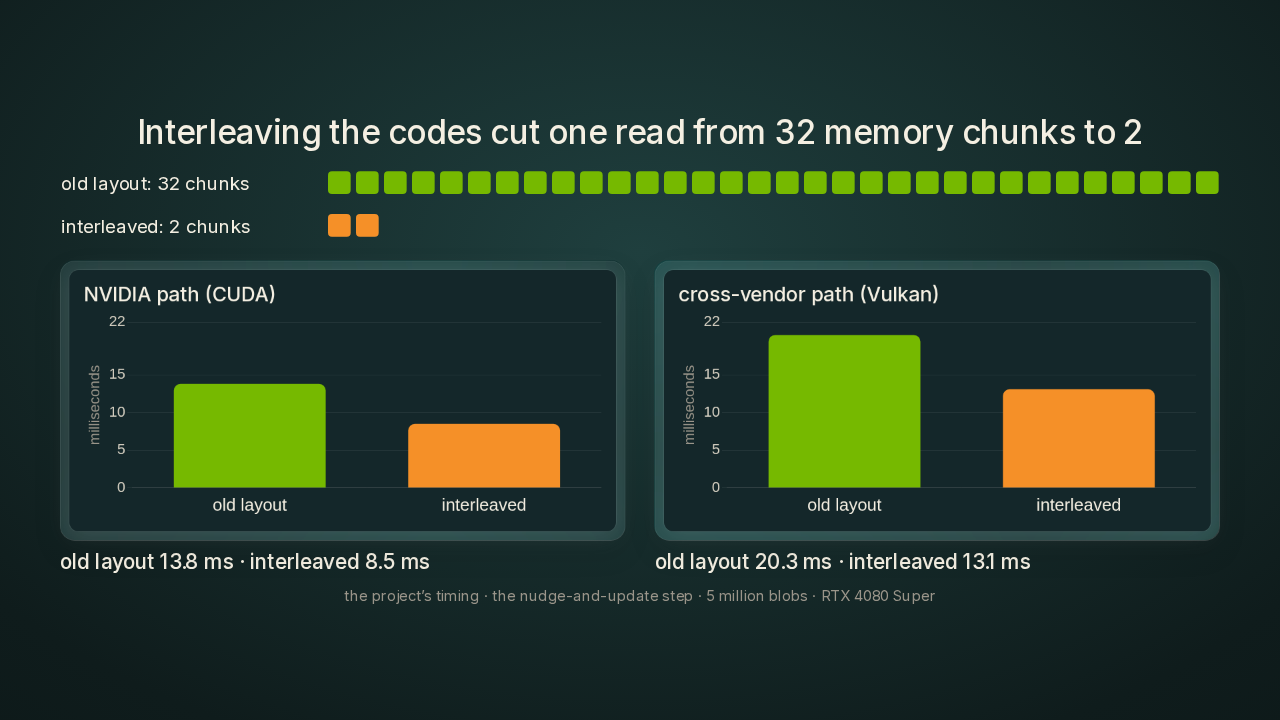
The codes are also laid out for the way a graphics card reads memory. The card works on a whole batch of blobs at once, and it fetches memory in fixed-size chunks. In the old layout, one batch reading one colour number touched thirty-two separate chunks. Spirula now interleaves the codes across each block of blobs, and the same read touches two. The project timed the piece of each training step that works out the nudges and applies them, on a five-million-blob bicycle scene, with an RTX 4080 Super desktop card. On the NVIDIA path, that piece went from thirteen point eight milliseconds to eight point five. On the cross-vendor path, it went from twenty point three milliseconds to thirteen point one.
Other cards get the same maths without a rewrite
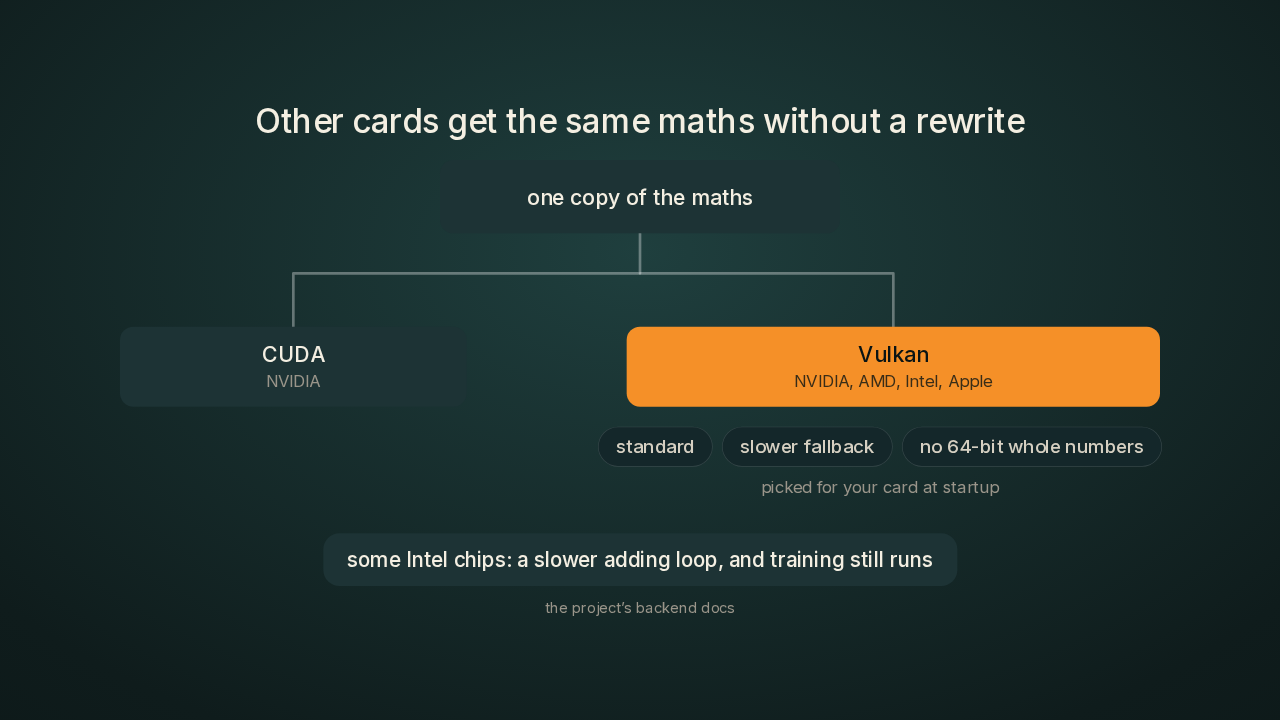
The cross-vendor path runs on Vulkan, a graphics standard, and Spirula's builds use it on NVIDIA, AMD, Intel and Apple chips. The maths is written once and built two ways, one version for CUDA and one for Vulkan. Each piece of that maths also ships in a few variants, and the program picks the one your card can run when it starts. Some Intel chips lack one instruction, the one that lets many of the card's workers add to the same number safely. Those chips get a slower loop that does the same job, and training still runs.
Frames, masks, cameras and mesh all run inside the app
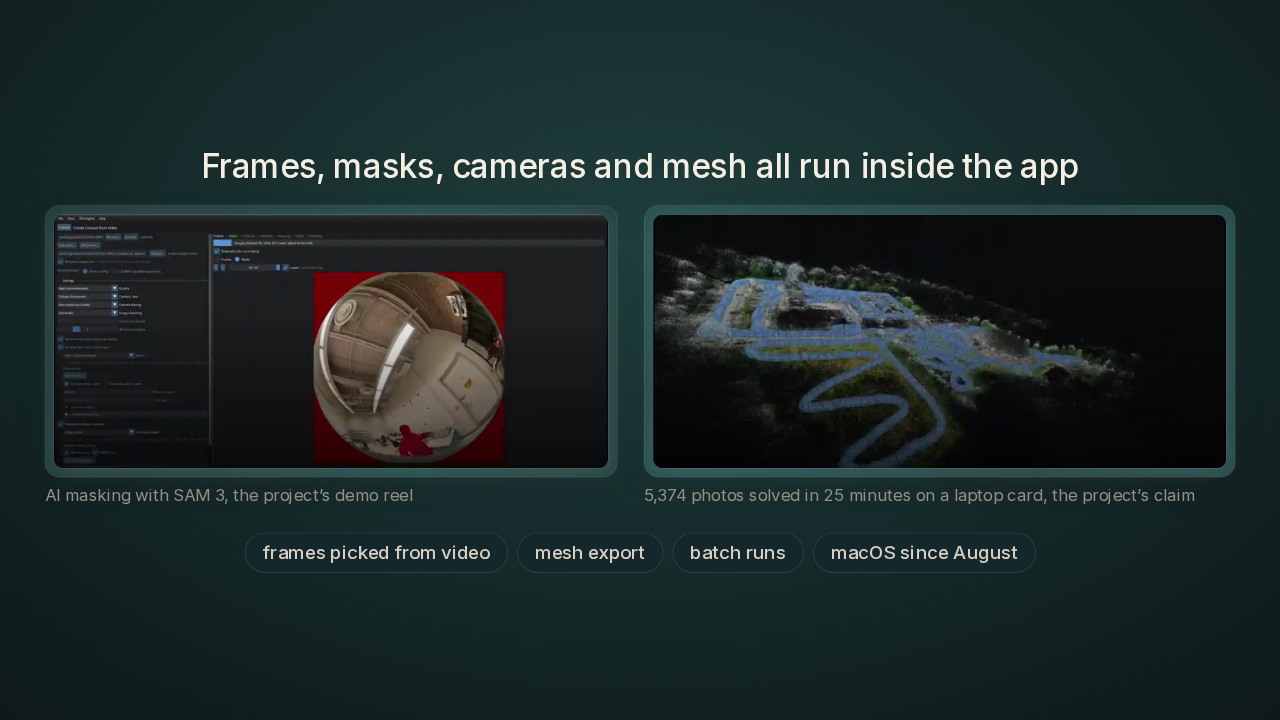
Spirula pulls frames out of your video and picks which ones to keep. It masks out people with SAM 3, Meta's model for cutting people and objects out of a picture, so a passer-by drops out of the finished scene. It solves the cameras itself, and the project's demo reel claims five thousand three hundred and seventy-four photos solved in twenty-five minutes on that same laptop card. It exports the mesh, runs whole batches of captures, and has run on Macs since August.
The 10 million screenshot is a July test on a computer-made scene
The screenshot with ten million blobs comes from a July build, when the app still had its old name, Spirulae Splat. The scene is a mathematical shape rendered by a computer. The run sits at step four thousand two hundred and thirty-nine of thirty thousand. Six point two three gigabytes is what the app itself uses. Six point seven nine gigabytes is everything running on the card, and seven point nine six gigabytes is the card's full size. The quality cost of the two-byte codes is unpublished. The settings file lists level one under speed and memory options, and says in its own words that none of them change the result. The project hasn't published an image comparison to back that line. So I'd treat six point two three gigabytes as the figure for this scene, at this step.
One maintainer, a changed camera solver, and a copyleft licence
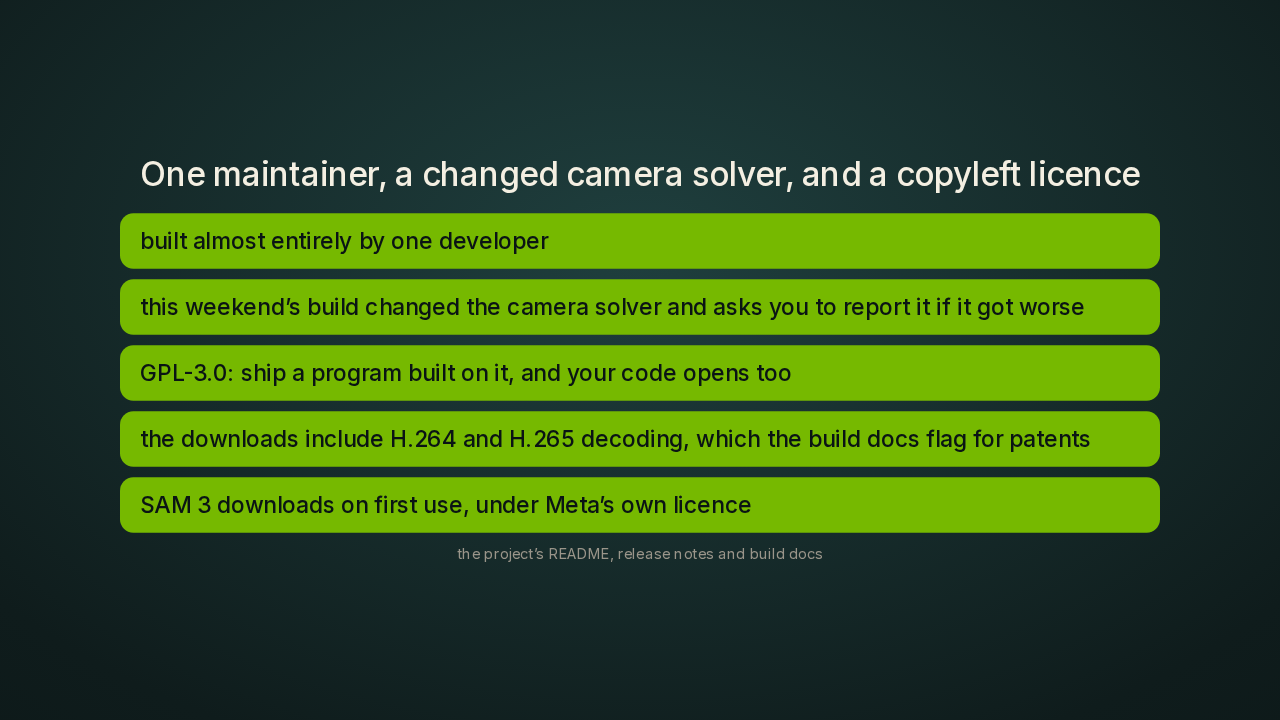
Spirula Studio is almost entirely one developer's work, and the README says so. This weekend's build changed the camera solver, and the release notes ask you to file an issue if it got worse. The licence is GPL version three. If you ship a program built on Spirula's code, your program's code has to be open too. If I were building a paid product, that's where I'd stop first. The downloadable builds also decode H.264 and H.265 video on the graphics card, two of the most common video formats. The project's build docs flag those formats for patent risk, and a build from source leaves that part off unless you switch it on. And SAM 3 downloads the first time you mask, under Meta's own licence.
The whole video-to-mesh trip runs without an NVIDIA card
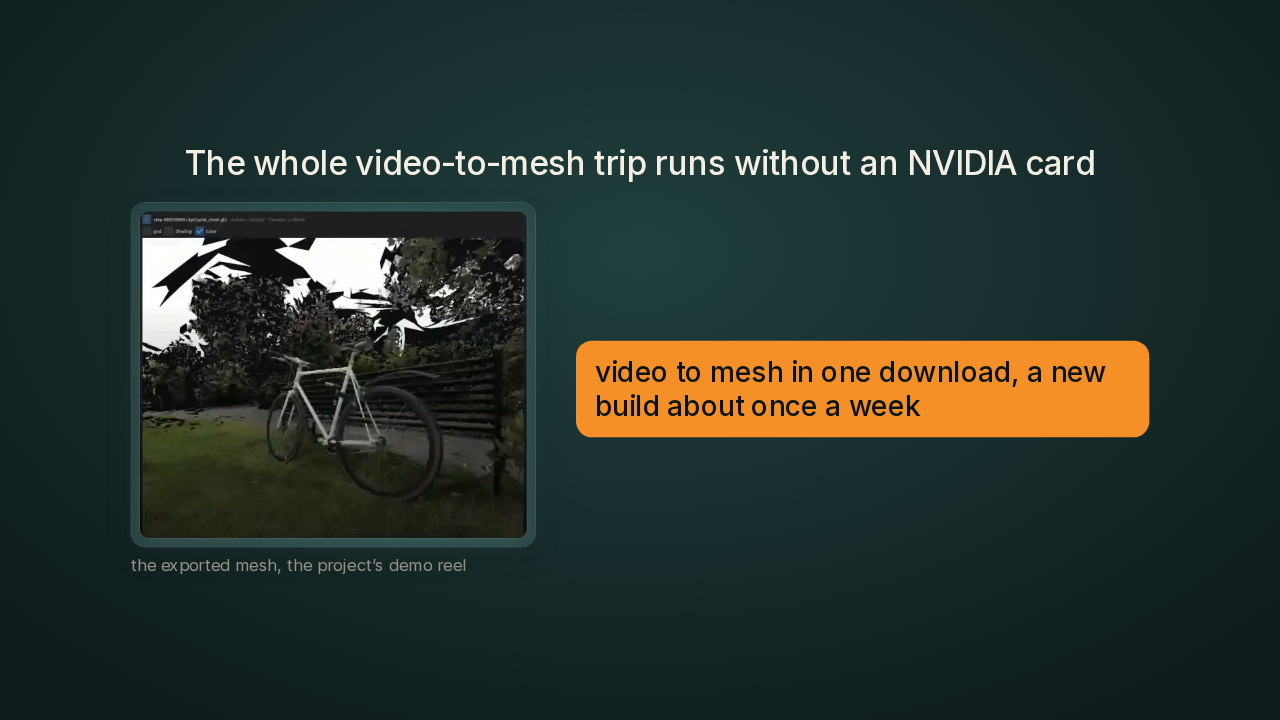
If your laptop has an AMD or Intel chip, or you're on a Mac, Spirula is the only tool in this video that solves its own cameras and runs on your hardware. The whole trip, from video to frames to cameras to blobs to mesh, is one download. A new build has landed about once a week this month.
Brush covers the same chips, and needs its cameras solved first
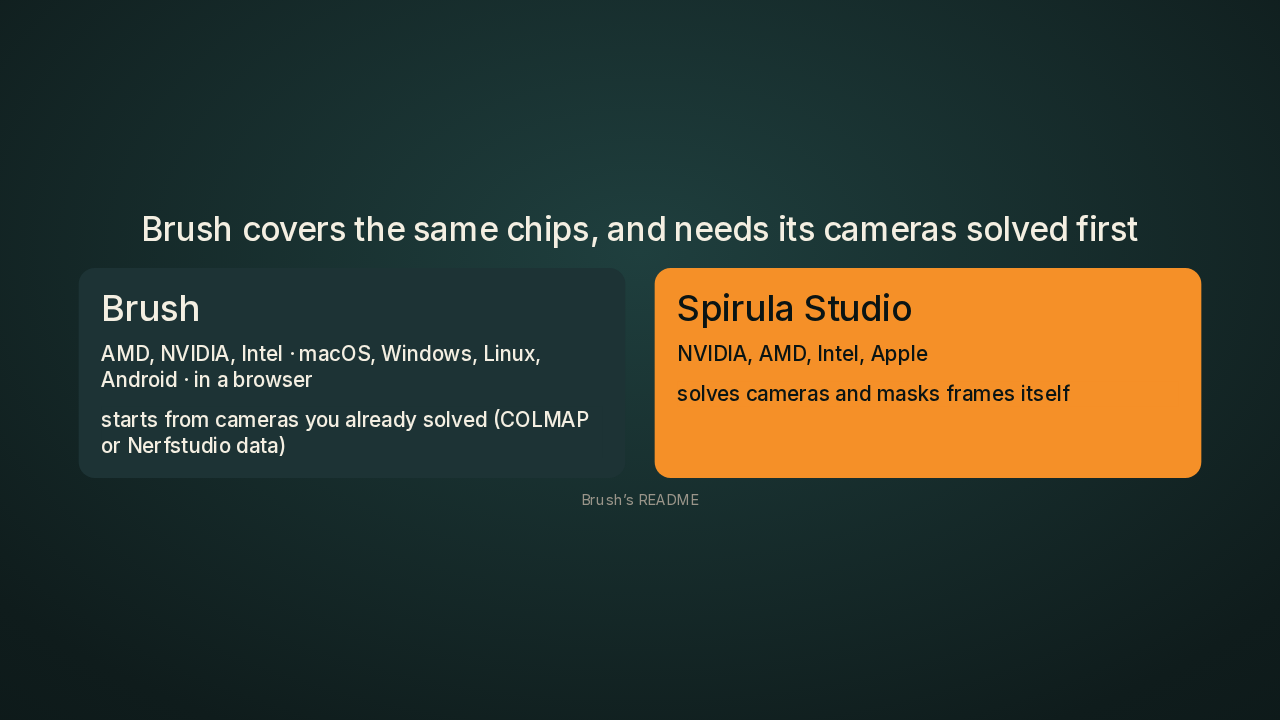
Brush, a free and open source splat trainer, already runs on AMD, Intel and Apple, and even in a web browser. That's true. Brush starts from cameras you've already solved, in COLMAP or a similar tool. Spirula solves the cameras and masks the frames itself, so your phone video goes straight in. If my cameras were already solved, I'd still reach for Brush, because it runs in a browser tab.
Who else trains splats, and on what
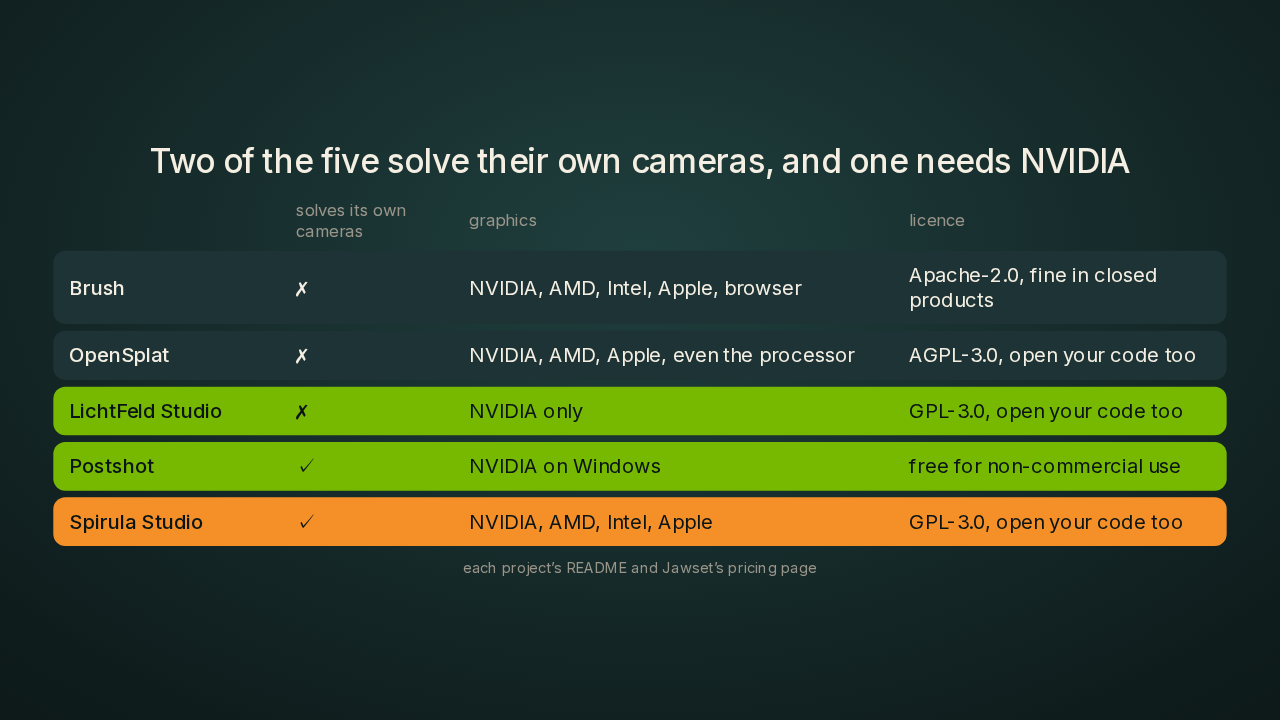
Two of the five solve their own cameras, and one needs NVIDIA
OpenSplat runs on NVIDIA, AMD and Apple graphics, and it also needs cameras from another tool. LichtFeld Studio takes COLMAP input and runs on NVIDIA only. Postshot, a desktop app from a company called Jawset, does solve its own cameras. It needs Windows and an NVIDIA card, and its free plan is for non-commercial use. As I read this table, Spirula Studio is the only one that solves its own cameras and runs on AMD, Intel and Apple.
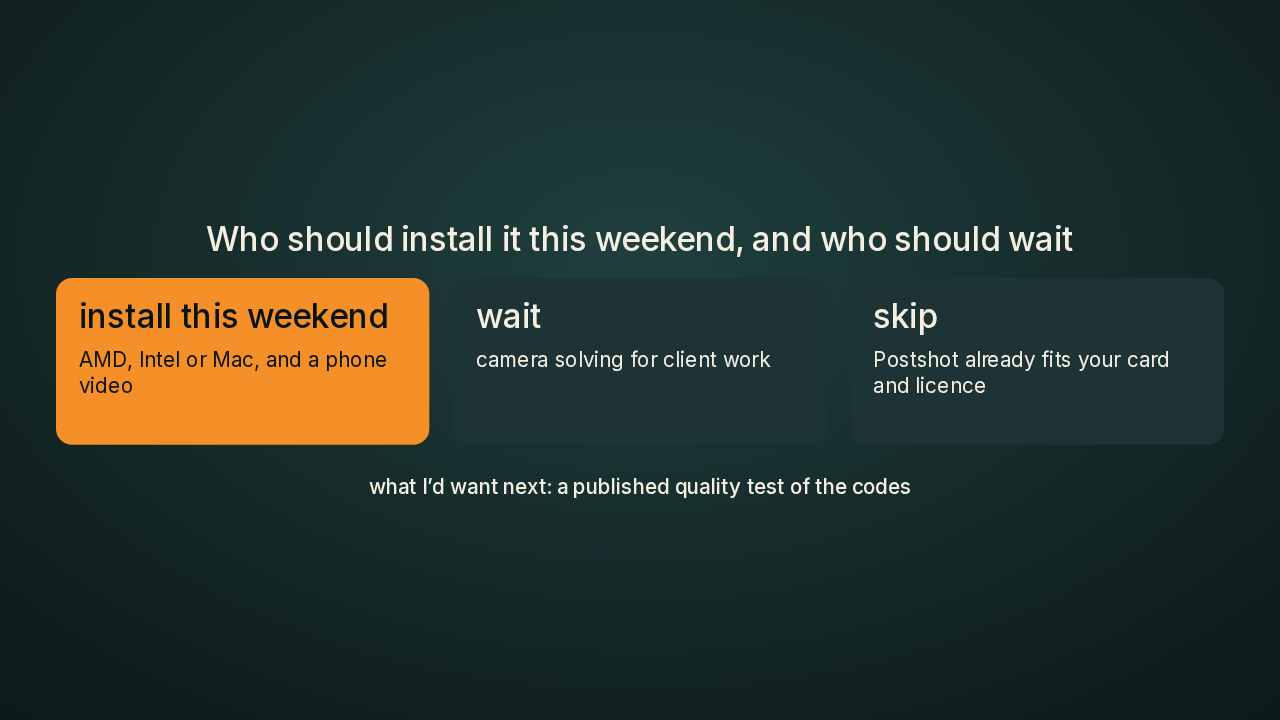
Who should install it this weekend, and who should wait
Should you install it? If you have an AMD or Intel laptop, or a Mac, and a phone video of a room, I'd install it this weekend. If you need camera solving you can trust for client work, I'd wait a few releases, because this weekend's build changed the solver and one person maintains it. And if Postshot already runs on your NVIDIA card and its licence fits your work, you don't need Spirula at all. The two-byte codes are the part I'm most curious about. I'd want the project to publish a side-by-side image test before I trusted them on paid work.
Spirula Studio, Gaussian splatting on any graphics card

Spirula Studio has downloads for Windows, Linux and Macs with Apple chips, under GPL version three. What graphics card is in your laptop, and has it ever trained a splat? Tell me in the comments. It's harry seven five five seven five five eight, slash spirula studio, on GitHub. New repo tomorrow.