Describe a diagram, get an editable draw.io file

2 months ago

You know draw.io. Now you just describe the diagram, and it draws itself in your browser. This is next-ai-draw-io. And the diagram it hands back isn't a picture. It's a real draw.io file you can grab and edit.

Ask

Ask about this presentation

Answers are generated from this presentation.

Chapters

  1. 0:00Slide 1
  2. 0:13A chat on one side, a live draw.io canvas on the other
  3. 0:26It writes draw.io's own XML, not a picture
  4. 0:42Every change is a version you can restore
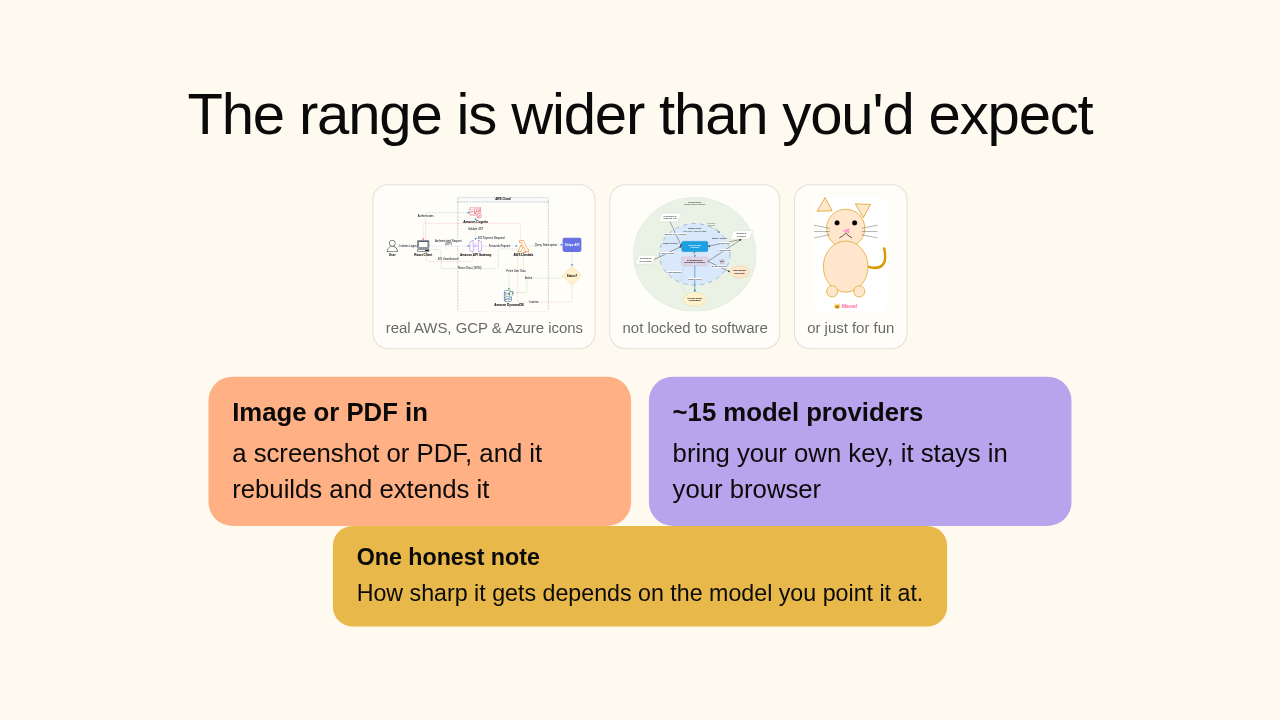
  5. 0:56The range is wider than you'd expect
  6. 1:21Now draw it straight from your coding agent
  7. 1:35Getting it is easy
  8. 1:52next-ai-draw-io
Show transcript

Slide 1

GitHub Trending · Ep 09 · Jul 15, 2026
Describe a diagram, get an editable draw.io file
Chat on one side, a live draw.io canvas on the other.
next-ai-draw-io TypeScript Apache-2.0 Web + desktop
The output is a real draw.io file you can open and edit.

You know draw.io. Now you just describe the diagram, and it draws itself in your browser. This is next-ai-draw-io. And the diagram it hands back isn't a picture. It's a real draw.io file you can grab and edit.

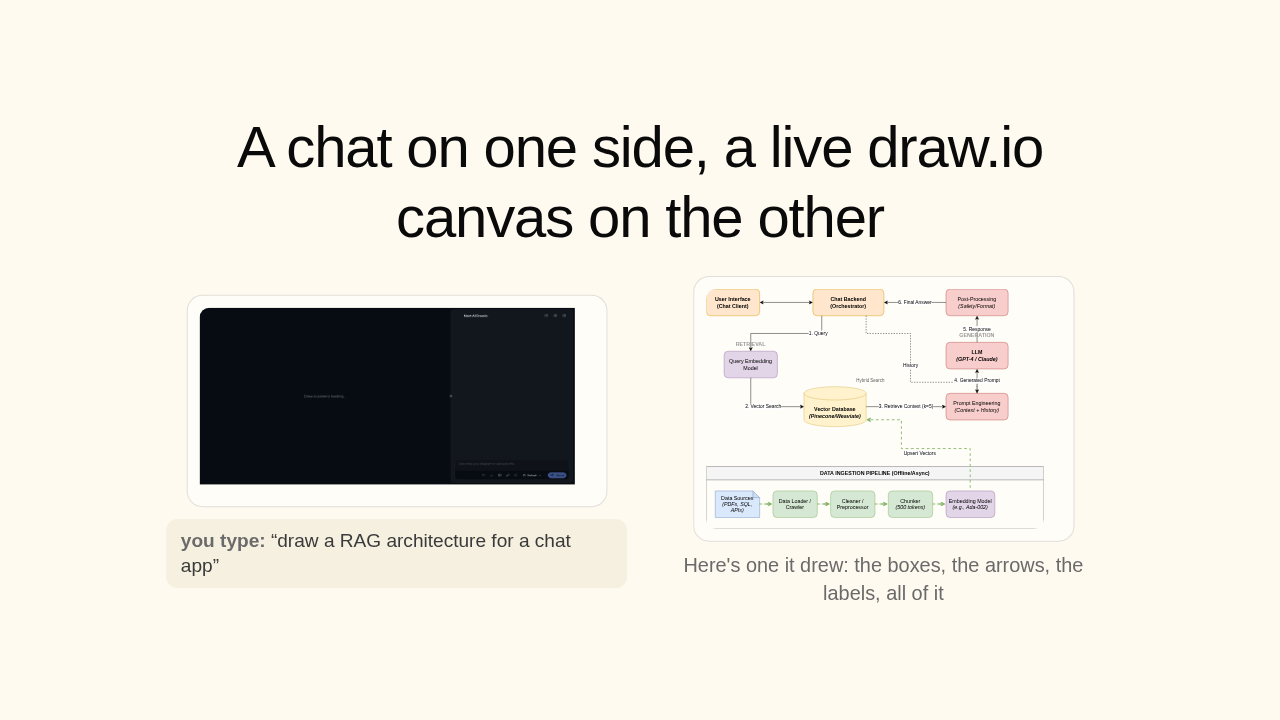
A chat on one side, a live draw.io canvas on the other

you type: “draw a RAG architecture for a chat app”
a diagram the app drew: a RAG architecture for a chat app, with a numbered retrieval-to-generation flow and an ingestion pipeline in labeled boxes joined by connectors
Here's one it drew: the boxes, the arrows, the labels, all of it

The setup's simple. A chat on one side, a live draw.io canvas on the other. You type something like "draw a RAG architecture for a chat app," and it fills in the boxes, the arrows, the labels, all of it. Here's one it drew.

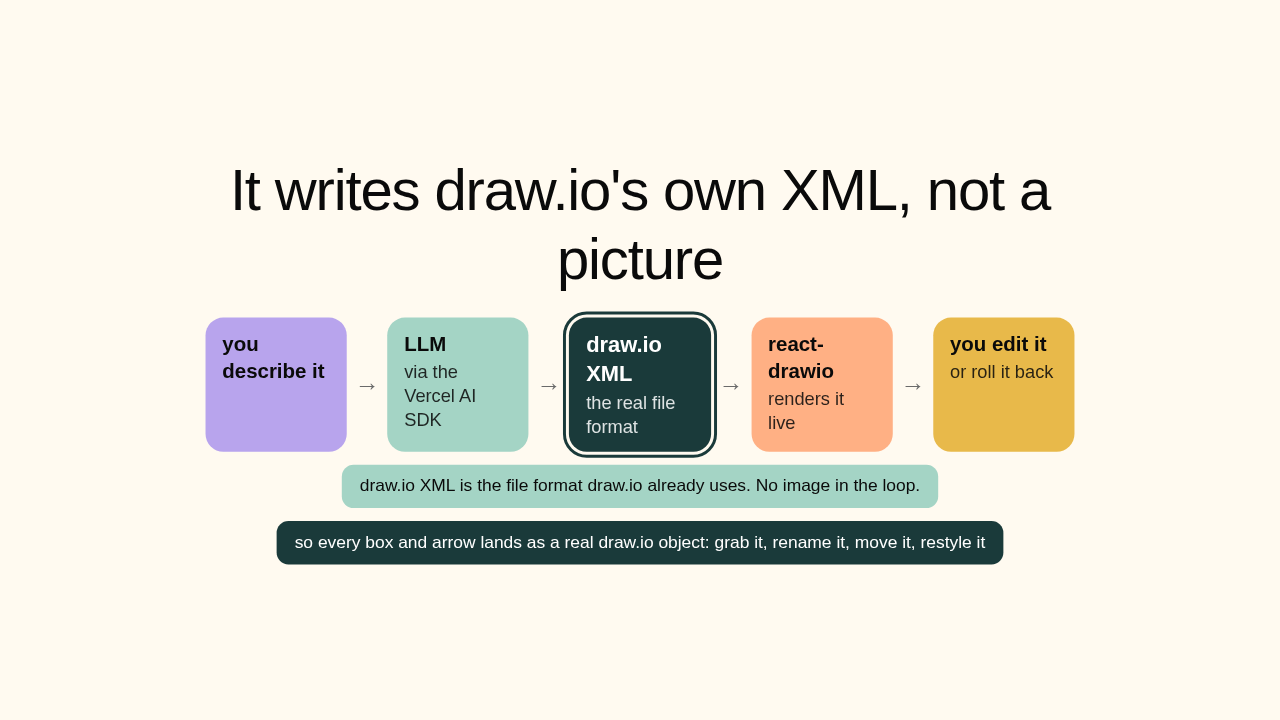
It writes draw.io's own XML, not a picture

you describe it
→
LLMvia the Vercel AI SDK
→
draw.io XMLthe real file format
→
react-drawiorenders it live
→
you edit itor roll it back
draw.io XML is the file format draw.io already uses. No image in the loop.
so every box and arrow lands as a real draw.io object: grab it, rename it, move it, restyle it

And here's the clever part. It's not an image generator. The AI's whole job is to write draw.io's own XML, the file format draw.io already uses. So when the diagram lands, every box and arrow is a real draw.io object. Grab one, rename it, move it, restyle it. Exactly like a diagram you drew by hand.

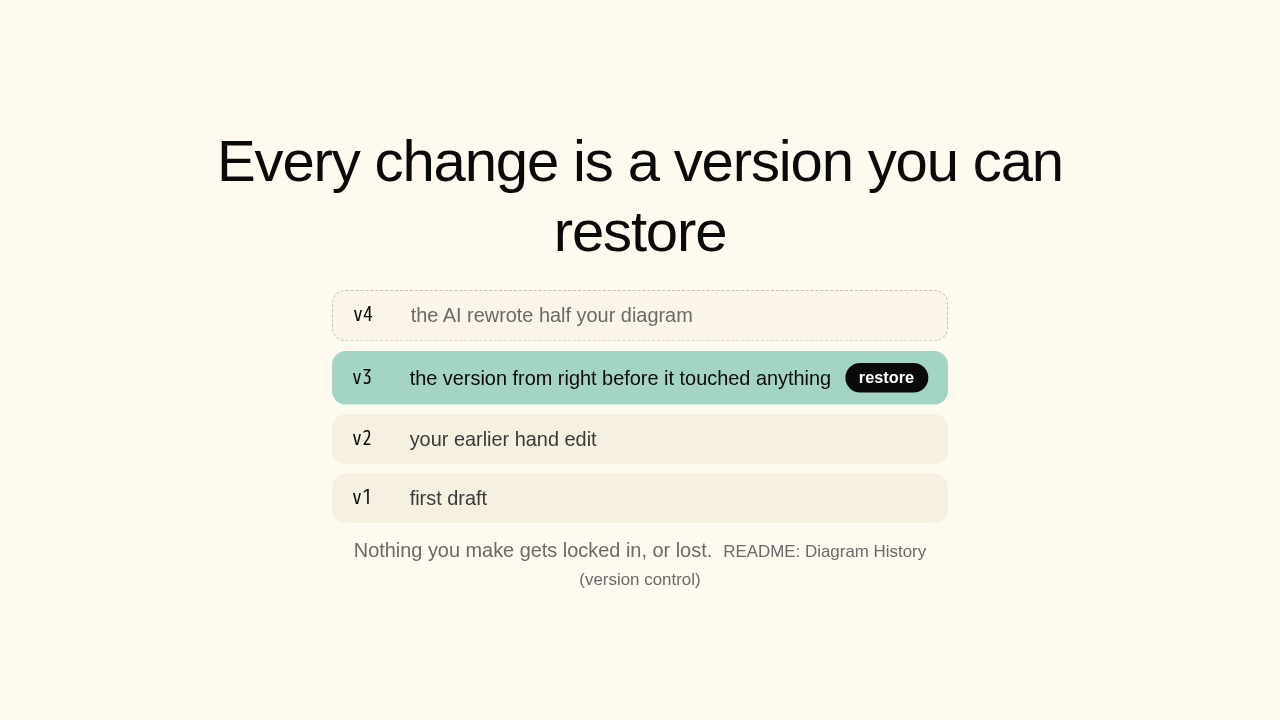
Every change is a version you can restore

v4the AI rewrote half your diagram
v3the version from right before it touched anythingrestore
v2your earlier hand edit
v1first draft
Nothing you make gets locked in, or lost.  README: Diagram History (version control)

Because it's a real file, it keeps a history. Every change is a version you can roll back to. Ask for one small tweak and the AI rewrites half your diagram? Restore the version from right before it touched anything. Nothing you made gets locked in, or lost.

The range is wider than you'd expect

a cloud architecture diagram drawn with real AWS, GCP and Azure service icons
real AWS, GCP & Azure icons
an open-innovation business model diagram of concentric rings, not software
not locked to software
a freehand drawing of a cat saying Meow, drawn on request
or just for fun
Image or PDF ina screenshot or PDF, and it rebuilds and extends it
~15 model providersbring your own key, it stays in your browser
One honest noteHow sharp it gets depends on the model you point it at.

The range is wider than you'd expect. Hand it a screenshot of an old diagram, or a PDF, and it rebuilds and extends it. Cloud diagrams come with the real AWS, GCP, and Azure icons. And it isn't locked to software. Ask for a cute cat, you get a cute cat. It runs on about fifteen model providers, bring your own key. One honest note: how sharp it gets depends on the model you point it at.

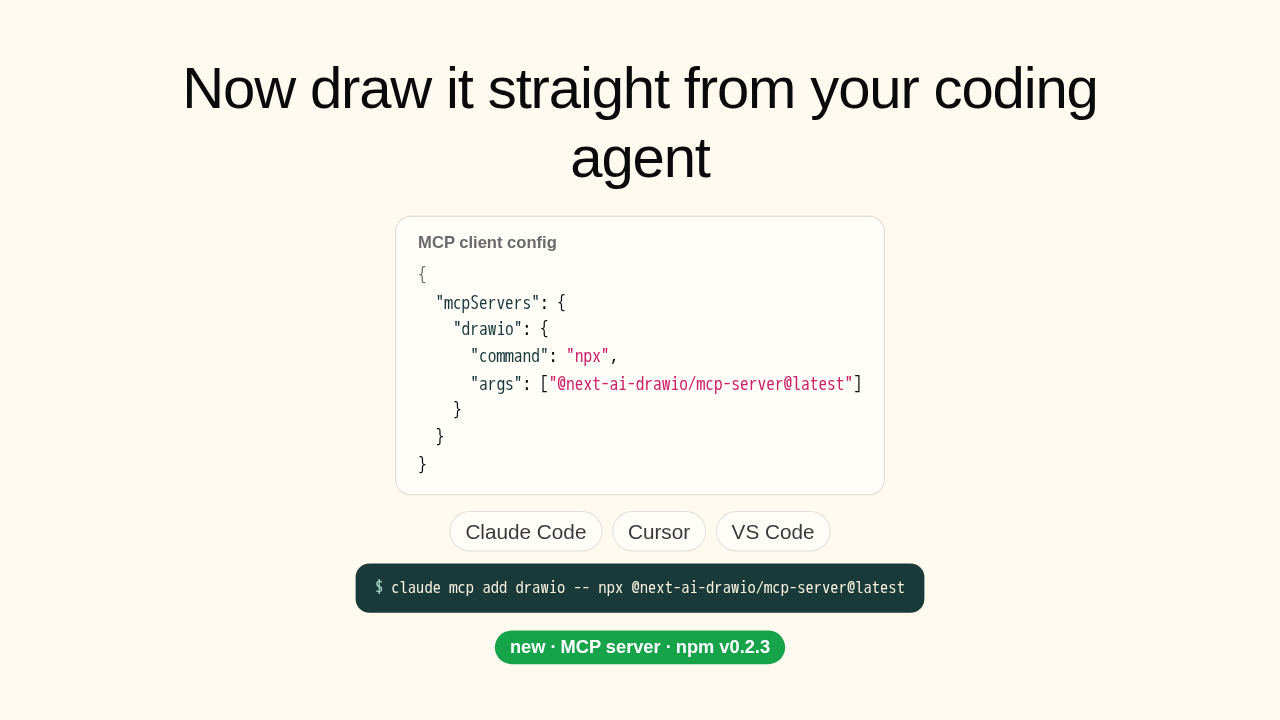
Now draw it straight from your coding agent

MCP client config
{
  "mcpServers": {
    "drawio": {
      "command": "npx",
      "args": ["@next-ai-drawio/mcp-server@latest"]
    }
  }
}
Claude Code Cursor VS Code
$claude mcp add drawio -- npx @next-ai-drawio/mcp-server@latest
new · MCP server · npm v0.2.3

Now the part that just shipped. The same engine runs as an MCP server. So Claude Code, Cursor, or VS Code can draw these diagrams for you, and watch them render in your browser live. One line adds it. Your coding agent, drawing straight into draw.io.

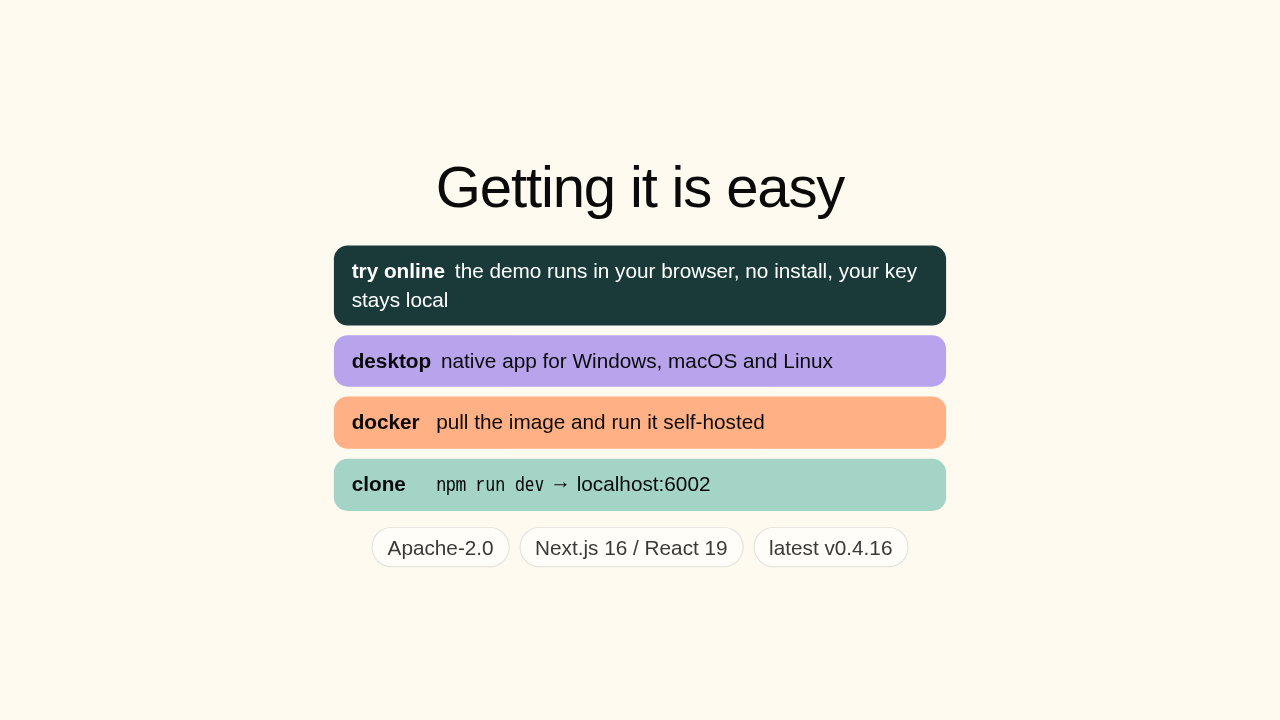
Getting it is easy

try onlinethe demo runs in your browser, no install, your key stays local
desktopnative app for Windows, macOS and Linux
dockerpull the image and run it self-hosted
clonenpm run dev → localhost:6002
Apache-2.0 Next.js 16 / React 19 latest v0.4.16

Want to try it? The demo runs in your browser, no install, your key stays local. There's a native desktop app for Windows, Mac, and Linux, a Docker image, or clone it and npm run dev. It's Apache-2.0, TypeScript, on Next.js sixteen and React nineteen, latest build v0.4.16.

next-ai-draw-io

Describe it, edit it, roll it back, and drive it from your agent.
github.com/DayuanJiang/next-ai-draw-io
Worth a weekend if you make architecture diagrams.
New repo tomorrow.

So: describe a diagram, get one you can actually edit, roll back, and drive from your agent. If you make architecture diagrams, it's worth a weekend look. The link's on screen. New repo tomorrow.











