Your coding agent greps. graphify hands it a map.
Your coding agent greps around your repo like it has never seen it before. graphify hands it a map instead. Point it at a folder and it reads your whole project into a graph you can query. It plugs into Claude Code, Cursor and Codex, and the newest build landed today.
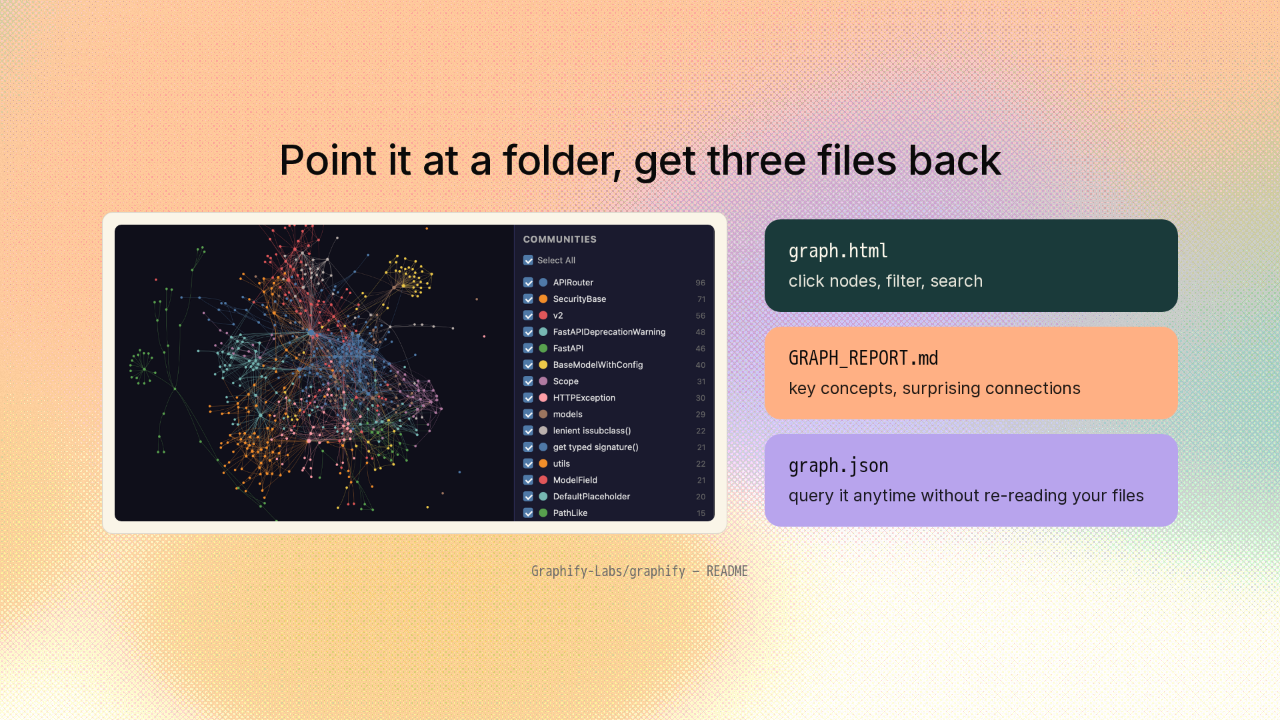
Point it at a folder, get three files back

That tangle is one codebase. Every class, function and import is a node, clustered into the parts that actually belong together. And you get three files back. An interactive graph you click around in. A written report of what it found. And the whole graph as data you can query later.
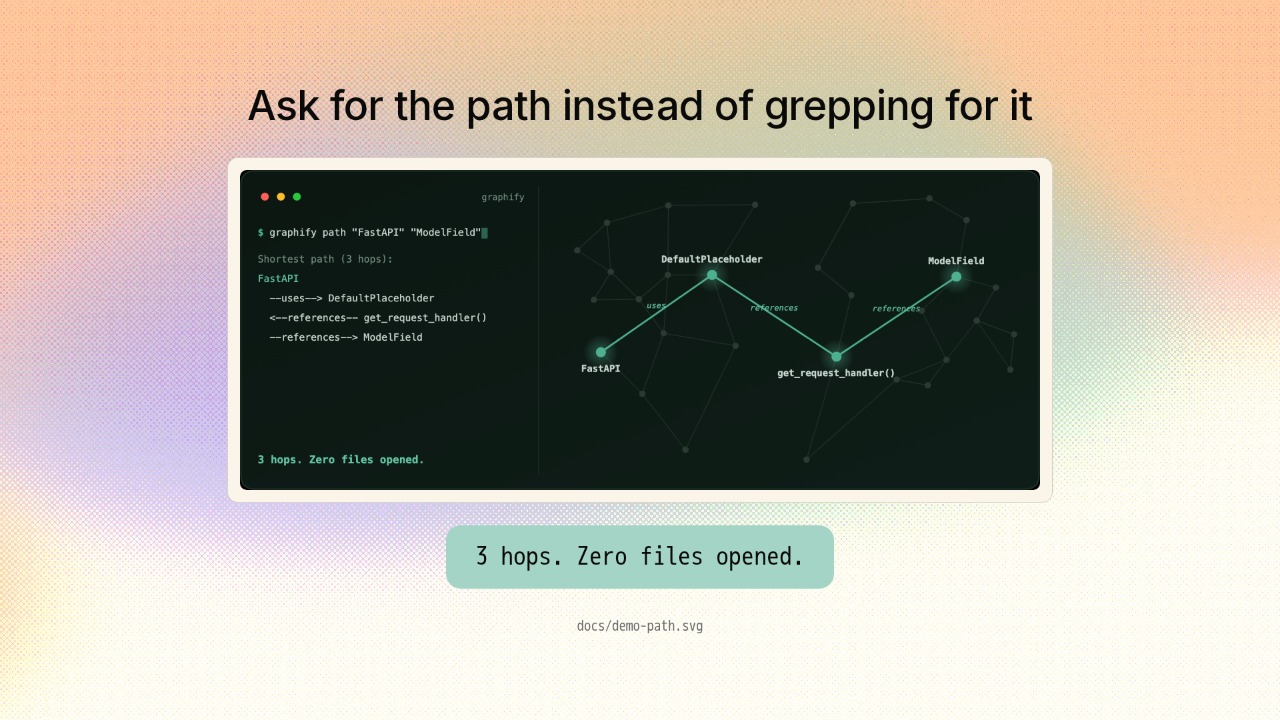
Ask for the path instead of grepping for it

So you stop grepping for how two things connect and just ask for the path. FastAPI to ModelField. It walks you there, hop by hop, straight through the graph. Three hops. Zero files opened. That is the whole idea.
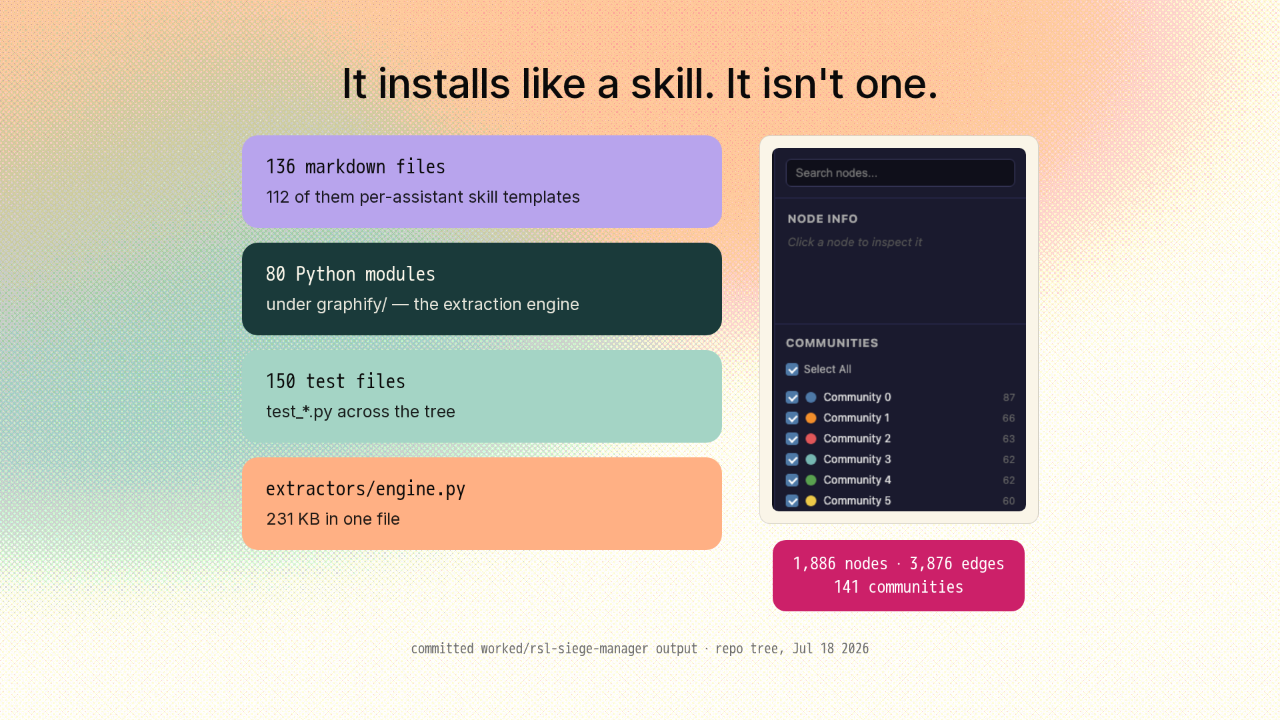
It installs like a skill. It isn't one.
141 communities
And this part is clever. It installs as a skill file for your assistant, so it reads like one more markdown drop. But those skill files sit right next to a real engine. Eighty Python modules and a hundred and fifty test files. The repo even commits the graph it built for a real codebase. Almost nineteen hundred nodes, clickable.
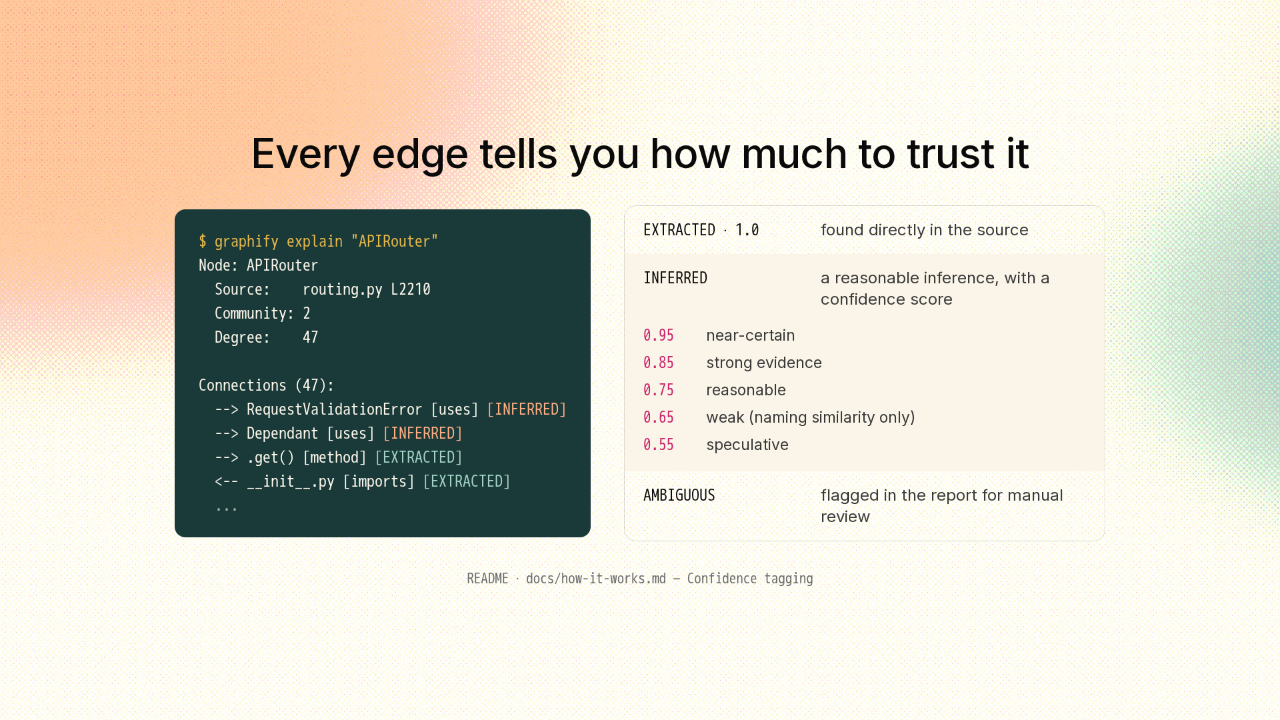
Every edge tells you how much to trust it
$ graphify explain "APIRouter"
Node: APIRouter
  Source:    routing.py L2210
  Community: 2
  Degree:    47

Connections (47):
  --> RequestValidationError [uses] [INFERRED]
  --> Dependant [uses] [INFERRED]
  --> .get() [method] [EXTRACTED]
  <-- __init__.py [imports] [EXTRACTED]
  ...
And every connection tells you how much to trust it. Ask it to explain a node and each edge comes back tagged. Extracted means it found it in your source. Inferred means it was worked out by a model. And the inferred ones carry a score, from near certain down to speculative.
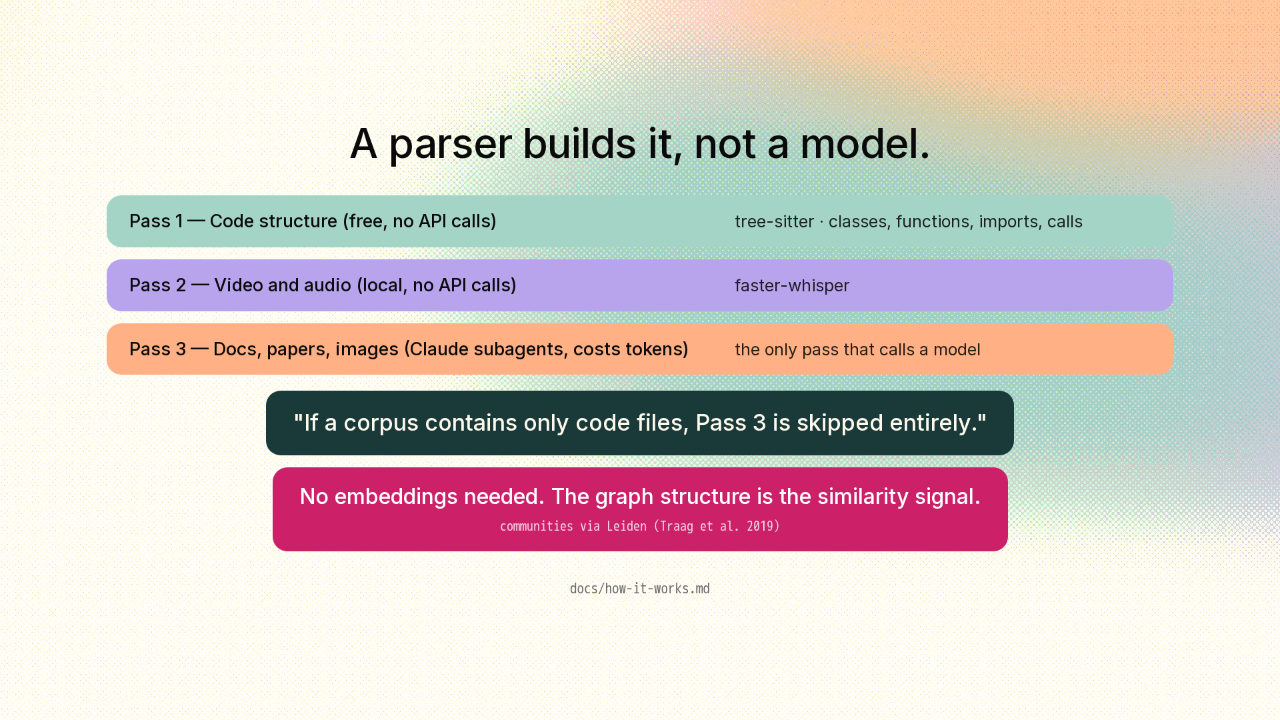
A parser builds it, not a model.
Here is why the code half of that graph is free. A parser builds it, not a model. Tree-sitter walks your source on your machine, pulling out classes, functions, imports and calls. The model pass only ever touches docs, papers and images. So a project that is only code skips that pass entirely and never needs an API key. No embeddings, no vector database.
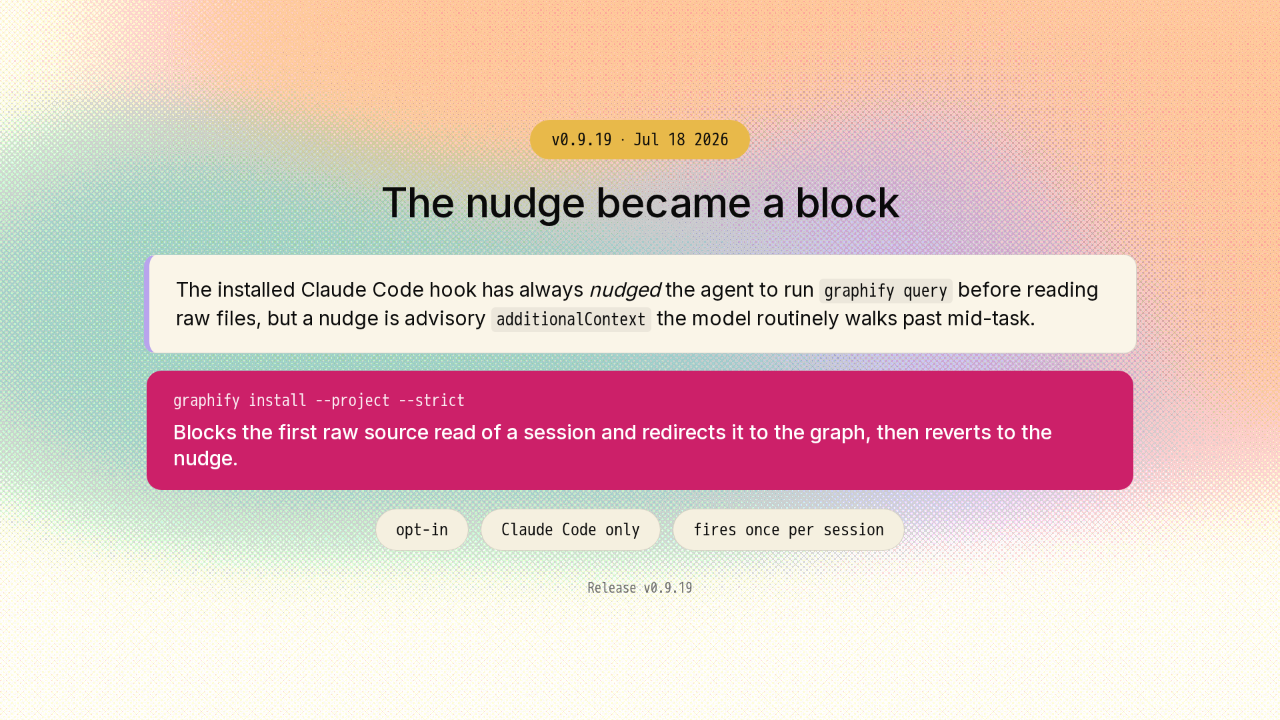
The nudge became a block
graphify query before reading raw files, but a
nudge is advisory additionalContext the model
routinely walks past mid-task.
And here is what shipped today. Its polite nudge to check the graph first was something agents walked straight past mid task. So strict mode now blocks the agent's first raw file read of a session and redirects it to the graph, then steps back. It fires once per session, it is opt in, and it is Claude Code only, so it can never leave your agent stuck.
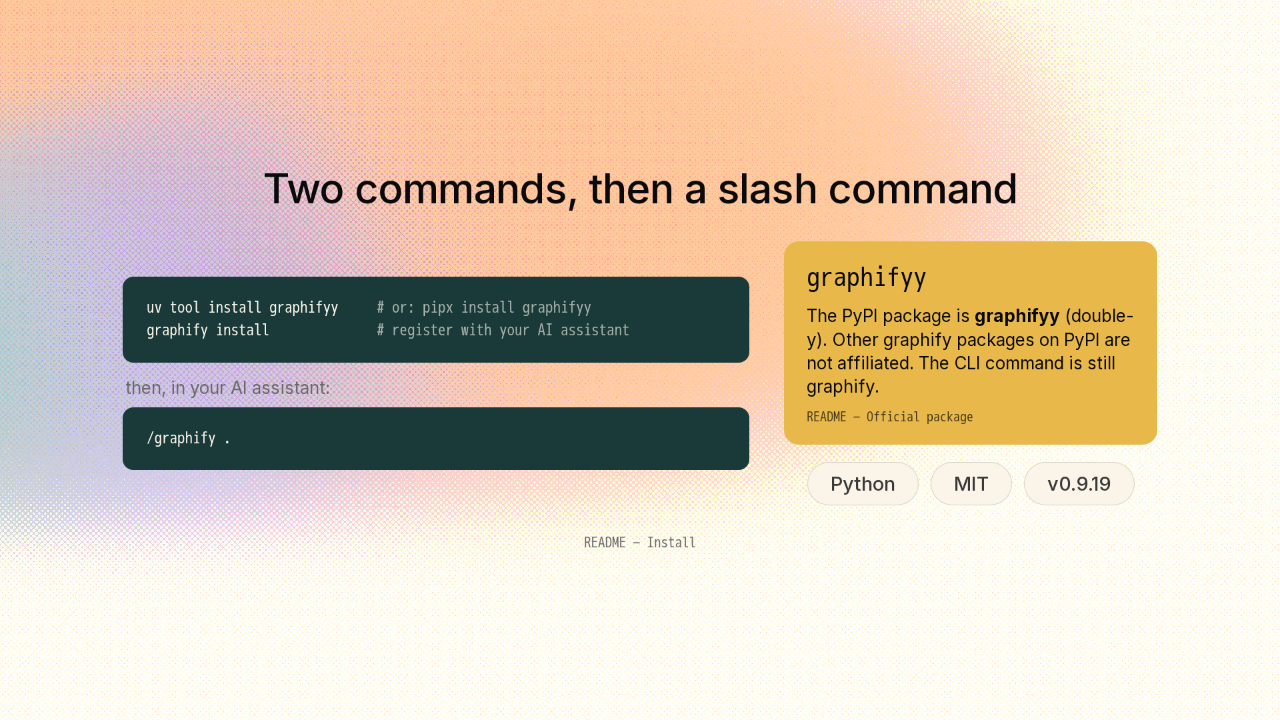
Two commands, then a slash command
uv tool install graphifyy     # or: pipx install graphifyy
graphify install              # register with your AI assistant
/graphify .
Getting it is two commands. Install the CLI with uv, then run graphify install to register it with your assistant. Then in your assistant, type slash graphify dot. One thing to get right: the package is graphify with two y's on the end. It is on screen.
Query the map instead of grepping the repo.

So if your agent burns its first minute rediscovering your repo every session, this is the map it could be reading instead. The link is on screen. New repo tomorrow.











