reladraw · a diagram language where you say where every box goes
reladraw
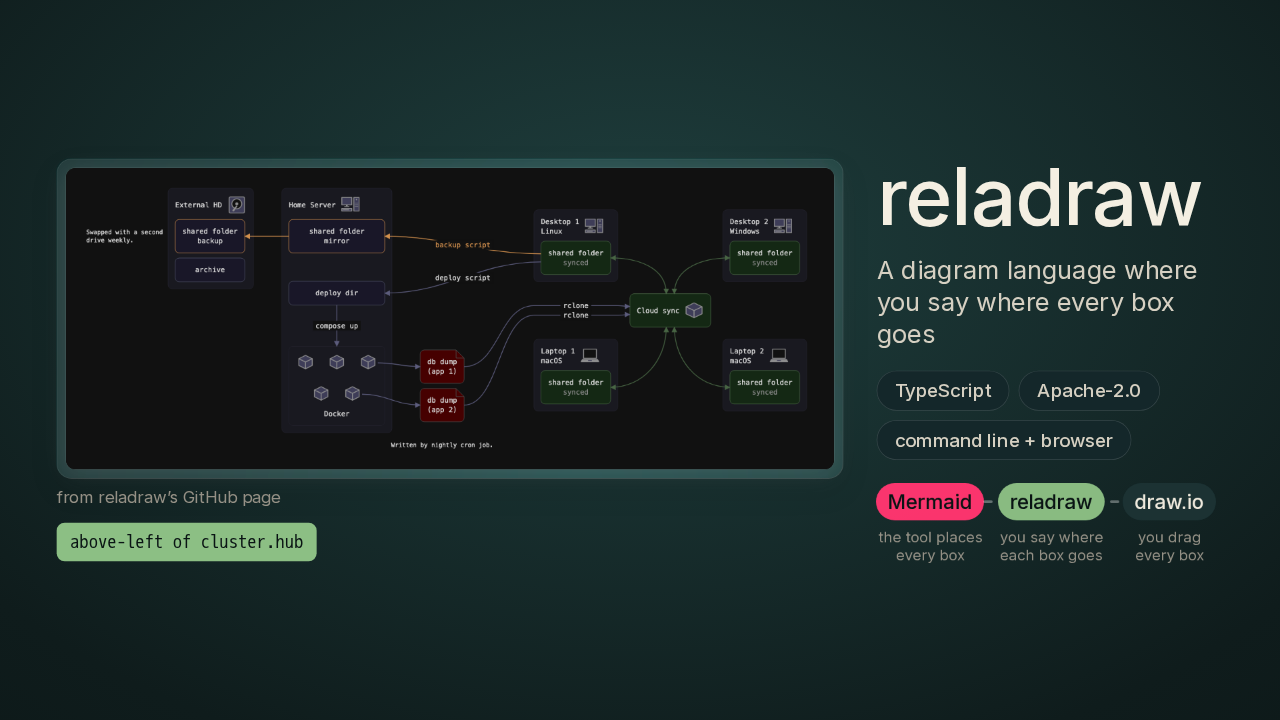
Reladraw drew this diagram from a text file with zero coordinates in it. Every box got its spot from a sentence, like above-left of the cloud sync hub. Reladraw is a free diagram language, and it sits between two tools you may know. In Mermaid, you type a list of boxes and arrows, and the tool places every box for you. In draw.io, you drag every box yourself.
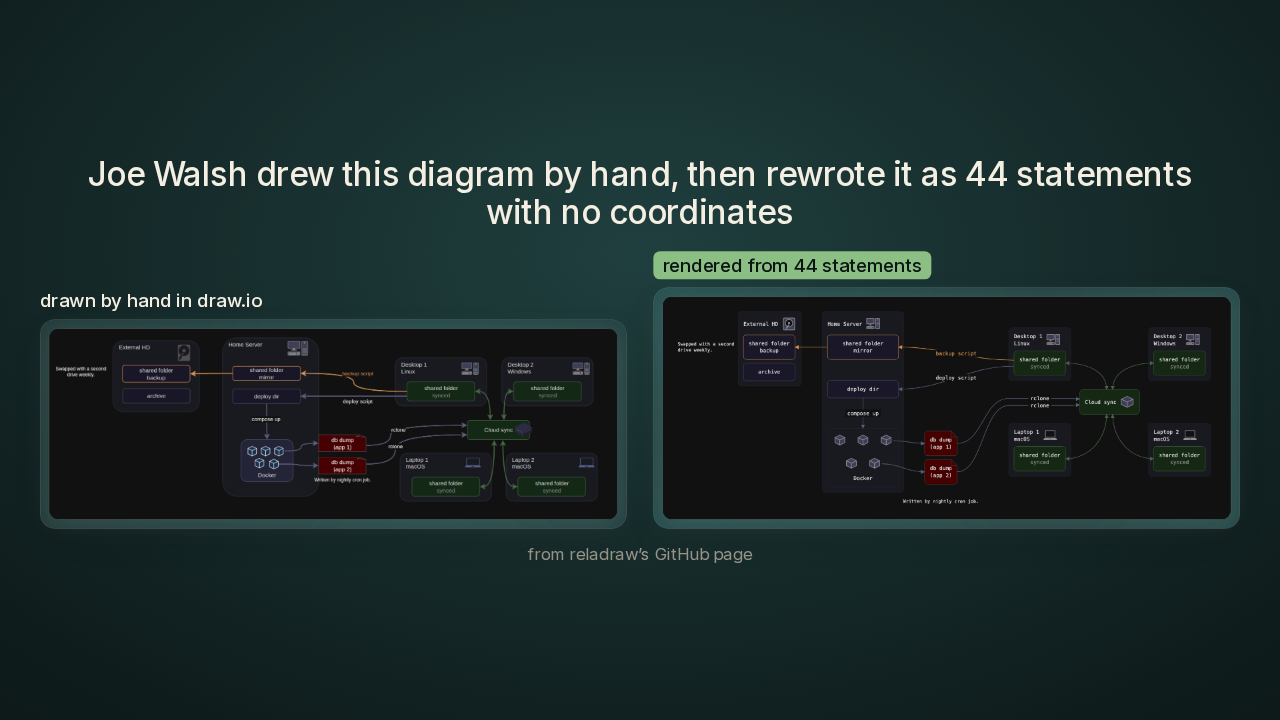
The same diagram, drawn by hand and written as text
Joe Walsh drew this diagram by hand, then rewrote it as 44 statements with no coordinates
You get a text language plus a command-line tool, a program you run by typing a command. You write lines like API below app, and the tool draws the picture. On the left is an architecture diagram that Joe Walsh, the one developer behind Reladraw, drew by hand in draw.io. On the right, Reladraw drew the same diagram from a text file of forty-four statements, with zero coordinates in it. I love this pair, because the right side came out of plain text you can edit like any other file.
What you’ll learn, and the catch

By the end, you'll know how a word like below turns into arithmetic a computer solves without trial and error. You'll know what Reladraw does when two boxes land on top of each other and your file never said which one goes where. You'll also know the catch. Reladraw's syntax is still changing, and one of the project's own example files from launch day already fails on today's build. And I'll tell you who I think should try Reladraw this weekend.
Between Mermaid and draw.io
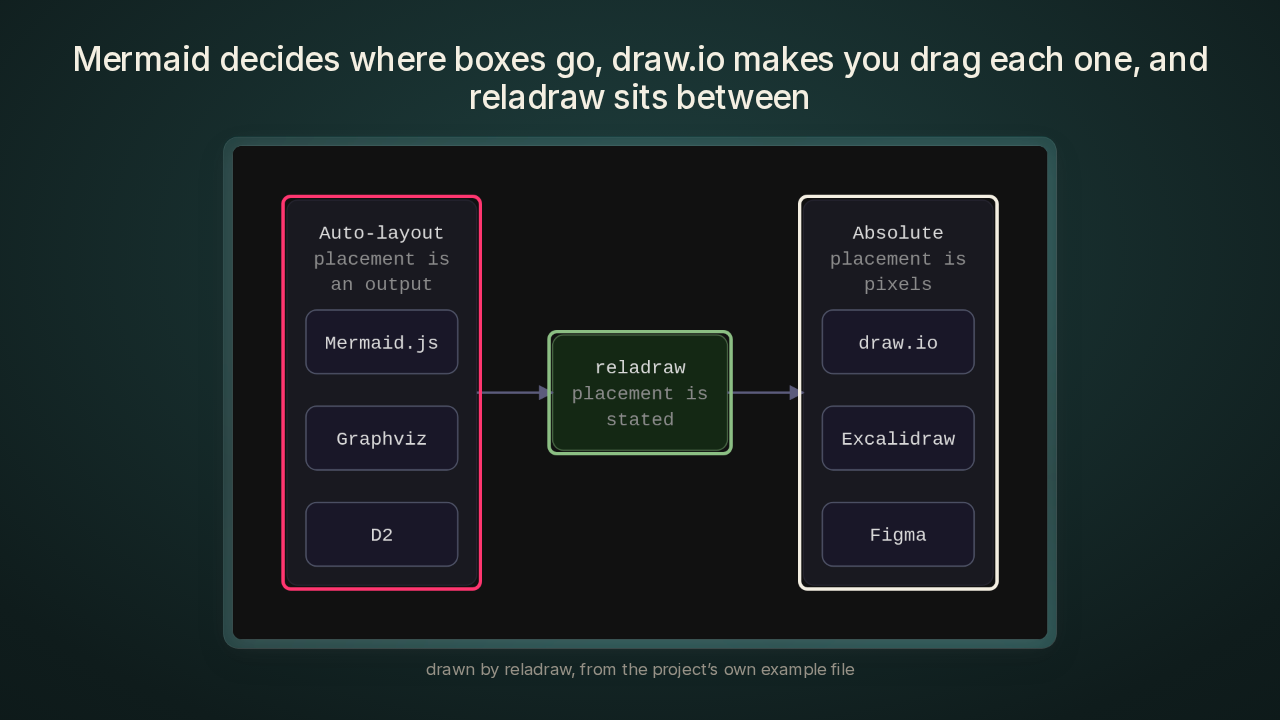
Mermaid decides where boxes go, draw.io makes you drag each one, and reladraw sits between
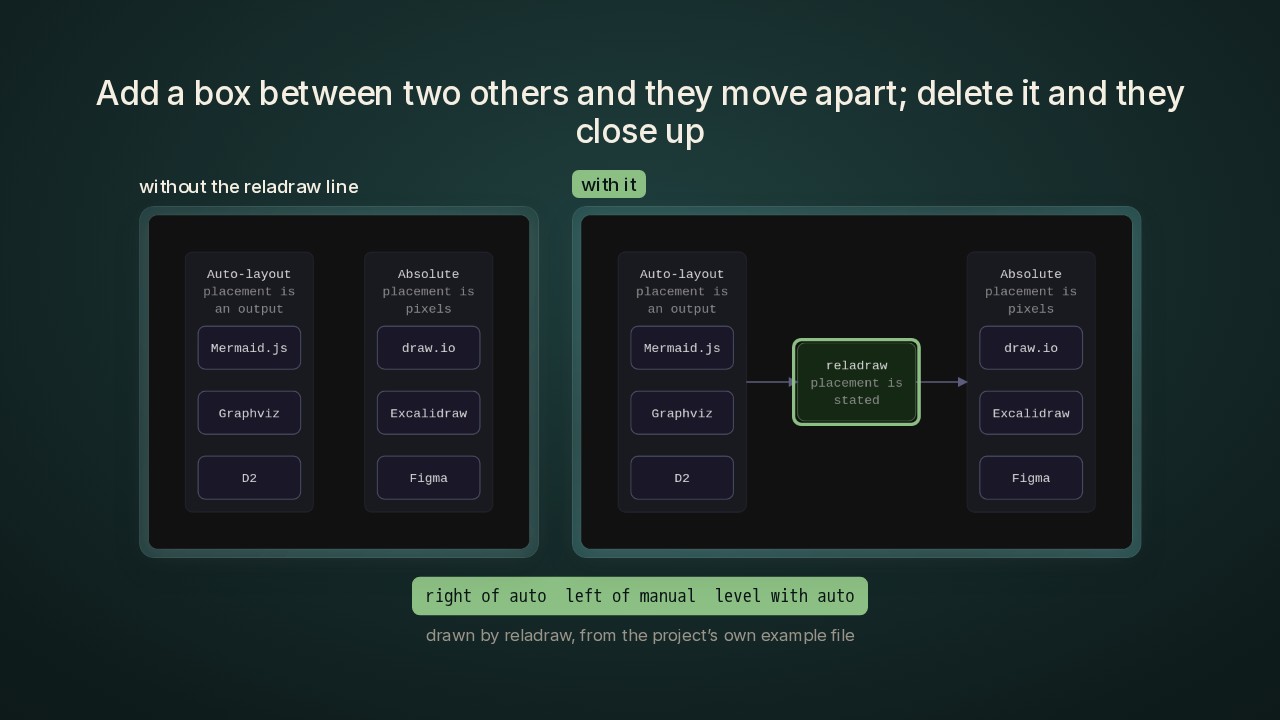
There are two ways to make a diagram today. The first is the Mermaid side. Mermaid, D2 and Graphviz are all text languages, and the tool decides where every box goes. This diagram labels that side auto-layout. That approach breaks once you want one module over on the right, because those languages have no way to say it. The second is the draw.io side. draw.io, Excalidraw and Figma are drawing apps. The diagram labels that side absolute, because every box sits at a fixed spot you set. You get total control, and every edit is hand work. For an AI agent, a program like Claude Code that edits your files for you, that hand work gets expensive. The agent has to work the picture out from raw coordinates before it knows which numbers to change. I think that agent problem is the real pitch. Reladraw aims at the middle. Every position in a Reladraw file is stated relative to another box.
Five statements, three boxes, one arrow
Five statements make three boxes, place them, and draw one arrow
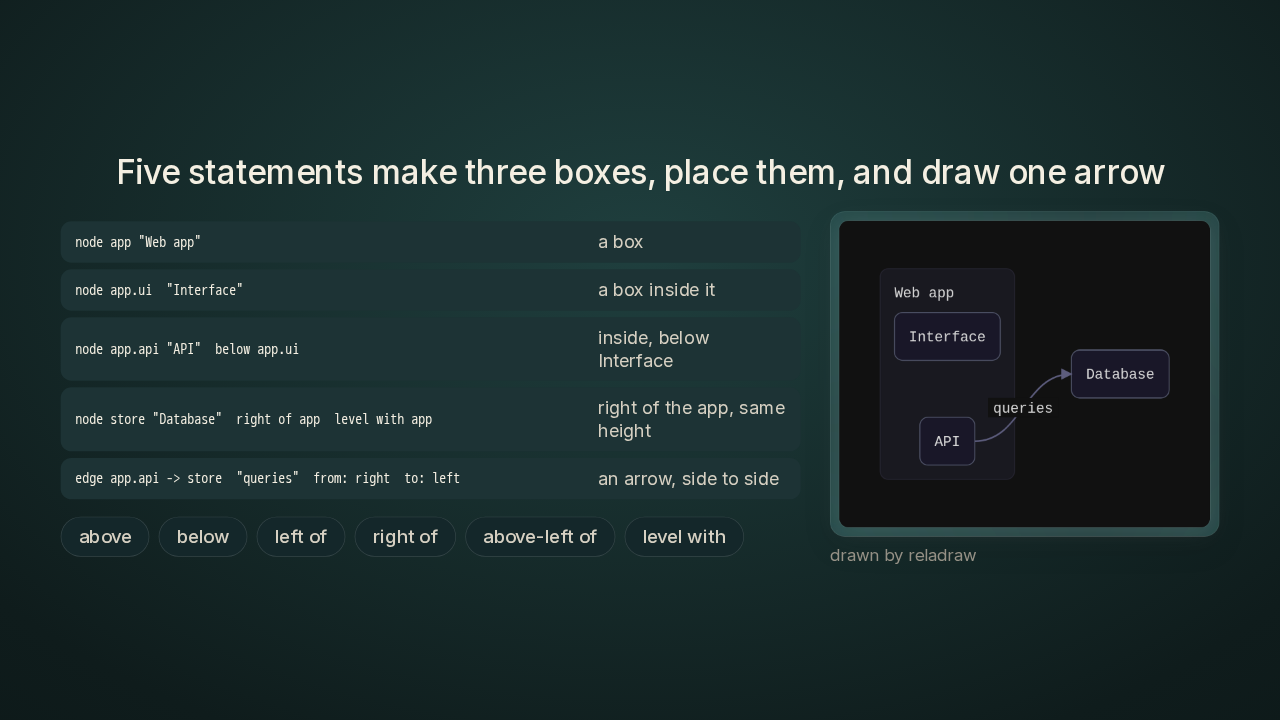
I'll read you the example from the README, the project's front page on GitHub. It's five statements. The first line makes a box called Web app. The next two put an Interface box and an API box inside it, with the API below the Interface. Then a Database box goes right of the app, and level with the app, so the two share a center line. The last line draws an arrow labelled queries, from the API to the Database. It leaves the API's right side and lands on the Database's left side. Your whole vocabulary is words like below, right of, above-left of and level with, and you never type a number for a position.
Every placement becomes one rule
Every placement becomes one rule: this box sits at least so far from that one
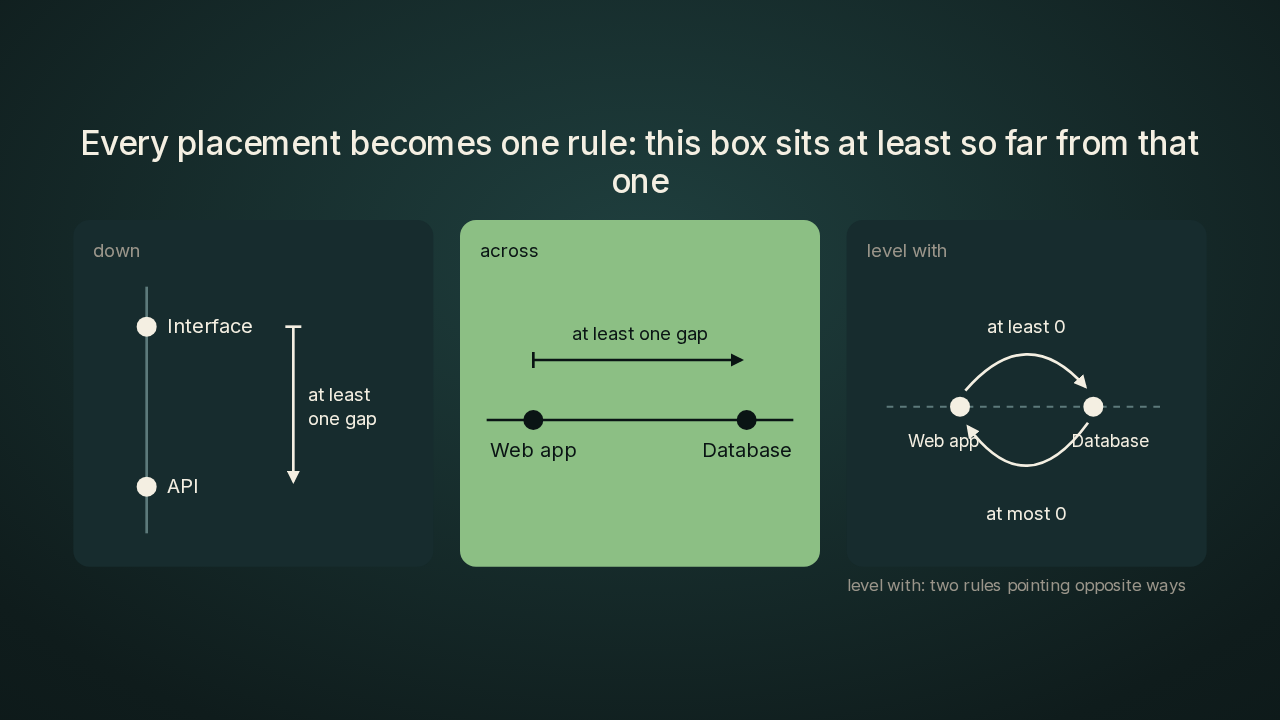
And this is the part I find clever. Reladraw turns each placement into one rule on one axis, across or down. API below Interface becomes a single rule: the API sits at least one gap further down the page than the Interface. Right of becomes the same kind of rule on the horizontal axis. Reladraw works out the horizontal and the vertical as two separate problems. Level with is the one placement that pins an exact spot. Reladraw writes it as two rules pointing opposite ways, at least this far and at most this far, so only one answer fits. Every word in the language comes down to that same kind of rule.
The longest chain sets the layout
The tightest layout comes from following the longest chain of rules
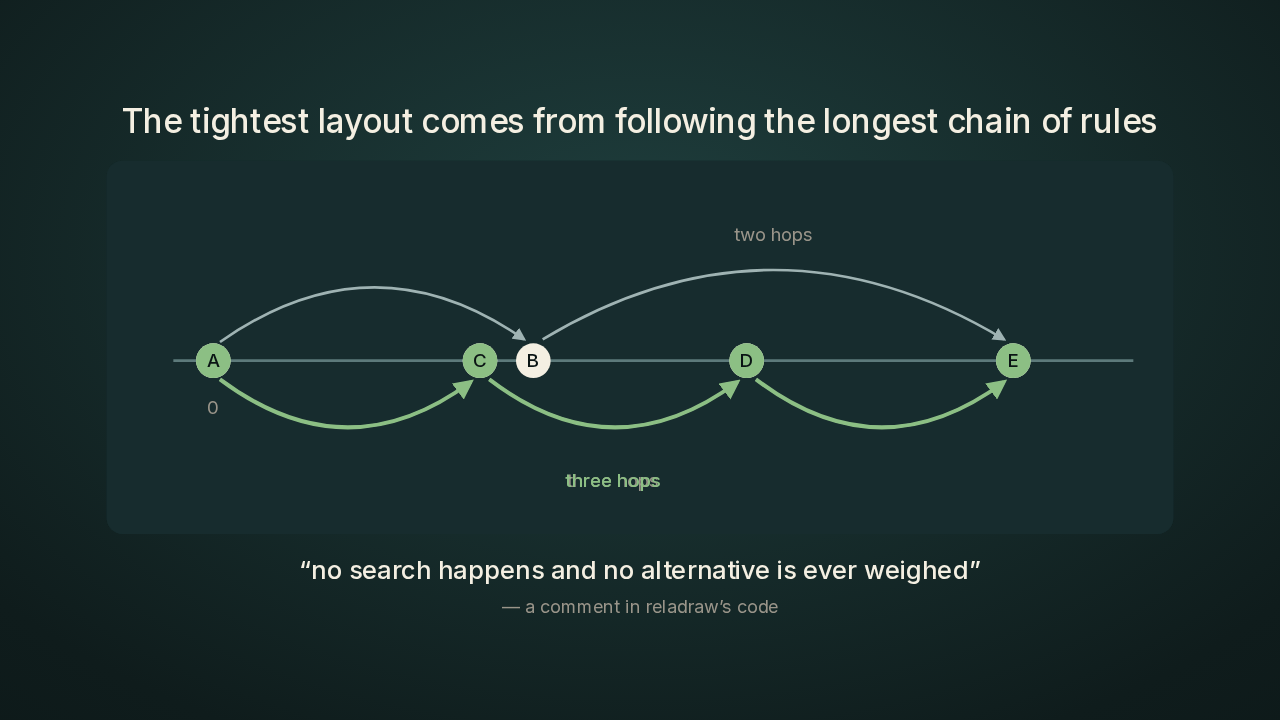
Now the solve. Every box starts at position zero. Reladraw walks through every rule, and whenever a rule says a box has to sit further along, the box moves up to that spot. Reladraw repeats that walk once for each box, and by then every box has settled. Follow a chain of rules and the distances add up. A box at the end of two chains lands at the end of the longer one, because that's the only spot that satisfies both. The code calls this longest paths. The result is the tightest layout that keeps every rule, and Reladraw places the boxes without ever trying a layout and throwing it away. So the same file gives you the same picture, every time. When a diagram lives in a repo next to your code, that's exactly what I want from it.
Add a box and its neighbours move apart
Add a box between two others and they move apart; delete it and they close up
Because every gap is a minimum, adding or deleting a box moves the other boxes only as far as they have to go. Here's the two-sides diagram from a minute ago, with the Reladraw box in the middle deleted. The Mermaid side and the draw.io side sit right next to each other. Add one line back. That line puts the Reladraw box right of the Mermaid side, left of the draw.io side, and level with the Mermaid side. The draw.io side moves right by just enough room for that box and its gaps. Delete the line again and the two sides close back up. This is the demo that sold me, because one line of text moved the whole draw.io side, and deleting the line put it back.
When your rules fight
When your rules fight, reladraw quotes the fighting lines back to you
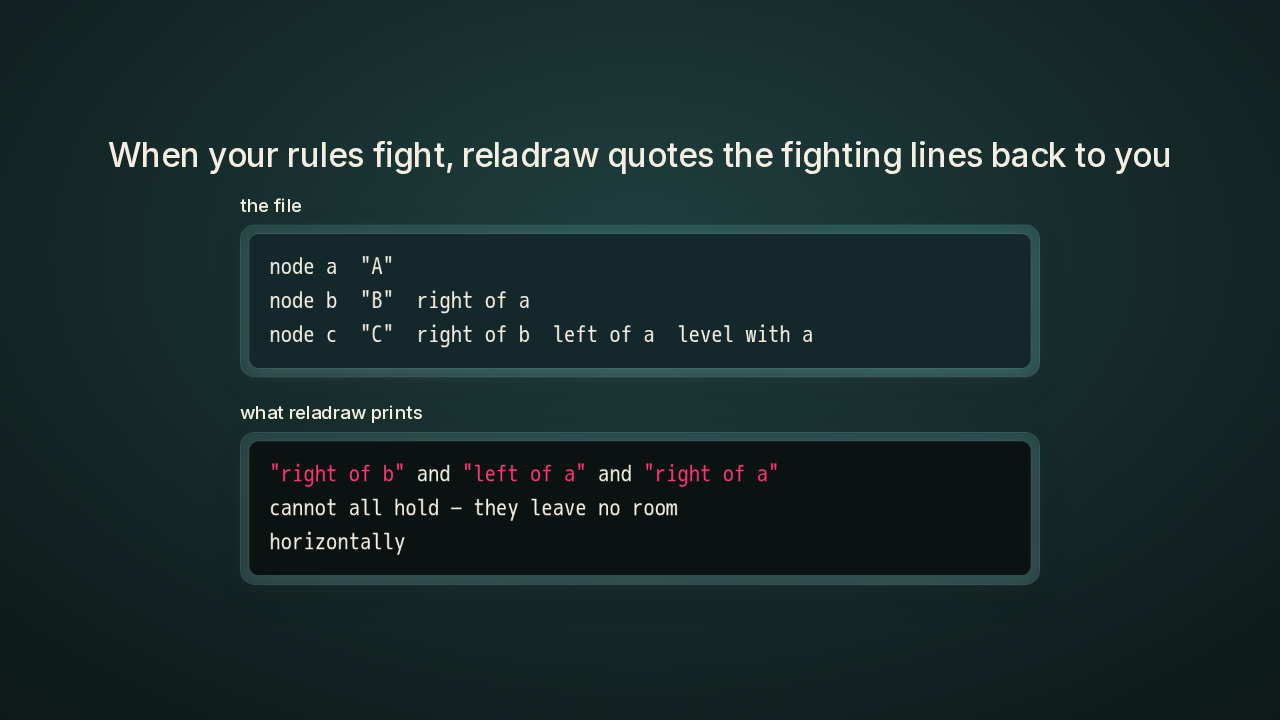
Your rules can also fight. Take a small file with three boxes, A, B and C. B sits right of A, and C sits right of B, so C has to end up right of A. The same file also says C sits left of A. In the solve, a loop like that never settles, and C's position keeps growing on every walk. Reladraw notices when positions are still moving after one walk per box. Then Reladraw traces the loop back and quotes your own words: right of B, left of A, and right of A cannot all hold, because they leave no room horizontally. The error hands you the three lines to fix.
Overlaps move only where your file points
Colliding boxes move only in a direction your file already implies
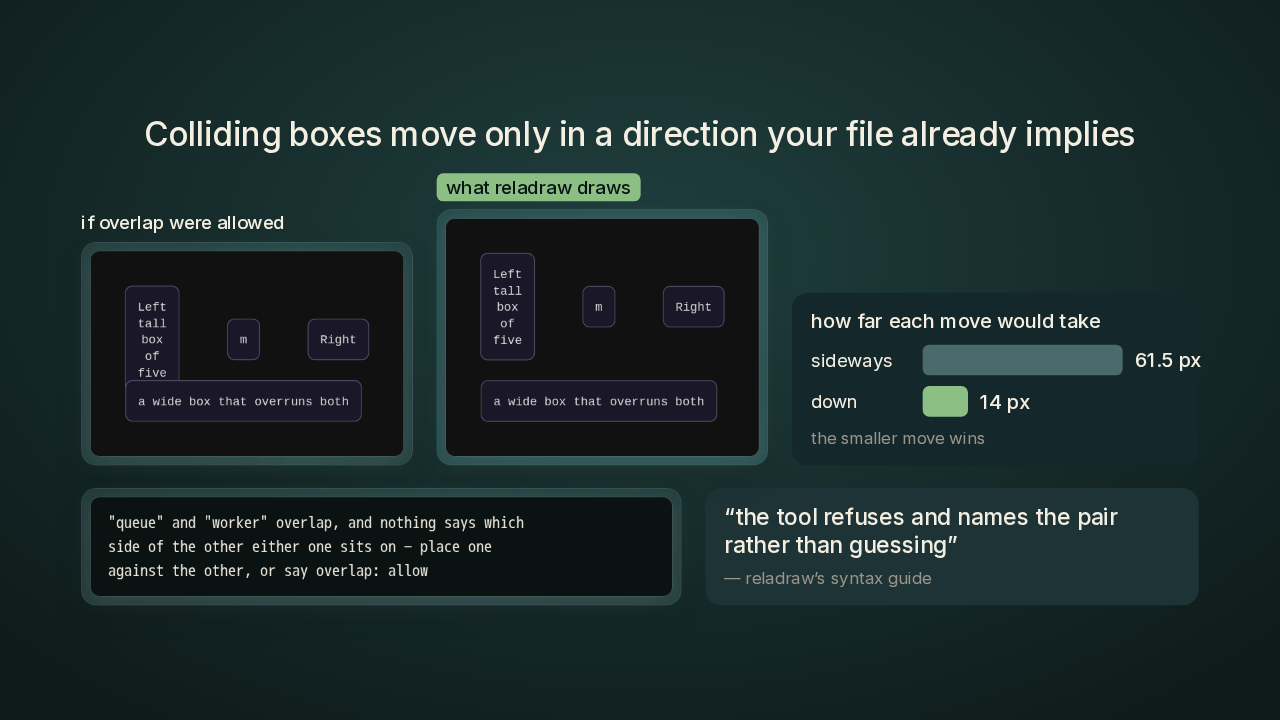
Reladraw keeps boxes from overlapping, and you never write that rule. When two boxes collide, Reladraw reads the chains of placements your file already wrote. If those chains let one box move away from the other in only one direction, Reladraw uses that direction. Reladraw adds one more minimum distance and solves the whole layout again from scratch. In this file, a wide box sits under the small box in the middle, and the wide box's top edge overlaps the bottom of the tall box on the left. Sliding the wide box sideways would clear the overlap in sixty-one and a half pixels. Pushing it down takes fourteen pixels, so Reladraw pushes it down. Reladraw's syntax guide, the project's manual for the language, calls picking the smaller move the one place the tool decides something you didn't write. In the next file, Queue and Worker both sit below Hub, Worker with a tighter gap, and the two boxes land on each other. The file never says which one goes where, so Reladraw stops and names both boxes. The syntax guide states the rule for that case. The tool refuses and names the pair rather than guessing.
Thirteen preset themes
Thirteen preset themes shipped about ninety minutes after a Hacker News reader asked for them
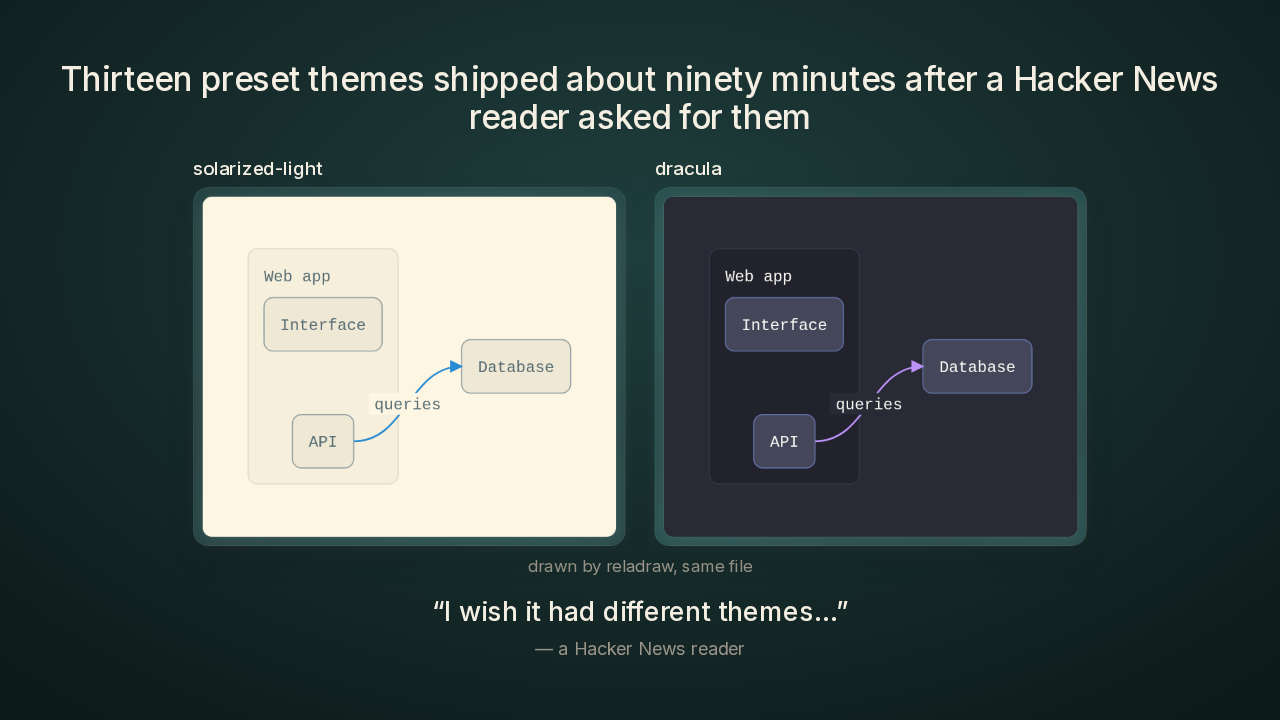
Same five statements, two new looks. On the left is Solarized Light, and on the right is Dracula, two of the preset themes Reladraw ships with. I like the backstory on the themes. On Hacker News, the tech forum where Joe Walsh launched Reladraw, one reader wrote that they wished it had different themes. Joe Walsh answered that preset themes would be a priority, and pushed them about an hour and a half after the request.
The catch: a launch-day file fails on today’s build
A diagram file from launch day already fails on today’s build
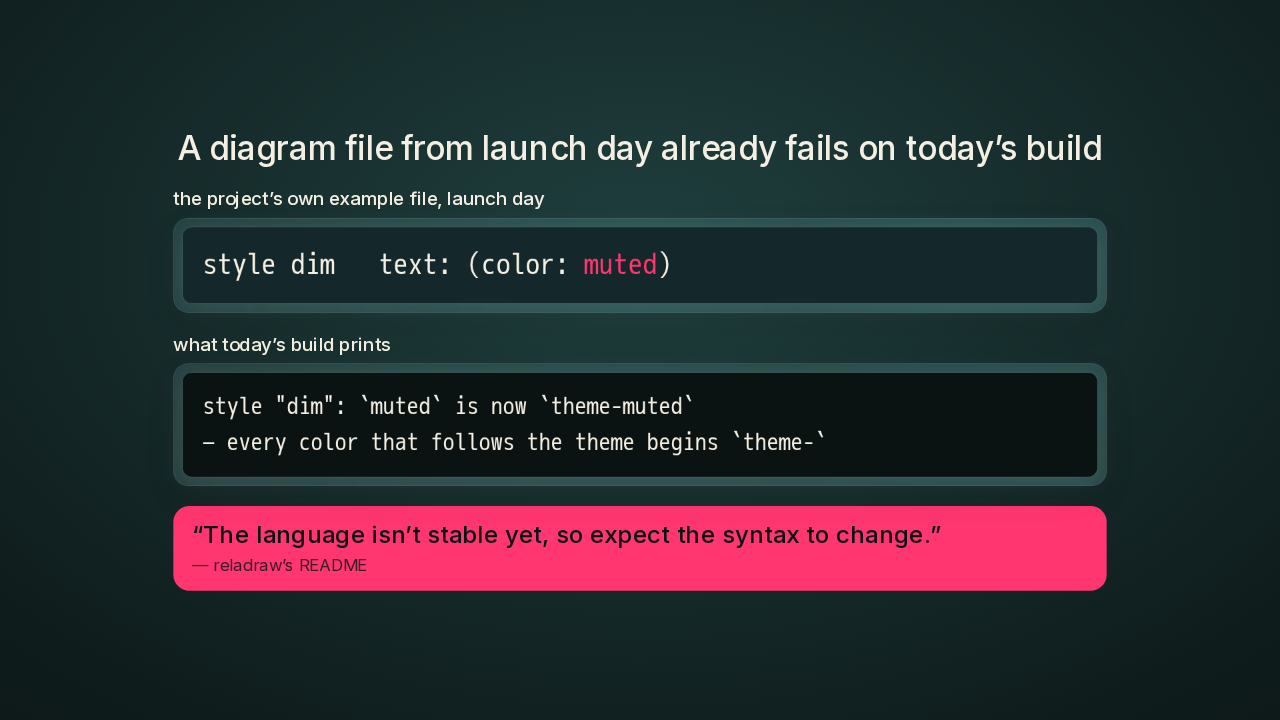
The catch I'd plan around is the syntax. Reladraw is changing fast. This line comes from one of the project's own example files, as it stood on launch day. The line gives one style a dimmer text colour with the word muted. Today's build refuses that whole file. The error points at the line and tells you the new word to write, theme muted. Joe Walsh rewrote that line the same way in his own copy of the file. The README warns that the language isn't stable yet, so expect the syntax to change. When a word does change, Reladraw stops at that line and quotes the replacement, so you know exactly what to edit.
What the 44 statements hold
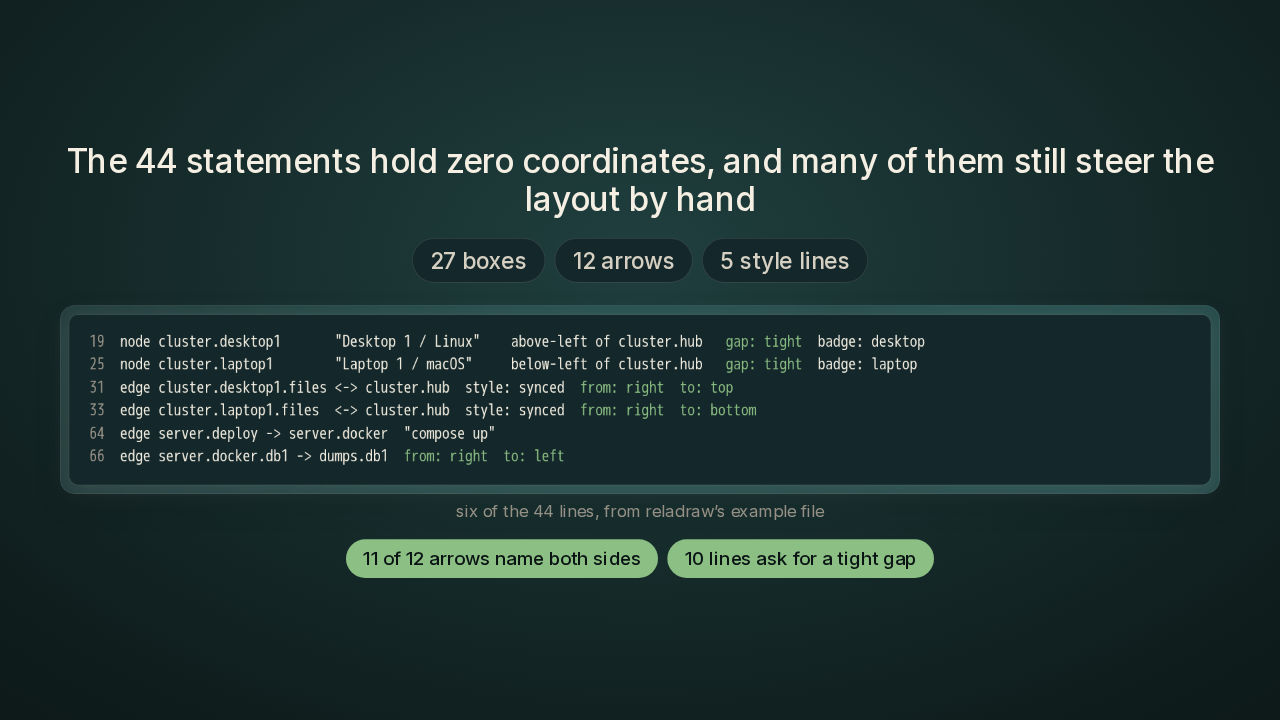
The 44 statements hold zero coordinates, and many of them still steer the layout by hand
Back to those forty-four statements with zero coordinates. The count holds up. That's twenty-seven boxes, twelve arrows, and five style lines that set colours and shapes. Eleven of the twelve arrows name the side they leave from and the side they land on. Ten of the box lines ask for a tight gap. Those hints do some of the steering that coordinates used to do. I don't count those hints against Reladraw. You still decide every relationship yourself, and Reladraw takes the arithmetic off your hands.
The pushback: tikz, D2 and Graphviz
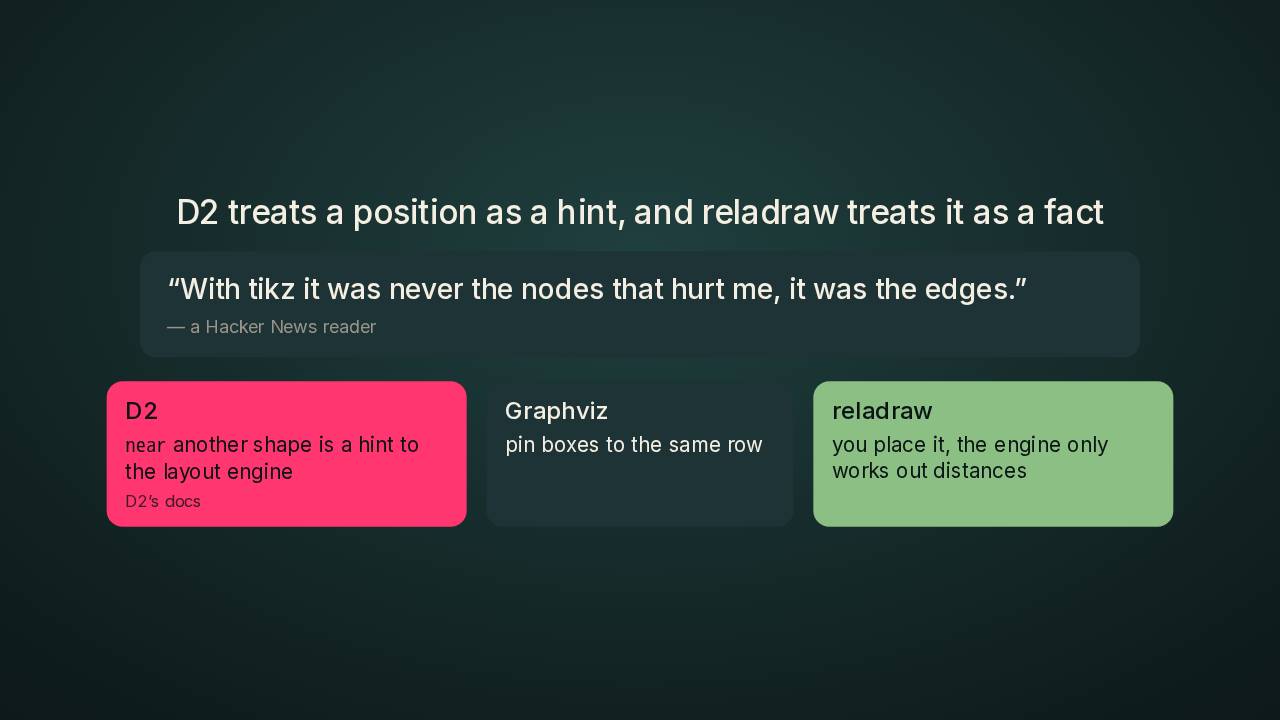
D2 treats a position as a hint, and reladraw treats it as a fact
The sharpest pushback came from a Hacker News reader, who said Reladraw works a lot like tikz, a drawing package scientists use in their papers. The reader added: with tikz it was never the nodes that hurt me, it was the edges. Nodes and edges mean the boxes and the lines. Other readers brought up D2 and Graphviz, which already let you nudge a layout. D2 has a keyword called near, for one box near another, and D2's own docs call it a hint to the layout engine. Graphviz can pin a set of boxes to the same row. Reladraw treats a position as a fact. You decide where every box goes, and the engine only works out the distances.
Arrows stopped running through boxes
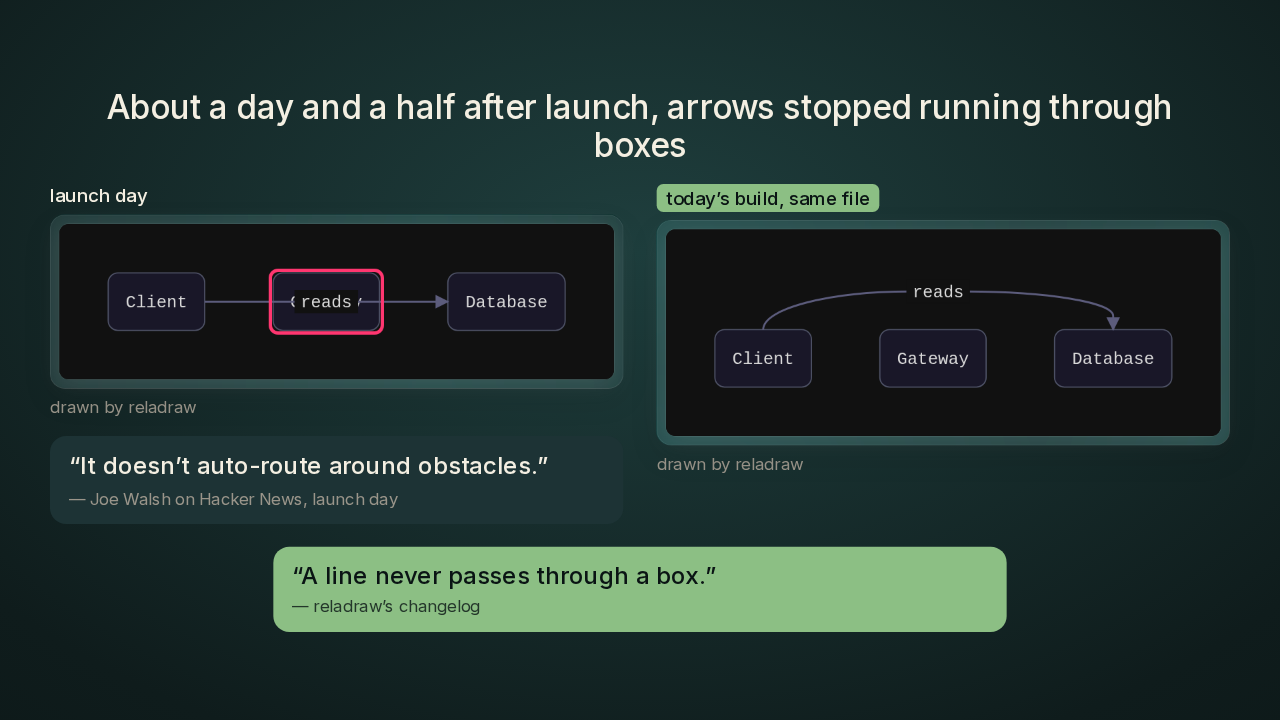
About a day and a half after launch, arrows stopped running through boxes
That same Hacker News reader asked whether Reladraw does any line routing, meaning steering an arrow around the boxes in its way. On launch day, Joe Walsh answered that it doesn't route around obstacles. Here's what that meant. The arrow from Client to Database ran straight through Gateway, and the arrow's label covered Gateway's name. About a day and a half later, Joe Walsh shipped a build that draws the same file like this. The arrow arcs over Gateway and lands on top of Database. I love that a launch-day question turned into a fix that fast. The changelog, the project's list of what changed in each release, says it in one line. A line never passes through a box. Every arrow now takes the shortest way around whatever sits in its path, and when two ways tie, the arrow goes over the top. I'd still steer my important arrows myself. You can name the sides an arrow leaves and lands on, or the boxes it passes above or below.
Four ways to lay out a diagram
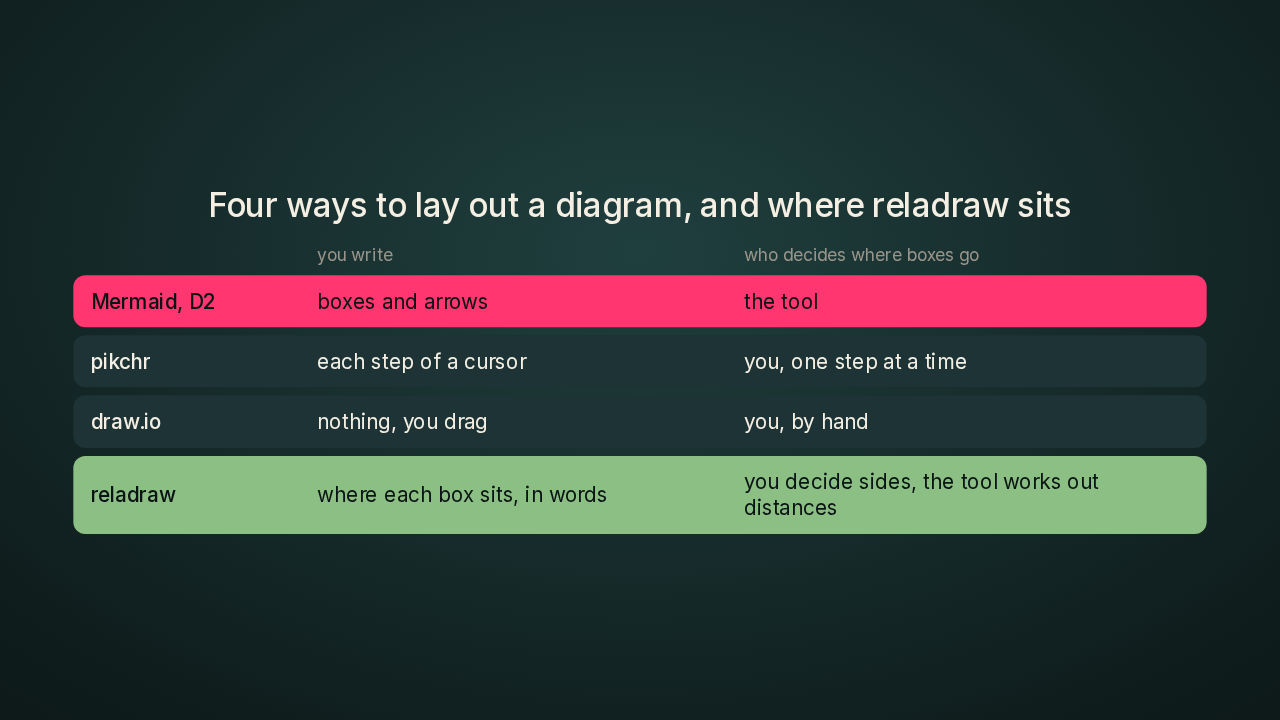
Four ways to lay out a diagram, and where reladraw sits
Here's where I'd put Reladraw next to the others. In Mermaid and D2 you describe what's connected, and the tool decides the picture. Pikchr is an older diagram language with a cursor that drops a shape and steps along, so you steer every step. In draw.io you drag every box by hand. In Reladraw you say which side of what each box sits on, and the tool works out the distances. On Hacker News, Joe Walsh put the difference from pikchr this way. In Reladraw, adding or resizing one box adjusts the rest, without spelling the positions out again.
Who should try reladraw
Who should try reladraw this weekend, and who should wait
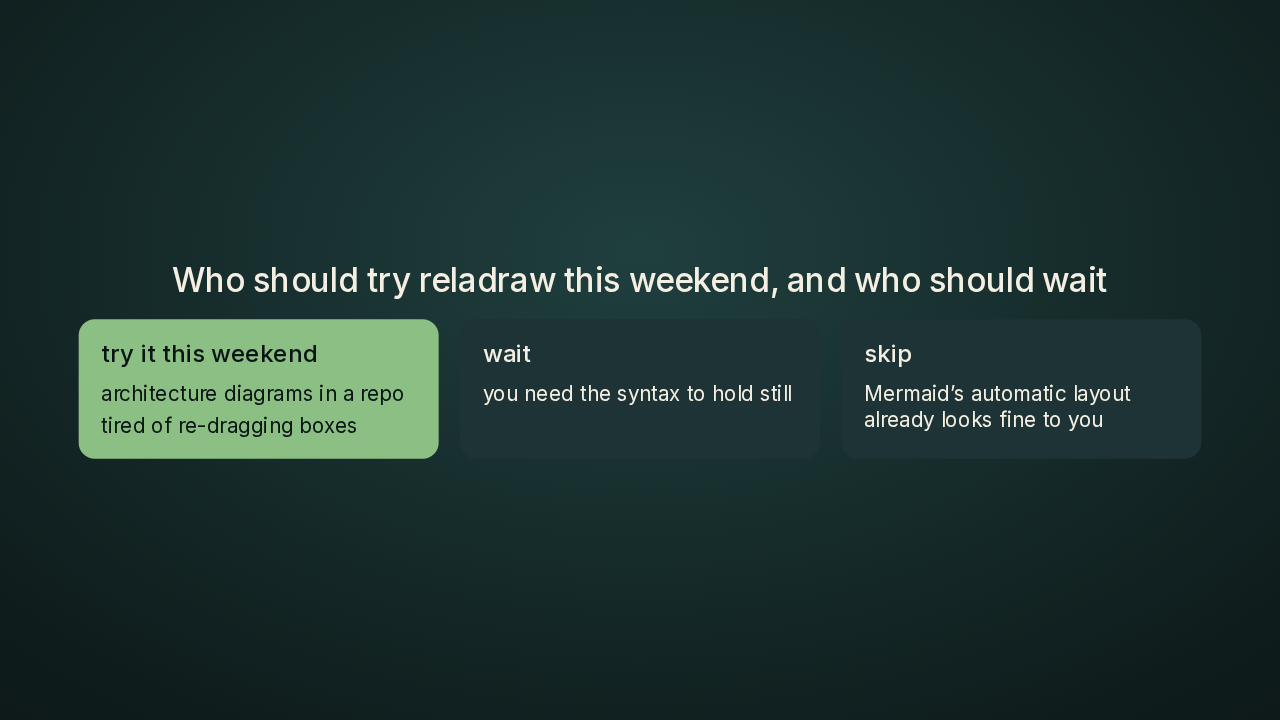
Should you try it? If you keep architecture diagrams in a repo, and you're tired of re-dragging boxes, I'd try Reladraw this weekend. The browser playground needs no install, so your first half hour costs you nothing. I'd wait if you need the syntax to hold still. Reladraw is only a few weeks old, it comes from one developer, and I'd expect a few of my files to need an edit along the way. And if Mermaid's automatic layout already looks fine to you, you don't need Reladraw.
Try reladraw
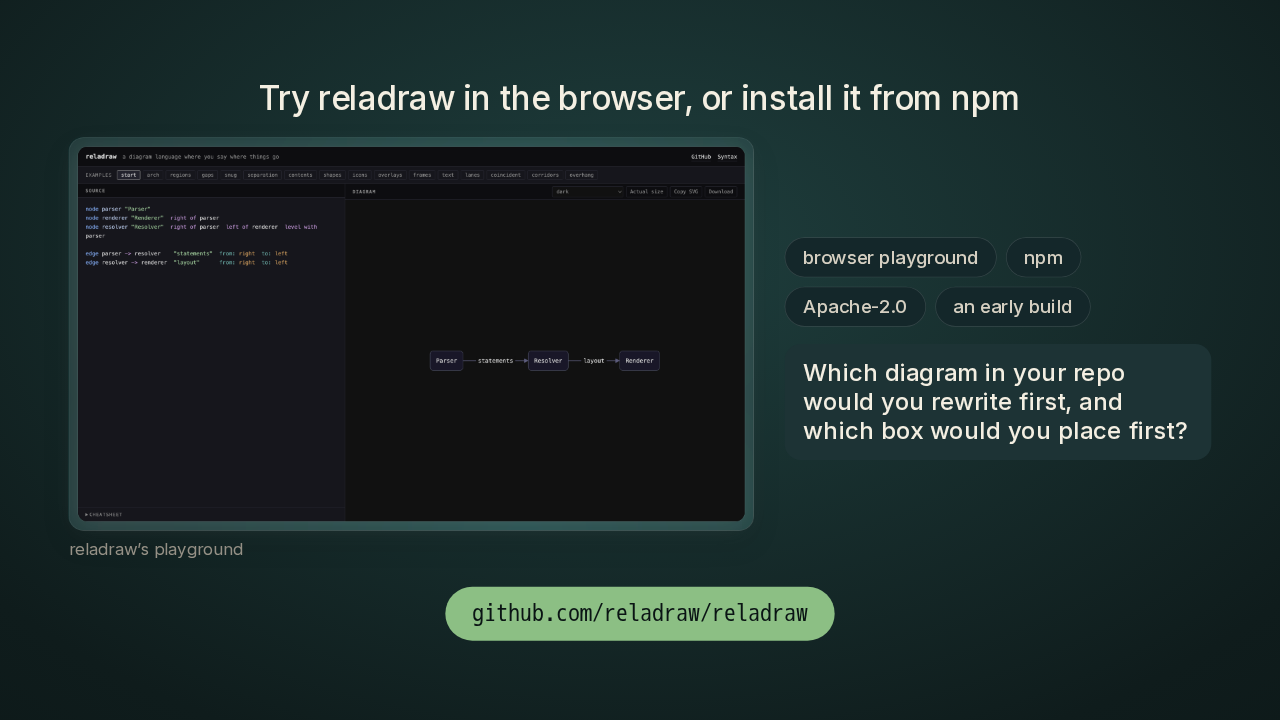
Try reladraw in the browser, or install it from npm
The fastest way in is the browser playground, with your text on the left and the diagram redrawing on the right. You can also install Reladraw from npm, the package installer that comes with Node, the program that runs JavaScript outside a browser. Reladraw is free under the Apache 2.0 licence, so you can use it, change it and ship it, even at work. Which diagram in your repo would you rewrite first, and which box would you place first? Tell me in the comments. It's Reladraw slash Reladraw, on GitHub. New repo tomorrow.