The measurement file says 1.571. The stylesheet says 1.57.

1 month ago

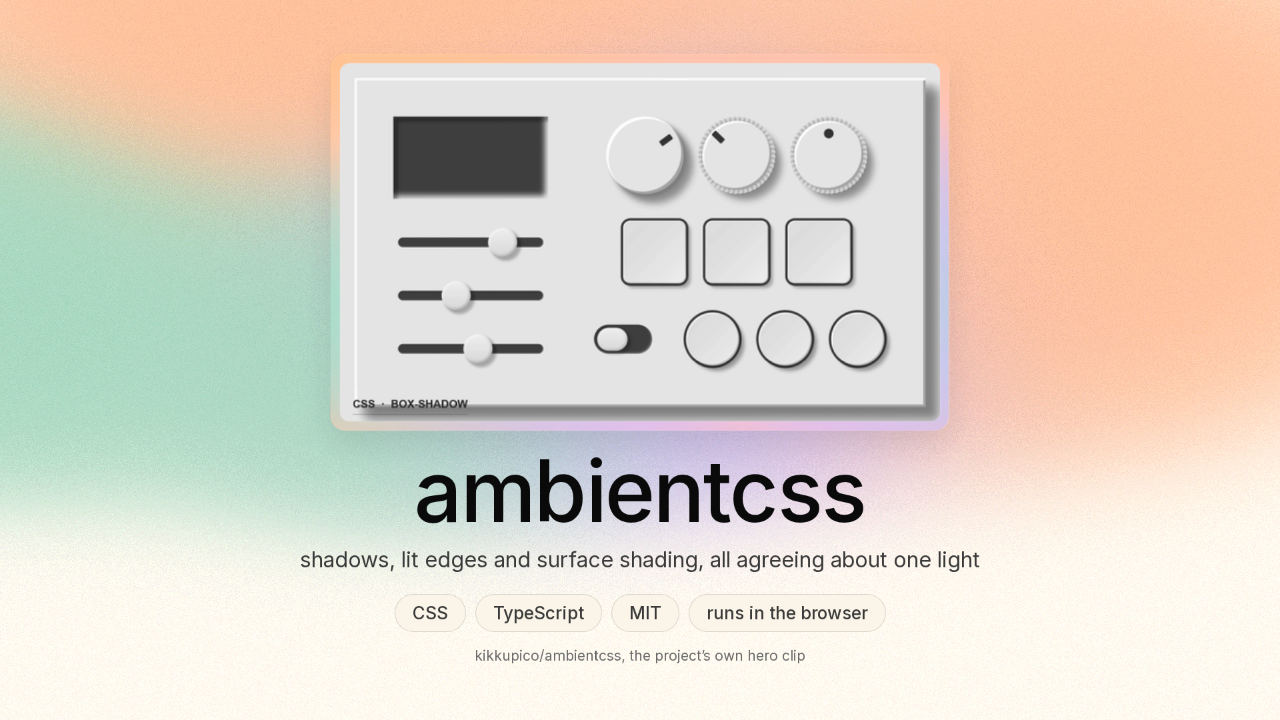
Everything on a screen is flat. The shadow under a button is a grey smudge somebody nudged around by eye. Ambient CSS is one file you add to a web page. You put a light on the page, and every edge works out its own shadow from where that light is. Those shadow numbers came out of Blender, the free 3D program animators use.

Ask

Ask about this presentation

Answers are generated from this presentation.

Chapters

  1. 0:00ambientcss · shadows solved from one light
  2. 0:18These two frames are the same page, one click apart
  3. 0:36The blur under a button is a number somebody chose
  4. 0:48Five shadow bands, and every distance in them is arithmetic
  5. 1:18The shadow numbers come out of a Blender render
  6. 1:52The measurement file says 1.571. The stylesheet says 1.57.
  7. 2:15The panel’s colour and the lamp’s colour are two different settings
  8. 2:28There is no key and no account to set up
  9. 2:42You set the light once, and every edge follows
Show transcript

ambientcss · shadows solved from one light

ambientcss

shadows, lit edges and surface shading, all agreeing about one light
CSSTypeScriptMITruns in the browser
kikkupico/ambientcss, the project’s own hero clip

Everything on a screen is flat. The shadow under a button is a grey smudge somebody nudged around by eye. Ambient CSS is one file you add to a web page. You put a light on the page, and every edge works out its own shadow from where that light is. Those shadow numbers came out of Blender, the free 3D program animators use.

These two frames are the same page, one click apart

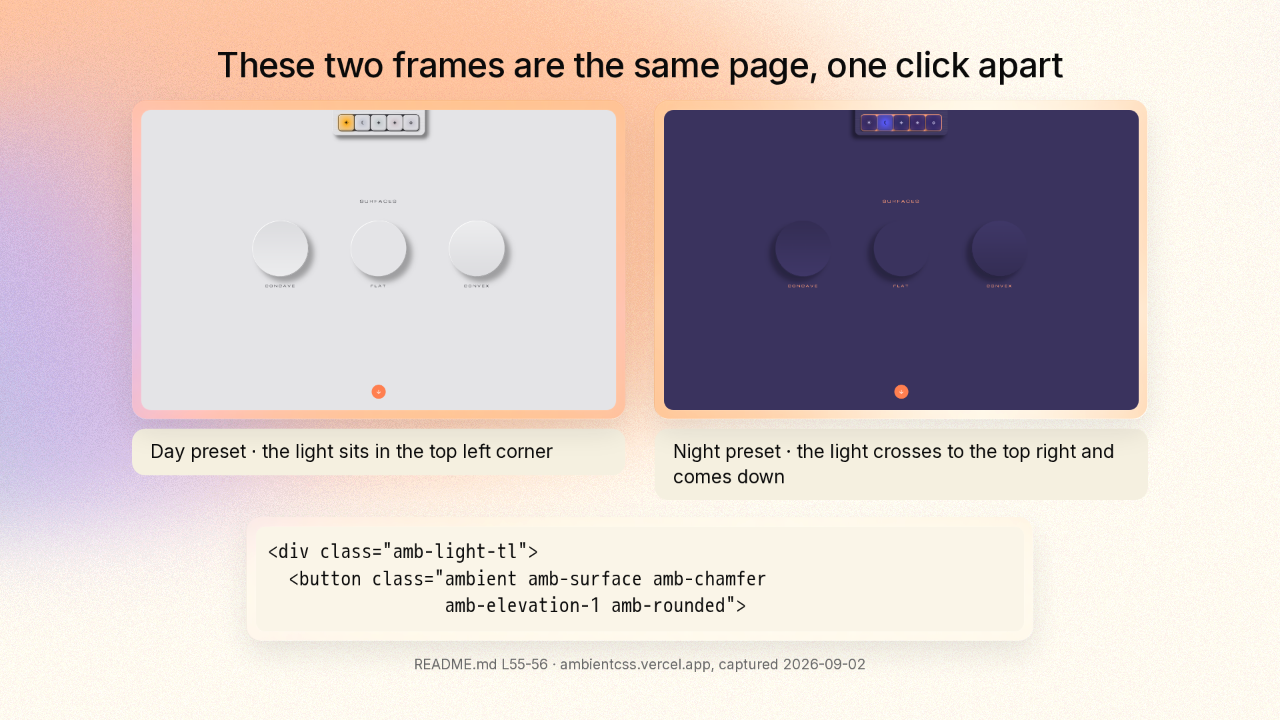
the project’s demo page under its Day preset: three discs, one dished in, one flat, one domed out, lit from the top left
Day preset · the light sits in the top left corner
the same demo page one preset click later: the same discs lit from the top right and much darker
Night preset · the light crosses to the top right and comes down
<div class="amb-light-tl">
<button class="ambient amb-surface amb-chamfer
amb-elevation-1 amb-rounded">
README.md L55-56 · ambientcss.vercel.app, captured 2026-09-02

The project’s demo has three discs: one dished in, one flat, one domed out. You tell the container where the light is, then you tag each box inside that container. One click moves the lamp to the other corner and turns the lamp down. The bright side of every disc swaps over, the shadows swing across, and the whole panel goes dark.

The blur under a button is a number somebody chose

a number somebody chose
a different number somebody chose
this file answers it from the light instead

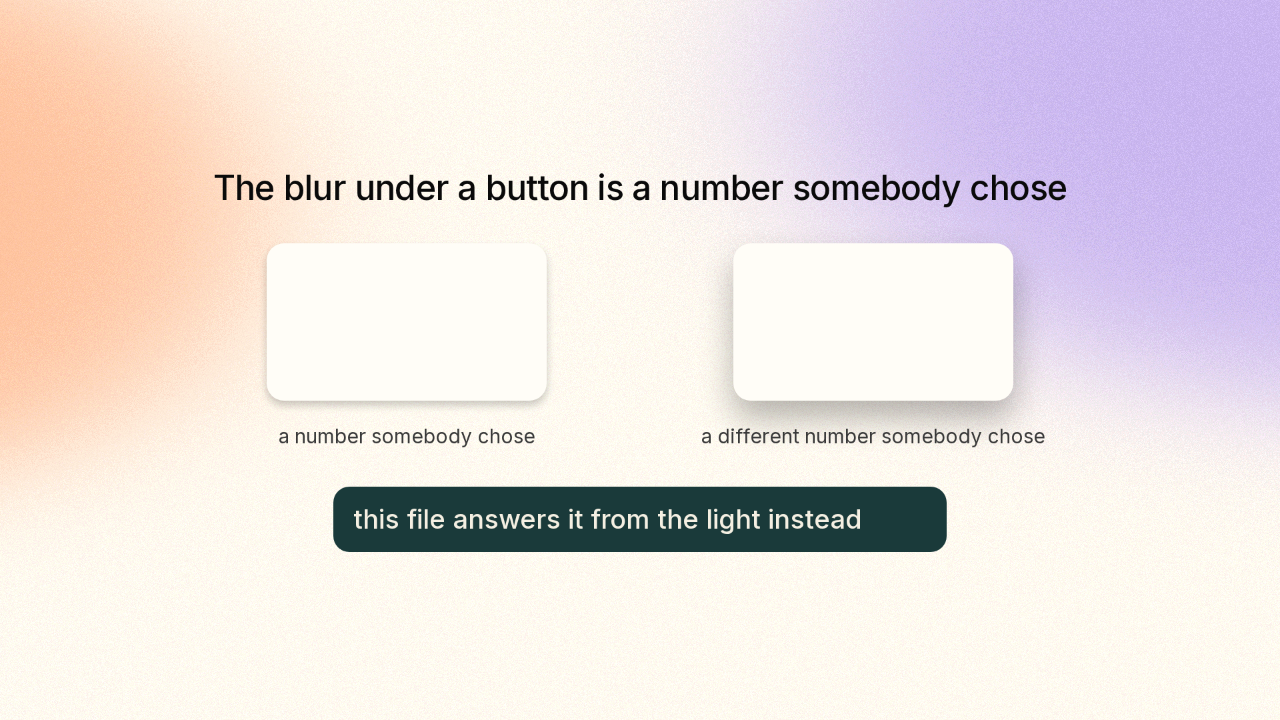
Where do the numbers in a shadow come from? Usually from a person. Somebody types a number, looks at it, types a bigger one, and stops when it looks right. That is a taste decision. This file answers that question differently.

Five shadow bands, and every distance in them is arithmetic

the shadow it throws on the page
the bright band on the bevelled edge
the dark band on the bevelled edge
the softer bright band inside it
the softer dark band inside it
the shadow it throws on the page
the bright band on the bevelled edge
the dark band on the bevelled edge
the softer bright band inside it
the softer dark band inside it
calc(
var(--amb-light-x) *
(var(--amb-elevation) * 6.8px
+ var(--amb-thickness) * 3.8px)
* -1
)
calc(
var(--amb-light-y) *
(var(--amb-elevation) * 6.8px
+ var(--amb-thickness) * 3.8px)
* -1
)
calc(var(--amb-elevation) * 4.8px
+ var(--amb-thickness) * 2.7px)
0.8px,
packages/ambient-css/src/ambient.css L323-332

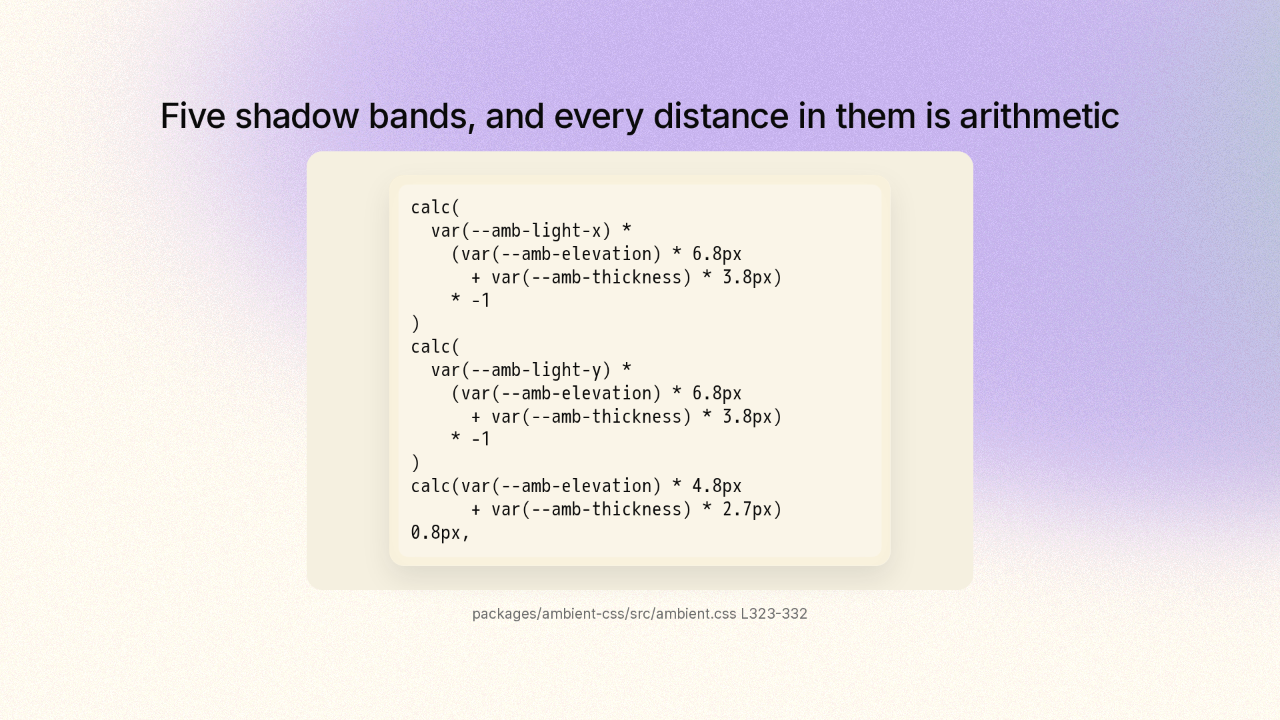
Here is one box with Ambient CSS on it. Its shadow is five separate bands stacked on top of each other, and each band draws a different part of the edge. First, the shadow the box throws on the page. Then a bright band and a dark band along the bevelled edge, the cut around the rim. Then two softer bands just inside them. And here is what the file actually says for that drop shadow. Every distance in it is arithmetic: which way the light points, multiplied by how high the box sits at six point eight pixels a level, plus how thick it is at three point eight pixels a level.

The shadow numbers come out of a Blender render

the calibration lab, in the same tree as the stylesheet
ambient3d/
blender -b -P ground_components.py
renders the reference parts
python3 calibrate.py
measures the light falling off each edge, fits the curves, writes the answers
derived/coefficients.json
about half the project
/* Drop shadow, grounded (ambient3d/derived/notes/shadow.md): the umbra
is the silhouette projection SWEPT from the body's bottom (elevation)
… */
ambient3d/README.md L41-52 · packages/ambient-css/src/ambient.css L296 · recursive tree at e8acff06, truncated: false

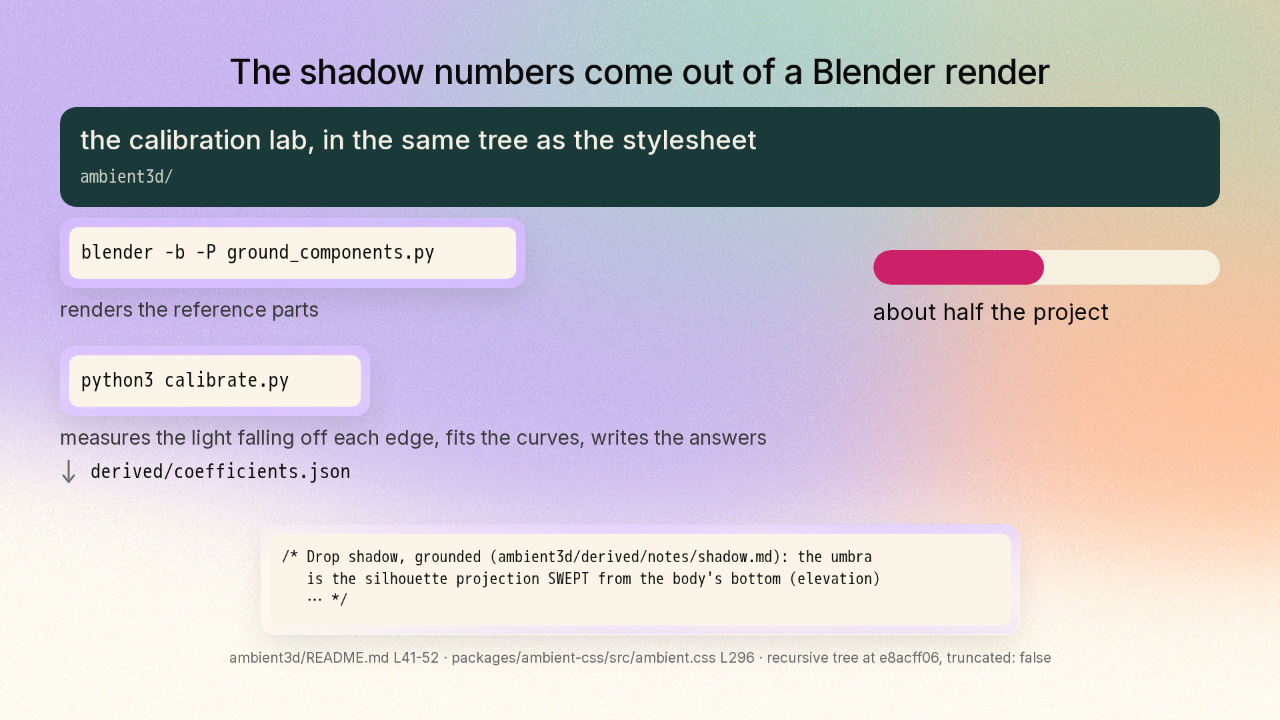
So somebody had to know that six point eight pixels. The project ships the lab that made it. The author built the part in Blender and lit it on a plain studio backdrop. One command renders the reference parts, one picture each. A second command measures how the light fades off every edge in those renders, fits a curve to each one, and writes the answers into a single file. That calibration setup is about half of what is in the project. And back in the file a browser downloads, the drop shadow carries a comment naming the exact lab note its numbers came from.

The measurement file says 1.571. The stylesheet says 1.57.

ambient3d/derived/coefficients.json
the fit file
"p_highlight_per_key": 1.571,
"pf_highlight_per_fill": 0.851,
"p0_highlight": -1.032,
packages/ambient-css/src/ambient.css
the file a browser downloads
var(--amb-key-light-intensity) * 1.57 +
var(--amb-fill-light-intensity) * 0.85 - 1.03
the main lamp
the softer fill lamp
the constant
ambient3d/derived/coefficients.json, chamfer · packages/ambient-css/src/ambient.css L381-382

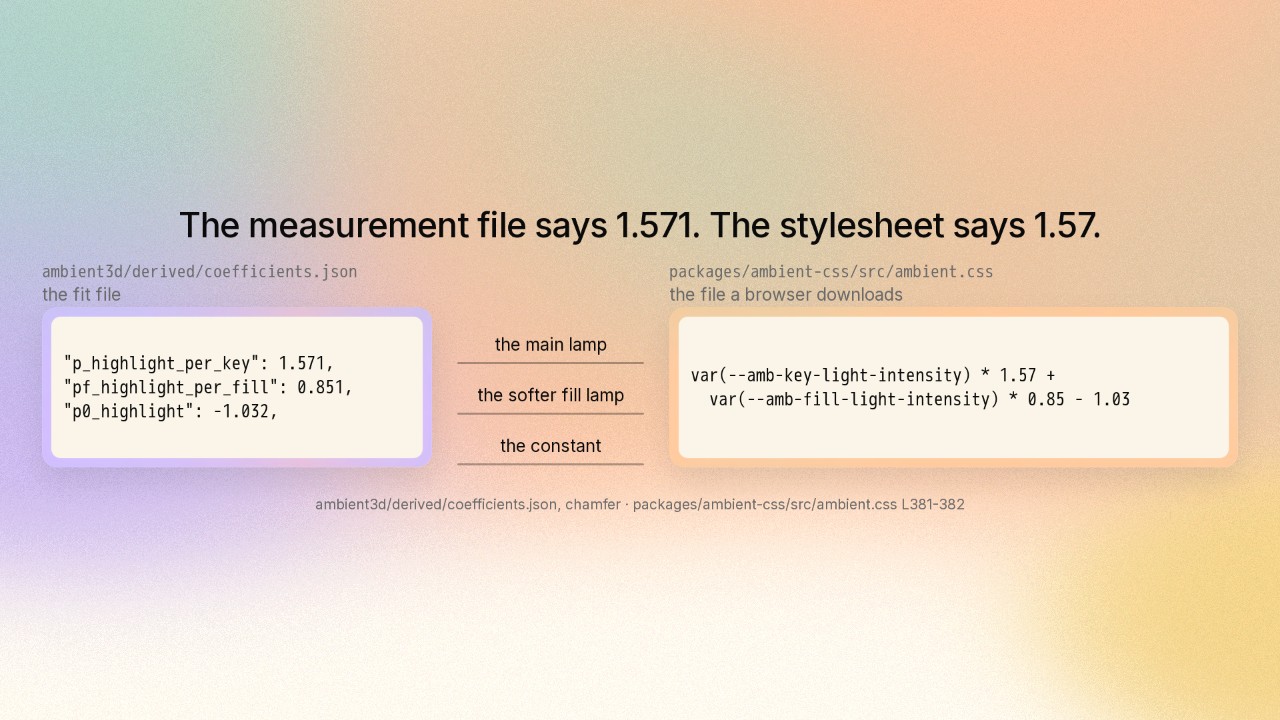
Here is the whole round trip, closed on one band. The measurement file says the bright band along a bevelled edge is one point five seven one times the main lamp, plus zero point eight five one times the softer fill lamp, minus one point zero three two. The file a browser downloads says one point five seven, zero point eight five, one point zero three. They are the same three numbers, rounded. That constant is the answer to a measurement, and the measurement ships beside the constant.

The panel’s colour and the lamp’s colour are two different settings

.my-panel {
--amb-albedo: crimson;
/* the colour under full illumination */
--amb-shade: 1;
/* multiplier on that reflectance */
}
set it once on the panel and everything inside the panel reads the same lit tone
the project’s demo page under its Fun preset: the same three discs under a fully saturated red light
Fun preset · the lamp is red here, and the discs are the same neutral material as before
README.md L144-147 · ambientcss.vercel.app, captured 2026-09-02

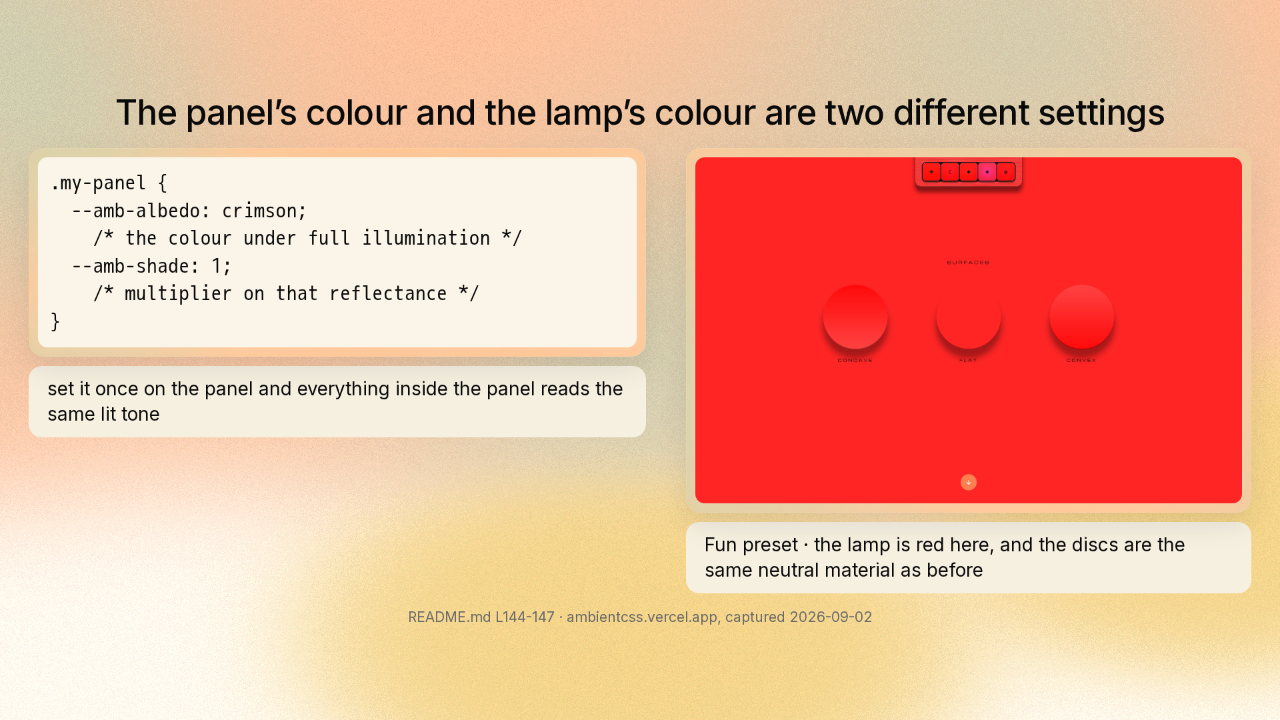
The same rule covers colour. You give the panel its own colour, and everything inside the panel takes that colour: the grooves and the knobs. Turn the lamp red and the whole scene reads red, while the panel’s own colour sits where you left it.

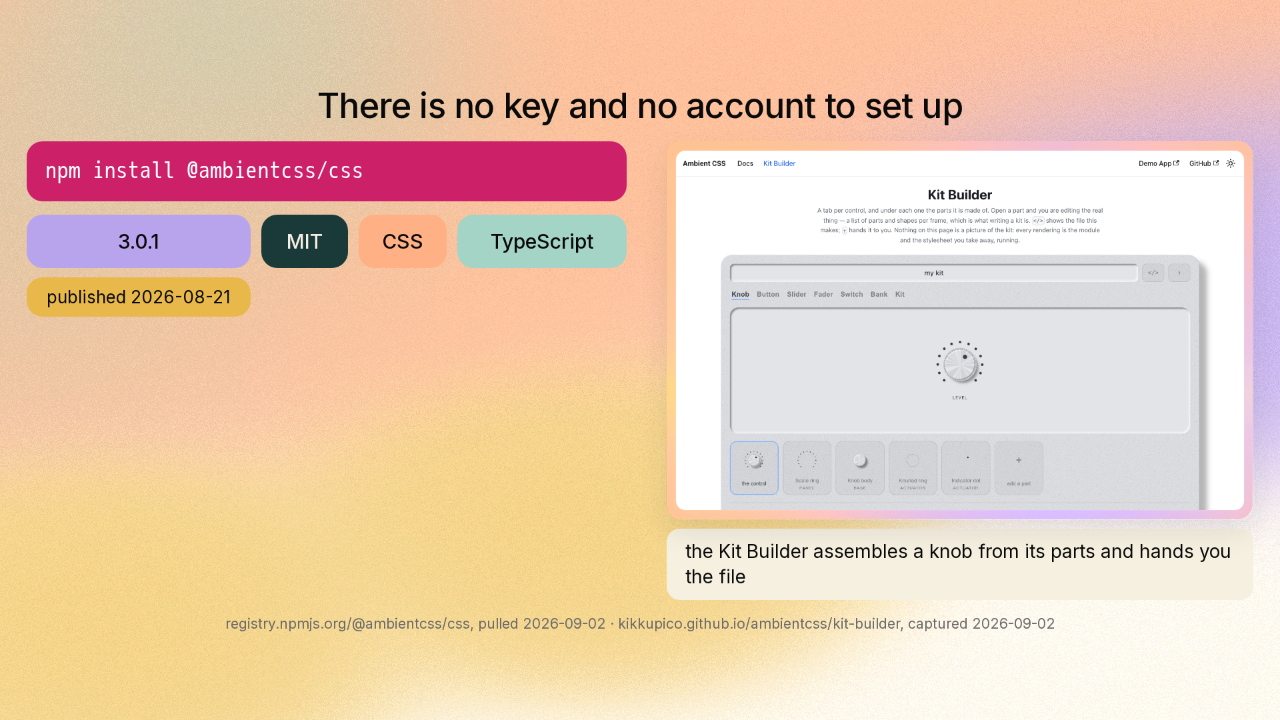
There is no key and no account to set up

npm install @ambientcss/css
3.0.1
MIT
CSS
TypeScript
published 2026-08-21
the project’s docs site: an interactive Kit Builder assembling a knob from its parts
the Kit Builder assembles a knob from its parts and hands you the file
registry.npmjs.org/@ambientcss/css, pulled 2026-09-02 · kikkupico.github.io/ambientcss/kit-builder, captured 2026-09-02

It installs in one line, and the licence is MIT, so you can use this in anything. The version lives on npm, where these packages get published. Right now it is three point zero point one. The docs site has a kit builder that assembles a knob and hands you the file.

You set the light once, and every edge follows

github.com/kikkupico/ambientcss
CSS · MIT · 3.0.1

That hardware panel was one object shown twice: once traced ray by ray in Blender, once drawn by a browser. That is kikkupico slash ambientcss, on GitHub. New repo tomorrow.