Unsloth · teach a model on the graphics card in your machine
Unsloth
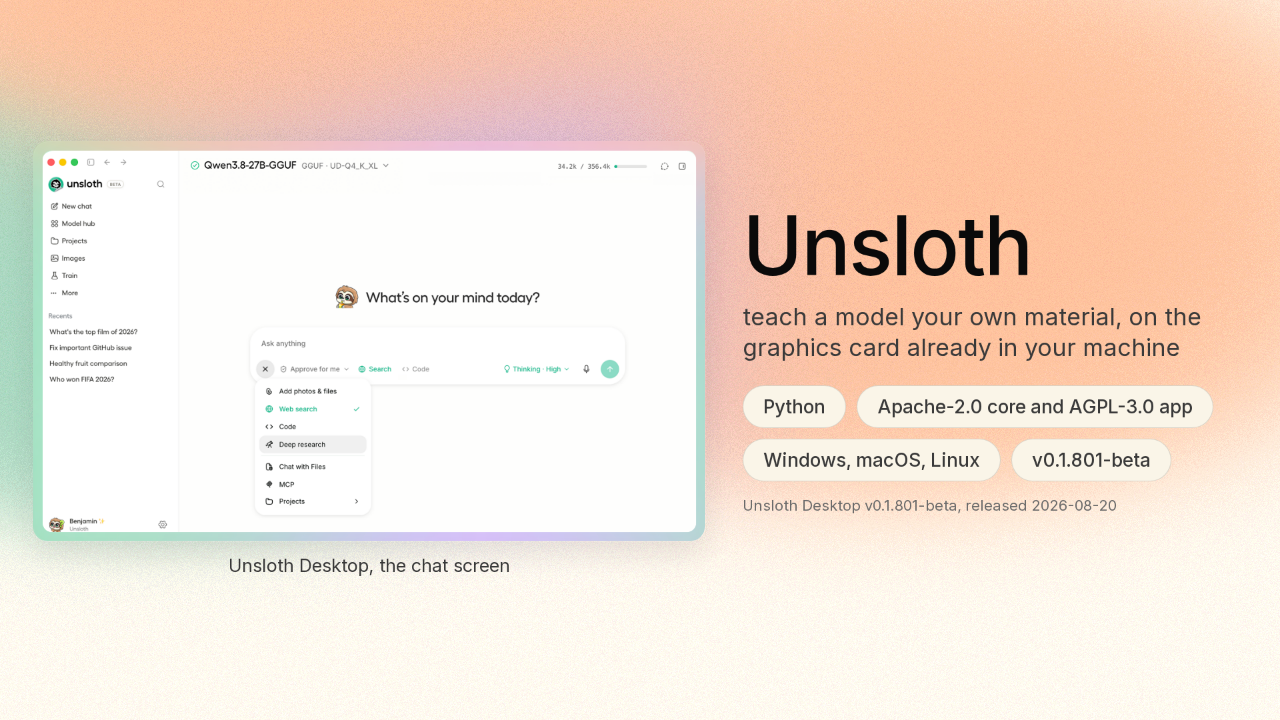
You can already run an AI model on your own computer. Unsloth is a desktop app that also teaches one. Teaching a model means taking one that already exists and training it further on material you give it. Unsloth does that training on the graphics card in your machine.
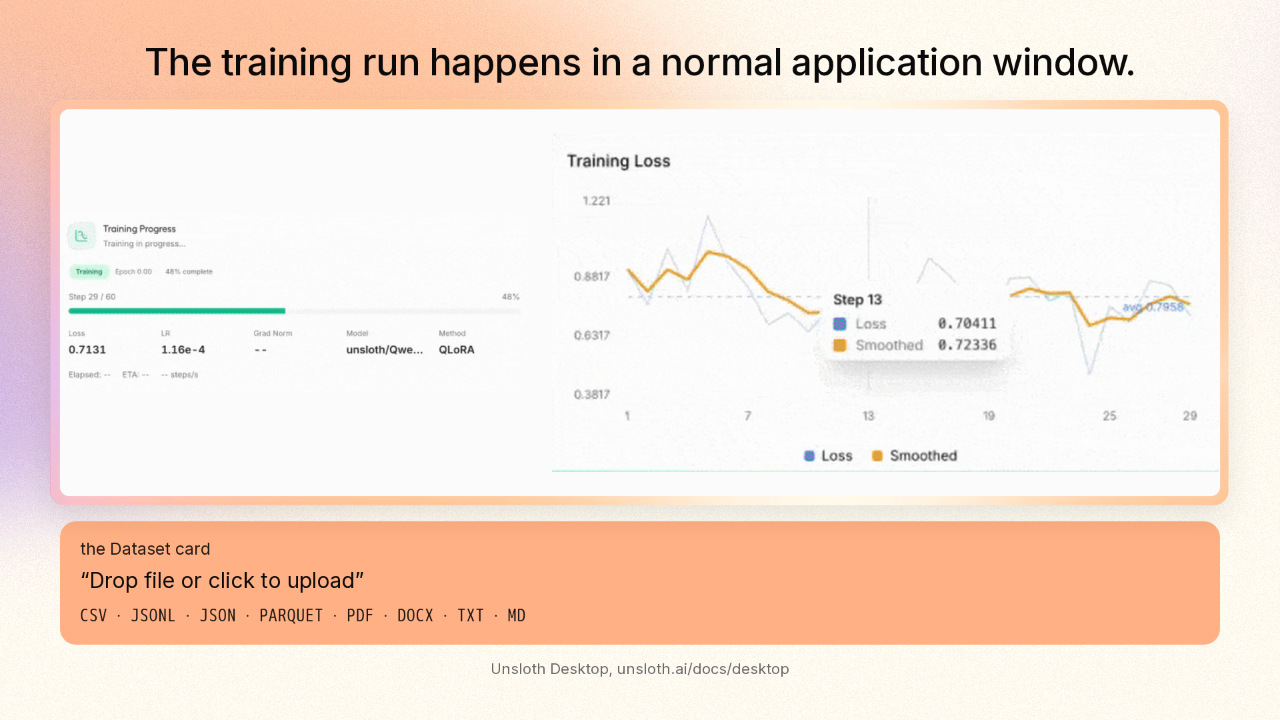
The training run happens in a normal application window
The training run happens in a normal application window.
Unsloth is a normal application window. You pick a model. You hand Unsloth a file of your own examples, a spreadsheet or a text file. You press start, and Unsloth shows you the run as it happens: which step it is on, and a chart of how wrong the model still is.
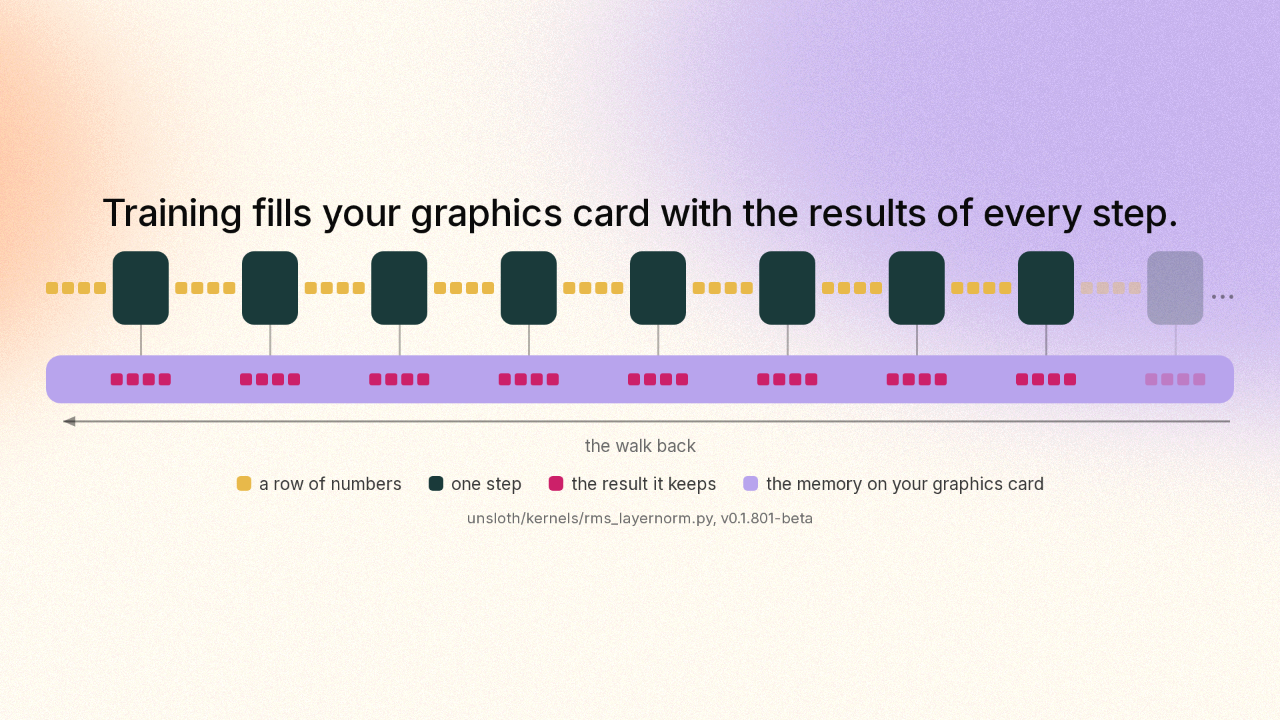
Training fills your graphics card with the results of every step
Training fills your graphics card with the results of every step.
To learn, the machine walks backwards through every step it just took and works out how each step should change. On the way forward, each step takes a row of numbers and works out a new row. The machine keeps that new row, because the walk back will need it. Every step keeps its own row. That stack of kept rows is what fills up the memory on your graphics card while a model trains. Then the machine walks back through the whole stack.
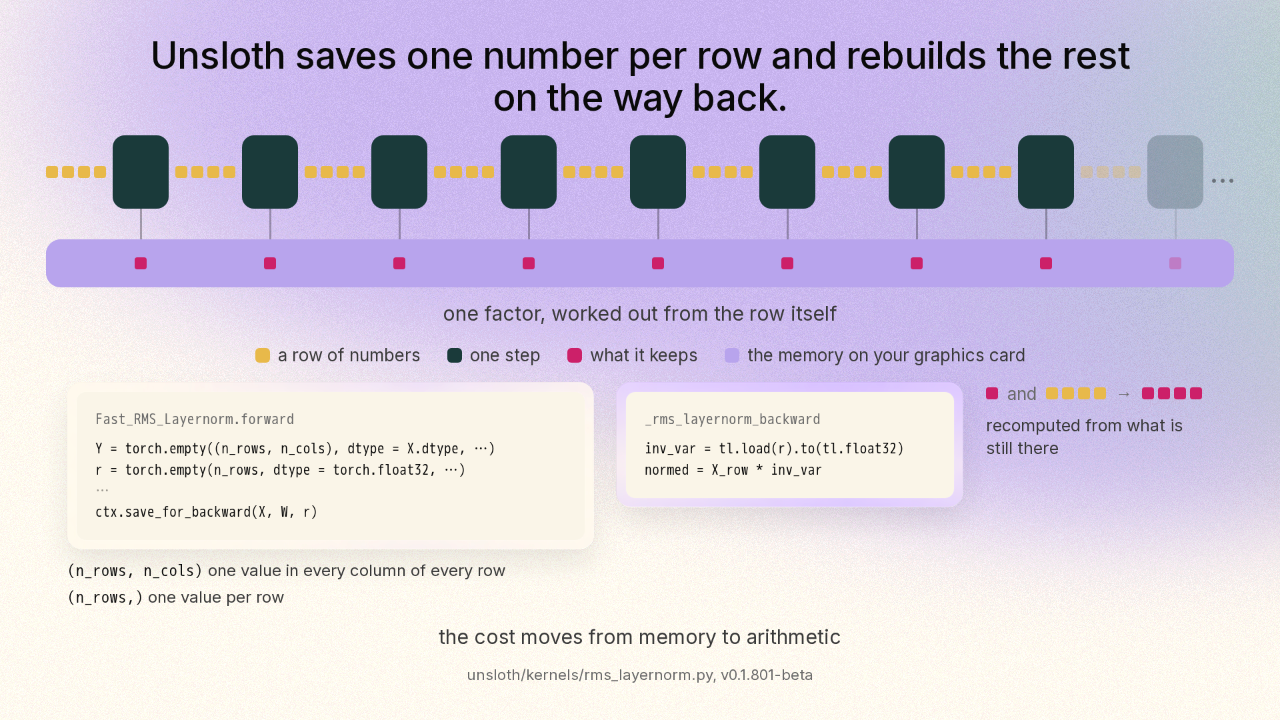
Unsloth saves one number per row and rebuilds the rest
Unsloth saves one number per row and rebuilds the rest on the way back.
Unsloth's answer is to stop keeping the rows. For a step that runs twice in every layer of the model, Unsloth keeps one single number for the whole row of results, and throws those results away. That step does something simple. It stretches or shrinks a whole row of numbers by one factor it works out from the row itself. That one factor is the number Unsloth keeps. The row that went in is still there. So on the way back, the machine multiplies that row by the one factor again, and the results are back. You would expect a shortcut like that to cost you a smaller model, or a worse one. The arithmetic is exactly the same. Doing it twice is cheaper than storing the answer.
The formula is written into the source code as a comment
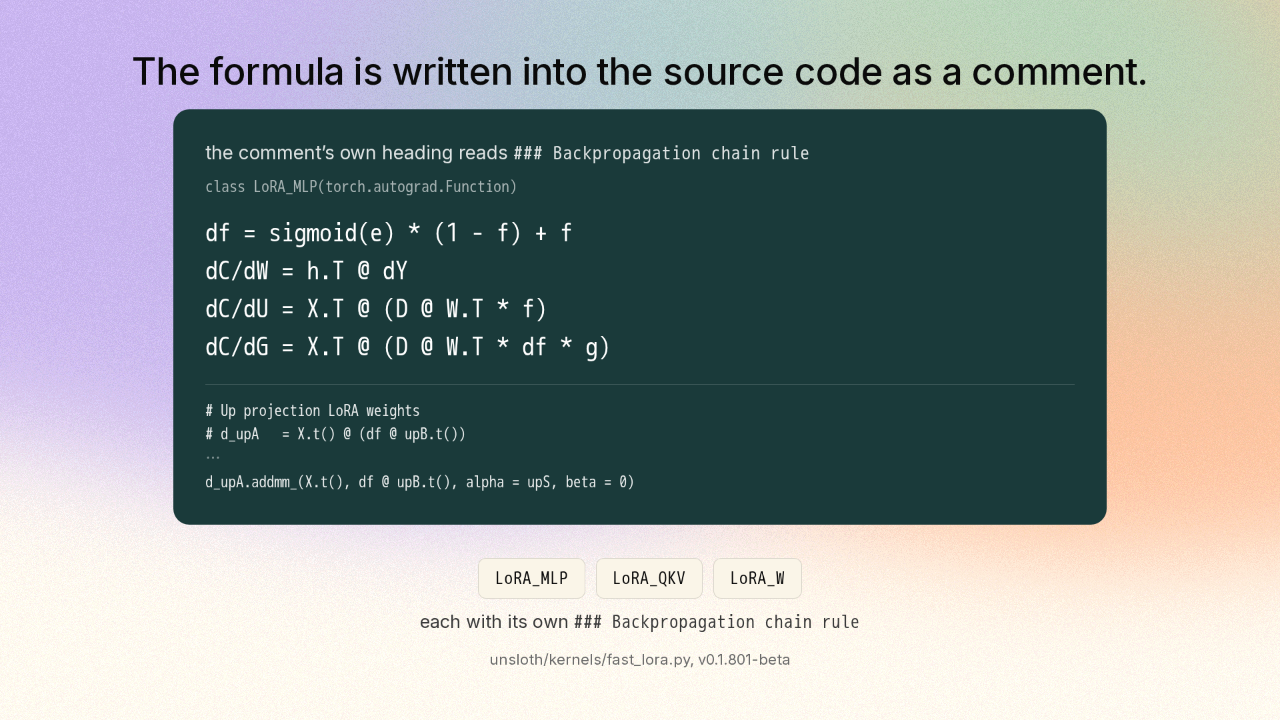
The formula is written into the source code as a comment.
The machine can throw those results away because a person did the calculus first. The people who build Unsloth left the working in. They wrote the formula into the code itself, as a comment for whoever reads it next: four lines, by hand. The code that runs it sits a few lines down in the same file. Three separate pieces of that one file each carry their own formula, written out the same way.
The whole memory trick is one setting in the training panel
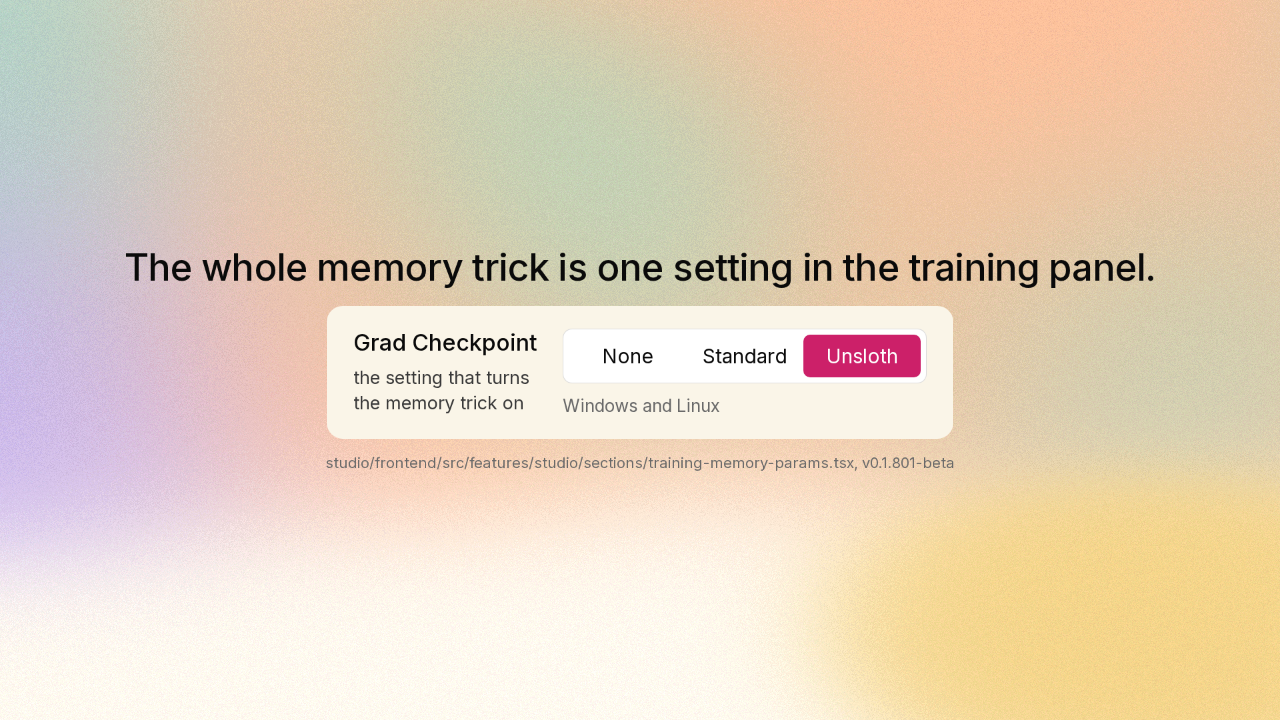
The whole memory trick is one setting in the training panel.
That memory work used to be something you had to write code to switch on. Now the setting sits a few inches from the chart of your run. On Windows and Linux, one of the choices in that list is Unsloth itself.
Unsloth Desktop installs like any other application
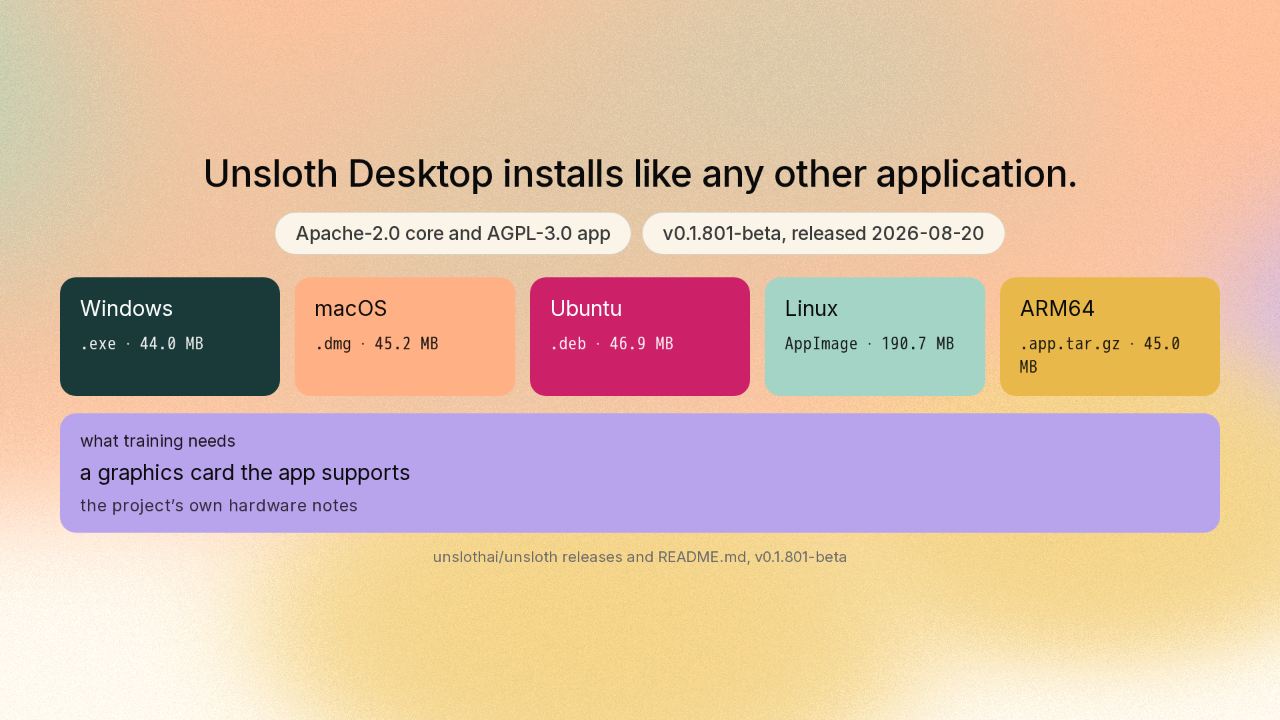
Unsloth Desktop installs like any other application.
Unsloth Desktop is free and open source, in two parts under two licences: the training core under one, the app under another. Unsloth ships a build for Windows, Mac and Linux. This version landed two days ago and it is still before version one. The app runs in more places than it trains. Training needs a graphics card the app supports, and on some older cards the app runs while the training does not.
You could already run a model. Now you can teach one
You could already run a model. Now you can teach one.
The people who build Unsloth worked that formula out by hand, so the machine would not have to keep the working. That is why teaching a model now fits on the card already in your computer. Find it at unsloth A I slash unsloth, on GitHub. New repo tomorrow.











