OpenLogi · a desktop app that configures Logitech devices
OpenLogi
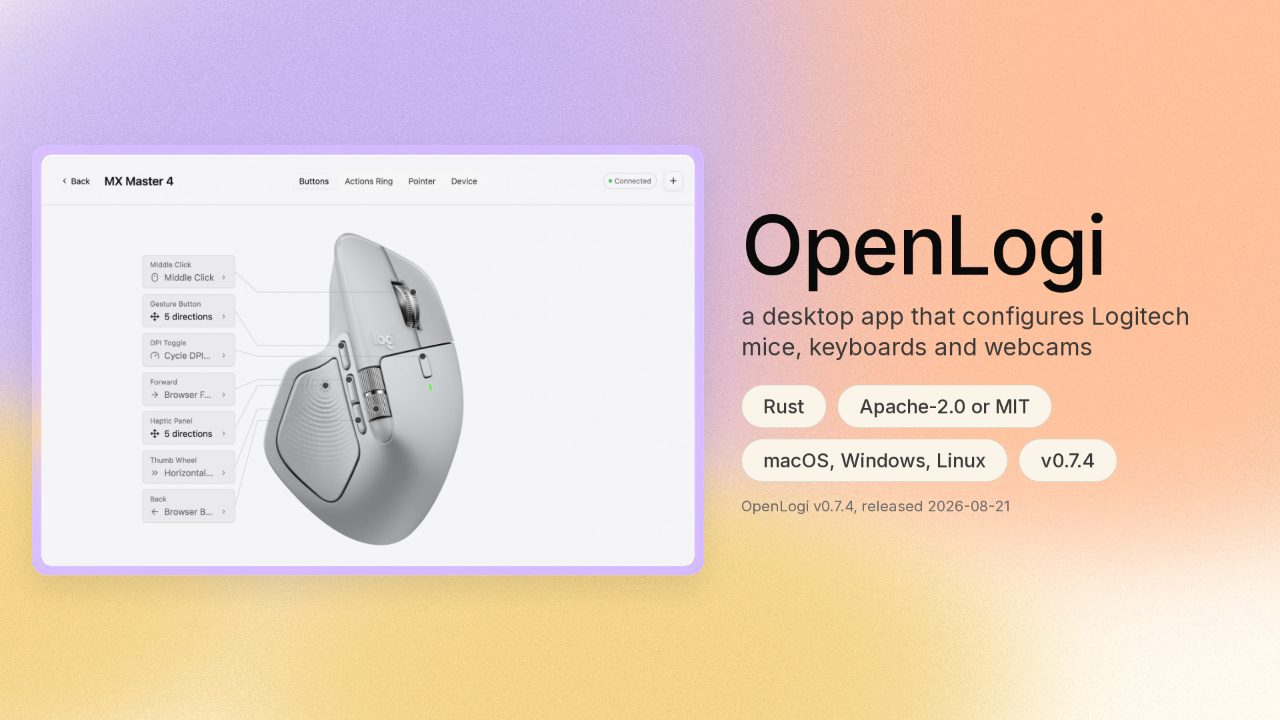
The mouse on your desk is a small computer. What each button does is stored inside the mouse itself. OpenLogi changes those settings from your own machine, free and open. The software that came with your mouse asks it for the same things. OpenLogi runs on Mac, Windows and Linux.
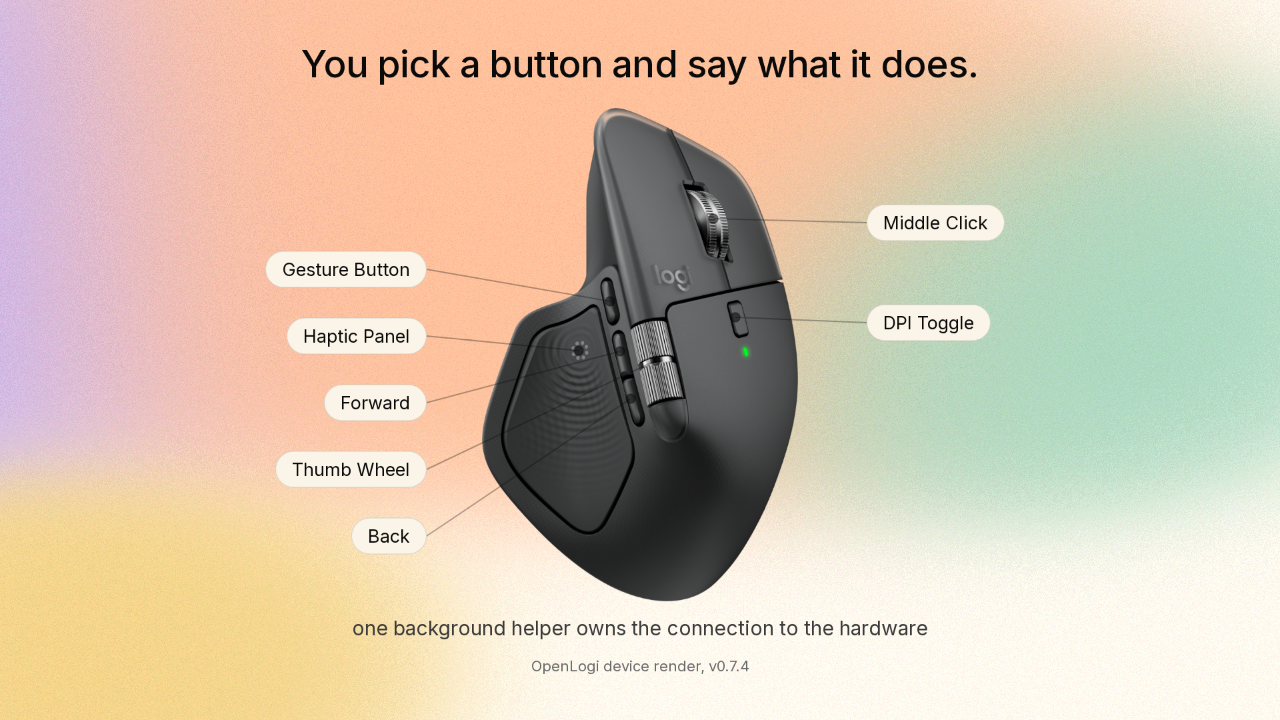
You pick a button and say what it does
You pick a button and say what it does.

OpenLogi draws your actual mouse on screen, with every button labelled. You pick one and say what it should do. The wheel. The thumb wheel. The gesture button. The toggle marked DPI, which changes how far the pointer travels when you move the mouse. A background helper owns the connection to the hardware.
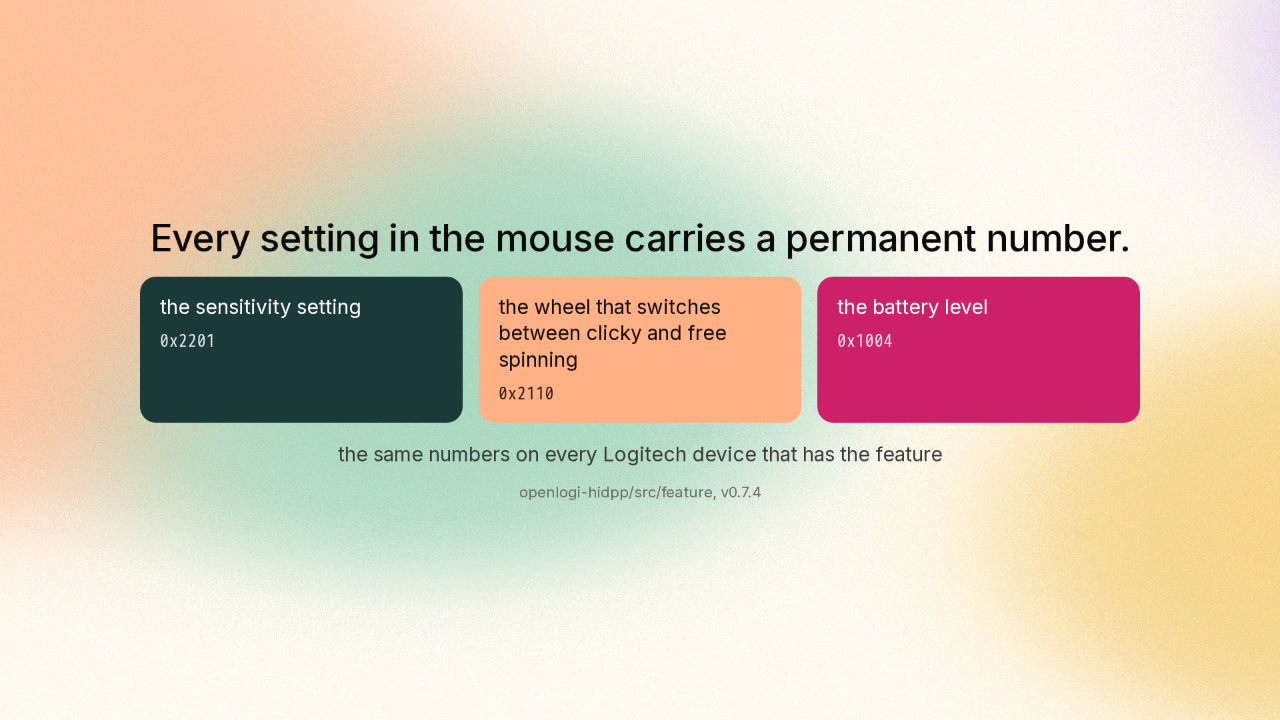
Every setting in the mouse carries a permanent number
Every setting in the mouse carries a permanent number.
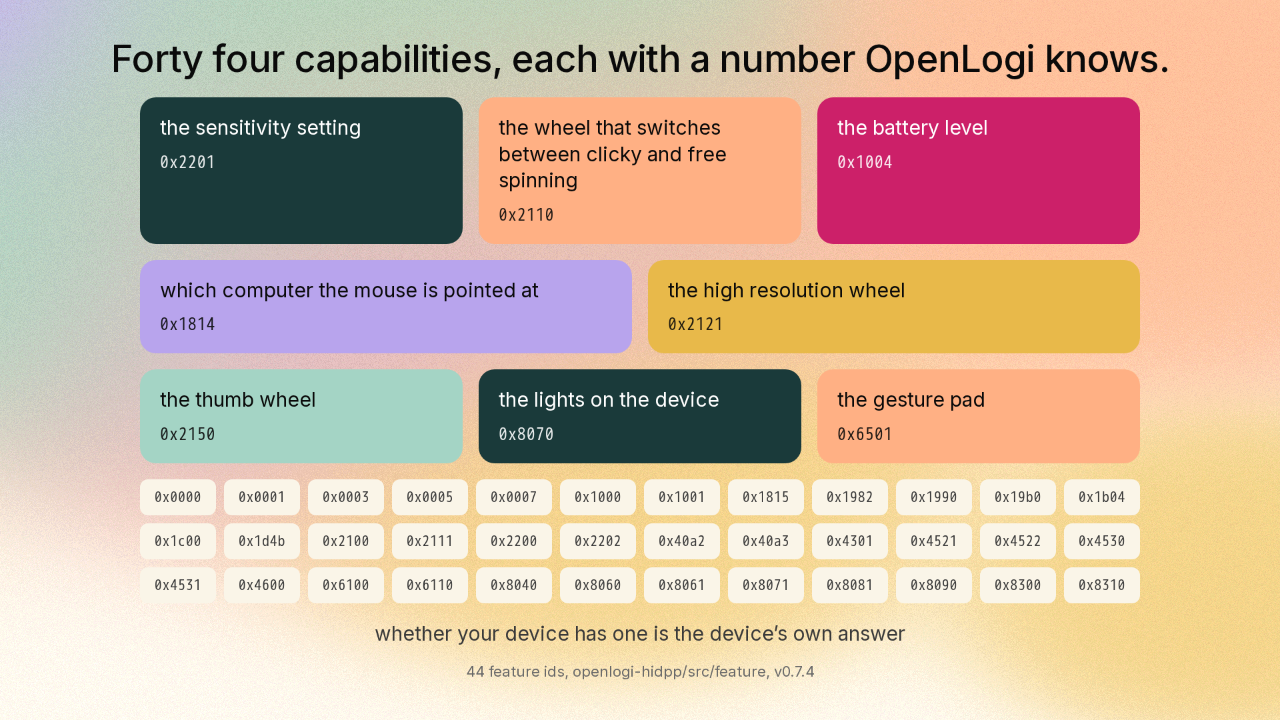
Inside the mouse, everything it can do carries a permanent number. The sensitivity setting is one number. The wheel that switches between clicky and free spinning is another. The battery level is another. And those numbers are the same on every Logitech device that has the feature.
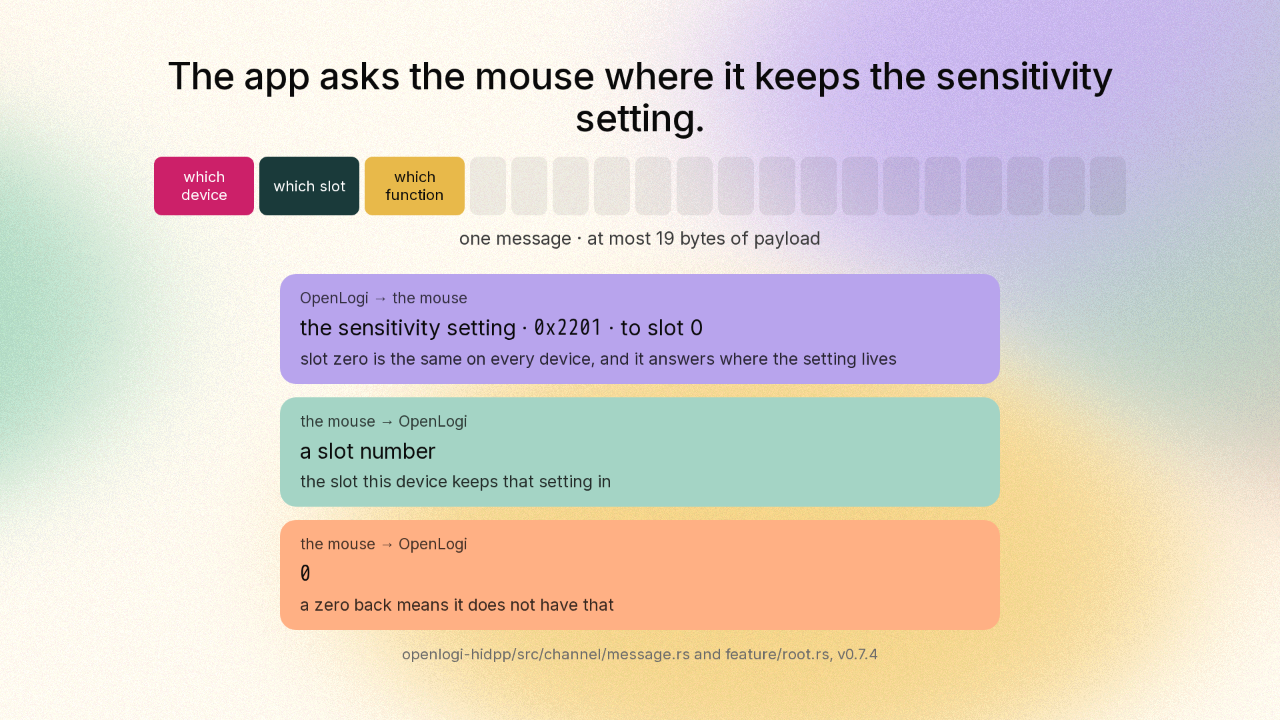
The app asks the mouse where it keeps the sensitivity setting
The app asks the mouse where it keeps the sensitivity setting.
The permanent number names the setting. Finding it on your mouse is a separate question. The mouse speaks a request and answer language called HID plus plus. Every message is nineteen bytes at most, and the first three bytes are an address: which device, which slot, which function. Every mouse files its capabilities in its own order. The sensitivity setting might sit in the fourth slot on your mouse and the ninth on somebody else’s. So the app asks. Slot zero is slot zero on every Logitech device, and slot zero’s whole job is to answer one question: where do you keep this? You hand slot zero the permanent number. The mouse hands back the slot it keeps that setting in. And a zero coming back is the mouse saying it does not have that capability at all.
Four short messages change your pointer speed
Four short messages change your pointer speed.
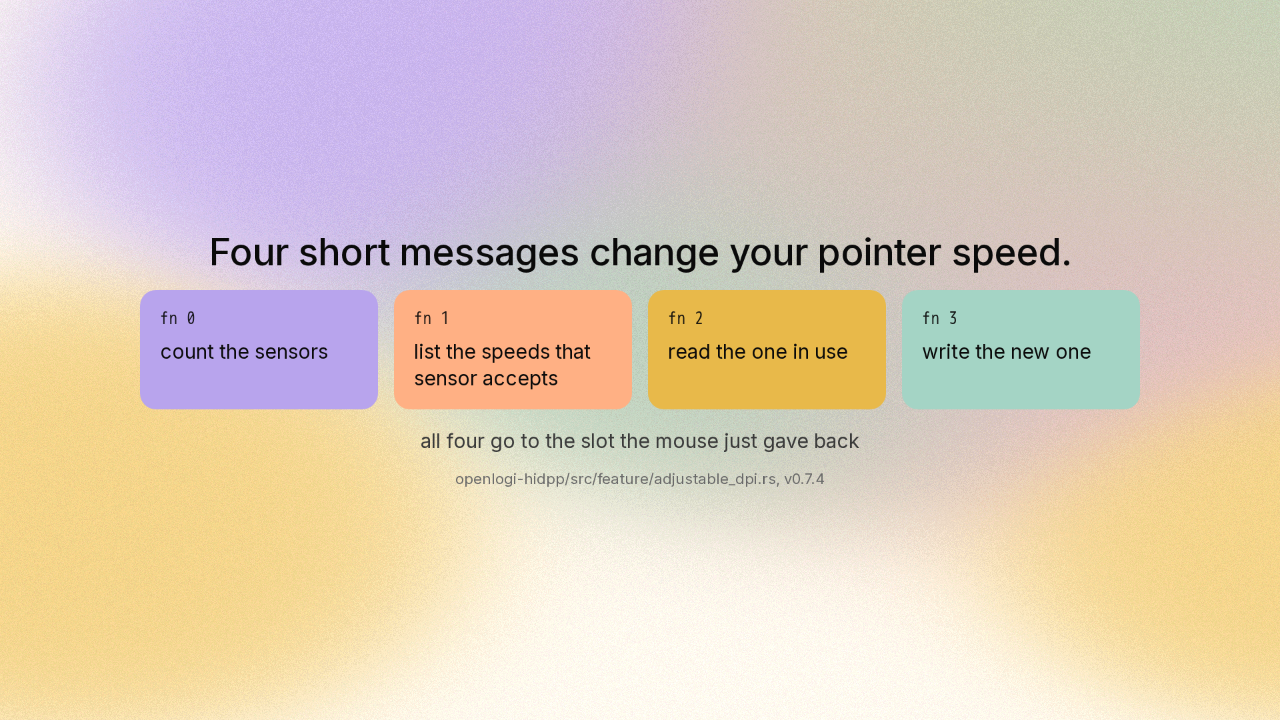
Once the mouse has told the app which slot holds the sensitivity setting, changing your pointer speed is four short messages to that slot. How many sensors read your movement? Which speeds will that sensor accept? Which one is in use right now? And here is the new one. Four messages, and the pointer moves differently.
Forty four capabilities, each with a number OpenLogi knows
Forty four capabilities, each with a number OpenLogi knows.
The same two step conversation covers everything else the mouse can do, and OpenLogi knows how to ask for forty four capabilities. The battery level. Which computer the mouse is pointed at. The lighting on a keyboard. You would expect the app to keep a list of which mouse can do what. Each mouse keeps that list itself.
Your settings live in one text file you own
Your settings live in one text file you own.
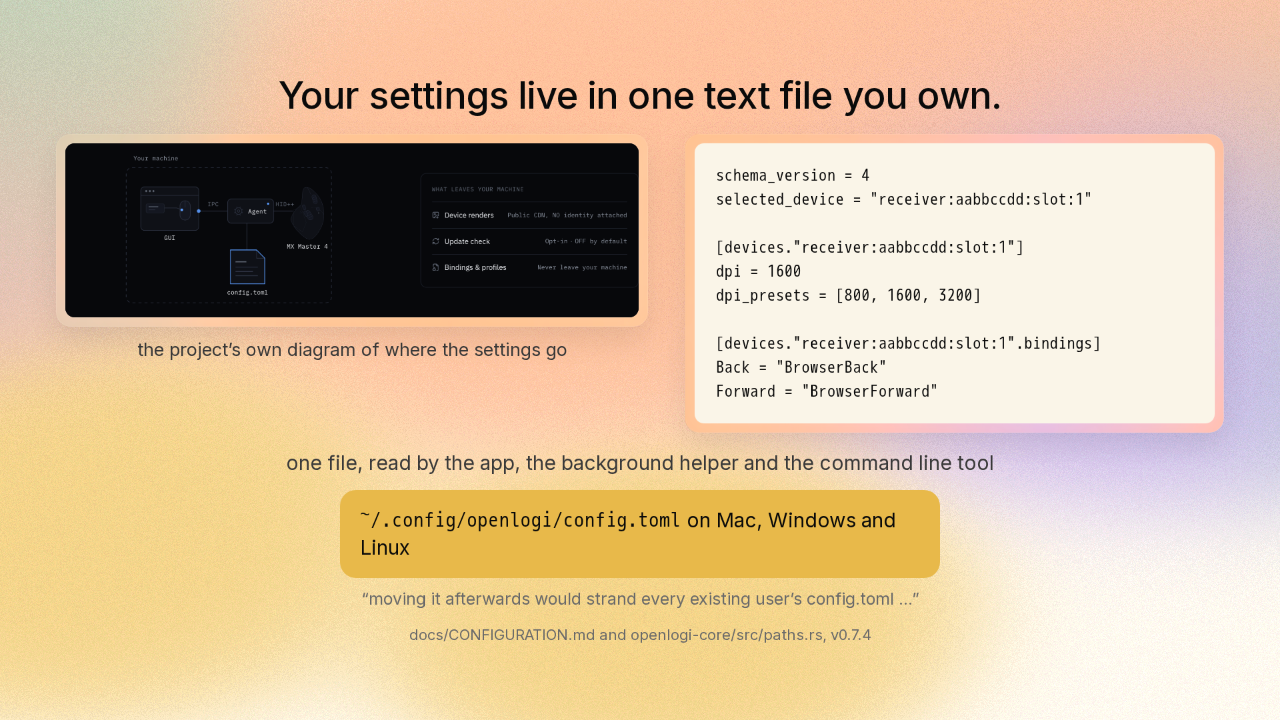
Every answer lands in one plain text file in your home folder. The app, the background helper and the command line tool all read that same file, and you can open it and read it yourself. It sits in the same place on Mac, Windows and Linux. OpenLogi’s maintainer settled that one path before the Windows version shipped, and the note in the code says why. Moving the file afterwards would strand the copy every existing user already had.
OpenLogi is free and open on all three desktops
OpenLogi is free and open on all three desktops.
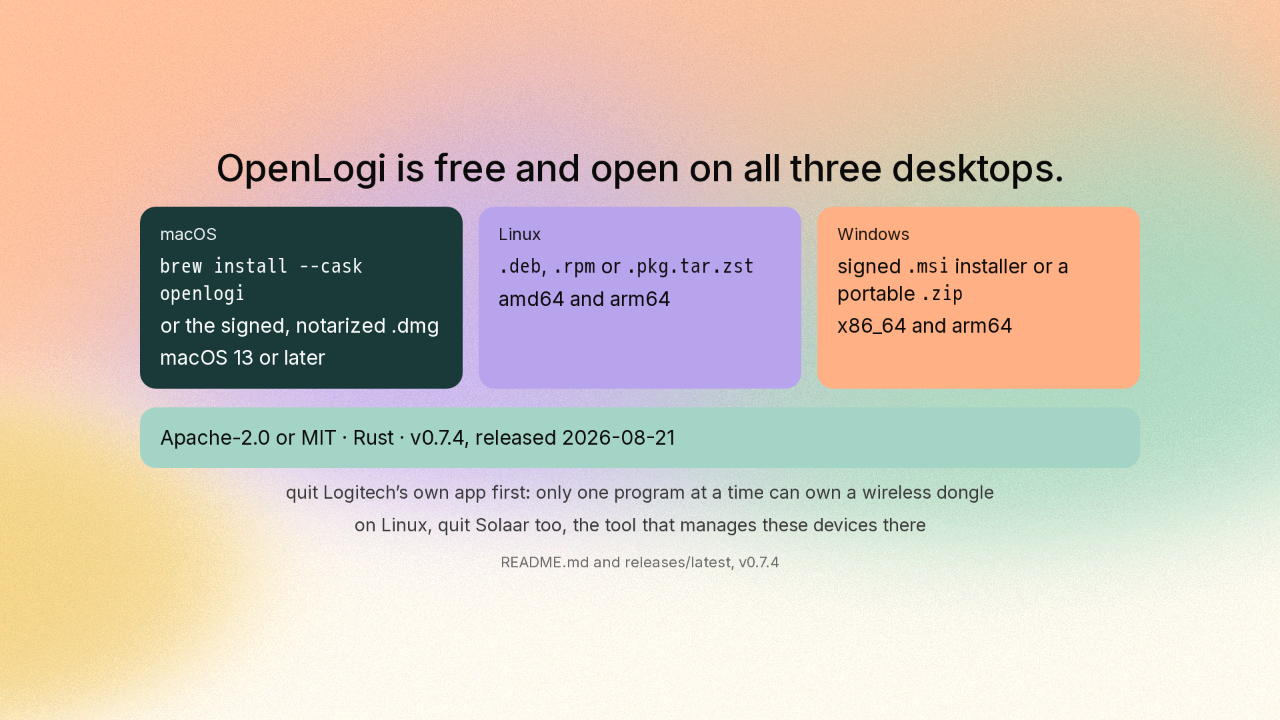
OpenLogi is free and open under either of two standard licences, and it installs from Homebrew on a Mac, and from ordinary packages on Linux and Windows. The project’s install note says to quit Logitech’s own app first, because only one program at a time can own the little wireless dongle your mouse talks through. Version zero point seven point four landed today, and the project says it is still under active development.
Your mouse is a small computer that takes orders
Your mouse is a small computer that takes orders.
 github.com/AprilNEA/OpenLogi
Your mouse was keeping that list the whole time, and any program on your computer can ask for it. OpenLogi writes the answers where you can read them. April N E A slash OpenLogi, on GitHub. New repo tomorrow.











