DeepTutor · a tutor you run yourself, whose memory of you is files you can open
DeepTutor
Every assistant that remembers you is keeping notes about you. You cannot ask where any of it came from. DeepTutor is a tutor you run on your own computer. It keeps notes about you as you work, so it does not start over every time you come back. Those notes are plain files on your own disk. You can open every one of them.
DeepTutor is a study app that runs on your own computer
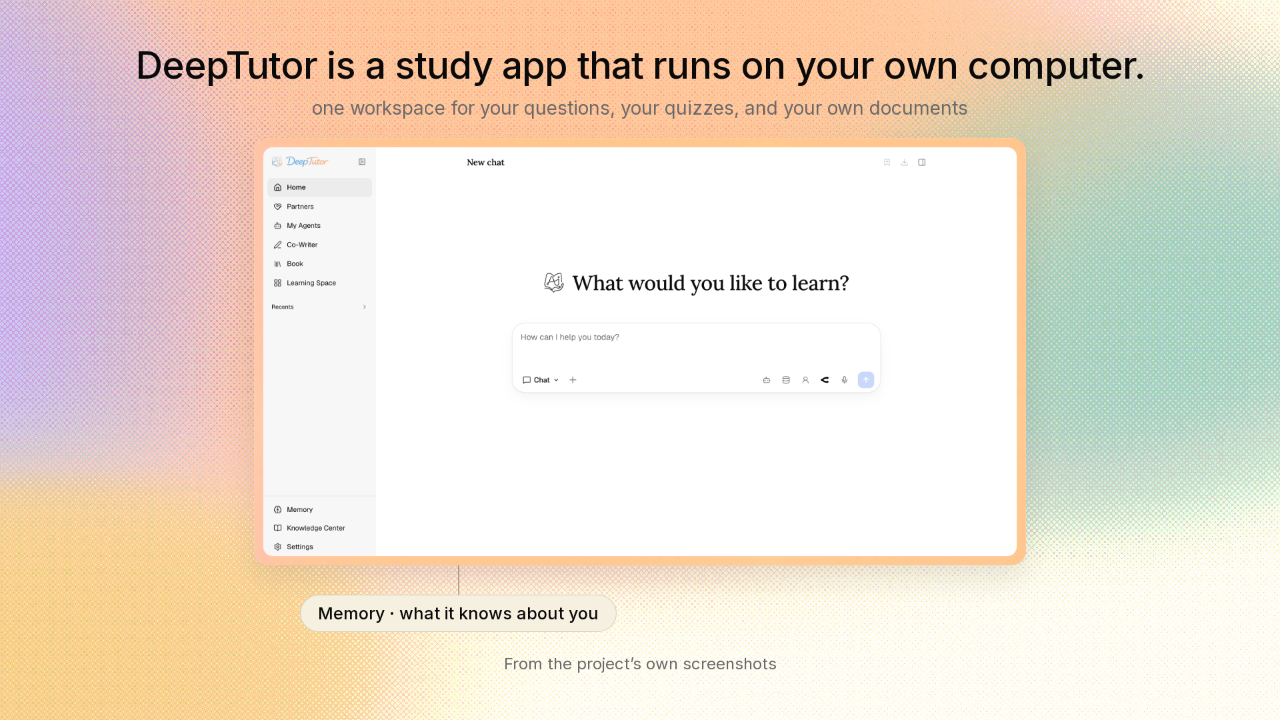
DeepTutor is a study app that runs on your own computer.
Ask DeepTutor a question and you get an answer. Ask for a quiz and DeepTutor writes you one. Hand over your own documents and DeepTutor reads them, then answers out of them. While you work, DeepTutor keeps a picture of what you are learning. And that picture has a room of its own in the app, called Memory.
The memory is three layers, and you can open any of them
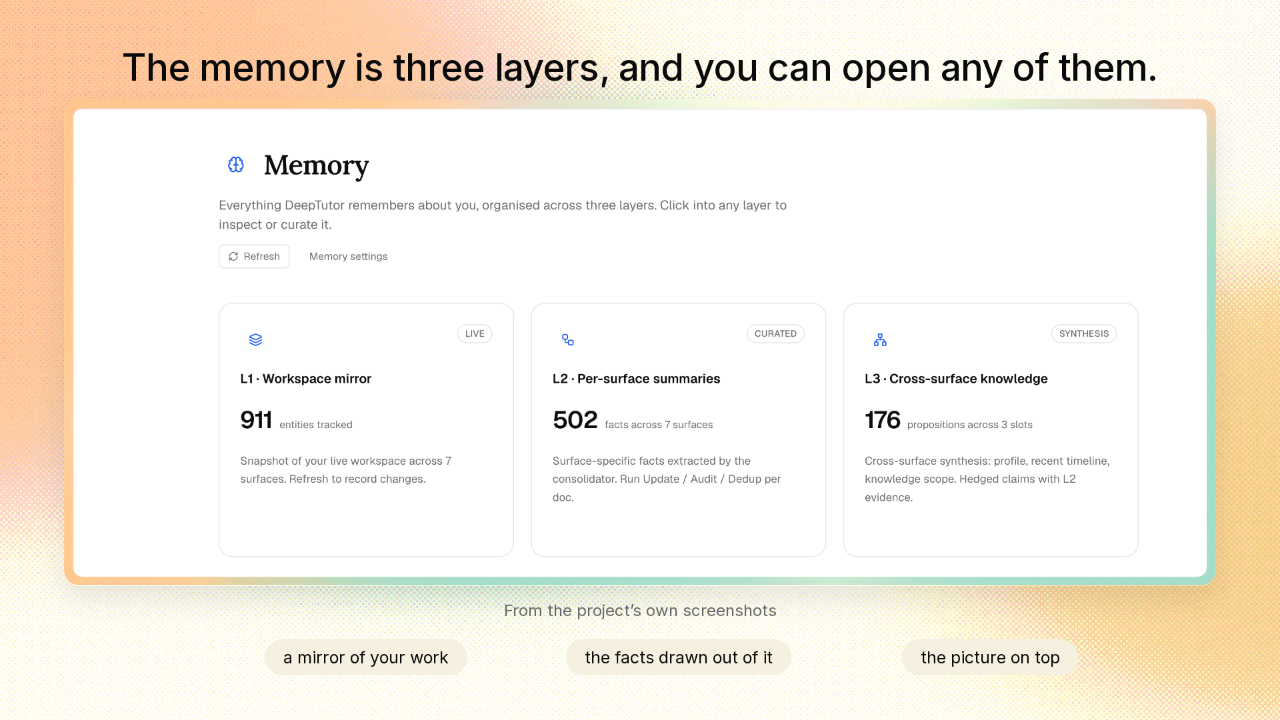
The memory is three layers, and you can open any of them.
Most assistants keep a picture like that to themselves. DeepTutor gives it a screen. Three layers. The bottom one mirrors the work you actually did. The middle one holds short facts drawn out of that work. The top one pulls everything together into a picture of you.
The memory is folders of plain files on your own disk
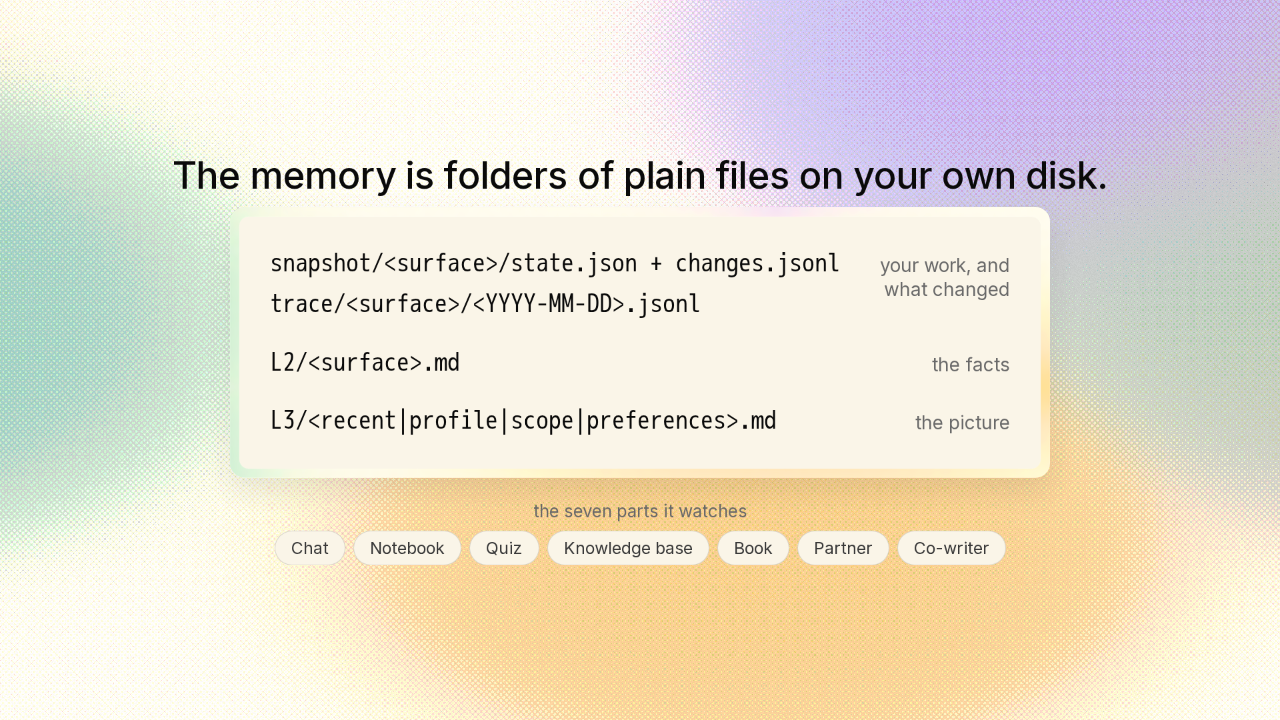
The memory is folders of plain files on your own disk.
what changed
You could open these folders in any file browser. The bottom layer mirrors your workspace, with one entry for every piece of work in it. Every chat, every notebook page, every quiz. Beside that mirror sits a dated log of what changed and when. Above that, one page of short facts for each part of the app. Seven parts, from chat to quizzes to the documents you load in. And on top, a few pages that pull all seven together into a picture of you.
Ordinary code decides which facts get written
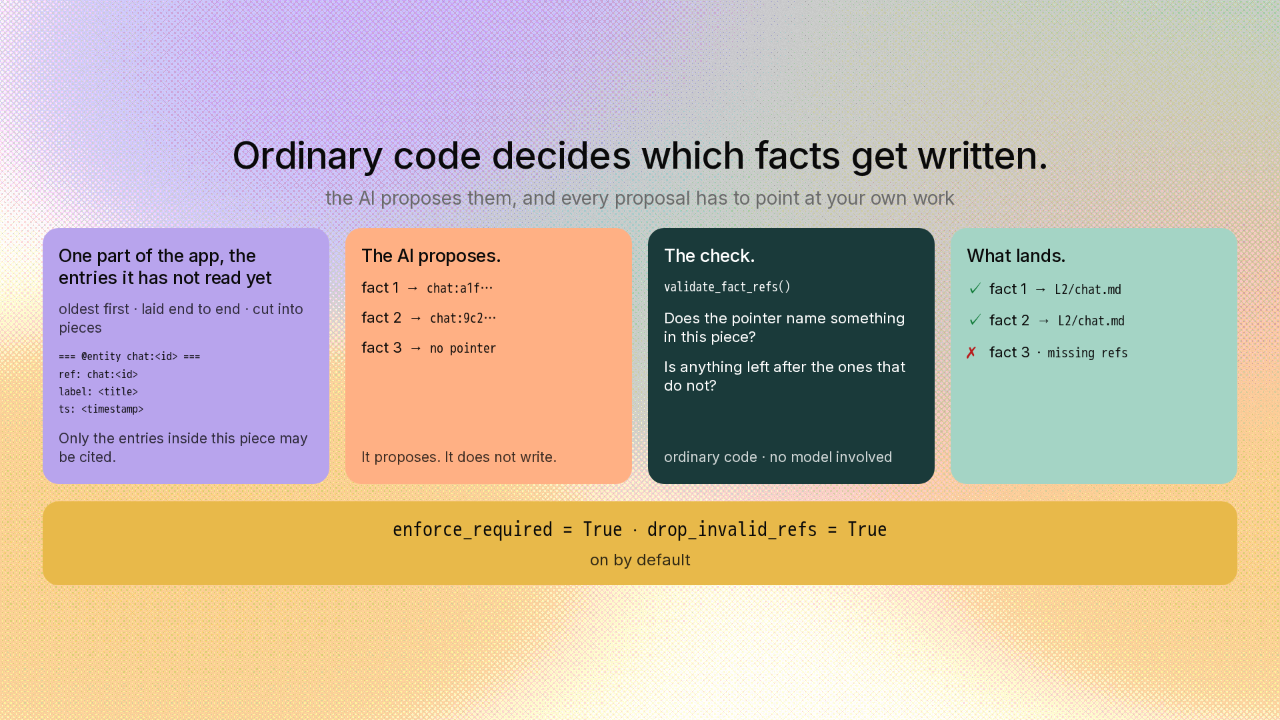
Ordinary code decides which facts get written.
You would assume the AI decides what it remembers about you. The AI only proposes. The AI reads back through your own work and suggests facts about you. Every fact has to point at the exact things it came from. This chat. That notebook page. Then a few lines of ordinary code check those pointers against the stretch of your work the AI was shown. It asks one question: does this note point at something you actually did? A fact that points at nothing gets deleted. A fact whose pointers all turn out to be from somewhere else gets deleted too. And this is how DeepTutor behaves the moment you install it.
Click a fact and the app shows you the work behind it
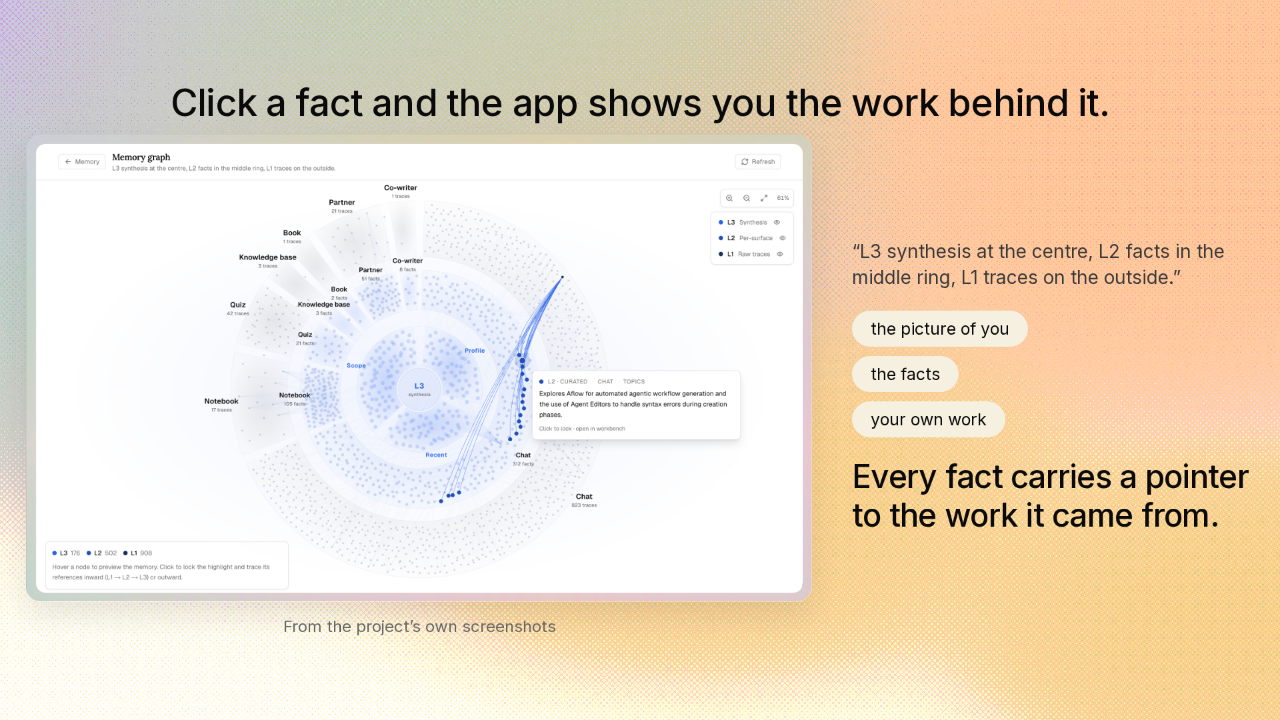
Click a fact and the app shows you the work behind it.
“L3 synthesis at the centre, L2 facts in the middle ring, L1 traces on the outside.”
DeepTutor can draw the whole memory as one map. The picture of you sits at the centre. The facts the app wrote about you sit in the ring around it. Your own work sits on the outside. Click a fact and the app lights up the exact pieces of your work behind it. A fact can still be wrong. Now you can check it against the work it came from, and judge it yourself.
You can read, fix, or erase the pages DeepTutor wrote about you
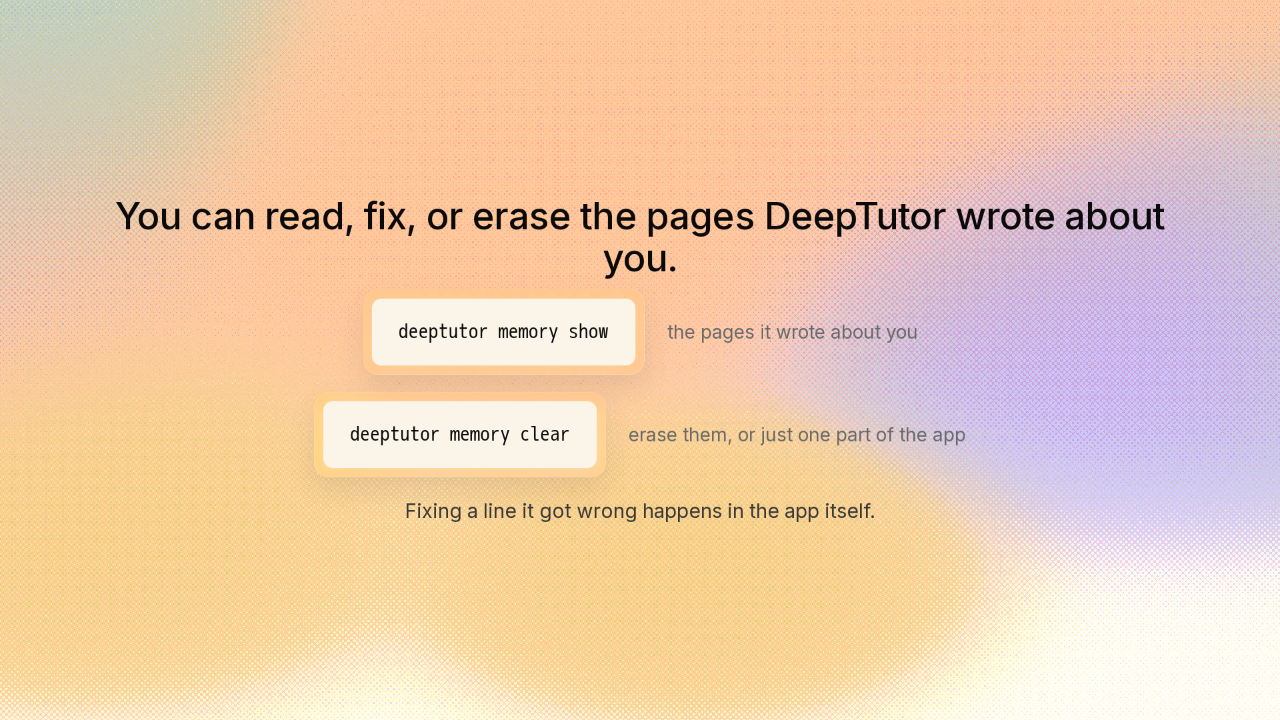
You can read, fix, or erase the pages DeepTutor wrote about you.
Since the memory is files, the ordinary things you do to files apply. One typed command prints the pages DeepTutor wrote about you. Another erases those pages and the raw record behind them. And if one line about you is wrong, you can open that page in the app and fix it.
You can install it in one line, or in three commands
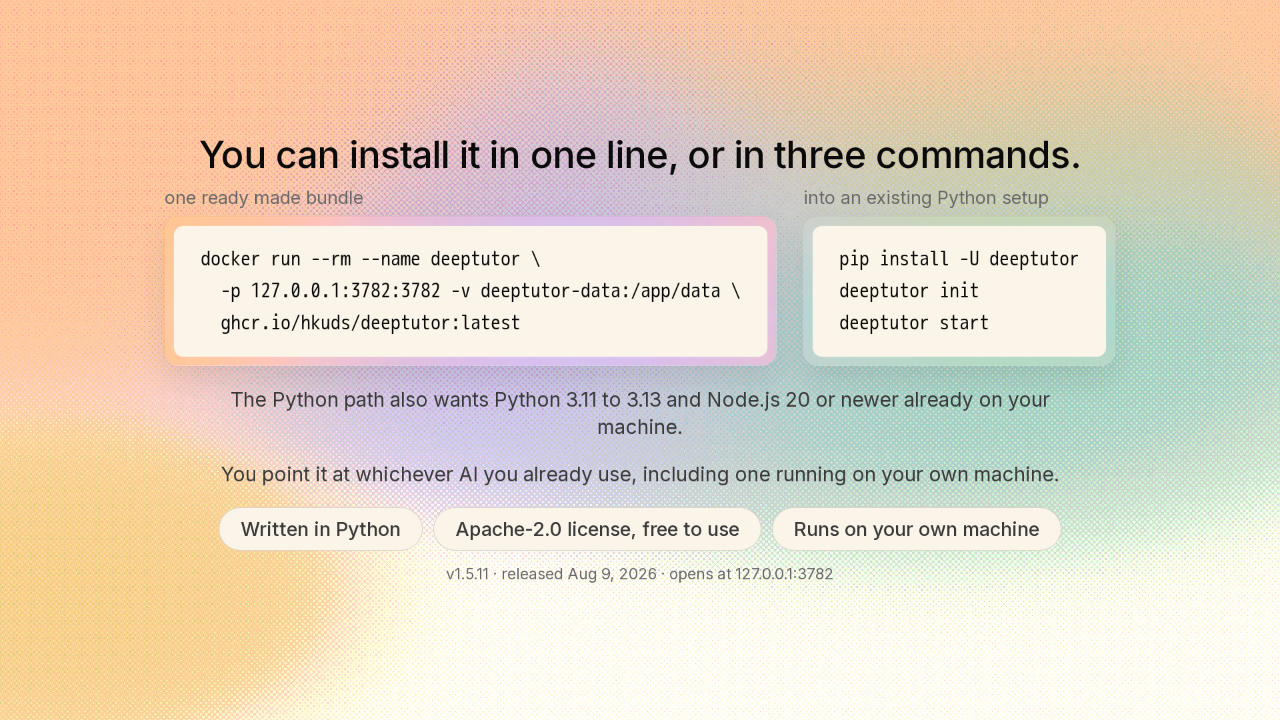
You can install it in one line, or in three commands.
DeepTutor runs on your own machine. Grab the ready made bundle and one line starts it. Install it as a package instead and it is three commands, plus a couple of other tools you need in place first. Either way, you point DeepTutor at whichever AI you already use, including one running on your own computer. You supply that part.
What an assistant remembers about you can be a file you own
What an assistant remembers about you can be a file you own, with a pointer to the work behind every line. You can read it, trace any line back to the work it came from, and erase it. The link is on screen, and there is a new repo here tomorrow.











