tuicr · code review in your terminal, saved as a file you keep
tuicr
Someone reads your code and leaves notes on it. Those notes live in a box on somebody else’s website. tweaker moves that job into the terminal, the plain text window developers keep open. And the review you write there is a file on your own machine.
You review the whole change without opening a browser
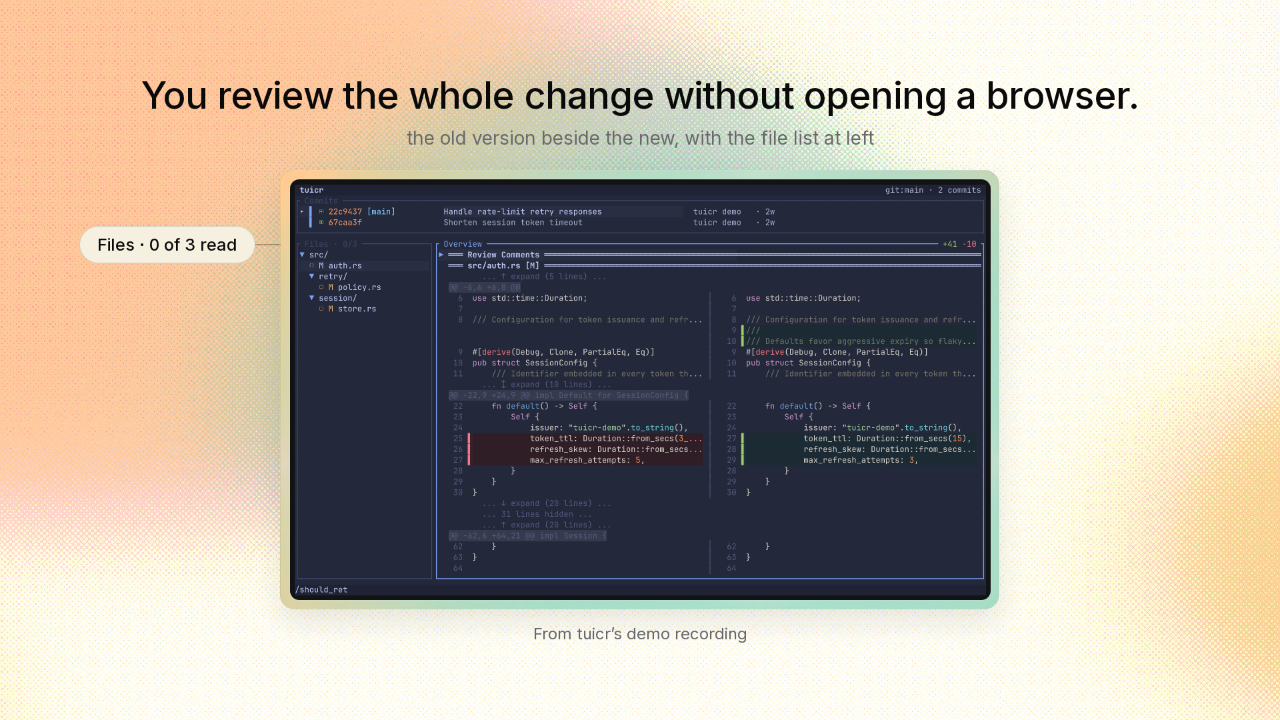
You review the whole change without opening a browser.
tweaker lays out every file the change touched, in one list. The old version of the code runs down the left. The new version runs down the right. You stop on any line and type a note, exactly as you would in a browser. And tweaker keeps count of which files you have been through.
Your comments stay after you close the window
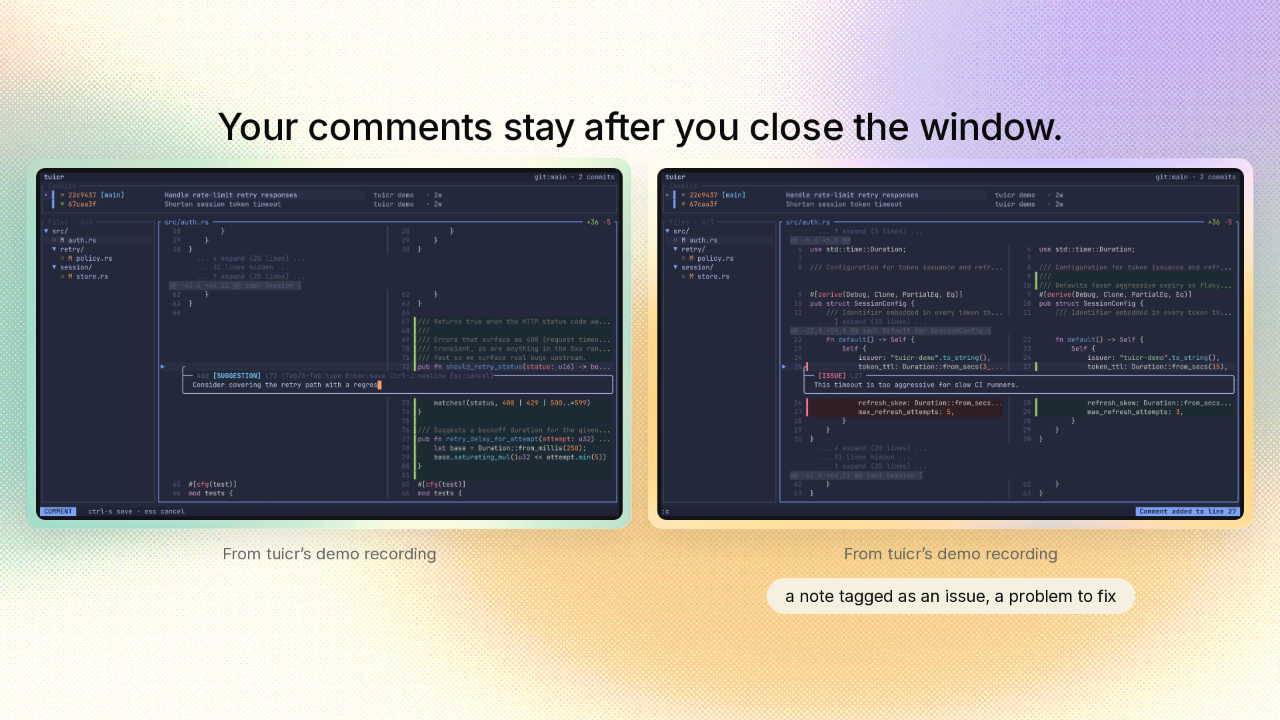
Your comments stay after you close the window.
The notes are the real work of a review. Every note lands on your own disk the moment you type it. Close the terminal halfway through. Your comments are still there tomorrow, and so is your place in the change. You can also tag a note as an issue, a problem to fix. That tag travels with the note everywhere the review goes.
The review prints as a list another program can read
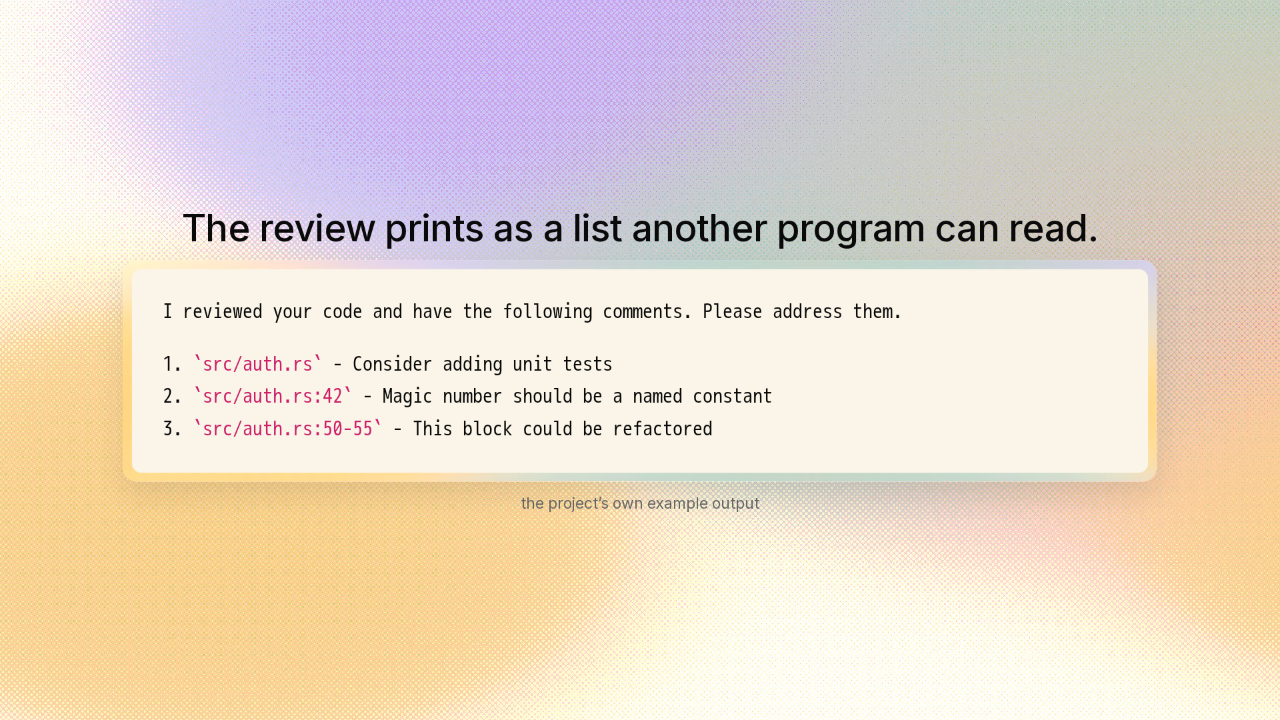
The review prints as a list another program can read.
Because your review is a file, tweaker can also print it. It prints as a numbered list, written in plain words. The first comment points at a file. The second points at line forty two of that file. The third points at a block, lines fifty through fifty five. So any other program can read your review. It knows exactly where every note belongs. That program can even read the review you have open right now, while you are still working on it.
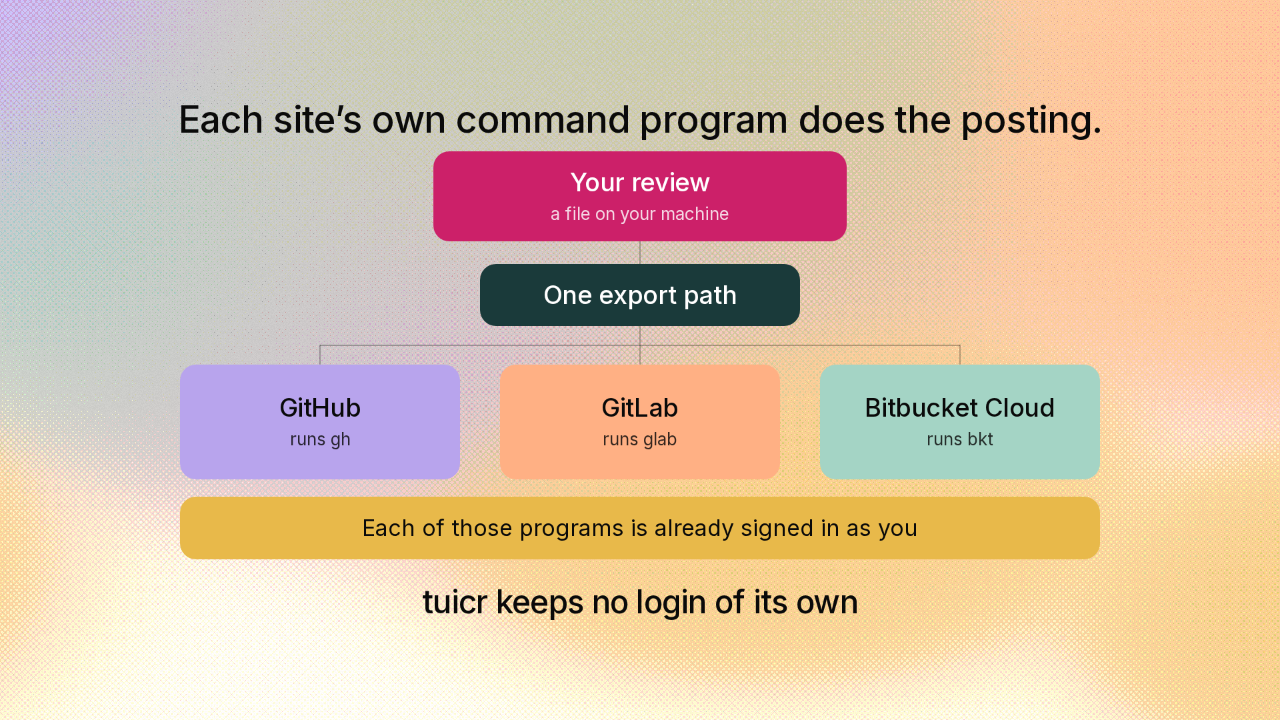
Each site’s own command program does the posting
Each site’s own command program does the posting.
GitHub, GitLab and Bitbucket are the sites teams keep their code on. tweaker posts your review onto all three of them, and holds zero logins. To post onto GitHub, tweaker does not talk to GitHub. GitHub hands out its own small command program. Your computer is already signed into it. tweaker runs that program and lets it do the posting. GitLab hands out one of those too. So does Bitbucket. Each of those programs is already signed in as you. That is why tweaker keeps no login of its own. And that is why one review can reach three sites at all.
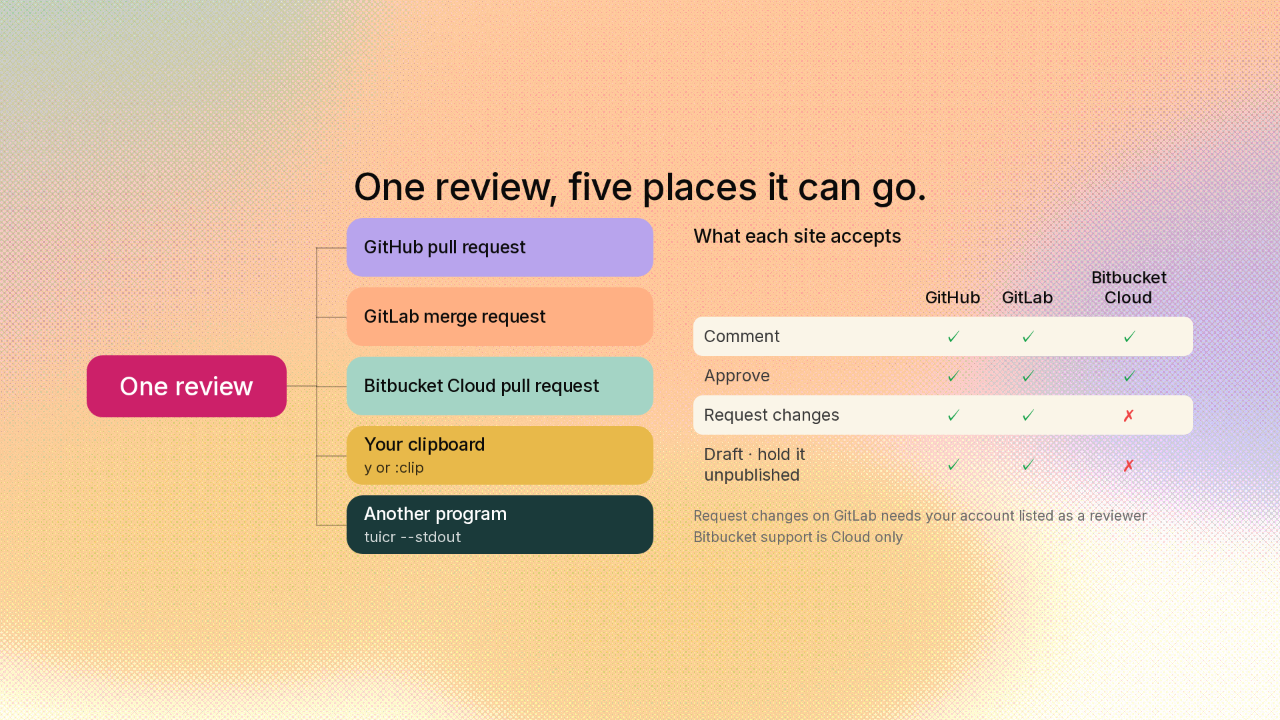
One review, five places it can go
One review, five places it can go.
| GitHub | GitLab | Bitbucket Cloud | |
|---|---|---|---|
| Comment | ✓ | ✓ | ✓ |
| Approve | ✓ | ✓ | ✓ |
| Request changes | ✓ | ✓ | ✗ |
| Draft · hold it unpublished | ✓ | ✓ | ✗ |
Bitbucket support is Cloud only
One review, and you choose where it goes. You can post the review onto the change itself, on GitHub, on GitLab, or on Bitbucket. Your notes land on the exact lines you left them on. On all three you can leave the review as comments, or sign it off as approved. You can copy the whole review to your clipboard, or feed it into another program.
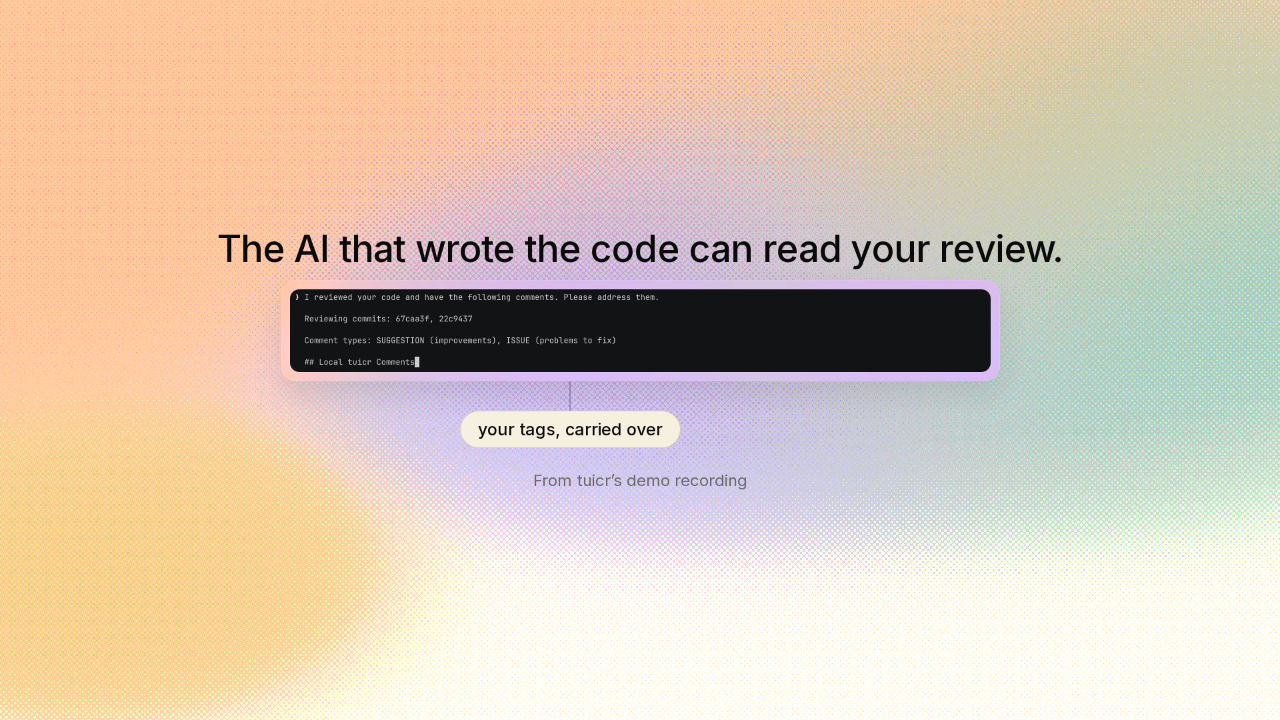
The AI that wrote the code can read your review
The AI that wrote the code can read your review.
More and more, the code you are reviewing was written by an AI. You copy the review and paste it to that AI. Your review arrives as the numbered list, with a file and a line on every note. The tags come with the review. The note you marked as an issue, a problem to fix, arrives still marked that way. Every comment in that list is one you typed yourself. tweaker moves your review. It writes no comments of its own.
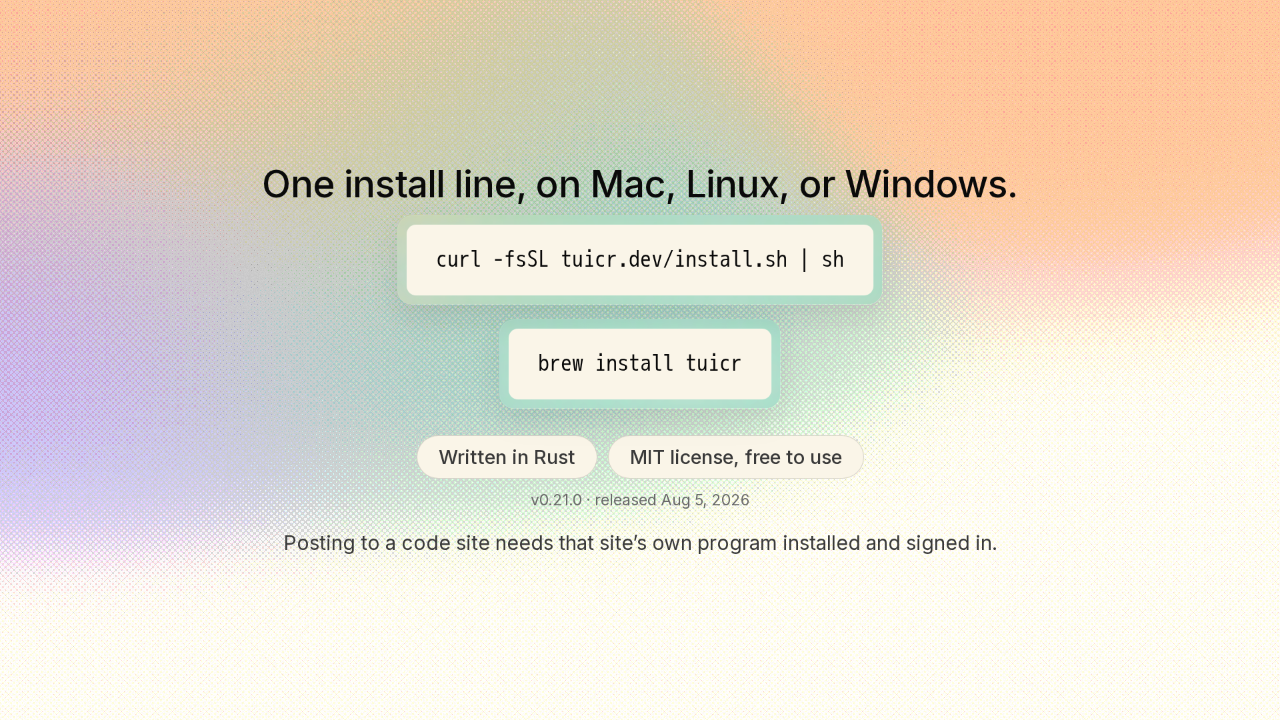
One install line, on Mac, Linux, or Windows
One install line, on Mac, Linux, or Windows.
tweaker is one small program you install with a single line, on Mac, Linux or Windows. It is free, and the code is open for anyone to read or change. Posting to a code site comes with one requirement. That site’s own command program has to be on your machine and signed in.
Your review is a file you own
Your review is a file you own, and every code site is just one place you can send it. The notes you write stay yours, on your machine, whoever you hand them to. The link is on screen, and there is a new repo here tomorrow.











