witr · why is this running?
witr
Your machine is always running things you never started on purpose. A network connection that’s already in use, a file that just won’t delete. witr is the one command that answers the question underneath them all. Why is this running?
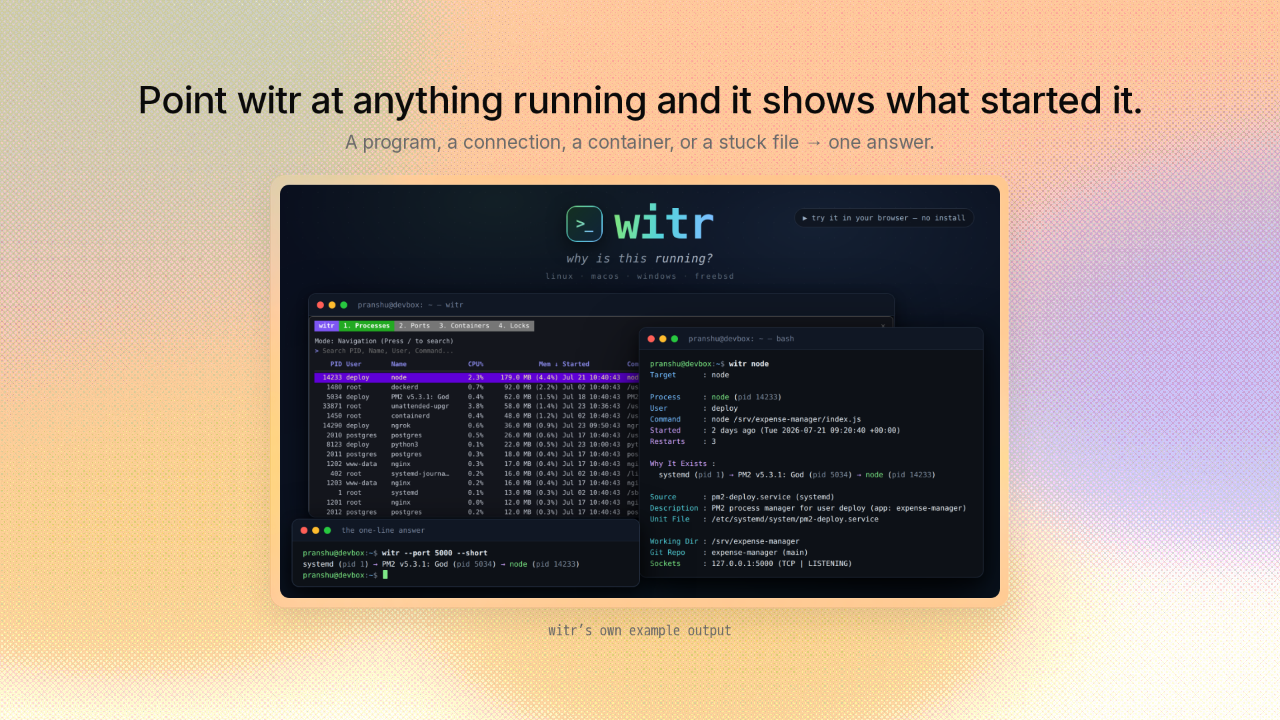
Point witr at anything running and it shows what started it
Point witr at anything running and it shows what started it.
You run witr in your terminal, the window where you type commands, and point it at almost anything on your machine. A running program. An open connection. A container, meaning a boxed-up copy of an app with everything it needs to run. Or a file that’s stuck. Whatever you point it at, witr traces where it came from and what started it.
Your tools show what is running, never why
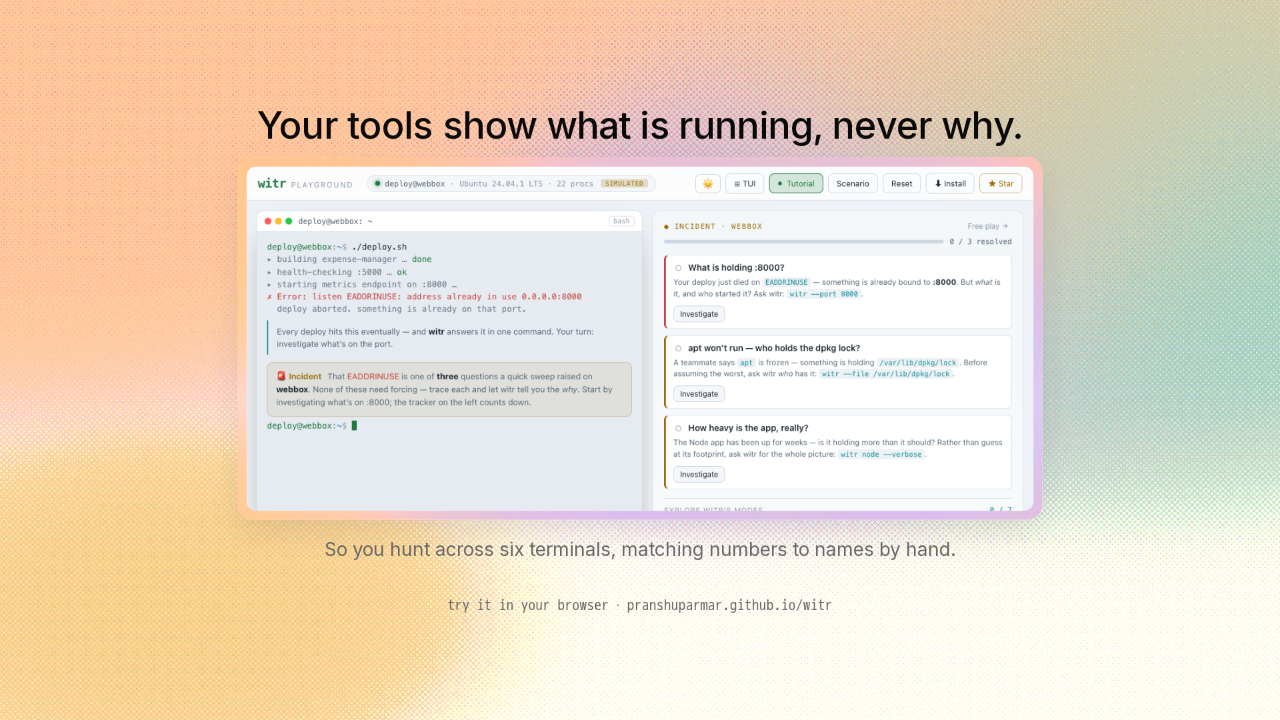
Your tools show what is running, never why.
You launch a program that runs a website, and it dies on the spot. Address already in use, port 8000. That 8000 is a port, a numbered doorway your computer uses to talk to the network, and another program already grabbed it. Now you want to know which program. So you open six terminal windows and start matching a number in one against a name in another, doing by hand the detective work your computer could just hand you.
Every question becomes the same question: one running program
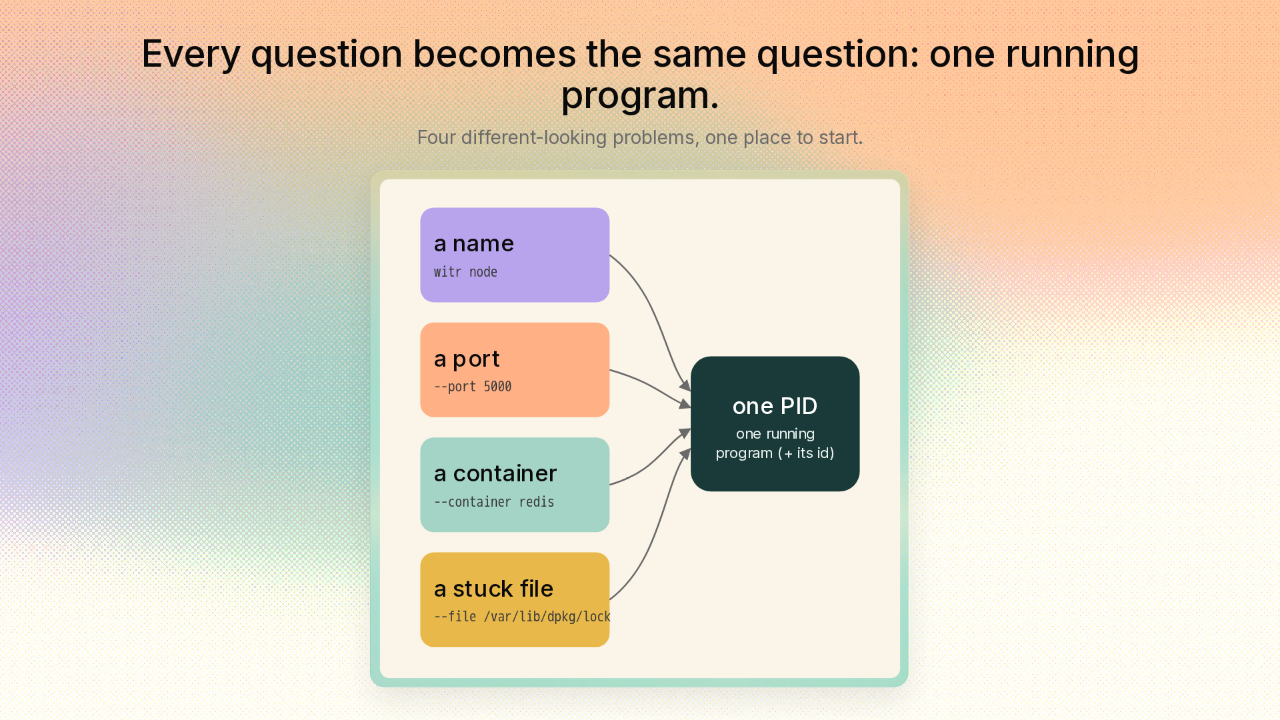
Every question becomes the same question: one running program.
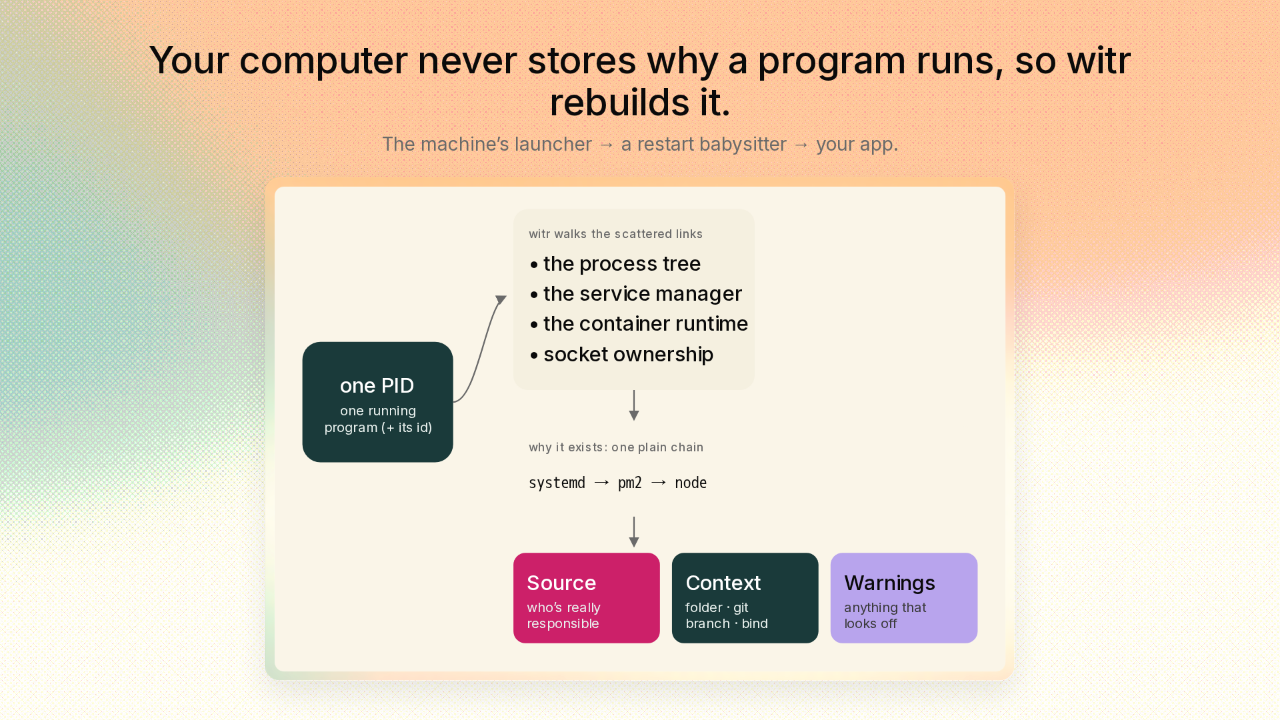
And here’s the clever part. Whatever you hand witr, a port, a container, a stuck file, or just a name, every one of them leads back to one thing. One running program. And every running program gets an ID number from the system, called a PID. So witr’s first move is to boil whatever you gave it down to that one program and its PID. A port problem, a container problem, a stuck-file problem, witr turns them all into the exact same problem. Find the one program, then explain it.
Your computer never stores why a program runs, so witr rebuilds it
Your computer never stores why a program runs, so witr rebuilds it.
Now witr does the part nothing else does. Your computer never stores why a program is running as one fact. That answer is scattered across the family tree of what launched what, the background managers that quietly start programs and keep them alive, and whatever holds that network doorway open. witr gathers it all into one plain chain. The program that boots your whole machine started a little babysitter program, and that babysitter started your app and relaunches it if it crashes. On the diagram: systemd, then pm2, then node. Then witr names the one thing really responsible, adds the folder and code branch your app lives in, and flags anything that looks off.
One command, the whole story on one screen
One command, the whole story on one screen.
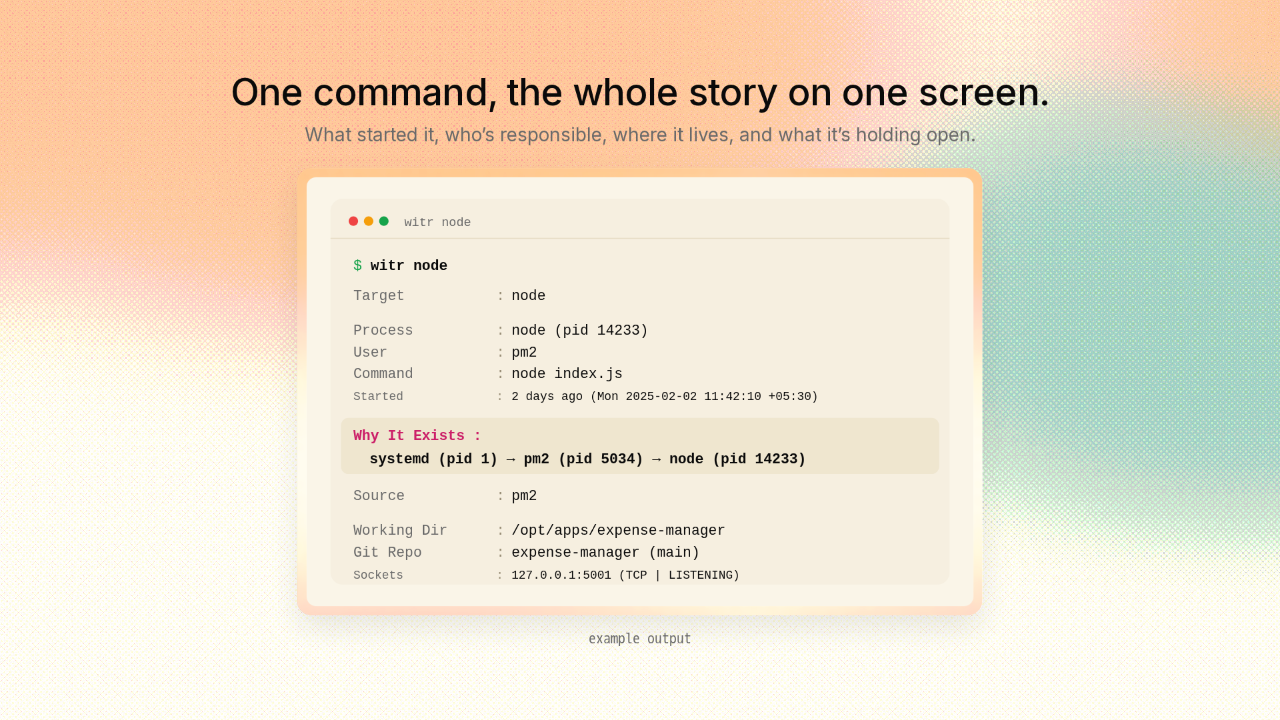
Point witr at that app and witr lays the whole story out on one screen. The chain of what started it, highlighted right at the top. The one system really responsible. The folder your app lives in and the branch of code it is on. And the exact network connection it is holding open. Six terminals, replaced by one answer.
See everything running in one live dashboard
See everything running in one live dashboard.
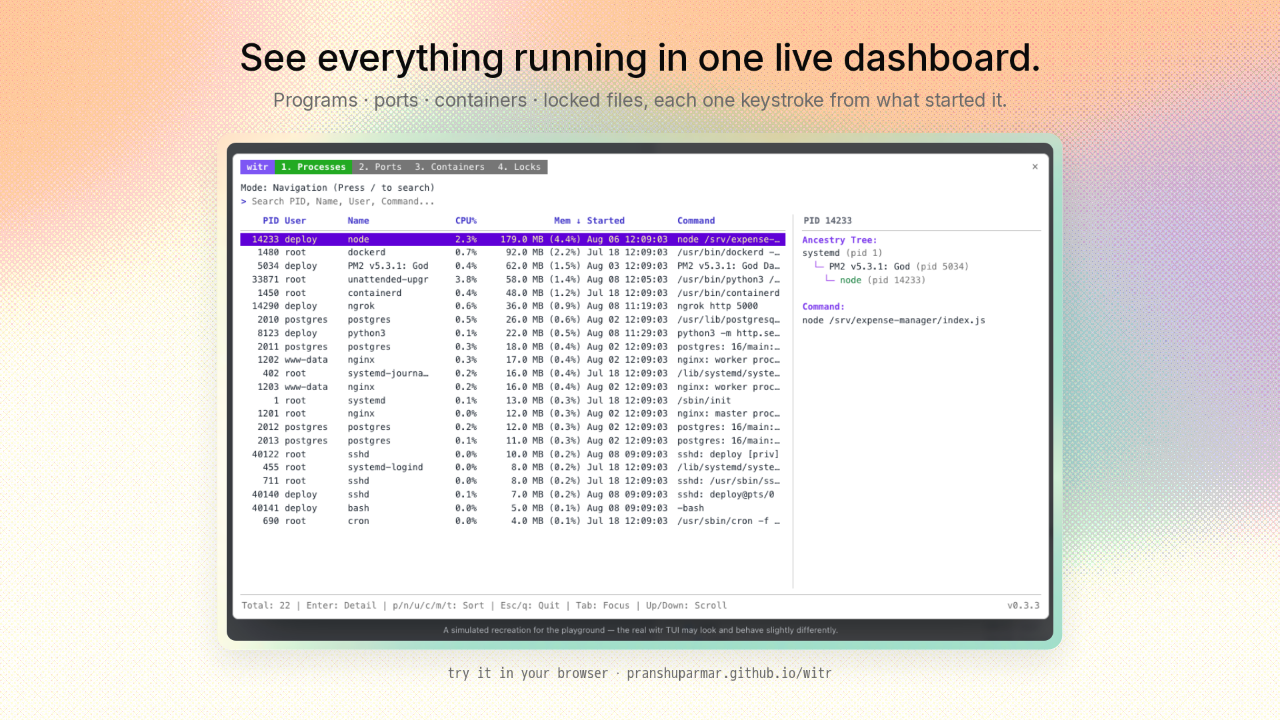
Prefer to poke around instead? Run witr with no arguments and you get a live dashboard with four views. Every running program, every open network doorway, every container, and every stuck file. Pick any line, and the same what-started-this panel opens right beside it.
One self-contained program, on every major OS
One self-contained program, on every major OS.
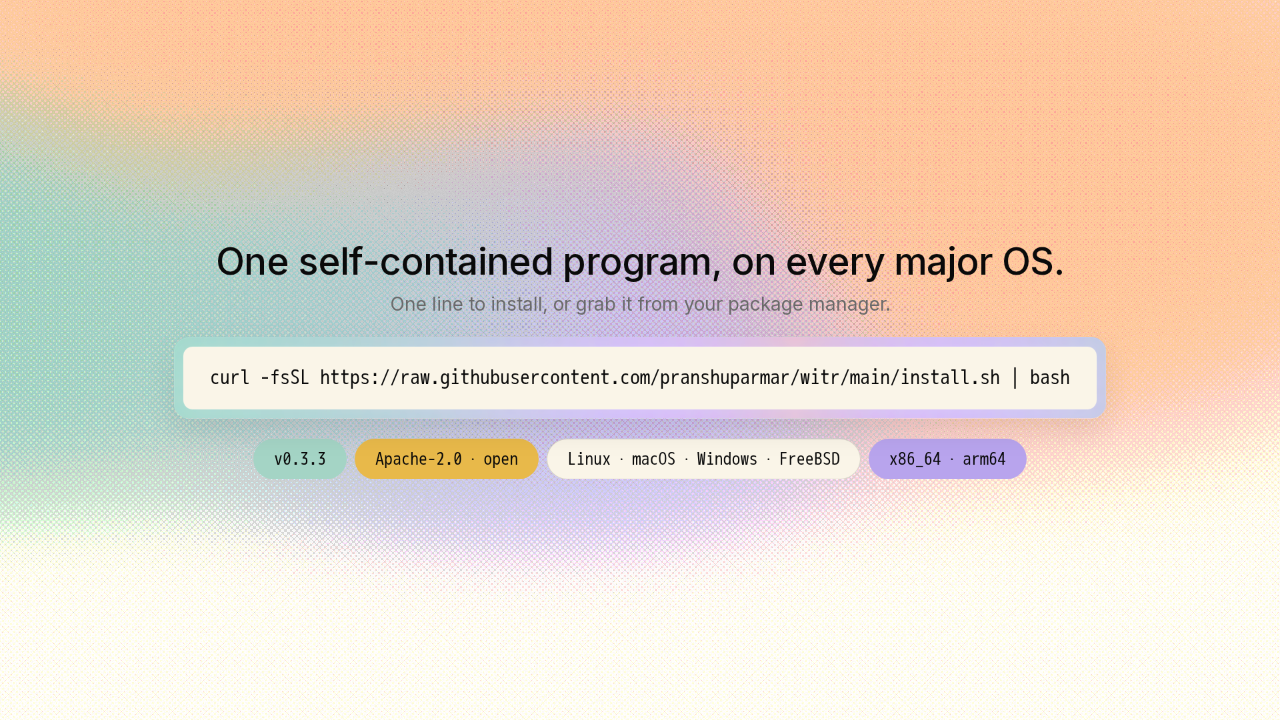
witr is a single self-contained program, with nothing extra to install beside it. It runs on Linux, macOS, Windows, and FreeBSD. Grab it with one line in your terminal, or from just about any package manager you already use. It is free and open under the Apache 2.0 license, young but already widely packaged, and with the deepest support on Linux.
witr · one command that names why anything is running
One command that names why anything on your machine is running.
So next time your machine is running something you never started, witr is the one command that names what is behind it, and why. Try it in your browser first if you like. The link is on screen, and there’s a new repo here tomorrow.











