OpenWork: your AI's skills, tools, and logins, set up once and used everywhere
OpenWork
You set up one AI app. Then the next one makes you start from scratch. OpenWork lets you do that setup once, then carry the whole thing into any AI app you use. The skills you taught it, your tools, your logged-in accounts, all ready the moment you connect.
A workspace where you describe a task and get finished work back
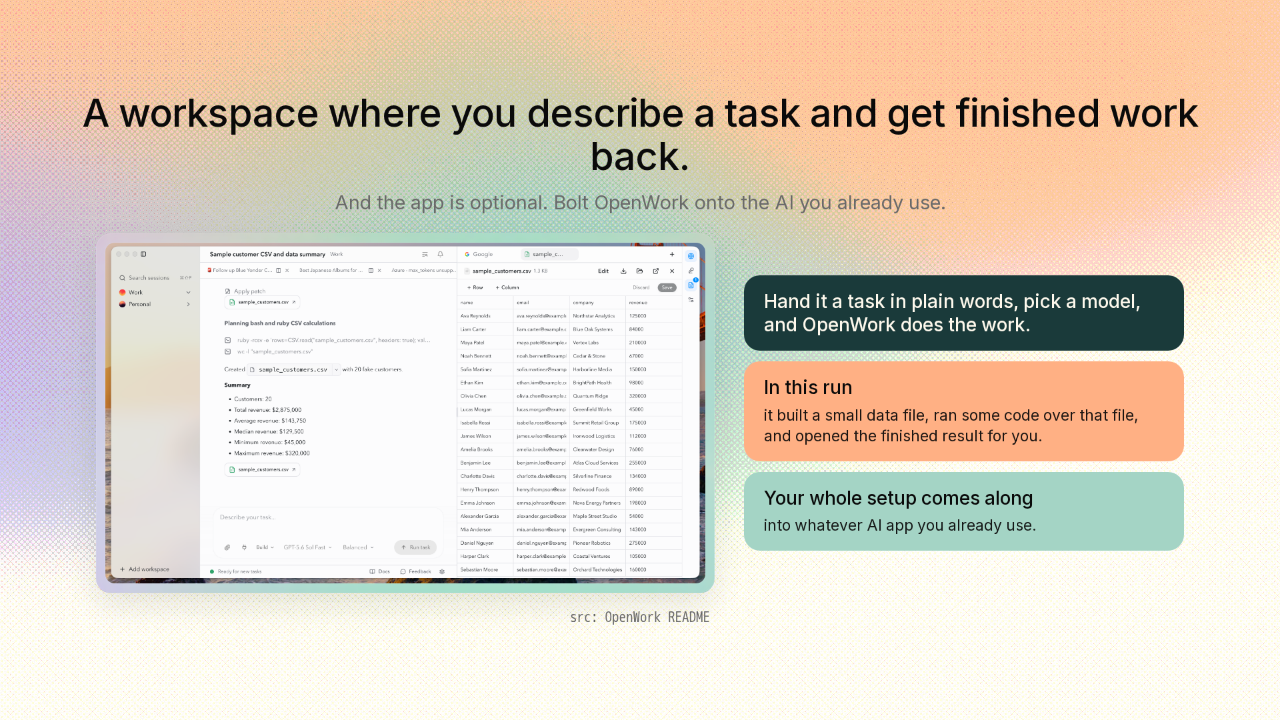
A workspace where you describe a task and get finished work back.
Here's OpenWork itself. You hand it a task in plain words, pick a model, and it goes and does the work. In this one, OpenWork built a small data file, ran some code over that file, and opened the finished result for you. And here's the key. The app is optional. You can bolt OpenWork onto the AI app you already use, and your whole setup comes along.
You rebuild the same AI setup in every app
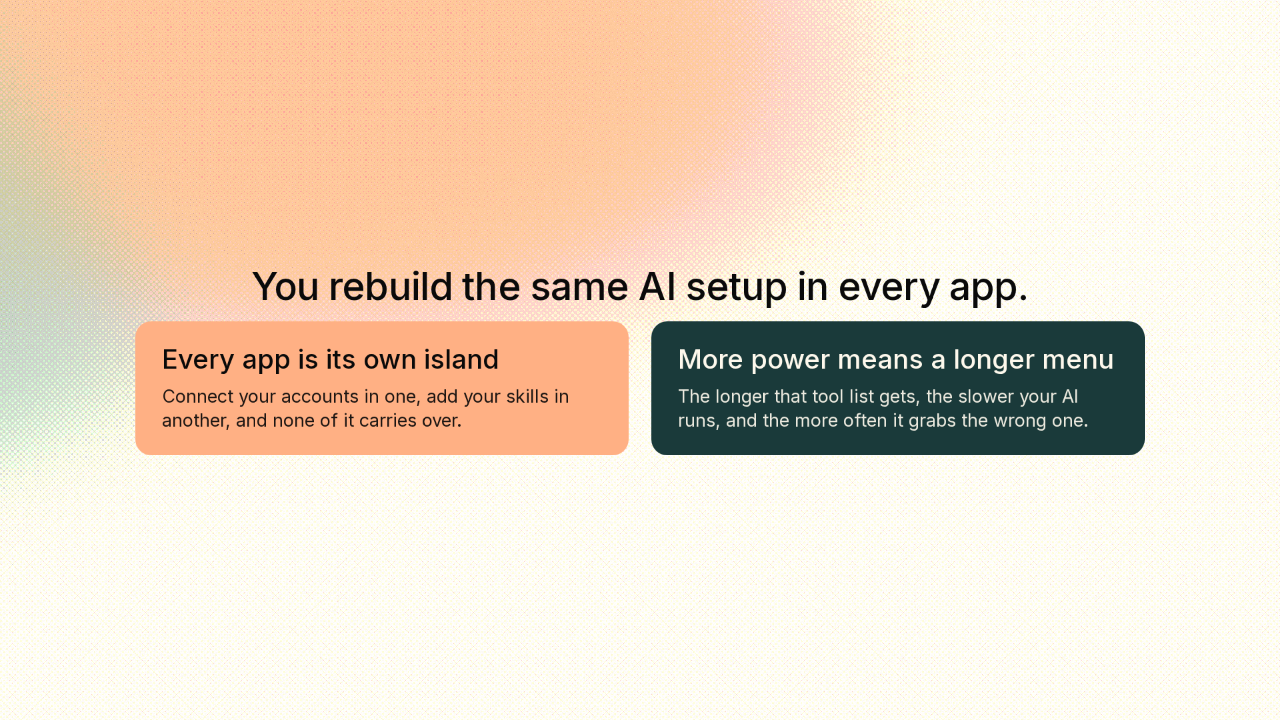
You rebuild the same AI setup in every app.
Right now, every AI app is its own island. You connect your Google account in one, add your skills in another, and none of it carries over. And the usual way to give an AI more power is to keep bolting on more tools. But the longer that tool list gets, the slower the AI runs, and the more often it grabs the wrong one.
Everything you'd give your AI becomes one kind of thing
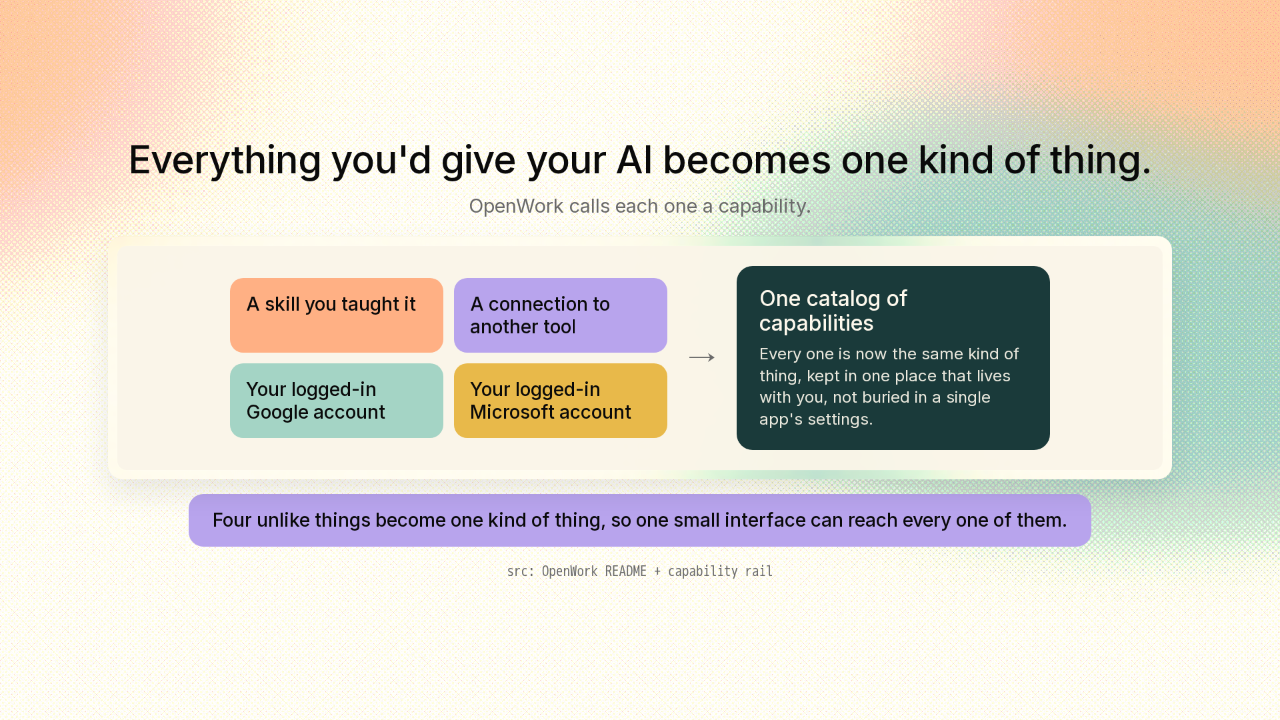
Everything you'd give your AI becomes one kind of thing.
So here's OpenWork's real move. OpenWork takes everything you'd hand an AI and files it all under a single label. A skill you taught it. A connection to another tool. Your logged-in Google account. Your logged-in Microsoft account. Four completely different things, and OpenWork calls every one of them a capability. OpenWork keeps them in one catalog, and that catalog lives with you, not buried inside one app's settings. And this part's clever. Because they're all the same kind of thing now, one simple interface can reach every single one.
Two buttons, forever
Two buttons, forever.
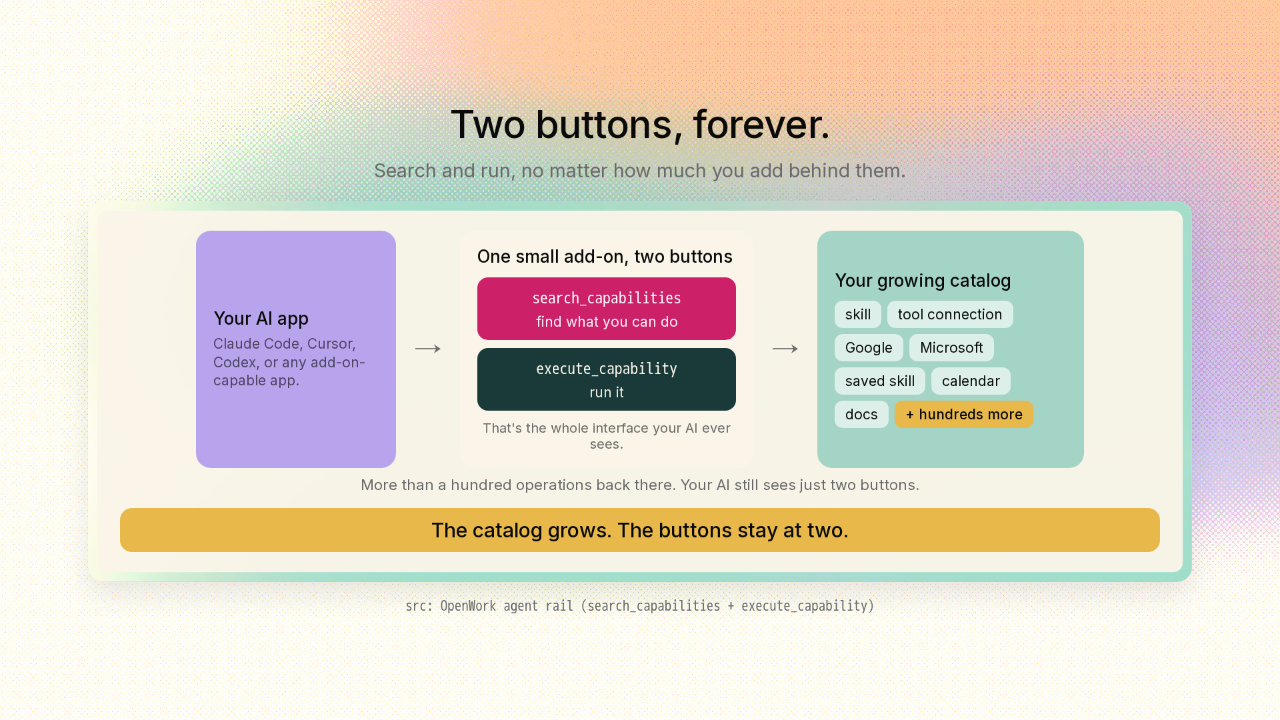
Here's the payoff of making everything one kind of thing. Instead of handing your AI a hundred separate tools, OpenWork hands it exactly two, forever. One button to search your capabilities and find the one that fits the job. One button to run the one it found. That's the whole interface. Add a thousand more capabilities behind those two buttons, and your AI still sees only two. Under the hood, OpenWork runs well over a hundred operations. Your AI still sees just those two buttons. Everything else is searchable data sitting behind them. So what your AI can do keeps growing, while the menu it has to reason about never grows past two. The abilities pile up. The buttons stay put.
One setup, reachable from every app, machine, and teammate
One setup, reachable from every app, machine, and teammate.
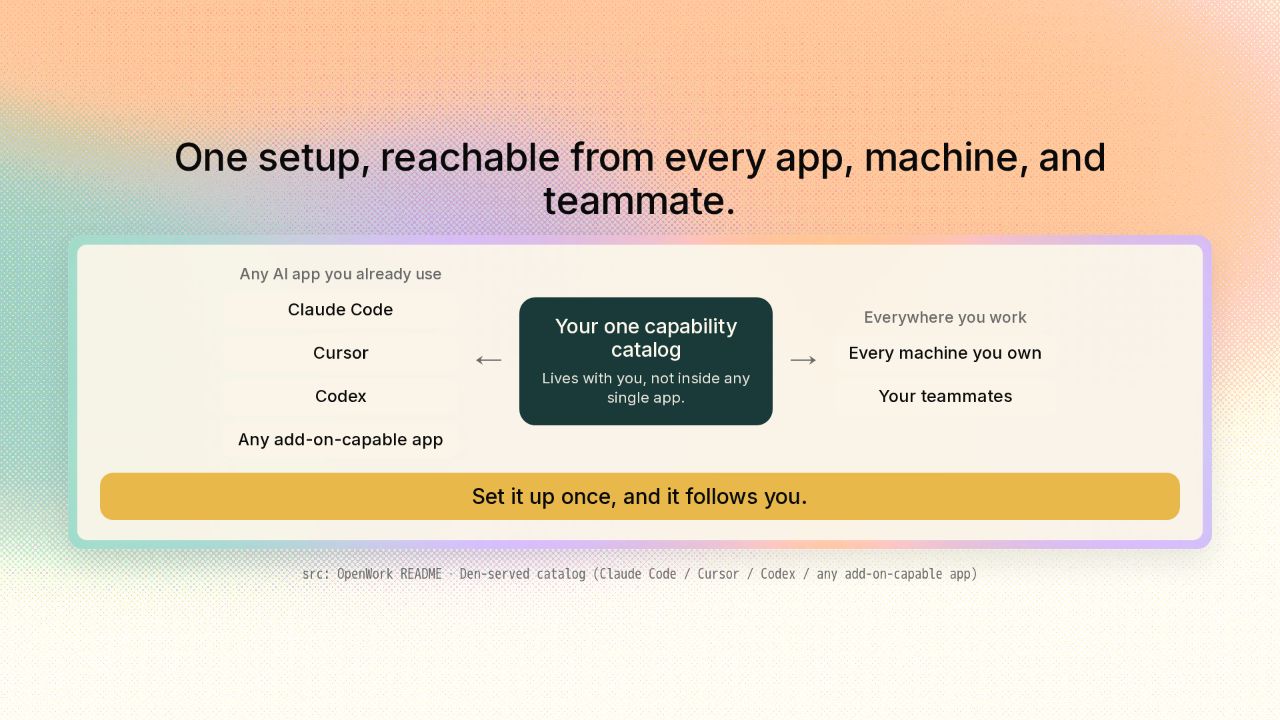
And because that catalog lives with you, not inside one app, the same setup is reachable from whatever AI you already use. Claude Code, Cursor, Codex, or any app that takes an add-on like this. Bolt it on once, sign in, and your whole setup is just there, on your laptop and your desktop. Hand it to a teammate, and they get the same abilities you set up. And a team gets one shared place to manage who can use what. Set it up once, and it follows you.
Free and open source, and yours to run anywhere
Free and open source, and yours to run anywhere.
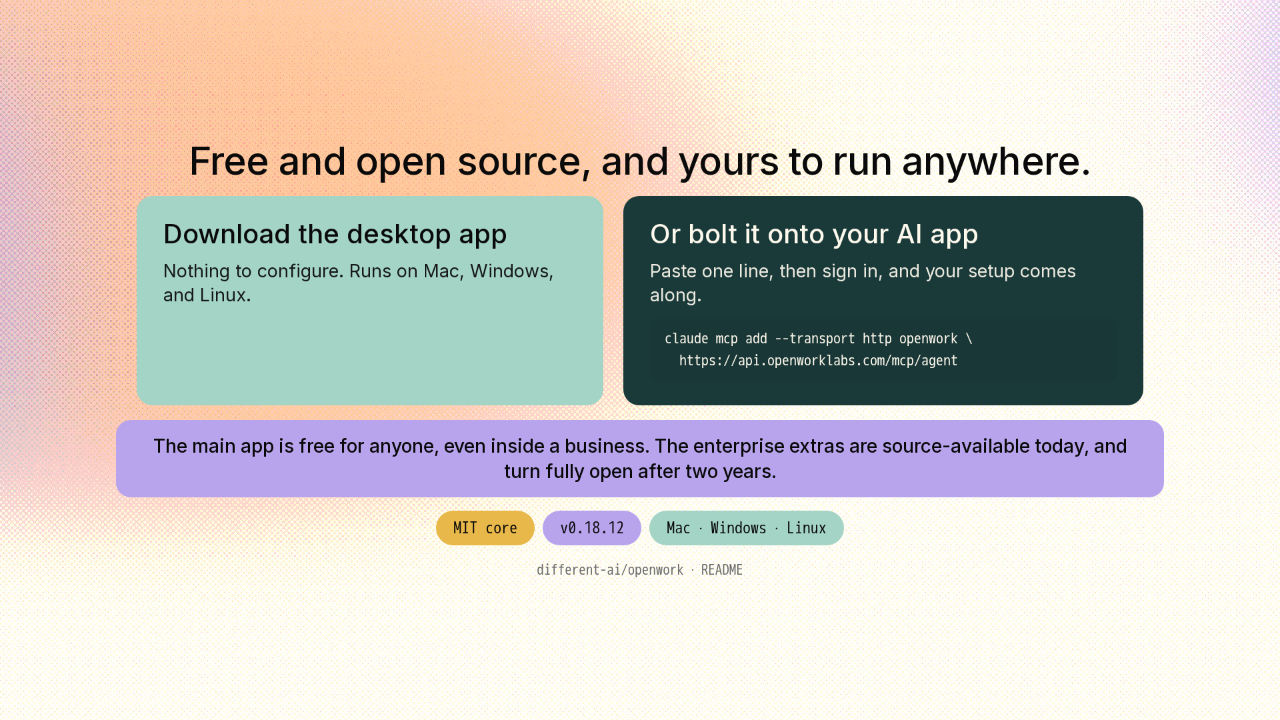
Two ways in, and both are free. Download the desktop app for Mac, Windows, or Linux. Or, if you already use an AI app, paste one line to bolt OpenWork on, then sign in. It's open source. The main app is free for anyone, even inside a business. The enterprise extras are source-available today, and turn fully open after two years. It's still early, at version zero point eighteen, and shipping fast.
Set up your AI once, and it follows you everywhere

Set up your AI once, and it follows you everywhere, because everything is a capability behind two buttons.
You don't set your AI up again in every app. You set it up once, and one small add-on carries the whole thing into any AI you use, and out to your team, because everything is a capability behind two buttons that never multiply. The link's on screen, and there's a new repo tomorrow.











