Project N.O.M.A.D. — an offline command center you own
Project N.O.M.A.D.
Picture the internet down, and staying down. What's still on the box in your closet? Project Nomad is one thing you set up on your own computer, and it hands you Wikipedia, a chatbot that still answers, courses for your kids, and maps. All of it working with no connection at all.
One box, your whole offline library
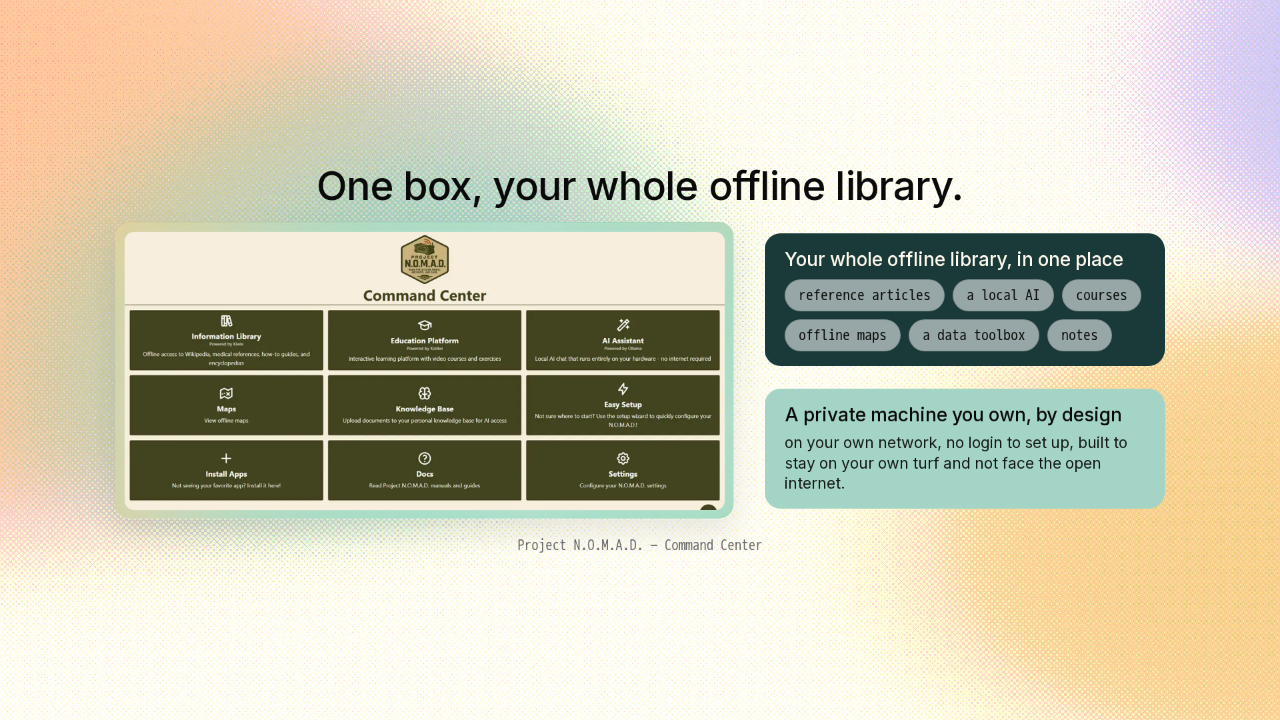
One box, your whole offline library.
You run Nomad on one computer you own. Open a web browser, and you land on a home screen the project calls the Command Center. There's your whole offline library in one place: reference articles, a local AI, courses, offline maps, a data toolbox, and notes. Nomad lives on your own network, there's no login to set up, and it's built to stay on your own turf, not to face the open internet. It's a private machine you own, by design.
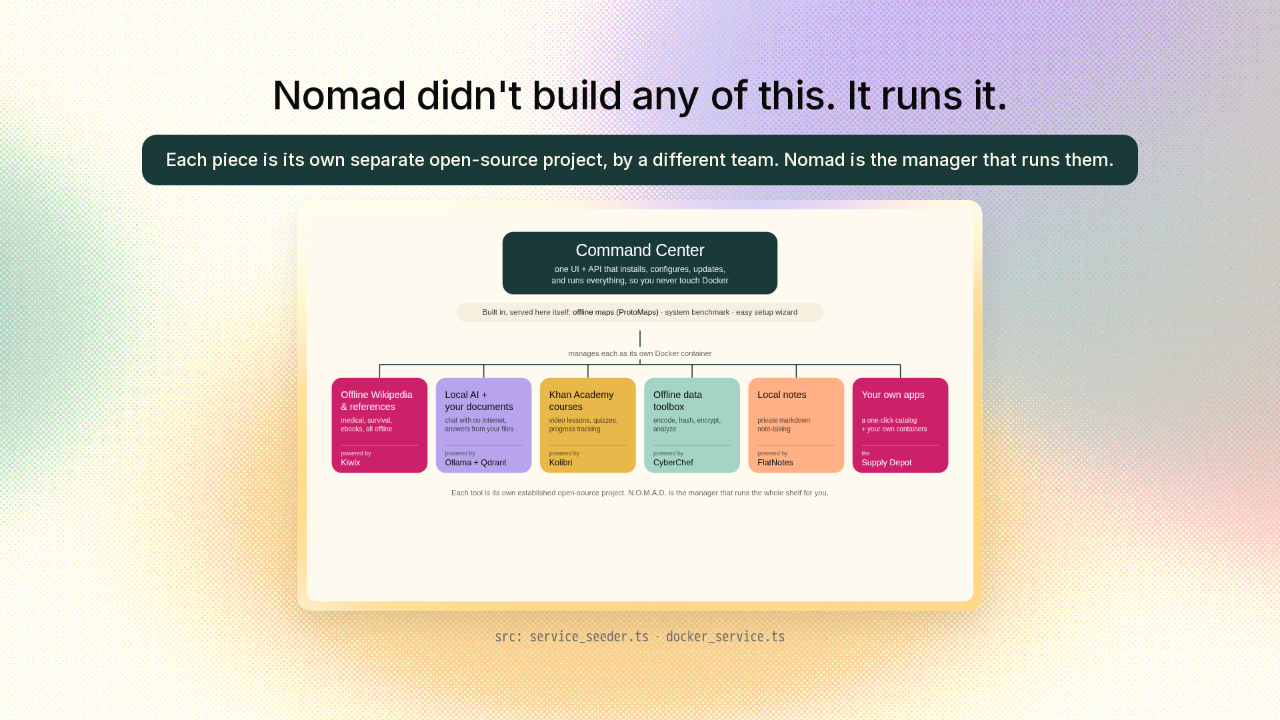
Nomad didn't build any of this. It runs it.
Here's the part that makes Nomad clever. You'd assume it built all of this itself. Or that running this much on one machine is a weekend of setup pain. Neither is true. Each piece here is its own separate open-source project, each one made by a different team. Nomad didn't build offline Wikipedia, or the local AI. What Nomad is, is the manager. Each tool is boxed up with a program called Docker. Docker packages software so it runs the same on any machine, and setting all of that up by hand is the fiddly part. Nomad does it for you: it installs every tool, keeps them updated, and runs the whole shelf. So you get all of it, and you never touch Docker yourself.
The hard part is choosing what to keep. It walks you through it.
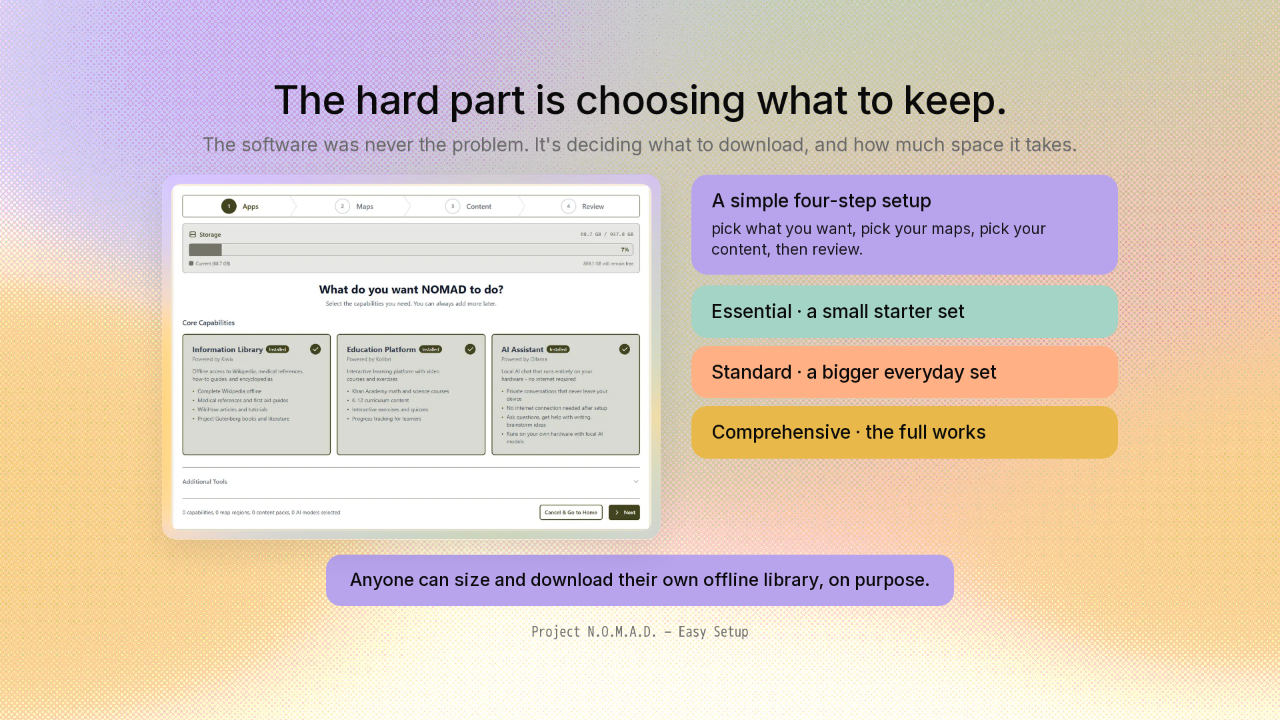
The hard part is choosing what to keep.
There's a second hard part Nomad takes off your plate. The hard part was never the software. It's deciding what to download, and how much space all of it will need. Nomad turns that into a simple four-step setup: pick what you want, pick your maps, pick your content, then review. The content comes as ready-made collections in three sizes: a small starter set, a bigger standard one, or the full works. And it shows you the space each one takes as you go. Anyone can size and download their own offline library, on purpose.
A local AI that answers from your own files
A local AI that answers from your own files.
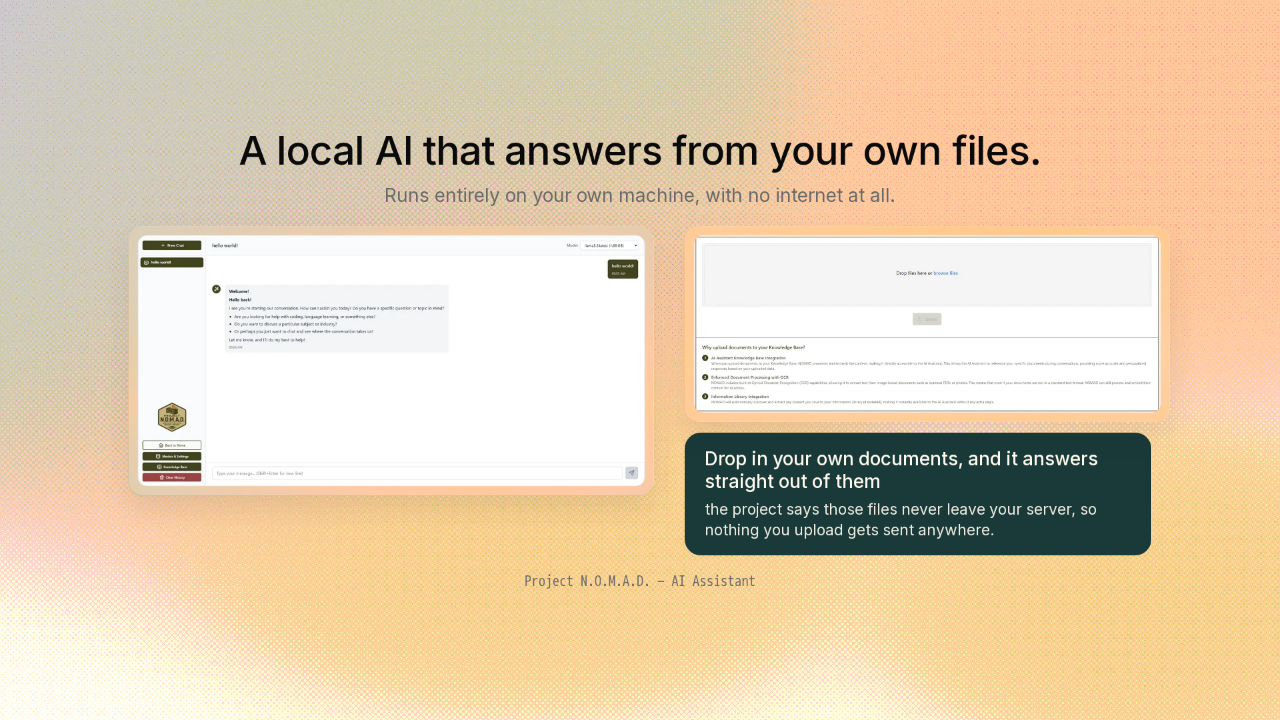
The local AI chat runs entirely on your own machine. You can ask it anything, with no internet at all. You can also drop in your own documents, and it answers straight out of them. The project says those files never leave your server, so nothing you upload gets sent anywhere.
Maps and a reference shelf, all downloaded ahead of time
Maps and a reference shelf, downloaded ahead of time.
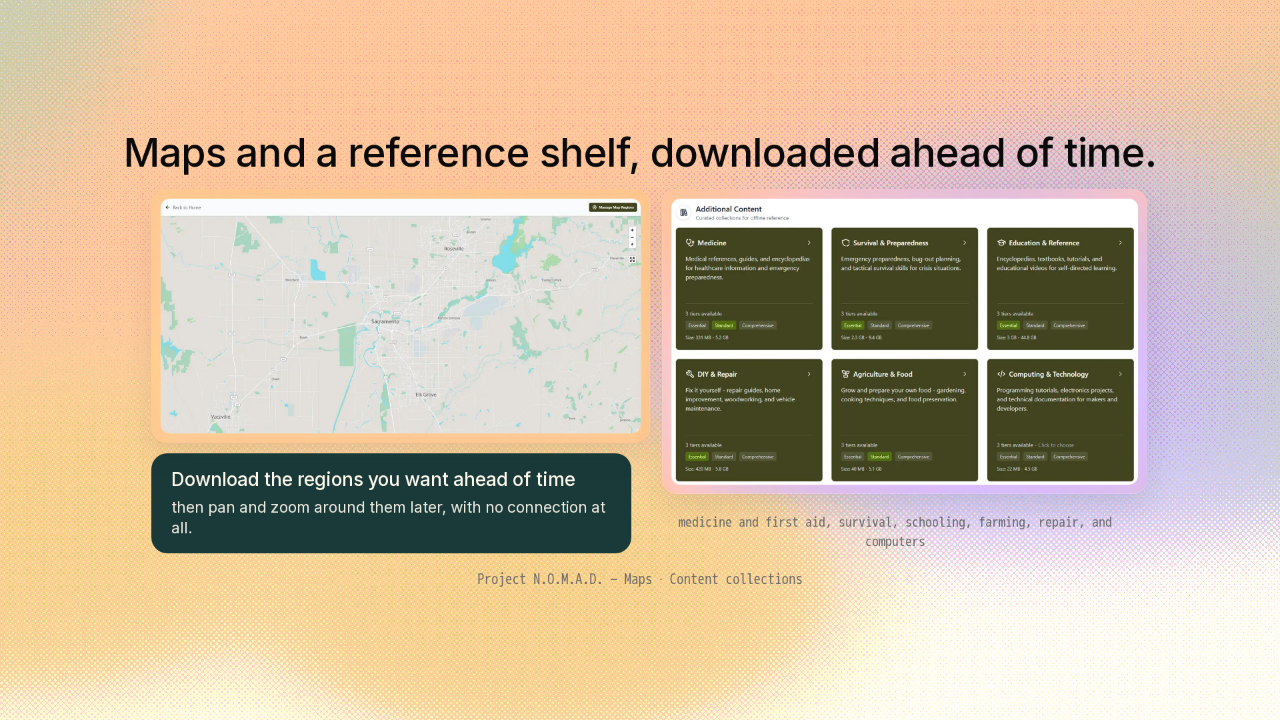
The maps work the same way, completely offline. You download the regions you want ahead of time, then pan and zoom around them later with no connection at all. And the reference library goes wide. There are whole collections on medicine and first aid, survival, schooling for the kids, farming, repair, and computers. It's the shelf you'd want if you suddenly couldn't look anything up.
Get it
Get it.
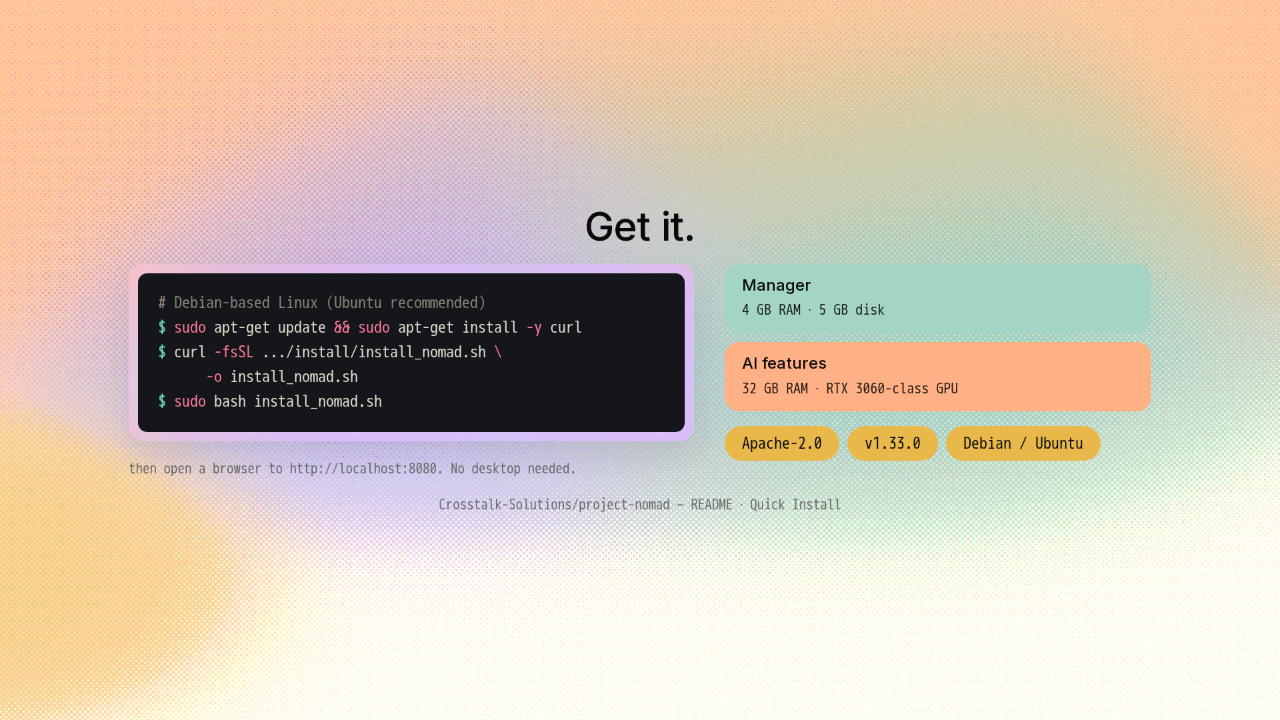
# Debian-based Linux (Ubuntu recommended)
$ sudo apt-get update && sudo apt-get install -y curl
$ curl -fsSL .../install/install_nomad.sh \
      -o install_nomad.sh
$ sudo bash install_nomad.sh
Getting it running is quick. On a Debian-based Linux like Ubuntu, you paste one command in the terminal, and it installs everything. After that, it's all in the browser, with no desktop needed. Running the manager is light: about four gigabytes of memory, and five of disk. The AI part is the hungry one, and it wants a bigger box with a good graphics card. It's free and open, under the Apache license, on version 1.33, and shipping updates all the time.
Not one offline app. The one install that runs the whole shelf.

So Nomad isn't one offline app. It's the single install that sets up and runs the whole shelf, and keeps it running. When the connection drops, the box in your closet still answers. The link's on screen, and there's a new repo tomorrow.











