Openship — push code, it goes live, on a server you own
Openship
You push your code, and a minute later it's live. That's the deal with Vercel or Heroku. Openship gives you that same deal on a server you own, and the part that runs the whole show can sit right on your laptop.
Openship detects your stack, builds it, and ships a container
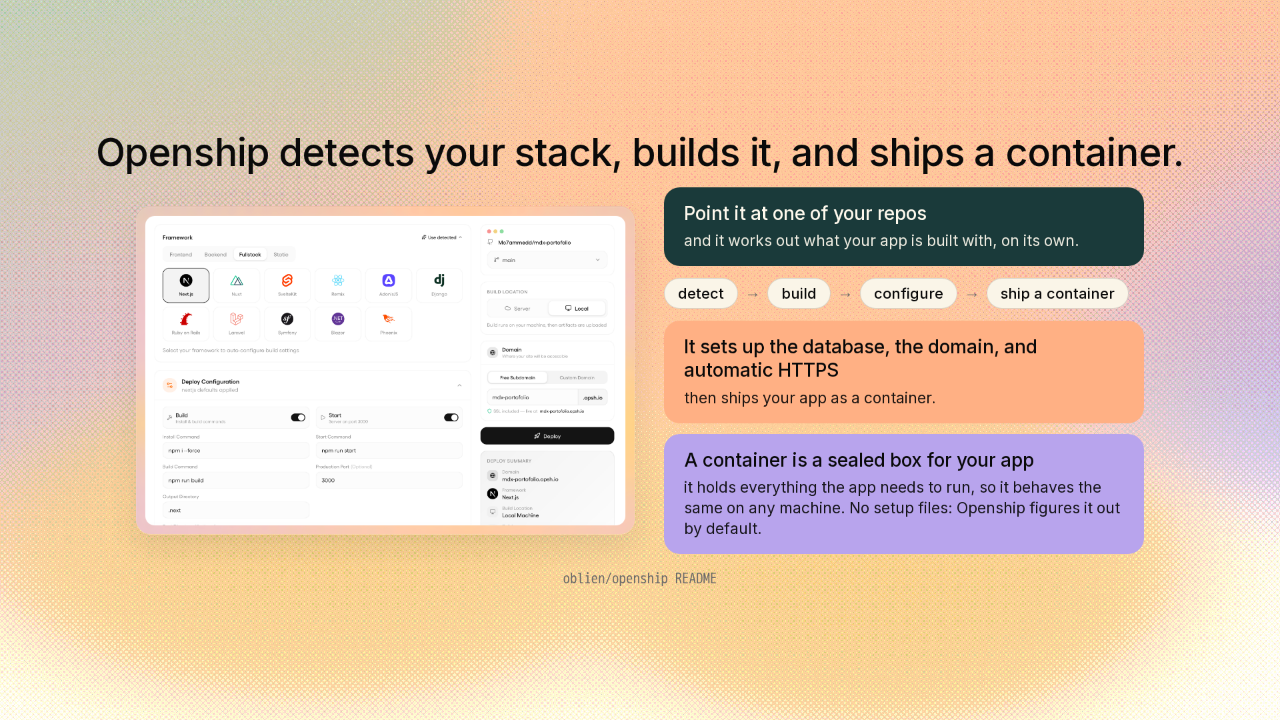
Openship detects your stack, builds it, and ships a container.
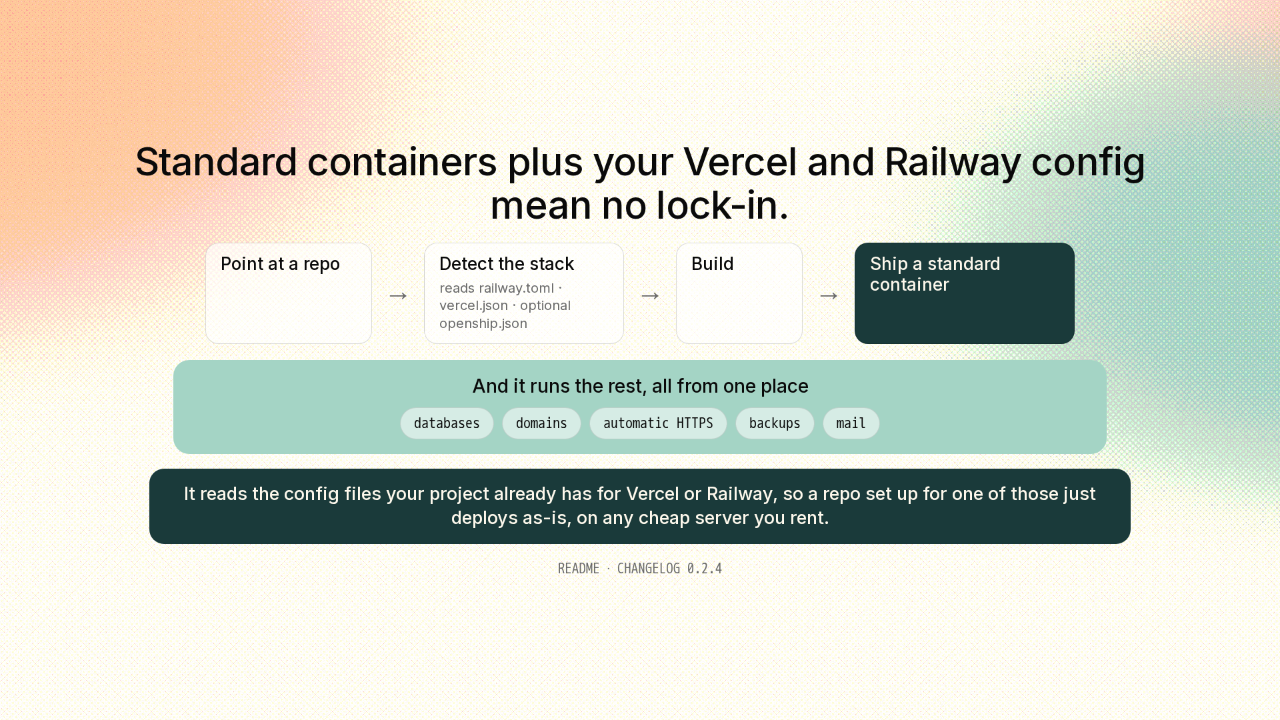
Point Openship at one of your code repos, and it works out what your app is built with. It builds it, sets up the database, the domain, and automatic HTTPS, then ships it as a container. A container is a sealed box that holds your app and everything it needs to run, so it behaves the same on any machine. By default, it figures all this out on its own, no setup files.
Self-hosting usually means guarding a control panel on a public server
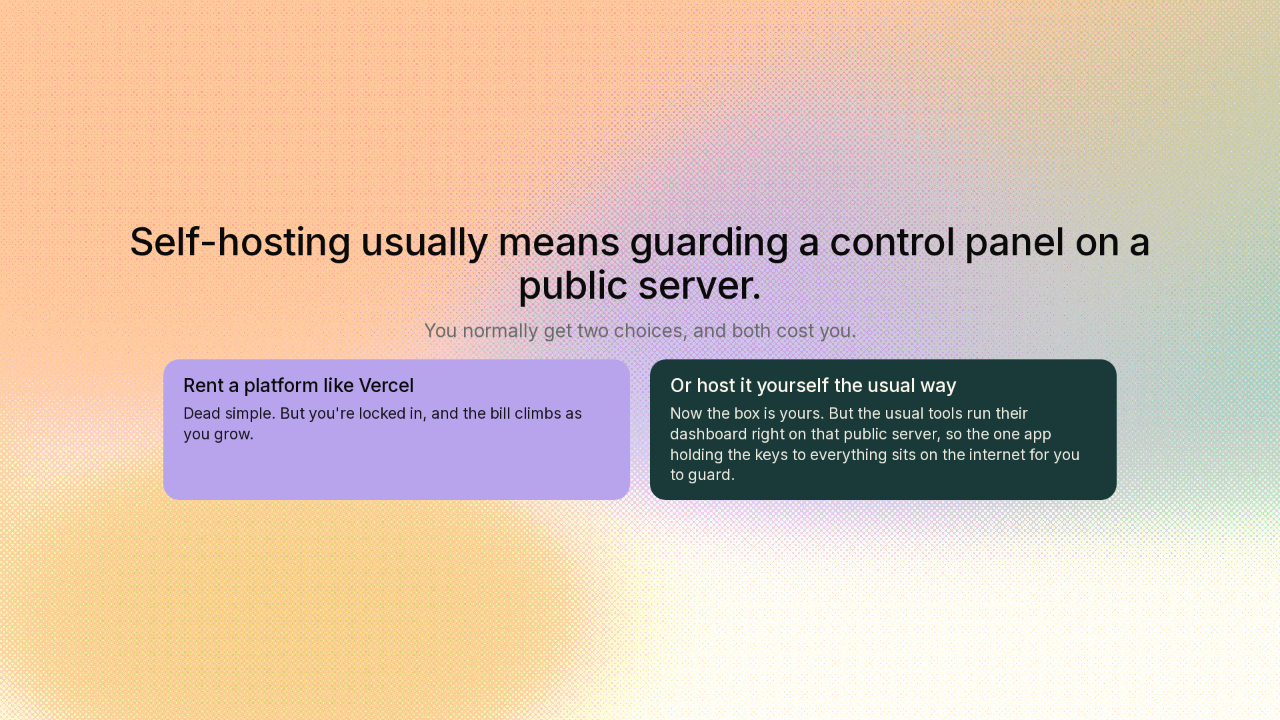
Self-hosting usually means guarding a control panel on a public server.
You normally get two choices, and both cost you. Rent a platform like Vercel. It's dead simple, but you're locked in, and the bill climbs as you grow. Or host it yourself. Now the box is yours. But the usual self-hosted tools make you run their dashboard right on that public server. So the one app holding the keys to everything is now sitting on the internet for you to guard.
Openship's control plane can run on your own laptop, with nothing exposed to the internet
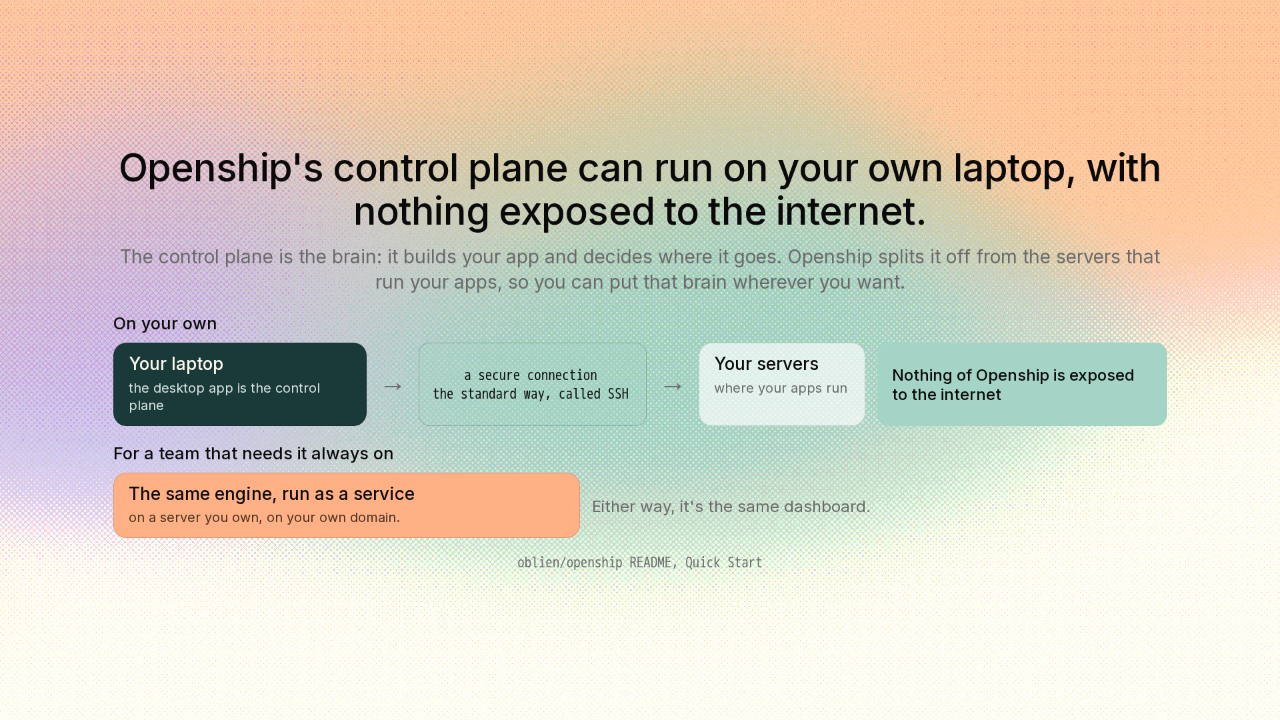
Openship's control plane can run on your own laptop, with nothing exposed to the internet.
the standard way, called SSH
And here's the clever part. Openship splits the control plane from the servers that run your apps. The control plane is the brain: it builds your app and decides where it goes. And you can put that brain wherever you want. On your own, the desktop app is the control plane. It runs on your laptop. From there it reaches your servers over SSH, the standard secure way to connect to a machine, and runs the deploy. So nothing of Openship sits on the internet. When a team needs it always on, the same engine runs as a service on a server you own. Either way, it's the same dashboard.
One deploy engine drives five front-ends, including your AI agent
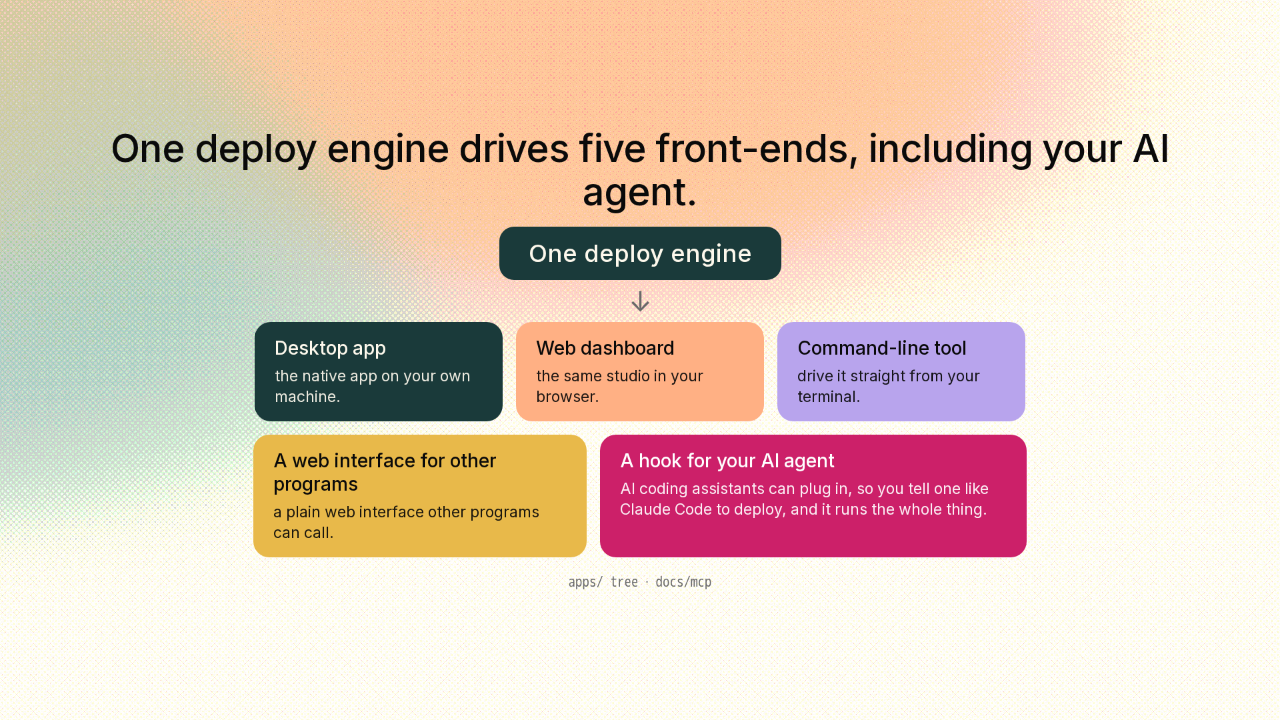
One deploy engine drives five front-ends, including your AI agent.
And the reason that brain travels so well? It's really one engine with five different ways to drive it. The desktop app, a web dashboard, and a command-line tool. A plain web interface other programs can call. And the fun one: a hook that AI coding agents can plug into. So you can tell an assistant like Claude Code to deploy this, and it runs the whole deploy for you.
Standard containers plus your Vercel and Railway config mean no lock-in
Standard containers plus your Vercel and Railway config mean no lock-in.
And you own the whole thing. Openship ships standard containers, and it runs your databases, domains, automatic HTTPS, backups, even your mail, all from one place. It even reads the config files your project already has for Vercel or Railway. So a repo you set up for one of those just deploys as-is, on any cheap server you rent. That's the same convenience you'd rent, with nothing locking you in.
Grab the desktop app, or install the command-line tool in one line
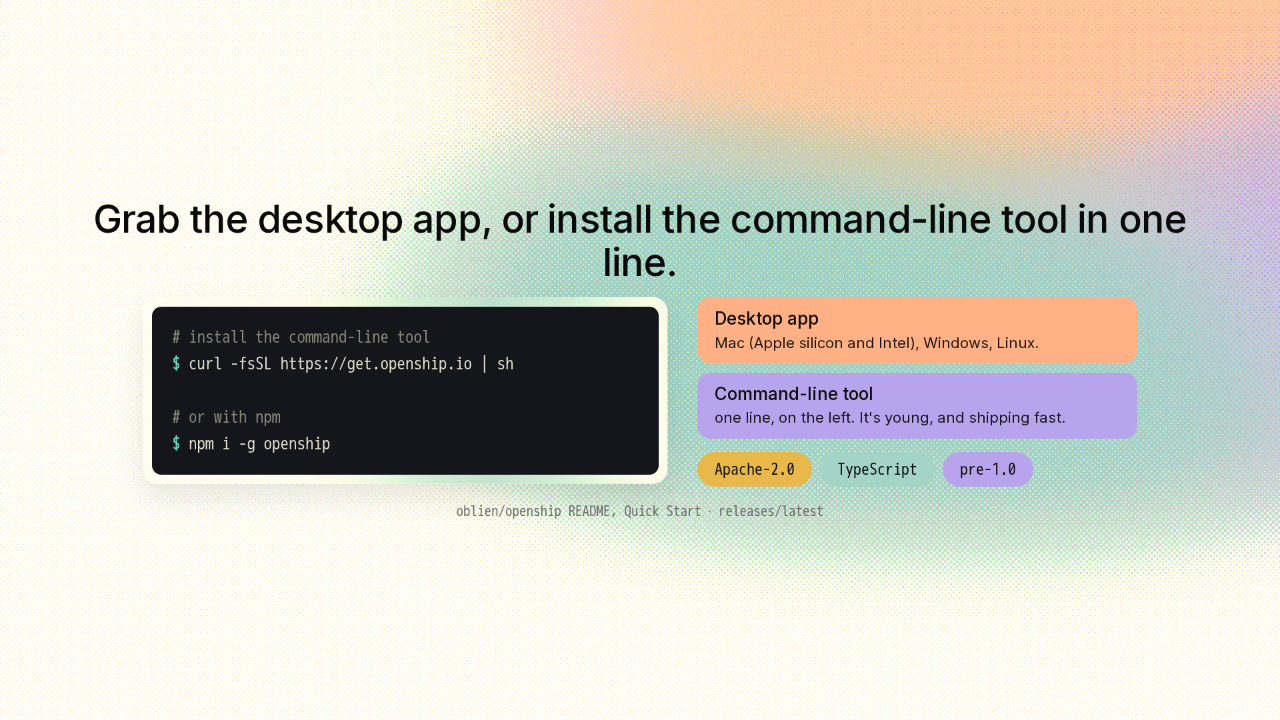
Grab the desktop app, or install the command-line tool in one line.
# install the command-line tool
$ curl -fsSL https://get.openship.io | sh

# or with npm
$ npm i -g openship
Want to try it? Grab the desktop app for Mac, Windows, or Linux. Or install the command-line tool with a single line. The commands are on screen. It's Apache-2.0, written in TypeScript, and it hasn't hit version one yet. It's young, and it's shipping fast. Point Openship at a server you own, and you're deploying.
The deploy platform you own, that runs from your laptop

The deploy platform you own, that runs right from your laptop.
So if you've ever paid a platform to deploy your app and watched that bill climb, this is the version you own. It ships to any server you point it at. And the controls can live right on your laptop. The link's on screen. New repo tomorrow.











