500 Lines of Code That Draw 3D Without a Graphics Card
Every 3D image you see, in a game or on a phone, starts as a list of triangles. This is the whole machine that turns them into a picture, in about five hundred lines of code.
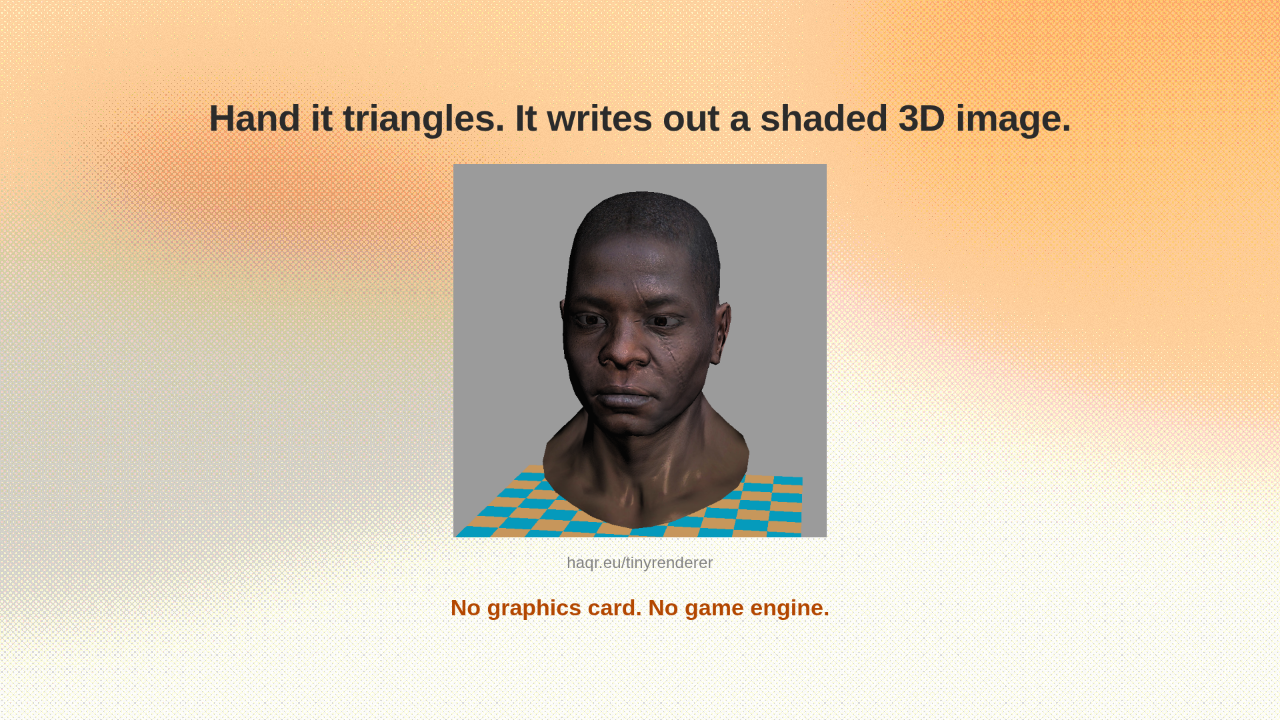
Hand it triangles. It writes out a shaded 3D image.
It is a renderer: a program that turns those triangles into a picture. Hand it a face, and it writes out one image, lit and shaded. No graphics card, no game engine.
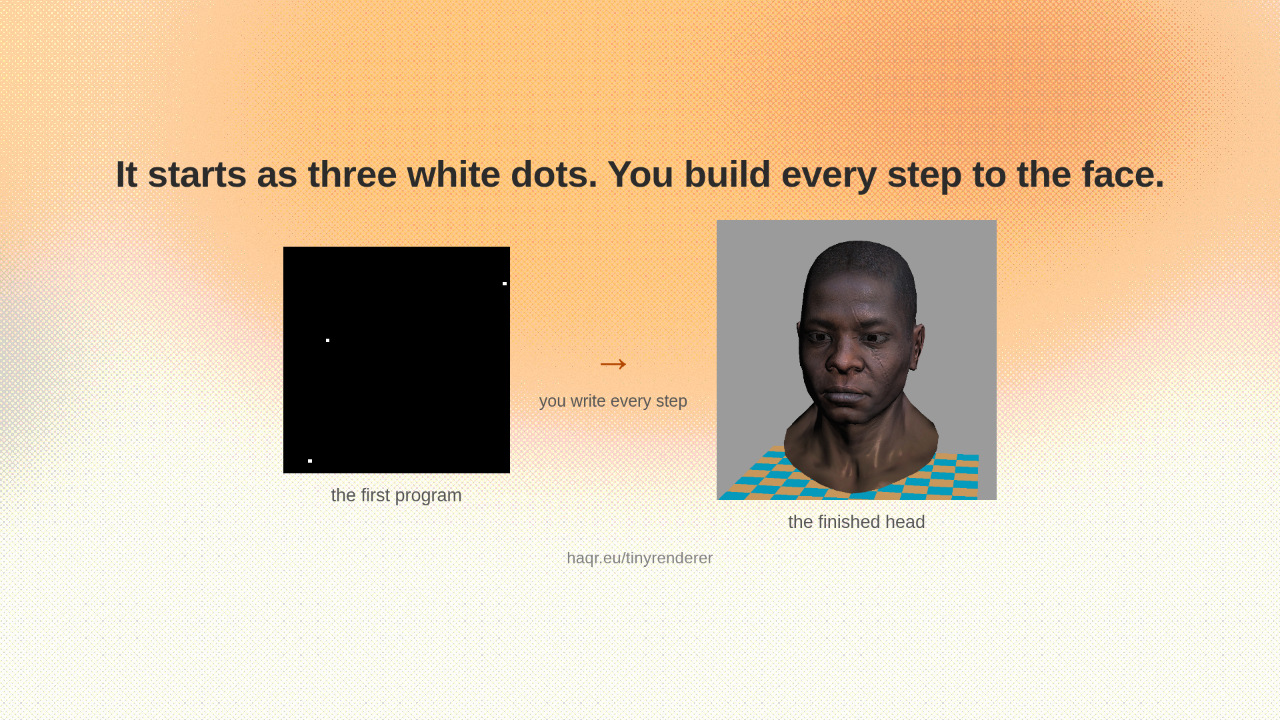
It starts as three white dots. You build every step to the face.
It starts at almost nothing. The first program draws three white dots on black. Everything between those dots and that shaded face, you write yourself, step by step.
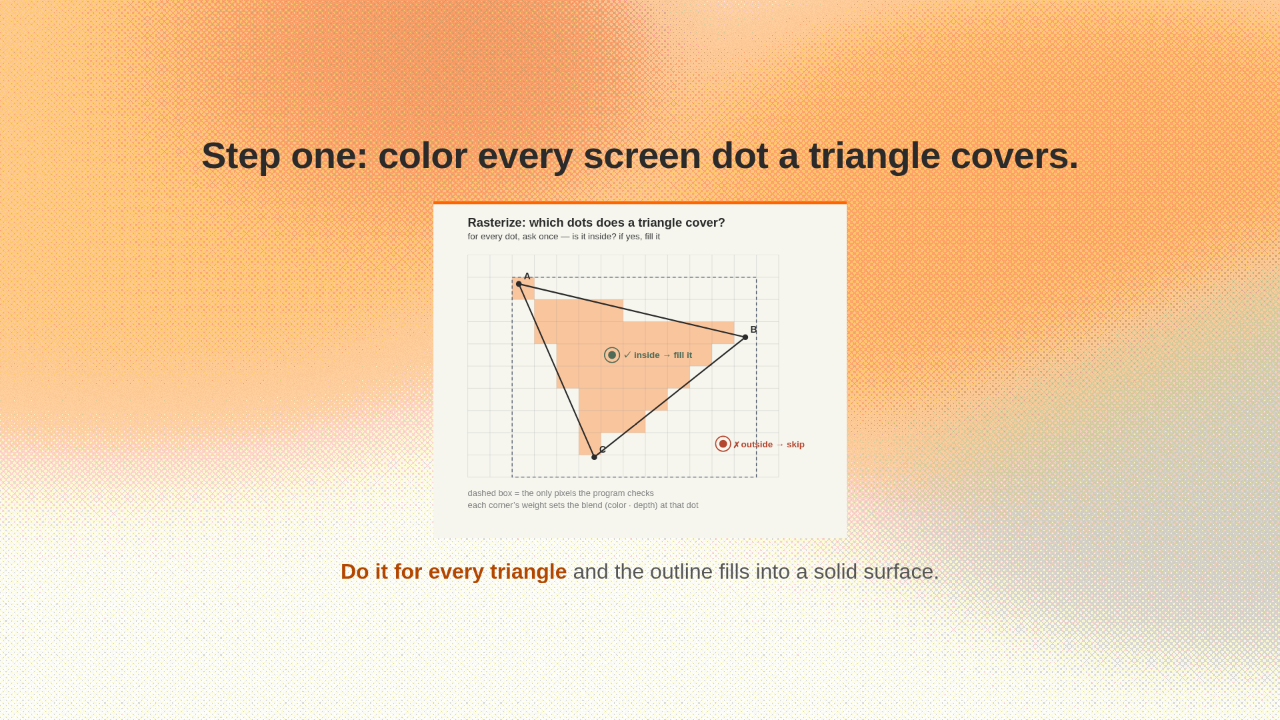
Step one: color every screen dot a triangle covers.
The screen is a grid of dots. To draw one triangle, the program checks each dot: is this dot inside the triangle? If the dot is inside, the program colors it, blending the triangle's three corner colors by how near the dot sits to each. Do that for every triangle, and the outline fills into a solid surface.
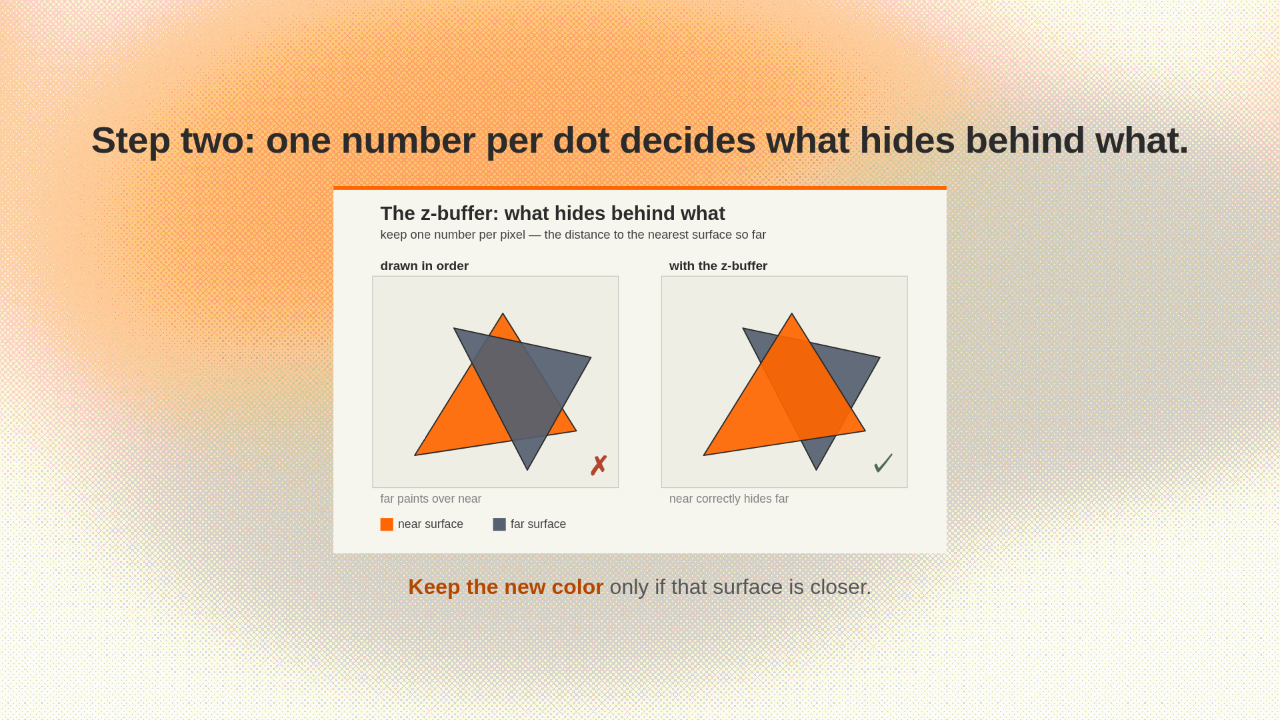
Step two: one number per dot decides what hides behind what.
The second step decides what hides behind what. Drawn in any order, the back of the head shows through the front. The fix is one number per dot: how far the nearest surface sits. That number is the z-buffer. Before coloring a dot, the program keeps the new color only if that surface is closer. That is why the near cheek hides the far ear.
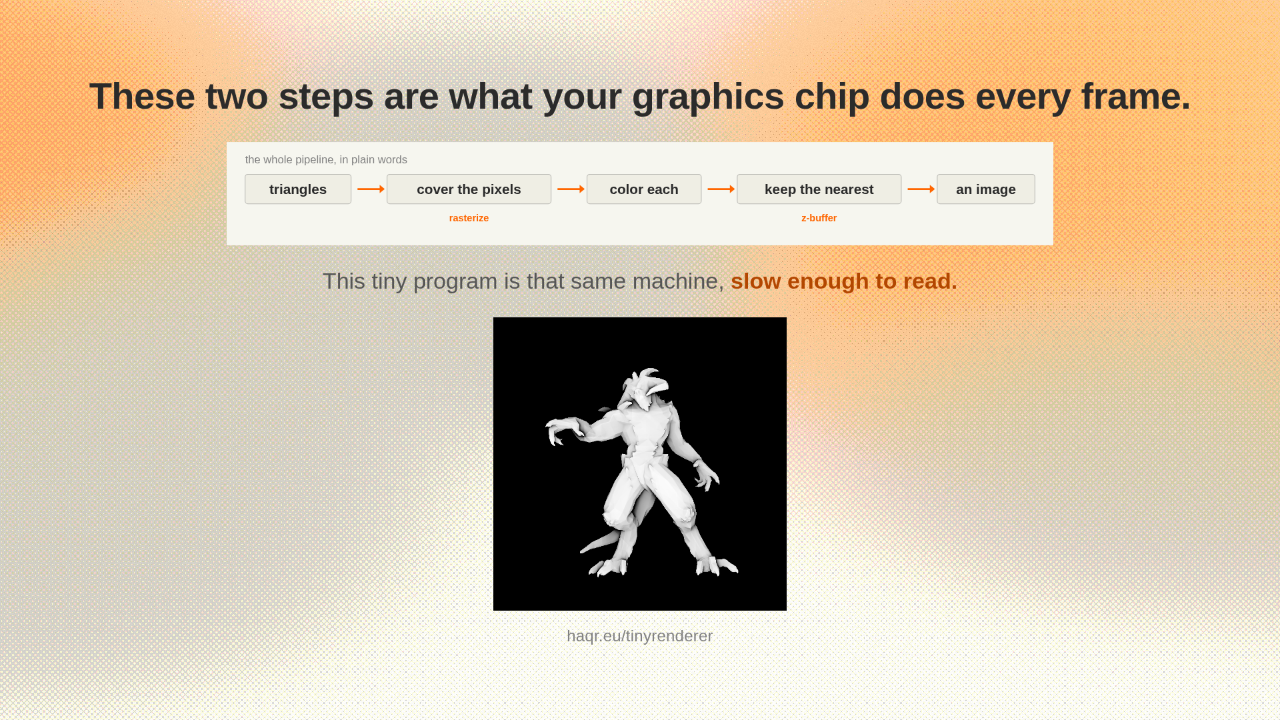
These two steps are what your graphics chip does every frame.

Those two steps, cover the dots and keep the nearest, are what the graphics chip in your phone runs, for every frame you see. This tiny program is that same machine, slow enough to read. A few more steps reach soft shadows like these.
A list of triangles. Two simple steps.
How a computer draws in 3D, in about 500 lines.
It is free to read and reuse. A list of triangles, two simple steps, and you can see exactly how a computer draws in three dimensions.