An Entire PowerPoint in a Single HTML File

2 months ago

A full slide app now fits in one HTML file you can email. It's called Bento.

Ask

Ask about this presentation

Answers are generated from this presentation.

Chapters

  1. 0:00An Entire PowerPoint in a Single HTML File
  2. 0:06Open the file, and the file is the editor.
  3. 0:21It's a real tool: shapes morph, charts come built in.
  4. 0:38Your data is plain JSON. The app rides along, compressed.
  5. 1:00Two people edit live. The server can't read it.
  6. 1:19So your slides are yours again.
  7. 1:29A whole slide app. One file you own.
Show transcript

An Entire PowerPoint in a Single HTML File

Editor, presenter, and live collaboration — all in one file you own and can email
571.7 KB the entire app
single-file MIT TypeScript
Bento bento.page

A full slide app now fits in one HTML file you can email. It's called Bento.

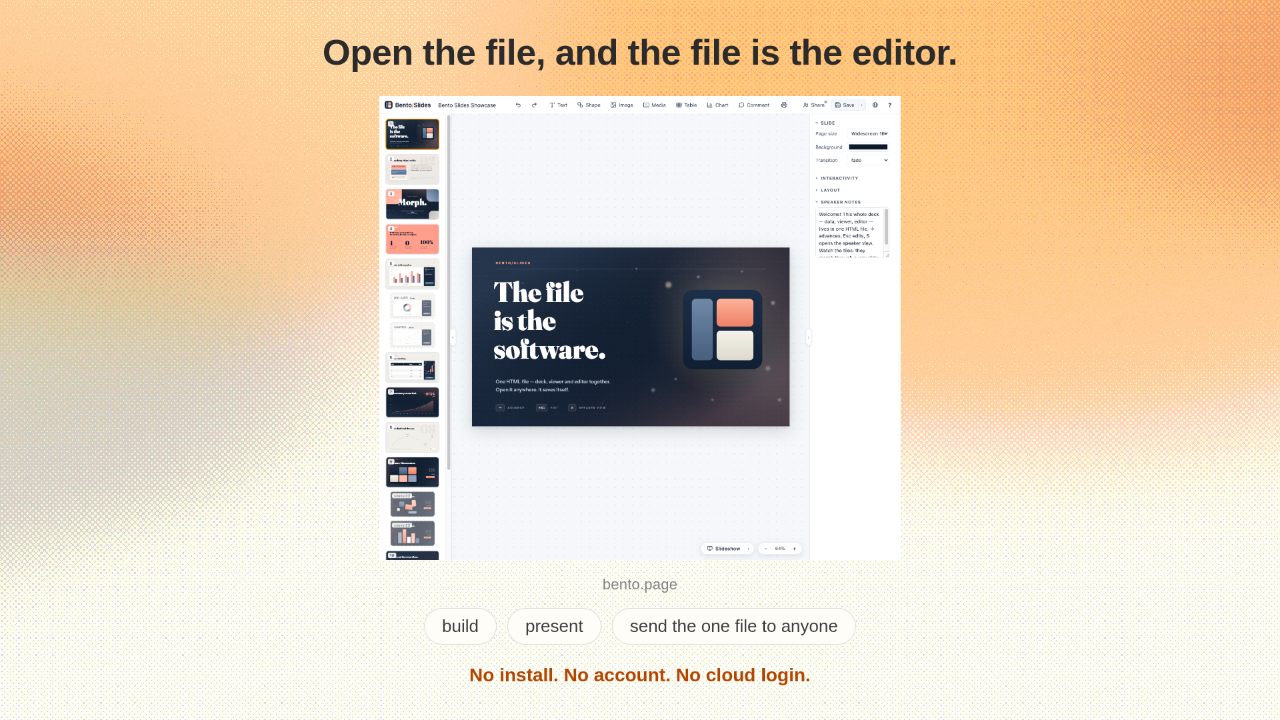
Open the file, and the file is the editor.

bento.page
build present send the one file to anyone
No install. No account. No cloud login.

Open that one file in any browser, and the file itself is the editor. You build your slides, present them, and send the file to anyone. They open it in a browser and see your deck. No install, no account, no cloud login.

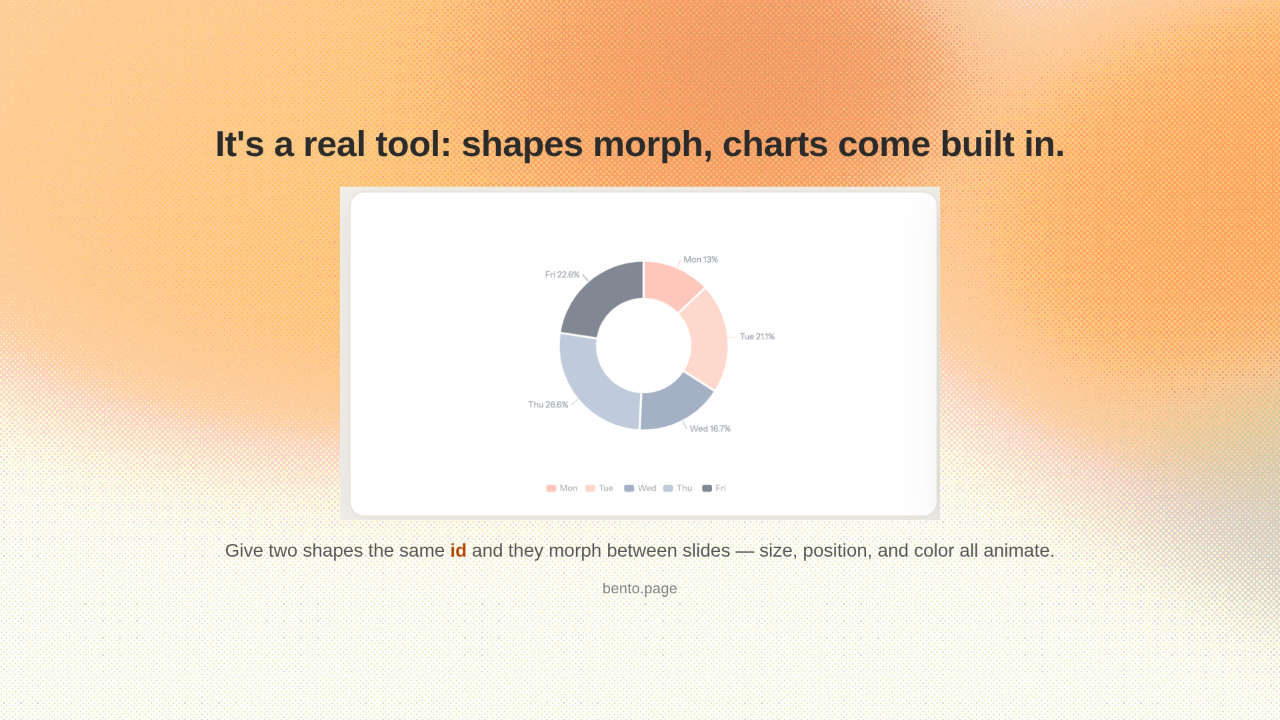
It's a real tool: shapes morph, charts come built in.

Give two shapes the same id and they morph between slides — size, position, and color all animate.
bento.page

And this is a real tool, not a demo. Give two shapes the same id, and they morph between slides on their own. Their size, position, and color all animate for you. There's a chart engine built in too, so a bar chart can morph straight into a pie.

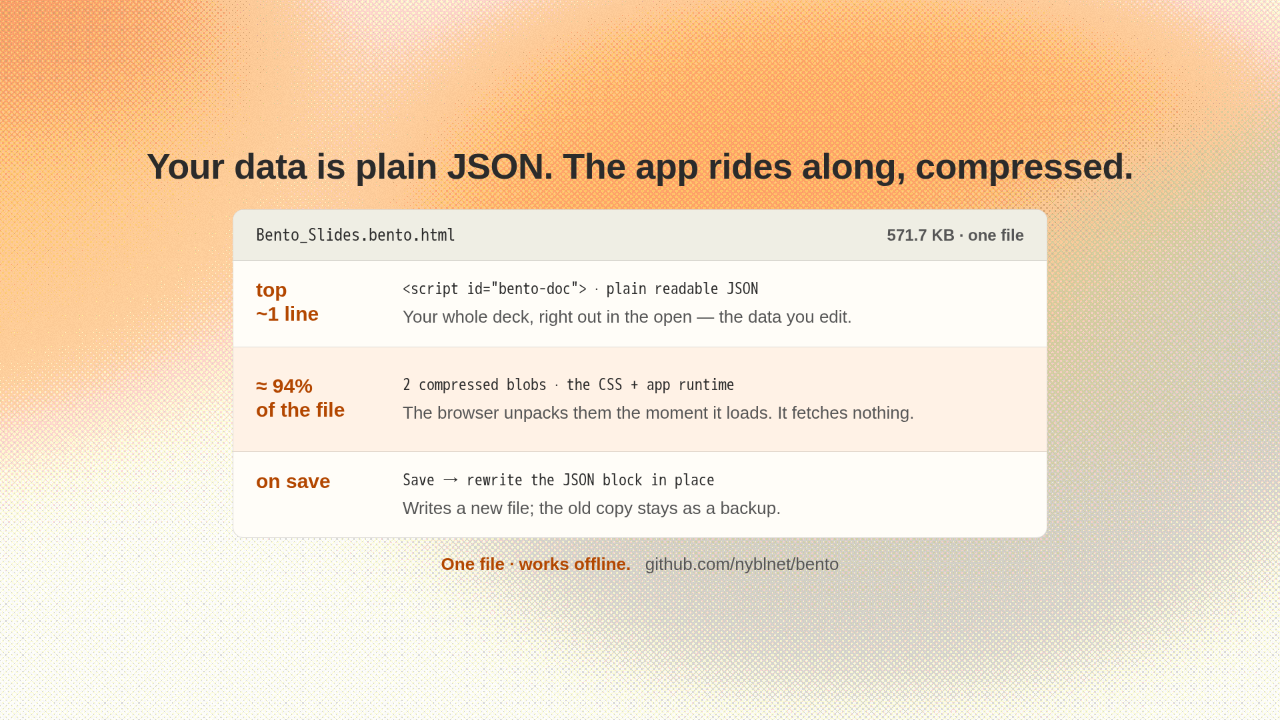
Your data is plain JSON. The app rides along, compressed.

Bento_Slides.bento.html 571.7 KB · one file
top
~1 line
<script id="bento-doc"> · plain readable JSON
Your whole deck, right out in the open — the data you edit.
≈ 94%
of the file
2 compressed blobs · the CSS + app runtime
The browser unpacks them the moment it loads. It fetches nothing.
on save
Save → rewrite the JSON block in place
Writes a new file; the old copy stays as a backup.
One file · works offline.   github.com/nyblnet/bento

Here's how one file pulls that off. Near the top, your whole deck sits as plain, readable JSON. That's your data, right out in the open. The rest of the file is the app itself, packed into a blob the browser unpacks the moment it loads. It fetches nothing. When you save, the file rewrites that block in place and leaves the old copy as a backup.

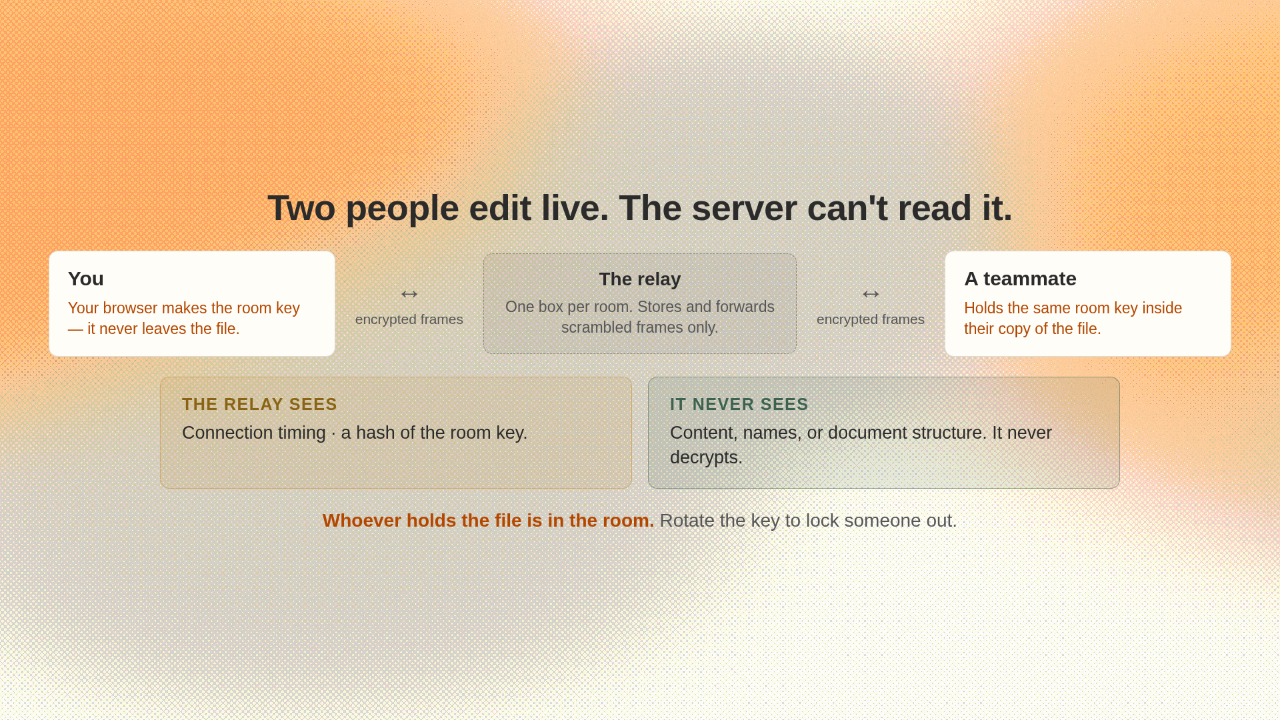
Two people edit live. The server can't read it.

You
Your browser makes the room key — it never leaves the file.
↔
encrypted frames
The relay
One box per room. Stores and forwards scrambled frames only.
↔
encrypted frames
A teammate
Holds the same room key inside their copy of the file.
THE RELAY SEES
Connection timing · a hash of the room key.
IT NEVER SEES
Content, names, or document structure. It never decrypts.
Whoever holds the file is in the room. Rotate the key to lock someone out.

It also does live collaboration. Two people edit the same deck at once. And the server never sees a word of it. Your browser makes the room key, and it never leaves the file. So everything the relay forwards is already scrambled. Whoever holds the file is in the room. Rotate the key, and they're out.

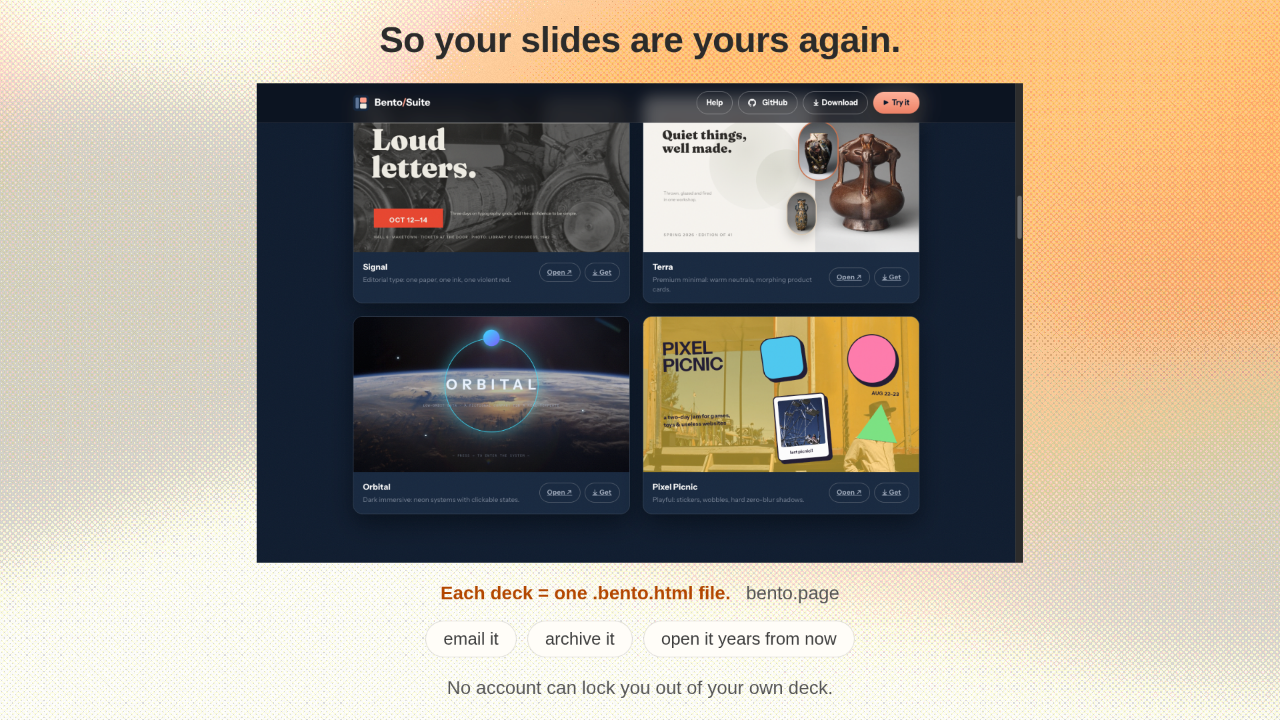
So your slides are yours again.

Each deck = one .bento.html file.   bento.page
email it archive it open it years from now
No account can lock you out of your own deck.

So your slides are yours again. One plain file you can email, archive, and still open years from now. No dead account can ever lock you out of your own deck.

A whole slide app. One file you own.

bento.page · github.com/nyblnet/bento MIT
One file. No cloud. Yours to keep.

It's free, open source, and MIT licensed. One file, no cloud, and it's yours to keep.