mindwalk: see what your AI coding agent actually did, in 3D
4 months ago
Your coding agent just ran a session you can't read. Mindwalk plays it back as light on a three-D map of your code, and you watch exactly where it went.
Ask about this presentation
Chapters
Show transcriptHide transcript
Your coding agent just ran a session you can't read. Mindwalk plays it back as light on a three-D map of your code, and you watch exactly where it went.
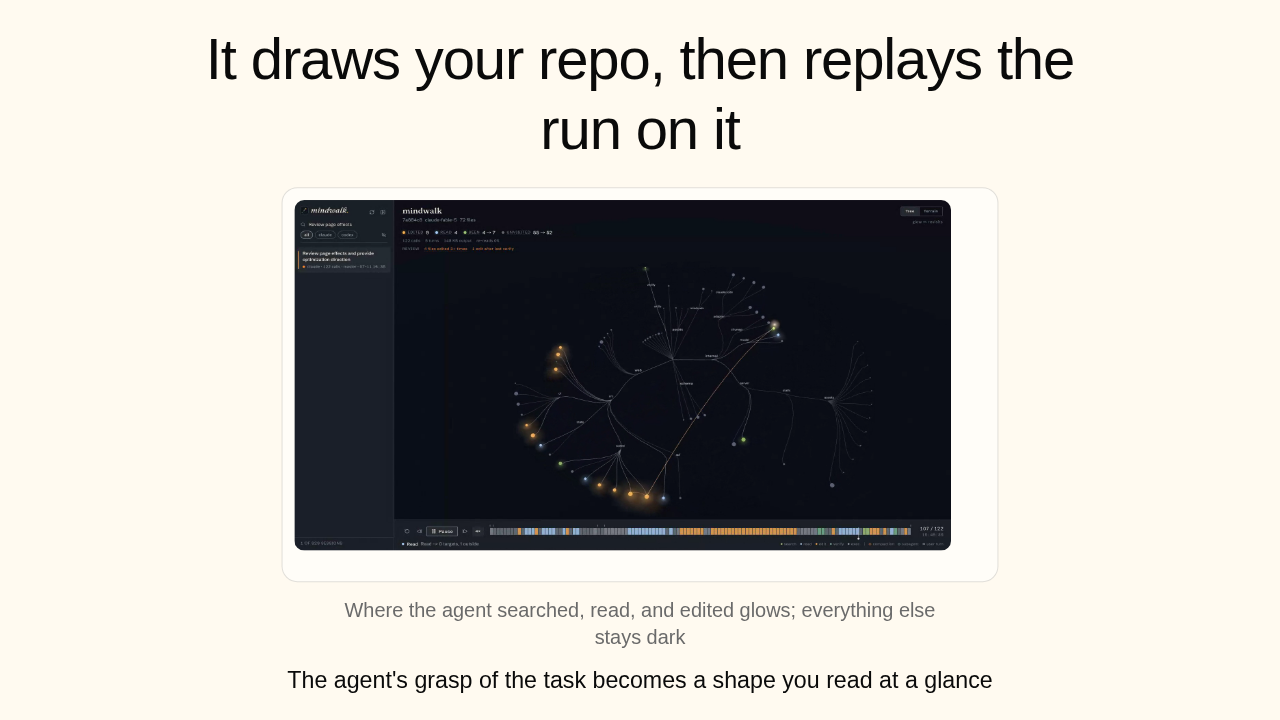
Point it at a session from Claude Code or Codex, and it draws your repo as a map, then replays the run on top. Wherever the agent searched, read, or edited, the map glows. Everything else stays dark. The agent's grasp of the task becomes a shape you read at a glance.
Slide text
 Where the agent searched, read, and edited glows; everything else stays darkThe agent's grasp of the task becomes a shape you read at a glance
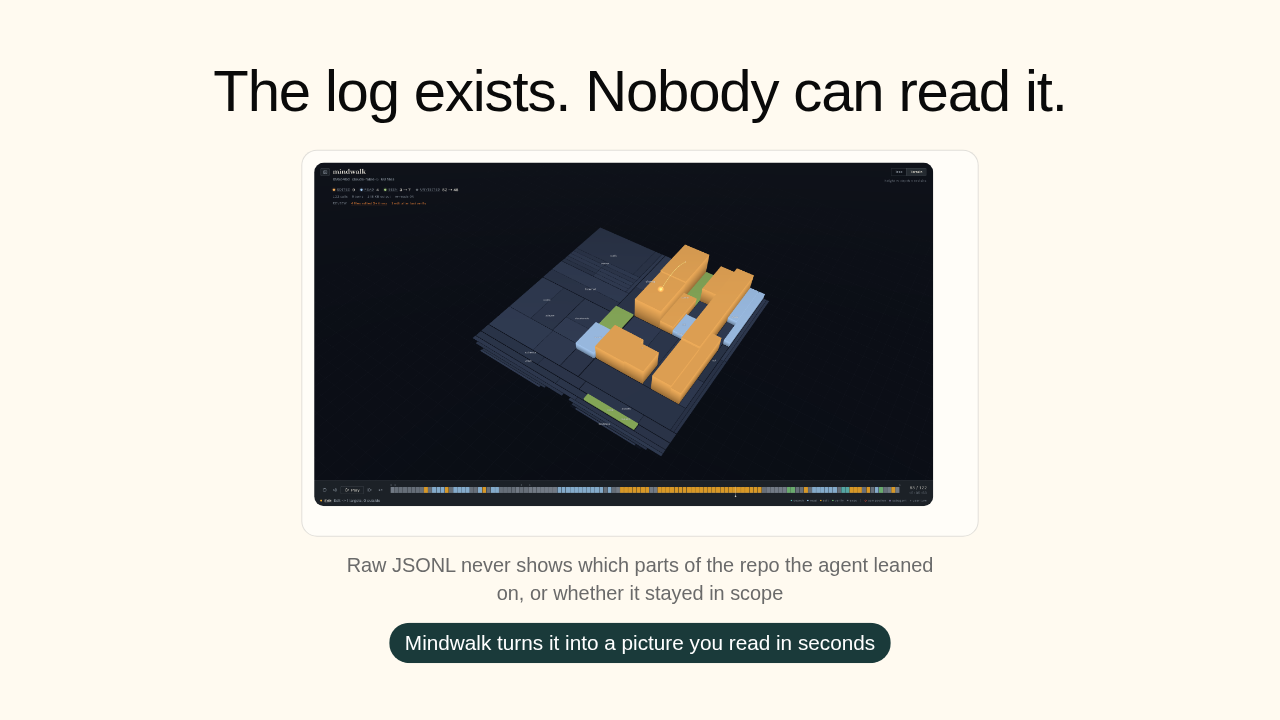
That log already exists, but it's raw JSONL. Reading it line by line never tells you which parts the agent leaned on, or whether it stayed in scope. Mindwalk turns it into a picture you read in seconds.
Slide text
 Raw JSONL never shows which parts of the repo the agent leaned on, or whether it stayed in scopeMindwalk turns it into a picture you read in seconds
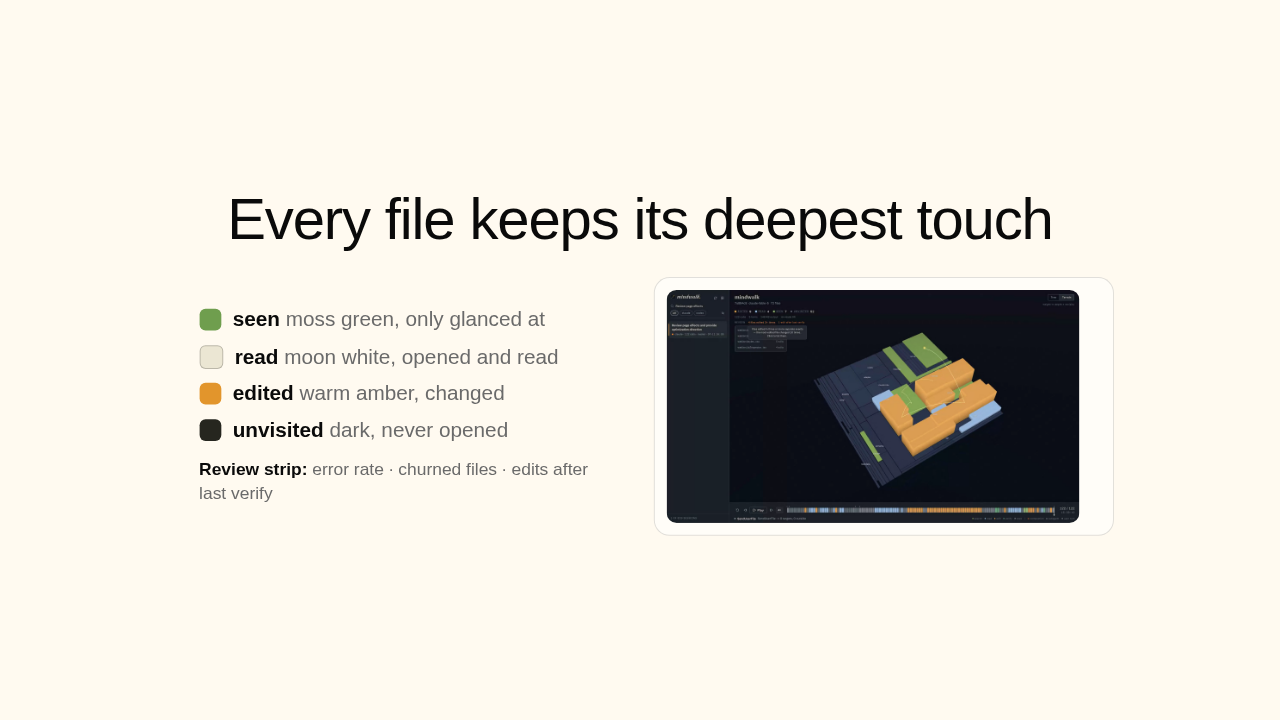
Every file keeps its deepest touch, color-coded. Green, the agent only glanced at it. White, it read it. Amber, it made edits. Still dark, it never opened it. And up top, a review strip pulls out the friction it found.
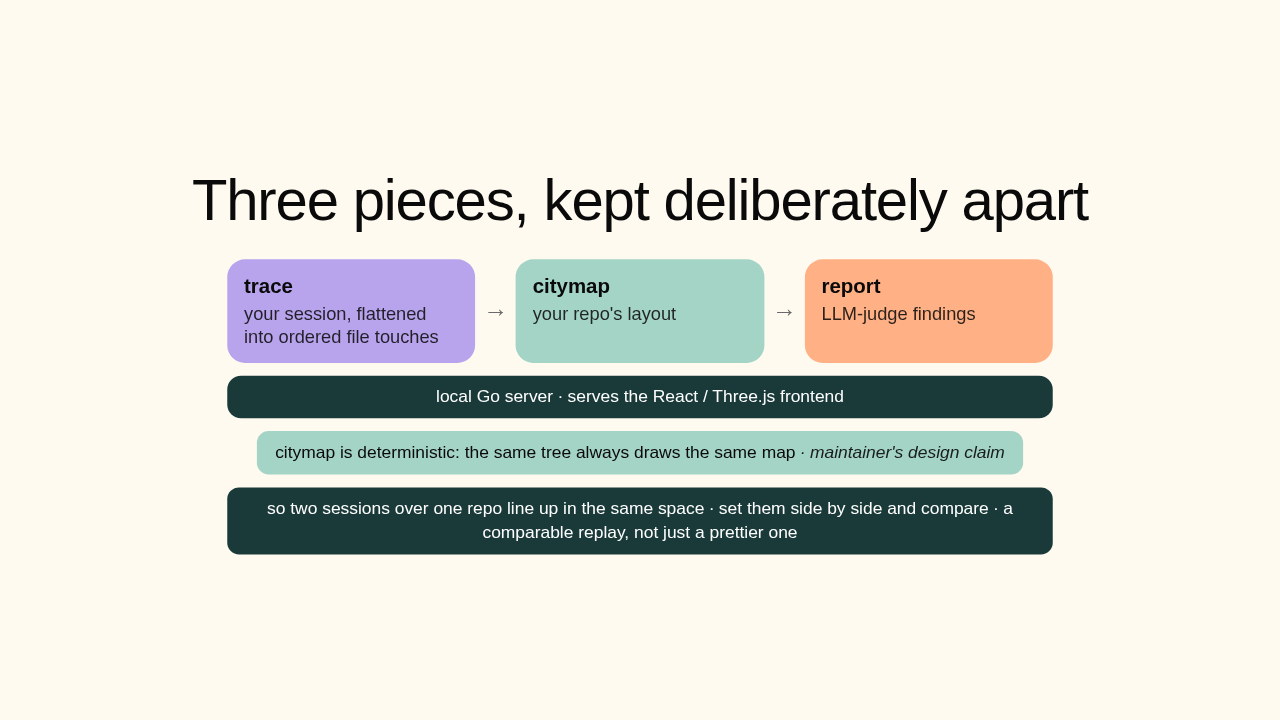
Under the hood, three pieces kept apart. The trace is your session, flattened into ordered file touches. The citymap is your repo's layout, and here's the clever bit, it's deterministic: the same tree always draws the same map. So two sessions over one repo line up in the same space, and you can set them side by side and compare. Not a prettier replay, a comparable one.
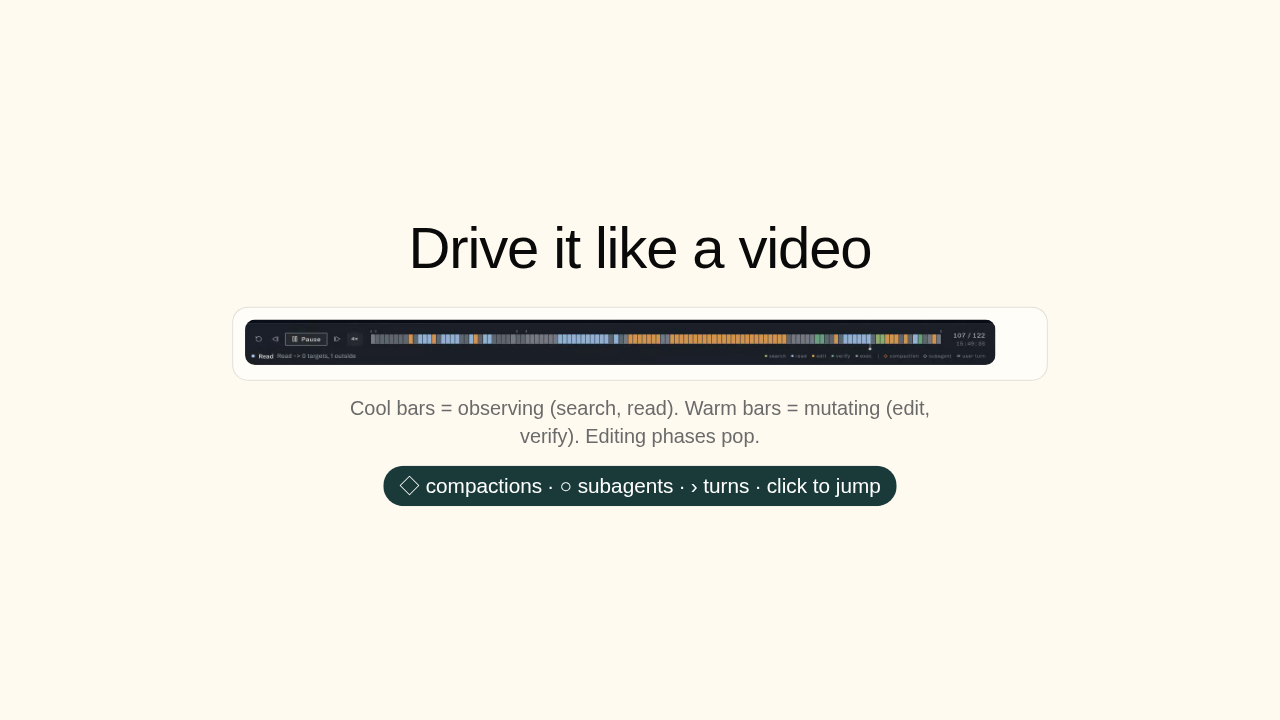
You drive it like a video. Scrub or play the session over a histogram: cool bars are the agent looking around, warm bars are it editing, so the edits pop out. And every big event, context compactions, subagent launches, is a mark you can jump straight to.
Slide text
 Cool bars = observing (search, read). Warm bars = mutating (edit, verify). Editing phases pop.◇ compactions · ○ subagents · › turns · click to jump
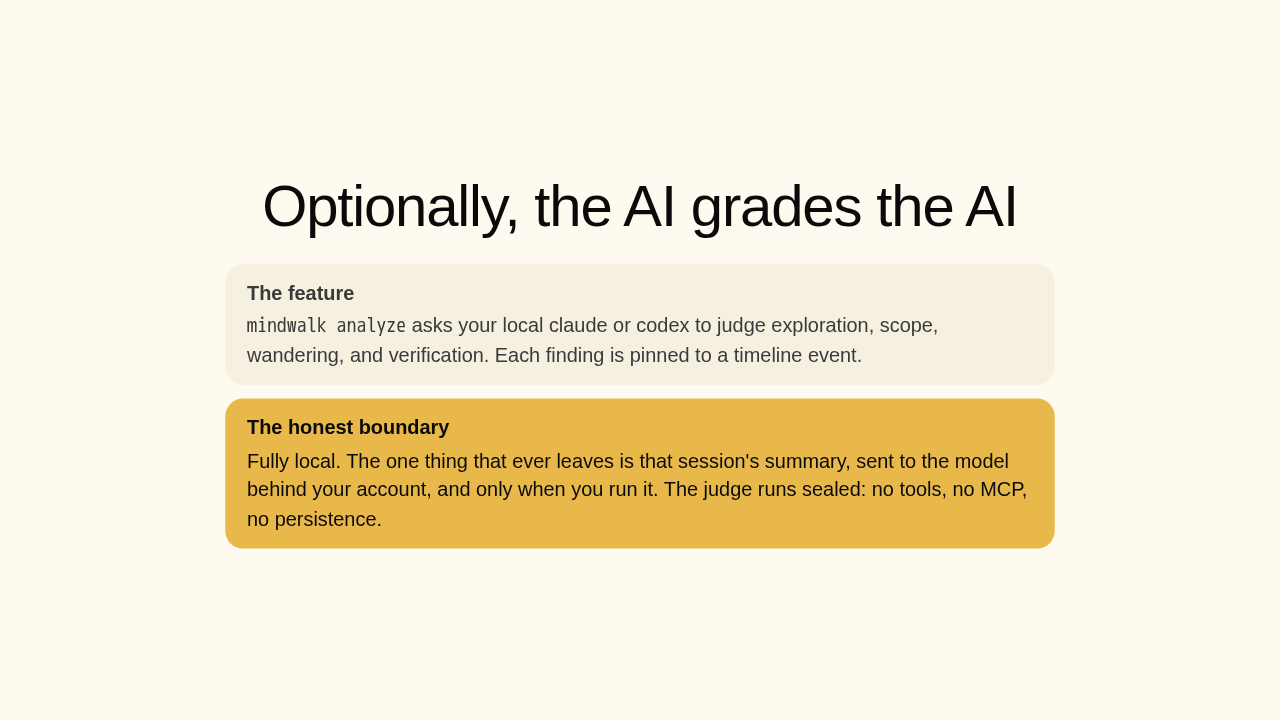
And it can grade the session. Optionally, mindwalk asks your own local claude or codex command line to judge how the agent worked, where it wandered, whether it verified. Now the honest part. Everything else is fully local. This one step is the exception: when you run it, and only then, a summary of that session goes to the model behind your own account. Nothing leaves while you're just viewing.
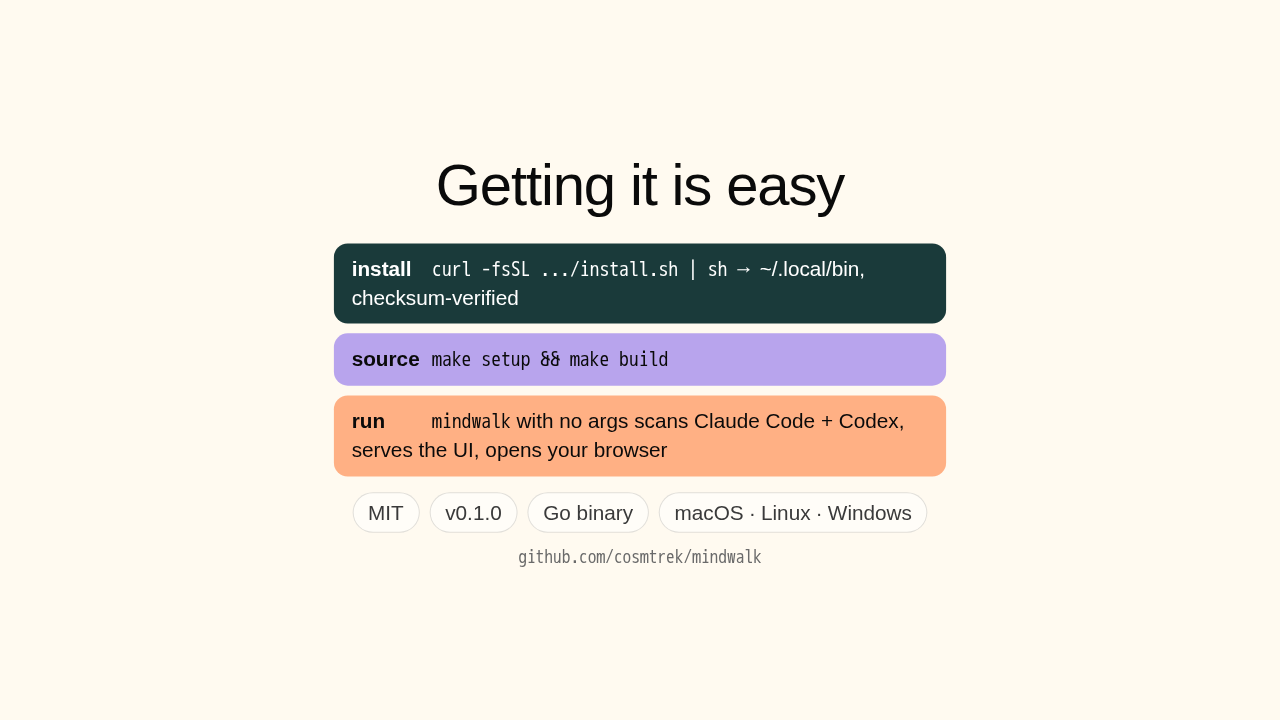
Getting it is easy. A curl script drops a single Go binary into your local bin, or you build from source with make. Then run mindwalk with no arguments, and it finds your Claude Code and Codex sessions, serves the UI locally, and opens your browser. MIT, version zero point one, macOS, Linux, and Windows.
So, mindwalk. It's brand-new, version zero point one, from cosmtrek, the developer behind air. Not battle-tested yet. But if you run a coding agent every day, this is a genuinely new way to see what it actually did. Worth a star and a weekend. The link's on screen, and there's a new repo tomorrow.
Up next
 6:49
Hide the tests from your coding agent? StrongDM's holdout idea, tested on Claude Code
@github-trending
3 weeks ago
 0:51
Claude Code built a machine to explain prompt caching
@github-trending
1 month ago
 10:10
reladraw draws your diagram from where you say the boxes go
@github-trending
1 month ago
 7:27
Lap photo manager finds photos by what's in them, offline
@github-trending
2 months ago
 9:04
Spirula Studio does Gaussian splatting on any graphics card
@github-trending
2 months ago
 8:50
Univer puts a spreadsheet, document editor and slides in your app
@github-trending
2 months ago
 18:13
i-have-adhd, ponytail, and 7 more skills that make your agent stop explaining itself
@github-trending
2 months ago
 7:57
Homebrew BrewUI runs every brew command in a clean shell
@github-trending
2 months ago
 8:35
fugleramme draws the birds in your garden on an e-ink frame
@github-trending
2 months ago
 9:01
Open Code Review: Alibaba open-sourced the code reviewer it validated on a million real tasks
@github-trending
2 months ago
 3:03
Portless refuses to touch eight shapes of command, and says why for each
@github-trending
2 months ago
 2:52
The measurement file says 1.571. The stylesheet says 1.57.
@github-trending
2 months ago