Codex can now take the Vertex AI project and location from config.toml
2 days ago
This change lets Codex reach Vertex AI with two new settings on the built-in GCP provider. Under model_providers.gcp, you can now set a project ID and a location, right beside the provider choice. Codex builds the Vertex endpoint from them, so a Google Cloud setup can live in config.toml instead of the shell environment.
Ask about this presentation
Chapters
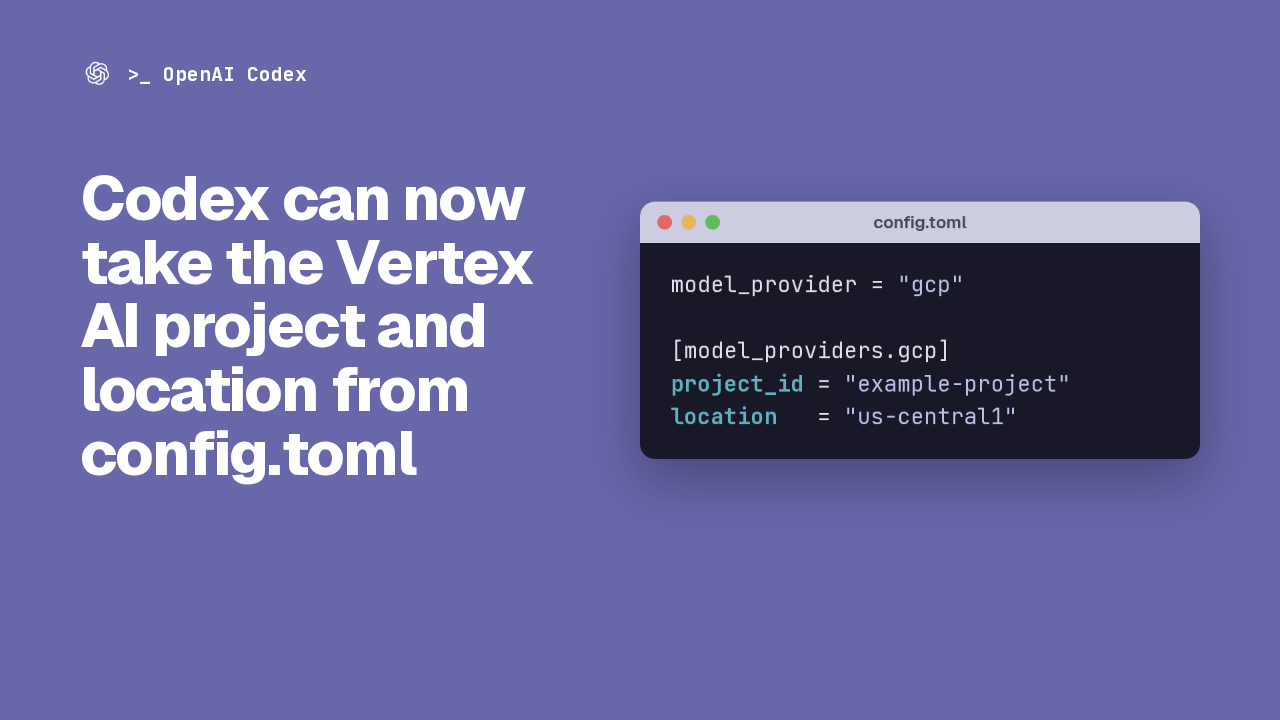 0:00Vertex AI settings in config.toml
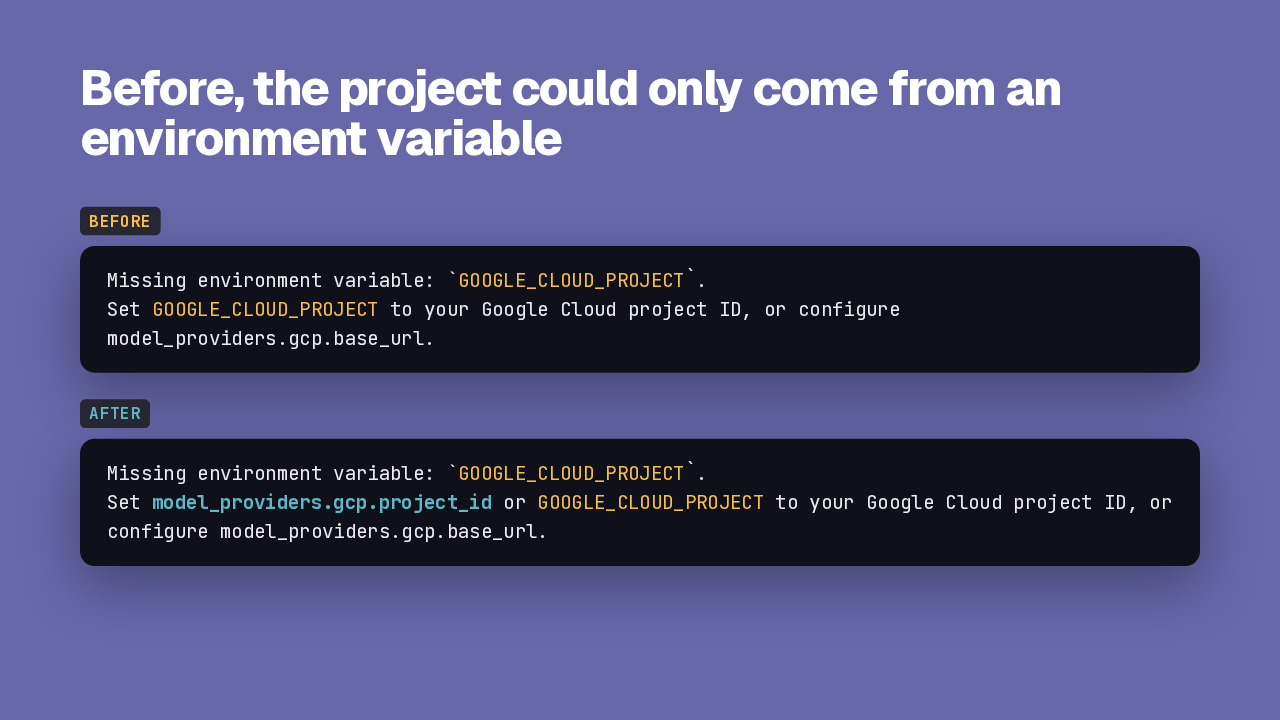 0:22Why: environment variables only
 0:39Part 1: Resolving the endpoint
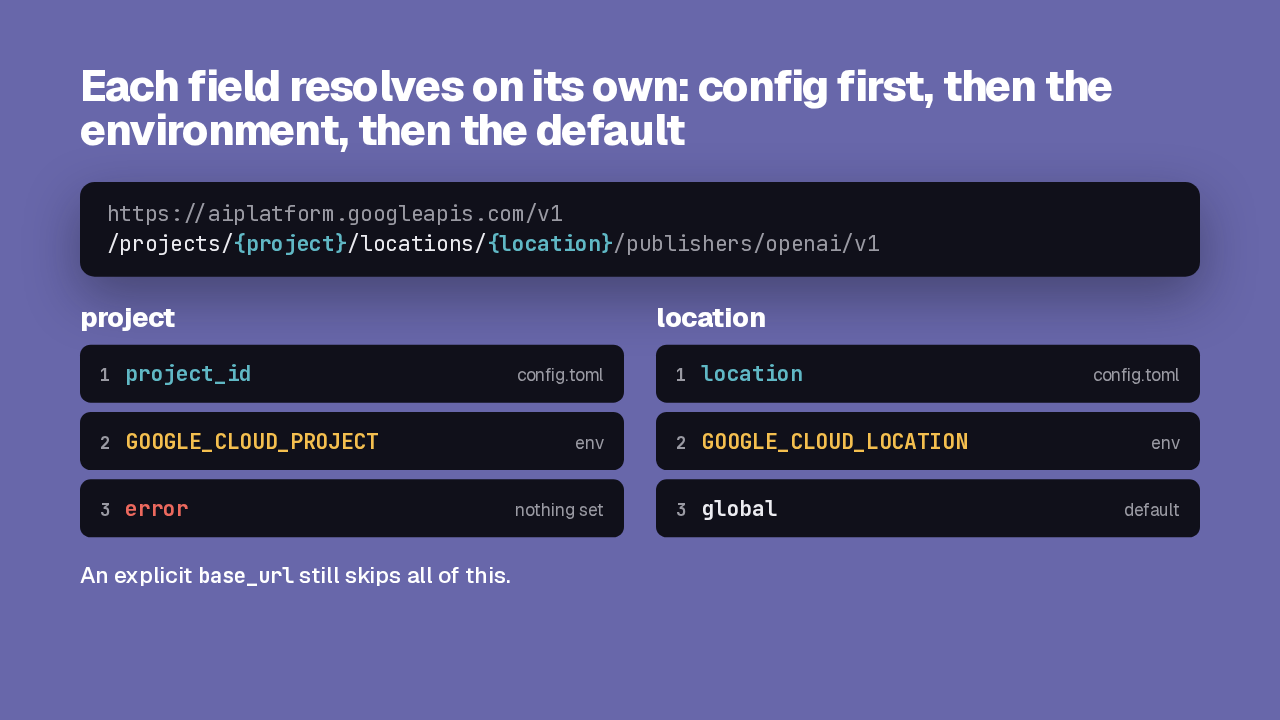 0:42Config, then environment, then default
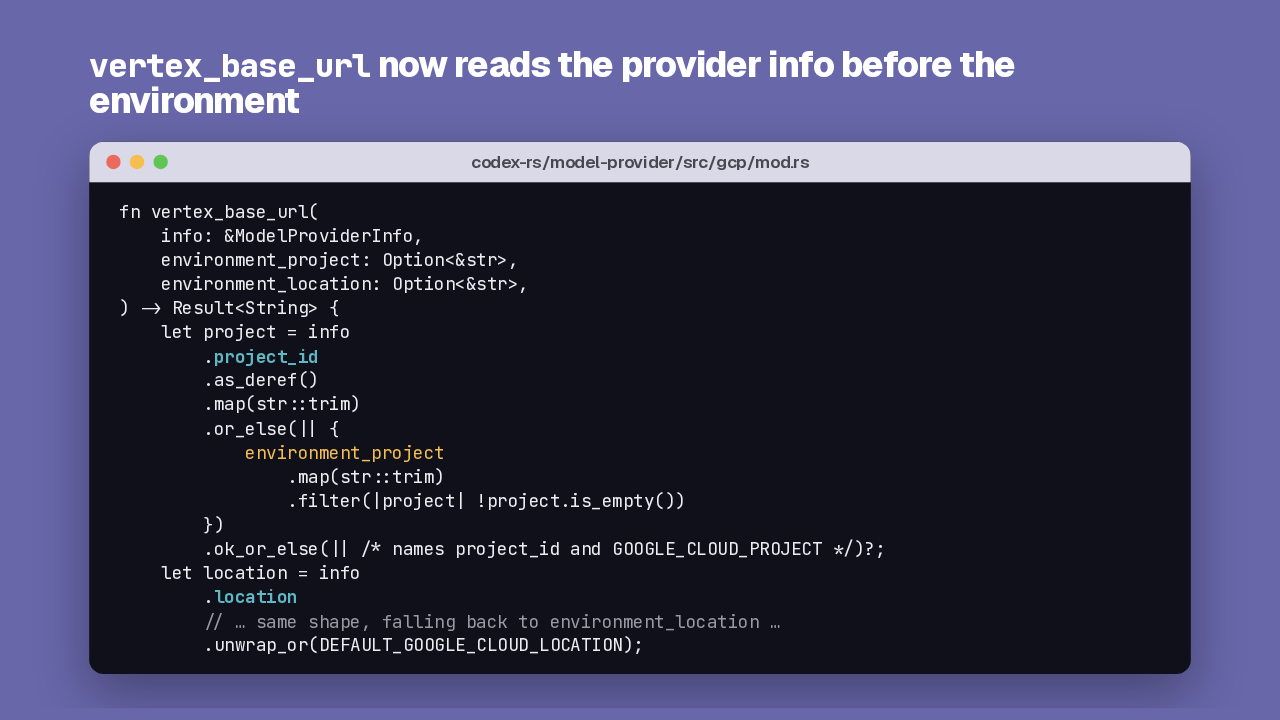 1:07The new vertex_base_url
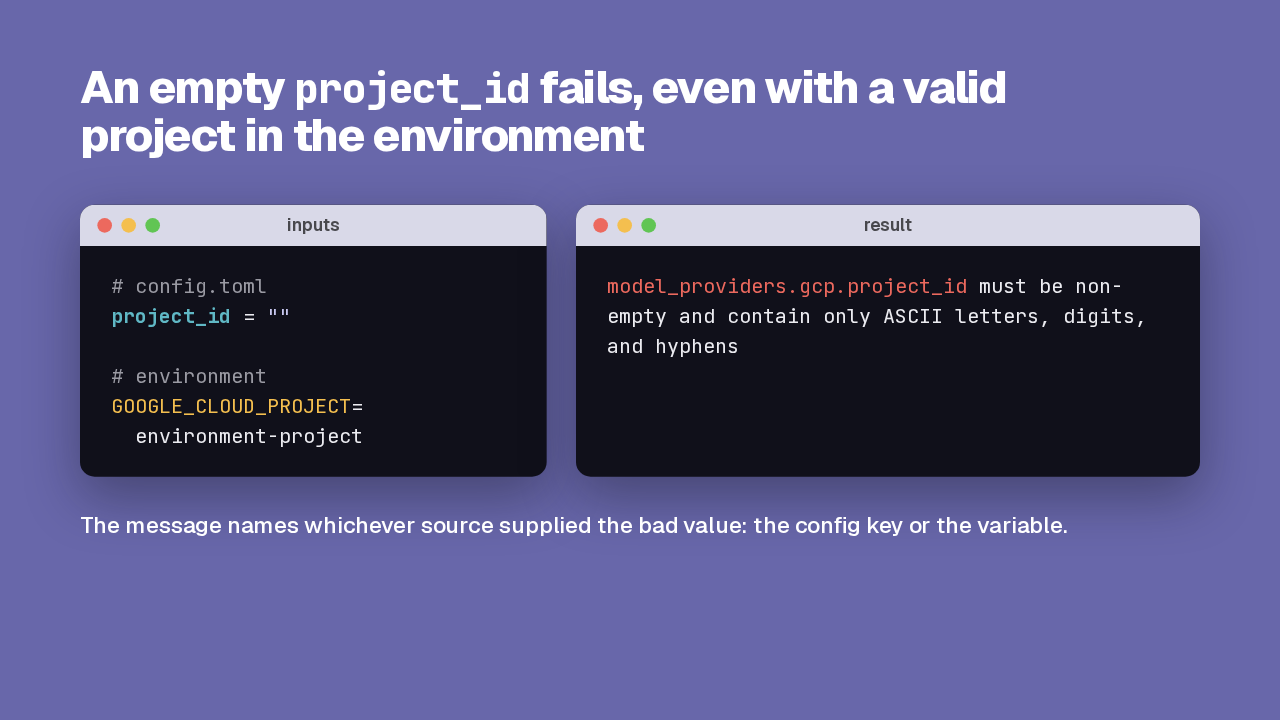 1:32An empty project_id fails
 1:49Part 2: Carrying the fields through Codex
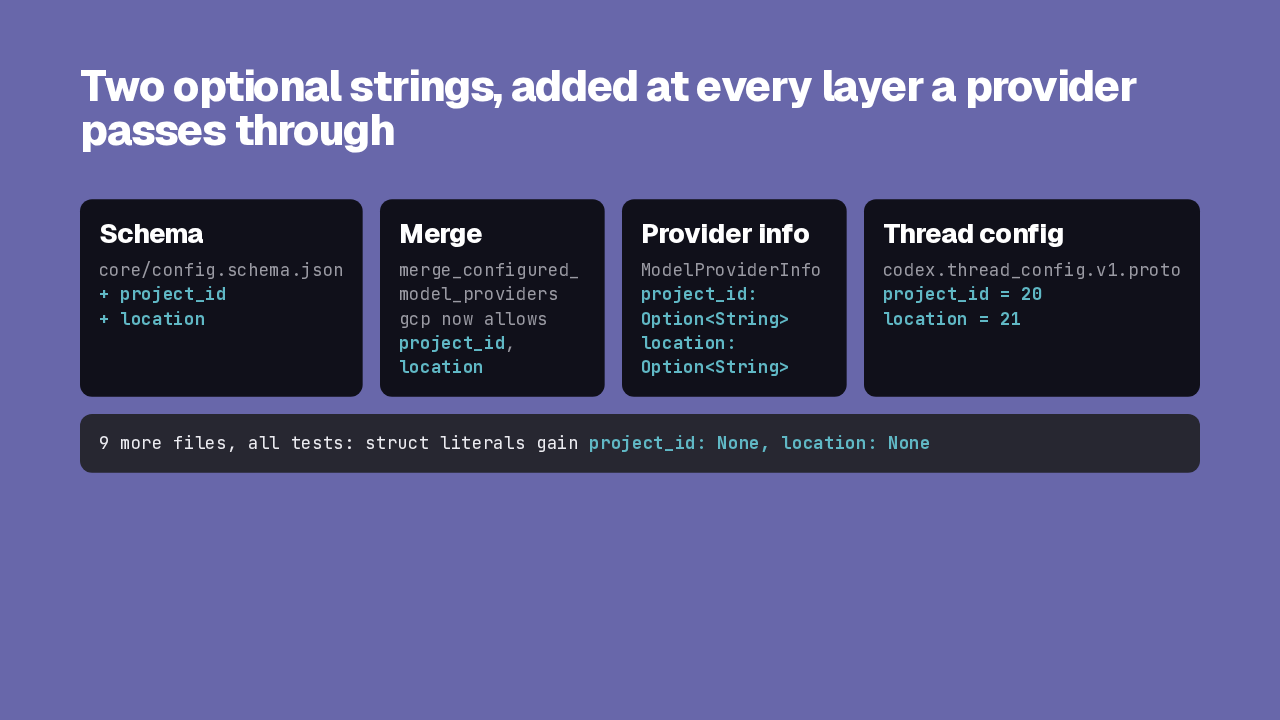 1:52Where project_id and location travel
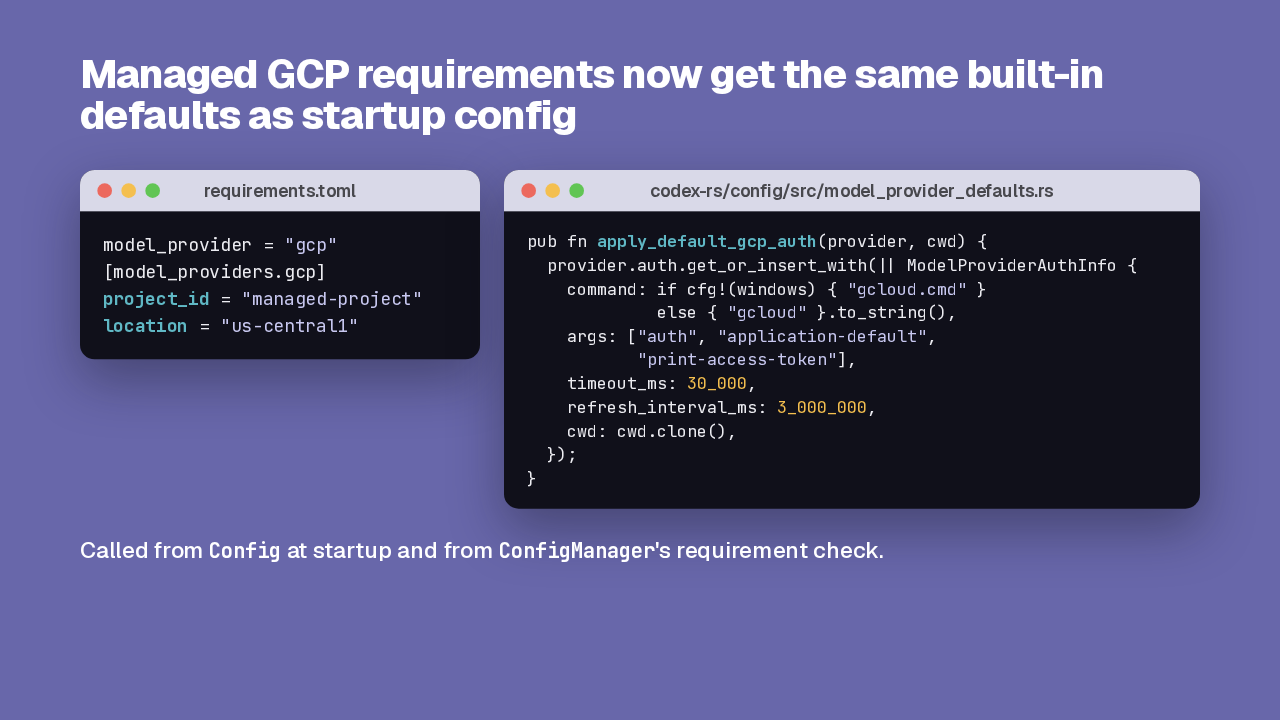 2:25Managed GCP requirements
 2:52Part 3: Evidence
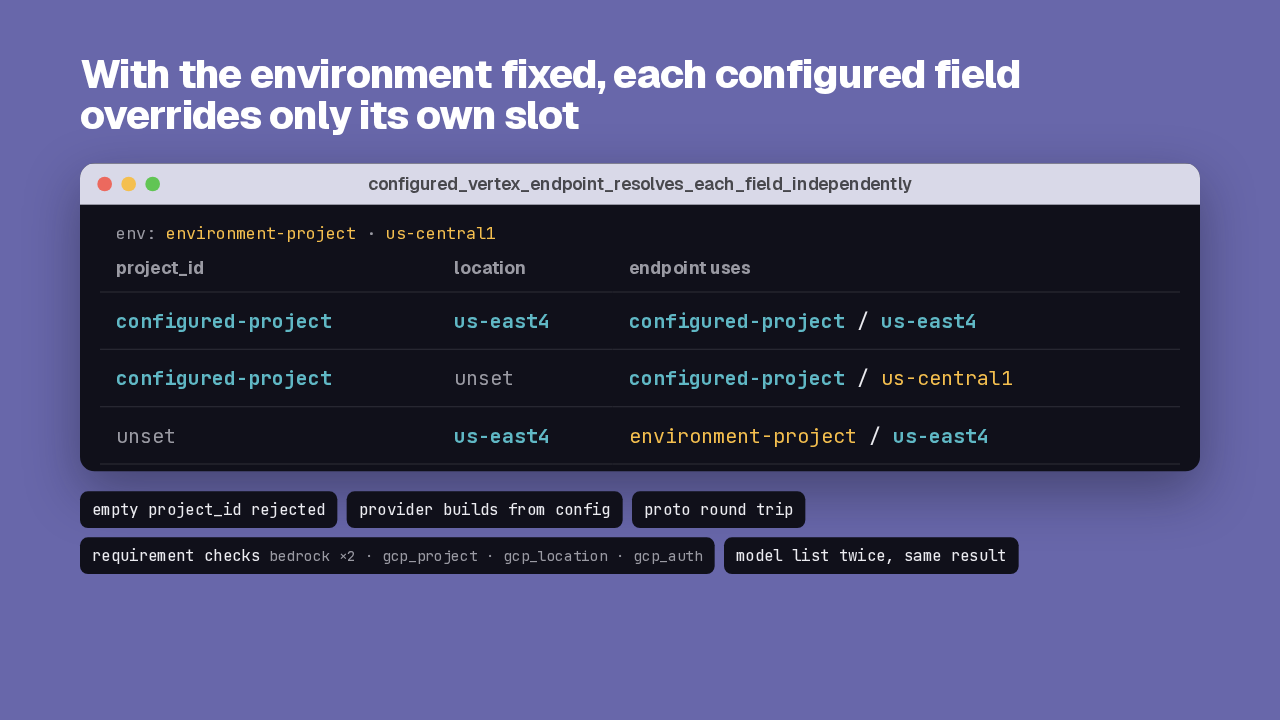 2:55Each field resolves independently
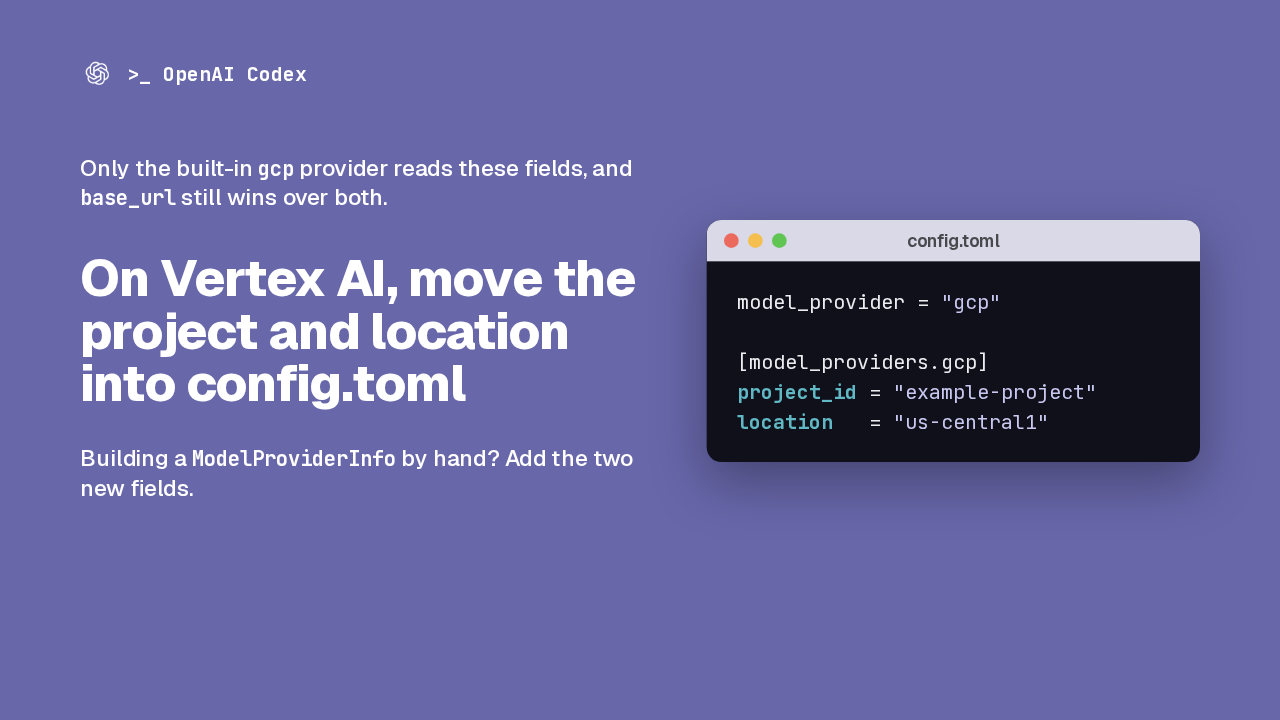 3:20What to do with it
Show transcriptHide transcript
This change lets Codex reach Vertex AI with two new settings on the built-in GCP provider. Under model_providers.gcp, you can now set a project ID and a location, right beside the provider choice. Codex builds the Vertex endpoint from them, so a Google Cloud setup can live in config.toml instead of the shell environment.
Deriving a Vertex AI endpoint used to require environment variables. Leave GOOGLE_CLOUD_PROJECT unset, and this was the whole instruction you got. The same error now names the new config key first, then the variable, then the base URL override.
First, how Codex picks the endpoint now.
The endpoint has two slots. A project and a location, inside the Vertex AI publishers path for OpenAI. The project comes from the configured project ID first, then GOOGLE_CLOUD_PROJECT, and with neither set you get the error from before. Location follows the same order and still lands on global by default. And an explicit base URL bypasses all of it, as it did before.
Here is the function that does it, in the GCP model provider. It now takes the provider info beside the two environment values. The project starts from the configured project ID, trimmed. Only when that field is absent does it read the environment, and only the environment value is filtered for empty strings. Location has the same shape. So an empty configured project is kept, and fails validation.
An invalid value you set yourself now stops Codex. Set the project ID to an empty string while the environment holds a good project, and you get this error. The message names whichever source supplied the bad value, the config key or the environment variable.
Next, everywhere the two fields have to travel.
The fields have to survive every layer a provider passes through. The config schema gains both properties, and the merge step widens the list of GCP overrides it accepts, which used to stop at base URL, auth and HTTP headers. Model provider info carries them as two optional strings. The thread config proto adds fields 20 and 21, so remote thread configuration round-trips them. The other nine files are all tests, and the change there is mechanical: each struct literal gains two None fields.
The app server also checks managed requirements against the running provider. That check used to merge built-in defaults only for Bedrock. Now GCP gets the same treatment. It also applies the default gcloud auth command, with a thirty second timeout and a refresh every fifty minutes. That block moved out of the core config loader into one shared function, so startup and the requirement check build the same provider, and unchanged requirements are accepted.
Finally, what the tests pin down.
This test holds the environment fixed and varies the config. Set both fields and both win. Set only the project, and the location still comes from the environment. Set only the location, and the project does. Other tests cover the empty project error, the proto round trip, requirement checks for Bedrock and GCP, and an app server that lists models twice under GCP requirements and gets the same answer.
One limit: only the built-in GCP provider reads these fields, and an explicit base URL still overrides both. So if you run Codex on Vertex AI, the block from the start can replace the two environment variables, and they keep working as a fallback. And if you build model provider info by hand in a test, add the two new fields. Codex can now take the Vertex AI project and location from config.toml.