Easydict for Windows 0.9.4 keeps Google Translate working through rate limits
1 hour ago
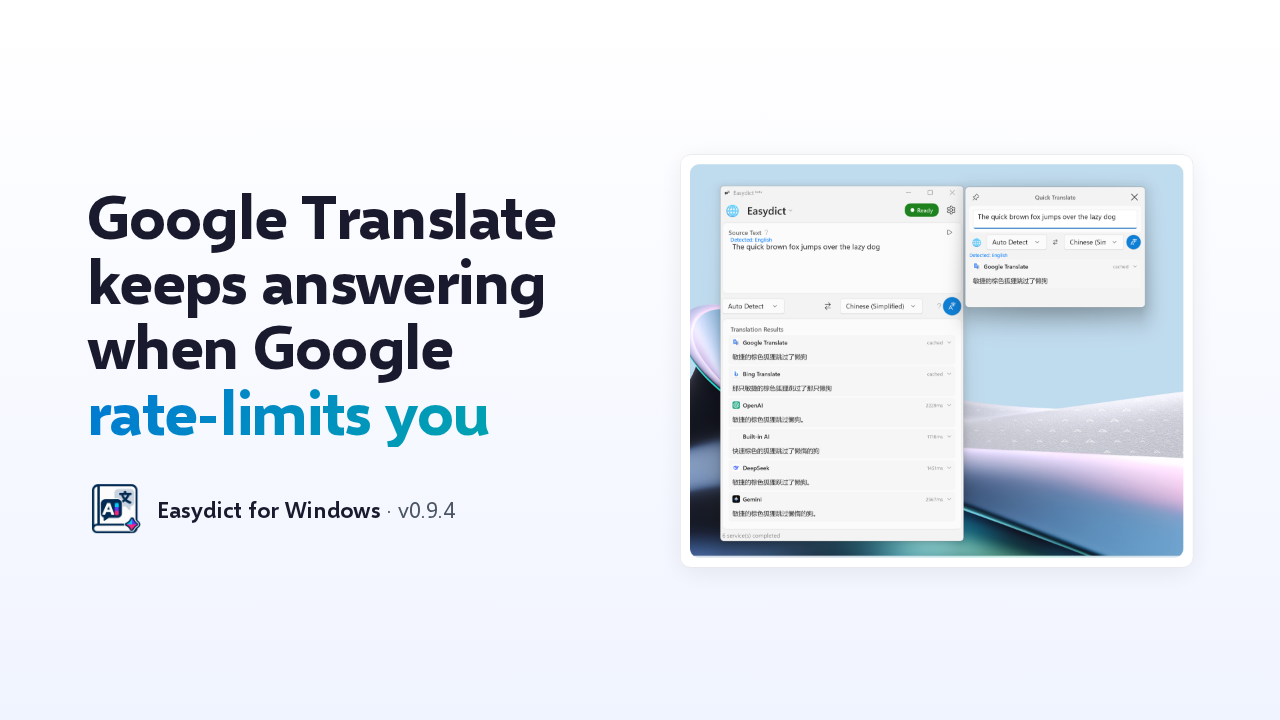
This is Easydict for Windows, version 0.9.4. The change most people will feel is in Google Translate. When Google throttled the app with an HTTP 429 error, the result failed. Now it keeps answering. You also get new tray icons, smarter language detection, Ollama prompts, and a startup fix.
Ask about this presentation
Chapters
Show transcriptHide transcript
This is Easydict for Windows, version 0.9.4. The change most people will feel is in Google Translate. When Google throttled the app with an HTTP 429 error, the result failed. Now it keeps answering. You also get new tray icons, smarter language detection, Ollama prompts, and a startup fix.
Slide text
Google Translate keeps answering when Google rate-limits you
 Easydict for Windows · v0.9.4
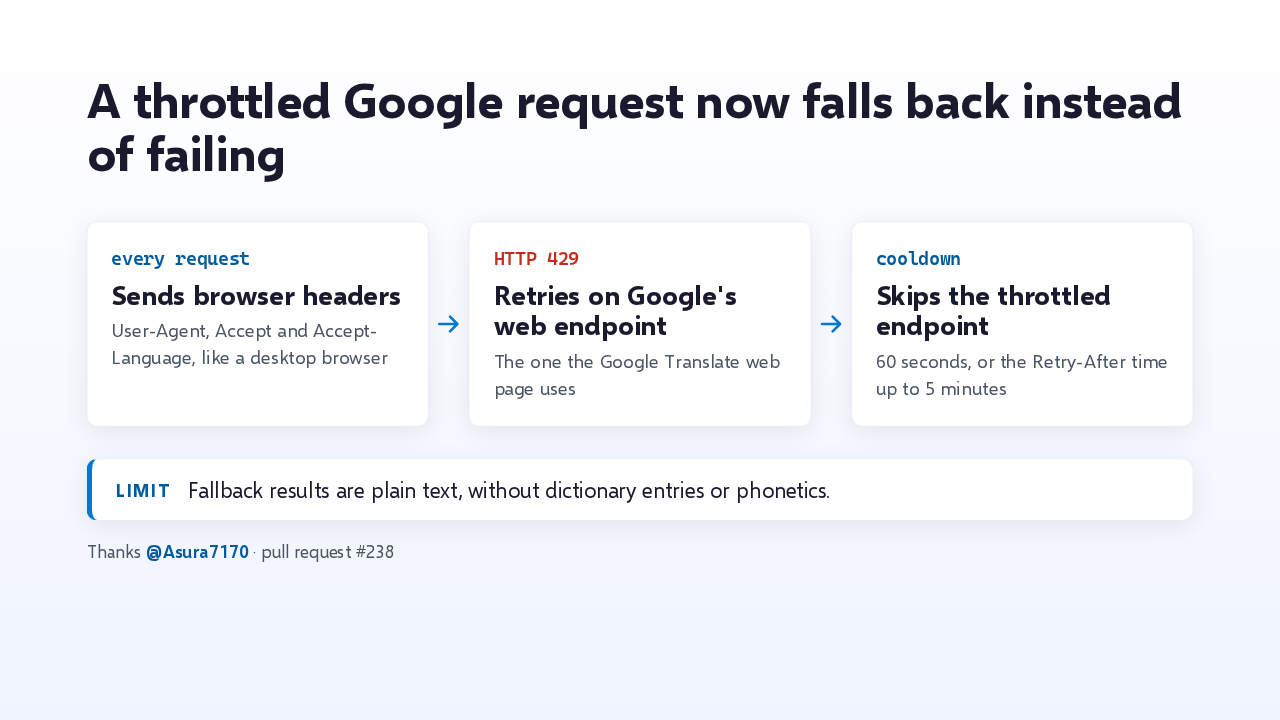
Here's how. Every Google request now carries the headers a desktop browser sends, since Google throttles clients without a user agent. If Google still answers 429, Easydict retries on the endpoint the Google Translate web page uses, and skips the throttled one for a minute, or up to five if Google asks. The catch: fallback results are plain text, without dictionary entries or phonetics.
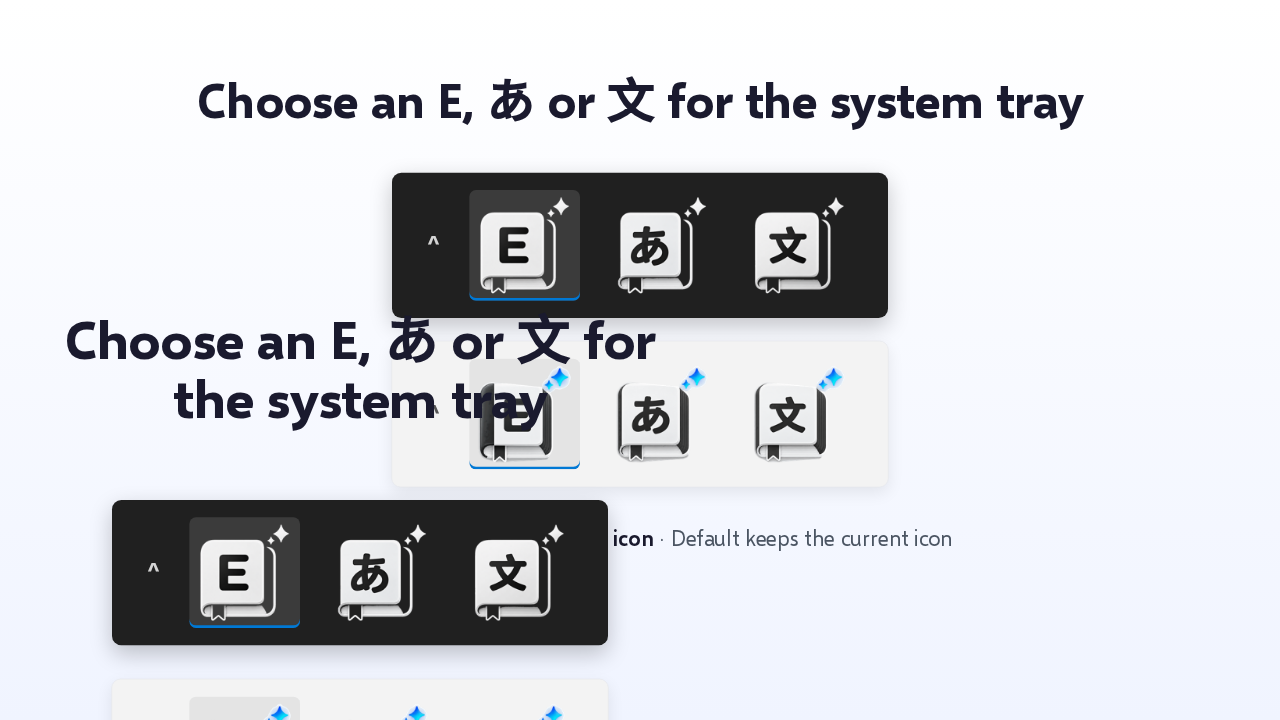
Next, the system tray. You can pick an E, the kana あ, or the Chinese character 文, each with a dark taskbar and a light taskbar version, sized to fill the tray slot. The picker is on the Labs tab in Settings, and Default keeps today's icon.
Slide text
Choose an E, あ or 文 for the system tray
^

 ^
^


Settings › Labs › System tray icon · Default keeps the current icon
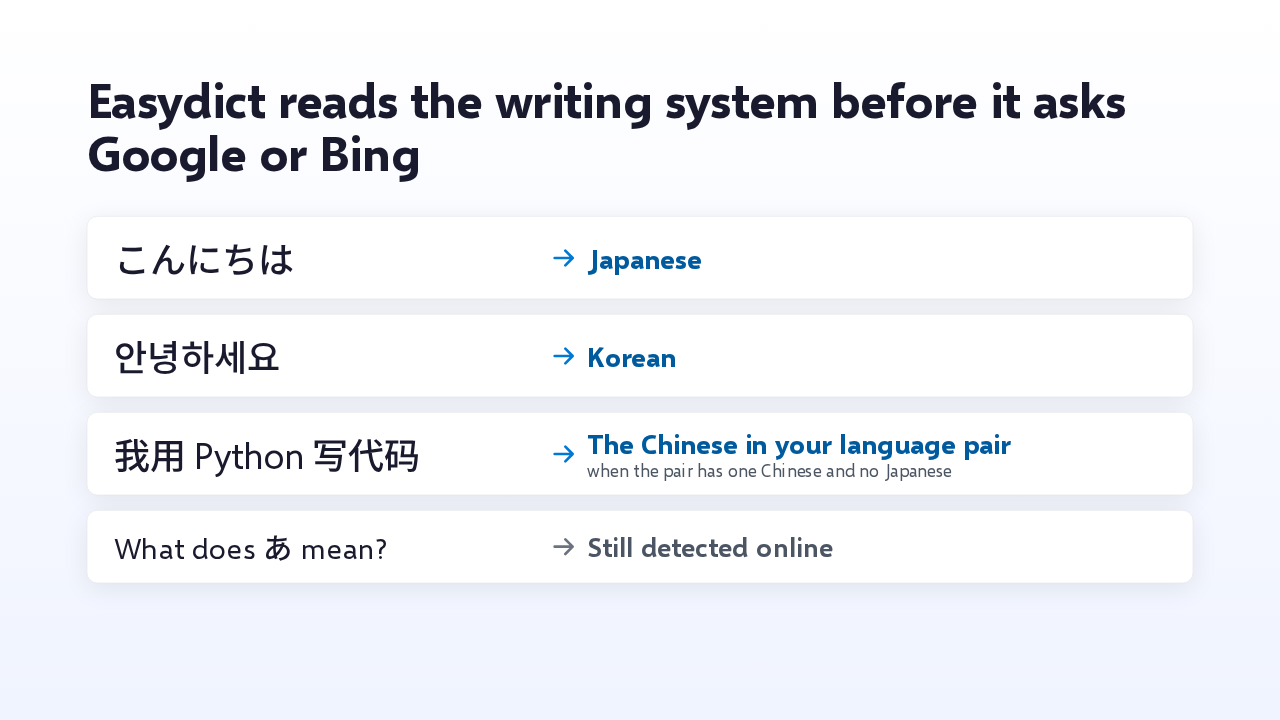
Language detection now starts on your machine. Kana means Japanese, Hangul means Korean, and Chinese characters become the Chinese in your language pair, when the pair has one Chinese and no Japanese. One character quoted in an English sentence doesn't count, so that still goes online. And a provider that fails, like Google from mainland China, drops to the back of the line for ten minutes.
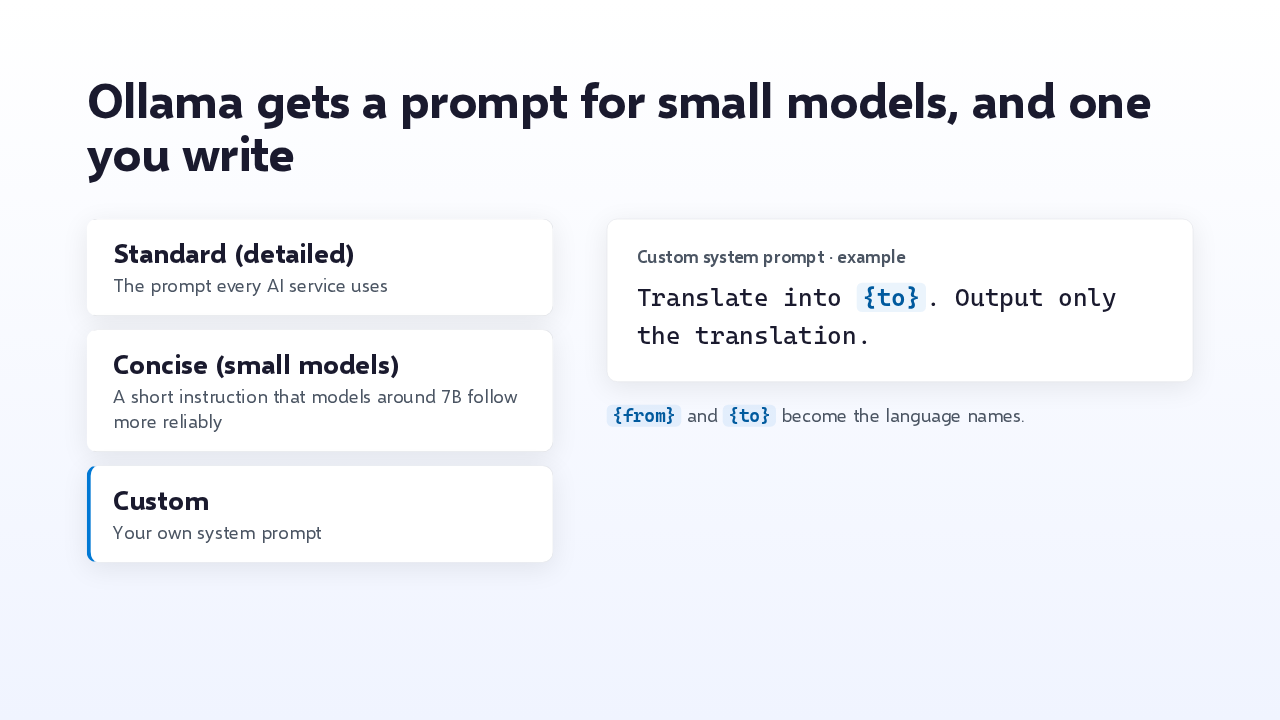
Ollama gets a Prompt setting. Standard is the detailed prompt Easydict's AI services share. Concise suits small local models around 7B, which tend to answer the long prompt in mixed languages. Custom is your own, with from and to placeholders for the language names. Ollama answers are also capped in length, so one rambling model can't stall every query behind it.
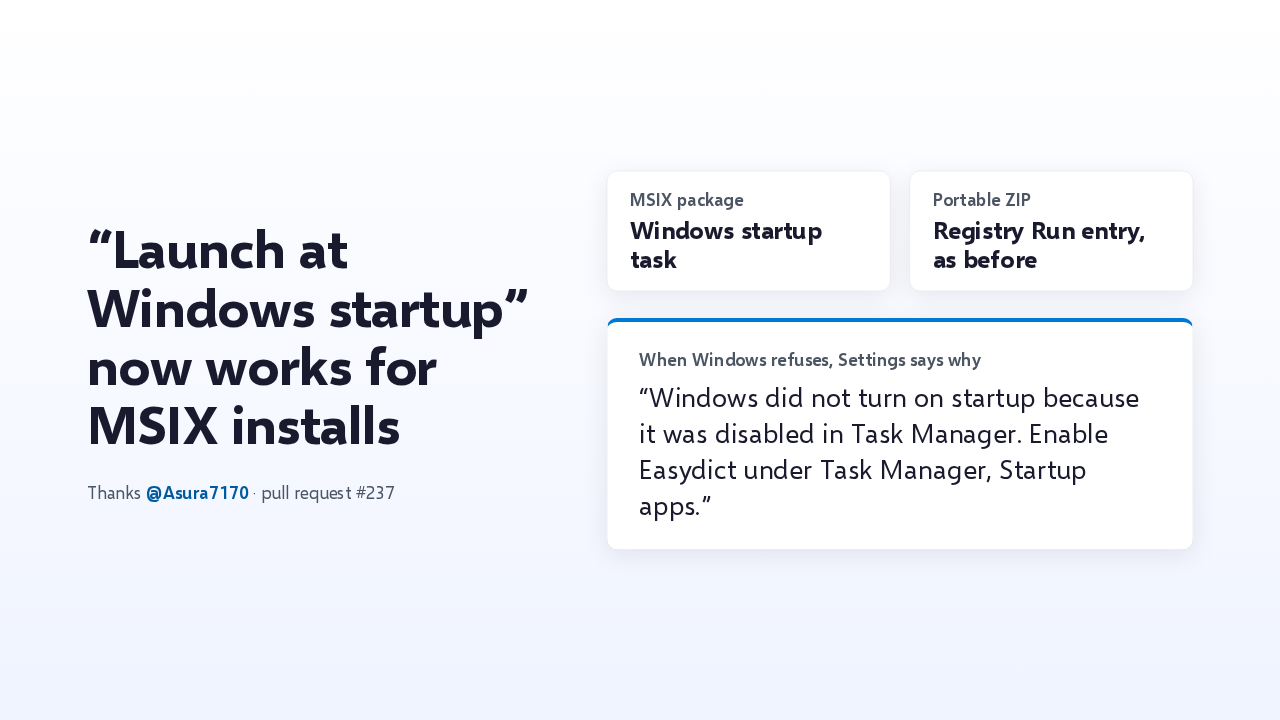
Launch at Windows startup didn't work for MSIX installs. Those now register a Windows startup task, and the portable version keeps its registry entry. When Windows refuses, Settings says why. If you disabled Easydict in Task Manager, the message sends you back to Startup apps there.
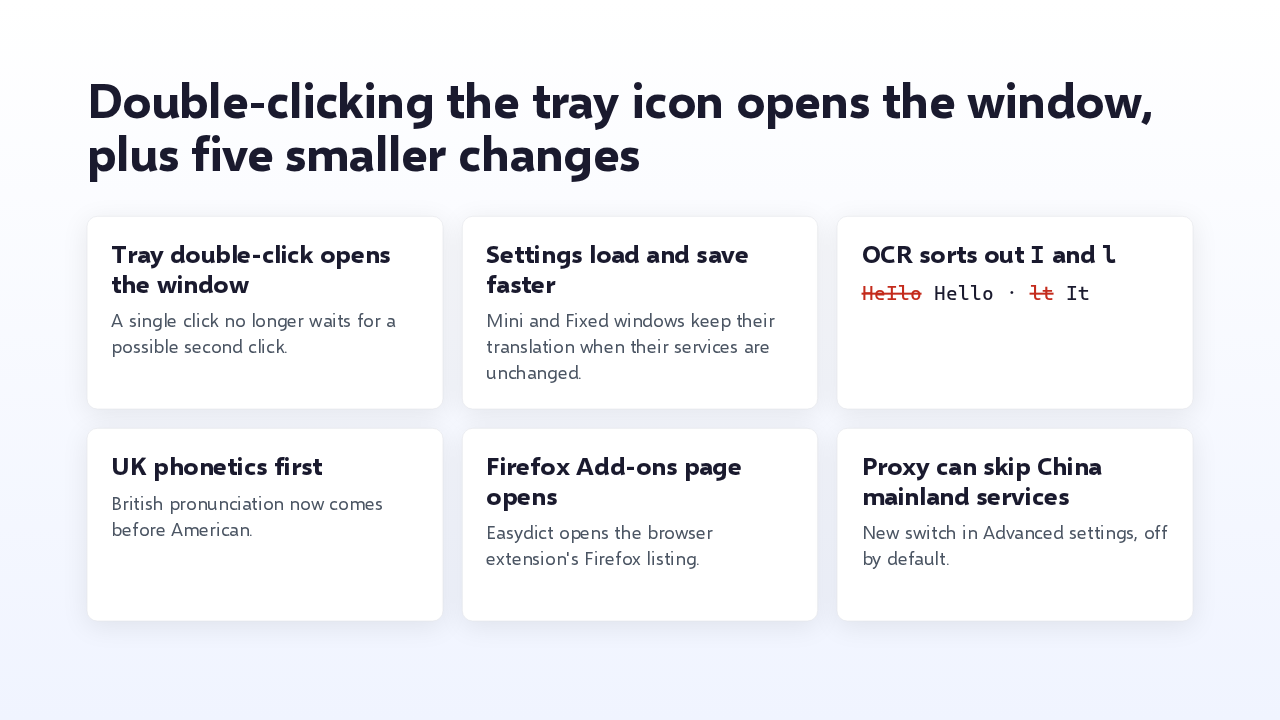
A few smaller changes. A double-click on the tray icon opens the window, and a single click no longer waits for a second one. Saving settings is quicker, and the Mini and Fixed windows keep their translation unless their services changed. OCR now untangles a capital I from a lowercase L, and British phonetics come first. The Firefox Add-ons link works, and a new proxy switch sends China mainland services direct.
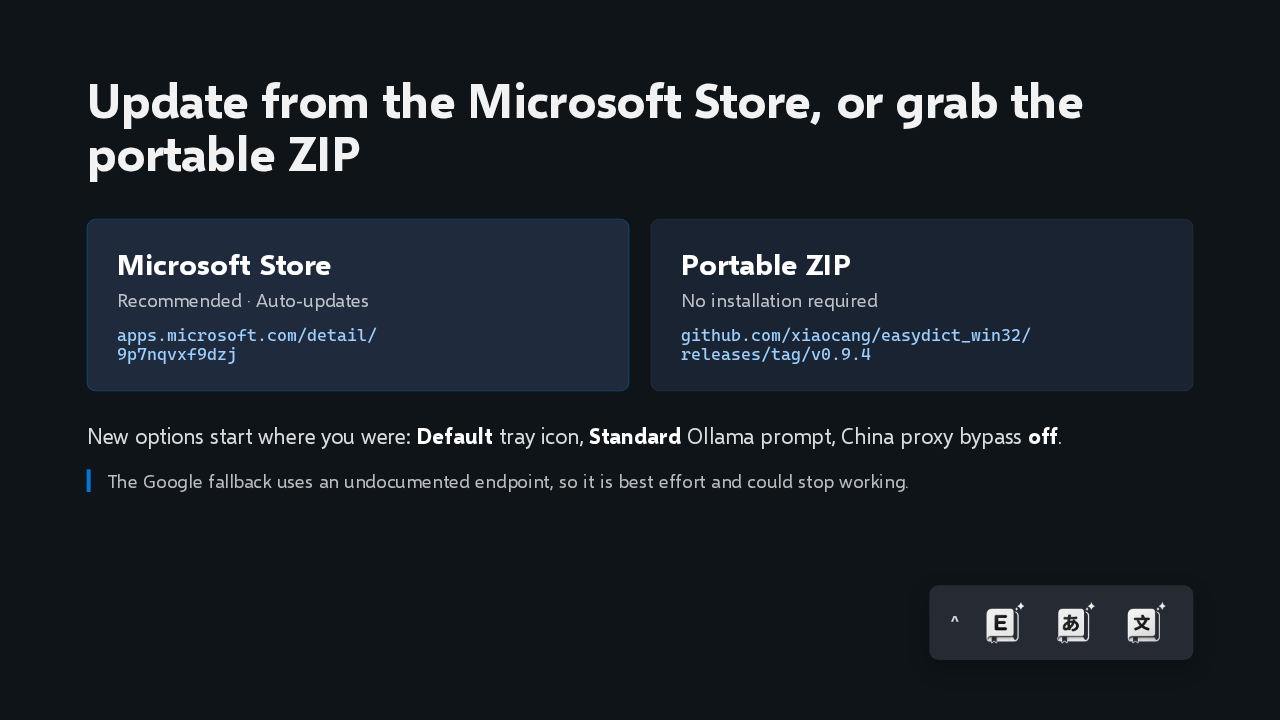
To upgrade, the Store version updates itself, and the portable ZIP is on the release page. New options start where you were: the default tray icon, the standard prompt, and the proxy bypass off. One limit: the Google fallback relies on an endpoint Google doesn't document, so it's best effort. That's Easydict for Windows 0.9.4, keeping Google Translate working through rate limits.
Slide text
Update from the Microsoft Store, or grab the portable ZIP
Microsoft Store
Recommended · Auto-updates
apps.microsoft.com/detail/
9p7nqvxf9dzjPortable ZIP
No installation required
github.com/xiaocang/easydict_win32/
releases/tag/v0.9.4New options start where you were: Default tray icon, Standard Ollama prompt, China proxy bypass off.
The Google fallback uses an undocumented endpoint, so it is best effort and could stop working.
^