MikroTik MCP now logs in to your routers with your SSH agent
20 minutes ago
MikroTik MCP 0.26.0 adds one thing you'll notice. The server can now log in to your RouterOS devices with the keys your SSH agent holds, instead of a password or a key file path in its config. It's switched off by default, so every existing setup connects exactly the way it did before.
Ask about this presentation
Chapters
Show transcriptHide transcript
MikroTik MCP 0.26.0 adds one thing you'll notice. The server can now log in to your RouterOS devices with the keys your SSH agent holds, instead of a password or a key file path in its config. It's switched off by default, so every existing setup connects exactly the way it did before.
Slide text
mikrotik-mcp v0.26.0RELEASE 0.26.0MikroTik MCP now logs in to your routers with your SSH agent
Off by default. Existing configs connect as before.
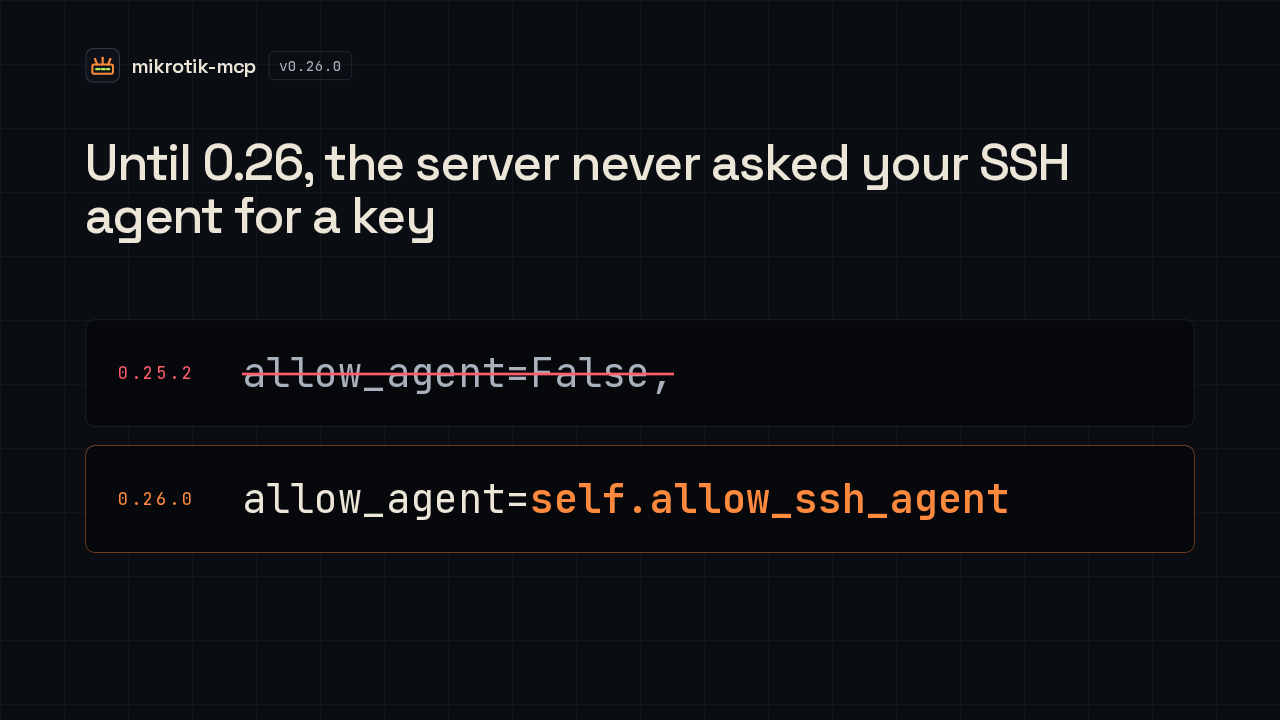
Before this release, agent support was switched off in the code itself. Every SSH connection the server opened passed allow agent equals false, whatever keys you had loaded. Now that value follows a new setting called allow SSH agent. Leave it unset and it stays false, which is why nothing changes until you opt in.
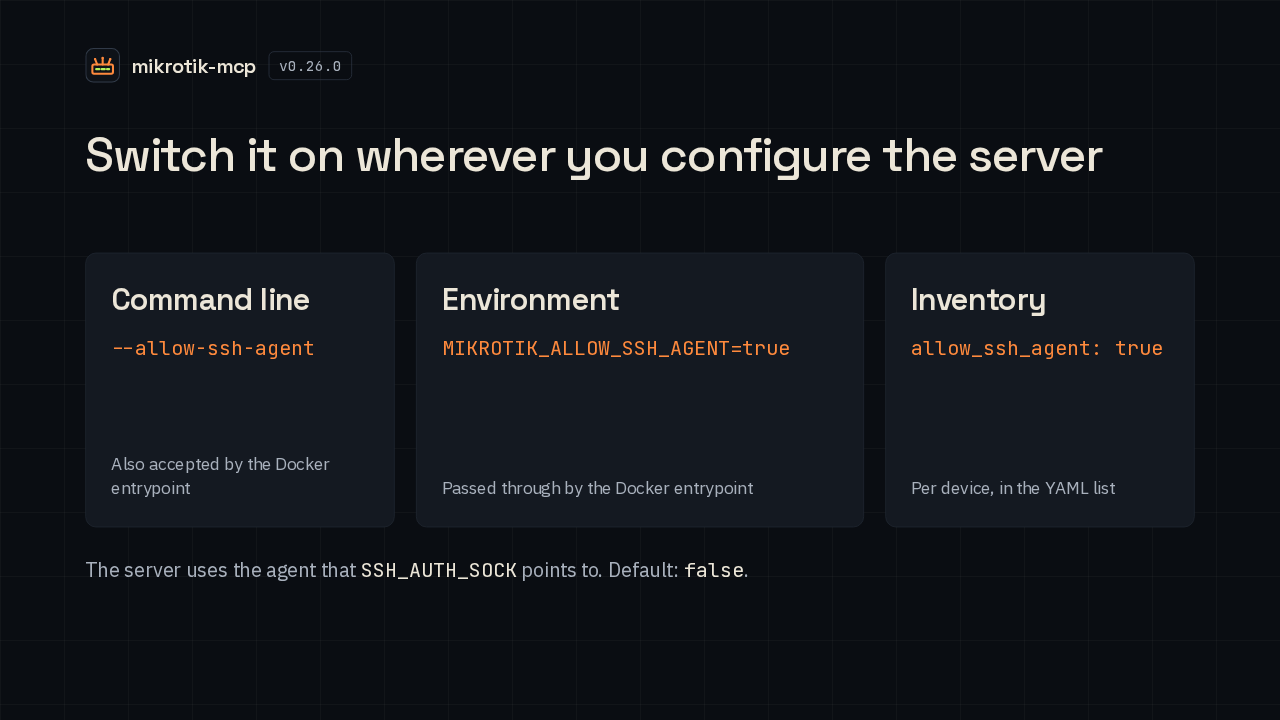
You turn it on in the same places as every other connection setting. On the command line it's the allow SSH agent flag. In the environment, set the matching variable to true, and the Docker entrypoint accepts both. In an inventory file it's a field on each device. Either way, the server talks to whichever agent your SSH auth socket points to.
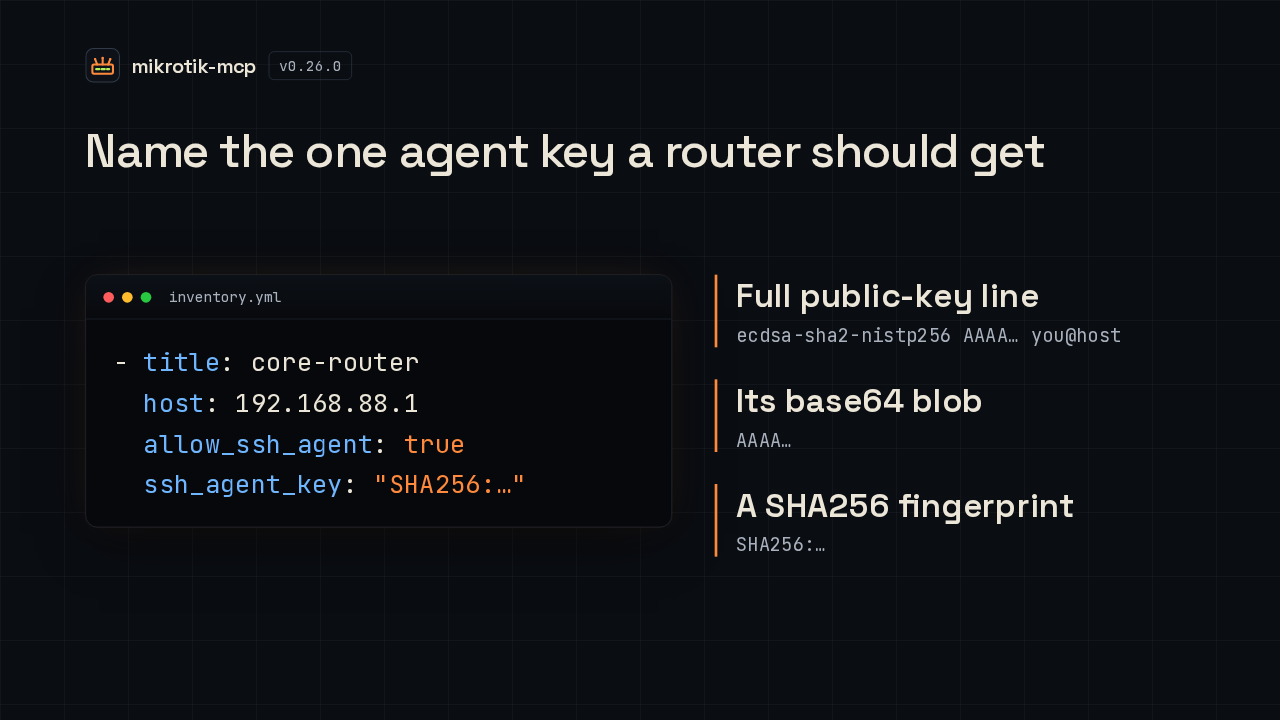
If your agent holds several keys, you can pick the one a router gets. Set SSH agent key next to allow SSH agent. It accepts the full public key line, just its base64 part, or a SHA256 fingerprint. The server then finds that one key in the agent, logs in with it, and turns general agent use off for that connection.
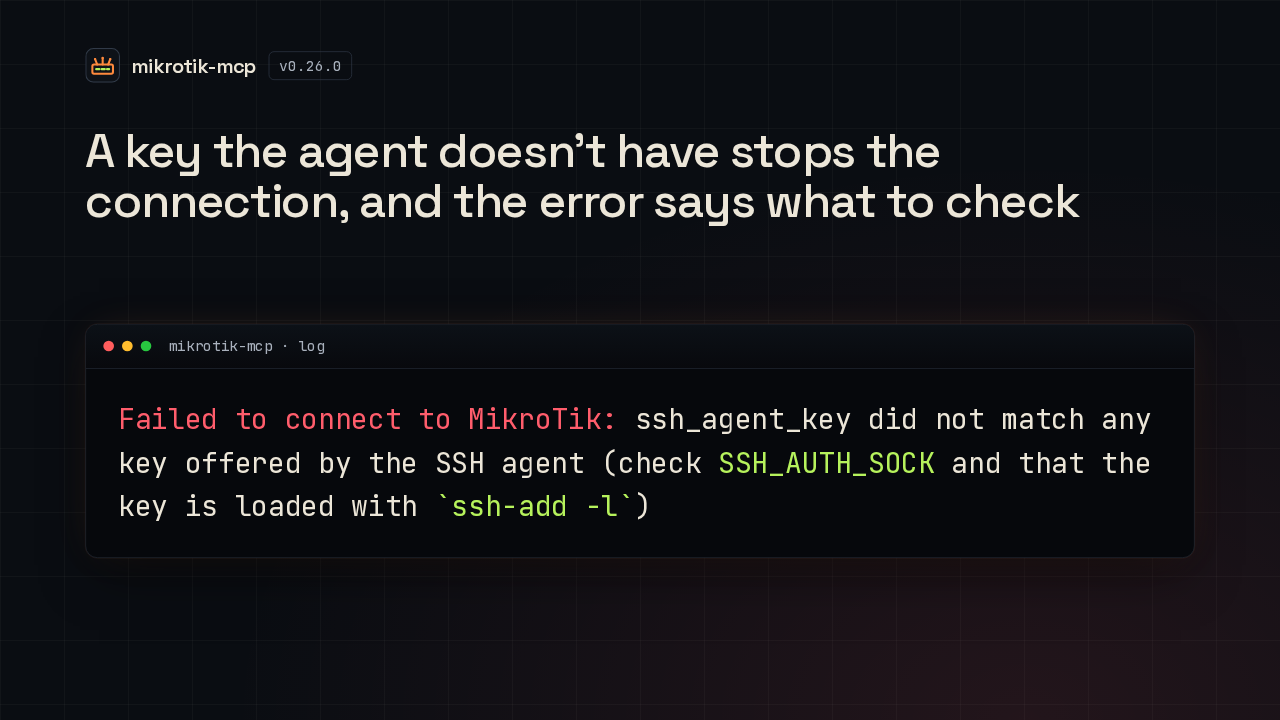
If none of the agent's keys match, the server stops before it tries to log in. The connection fails with this error, which tells you to check the SSH auth socket and to list your loaded keys with ssh-add -l. The server closes its connection to the agent either way.
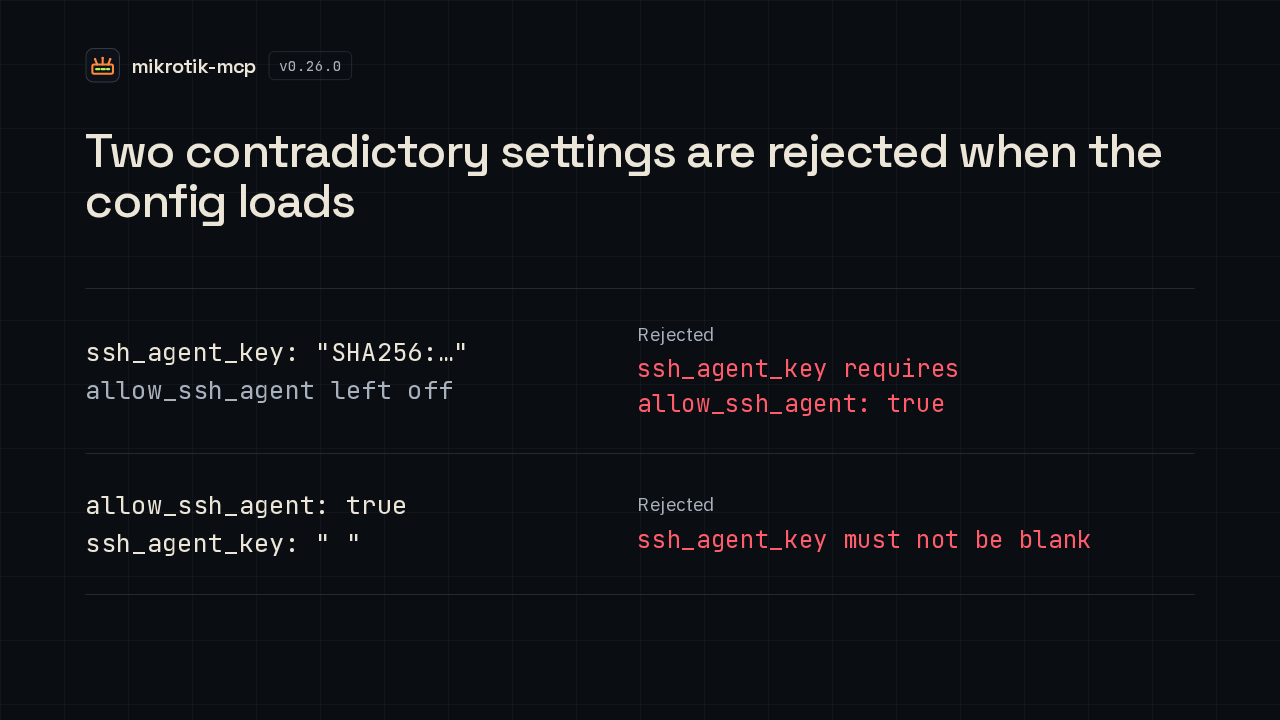
Two mistakes are caught as soon as the configuration loads. A key selector with agent sign-in left off is rejected, and the message says it needs allow SSH agent set to true. With agent sign-in on, an empty or all-blank selector is rejected too. Stray spaces around a real key are simply trimmed.
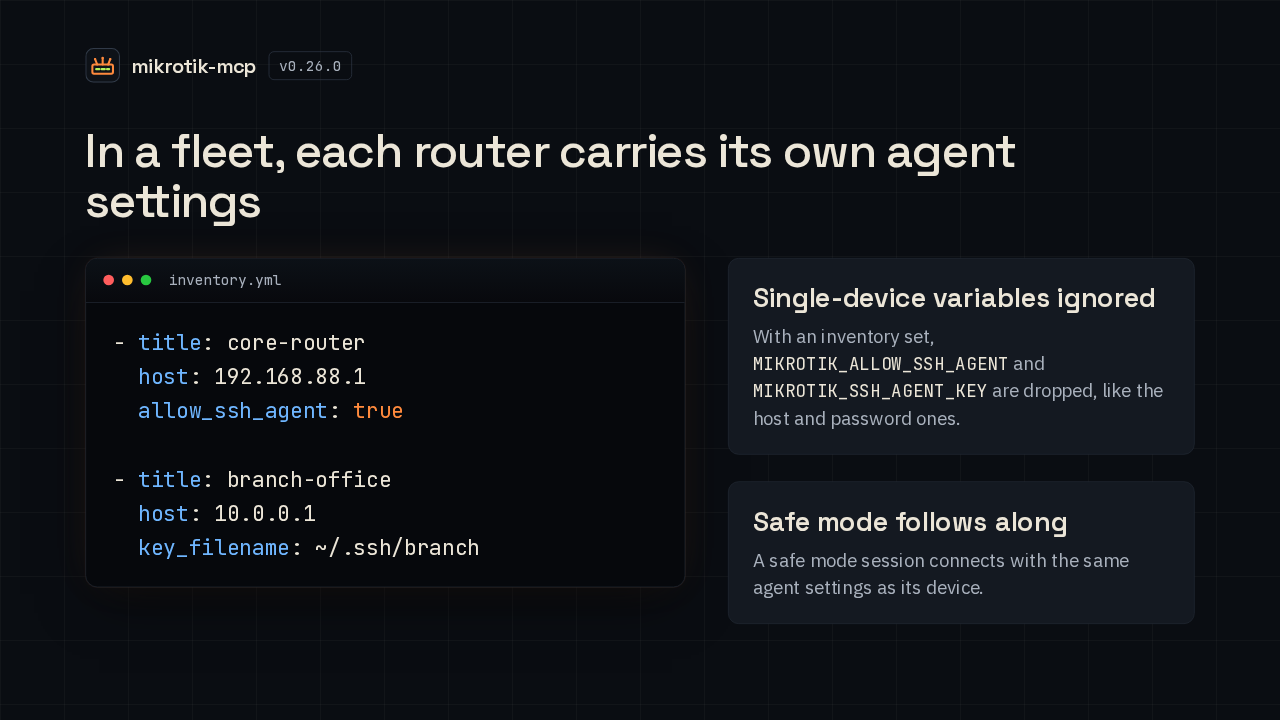
With an inventory, agent sign-in is set per device. So one router can use your agent while another keeps its key file. Once an inventory is set, the single-device agent variables are ignored, like the host and password ones. And a safe mode session connects with the same agent settings as the device it protects.
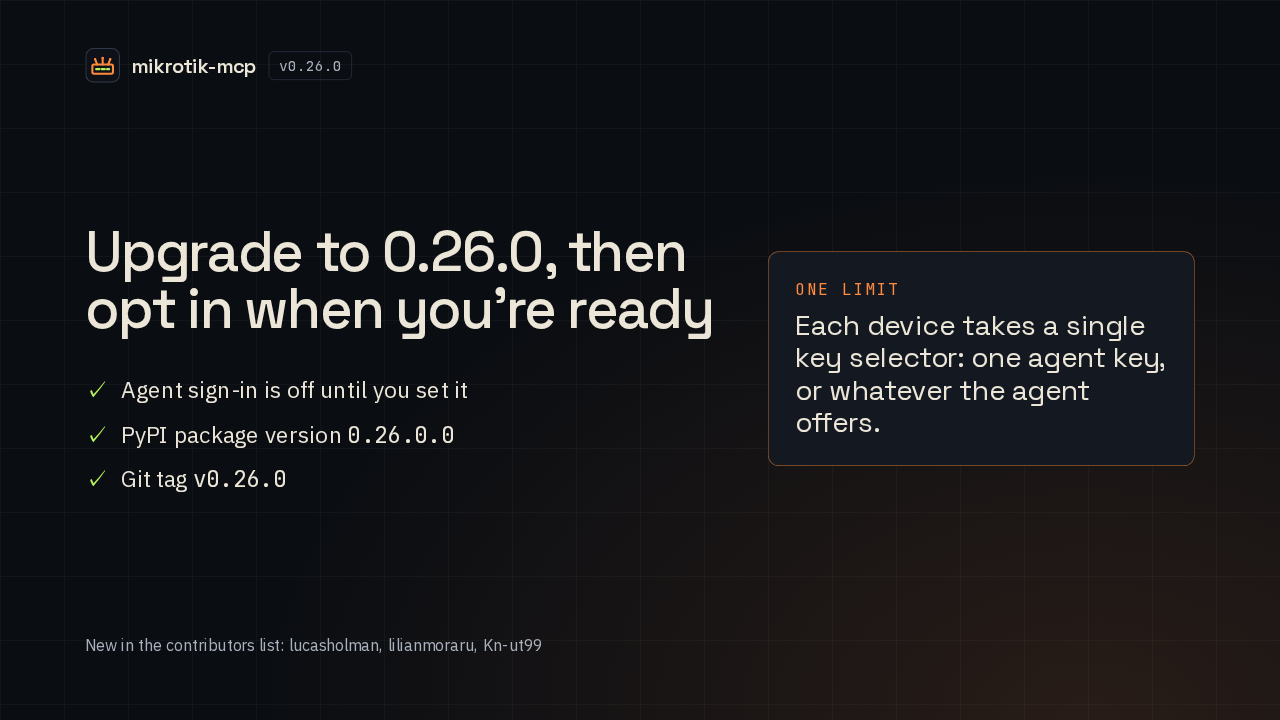
The PyPI package for this release is version 0.26.0.0. Upgrading changes nothing on its own, because agent sign-in stays off until you set it. One limit to know: each device takes a single key selector, so a router gets either one agent key, or whatever the agent offers. That's the release. MikroTik MCP now logs in to your routers with your SSH agent.