Yuvomi 2.81: iCloud events keep their map link and their person

2 hours ago

Yuvomi 2.81 is mostly about calendar sync keeping what you set. iCloud places stay intact, and a changed occurrence keeps its person. Wall tablets on older browsers get fixed too, and birthday import gets a Select all button.

Ask about this presentation

Chapters
  1. 0:00Yuvomi 2.81
  2. 0:16Apple Maps places stay intact
  3. 0:36Changed occurrences keep their person
  4. 0:55Your day, in order
  5. 1:09Wall tablets on older browsers
  6. 1:31Birthday import: Select all
  7. 1:49Settings fit on a phone
  8. 2:07API and MCP answer clearly
  9. 2:29Security updates
  10. 2:50Upgrade
Show transcript
  1. Yuvomi 2.81 is mostly about calendar sync keeping what you set. iCloud places stay intact, and a changed occurrence keeps its person. Wall tablets on older browsers get fixed too, and birthday import gets a Select all button.

    Slide text
    Yuvomi logoYuvomi 2.81

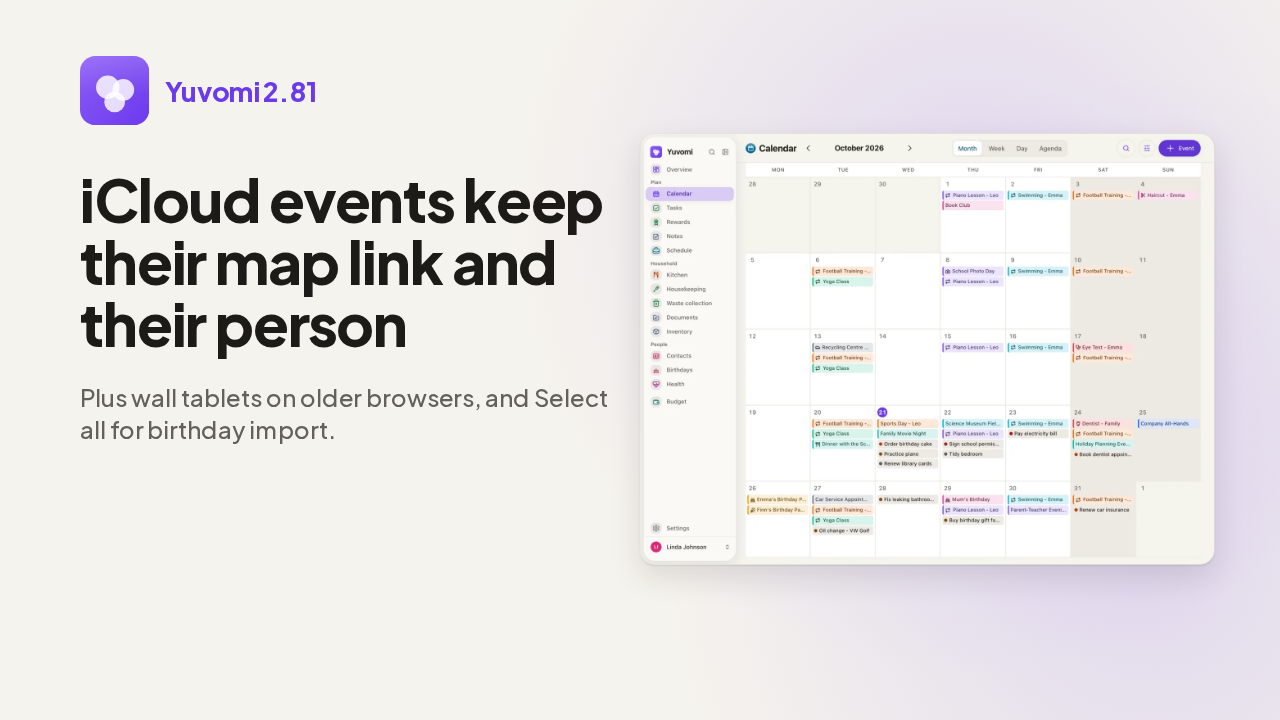
    iCloud events keep their map link and their person

    Plus wall tablets on older browsers, and Select all for birthday import.

    The Yuvomi calendar in month view
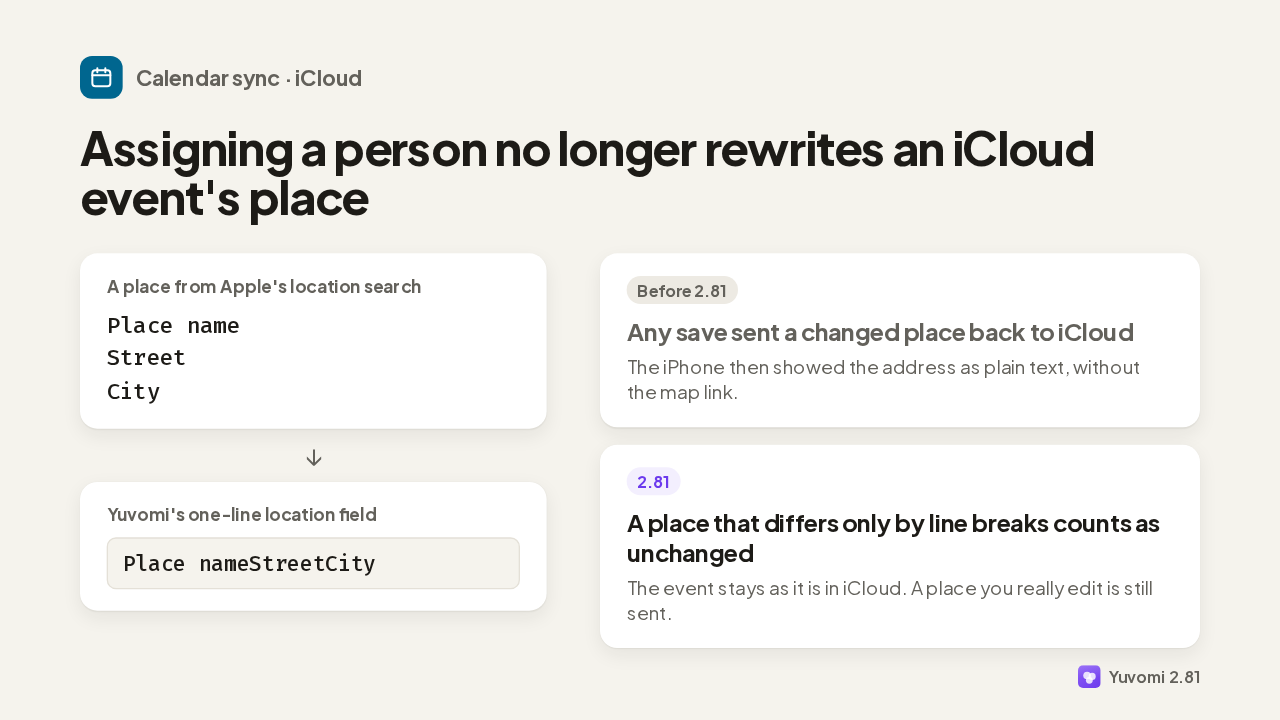
  2. A place picked through Apple's location search is stored on several lines. Yuvomi's location field holds one line, so the breaks were dropped. Even a save just to assign someone sent a changed place back to iCloud, and the iPhone lost the map link. Now a place that differs only by line breaks counts as unchanged.

    Slide text
    Calendar sync · iCloud

    Assigning a person no longer rewrites an iCloud event's place

    A place from Apple's location search
    Place name
    Street
    City
    ↓
    Yuvomi's one-line location field
    Place nameStreetCity
    Before 2.81
    Any save sent a changed place back to iCloud
    The iPhone then showed the address as plain text, without the map link.
    2.81
    A place that differs only by line breaks counts as unchanged
    The event stays as it is in iCloud. A place you really edit is still sent.
    Yuvomi 2.81
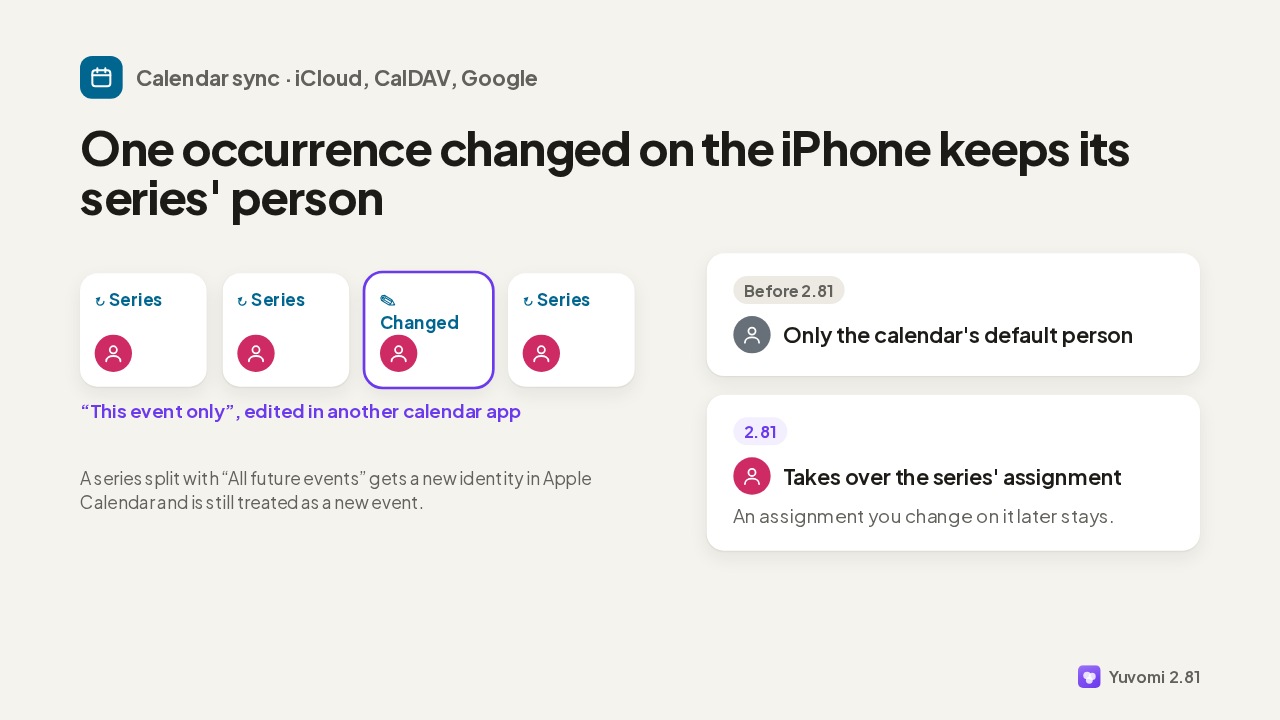
  3. Next, a recurring event with a person assigned to the series. Change one occurrence on the iPhone with This event only, and it arrives in Yuvomi as a separate event. It used to get only the calendar's default person. Now it takes over the series' assignment, from iCloud, CalDAV or Google.

    Slide text
    Calendar sync · iCloud, CalDAV, Google

    One occurrence changed on the iPhone keeps its series' person

    ↻ Series
    ↻ Series
    ✎ Changed
    ↻ Series
    “This event only”, edited in another calendar app
    A series split with “All future events” gets a new identity in Apple Calendar and is still treated as a new event.
    Before 2.81
    Only the calendar's default person
    2.81
    Takes over the series' assignment
    An assignment you change on it later stays.
    Yuvomi 2.81
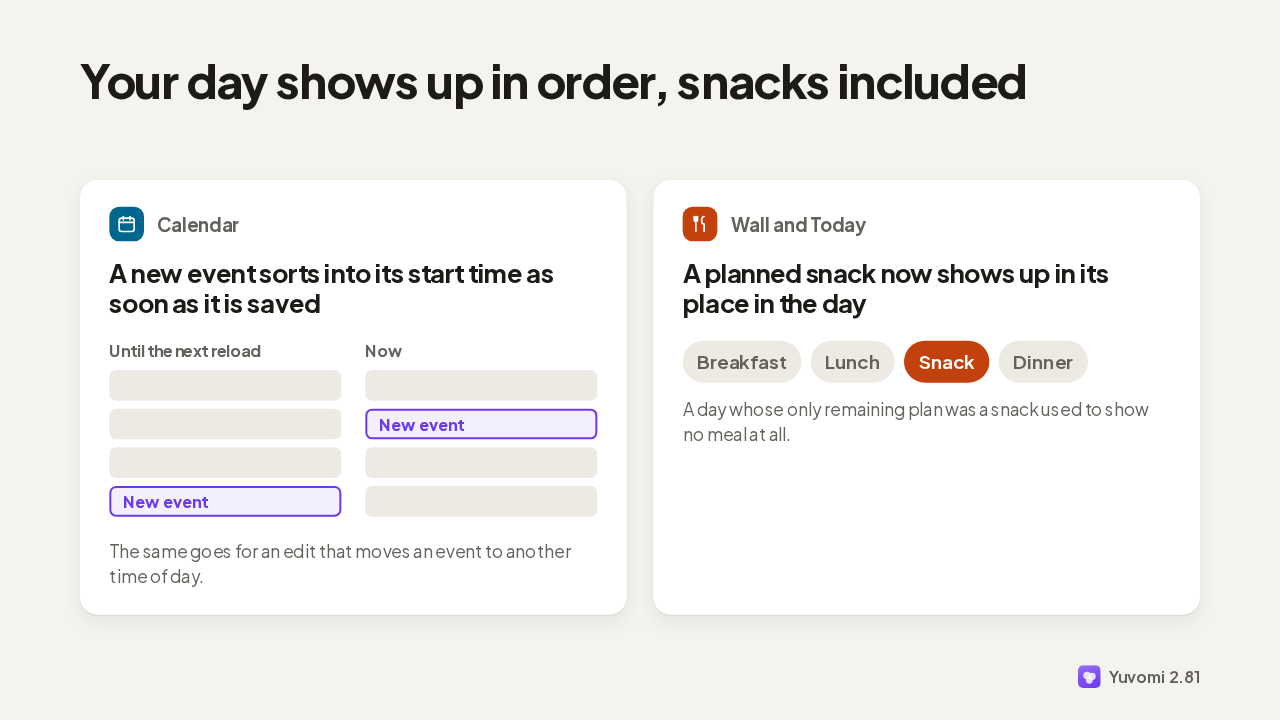
  4. A new event used to sit below the rest of its day until the next reload. Now it's sorted by start time as soon as it's saved. And on the wall and in Today, a planned snack now shows up in its place, between lunch and dinner.

    Slide text

    Your day shows up in order, snacks included

    Calendar
    A new event sorts into its start time as soon as it is saved
    Until the next reload
    New event
    Now
    New event
    The same goes for an edit that moves an event to another time of day.
    Wall and Today
    A planned snack now shows up in its place in the day
    Breakfast Lunch Snack Dinner
    A day whose only remaining plan was a snack used to show no meal at all.
    Yuvomi 2.81
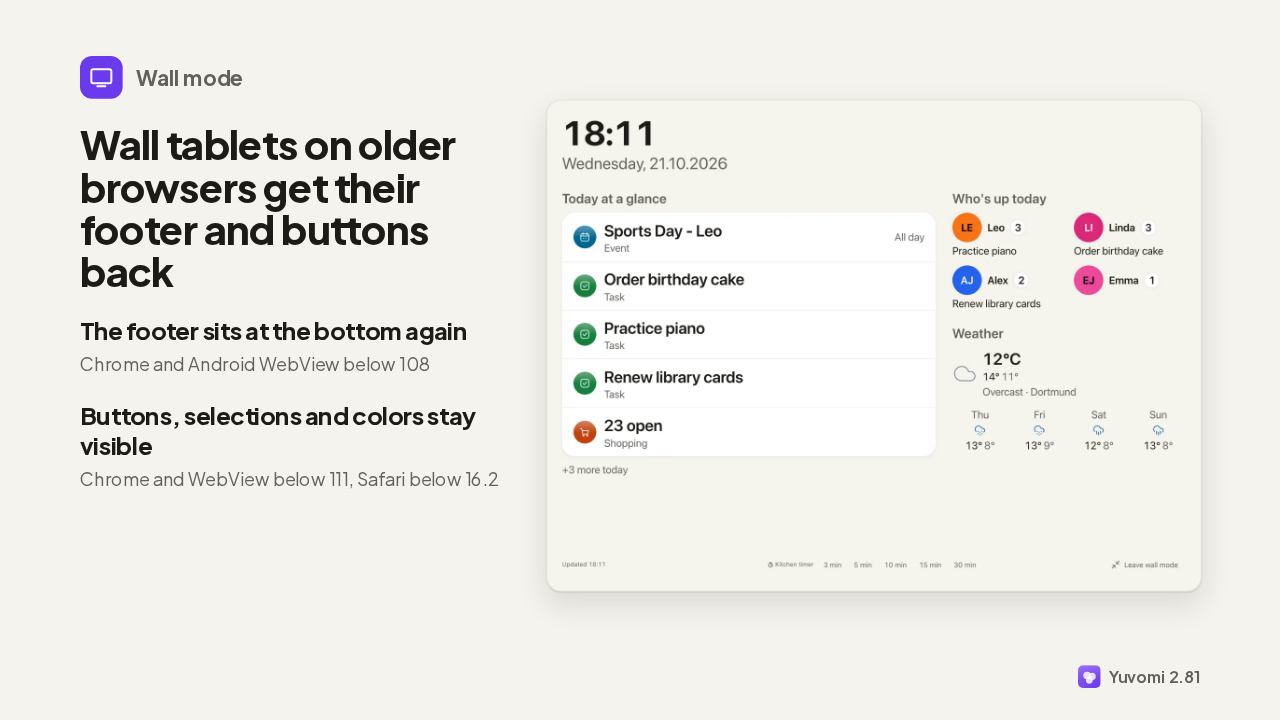
  5. Wall mode had trouble on older tablet browsers. Below Chrome 108, the wall was only as tall as its content, so this footer floated mid-screen. Now it sits at the bottom. Below Chrome 111 and Safari 16.2, primary buttons lost their fill and their label. They now get a plain color, and current browsers look the same.

    Slide text
    Wall mode

    Wall tablets on older browsers get their footer and buttons back

    The footer sits at the bottom again
    Chrome and Android WebView below 108
    Buttons, selections and colors stay visible
    Chrome and WebView below 111, Safari below 16.2
    Yuvomi wall mode on a landscape tablet, with the footer at the bottom: Updated, kitchen timer, Leave wall mode
    Yuvomi 2.81
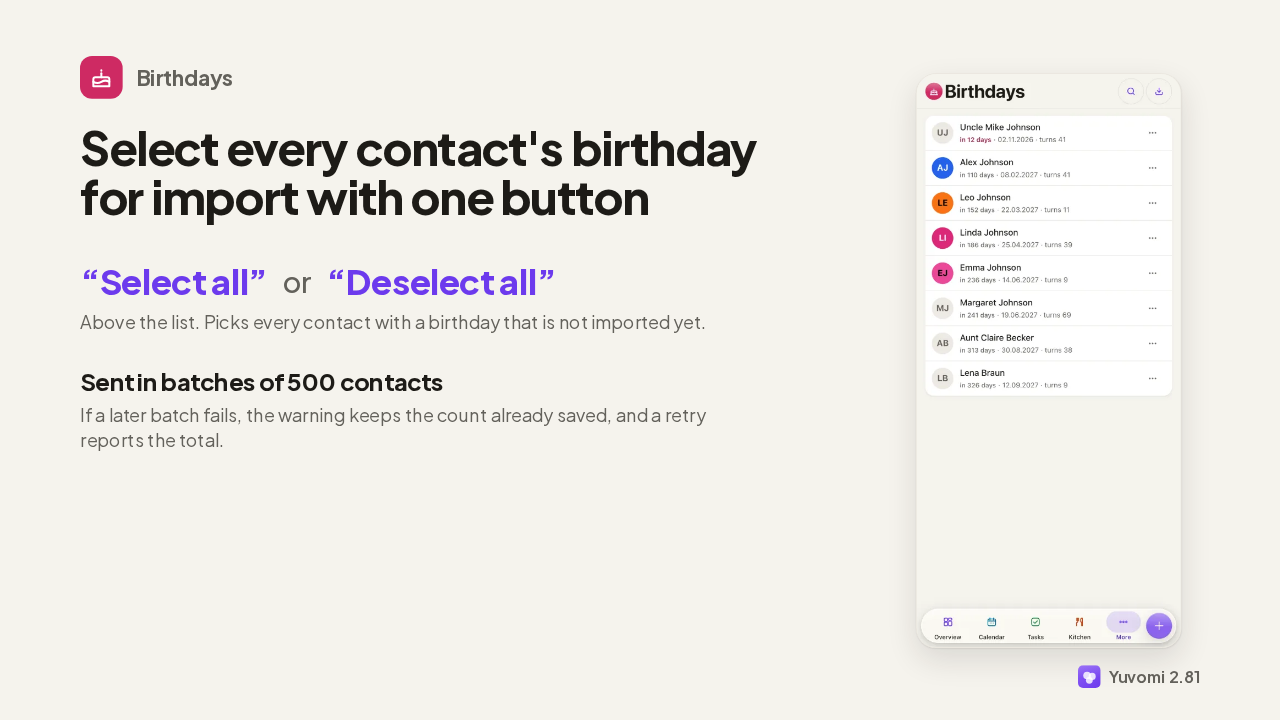
  6. Importing birthdays from contacts used to mean picking them one by one. Now one button selects every contact whose birthday isn't imported yet, or clears them all. Big selections go out 500 contacts at a time, and if a later batch fails, the saved count stays in the warning.

    Slide text
    Birthdays

    Select every contact's birthday for import with one button

    “Select all” or “Deselect all”
    Above the list. Picks every contact with a birthday that is not imported yet.
    Sent in batches of 500 contacts
    If a later batch fails, the warning keeps the count already saved, and a retry reports the total.
    The Birthdays list in Yuvomi on a phone
    Yuvomi 2.81
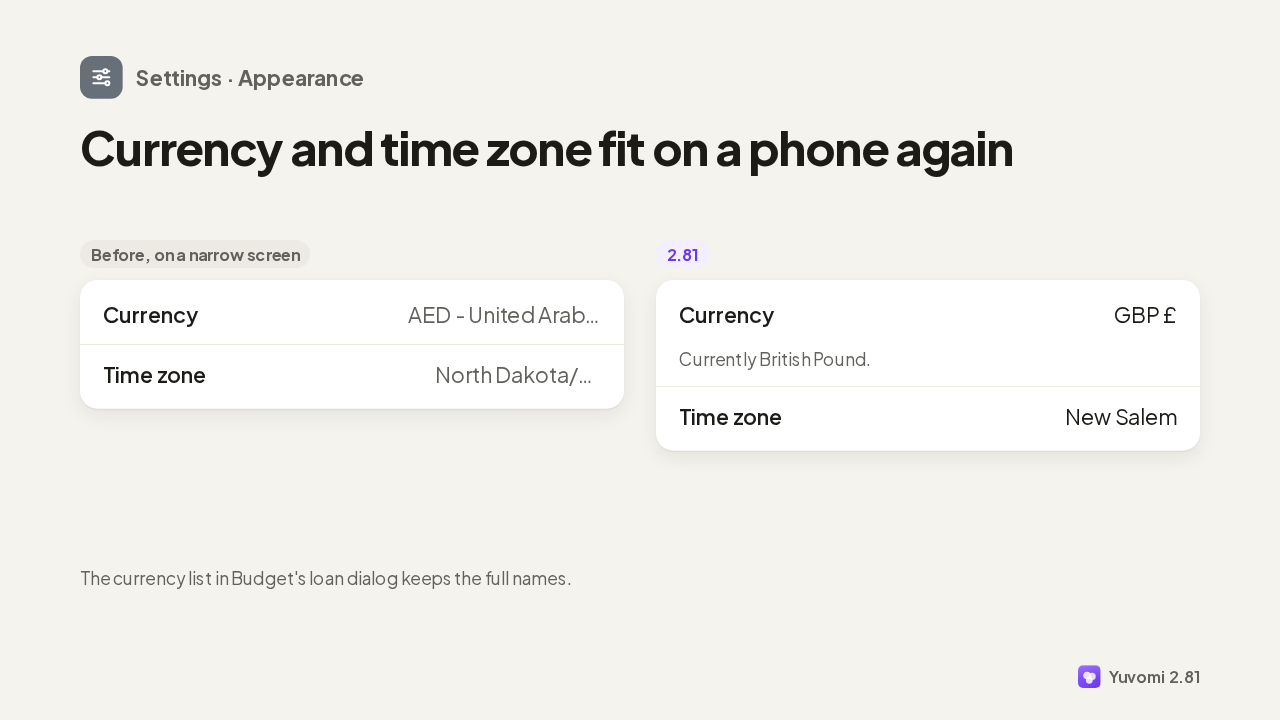
  7. On a phone, the appearance settings cut off long names. A currency like AED, United Arab Emirates Dirham, ended in three dots, and so did long time zones. Now the currency shows its code and symbol, the time zone its city, and the full name moves to the hint below.

    Slide text
    Settings · Appearance

    Currency and time zone fit on a phone again

    Before, on a narrow screen
    Currency AED - United Arab Emirates Dirham
    Time zone North Dakota/New Salem
    2.81
    Currency GBP £
    Currently British Pound.
    Time zone New Salem
    The currency list in Budget's loan dialog keeps the full names.
    Yuvomi 2.81
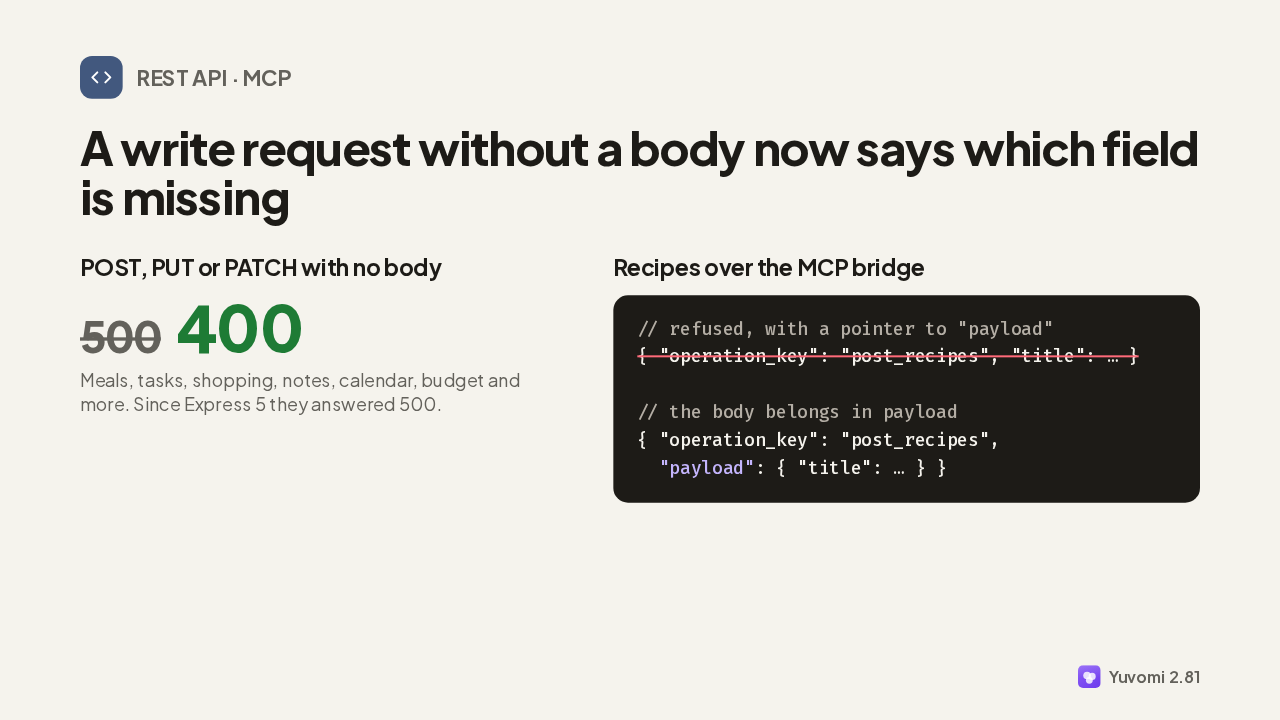
  8. If you script the API: since Express 5, a POST, PUT or PATCH without a body made most routes answer 500. Now each route answers 400 and names the missing field. And an assistant creating a recipe over MCP with its fields in the wrong place got Internal error. The bridge now tells it the body belongs in payload.

    Slide text
    REST API · MCP

    A write request without a body now says which field is missing

    POST, PUT or PATCH with no body
    500 400
    Meals, tasks, shopping, notes, calendar, budget and more. Since Express 5 they answered 500.
    Recipes over the MCP bridge
    // refused, with a pointer to "payload"
    { "operation_key": "post_recipes", "title": … }
    
    // the body belongs in payload
    { "operation_key": "post_recipes",
      "payload": { "title": … } }
    Yuvomi 2.81
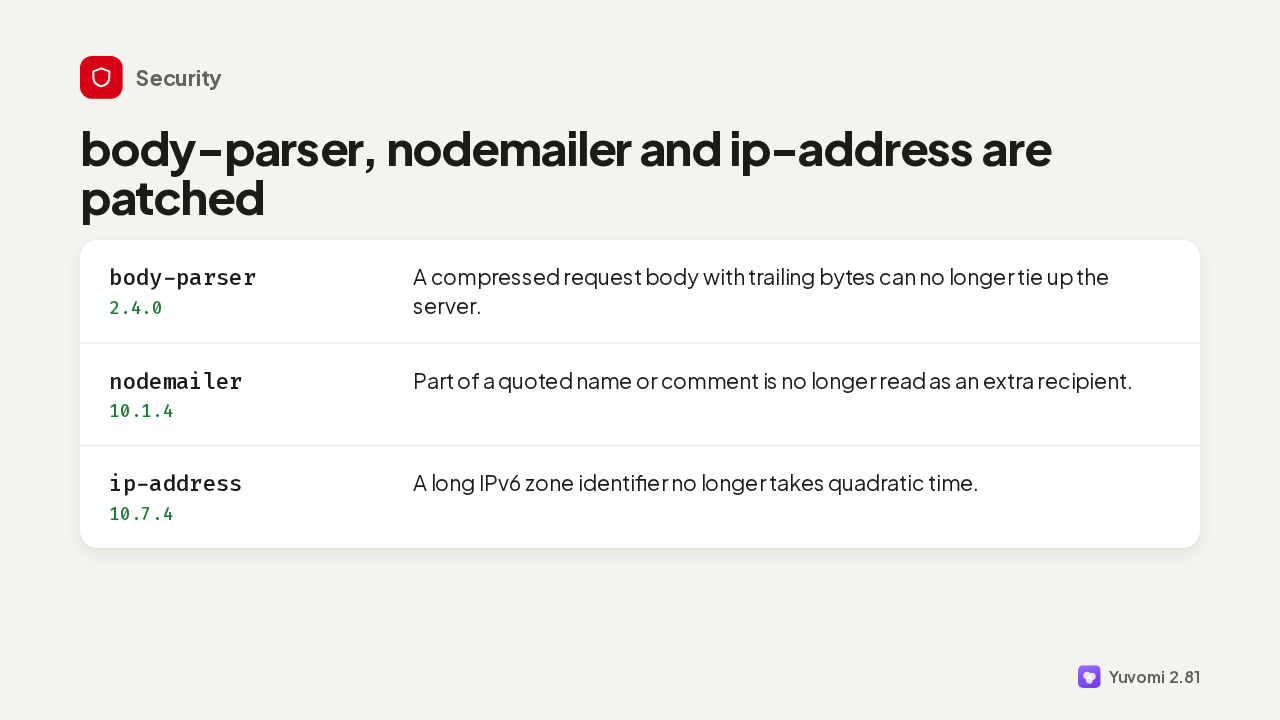
  9. Three production dependencies were patched for published advisories. Body parser stops a compressed request with trailing bytes from tying up the server. Nodemailer no longer turns part of a quoted name into an extra recipient. And ip address no longer spends quadratic time on a long IPv6 zone identifier.

    Slide text
    Security

    body-parser, nodemailer and ip-address are patched

    body-parser 2.4.0
    A compressed request body with trailing bytes can no longer tie up the server.
    nodemailer 10.1.4
    Part of a quoted name or comment is no longer read as an extra recipient.
    ip-address 10.7.4
    A long IPv6 zone identifier no longer takes quadratic time.
    Yuvomi 2.81
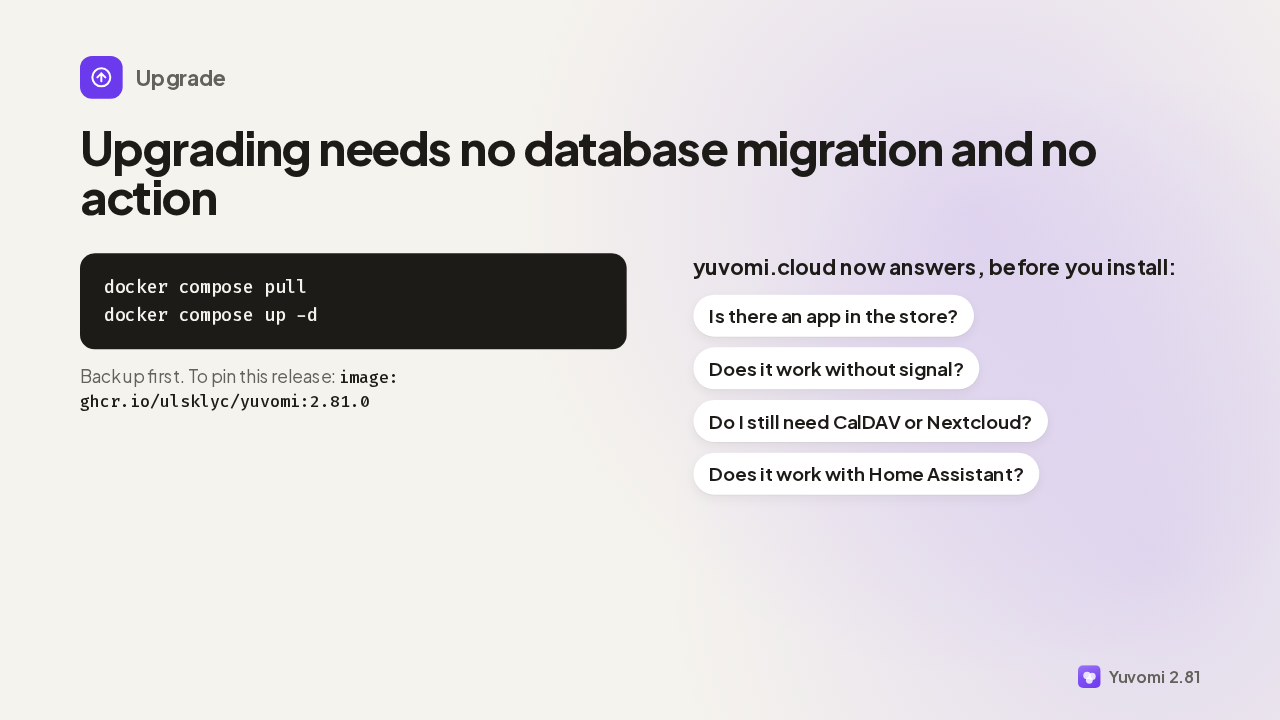
  10. Upgrading needs no action, and no database migration runs. Pull the new image and start it again, after a backup, as always. And if someone at home is still deciding, yuvomi.cloud now answers the questions people ask most before installing.

    Slide text
    Upgrade

    Upgrading needs no database migration and no action

    docker compose pull
    docker compose up -d
    Back up first. To pin this release: image: ghcr.io/ulsklyc/yuvomi:2.81.0
    yuvomi.cloud now answers, before you install:
    Is there an app in the store? Does it work without signal? Do I still need CalDAV or Nextcloud? Does it work with Home Assistant?
    Yuvomi 2.81

What happened in AI today, in your inbox

One short email each evening. Read it and you’re caught up.

Built in New York with ❤️