Workspace search is live
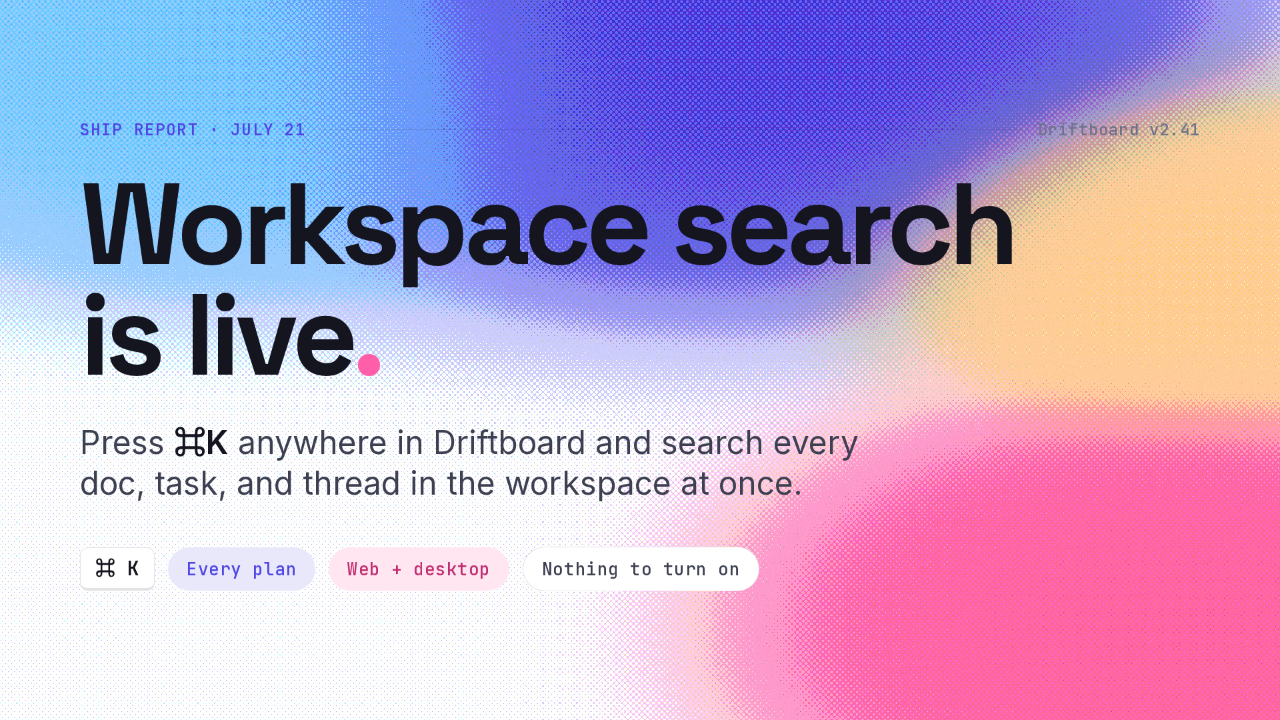
Workspace search
is live.
Press ⌘K anywhere in Driftboard and search every doc, task, and thread in the workspace at once.
Quick ship report from the search crew — this one's been a long time coming. As of this morning, workspace search is live in Driftboard for everyone. Press command K anywhere and you're searching every doc, task, and thread in the workspace at once. It's on every plan, web and desktop, and there's nothing to turn on. Two minutes — here's the tour.
What it replaces
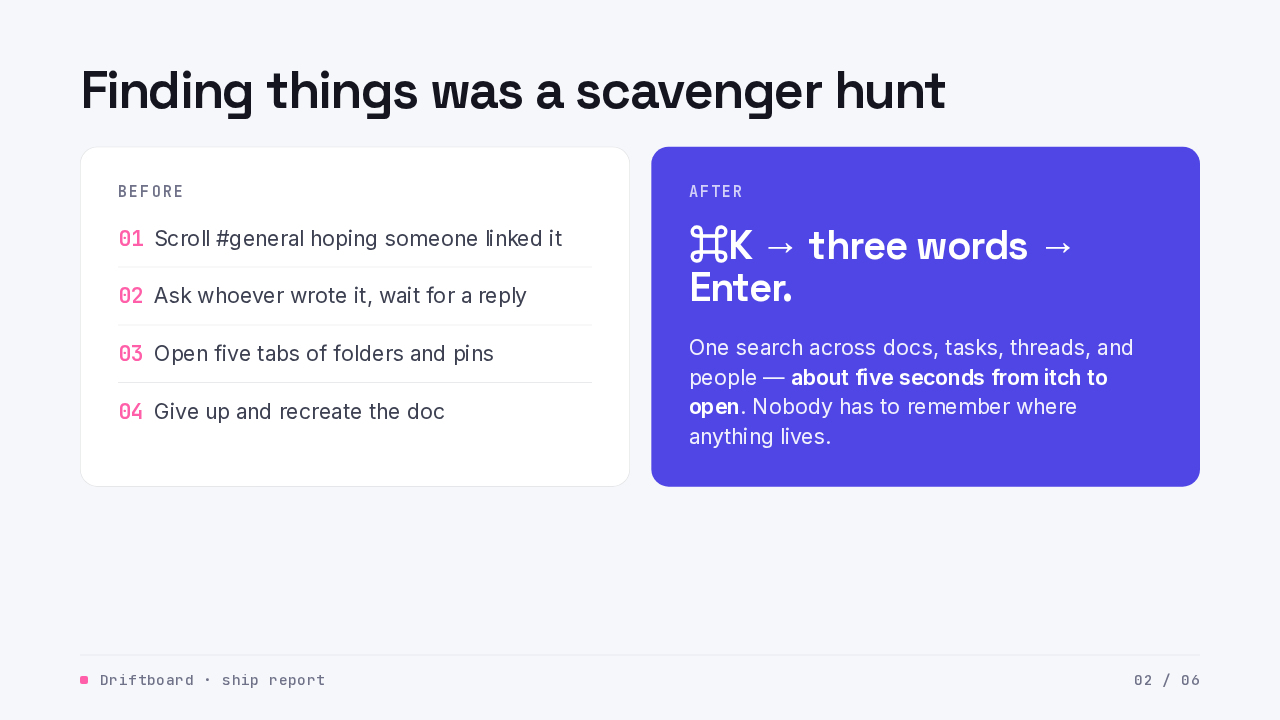
Finding things was a scavenger hunt
- 01Scroll #general hoping someone linked it
- 02Ask whoever wrote it, wait for a reply
- 03Open five tabs of folders and pins
- 04Give up and recreate the doc
One search across docs, tasks, threads, and people — about five seconds from itch to open. Nobody has to remember where anything lives.
First, the itch this scratches. Finding anything in a busy workspace was a scavenger hunt. You'd scroll the general channel hoping someone linked it, ask whoever wrote it and wait, open five tabs of folders and pinned posts — and too often just give up and recreate the thing. Now it's one motion. Command K, type three words, hit enter. About five seconds from the itch to the open doc, and nobody has to remember where anything lives.
How it works
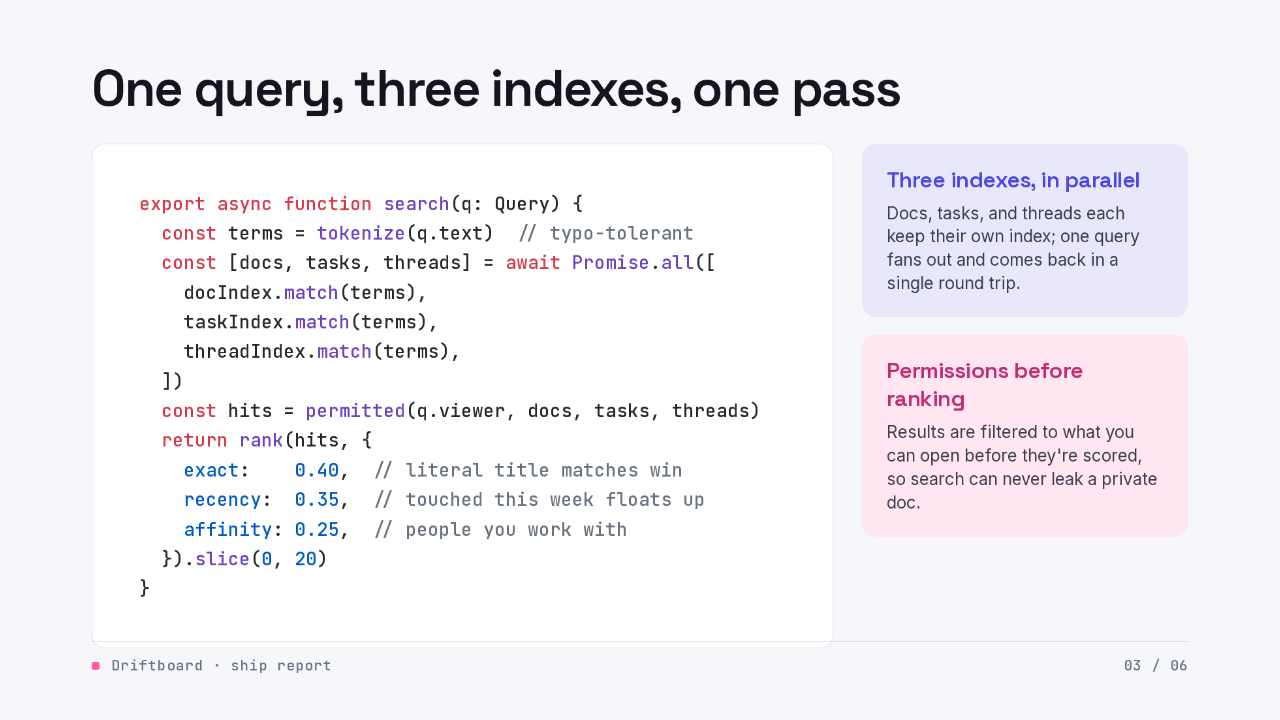
One query, three indexes, one pass
export async function search(q: Query) {
  const terms = tokenize(q.text)  // typo-tolerant
  const [docs, tasks, threads] = await Promise.all([
    docIndex.match(terms),
    taskIndex.match(terms),
    threadIndex.match(terms),
  ])
  const hits = permitted(q.viewer, docs, tasks, threads)
  return rank(hits, {
    exact:    0.40,  // literal title matches win
    recency:  0.35,  // touched this week floats up
    affinity: 0.25,  // people you work with
  }).slice(0, 20)
}
Three indexes, in parallel
Docs, tasks, and threads each keep their own index; one query fans out and comes back in a single round trip.
Permissions before ranking
Results are filtered to what you can open before they're scored, so search can never leak a private doc.
Here's the shape of it, and it's pleasingly small. Your query gets tokenized with typo tolerance, so a slightly misspelled search still lands. Then it fans out to three indexes in parallel — docs, tasks, and threads — one match pass each, one round trip. And before anything gets ranked, we filter to what you're allowed to open, so search can never leak a private doc. Then a single ranking pass: exact title matches win, recently touched things float up, and the people and docs you actually work with get a nudge. Top twenty results, and done.
What it feels like
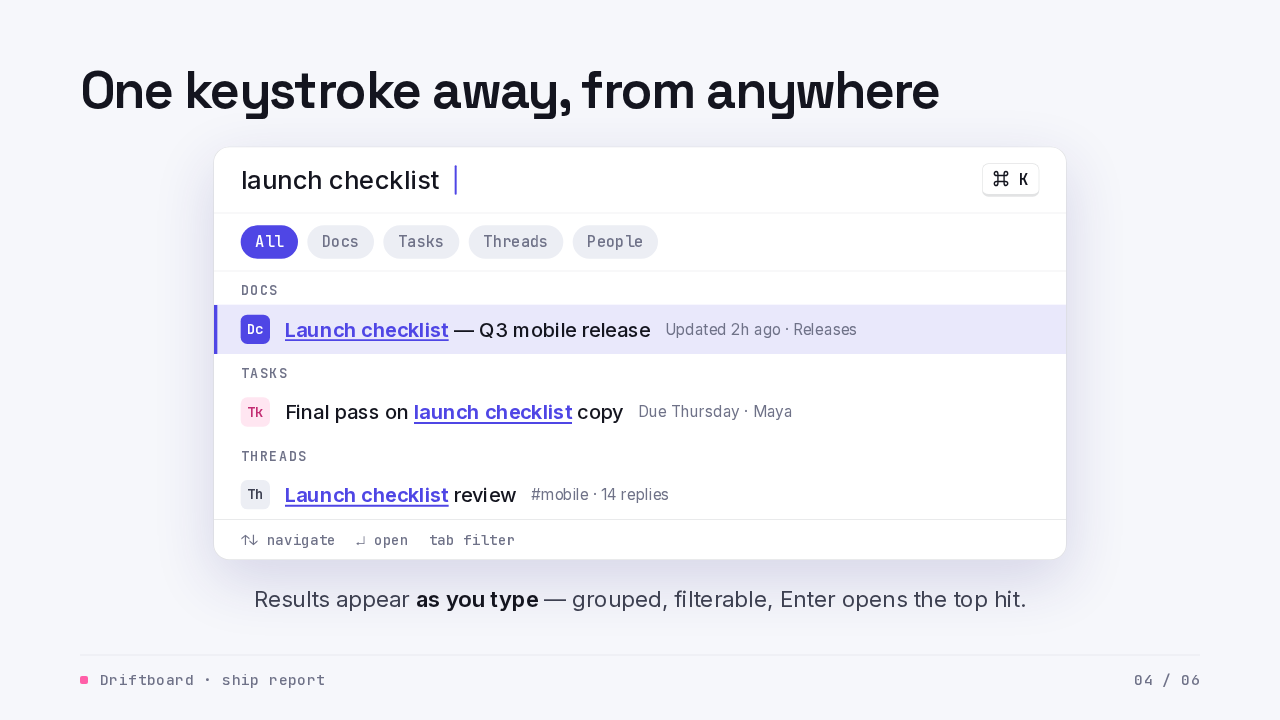
One keystroke away, from anywhere
Results appear as you type — grouped, filterable, Enter opens the top hit.
This is what it feels like. Command K from anywhere, and the palette is up before your hands leave the keyboard. Results land as you type, grouped by what they are — docs, tasks, threads — and the filters are one tap. Enter opens the top hit. In early testing, the moment that sold people was searching mid-conversation and pasting the link before the other person had finished typing their question.
Week one
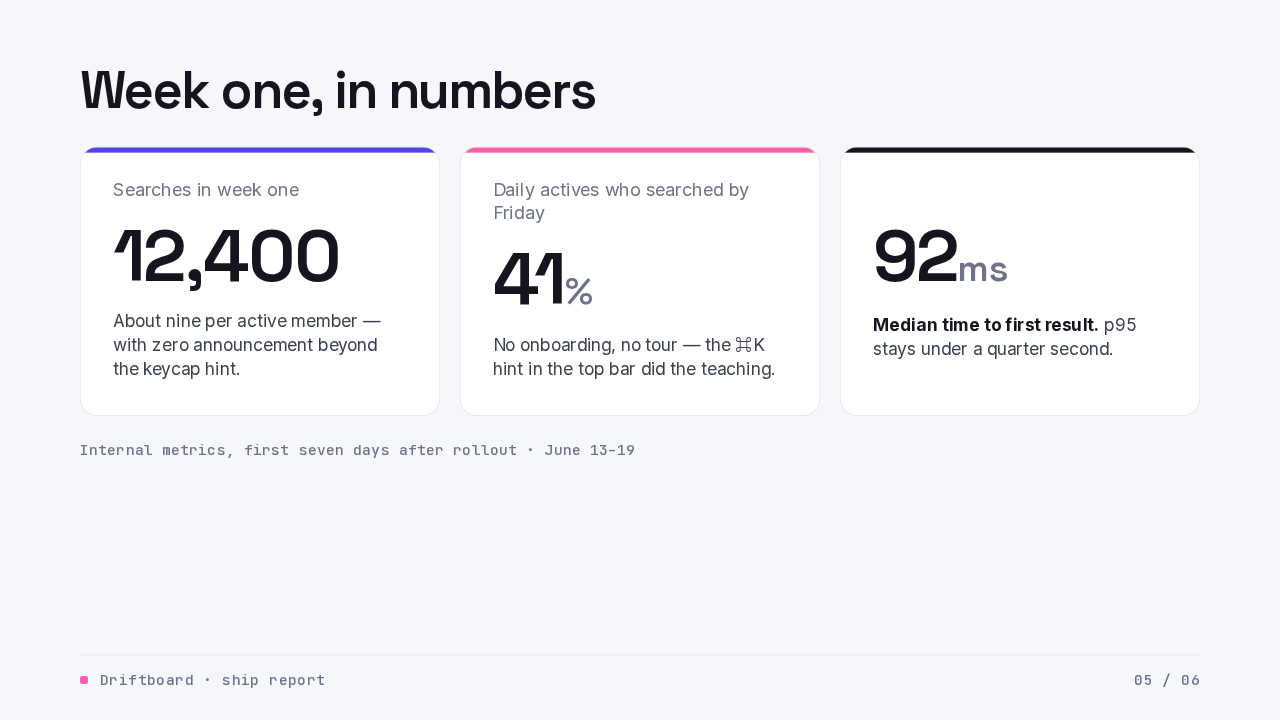
Week one, in numbers
Internal metrics, first seven days after rollout · June 13–19
One week in, the early numbers are modest and encouraging. Twelve thousand four hundred searches in the first seven days — about nine per active member. Forty-one percent of daily actives had searched by Friday, with no onboarding at all; the little command K hint in the top bar did the teaching. And the median time to first result is ninety-two milliseconds, with p ninety-five under a quarter of a second. Fast enough that it feels like the results were already there waiting.
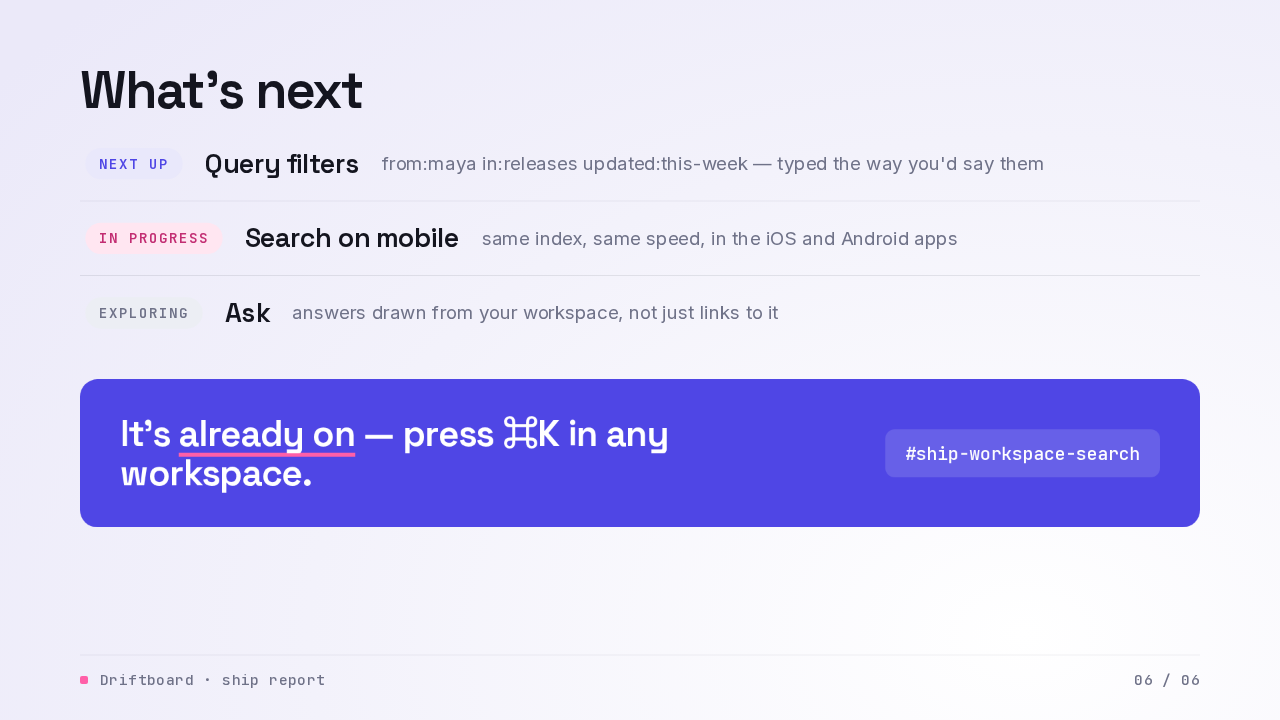
What's next
Query filters
from:maya in:releases updated:this-week — typed the way you'd say them
Search on mobile
same index, same speed, in the iOS and Android apps
Ask
answers drawn from your workspace, not just links to it
Where this goes from here. Next up is query filters — from, in, and updated, typed the way you'd say them. Search on mobile is in progress, same index and same speed in the apps. And we're exploring Ask — answers drawn from your workspace instead of just links to it. The main thing, though: it's already on. Press command K in any workspace, and when it misses something, tell us in the ship-workspace-search channel — we read every report. Proud of this one. Go try it.