PixelPlayer OSS 0.4.0 updates itself and builds mixes from a sentence

16 minutes ago

PixelPlayer OSS 0.4.0 can check for its own updates and install them, and a new Smart Mix composer turns a sentence like rock but not metal into a mix, offline. It also adds an AMOLED theme and finer playback speed, and fixes stuck cloud artwork and missing Jellyfin playlists.

Ask about this presentation

Chapters
  1. 0:00PixelPlayer OSS 0.4.0
  2. 0:20In-app updates
  3. 0:40Smart Mix composer
  4. 1:01New options
  5. 1:23What behaves differently
  6. 1:47Fixes
  7. 2:11Security
  8. 2:38Upgrading
Show transcript
  1. PixelPlayer OSS 0.4.0 can check for its own updates and install them, and a new Smart Mix composer turns a sentence like rock but not metal into a mix, offline. It also adds an AMOLED theme and finer playback speed, and fixes stuck cloud artwork and missing Jellyfin playlists.

    Slide text
    PixelPlayer OSS

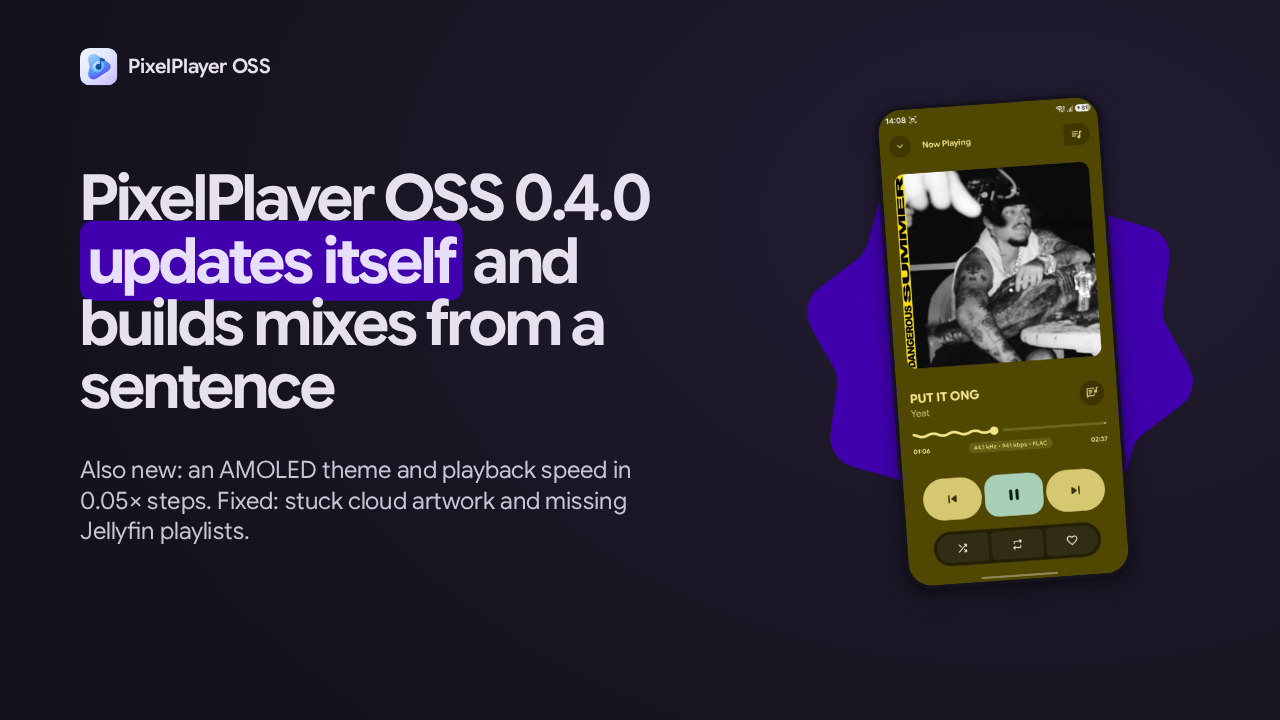
    PixelPlayer OSS 0.4.0 updates itself and builds mixes from a sentence

    Also new: an AMOLED theme and playback speed in 0.05× steps. Fixed: stuck cloud artwork and missing Jellyfin playlists.

    PixelPlayer OSS now playing screen
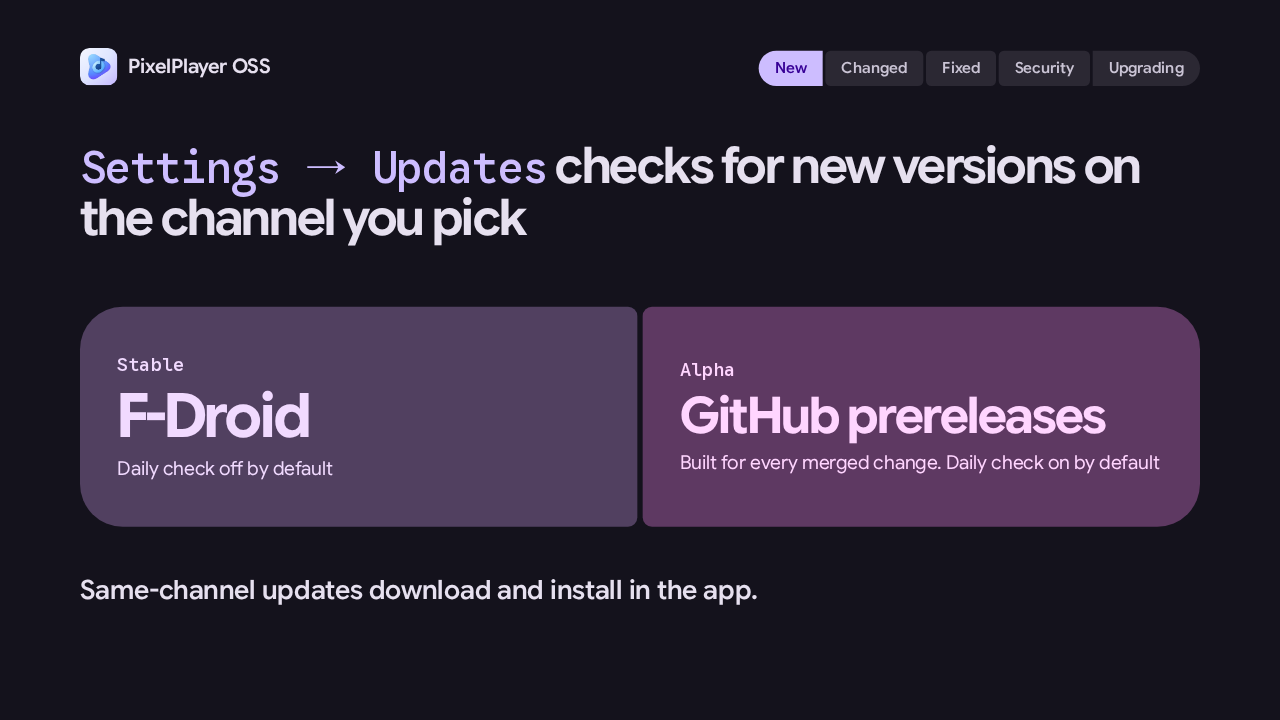
  2. Open Settings, then Updates. Stable pulls new versions from F-Droid. Alpha pulls from the GitHub prereleases built for every merged change. An update on the channel you already use downloads and installs right in the app. An optional daily check is on by default for alpha builds and off for F-Droid builds.

    Slide text
    PixelPlayer OSS
    New Changed Fixed Security Upgrading

    Settings → Updates checks for new versions on the channel you pick

    Stable
    F-Droid
    Daily check off by default
    Alpha
    GitHub prereleases
    Built for every merged change. Daily check on by default

    Same-channel updates download and install in the app.

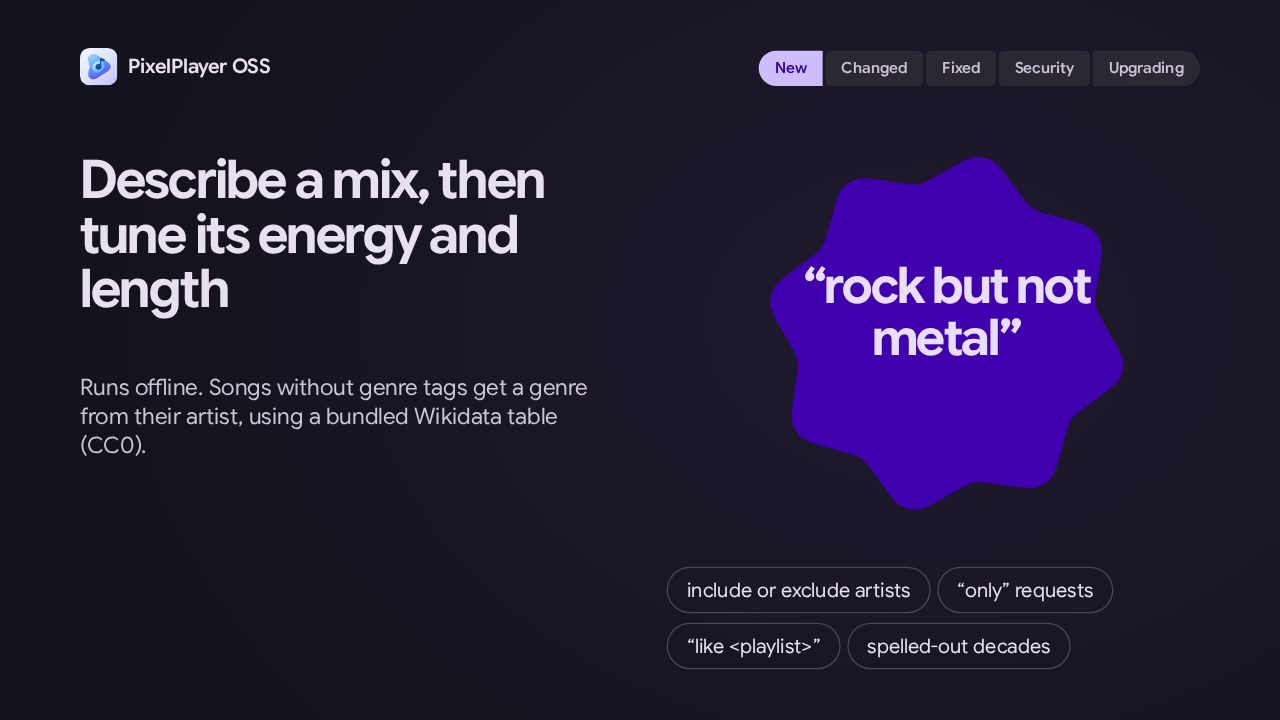
  3. Smart Mix replaces the Describe it dialog. You say what you want, like rock but not metal, then adjust its energy and length, preview it, and play it or save it as a playlist. It now handles excluding artists and genres, only requests, a mix like one of your playlists, and decades written out in words. And it all runs offline.

    Slide text
    PixelPlayer OSS
    New Changed Fixed Security Upgrading

    Describe a mix, then tune its energy and length

    Runs offline. Songs without genre tags get a genre from their artist, using a bundled Wikidata table (CC0).

    “rock but not metal”
    include or exclude artists “only” requests “like <playlist>” spelled-out decades
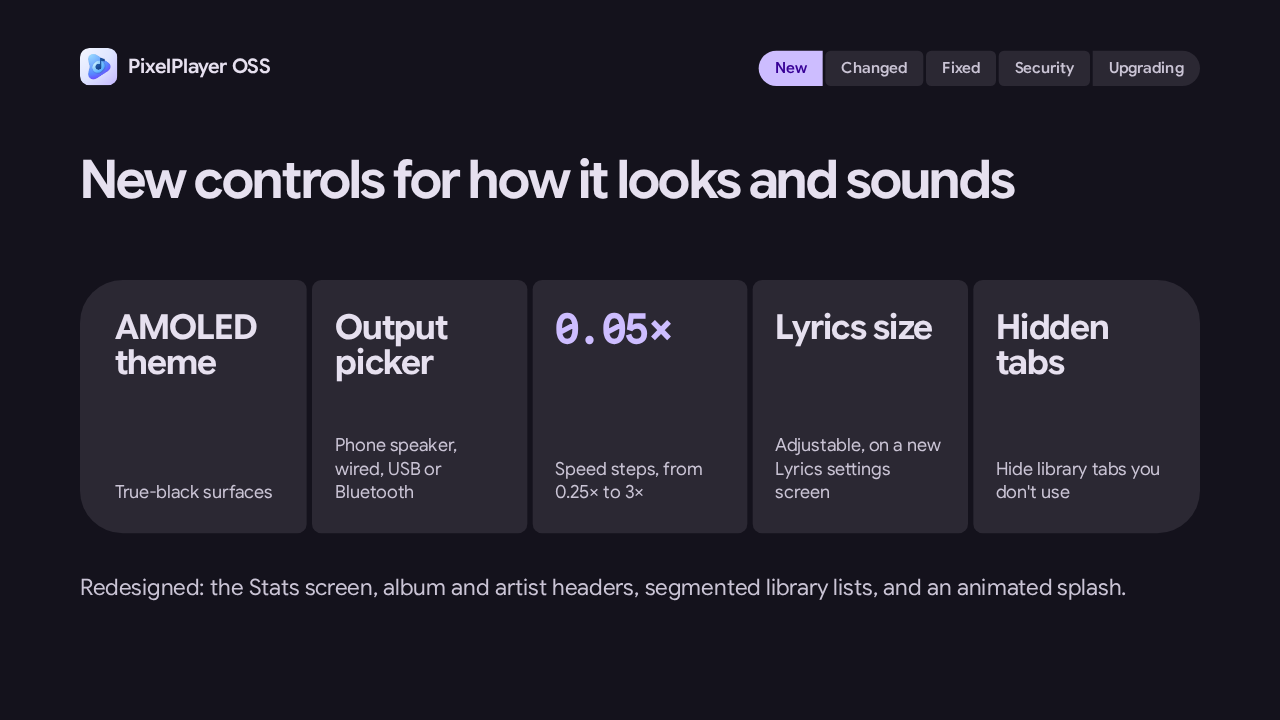
  4. There's an AMOLED theme with true-black surfaces, and an output picker for the phone speaker, wired, USB or Bluetooth. Playback speed moves in steps of 0.05, from a quarter speed up to three times. Lyrics size is adjustable, and you can hide library tabs you don't use. Stats, album and artist headers, and library lists are redesigned too.

    Slide text
    PixelPlayer OSS
    New Changed Fixed Security Upgrading

    New controls for how it looks and sounds

    AMOLED theme
    True-black surfaces
    Output picker
    Phone speaker, wired, USB or Bluetooth
    0.05×
    Speed steps, from 0.25× to 3×
    Lyrics size
    Adjustable, on a new Lyrics settings screen
    Hidden tabs
    Hide library tabs you don't use

    Redesigned: the Stats screen, album and artist headers, segmented library lists, and an animated splash.

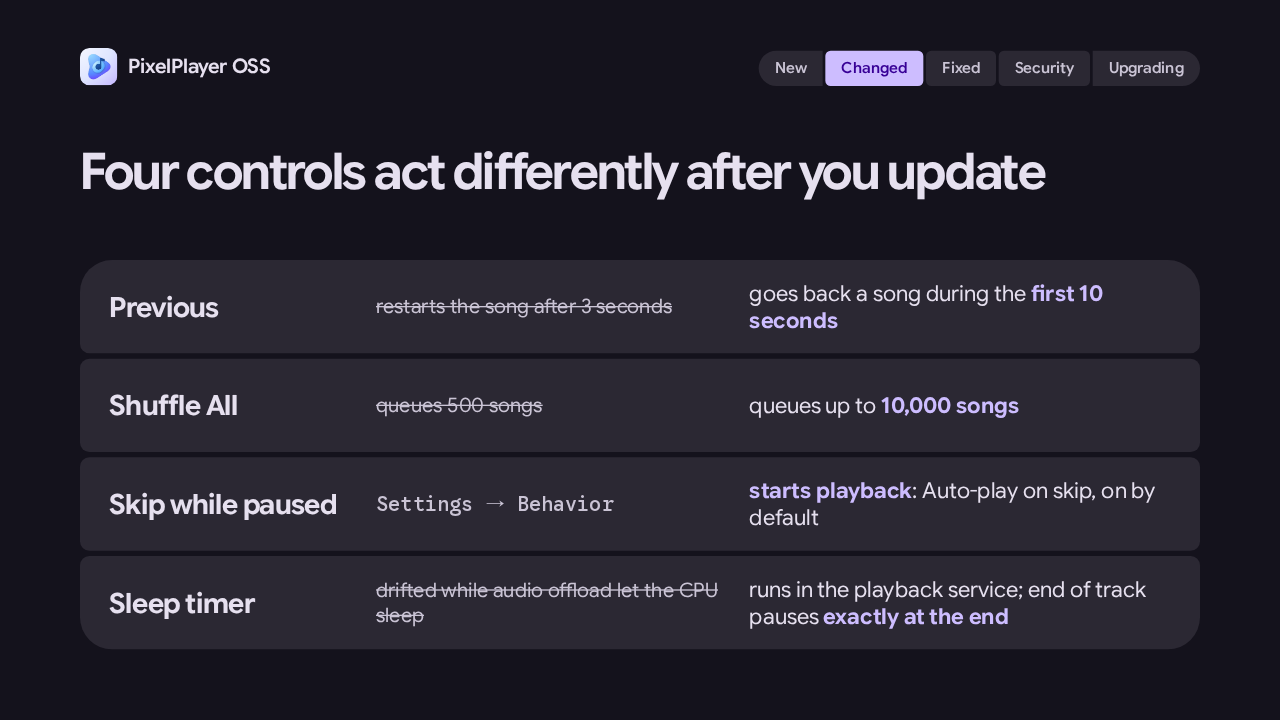
  5. A few controls act differently now. Previous goes back a song during the first 10 seconds of a track, instead of restarting it after 3. Shuffle All queues up to 10,000 songs instead of 500. Skipping while paused starts playback, a new setting that's on by default. And the sleep timer runs in the playback service, so it stops drifting, and end of track pauses right at the end.

    Slide text
    PixelPlayer OSS
    New Changed Fixed Security Upgrading

    Four controls act differently after you update

    Previous
    restarts the song after 3 seconds
    goes back a song during the first 10 seconds
    Shuffle All
    queues 500 songs
    queues up to 10,000 songs
    Skip while paused
    Settings → Behavior
    starts playback: Auto-play on skip, on by default
    Sleep timer
    drifted while audio offload let the CPU sleep
    runs in the playback service; end of track pauses exactly at the end
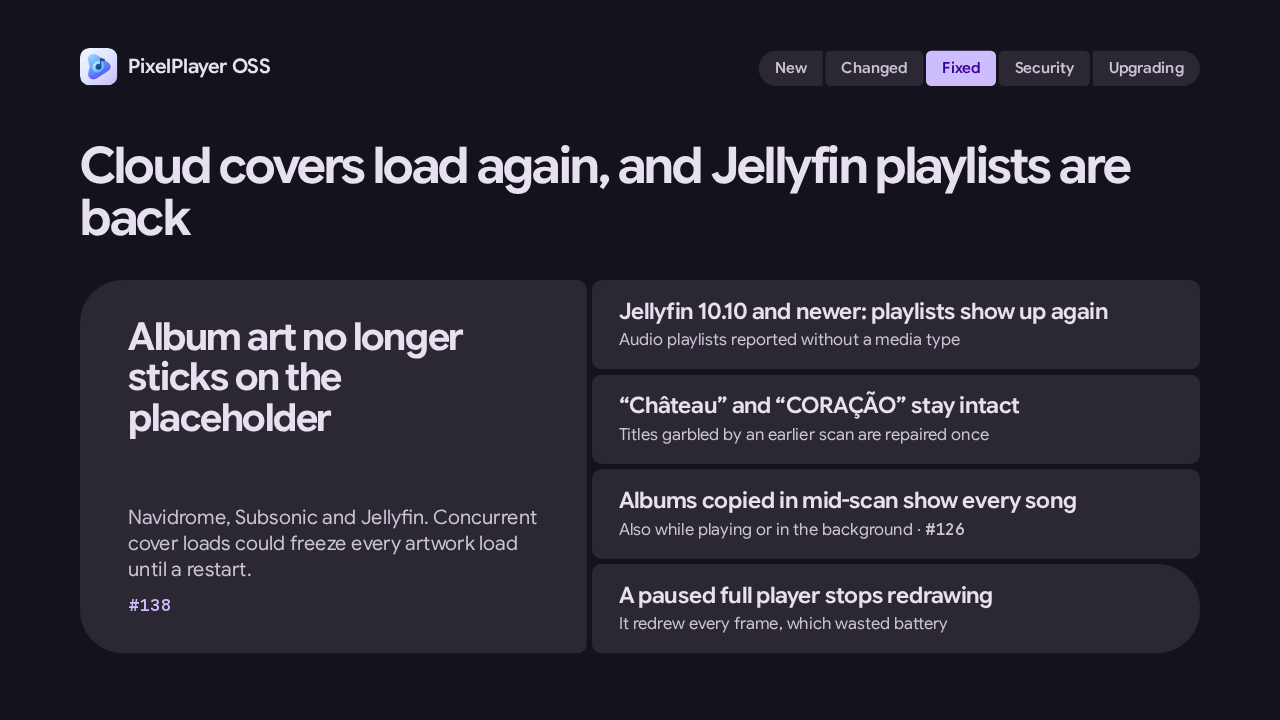
  6. If you stream from Navidrome, Subsonic or Jellyfin, album art no longer sticks on the placeholder after a few songs. Playlists show up again on Jellyfin 10.10 and newer. Accented titles stay intact, and ones an earlier scan garbled are repaired once. Albums copied in mid-scan show every song. And a paused full player stops redrawing every frame, which wasted battery.

    Slide text
    PixelPlayer OSS
    New Changed Fixed Security Upgrading

    Cloud covers load again, and Jellyfin playlists are back

    Album art no longer sticks on the placeholder
    Navidrome, Subsonic and Jellyfin. Concurrent cover loads could freeze every artwork load until a restart.
    #138
    Jellyfin 10.10 and newer: playlists show up again
    Audio playlists reported without a media type
    “Château” and “CORAÇÃO” stay intact
    Titles garbled by an earlier scan are repaired once
    Albums copied in mid-scan show every song
    Also while playing or in the background · #126
    A paused full player stops redrawing
    It redrew every frame, which wasted battery
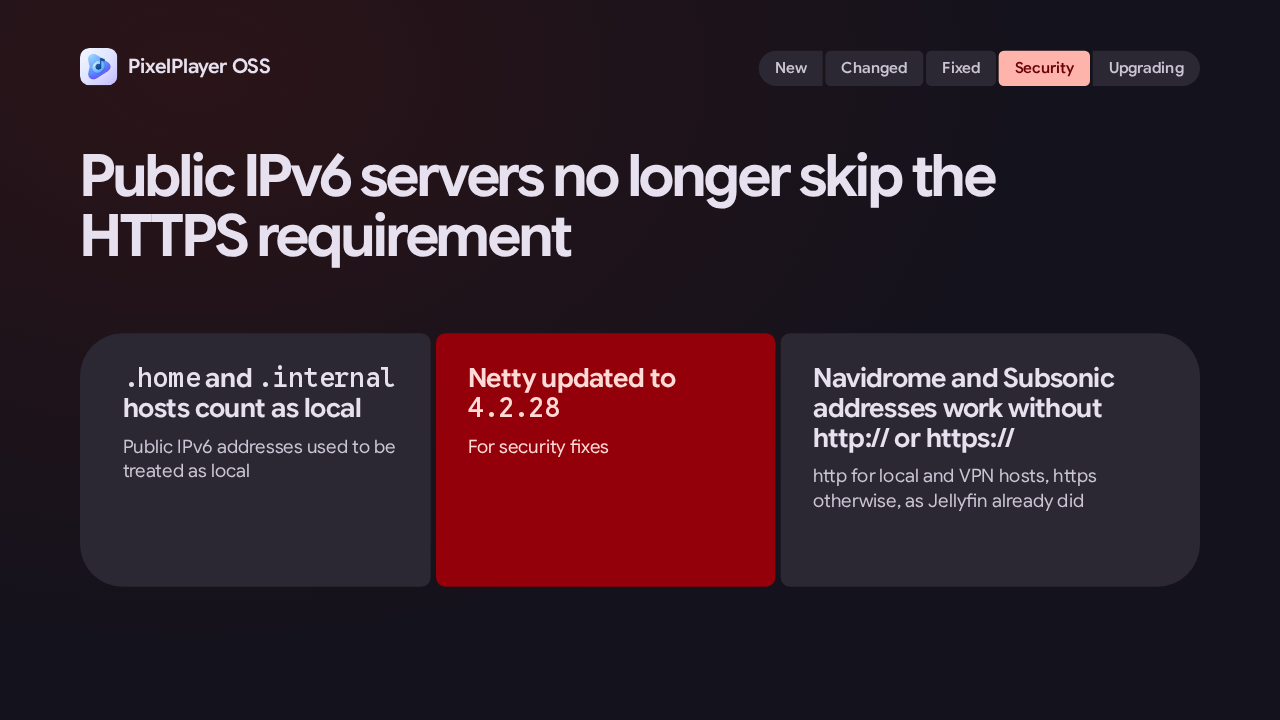
  7. Public IPv6 server addresses were treated as local, so they skipped the HTTPS requirement. Now they don't, and hosts ending in dot home or dot internal count as local. Netty moves to 4.2.28 for security fixes. And Navidrome and Subsonic accept addresses typed without http or https, using http for local and VPN hosts and https otherwise.

    Slide text
    PixelPlayer OSS
    New Changed Fixed Security Upgrading

    Public IPv6 servers no longer skip the HTTPS requirement

    .home and .internal hosts count as local
    Public IPv6 addresses used to be treated as local
    Netty updated to 4.2.28
    For security fixes
    Navidrome and Subsonic addresses work without http:// or https://
    http for local and VPN hosts, https otherwise, as Jellyfin already did
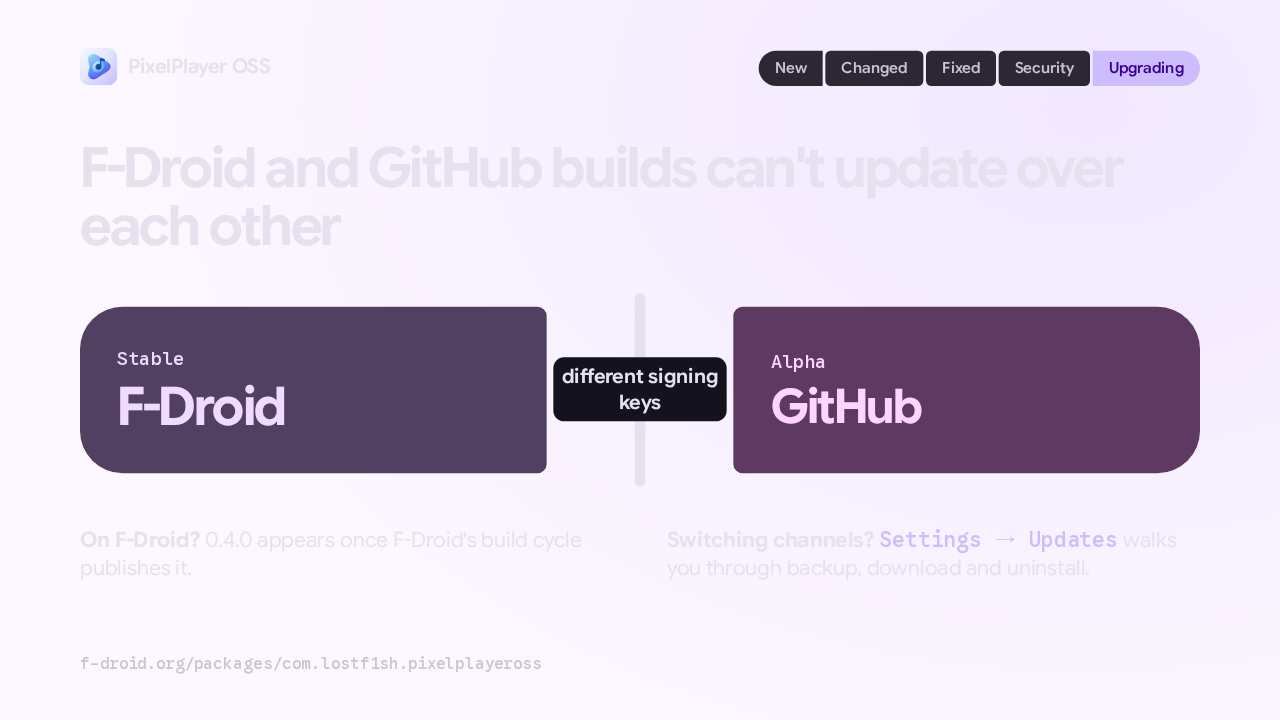
  8. Check where your copy came from. F-Droid builds and GitHub alpha builds are signed with different keys, so one can't install over the other. On F-Droid, 0.4.0 appears once F-Droid's build cycle publishes it. To switch channels, the Updates screen walks you through backup, download and uninstall. That's PixelPlayer OSS 0.4.0: it updates itself and builds mixes from a sentence.

    Slide text
    PixelPlayer OSS
    New Changed Fixed Security Upgrading

    F-Droid and GitHub builds can't update over each other

    Stable
    F-Droid
    different signing keys
    Alpha
    GitHub

    On F-Droid? 0.4.0 appears once F-Droid's build cycle publishes it.

    Switching channels? Settings → Updates walks you through backup, download and uninstall.

    f-droid.org/packages/com.lostf1sh.pixelplayeross

What happened in AI today, in your inbox

One short email each evening. Read it and you’re caught up.

Built in New York with ❤️