Allow for this session now sticks
2 days ago
On an untrusted MCP server, choosing Allow for this session, or Always, now actually stops the next prompt for that tool. Prompts that can only cover one request now offer just Allow Once and Deny. It's a salvage of an earlier fix, rebuilt on current main, and it closes two issues.
Ask about this presentation
Chapters
 0:00Allow for this session now sticks
 0:19The next call asked again
 0:39Why every yes covered one call
 0:59An oversight, not a design choice
 1:19One key per server and tool
 1:39Session and Always are stored
 1:59One-shot prompts offer Once and Deny
 2:17Over the limit, every call asks
 2:30Revoking Always
 2:50Live repro on a real gateway
 3:12Tests fail on main, pass here
 3:34What it leaves alone
Show transcriptHide transcript
On an untrusted MCP server, choosing Allow for this session, or Always, now actually stops the next prompt for that tool. Prompts that can only cover one request now offer just Allow Once and Deny. It's a salvage of an earlier fix, rebuilt on current main, and it closes two issues.
Slide text
Hermes
AgentMCP trust approvalsOn a
trust: untrustedMCP serverSession and Always stop the next prompt for that tool. One-shot prompts offer only Once and Deny.

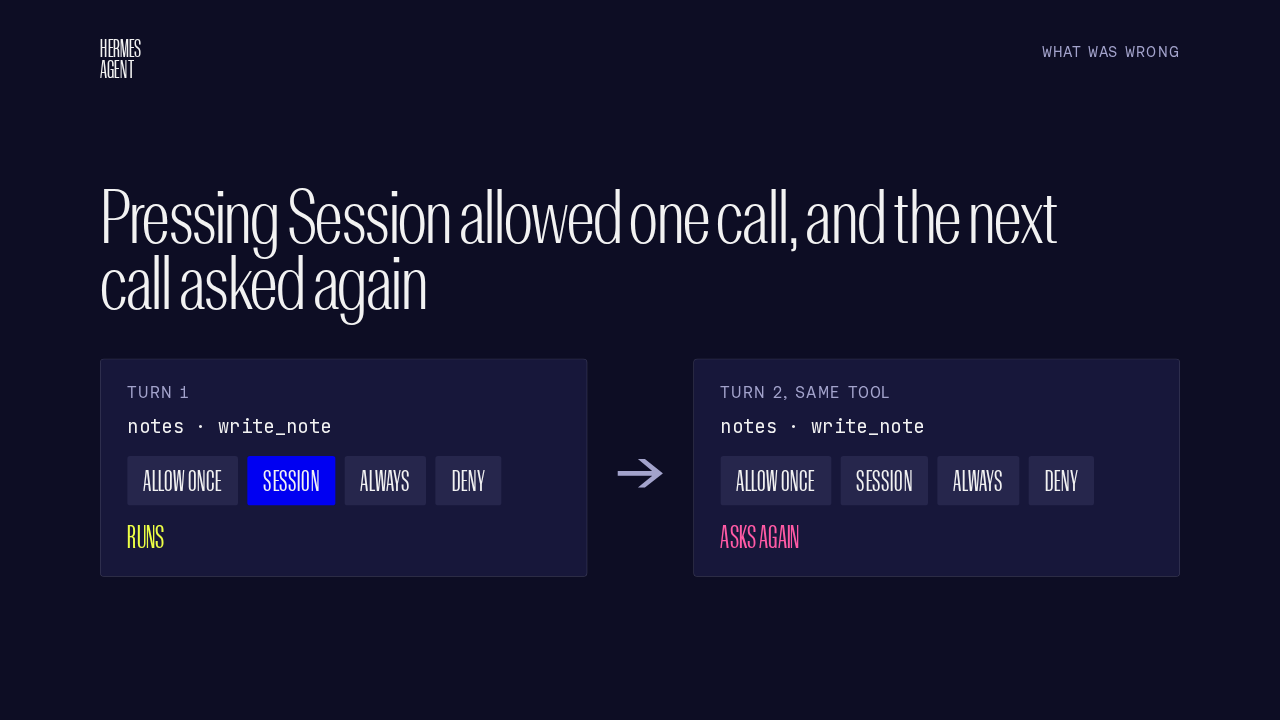
Every write-capable call to an untrusted MCP server asks first, with Once, Session, Always and Deny. You press Session on the first call, and the tool runs. Then the next call to the same tool asks again. Session and Always behaved exactly like Once, on the gateway, the CLI and the TUI.
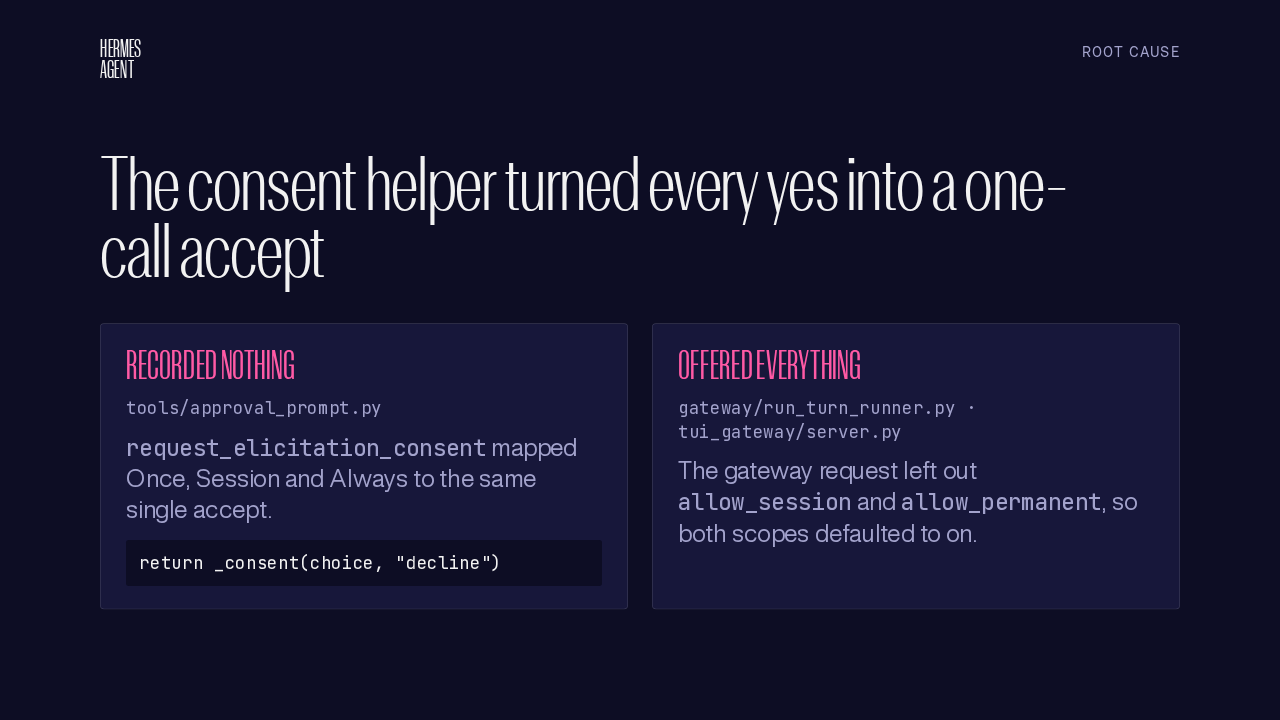
The trust gate asks through request elicitation consent, in the approval prompt module. That helper turned every yes into a one-call accept, and recorded nothing. Its gateway request also left out both scope flags, so the gateway runner and the TUI server defaulted them to on, and showed buttons the helper never honoured.
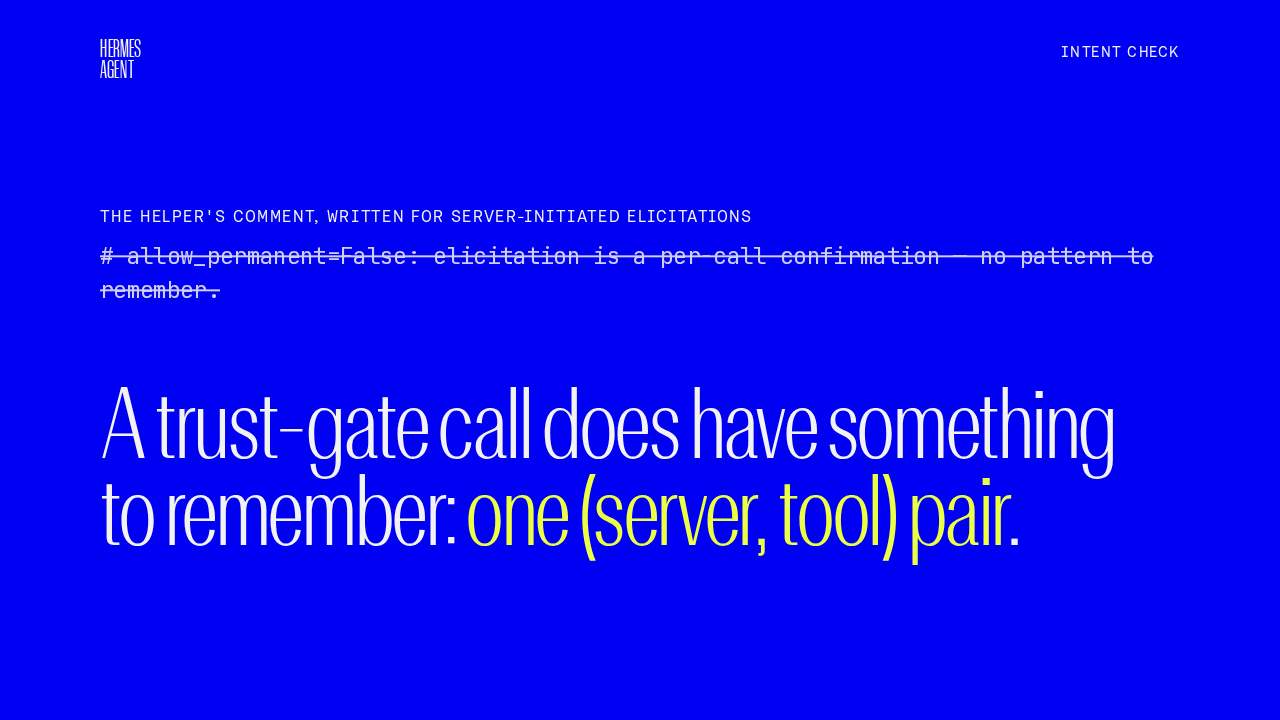
The trust gate reused a helper written for server-initiated elicitations, before the gate existed. Its comment says per-call confirmation, no pattern to remember. A trust-gate call does have something to remember: one server and tool pair. So the broken Session and Always buttons were an oversight.
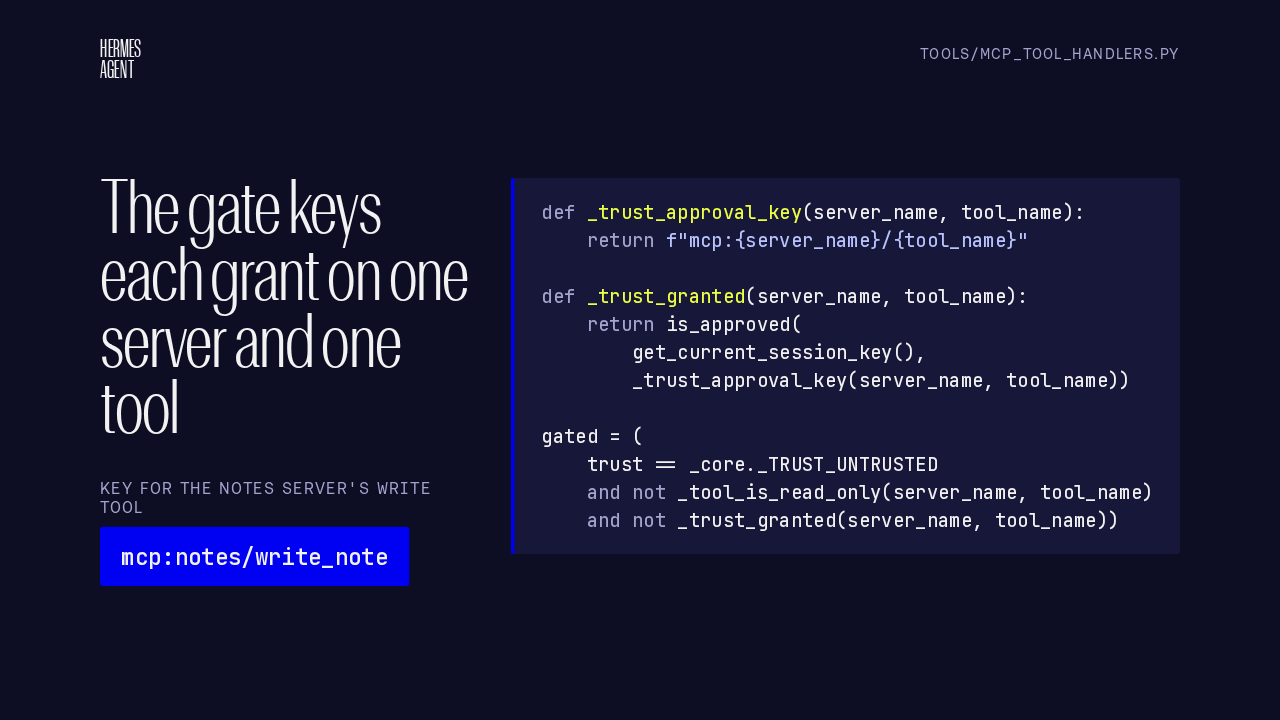
In the MCP tool handlers, each answer is kept under a key made of the server name and the tool name, so allowing one write tool never covers the server's others. Before it asks, the gate checks whether that key is already approved in this session. A granted tool skips the prompt, and the spend limit check still runs.
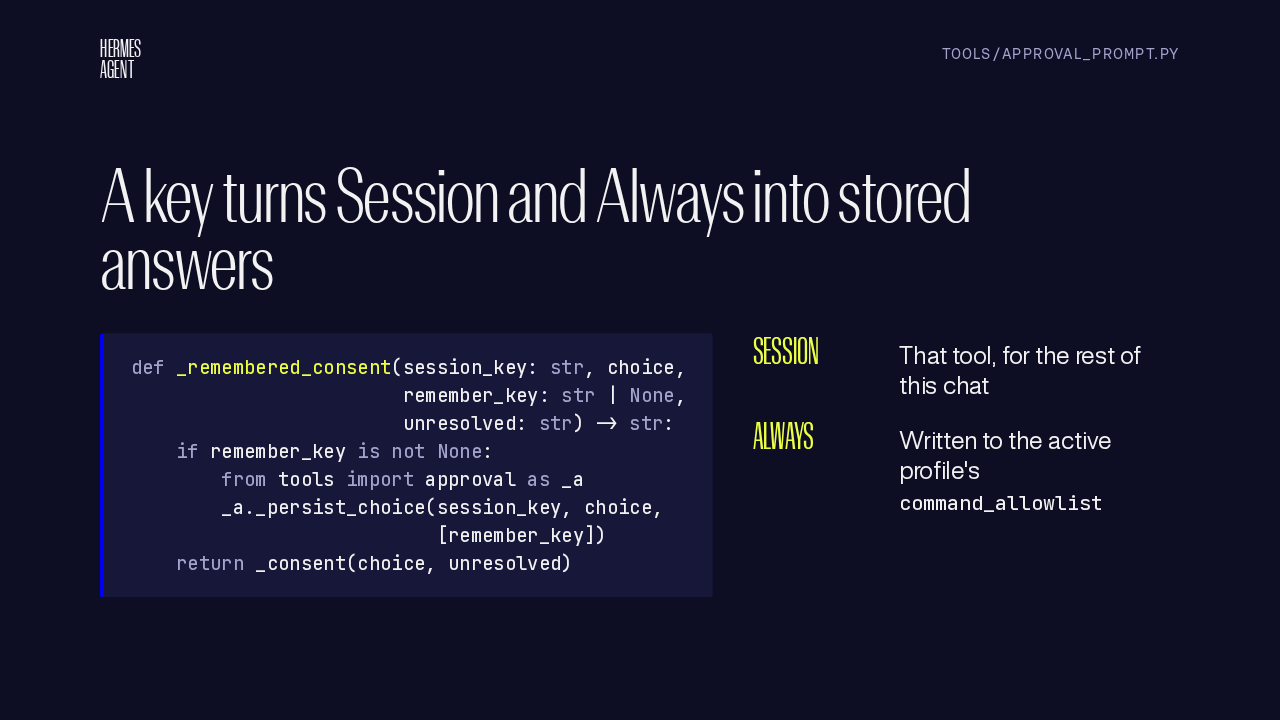
request elicitation consent gains one keyword argument, remember key. With a key, the answer goes through the existing persist choice, the same path command approvals use. Session covers that tool for the rest of this chat. Always writes the key into the active profile's command allowlist, so other chats skip the prompt too.
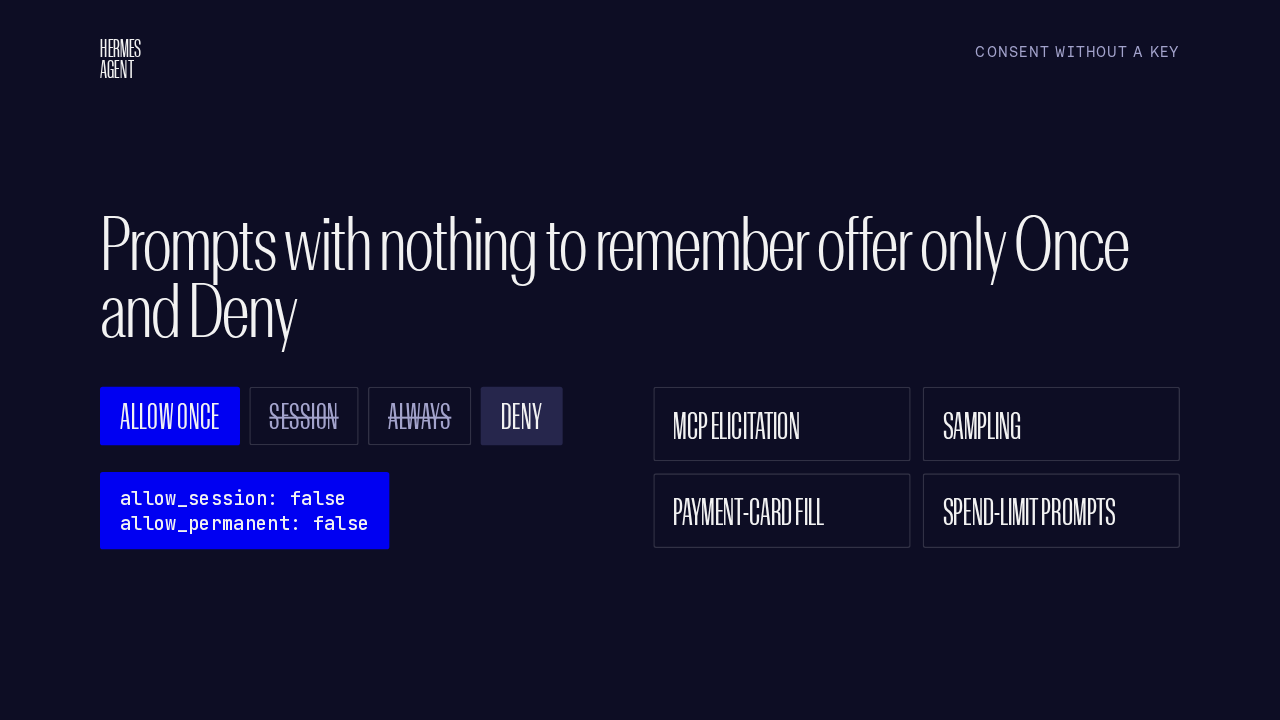
Without a key, the helper sends both scope flags as false. Every surface then shows only Allow Once and Deny. That covers MCP elicitation, sampling, payment card fill, and spend limit prompts. A stale or typed broader answer still covers just that one call.
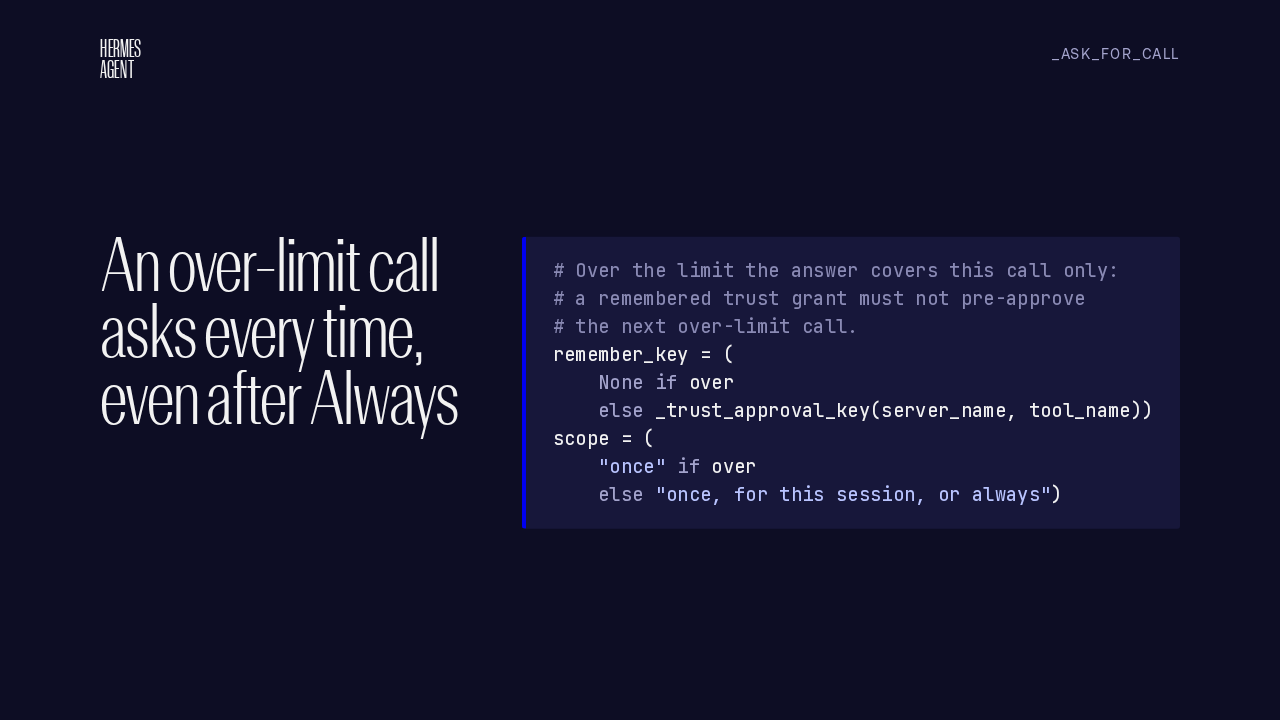
A call that would take the chat past its spend limit carries no key. So it offers only Once and Deny, and the description says so. An earlier Session or Always answer for that tool doesn't silence it.
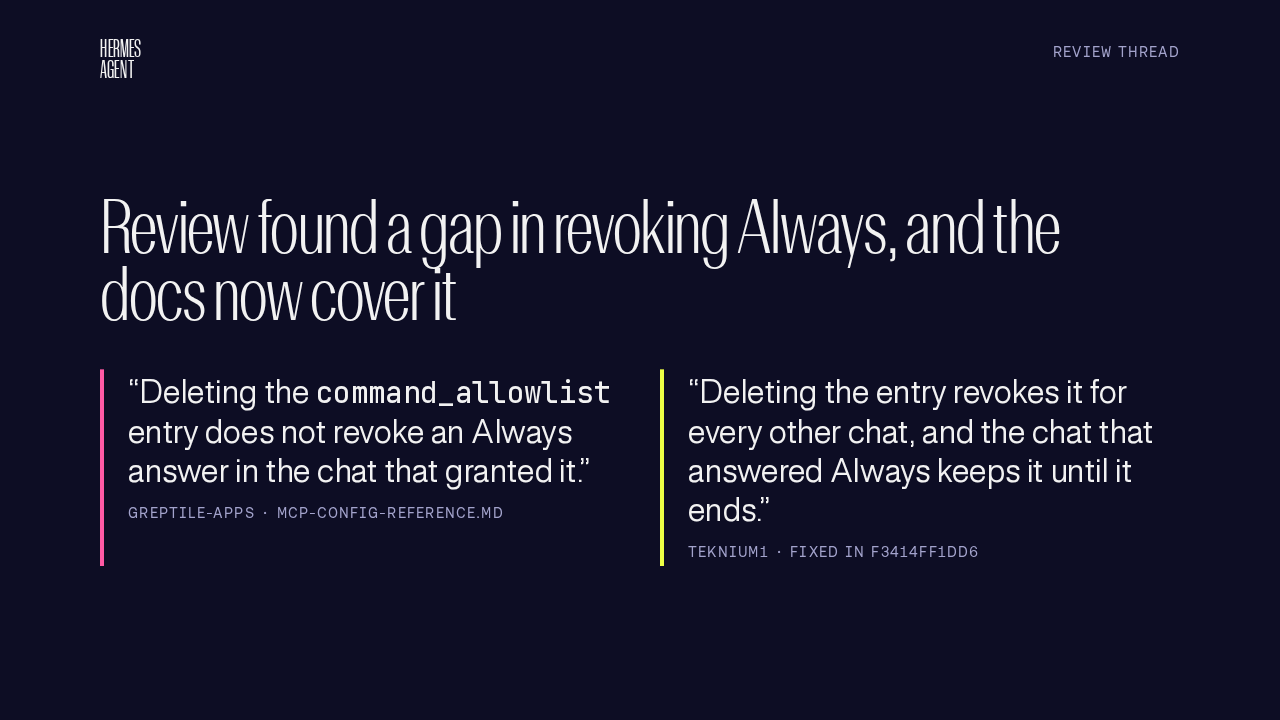
The automated reviewer raised a real concern about revocation. Persist choice also keeps an Always answer in the granting chat's session, so deleting the allowlist entry leaves that chat approved. The author agreed, since command approvals work the same way, and fixed the docs to say the granting chat keeps it until it ends.
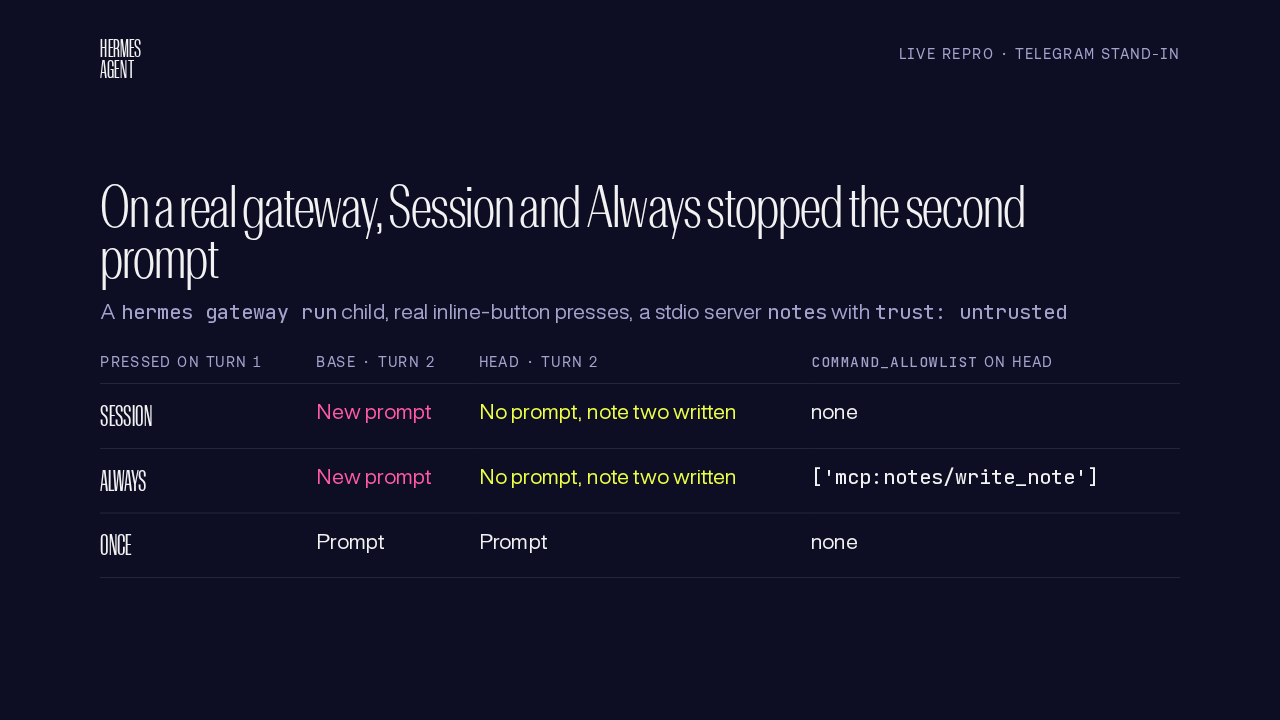
The live repro ran a real gateway process, a Telegram stand-in pressing real inline buttons, and an untrusted notes server. On the base commit, Session or Always on turn one still prompted on turn two. On this branch, turn two wrote the second note without a prompt, and Always left the key in the allowlist. Once, the control, asks both times.
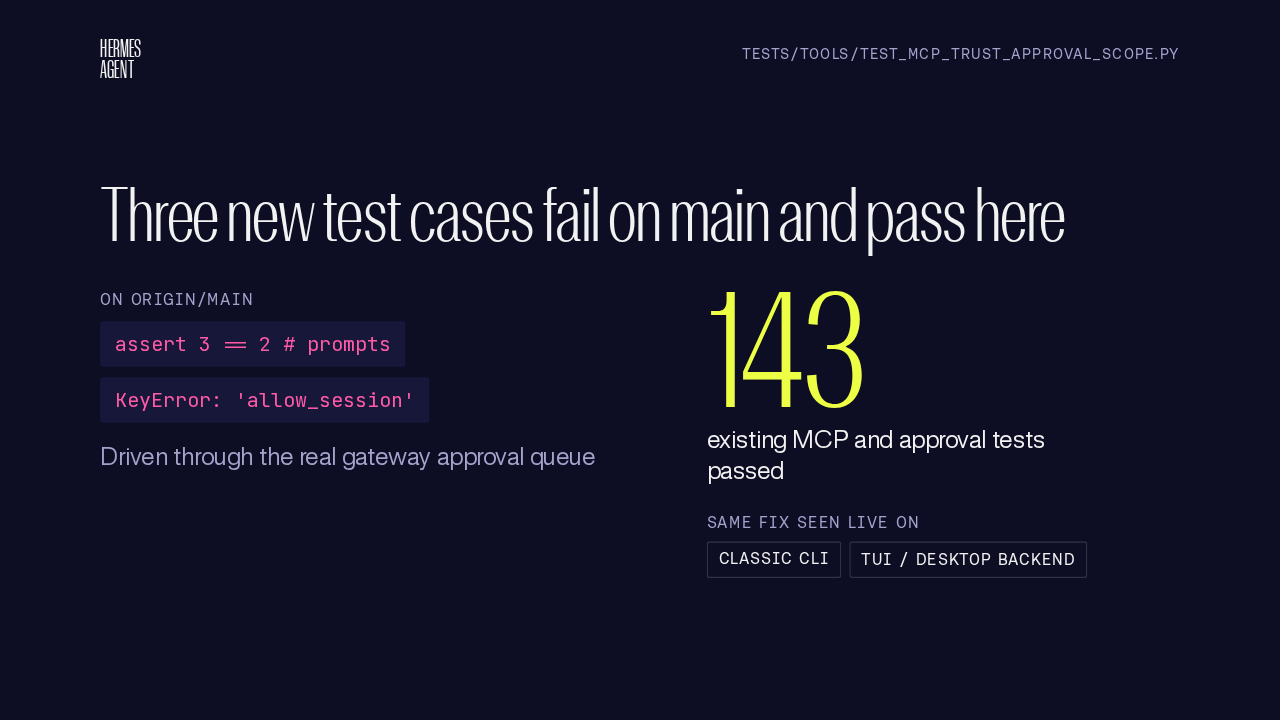
The new tests drive the real gateway approval queue. On main, all three cases fail, with three prompts where two were expected, and a missing allow session flag. All three pass here. More than 140 existing MCP and approval tests still pass, and the classic CLI and the TUI backend showed the same fix with real processes.
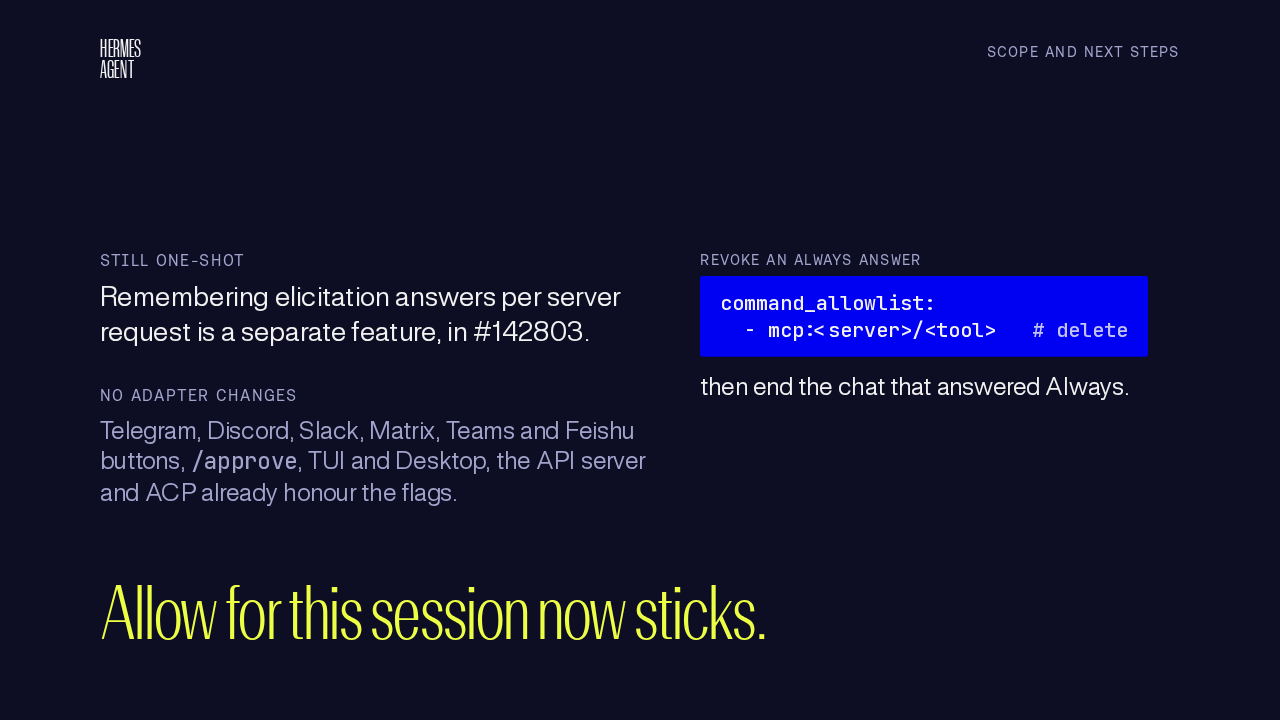
Elicitation answers still cover one request each. Remembering them per server request is a separate feature. The adapters stay as they were, because the messaging buttons, the TUI, Desktop, the API server and ACP already honour these flags. To take back an Always answer, delete its key from the command allowlist, then end the chat that granted it. Allow for this session now sticks, one tool at a time.