imap-mcp-server 2.2.0: a setup wizard only your machine can reach, and send-as aliases

3 hours ago

Version 2.2.0 of the IMAP MCP server brings two changes you will notice. The setup wizard now listens on your own machine only, closing a gap that let others on your network reach your account settings. And your agent can send mail from an alias address, taken from a list you control.

Ask about this presentation

Chapters
  1. 0:00What 2.2.0 changes
  2. 0:19The gap in 2.1
  3. 0:40Loopback only
  4. 0:58Wizard on another machine
  5. 1:19The access token
  6. 1:41Send-as aliases
  7. 1:59What the from check refuses
  8. 2:17Where the protections stop
  9. 2:38Upgrading
Show transcript
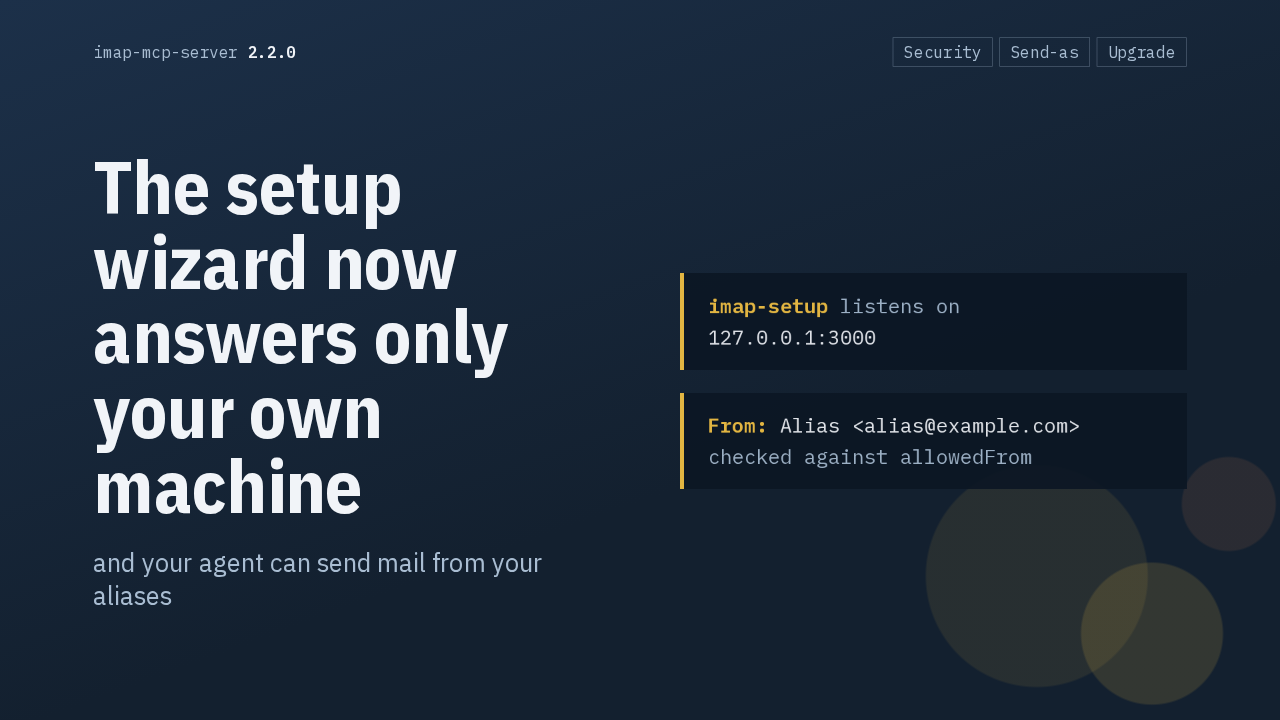
  1. Version 2.2.0 of the IMAP MCP server brings two changes you will notice. The setup wizard now listens on your own machine only, closing a gap that let others on your network reach your account settings. And your agent can send mail from an alias address, taken from a list you control.

    Slide text
    imap-mcp-server 2.2.0 Security Send-as Upgrade

    The setup wizard now answers only your own machine

    and your agent can send mail from your aliases
    imap-setup listens on
    127.0.0.1:3000
    From: Alias <alias@example.com>
    checked against allowedFrom
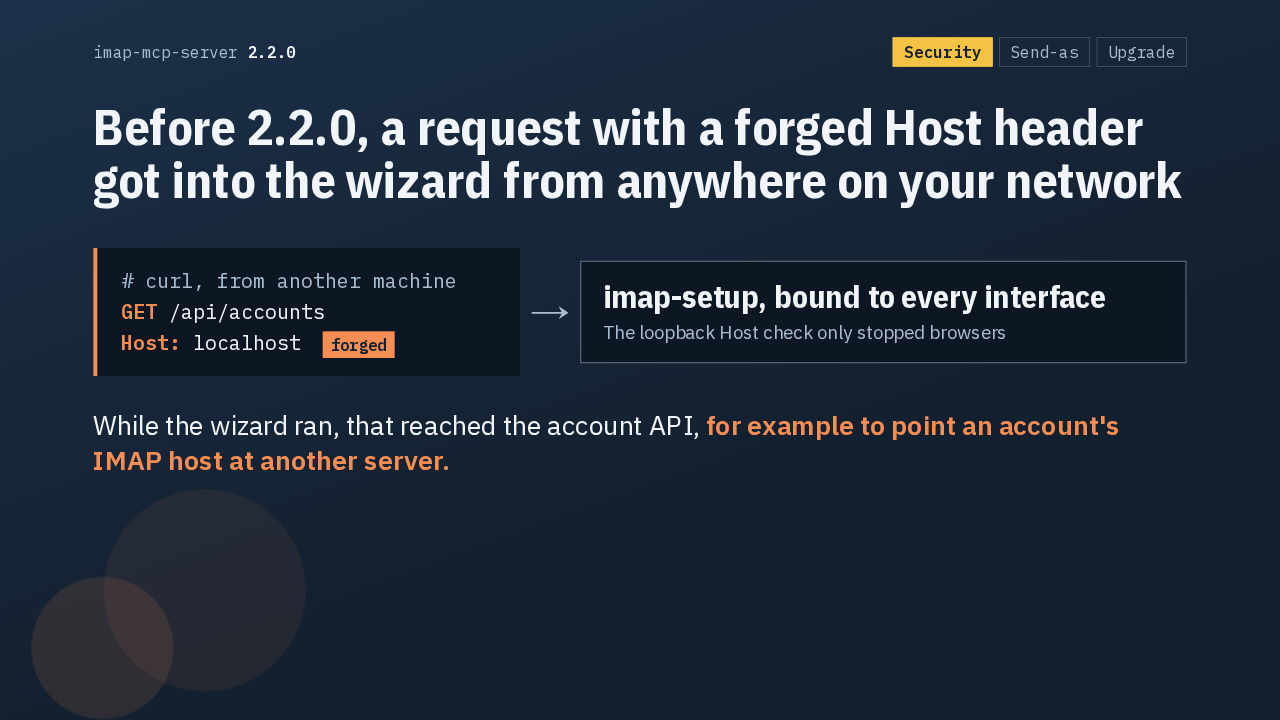
  2. Here's the gap. The wizard used to bind to every network interface, and its localhost check on the Host header only stopped browsers. Anyone on the same network could send a request with curl, claim to be localhost, and reach the account API while the wizard ran. From there, they could point one of your accounts at their own IMAP server.

    Slide text
    imap-mcp-server 2.2.0 Security Send-as Upgrade

    Before 2.2.0, a request with a forged Host header got into the wizard from anywhere on your network

    # curl, from another machine
    GET /api/accounts
    Host: localhost forged
    →
    imap-setup, bound to every interface
    The loopback Host check only stopped browsers
    While the wizard ran, that reached the account API, for example to point an account's IMAP host at another server.
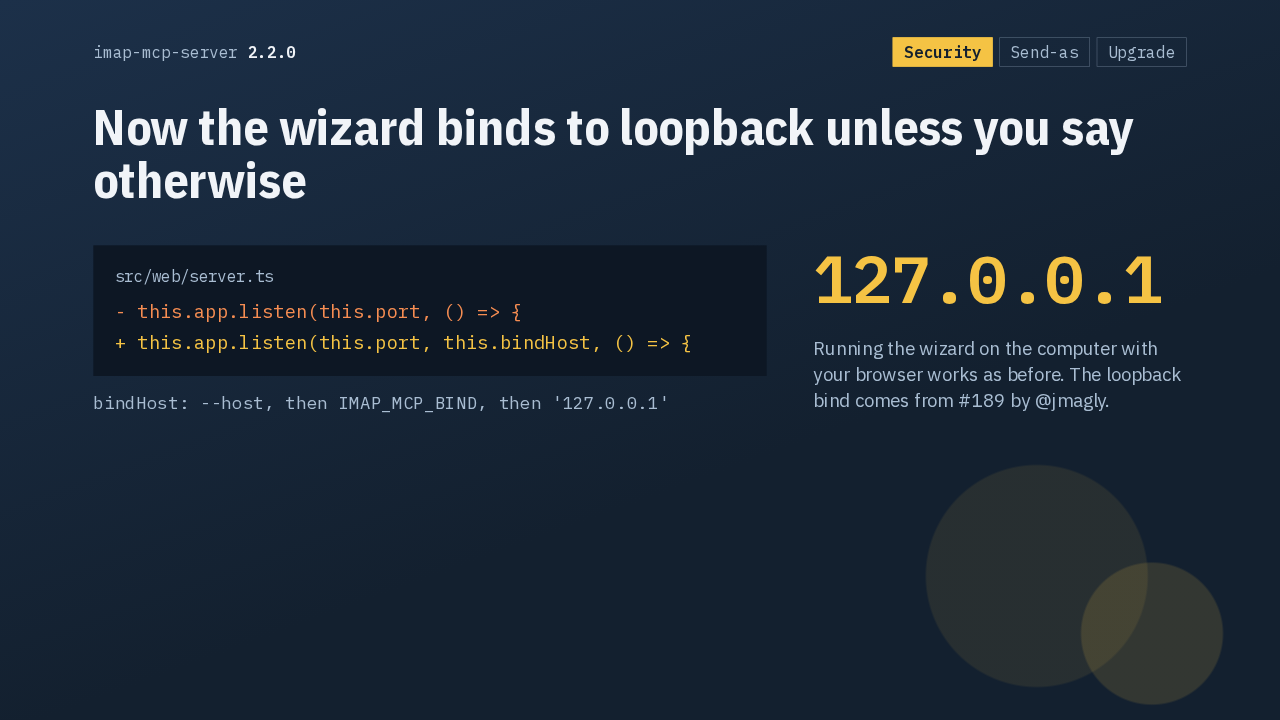
  3. The fix is one argument. The server now passes a bind address when it starts listening, and by default that's 127.0.0.1, so other machines can't reach it. If you run the wizard on the computer with your browser, it works exactly as before.

    Slide text
    imap-mcp-server 2.2.0 Security Send-as Upgrade

    Now the wizard binds to loopback unless you say otherwise

    src/web/server.ts
    - this.app.listen(this.port, () => {
    + this.app.listen(this.port, this.bindHost, () => {
    bindHost: --host, then IMAP_MCP_BIND, then '127.0.0.1'
    127.0.0.1
    Running the wizard on the computer with your browser works as before. The loopback bind comes from #189 by @jmagly.
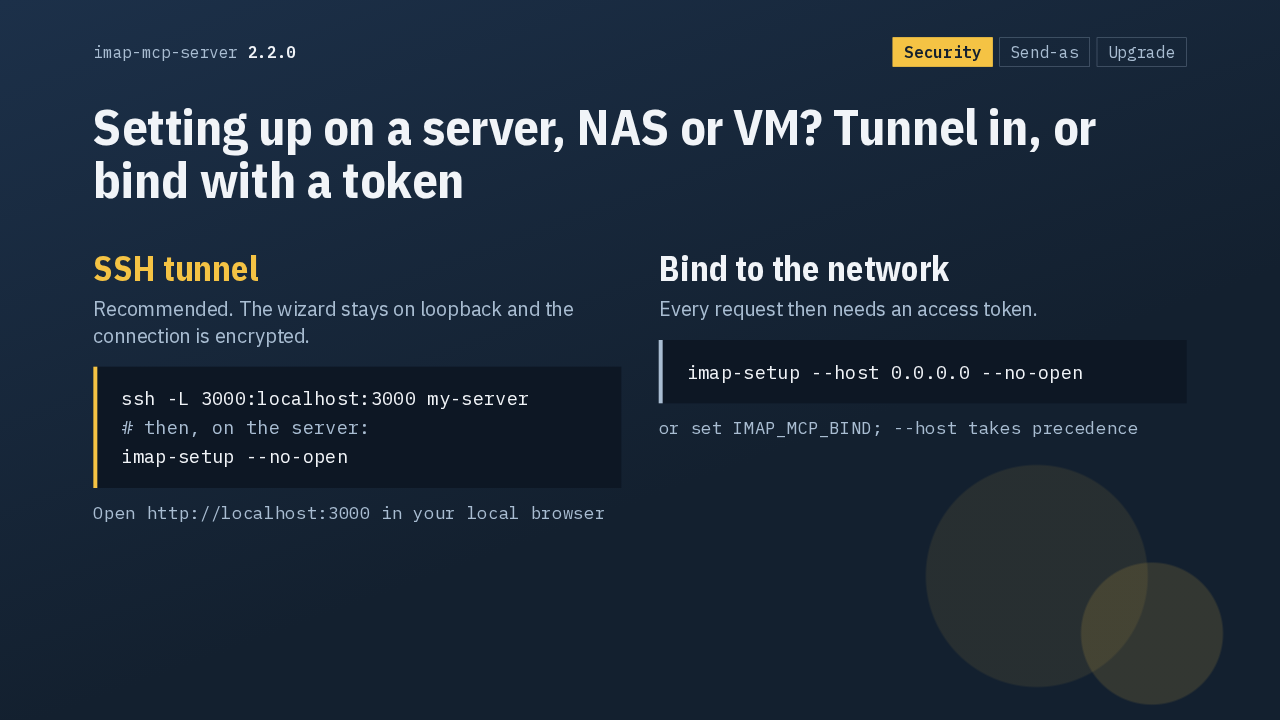
  4. On a server, a NAS or a VM, you have two ways in. The recommended one is an SSH tunnel. Forward port 3000, start imap-setup on the server, and open localhost in your own browser, over an encrypted connection. The other way is the new host flag, which binds the wizard to the network and requires an access token.

    Slide text
    imap-mcp-server 2.2.0 Security Send-as Upgrade

    Setting up on a server, NAS or VM? Tunnel in, or bind with a token

    SSH tunnel
    Recommended. The wizard stays on loopback and the connection is encrypted.
    ssh -L 3000:localhost:3000 my-server
    # then, on the server:
    imap-setup --no-open
    Open http://localhost:3000 in your local browser
    Bind to the network
    Every request then needs an access token.
    imap-setup --host 0.0.0.0 --no-open
    or set IMAP_MCP_BIND; --host takes precedence
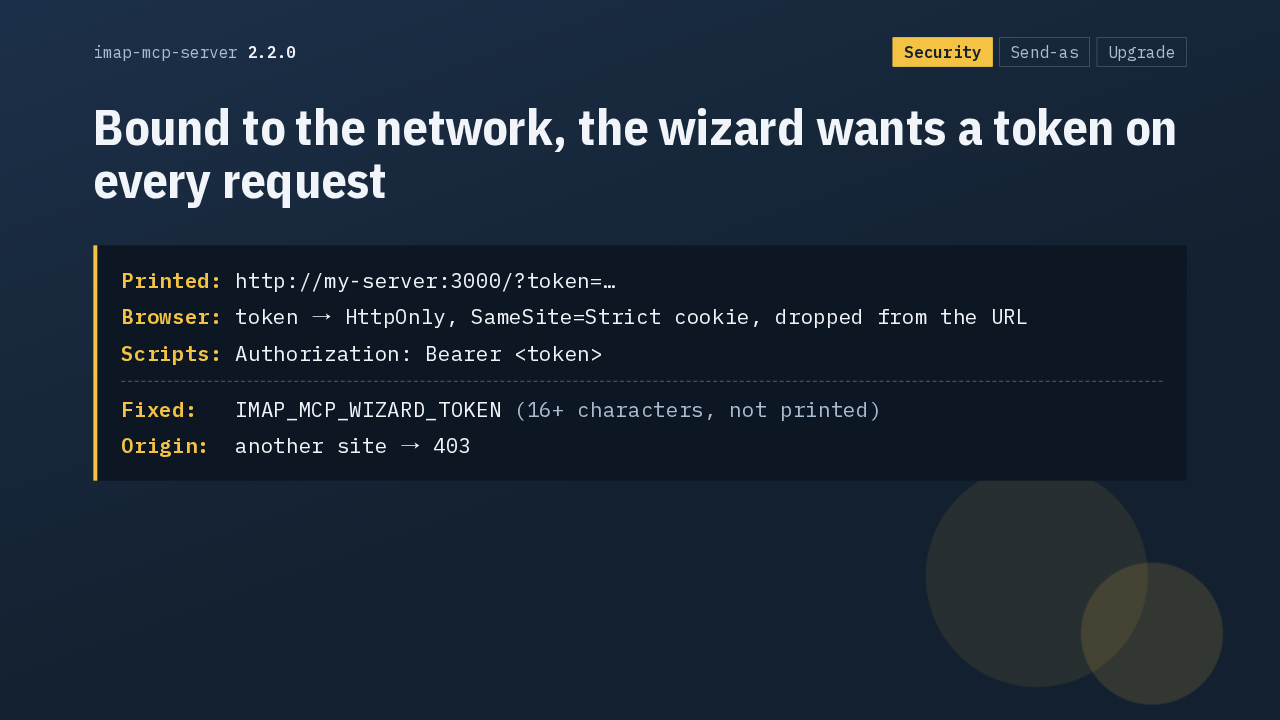
  5. That token is new each time the wizard starts, and it's printed as part of the address. Open that address and the token becomes an HttpOnly cookie, gone from the address bar. Scripts send it as a bearer token. For a fixed token, set the wizard token variable, at least 16 characters long. Requests from other sites are refused.

    Slide text
    imap-mcp-server 2.2.0 Security Send-as Upgrade

    Bound to the network, the wizard wants a token on every request

    Printed: http://my-server:3000/?token=…
    Browser: token → HttpOnly, SameSite=Strict cookie, dropped from the URL
    Scripts: Authorization: Bearer <token>
    Fixed:   IMAP_MCP_WIZARD_TOKEN (16+ characters, not printed)
    Origin:  another site → 403
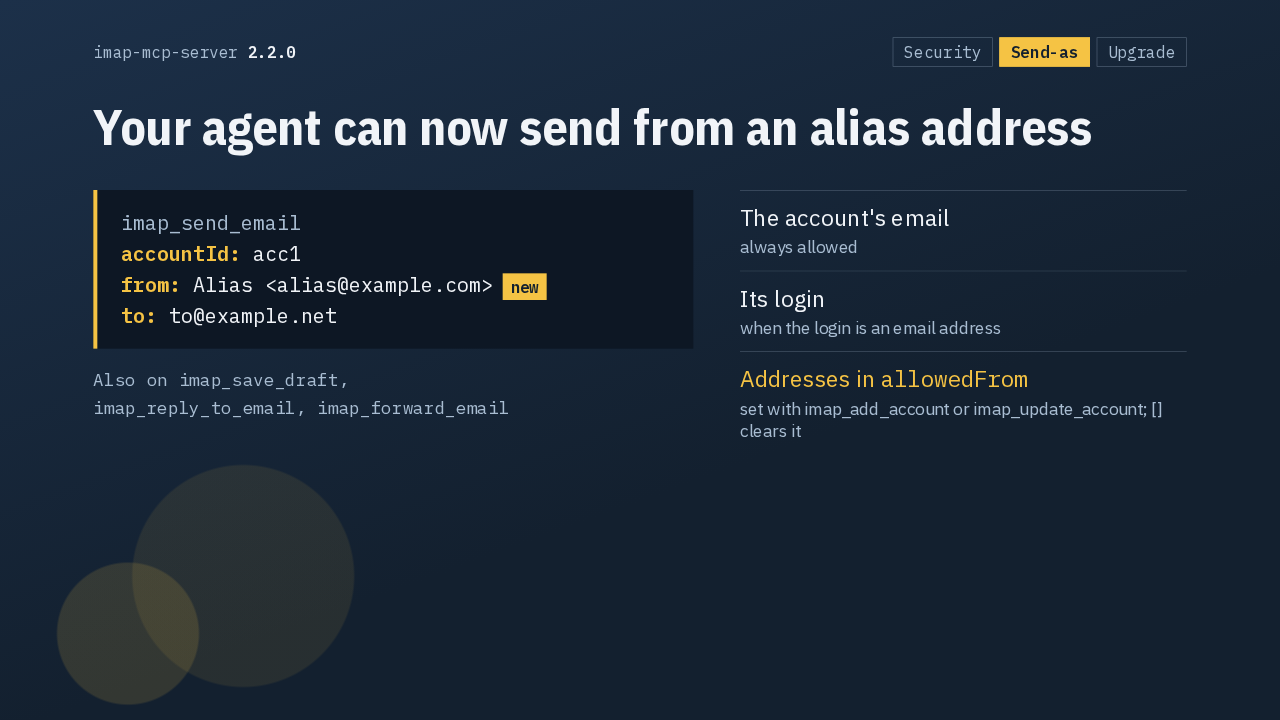
  6. Now the new feature. Send, save draft, reply and forward each take an optional from field. Your agent can send as the account's email, as its login if that's an email address, or as any address in the new allowedFrom list, which you set with add account or update account.

    Slide text
    imap-mcp-server 2.2.0 Security Send-as Upgrade

    Your agent can now send from an alias address

    imap_send_email
    accountId: acc1
    from: Alias <alias@example.com>new
    to: to@example.net
    Also on imap_save_draft,
    imap_reply_to_email, imap_forward_email
    • The account's emailalways allowed
    • Its loginwhen the login is an email address
    • Addresses in allowedFrom set with imap_add_account or imap_update_account; [] clears it
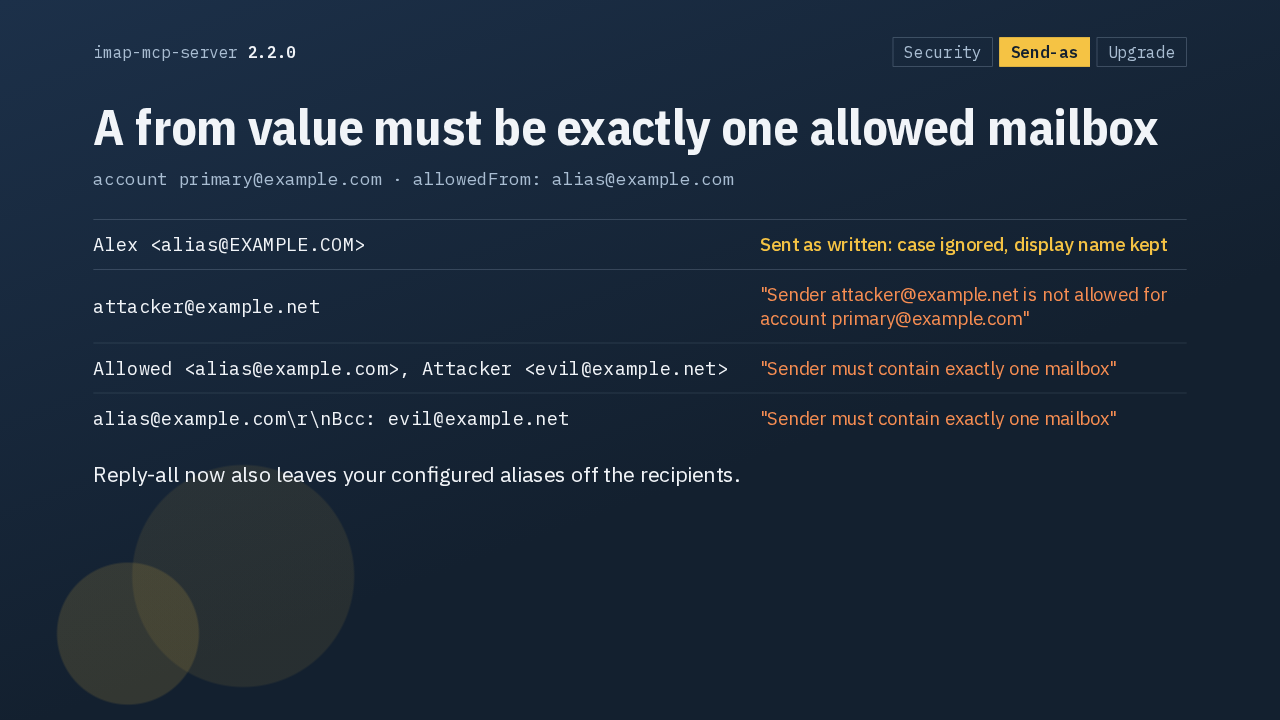
  7. The check is strict. Matching ignores case, and your display name is kept. An address outside the list is refused, and the error names it. So is a value carrying two addresses, or a line break that tries to sneak in another header. And reply-all now leaves your aliases off the recipients.

    Slide text
    imap-mcp-server 2.2.0 Security Send-as Upgrade

    A from value must be exactly one allowed mailbox

    account primary@example.com · allowedFrom: alias@example.com
    Alex <alias@EXAMPLE.COM>
    Sent as written: case ignored, display name kept
    attacker@example.net
    "Sender attacker@example.net is not allowed for account primary@example.com"
    Allowed <alias@example.com>, Attacker <evil@example.net>
    "Sender must contain exactly one mailbox"
    alias@example.com\r\nBcc: evil@example.net
    "Sender must contain exactly one mailbox"
    Reply-all now also leaves your configured aliases off the recipients.
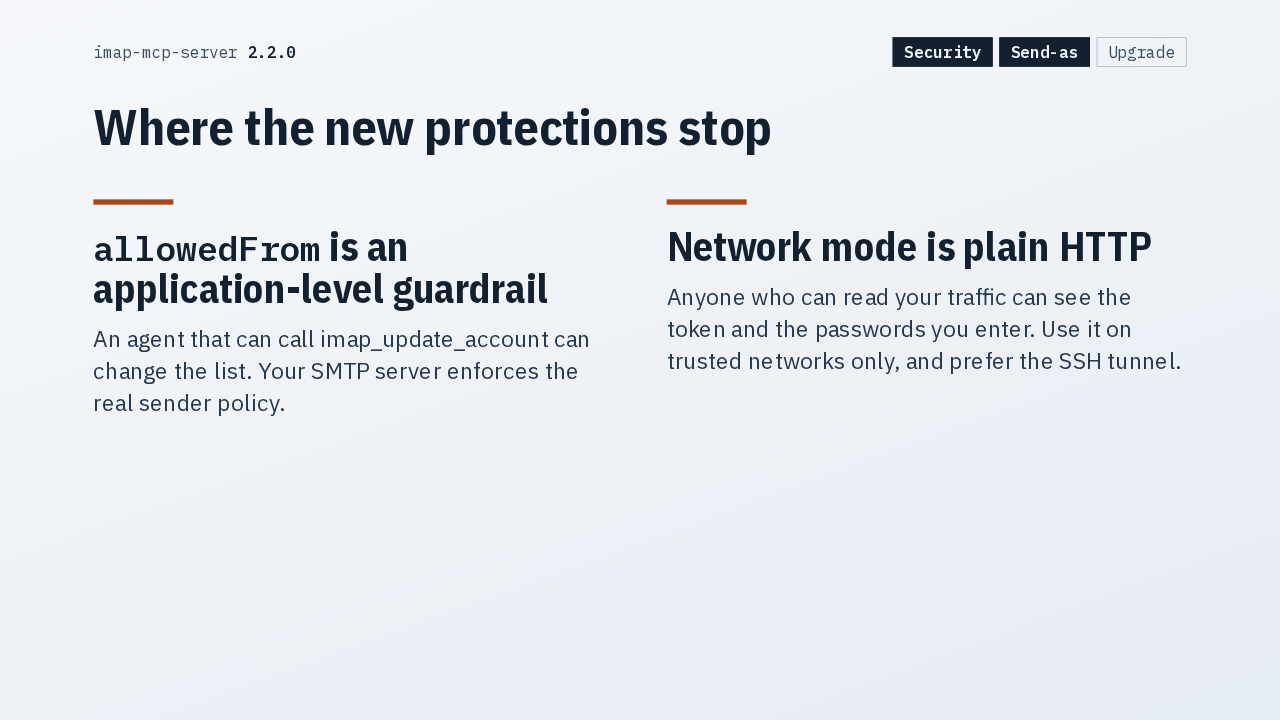
  8. The allowedFrom list is a guardrail inside the app. An agent that can update the account can change it, so your SMTP server still decides who may send as whom. Network mode is plain HTTP, so anyone reading your traffic can see the token and your passwords. Use it on trusted networks, or use the tunnel.

    Slide text
    imap-mcp-server 2.2.0 Security Send-as Upgrade

    Where the new protections stop

    allowedFrom is an application-level guardrail

    An agent that can call imap_update_account can change the list. Your SMTP server enforces the real sender policy.

    Network mode is plain HTTP

    Anyone who can read your traffic can see the token and the passwords you enter. Use it on trusted networks only, and prefer the SSH tunnel.

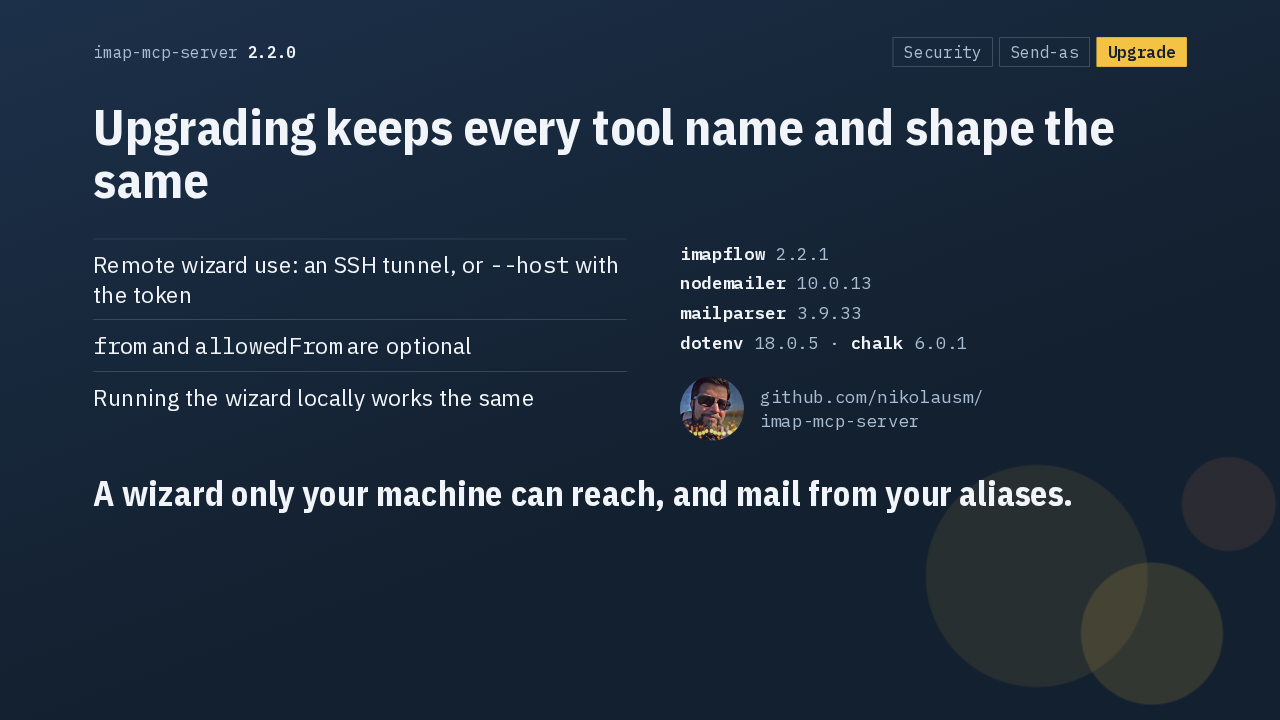
  9. Every tool keeps its name and shape, the new fields are optional, and a wizard you run locally behaves as before. The release also updates imapflow, nodemailer and mailparser. That's 2.2.0: a setup wizard only your machine can reach, and an agent that sends from your aliases.

    Slide text
    imap-mcp-server 2.2.0 Security Send-as Upgrade

    Upgrading keeps every tool name and shape the same

    • Remote wizard use: an SSH tunnel, or --host with the token
    • from and allowedFrom are optional
    • Running the wizard locally works the same
    imapflow 2.2.1
    nodemailer 10.0.13
    mailparser 3.9.33
    dotenv 18.0.5 · chalk 6.0.1
    nikolausmgithub.com/nikolausm/
    imap-mcp-server
    A wizard only your machine can reach, and mail from your aliases.

What happened in AI today, in your inbox

One short email each evening. Read it and you’re caught up.

Built in New York with ❤️