SwiftAutoGUI 1.0 runs its Mac agent on Apple's models or OpenAI
2 hours ago
SwiftAutoGUI is a Swift library that drives a Mac: the mouse, the keyboard, screenshots, and an agent that works toward a goal. Version 1.0 rebuilds that agent on Apple's Foundation Models, so it can run on the Mac, on Private Cloud Compute, or on OpenAI. It requires macOS 27.
Ask about this presentation
Chapters
Show transcriptHide transcript
SwiftAutoGUI is a Swift library that drives a Mac: the mouse, the keyboard, screenshots, and an agent that works toward a goal. Version 1.0 rebuilds that agent on Apple's Foundation Models, so it can run on the Mac, on Private Cloud Compute, or on OpenAI. It requires macOS 27.
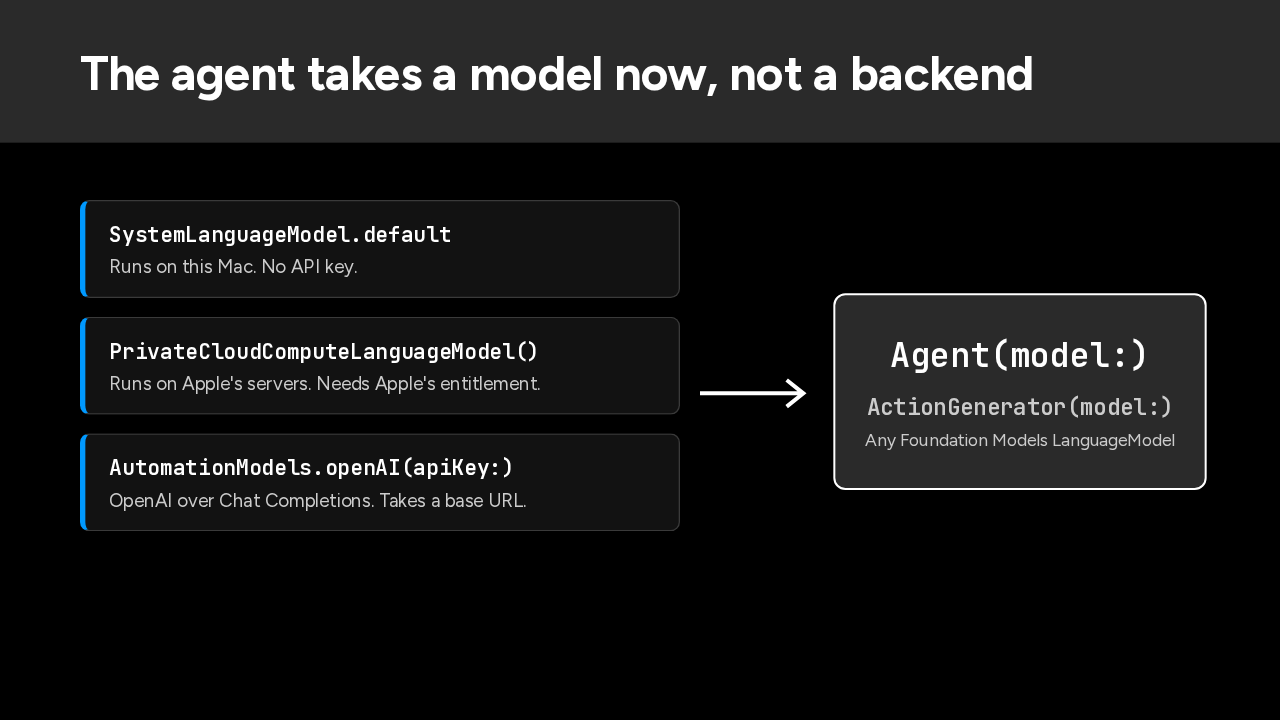
The agent no longer takes a backend. It takes any Foundation Models language model. Apple's on-device model needs no API key. Private Cloud Compute runs on Apple's servers. For OpenAI, a new factory wraps Apple's Chat Completions adapter, in place of the Responses API. Action generation takes the same models.
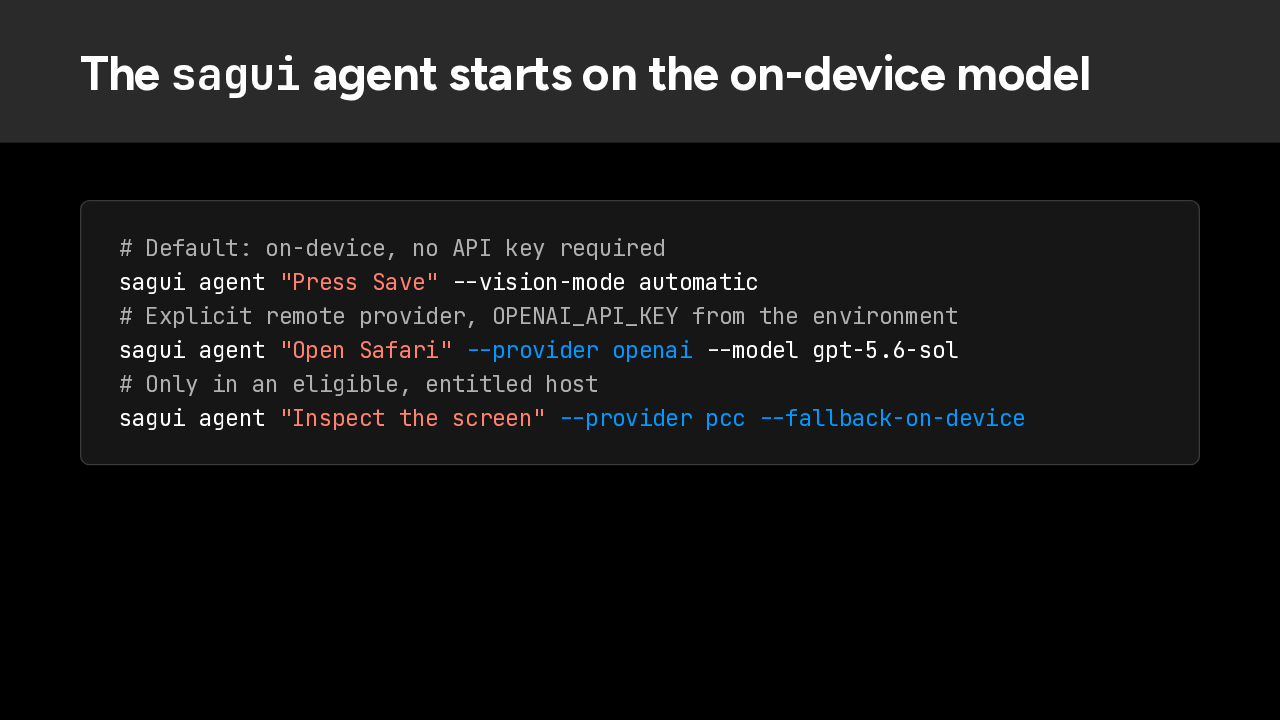
On the command line, the default changed. A plain agent command now runs on the on-device model, with no API key. For OpenAI, add the provider flag; the key still comes from your environment. Private Cloud Compute needs an entitled app, and falling back to on-device is a flag you choose. A cloud fallback is never automatic.
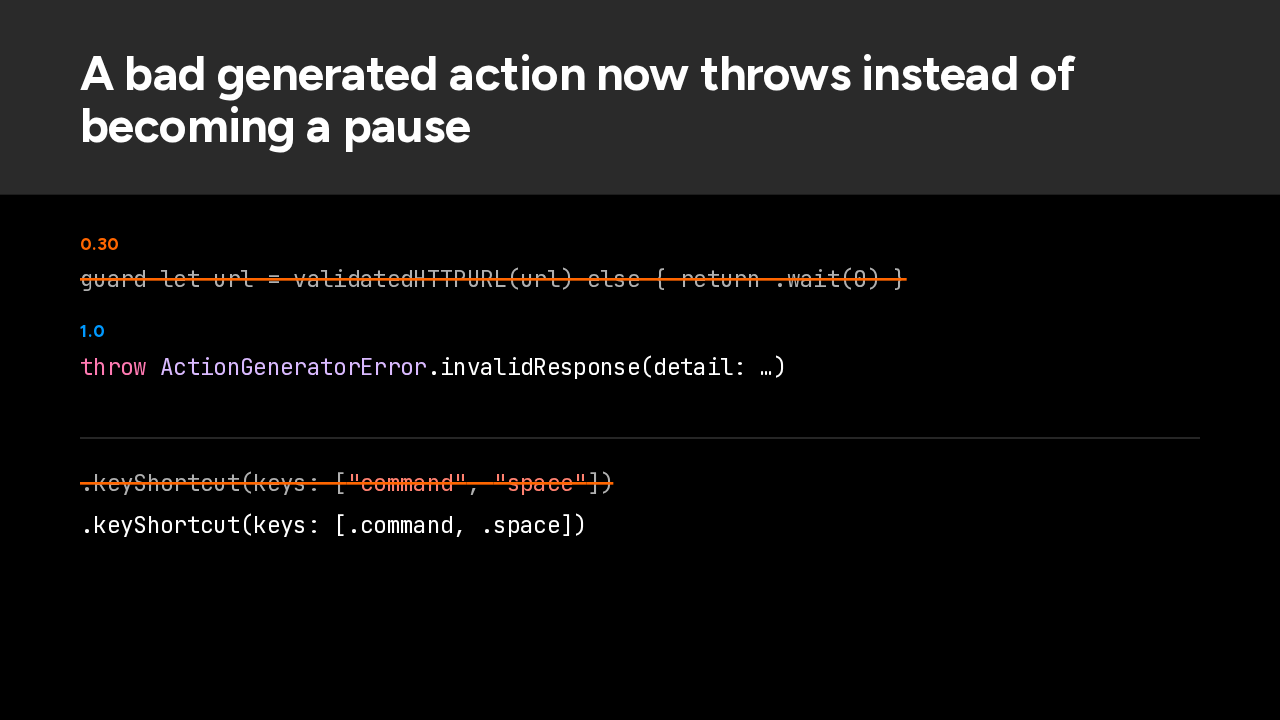
Before this release, a bad action from the model could quietly become a zero second wait: a broken URL, an invalid app name, a shortcut with no valid keys. Now it throws before anything happens. Shortcut keys use the library's own Key enum, so every model picks from real key names. And a failure or a change on screen stops the rest of a batch.
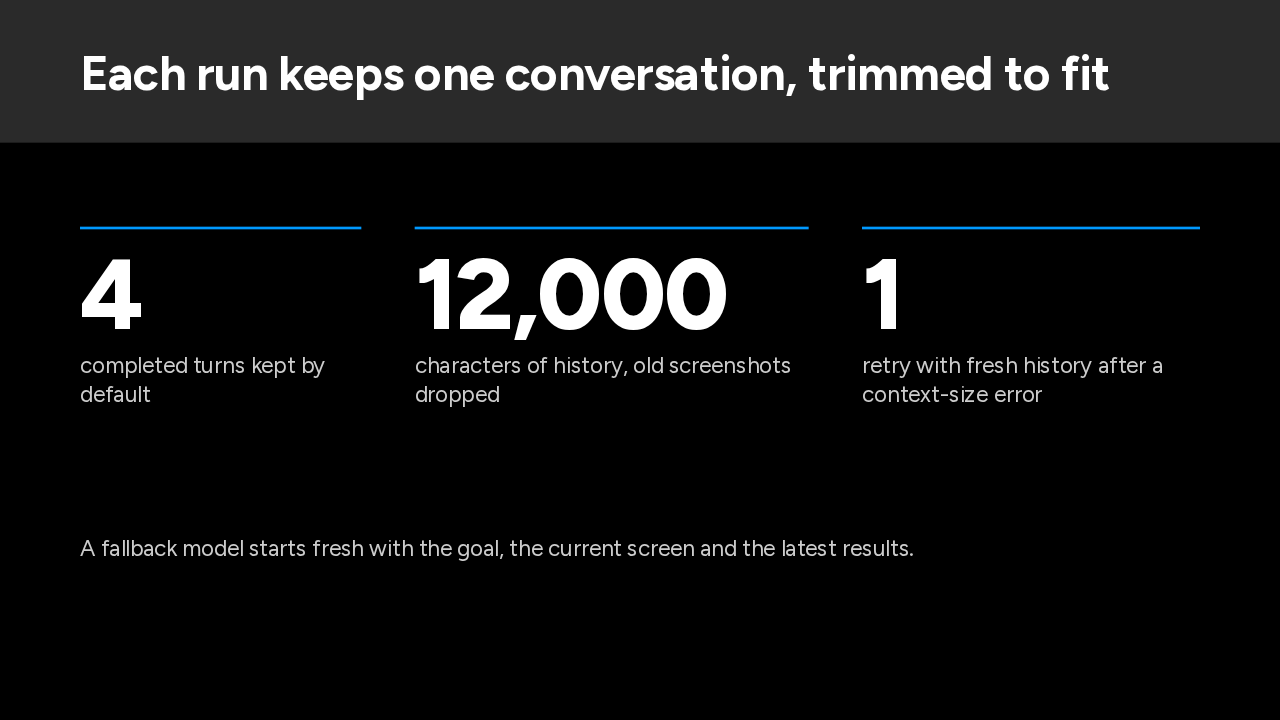
Each run now owns one session, and the session holds the conversation. By default it keeps four completed turns and up to twelve thousand characters, and drops old screenshots. If the model still runs out of context, the agent retries once with fresh history. A fallback model starts fresh too, with the goal, the current screen and the latest results.
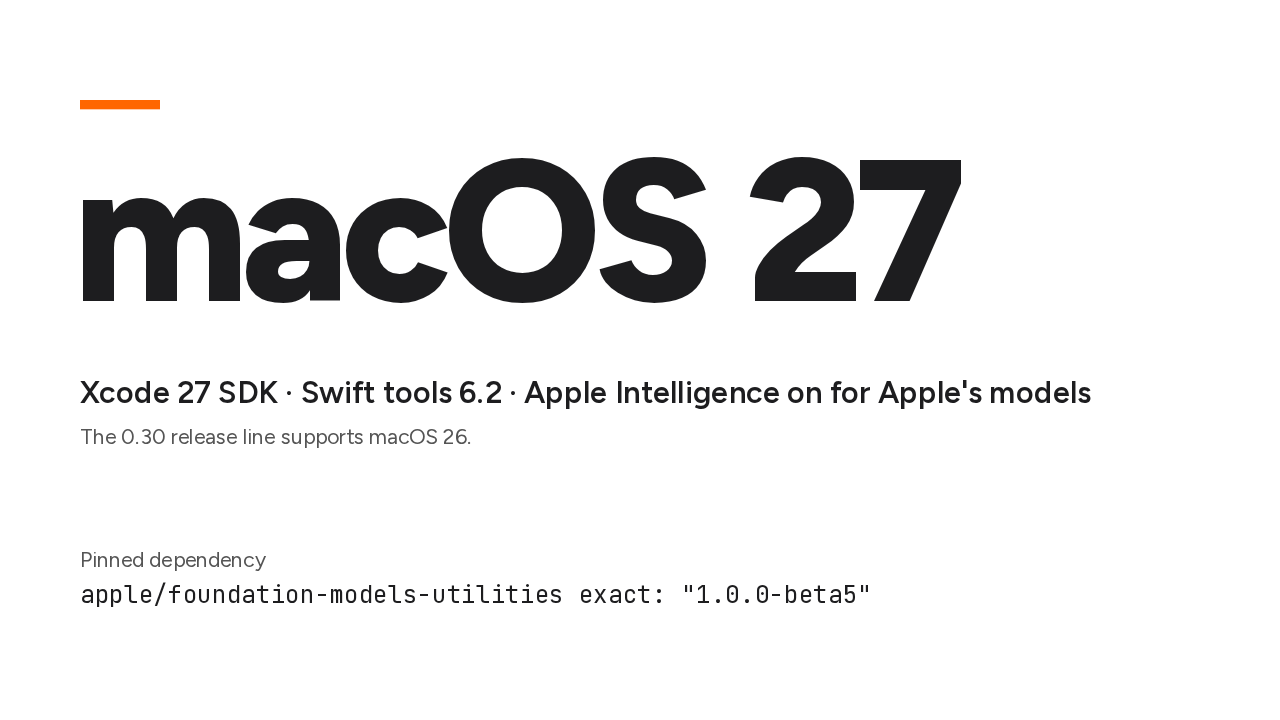
Now the breaking part. Version 1.0 requires macOS 27. You also need the Xcode 27 SDK and Swift tools 6.2, and Apple Intelligence turned on for Apple's models. On macOS 26, stay on the 0.30 line. The package also pins Apple's Foundation Models utilities to an exact beta.
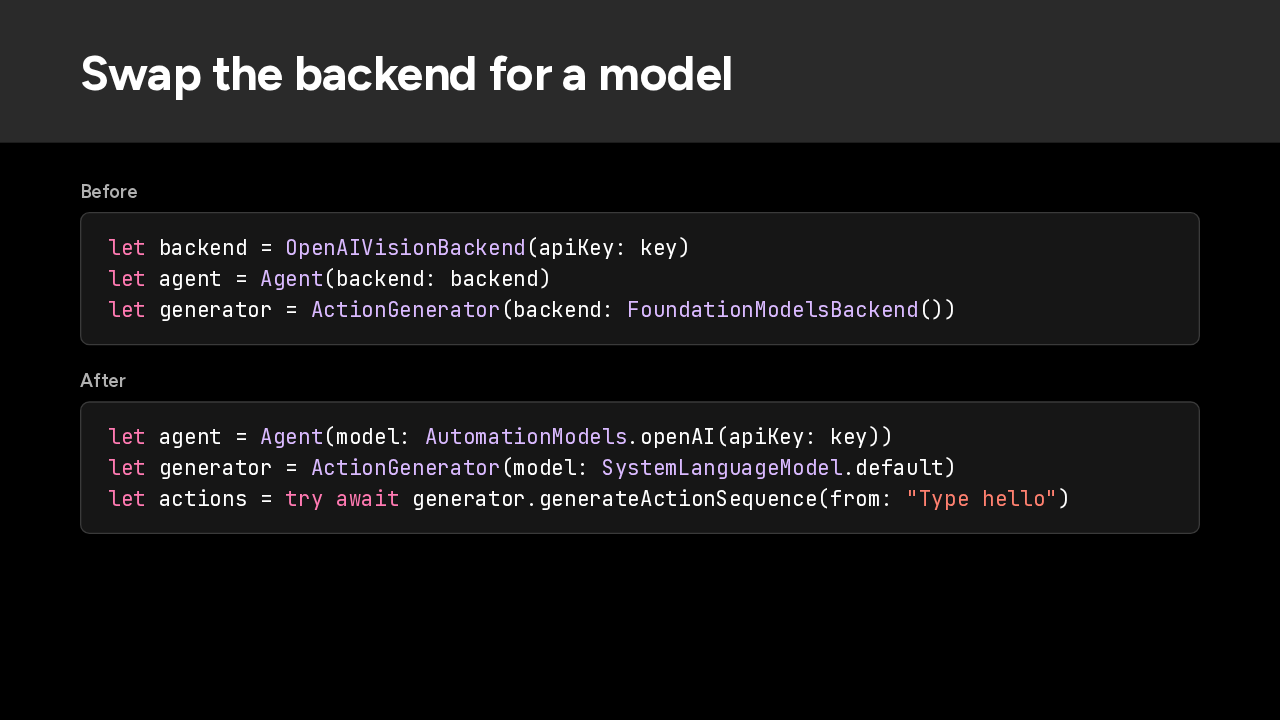
Most of your code change is one swap. Before, you built a backend, like the OpenAI vision backend, and handed it to the agent or the action generator. Now you hand over a model: the OpenAI factory on AutomationModels, or Apple's system language model for on-device work.
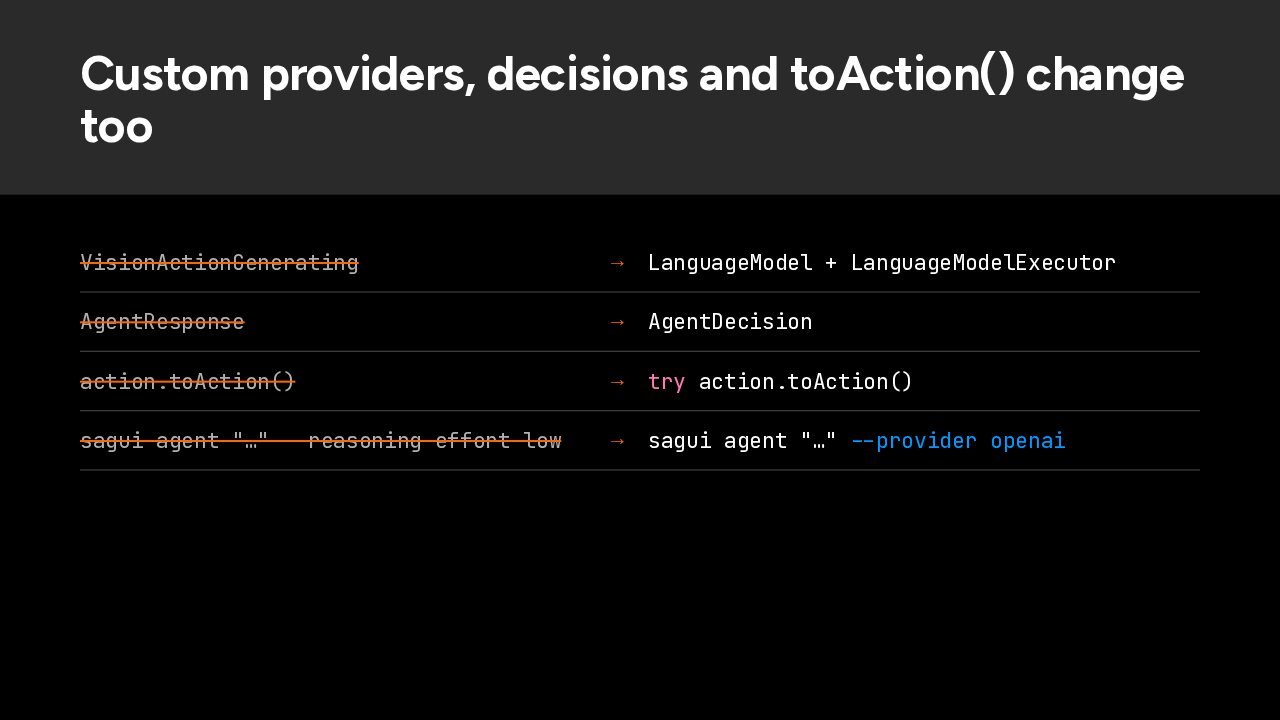
A few more edits. Both generator protocols are gone, so a custom provider implements Apple's LanguageModel and LanguageModelExecutor. AgentResponse becomes AgentDecision. Converting a generated action now throws, so add try. And the reasoning effort option is gone, because Apple's adapter doesn't forward it. Scripts that counted on OpenAI as the default need the provider flag.
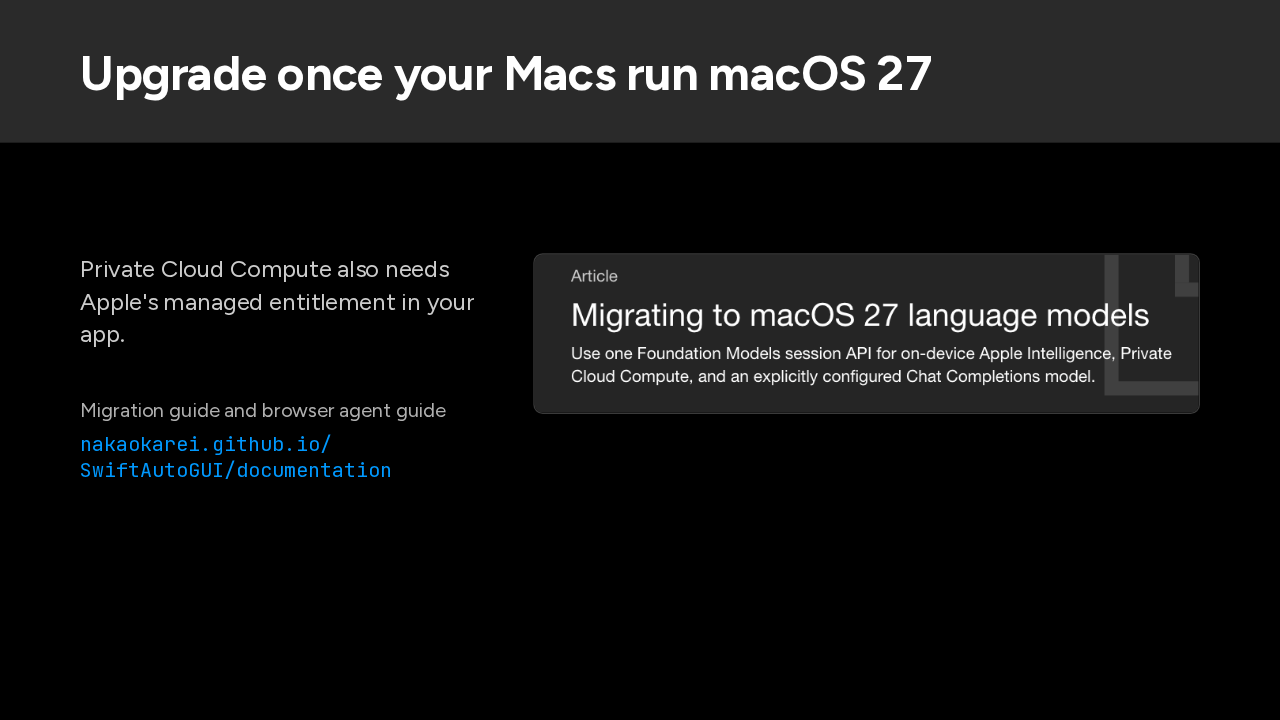
So upgrade once your Macs run macOS 27, with Apple Intelligence on if you use Apple's models. Private Cloud Compute also needs Apple's managed entitlement in your app. The core change is the swap you saw: a backend becomes a model, on the Mac, on Apple's servers, or on OpenAI. The migration guide is on the documentation site, next to the newly published browser agent guide.
Slide text
Upgrade once your Macs run macOS 27
Private Cloud Compute also needs Apple's managed entitlement in your app.
Migration guide and browser agent guide
nakaokarei.github.io/
SwiftAutoGUI/documentation