pi-gui 1.0.0 leaves beta with a changes card for each agent turn that edits files, a context ring and new shortcuts
2 hours ago
pi-gui is the desktop app for the pi coding agent, and 1.0.0 is its first stable release. It follows beta 40 with 32 merged pull requests. You get a card listing what each agent turn changed, a context meter, a rebuilt Settings, and new shortcuts.
Ask about this presentation
Chapters
Show transcriptHide transcript
pi-gui is the desktop app for the pi coding agent, and 1.0.0 is its first stable release. It follows beta 40 with 32 merged pull requests. You get a card listing what each agent turn changed, a context meter, a rebuilt Settings, and new shortcuts.
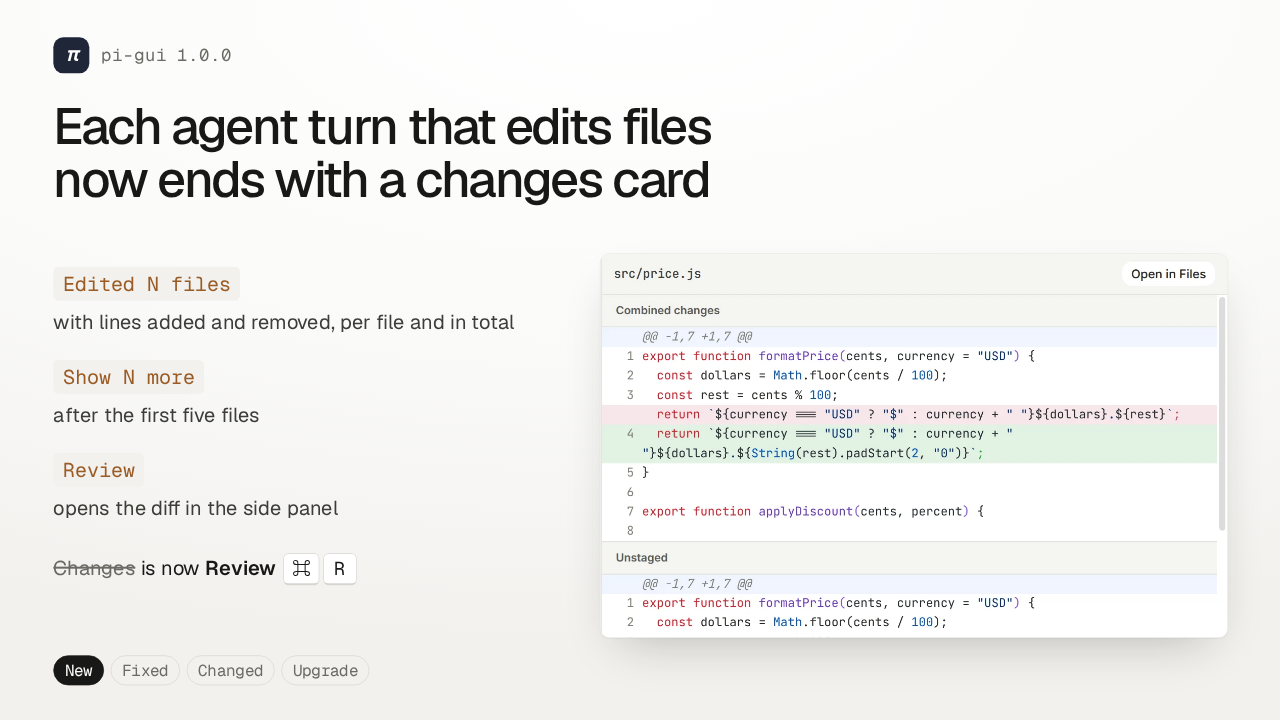
When an agent turn edits files, it now ends with a changes card. It counts the files, shows the lines added and removed, and lists the first five. Click a file or the Review button, and its diff opens in the side panel. That tab used to be called Changes. It's Review now, and Command R toggles it.
Slide text
πpi-gui 1.0.0Each agent turn that edits files now ends with a changes card
Edited N fileswith lines added and removed, per file and in total
Show N moreafter the first five files
Reviewopens the diff in the side panel
 Changes is now Review ⌘ RNew Fixed Changed Upgrade
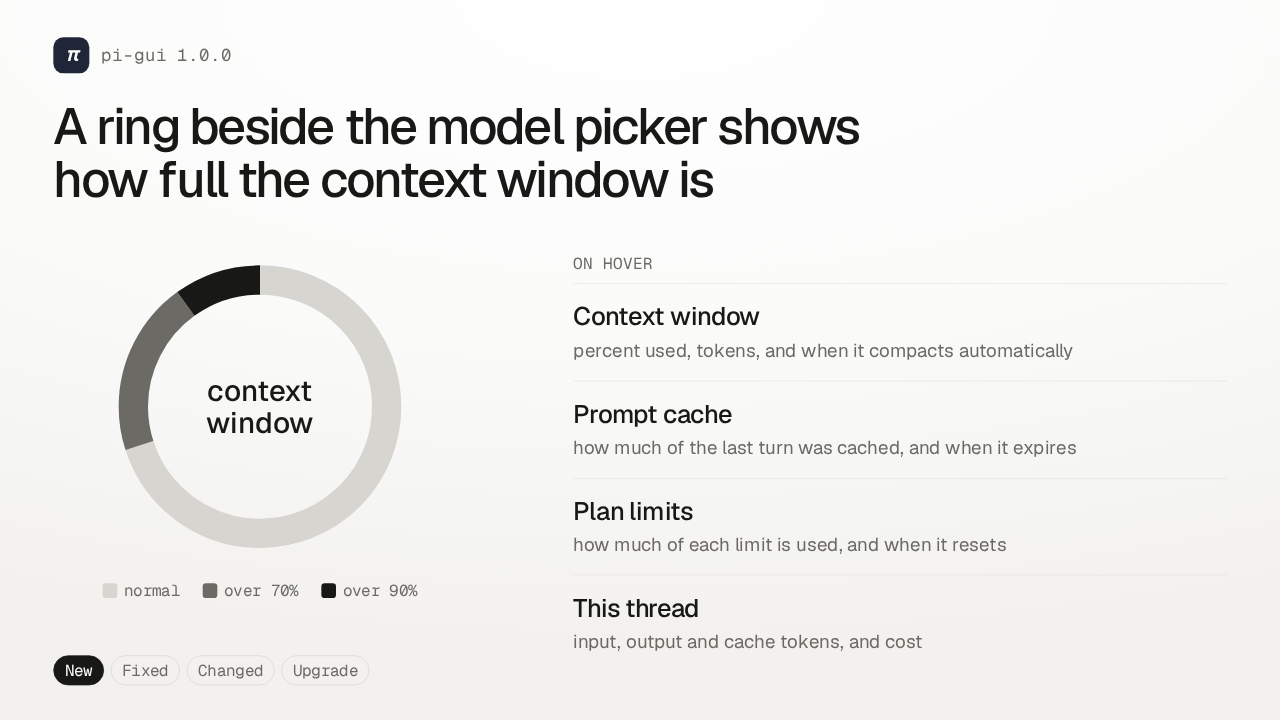
Beside the model picker, a new ring fills as the thread uses up its context window. Its tone changes past 70 percent, and again past 90. Hover it to see how much context is used and when it compacts, your prompt cache hits, plan limits and when they reset, and what the thread has cost.
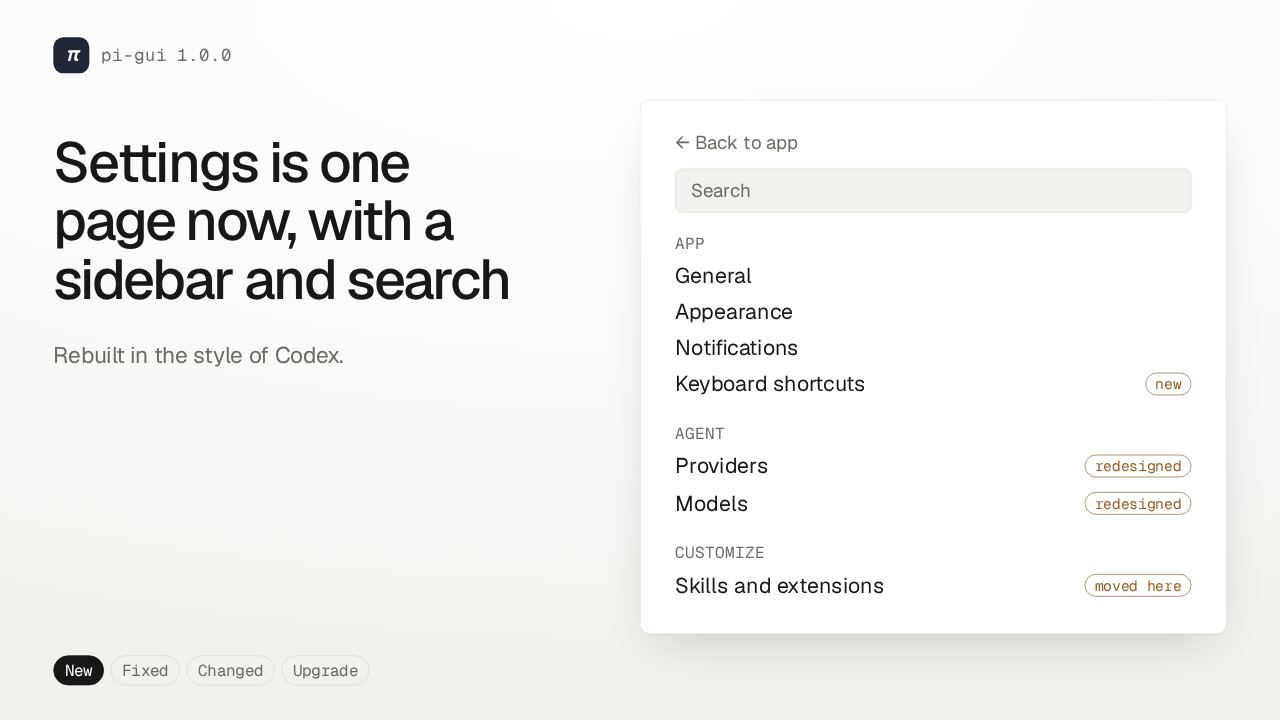
Settings was rebuilt in the style of Codex, as one page with a sidebar and a search box. The App group holds General, Appearance, Notifications, and a new Keyboard shortcuts page. Providers and Models were redesigned under Agent. And Skills and extensions moved in under Customize.
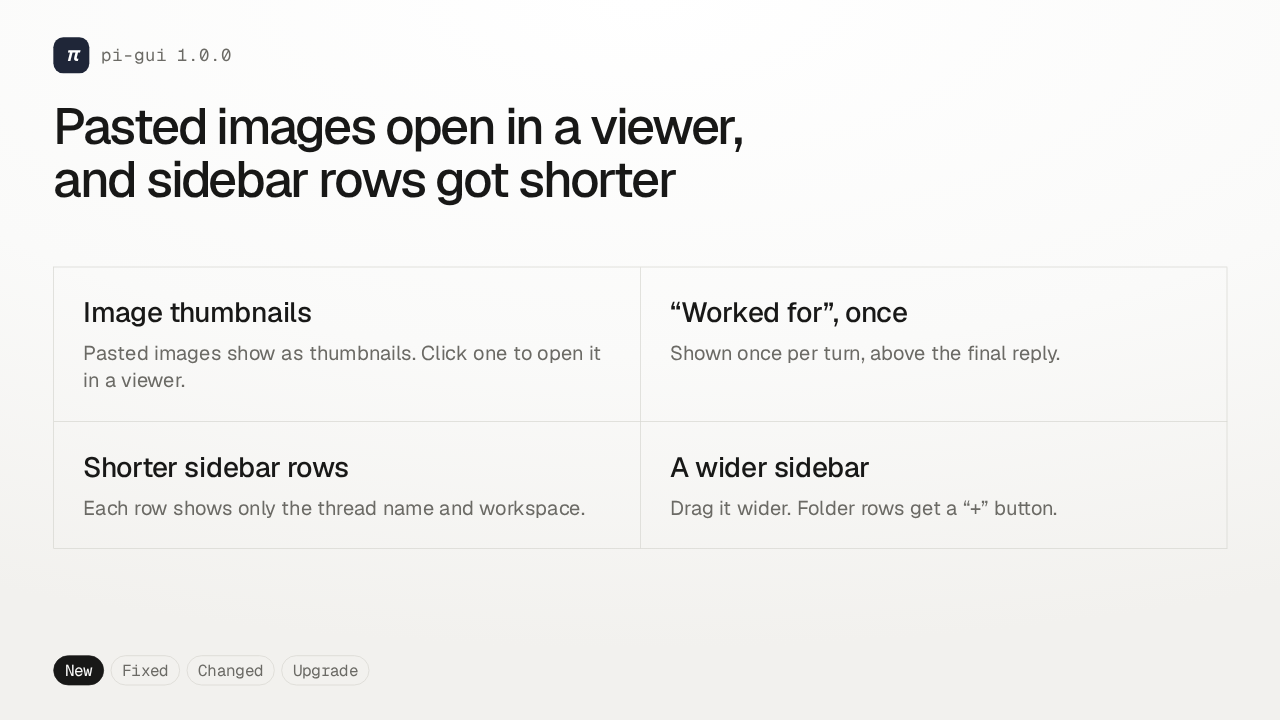
The thread and the sidebar got smaller changes too. Pasted images now show as thumbnails that open in a viewer, and Worked for appears once per turn, above the final reply. Sidebar rows show just the thread name and workspace, folder rows get a plus button, and you can drag the sidebar wider.
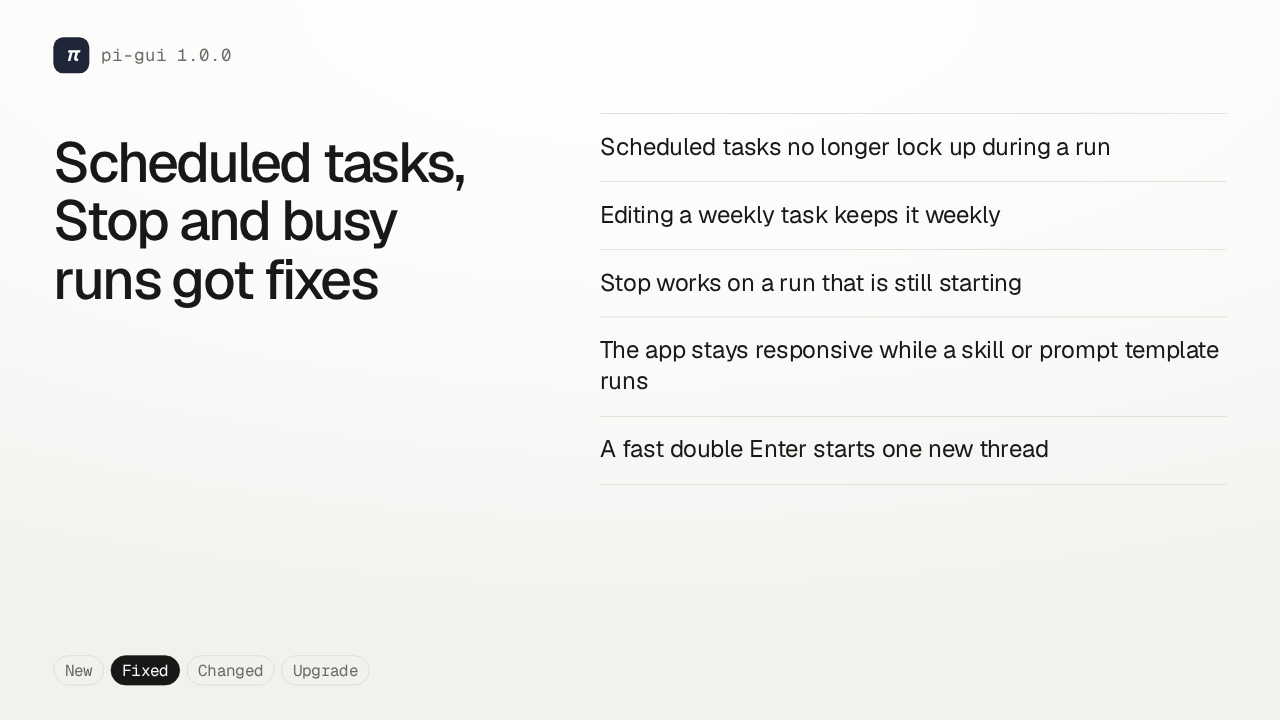
Scheduled tasks got two fixes. They no longer lock up during a run, and editing a weekly task keeps it weekly instead of turning it daily. Pressing Stop now works on a run that's still starting. The app stays responsive while a skill runs. And a fast double Enter starts just one new thread.
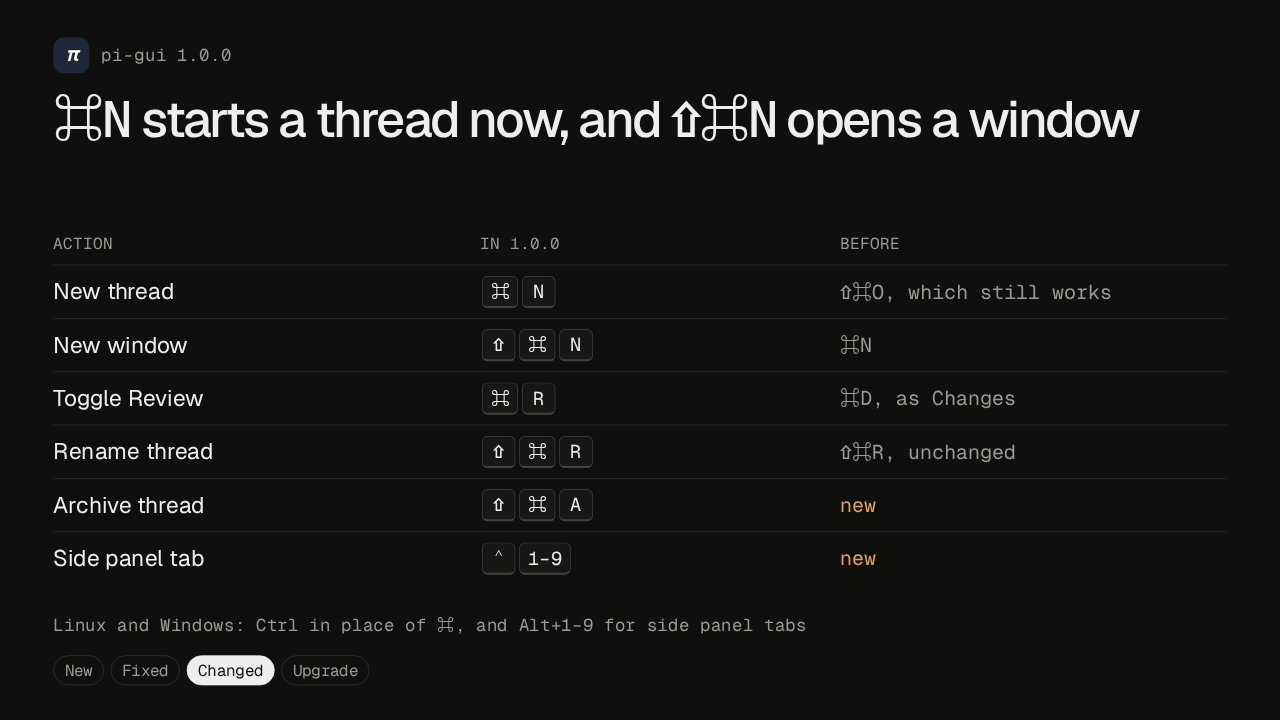
If your hands know the old shortcuts, some of them moved. Command N now starts a new thread, and a new window is Shift Command N. Review toggles with Command R, where Changes used Command D, so reload no longer has a shortcut. Shift Command R still renames a thread, Shift Command A archives it, and Control 1 to 9 picks a side panel tab. On Linux and Windows, use Control, and Alt for the tabs.
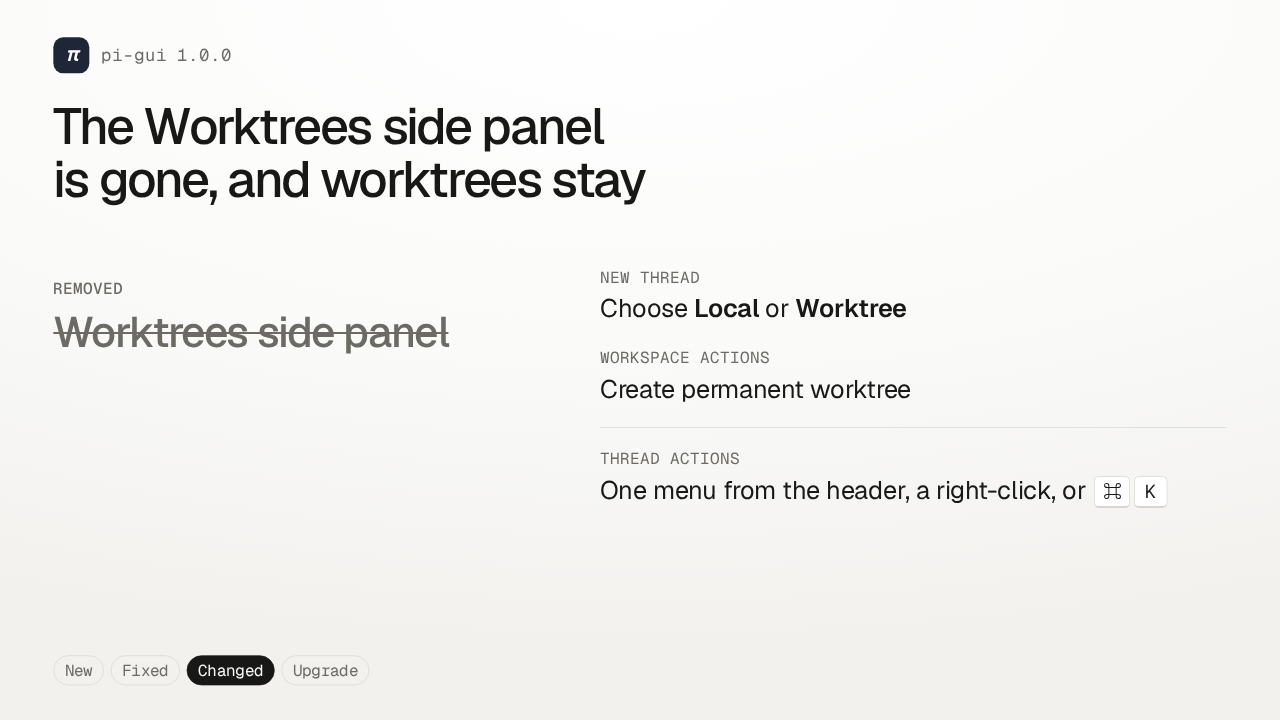
The Worktrees side panel was removed. Worktrees themselves stay. Pick Worktree when you start a new thread, or create a permanent one from a folder's Workspace actions menu. And thread actions are now one menu, the same from the header button, a right-click on a row, or Command K.
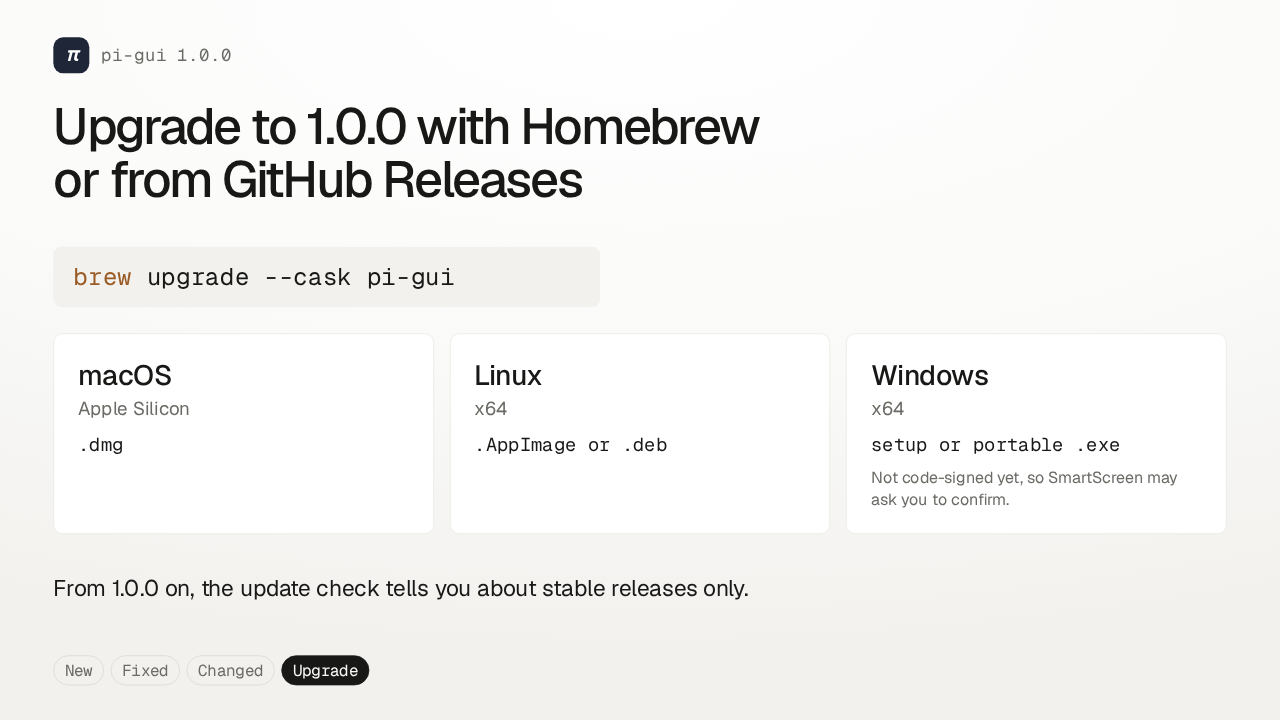
On a Mac with Homebrew, upgrade with the command on screen. It may ask you to confirm macOS permissions or Dock placement again. Everyone else downloads 1.0.0 from GitHub Releases. Windows builds aren't code-signed yet, so SmartScreen may ask you to confirm. And from here on, the update check tells you only about stable releases.