Muse keeps working after you close the app

It comes back when something changes, or when it needs your OK.
Meta's personal AI agent, Muse, keeps working after you close the app. It comes back when something changes, or when it needs your approval, like before sending an email or buying something.
You message Muse like you'd text a person
You message Muse like you'd text a person
In the Muse app, or right inside WhatsApp.
Talking to Muse works like messaging another person. You can use the Muse app, or message it directly in WhatsApp. You tell it what needs to get done, and it takes action.
Muse opens a browser and does the task
Fills out forms, books travel, sends email, and negotiates for you.
Muse can open a web browser, fill out forms, book travel and send email. Meta says it can negotiate for you too, like lowering a bill or selling a car for more.
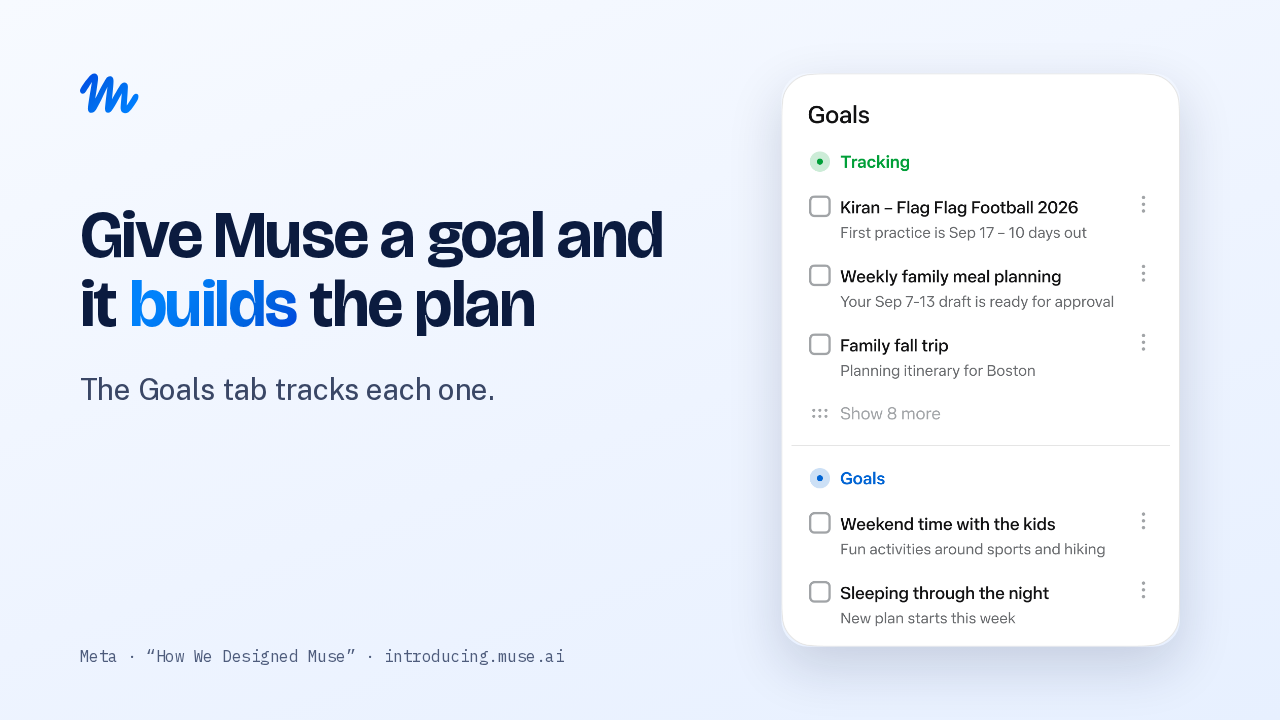
Give Muse a goal and it builds the plan
The Goals tab tracks each one.

Share a bigger goal, and Muse breaks it into a plan, then keeps taking the next step on its own. The Goals tab shows everything it's tracking, like meal planning or a family trip.
Muse remembers what you mention once
And forgets specific things when you tell it to.
Muse remembers what matters to you, even details you mentioned only once. It can turn a recipe reel you saved on Instagram into a grocery list. And you can tell it to forget specific things.
You choose which apps Muse connects to
For email: reading only, or reading and sending.
You decide which apps Muse connects to, and how much it can do in each. With email, you choose whether it only reads your mail or can also send for you. You can disconnect anytime.
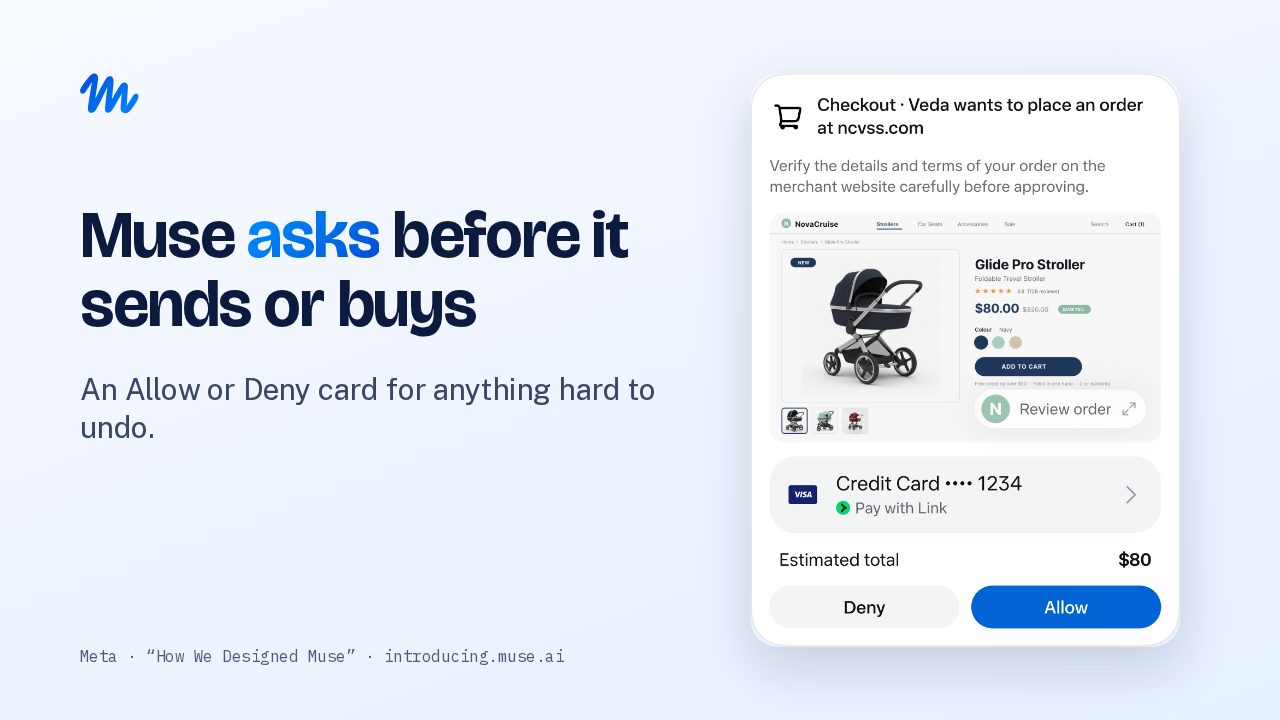
Muse asks before it sends or buys
An Allow or Deny card for anything hard to undo.

Before sensitive actions, like sending an email or making a purchase, Muse stops and asks. You get Allow and Deny buttons. By default it browses freely and stops for anything hard to undo.
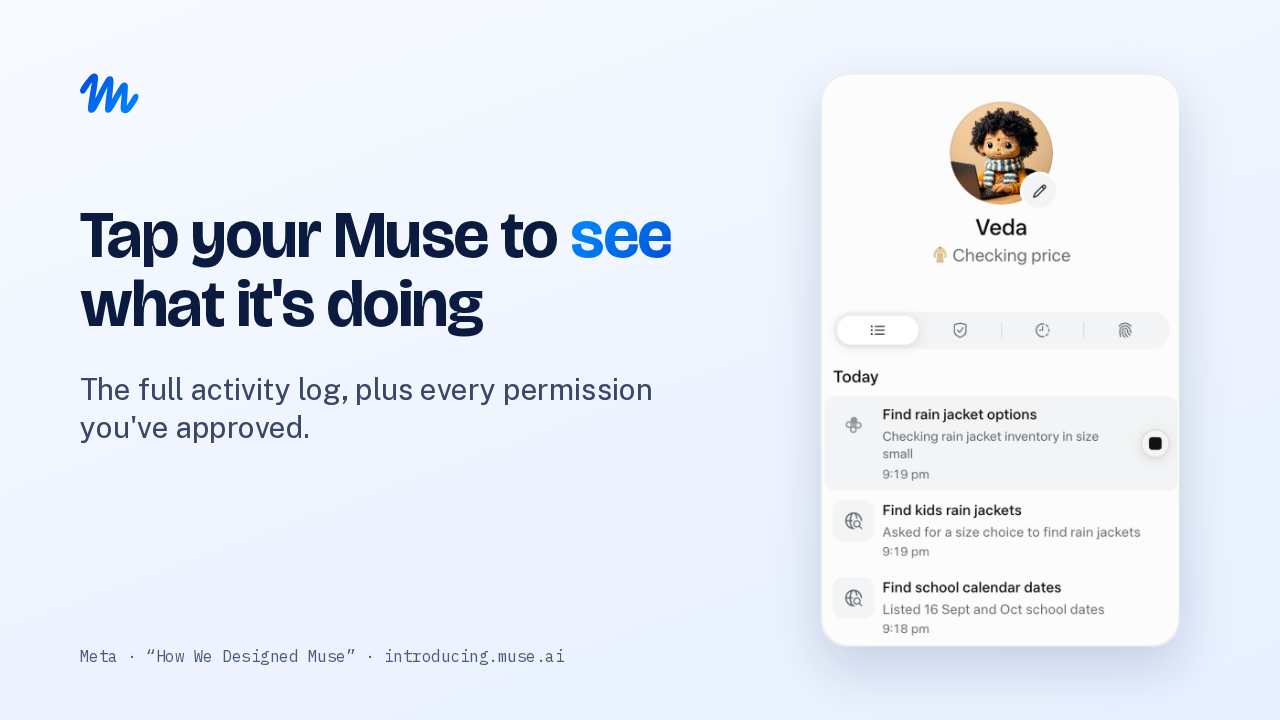
Tap your Muse to see what it's doing
Tap your Muse to see what it's doing
The full activity log, plus every permission you've approved.

You can check on Muse at any moment. Under its avatar sits a snippet of the current task. Tap the avatar and you get the full activity log, plus every permission you've approved.
Muse uses your passwords without seeing them
Purchases go through a one-time card number from Link by Stripe.
Passwords you share go into secure storage, so Muse can use them without seeing them. When it pays, Link by Stripe creates a one-time card number, and your real card details stay hidden.
A second agent, Sentinel, guards what Muse sends out
Muse's actions reach the internet only with Sentinel's approval.
Muse runs on its own computer in the cloud. A separate agent called Sentinel runs beside it, and Muse's actions reach the internet only if Sentinel approves. Sentinel asks you when it needs to.
Your Muse chats stay out of Meta's ad systems
Your Muse chats stay out of Meta's ad systems
Sites Muse visits for you can still show you ads later.
Muse doesn't share your conversations or its data with Meta's ad systems. But sites Muse visits count as your visits, so a store it shops at could later show you an Instagram ad.
One switch keeps your chats out of AI training
By default, conversations help train Meta's models.
By default, your conversations with Muse help train Meta's AI models, with key personal details removed first. If you'd rather they didn't, a single switch in Muse settings turns that off.
Later this year, a locked mode even Meta can't open
Later this year, a locked mode even Meta can't open
Muse Confidential VM encrypts your data with a key only you hold.
Today, Meta limits staff access to your Muse data, but can still reach it to support or secure the service. Later this year, Muse Confidential VM will encrypt it with a key only you hold.
Muse is free for most of what people need
Subscription plans for more. Rolling out in the US on iOS, Android and muse.ai.
Muse is free for most of what people need, with subscription plans if you want more. It's rolling out in the US on iOS, Android and the web, and coming soon to AI glasses.