
Matt Pocock's skills now build a whole spec in parallel

Three skills join the plugin and one leaves in mattpocock/skills 1.3
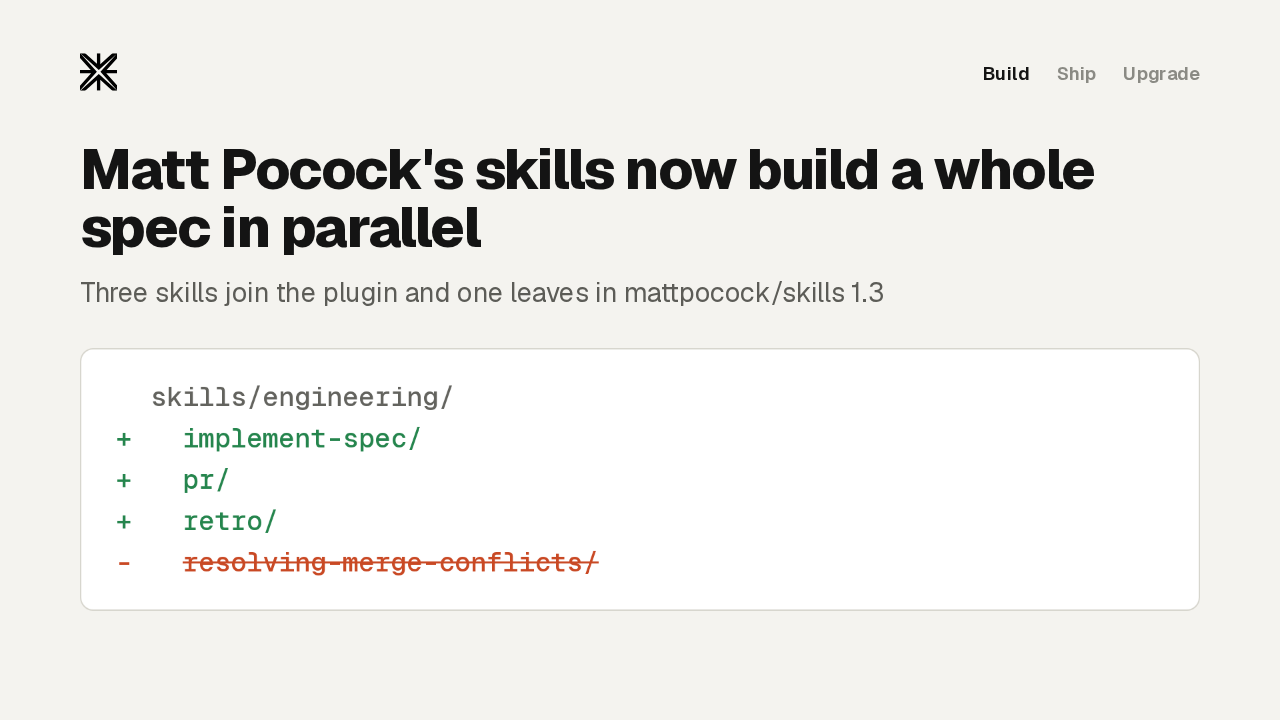
Matt Pocock's skills repository merged its 1.3 update on September 29th. Three skills join the Claude Code plugin, and one leaves it. The biggest is implement spec. It takes a spec and its tickets and builds all of it in one run, with several agents working at once. Then pr shapes the pull request, and retro looks back at the session. The plugin goes from 25 skills to 27.
Build the whole spec

Build the whole spec in one run
First, implement spec.
Tickets as a task graph
implement-spec builds every ticket whose blockers have landed, all at once
Each ticket gets its own agent, in its own git worktree
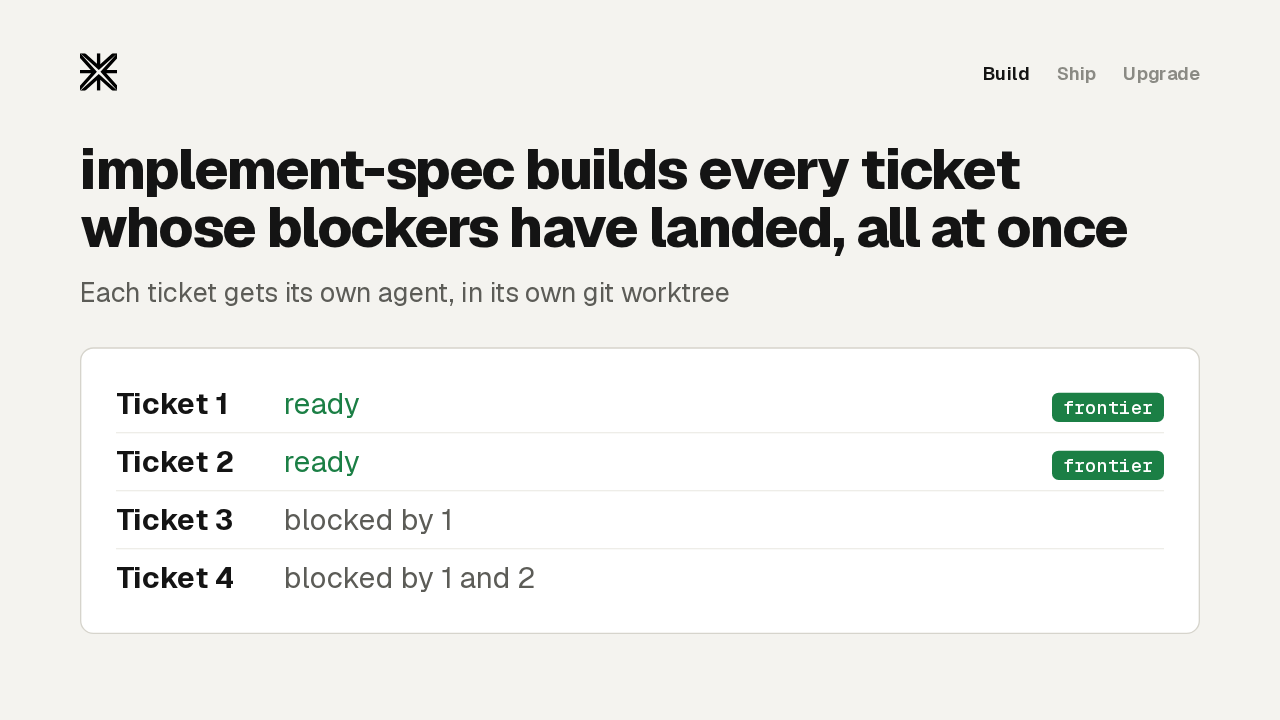
You type slash implement spec and point it at a spec that the to tickets skill has already split into tickets. It reads those tickets as a task graph. Blocking edges decide what can start, so at any moment there's a frontier of tickets whose blockers have all landed, and every ticket on that frontier runs at once. Each one goes to an implementer subagent working in its own git worktree.
One integration branch
Every ticket lands on one integration branch, built test-first
Then /code-review runs once, over the whole branch
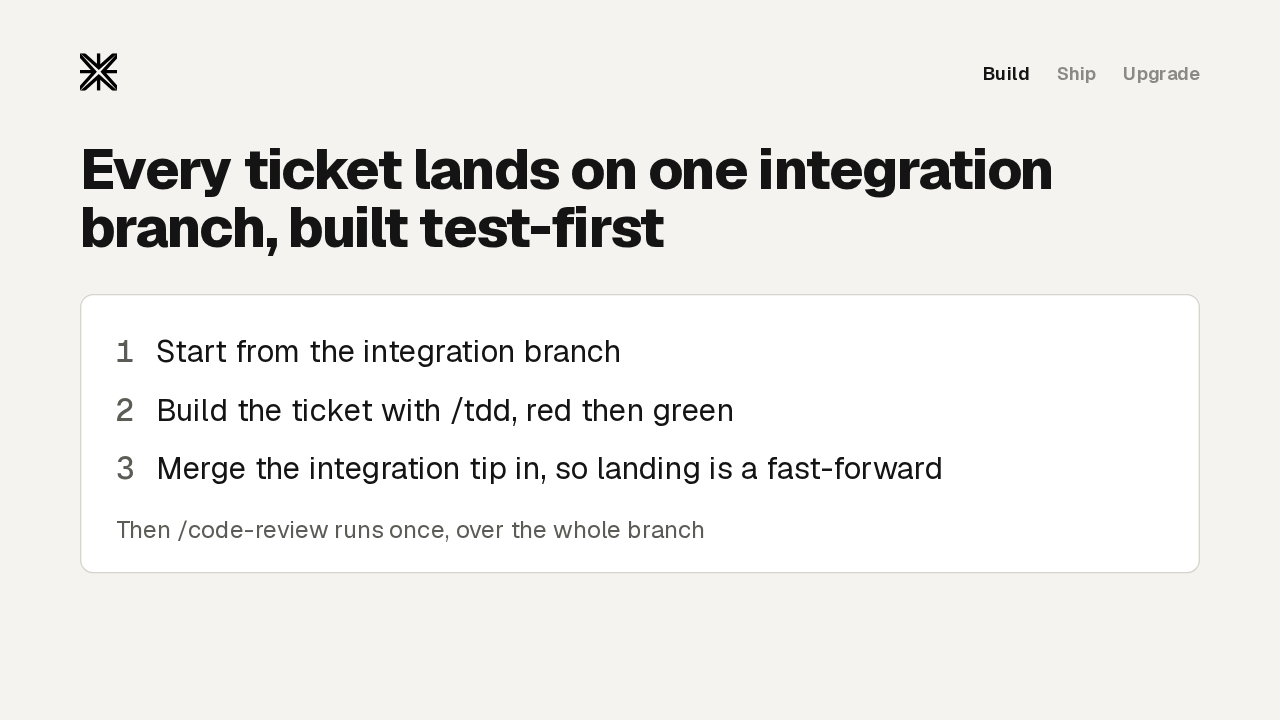
Each implementer does the same three things. It checks that its worktree starts from the integration branch, builds its ticket with the tdd skill one failing test at a time, and merges the latest integration branch in before it reports done, so landing its work is a fast-forward. When every ticket is in, code review runs once over the whole branch. A draft pull request opens only when your issue tracker closes work through pull requests, or when you ask for one. On a local markdown tracker, the whole run works offline.
implement or implement-spec
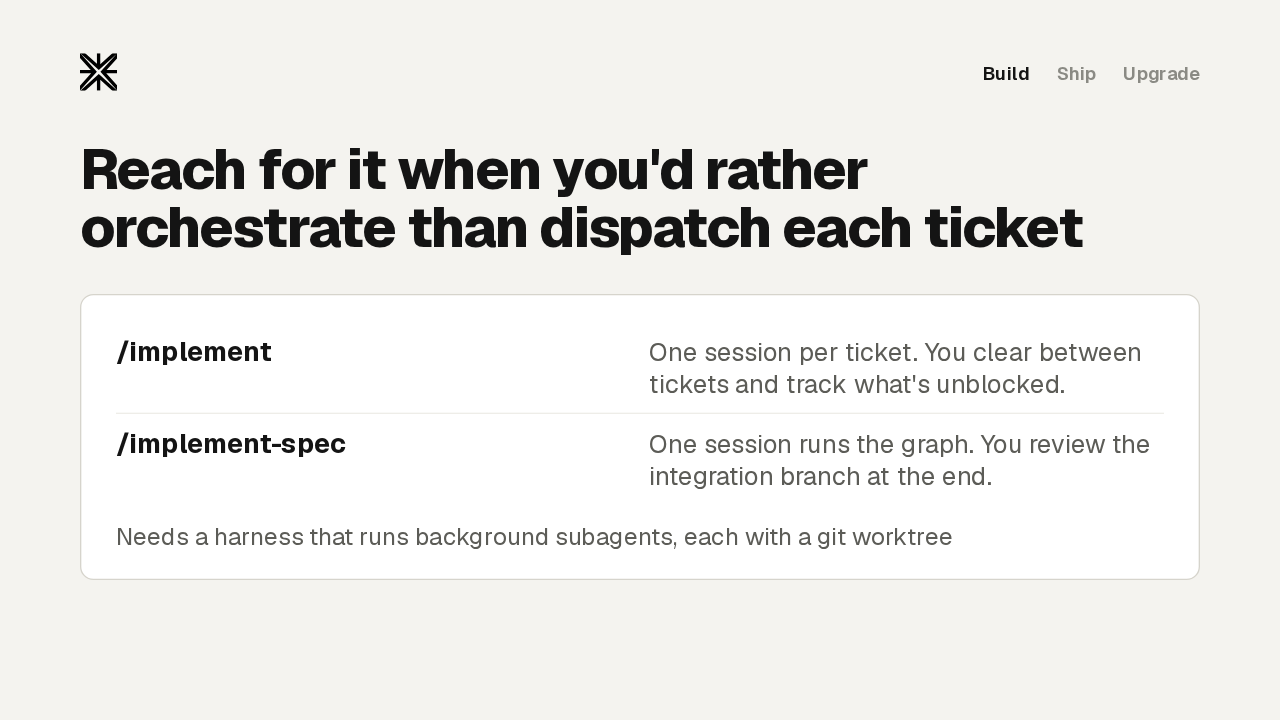
Reach for it when you'd rather orchestrate than dispatch each ticket
Needs a harness that runs background subagents, each with a git worktree
The implement skill still works one ticket per session. You're the dispatcher: you clear context between tickets and keep track of which ones are unblocked. Implement spec hands that job to one orchestrating session, and you review the whole integration branch once, at the end. It needs a harness that runs subagents in the background and gives each one a worktree. For a small change with no real graph to it, use implement directly.
Ship it and look back
Ship it, then look back
Next, shipping the work and learning from it.
The pr skill
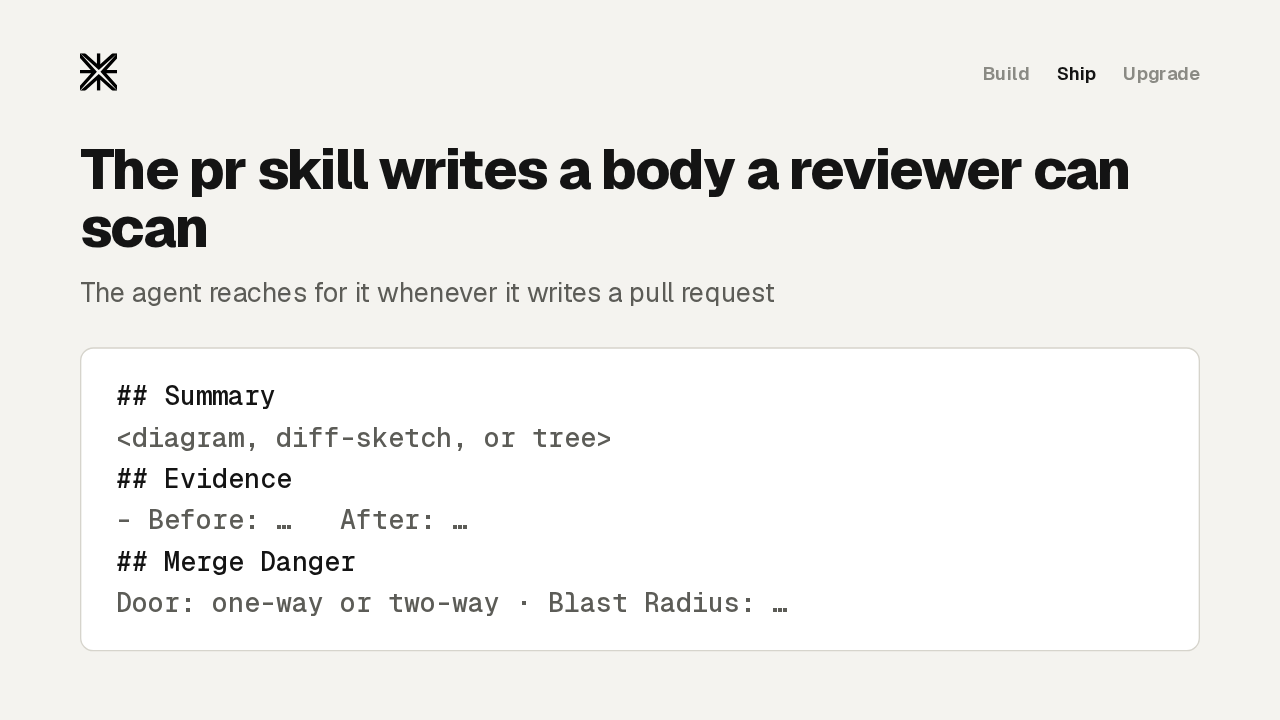
The pr skill writes a body a reviewer can scan
The agent reaches for it whenever it writes a pull request
The pr skill is a format for the pull request body, and the agent uses it on its own whenever it writes one. The summary is the smallest picture that shows the change: pseudocode, a call tree, a file tree, a Mermaid diagram, or a diff. Evidence is a before and an after: a screenshot when the change is visual, and otherwise the test that failed and now passes. The skill writes the body only. Opening the pull request is still up to you or your agent.
Merge Danger
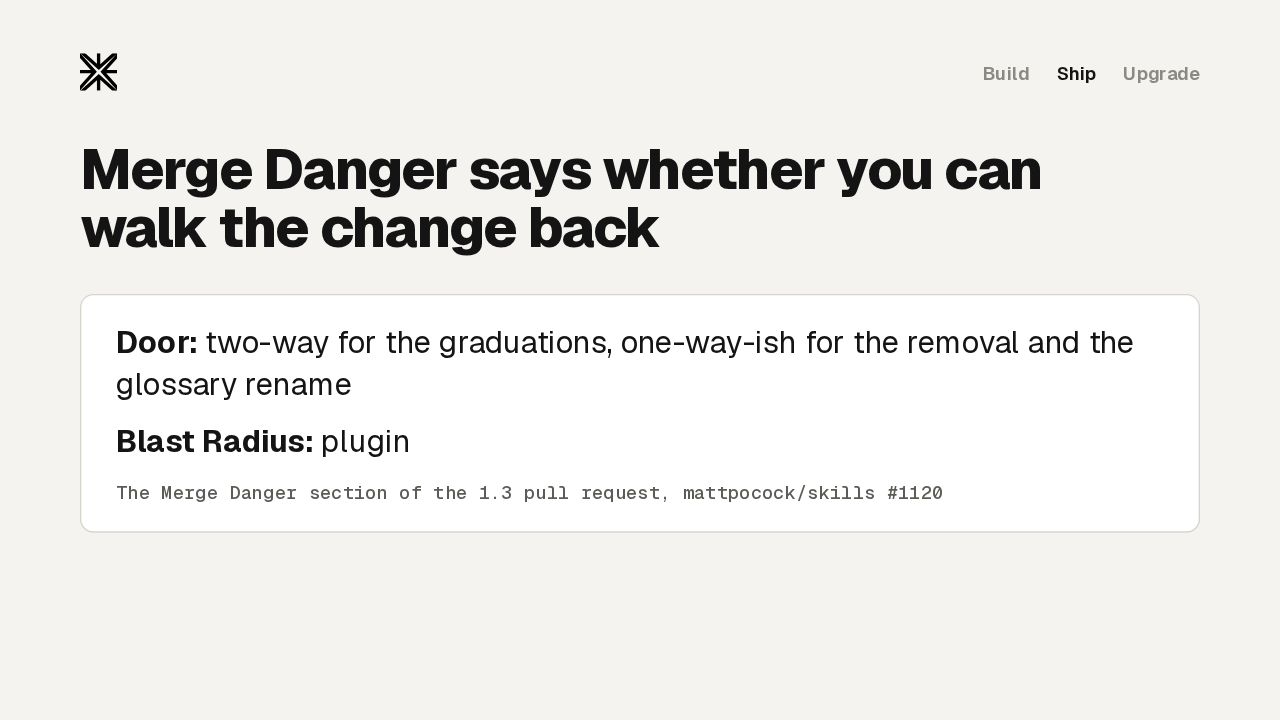
Merge Danger says whether you can walk the change back
The Merge Danger section of the 1.3 pull request, mattpocock/skills #1120
The last section is Merge Danger. A two-way door is cheap to walk back. A one-way door, like a destructive migration or a removed public API, is not. Blast radius names what breaks if the change is wrong. Here's that call on the 1.3 pull request itself: two-way for the new skills, and one-way-ish for the removal and the glossary rename. Read this line most carefully, because the agent that wrote the change is the one grading it.
The retro skill
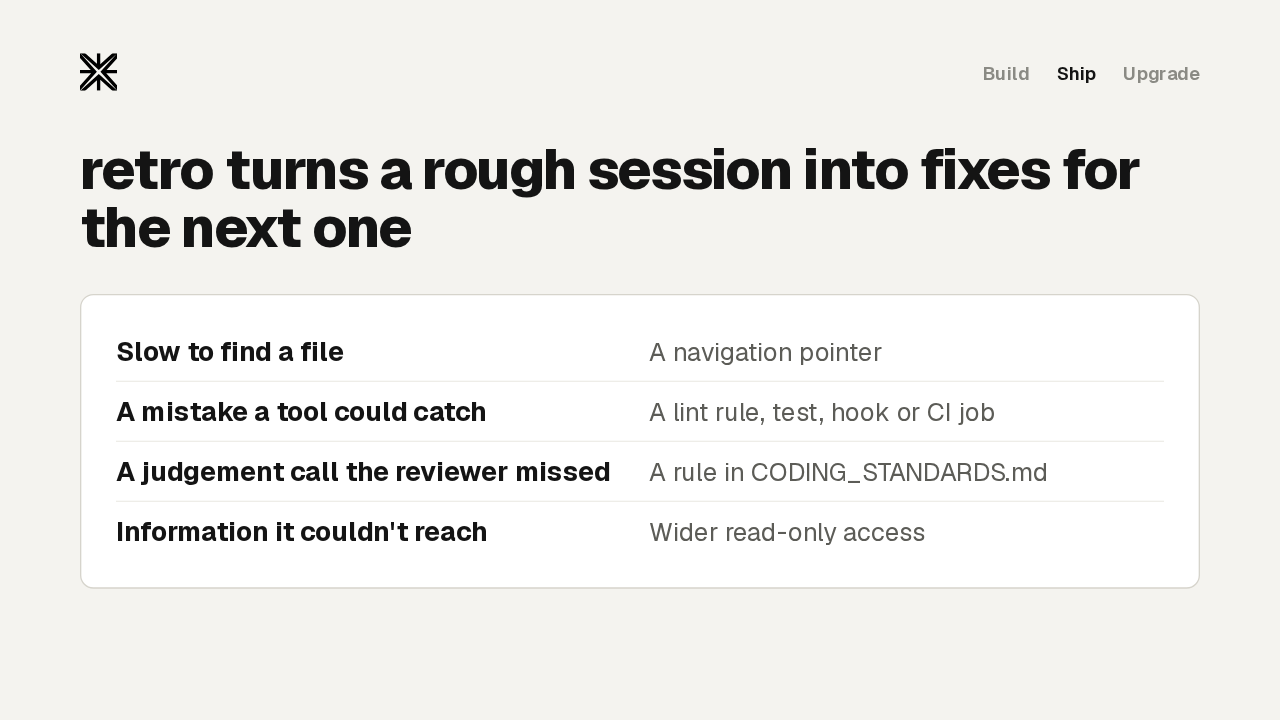
retro turns a rough session into fixes for the next one
Retro comes last. Type slash retro after a session that felt harder than it should have. It reads that session's record and suggests changes to the agent's environment. A file that took too long to find gets a navigation pointer. A mistake a tool could have caught gets a deterministic check: a lint rule, a hook, or a CI job. Only real judgement calls become coding standards, which the review agent reads. A repo with no guardrail at all is a finding by itself. Retro only proposes, and you pick which fixes to apply.
The main flow
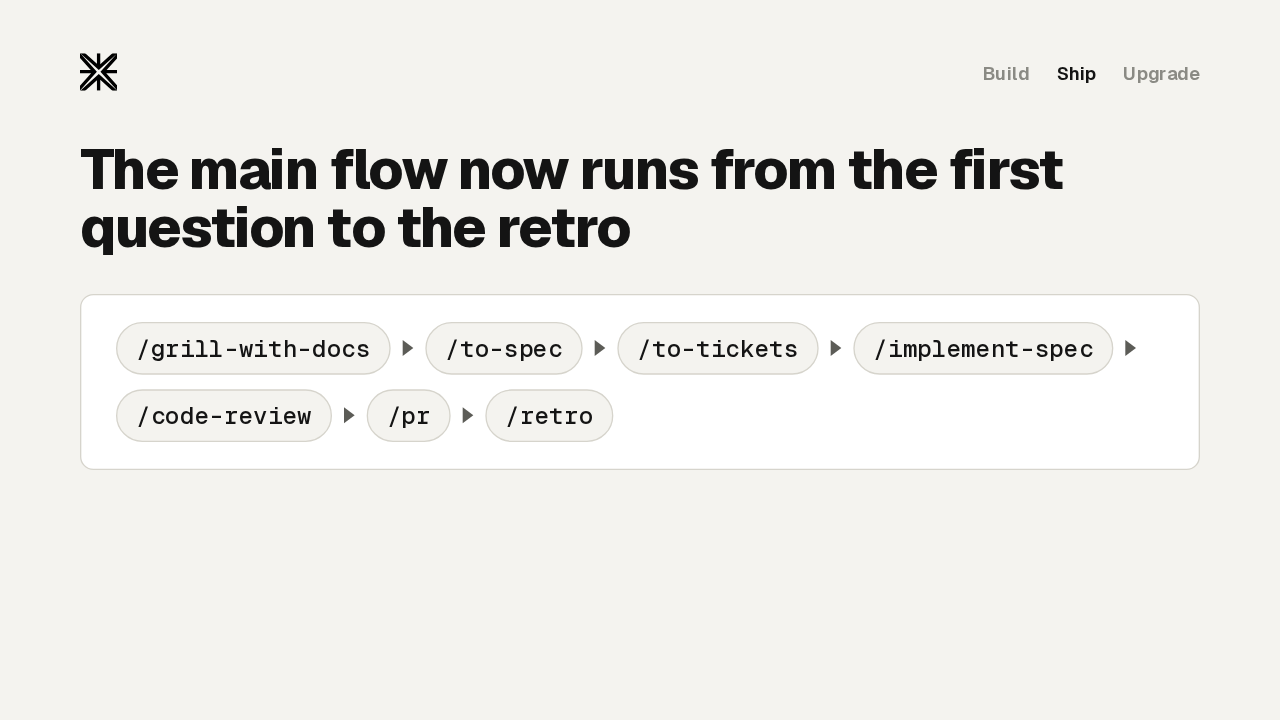
The main flow now runs from the first question to the retro
Put together, here's the main flow now. Grill with docs sharpens the idea. To spec and to tickets turn it into a plan. Implement spec, or implement one ticket at a time, builds it test-first. Code review checks the branch, pr describes it, and retro improves the setup for next time. The Ask Matt router skill now points you to each one.
Skills call the Skill tool
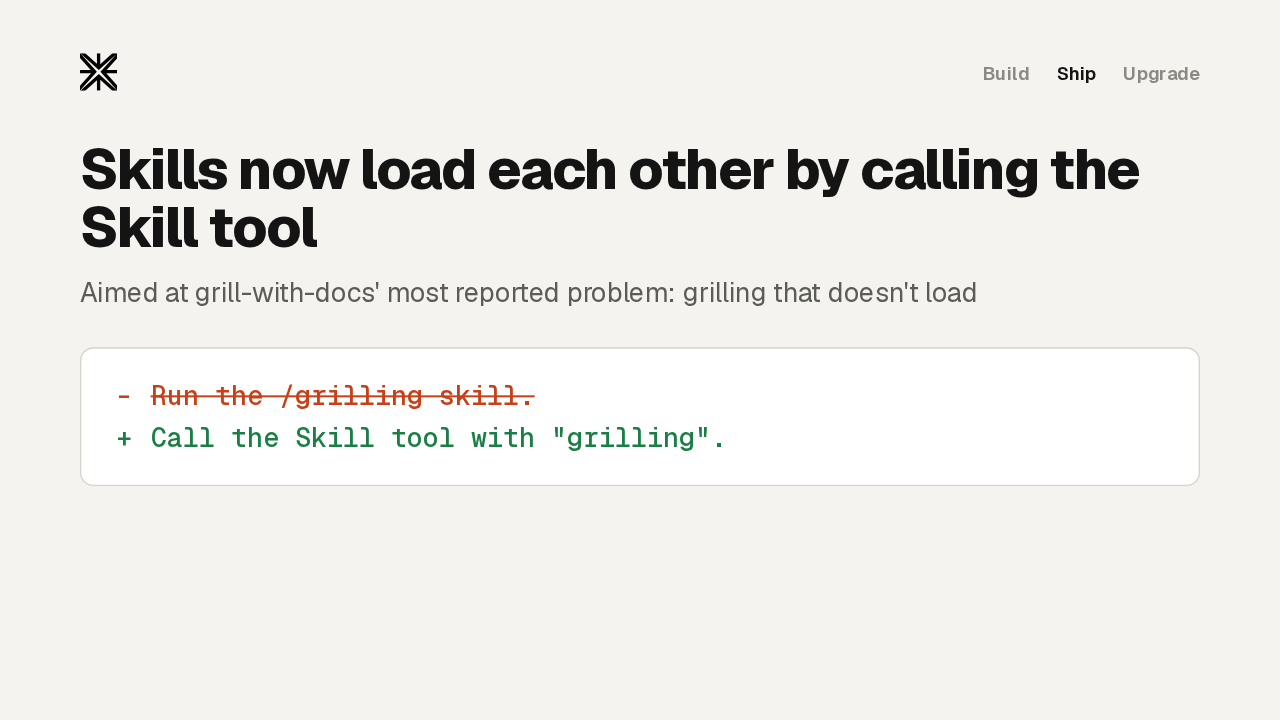
Skills now load each other by calling the Skill tool
Aimed at grill-with-docs' most reported problem: grilling that doesn't load
Under the hood, skills now call each other more directly. When a step needs another skill, it says: call the Skill tool with grilling. It used to mention slash grilling in the middle of a sentence. That's aimed at the most reported problem with grill with docs, where the grilling step failed to load. It also reads the same way in Claude Code, Codex and other harnesses.
Where implement-spec needs a hand
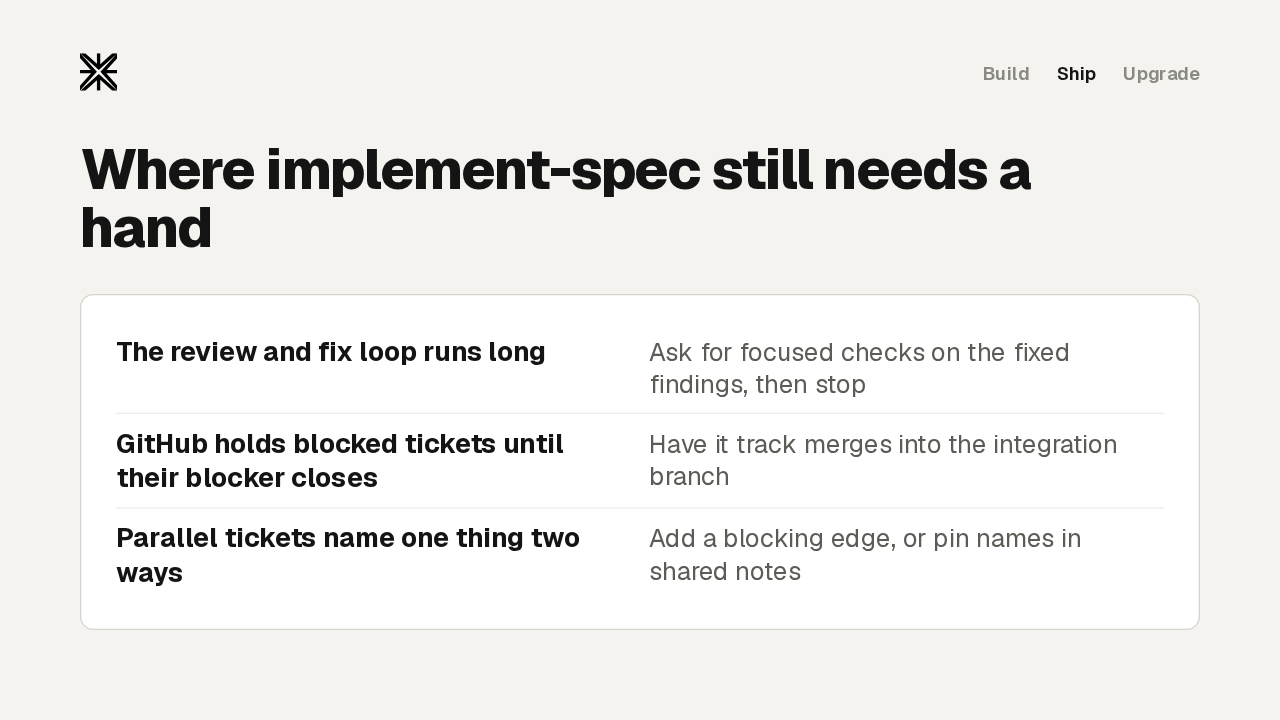
Where implement-spec still needs a hand
Implement spec still needs a hand in three places. One user's five-ticket feature spent about four hours in the review and fix loop. If a second broad review starts, ask for focused checks on what was fixed, then stop. On GitHub, a blocked ticket waits until its blocker closes, which usually happens at the end of the run, so have the orchestrator track merges itself. And two tickets running in parallel can name the same thing differently. Add a blocking edge between them, or pin the names in the shared notes.
Before you upgrade
Two changes need action before you upgrade.
CONTEXT.md becomes GLOSSARY.md
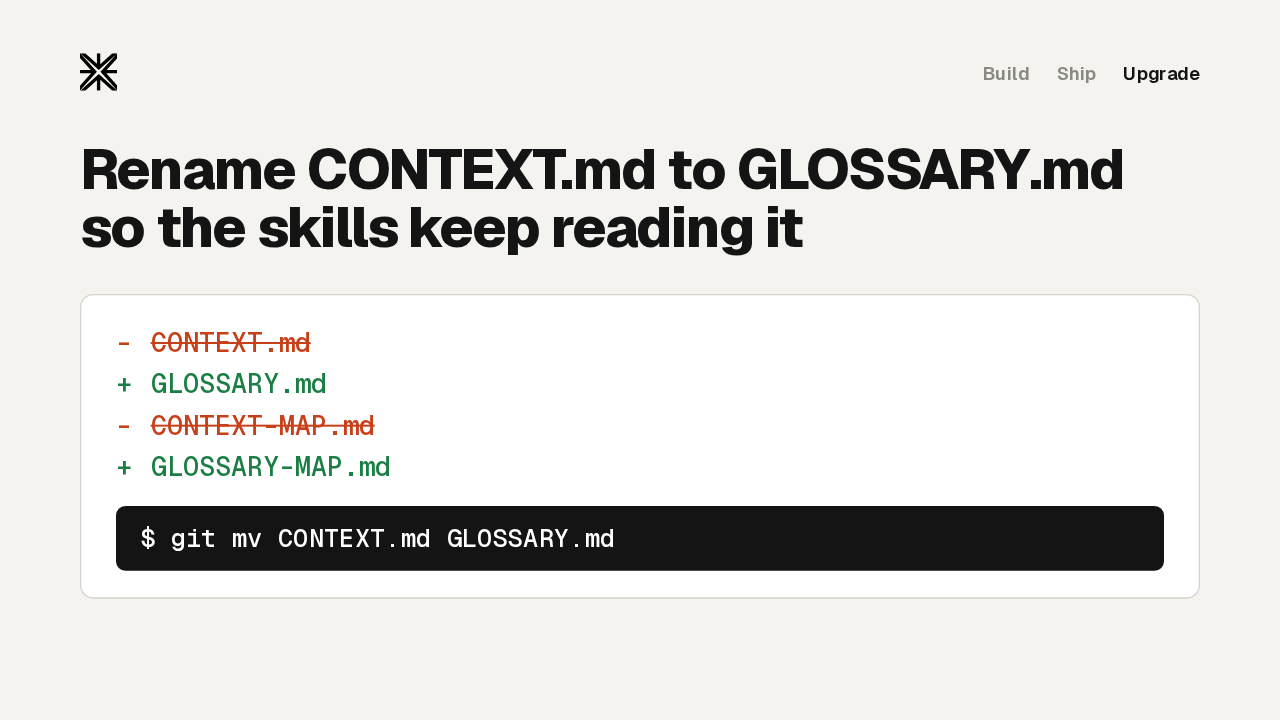
Rename CONTEXT.md to GLOSSARY.md so the skills keep reading it
The shared glossary that grill with docs writes has a new name. Every skill that reads or writes it, from grill with docs to tdd, diagnosing bugs and the new pr skill, now looks only for GLOSSARY.md, and for the glossary map when a repo has several. If your repo has a CONTEXT.md, rename it with git mv, and your glossary keeps working.
resolving-merge-conflicts removed
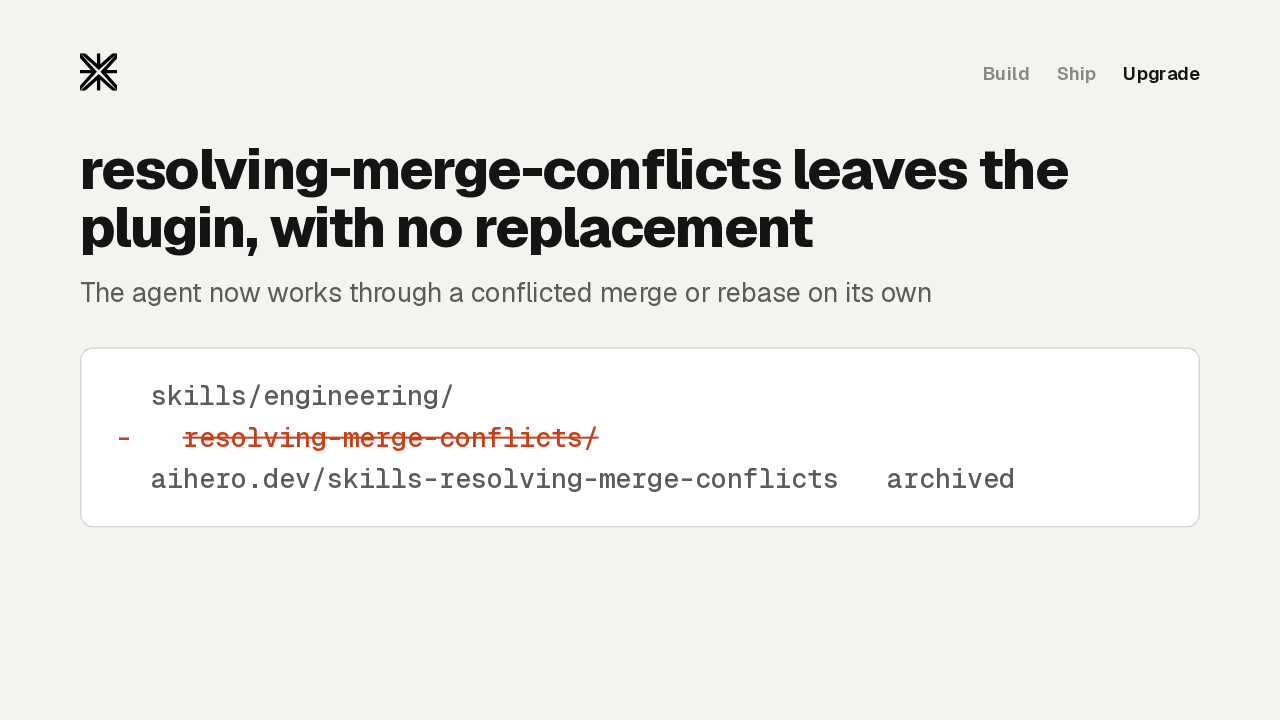
resolving-merge-conflicts leaves the plugin, with no replacement
The agent now works through a conflicted merge or rebase on its own
The second change is a removal. The resolving merge conflicts skill leaves the plugin and the Ask Matt router, with no replacement skill. The agent works through a conflicted merge or rebase on its own. Its page on aihero.dev stays up, marked archived. If you rely on it, keep a copy of the skill before you update.
Get it
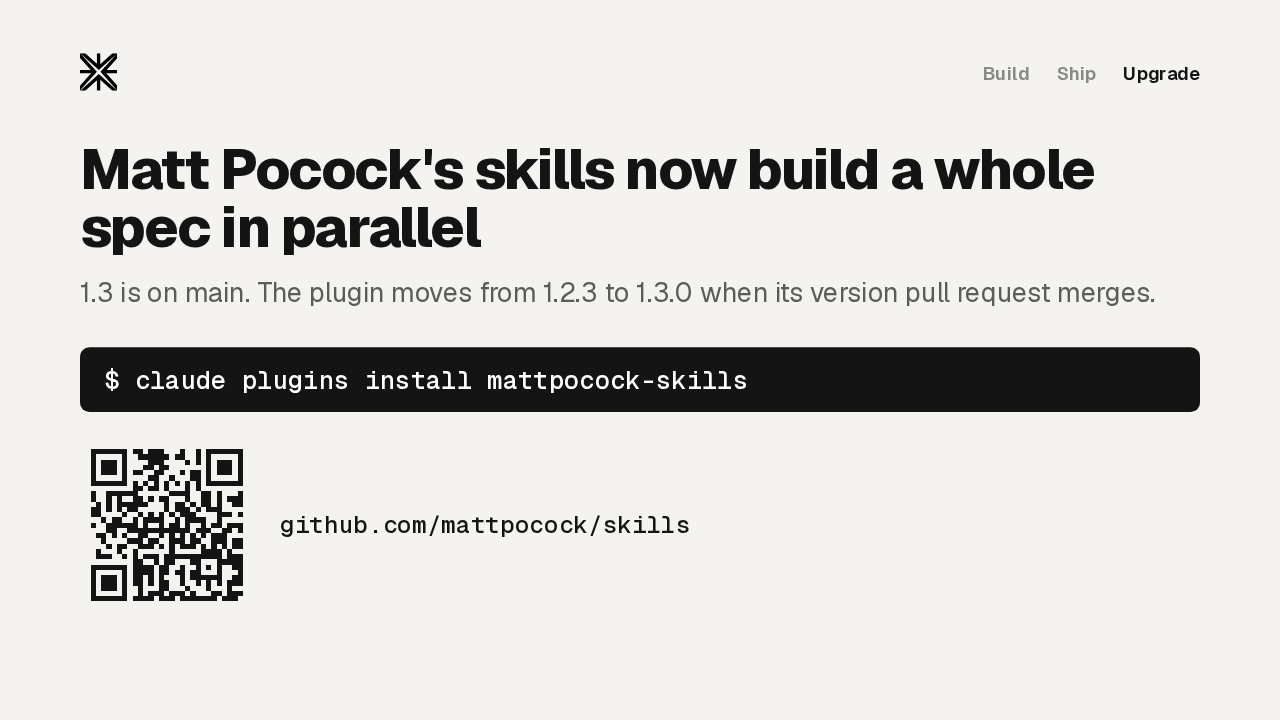
Matt Pocock's skills now build a whole spec in parallel
1.3 is on main. The plugin moves from 1.2.3 to 1.3.0 when its version pull request merges.
Implement spec gets you to a draft fast, and its code review is where that draft gets finished. Version 1.3 is on the main branch now, and the Claude Code plugin moves from 1.2.3 to 1.3.0 when its version pull request merges. Rename your context file first. Then the whole flow, from the first question to the retro, comes in one install, and Matt Pocock's skills build a whole spec in parallel.