Majorsilence Reporting 26.0.8
Rectangles grow with their subreports.
The embedded designer stops stalling.
Majorsilence Reporting 26.0.8 is a patch for the 26.0 line. A bordered rectangle now grows with the subreport inside it, the embedded designer stops stalling in hosts like WPF, and three runtime packages move past known vulnerabilities. One viewer change needs a line of code in some apps.
A Rectangle grows with its subreport
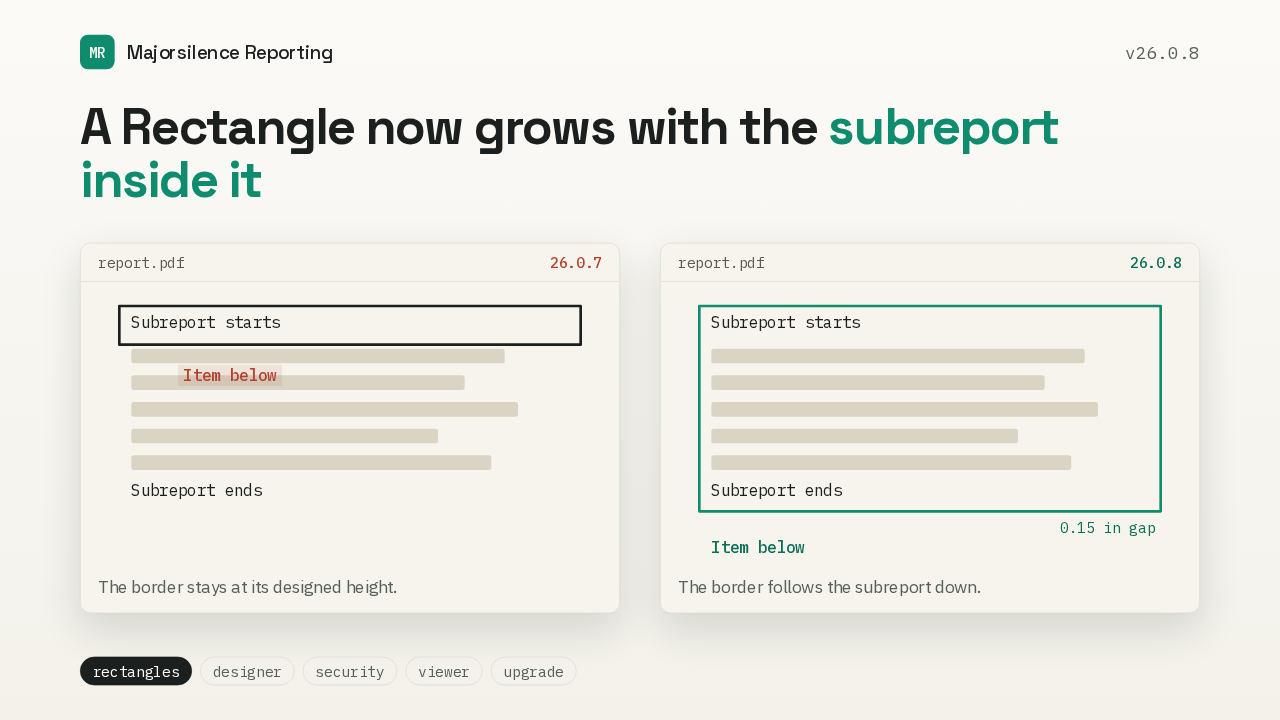
A Rectangle now grows with the subreport inside it
Here's a bordered rectangle around a subreport that grows. In 26.0.7 the border drew as a thin strip at the top, and the item below it printed over the subreport. Now the rectangle stretches to the subreport's last item, the way SSRS does. The border and background follow it down, and the item below keeps its gap. A rectangle whose contents fit keeps its height.
GetRdlText no longer stalls
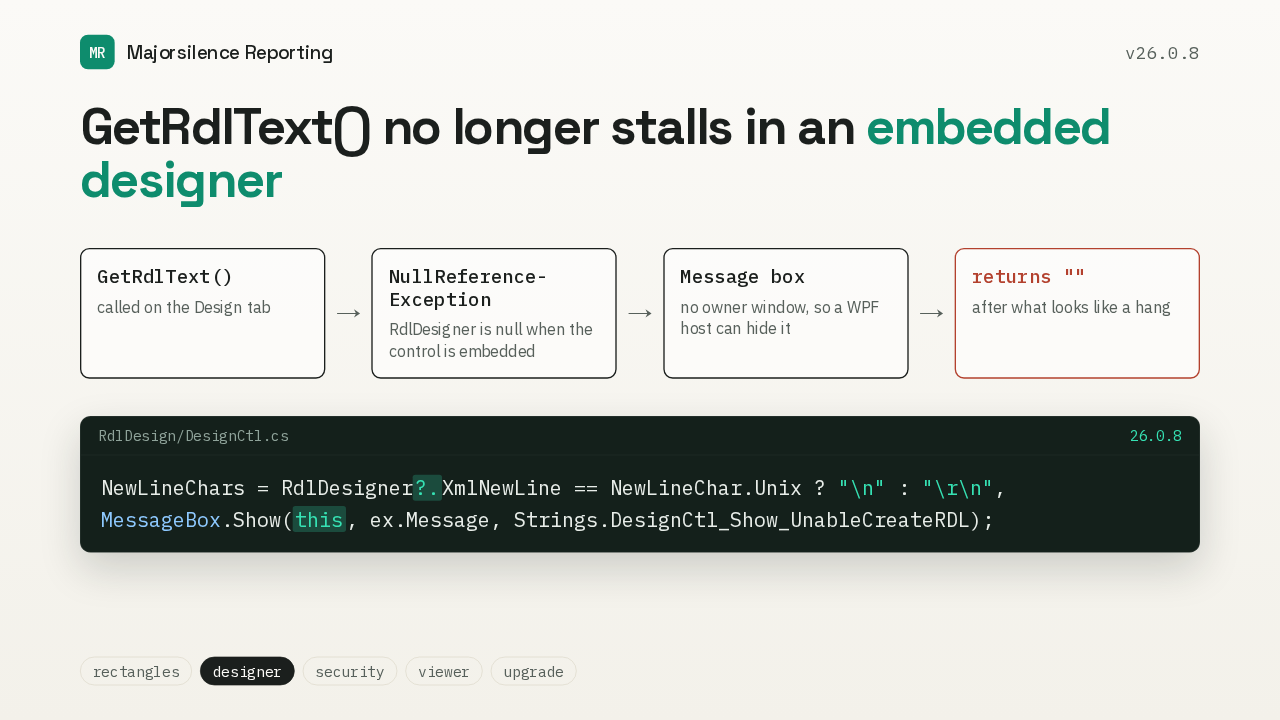
GetRdlText() no longer stalls in an embedded designer
NewLineChars = RdlDesigner?.XmlNewLine == NewLineChar.Unix ? "\n" : "\r\n",
MessageBox.Show(this, ex.Message, Strings.DesignCtl_Show_UnableCreateRDL);
If you embed the designer control in your own app, this one looked like a hang. On the Design tab, GetRdlText read a setting that only the stand-alone designer has. The exception showed a message box with no owner window, which a WPF host can hide, and then returned an empty string. The read is now null-safe, and the message box belongs to the control.
Export right after OpenFile
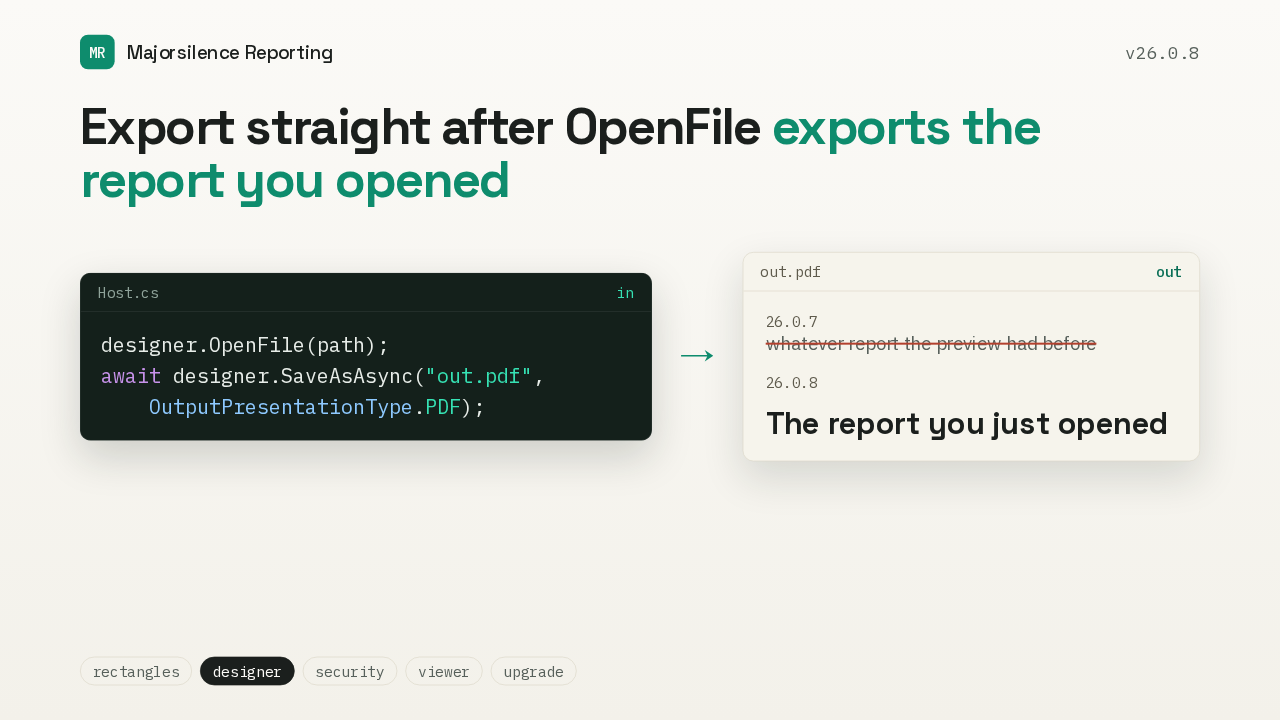
Export straight after OpenFile exports the report you opened
designer.OpenFile(path);
await designer.SaveAsAsync("out.pdf",
    OutputPresentationType.PDF);
The preview viewer only received the report when someone opened the Preview tab. So an app that called OpenFile and then exported or printed straight away used the old report. Print and SaveAs now hand the preview the current report first, edits included, so you export the report you opened.
Loading is not an edit
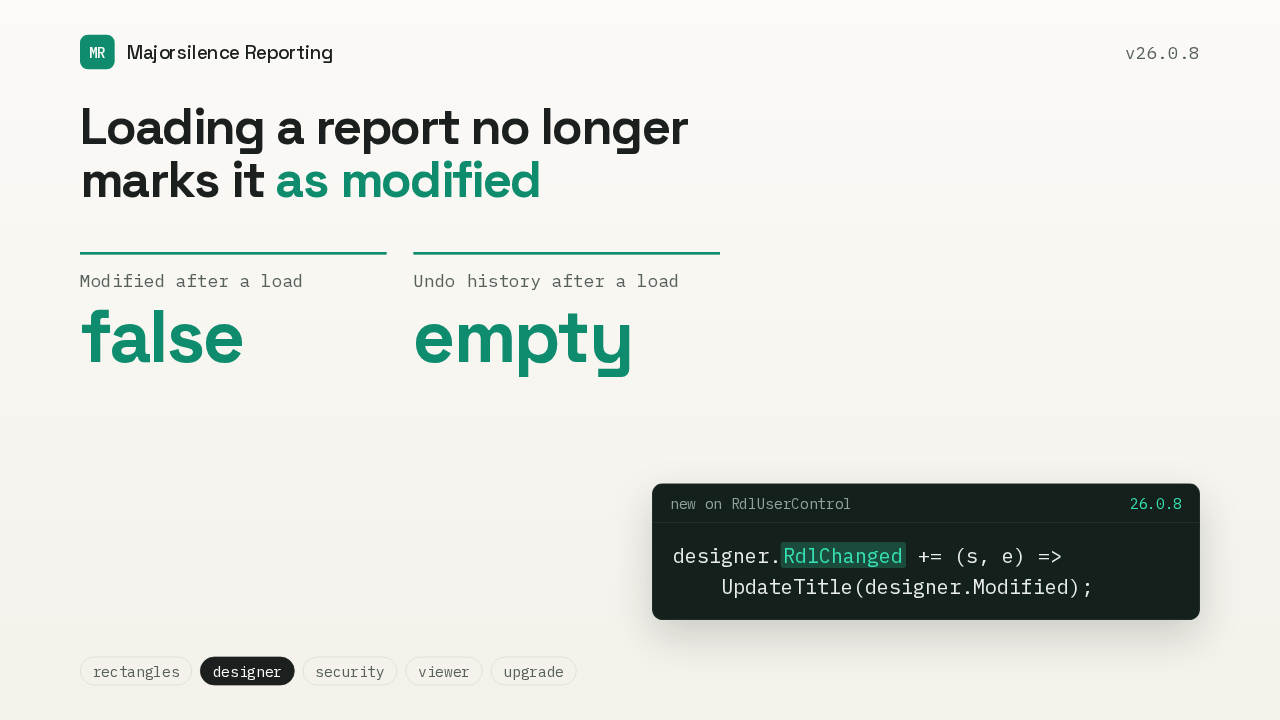
Loading a report no longer
marks it as modified
designer.RdlChanged += (s, e) =>
    UpdateTitle(designer.Modified);
Loading a second report used to leave the editor marked as modified, with the previous report still on its undo stack. Now every load resets both. There's also a new RdlChanged event on the designer control. It fires when the user edits the report and stays quiet on a load, so your app can track unsaved changes.
Packages with known vulnerabilities
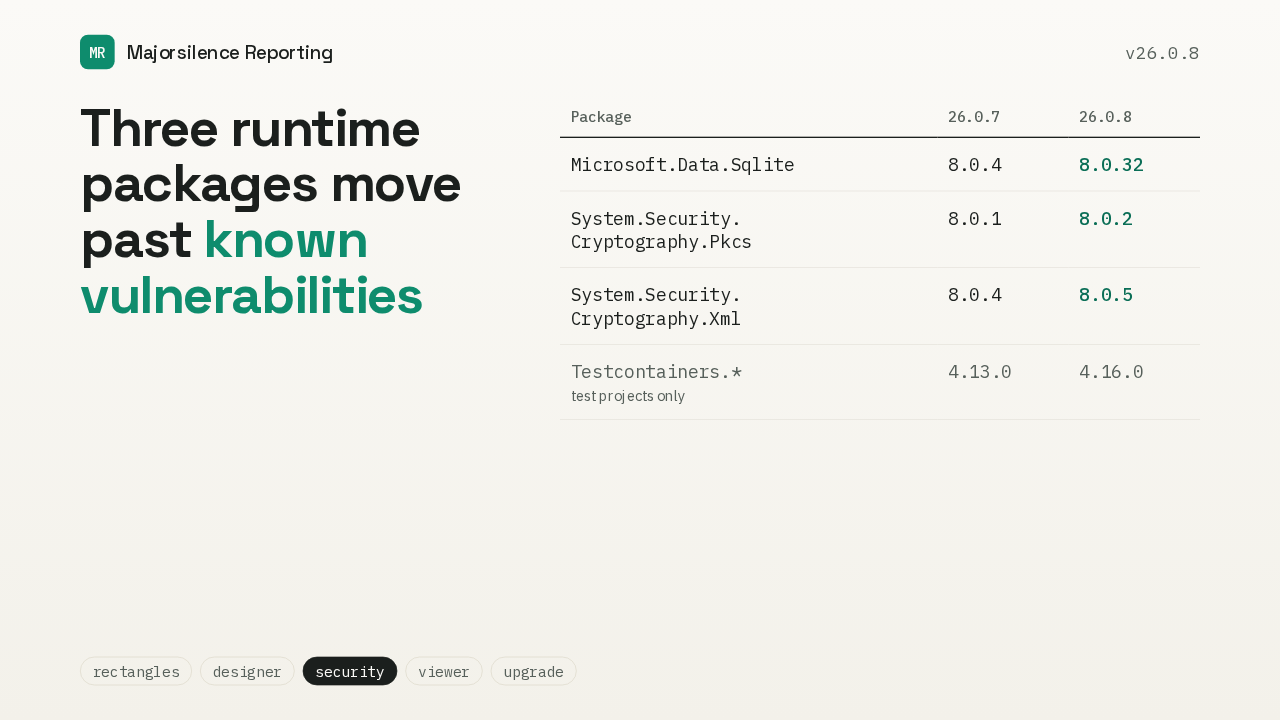
Three runtime packages move past known vulnerabilities
| Package | 26.0.7 | 26.0.8 |
|---|---|---|
| Microsoft.Data.Sqlite | 8.0.4 | 8.0.32 |
| System.Security. Cryptography.Pkcs | 8.0.1 | 8.0.2 |
| System.Security. Cryptography.Xml | 8.0.4 | 8.0.5 |
| Testcontainers.*test projects only | 4.13.0 | 4.16.0 |
This release also updates packages with known vulnerabilities. Microsoft's SQLite package moves from 8.0.4 to 8.0.32, and the two cryptography packages, for PKCS and for XML, each move up one patch release. Testcontainers moves too, but only the test projects use it.
Await EnsureRendered before reading PageCount
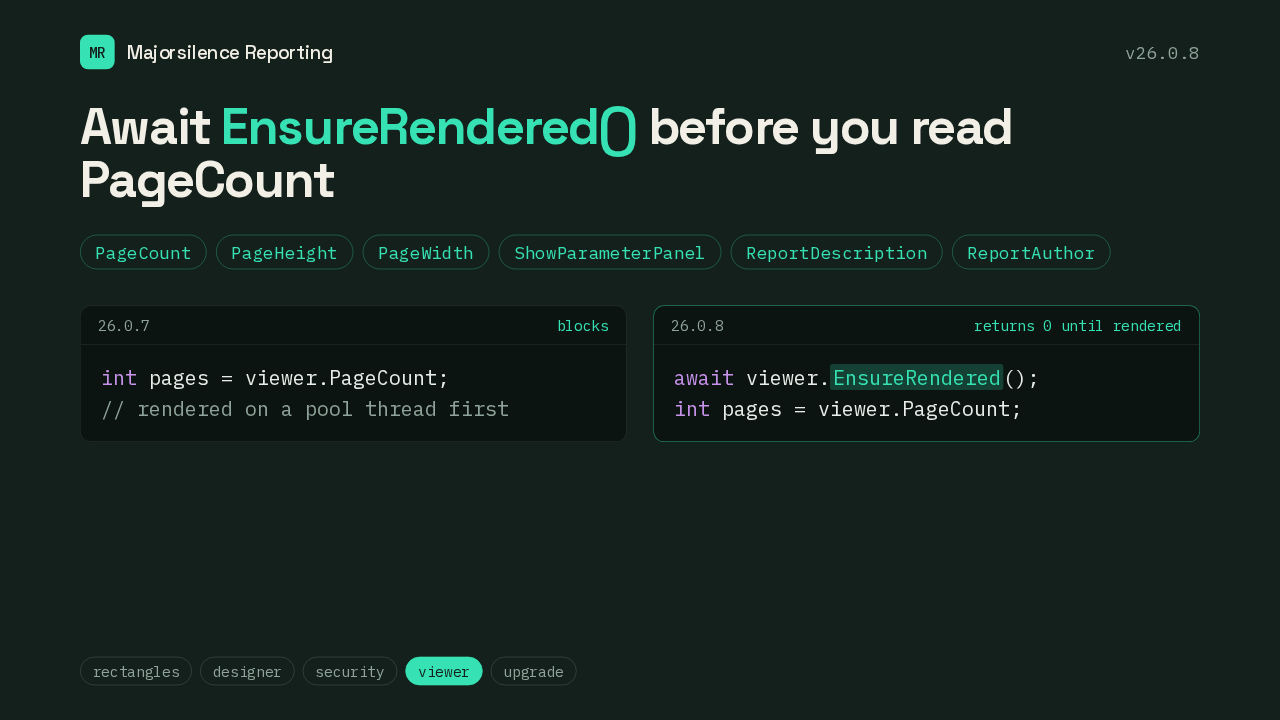
Await EnsureRendered() before you read PageCount
int pages = viewer.PageCount;
// rendered on a pool thread first
await viewer.EnsureRendered();
int pages = viewer.PageCount;
This is the one change that can break existing code. PageCount, PageHeight and four other viewer properties used to force the report to load. They blocked while it rendered on a pool thread, and that could hang the app. Now they return zero or the default until the report renders. If you read them, await EnsureRendered on the viewer first. The viewer's own print button already does.
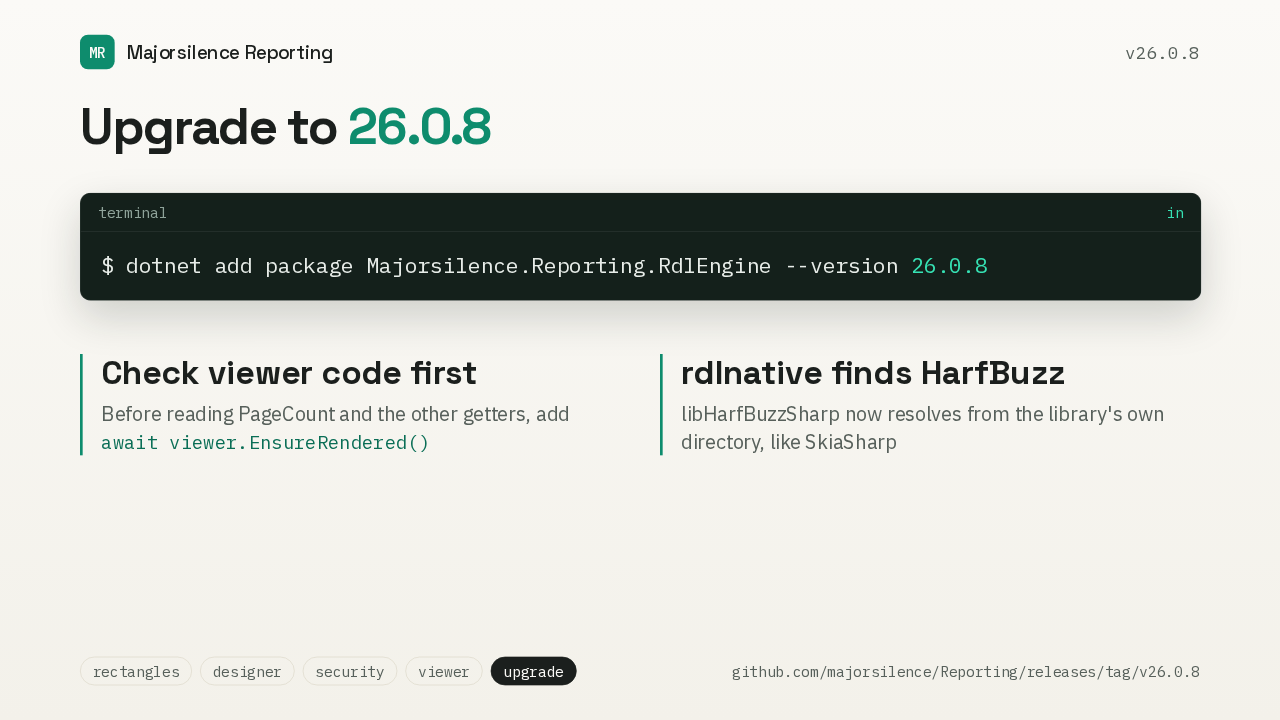
Upgrade to 26.0.8
$ dotnet add package Majorsilence.Reporting.RdlEngine --version 26.0.8
await viewer.EnsureRendered()
To upgrade, move your Majorsilence Reporting packages to 26.0.8. First, check any code that reads PageCount or the other viewer properties before the report renders. It needs an await on EnsureRendered. And if you load rdlnative from another language, it now finds the HarfBuzz library in its own folder, the same way it finds SkiaSharp. That's 26.0.8: rectangles that grow with their subreports, and an embedded designer that stops stalling.