Voice agents can now speak with AssemblyAI's streaming TTS
2 days ago
This change adds a text-to-speech class to LiveKit's AssemblyAI plugin. It runs on assemblyai-tts-1, AssemblyAI's first text-to-speech model, and it streams. Audio starts as soon as the first sentence of the LLM's reply arrives. The plugin already handled speech-to-text, so one provider can now sit at both ends of a voice agent's pipeline.
Ask about this presentation
Chapters
Show transcriptHide transcript
This change adds a text-to-speech class to LiveKit's AssemblyAI plugin. It runs on assemblyai-tts-1, AssemblyAI's first text-to-speech model, and it streams. Audio starts as soon as the first sentence of the LLM's reply arrives. The plugin already handled speech-to-text, so one provider can now sit at both ends of a voice agent's pipeline.
Slide text
 Agents · AssemblyAI plugin
Voice agents can now speak with AssemblyAI's streaming TTS
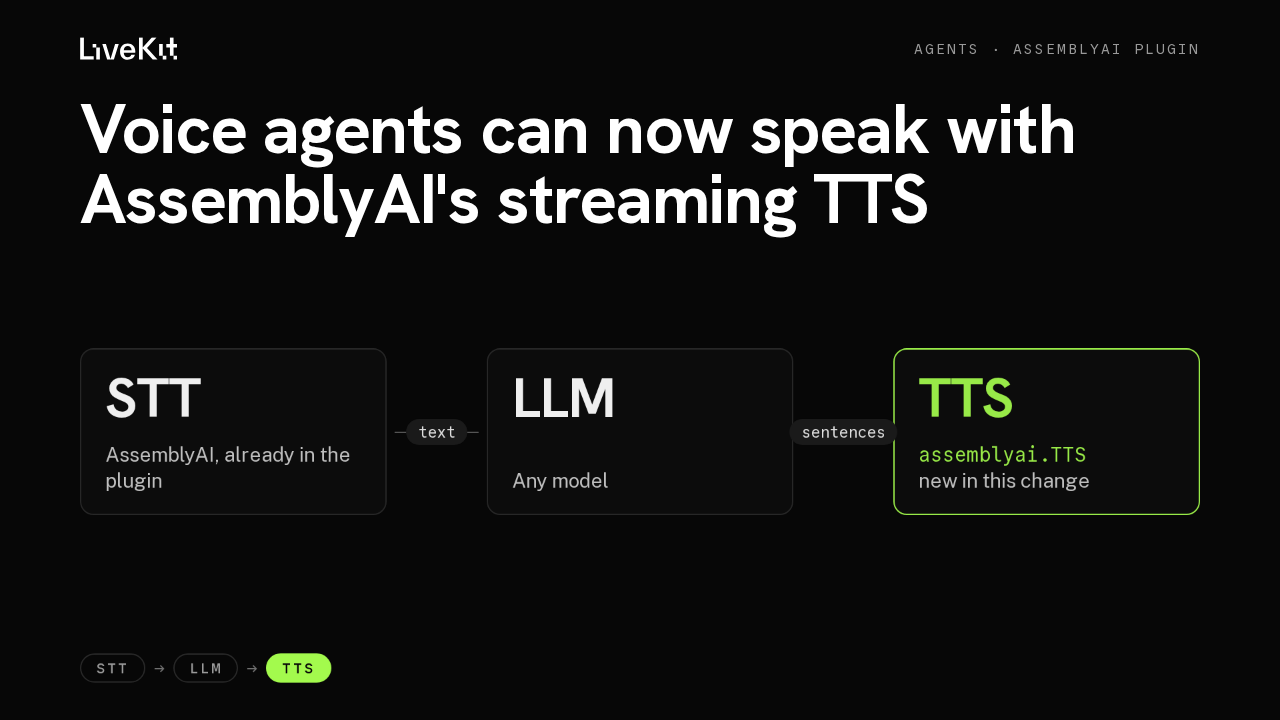
STTAssemblyAI, already in the plugintextLLMAny modelsentencesTTSassemblyai.TTS
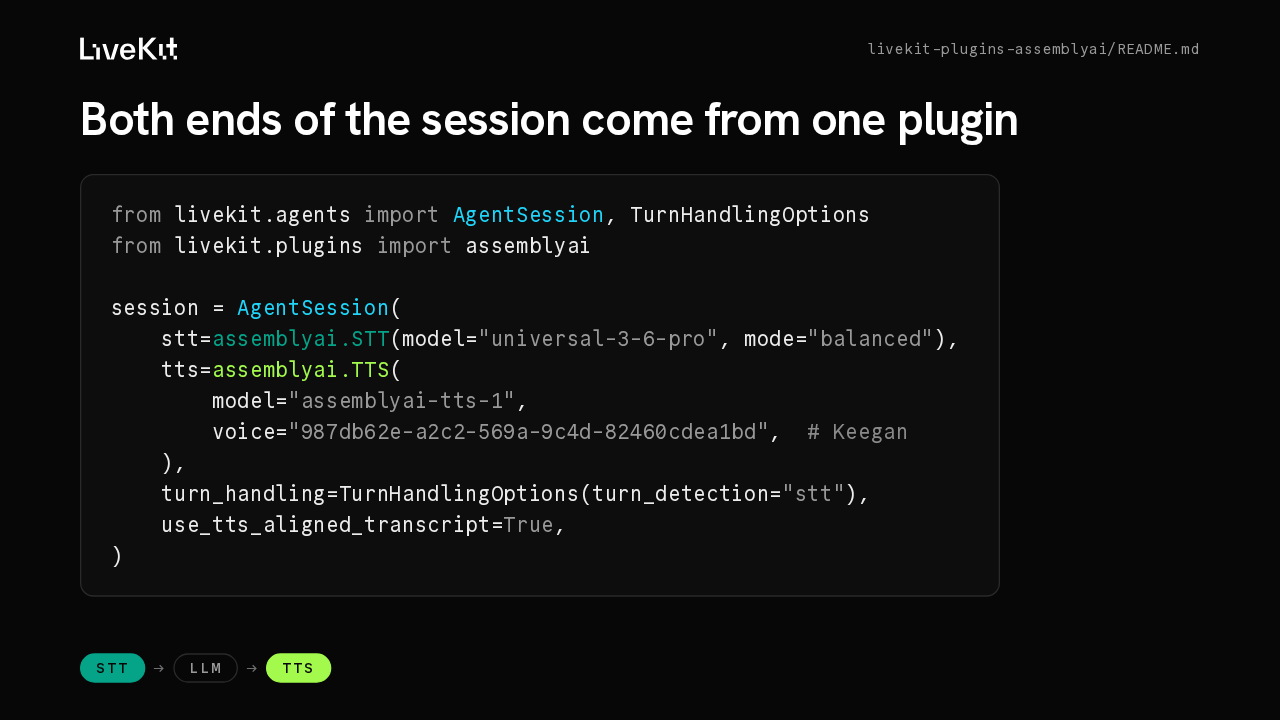
new in this changeSTT → LLM → TTSHere's the session from the plugin's new README. Speech-to-text was already AssemblyAI's. The new TTS class takes a model and a voice id, and this one is Keegan, the default voice. Turn detection comes from the speech-to-text side, and the aligned transcript flag tells LiveKit to use the TTS word timings.
Slide text
livekit-plugins-assemblyai/README.mdBoth ends of the session come from one plugin
from livekit.agents import AgentSession, TurnHandlingOptions
from livekit.plugins import assemblyai

session = AgentSession(
    stt=assemblyai.STT(model="universal-3-6-pro", mode="balanced"),
    tts=assemblyai.TTS(
        model="assemblyai-tts-1",
        voice="987db62e-a2c2-569a-9c4d-82460cdea1bd",  # Keegan
    ),
    turn_handling=TurnHandlingOptions(turn_detection="stt"),
    use_tts_aligned_transcript=True,
)
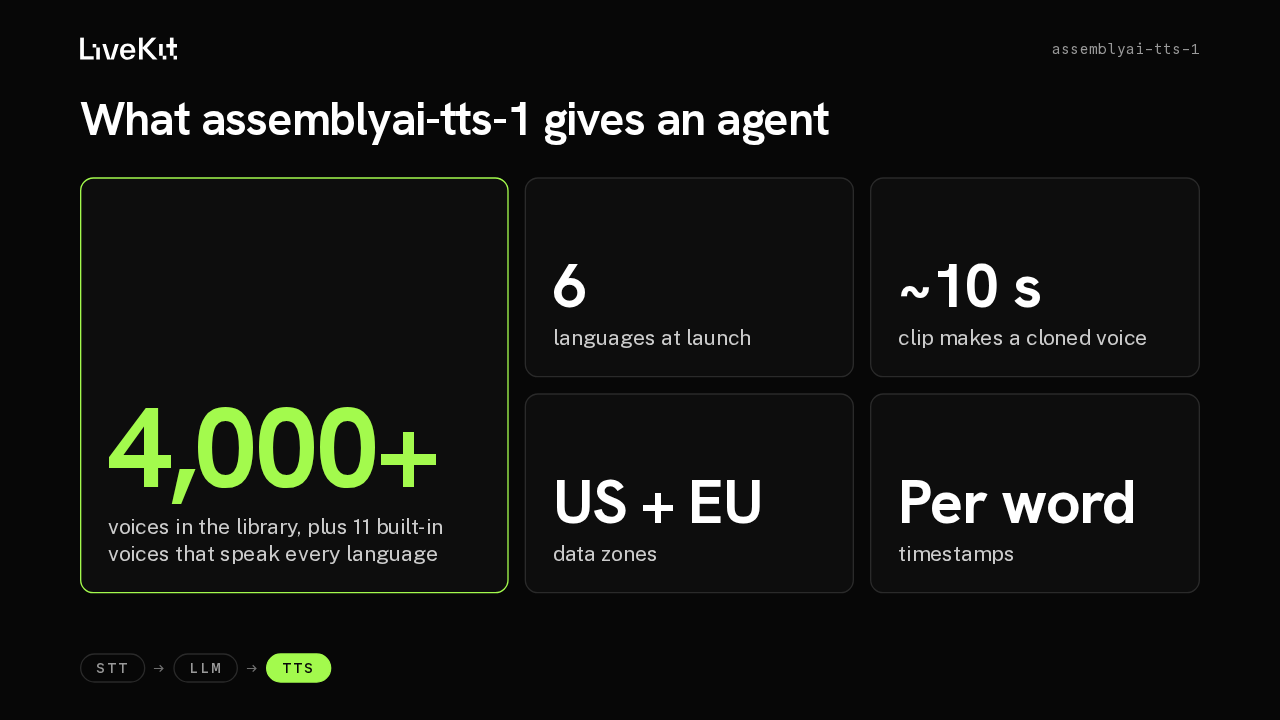
STT → LLM → TTSThe model is built for voice agents and sounds like a person on the phone. The library holds more than four thousand voices, and eleven built-in voices speak every supported language. English, Spanish, German, French, Italian and Portuguese ship first. A clip of about ten seconds gives you a cloned voice right away, delivery follows the emotion of the text, and there are US and EU data zones.
Slide text
assemblyai-tts-1What assemblyai-tts-1 gives an agent
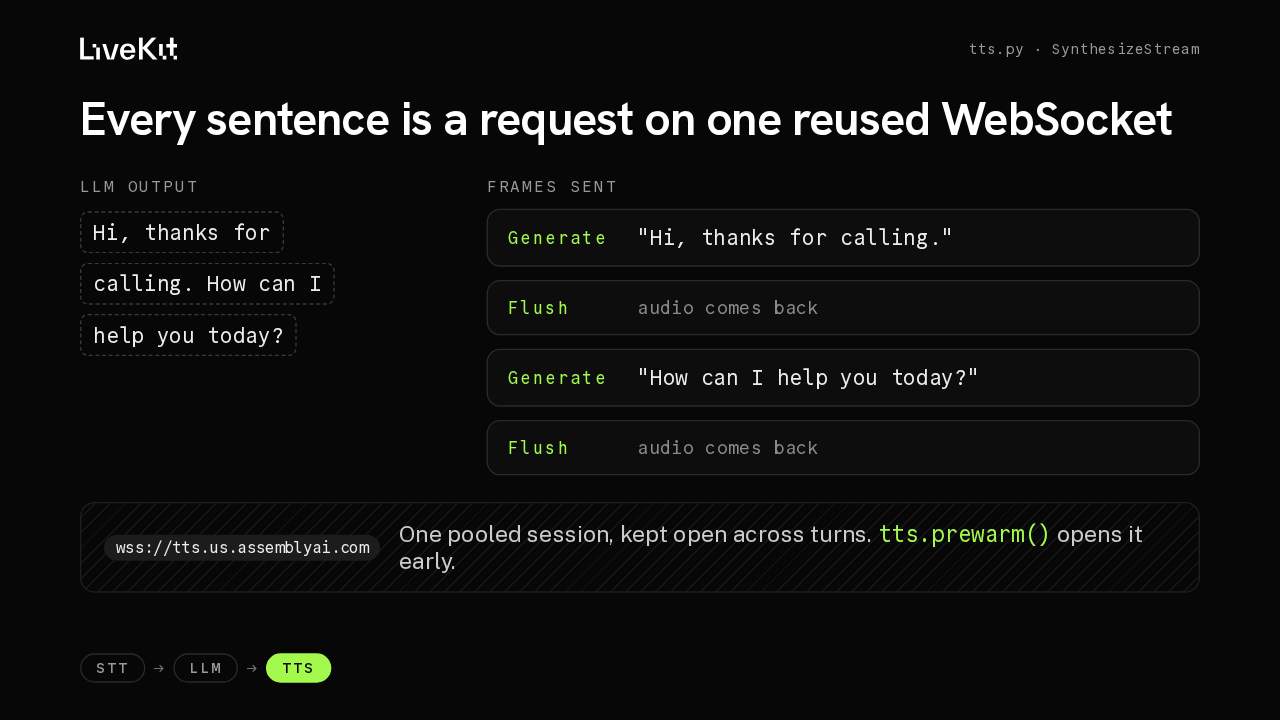
4,000+voices in the library, plus 11 built-in voices that speak every language6languages at launch~10 sclip makes a cloned voiceUS + EUdata zonesPer wordtimestampsSTT → LLM → TTSThis exchange comes from the plugin's tests. The LLM streams its reply in fragments. The plugin cuts them into sentences and sends each one as its own Generate and Flush, so the first sentence is already speaking while the second is being written. It all rides one pooled session that stays open across turns. AssemblyAI meters new sessions per account, and a reused one skips the handshake. Calling prewarm opens it before the first reply.
Slide text
tts.py · SynthesizeStreamEvery sentence is a request on one reused WebSocket
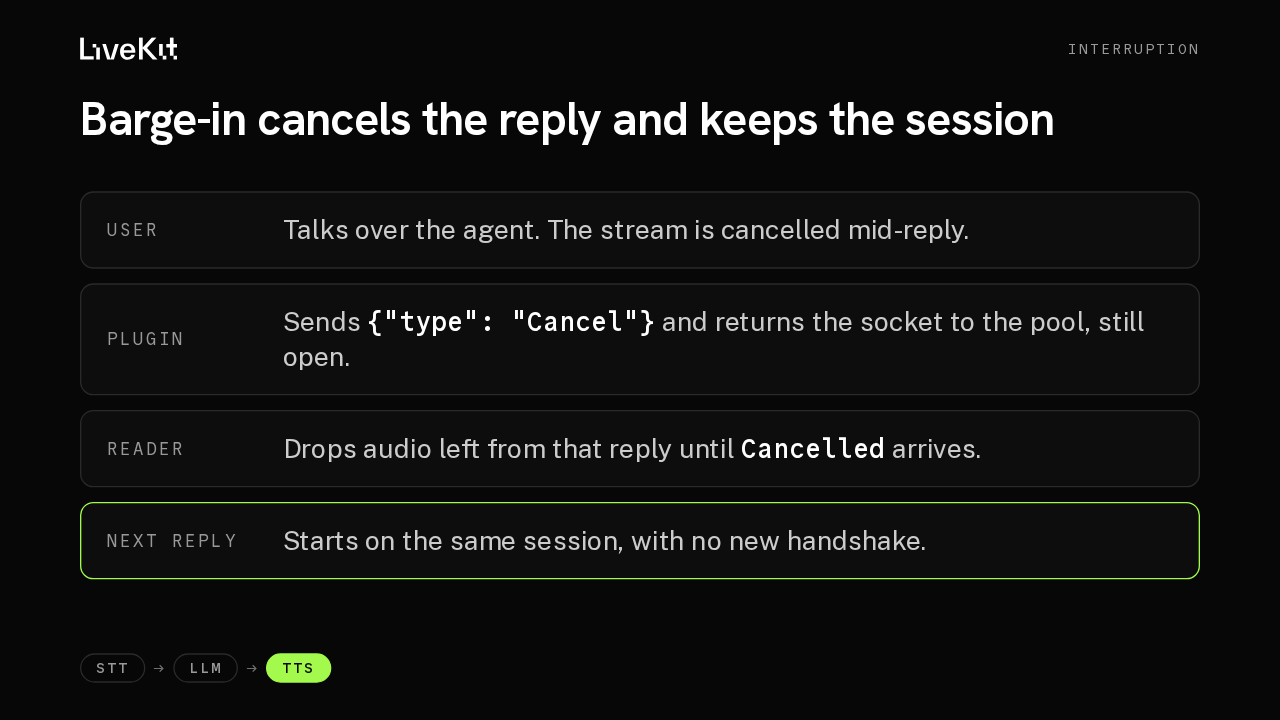
LLM outputHi, thanks for calling. How can I help you today?Frames sentGenerate "Hi, thanks for calling."Flush audio comes backGenerate "How can I help you today?"Flush audio comes backwss://tts.us.assemblyai.com One pooled session, kept open across turns. tts.prewarm() opens it early.STT → LLM → TTSWhen the user talks over the agent, the stream is cancelled in the middle of a reply. The plugin sends a Cancel frame and hands the socket back to the pool, still open. Audio the server already sent for that reply is dropped by the socket's reader until a Cancelled frame confirms the server has moved on. The next reply goes out on the same session, without a reconnect.
Slide text
InterruptionBarge-in cancels the reply and keeps the session
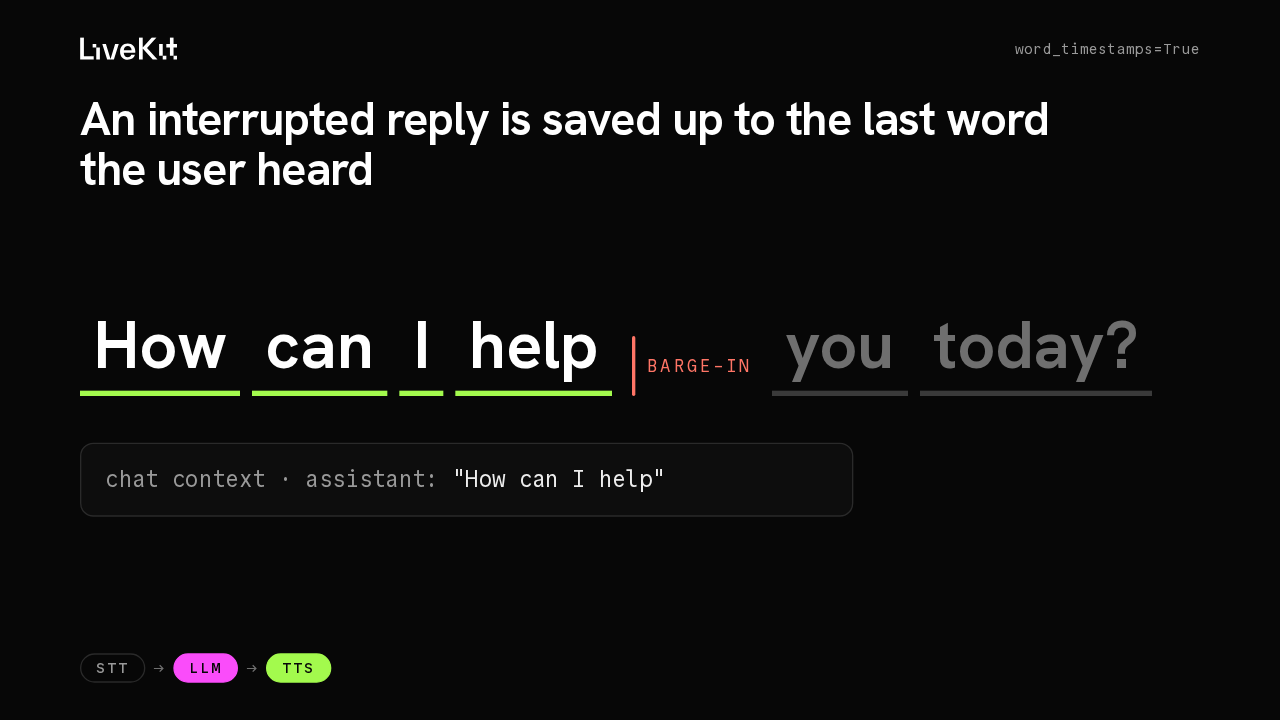
User Talks over the agent. The stream is cancelled mid-reply.Plugin Sends {"type": "Cancel"} and returns the socket to the pool, still open.Reader Drops audio left from that reply until Cancelled arrives.Next reply Starts on the same session, with no new handshake.STT → LLM → TTSWord timestamps are on by default. Every synthesized word comes back with its timing, and the plugin publishes them as an aligned transcript. With the session's aligned transcript option turned on, an interrupted reply goes into the chat context only up to the word the user actually heard, so the LLM's history matches the call.
Slide text
word_timestamps=TrueAn interrupted reply is saved up to the last word the user heard
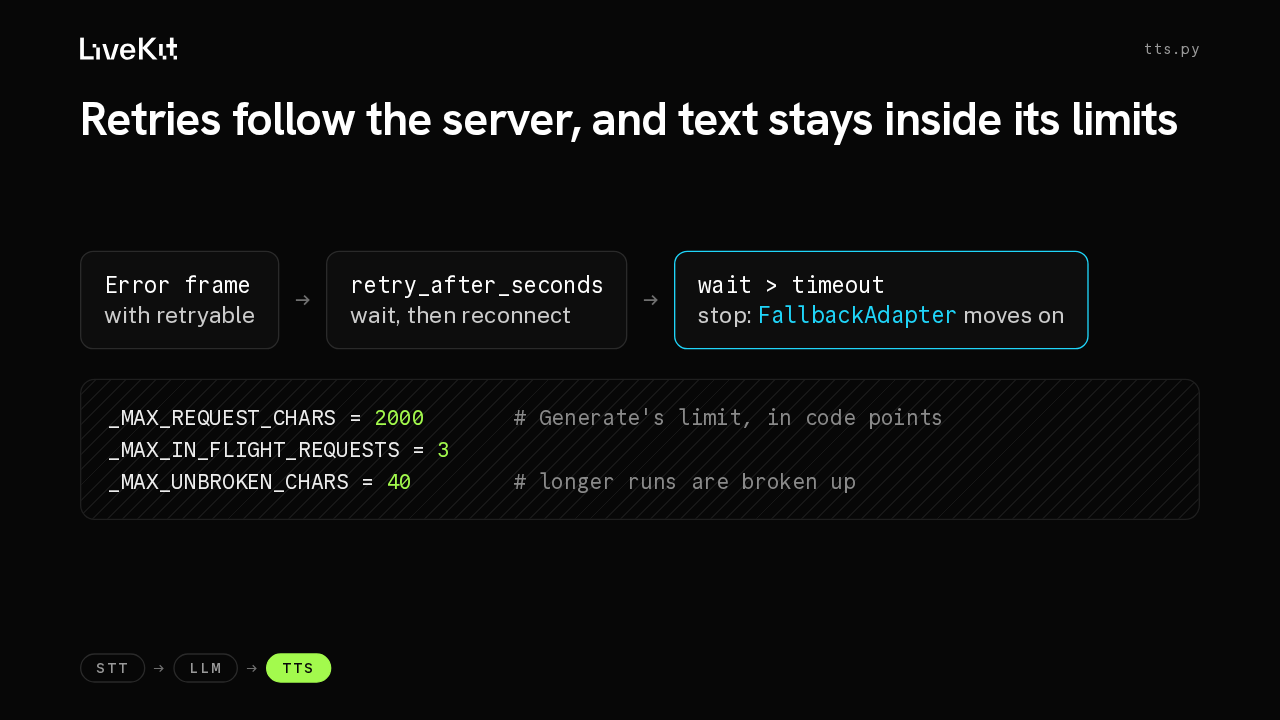
How can I helpbarge-inyou today?chat context · assistant: "How can I help"STT → LLM → TTSError frames carry a retryable flag and sometimes a retry-after value, and the plugin follows both. If the server asks for a wait longer than the connect timeout, retries stop, so a FallbackAdapter can move on to another TTS. Each request stays within two thousand characters, with at most three in flight. A run of more than forty characters without a space, like a hash, gets broken up so the server accepts it.
Slide text
tts.pyRetries follow the server, and text stays inside its limits
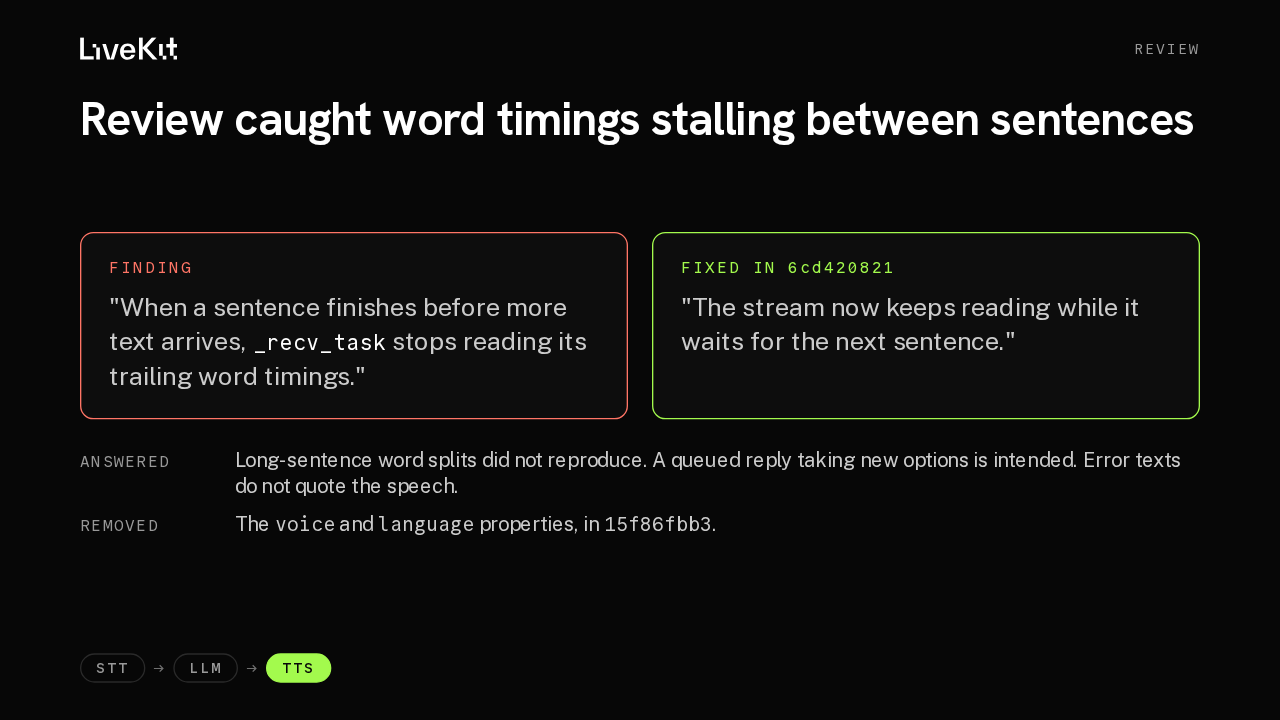
Error framewith retryable→retry_after_secondswait, then reconnect→wait > timeoutstop: FallbackAdapter moves on_MAX_REQUEST_CHARS = 2000 # Generate's limit, in code points _MAX_IN_FLIGHT_REQUESTS = 3 _MAX_UNBROKEN_CHARS = 40 # longer runs are broken upSTT → LLM → TTSThe automated reviewer found a real gap. When a sentence finished before more text arrived, its trailing word timings sat unread, and an interruption in that pause lost them. The fix keeps the stream reading while it waits, with a new test for that case. Three other findings were answered in the thread, and at a maintainer's request the class now exposes only model and provider, like the other TTS plugins.
Slide text
ReviewReview caught word timings stalling between sentences
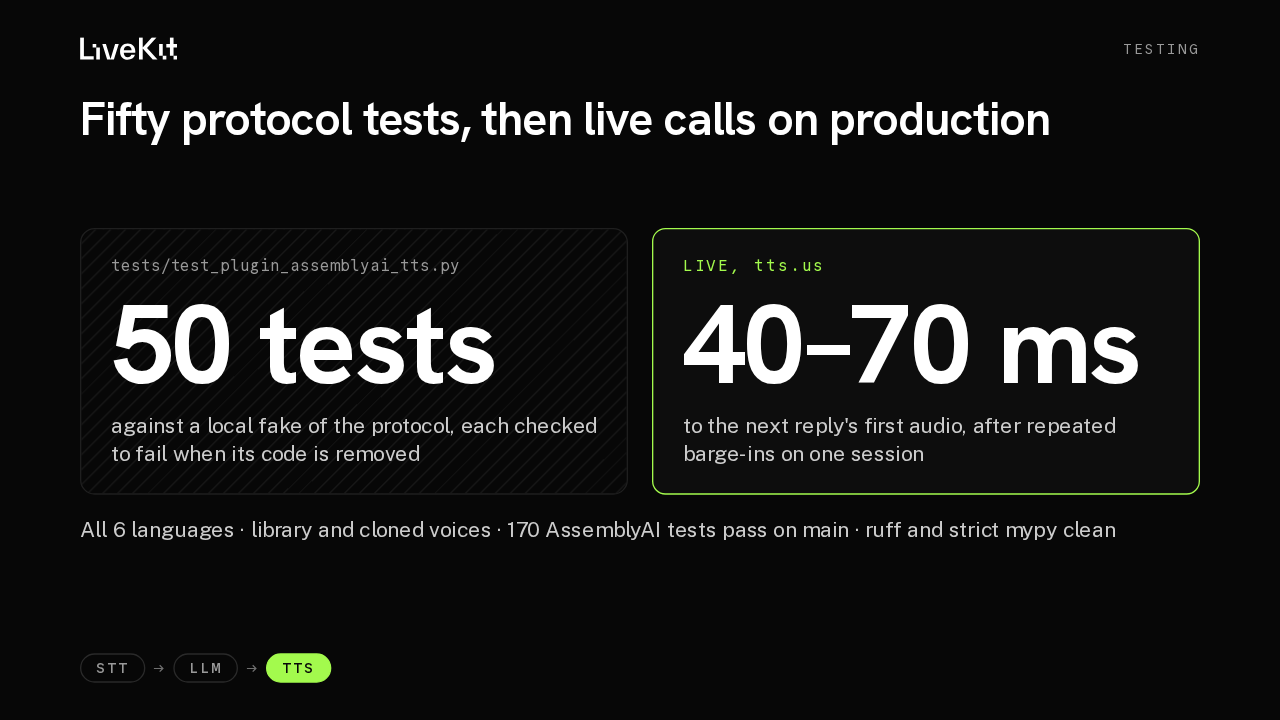
Finding"When a sentence finishes before more text arrives, _recv_task stops reading its trailing word timings."Fixed in 6cd420821"The stream now keeps reading while it waits for the next sentence."AnsweredLong-sentence word splits did not reproduce. A queued reply taking new options is intended. Error texts do not quote the speech.Removed The voice and language properties, in 15f86fbb3.STT → LLM → TTSThe new test file runs fifty tests against a local fake of AssemblyAI's protocol, covering pooling, barge-in races, retries, session expiry, text splitting and word timings, and each one was checked to fail when the code it covers is removed. In live calls against production and the sandbox, all six languages played with library and cloned voices, and after repeated barge-ins on one session the next reply's first audio arrived in forty to seventy milliseconds.
Slide text
TestingFifty protocol tests, then live calls on production
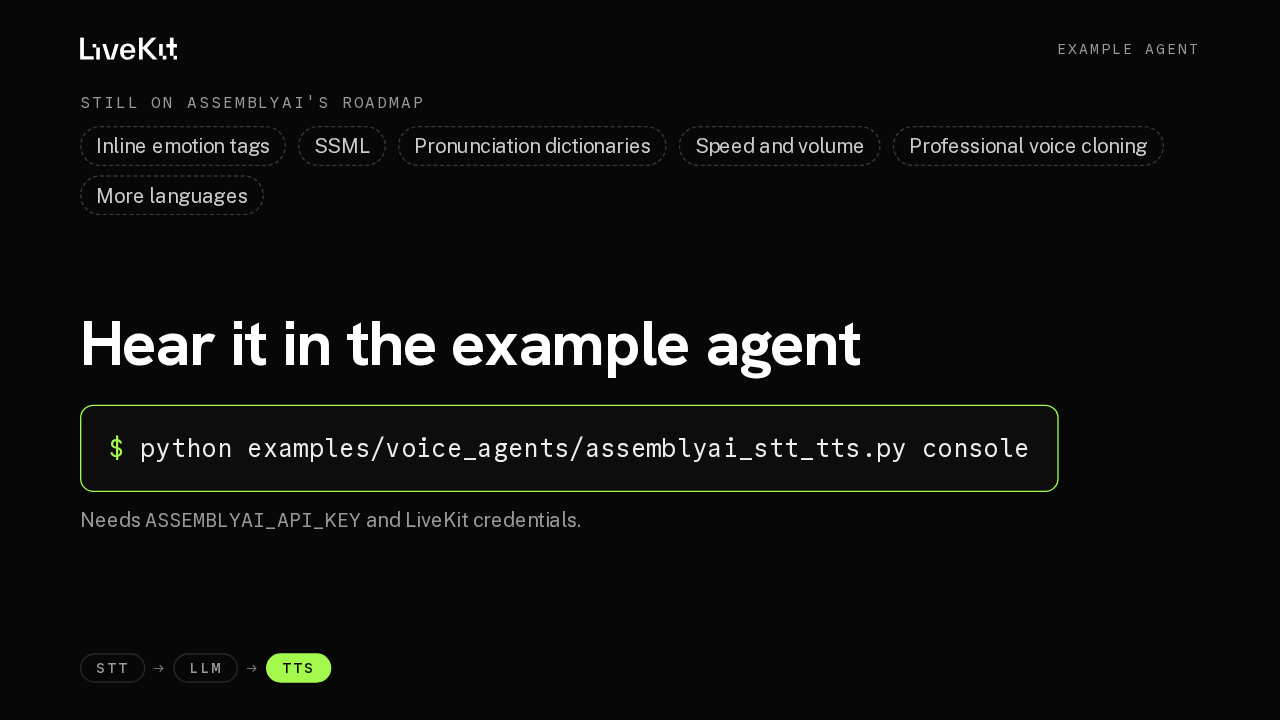
tests/test_plugin_assemblyai_tts.py50 testsagainst a local fake of the protocol, each checked to fail when its code is removedLive, tts.us40–70 msto the next reply's first audio, after repeated barge-ins on one sessionAll 6 languages · library and cloned voices · 170 AssemblyAI tests pass on main · ruff and strict mypy cleanSTT → LLM → TTSSome controls are still on AssemblyAI's roadmap, including inline emotion tags, SSML, pronunciation dictionaries, and speed and volume. Voices and languages are plain strings, so new ones work without a plugin release. To hear it, run the new example agent in console mode with an AssemblyAI key. Voice agents can now speak with AssemblyAI's streaming TTS.
Slide text
Example agentStill on AssemblyAI's roadmapInline emotion tags SSML Pronunciation dictionaries Speed and volume Professional voice cloning More languagesHear it in the example agent
$ python examples/voice_agents/assemblyai_stt_tts.py consoleNeeds ASSEMBLYAI_API_KEY and LiveKit credentials.
STT → LLM → TTS