HomeRacker 3.15.0 adds the bracket, an open-source device mount that replaces flexmount
2 hours ago
HomeRacker 3.15.0 brings back a device mount you can build from source. The bracket clamps a device from above or below, and hangs it in your frame with lock pins. It used to be reachable only through Unimount, the closed Customizable Rackmount on MakerWorld. Now it's in the repository under the MIT license, and it replaces flexmount.
Ask about this presentation
Chapters
Show transcriptHide transcript
HomeRacker 3.15.0 brings back a device mount you can build from source. The bracket clamps a device from above or below, and hangs it in your frame with lock pins. It used to be reachable only through Unimount, the closed Customizable Rackmount on MakerWorld. Now it's in the repository under the MIT license, and it replaces flexmount.
Slide text
 HomeRacker 3.15.0
HomeRacker has an open-source device mount again
The new
bracketjoins the catalog under MIT and replacesflexmount. homeracker-v3.15.0
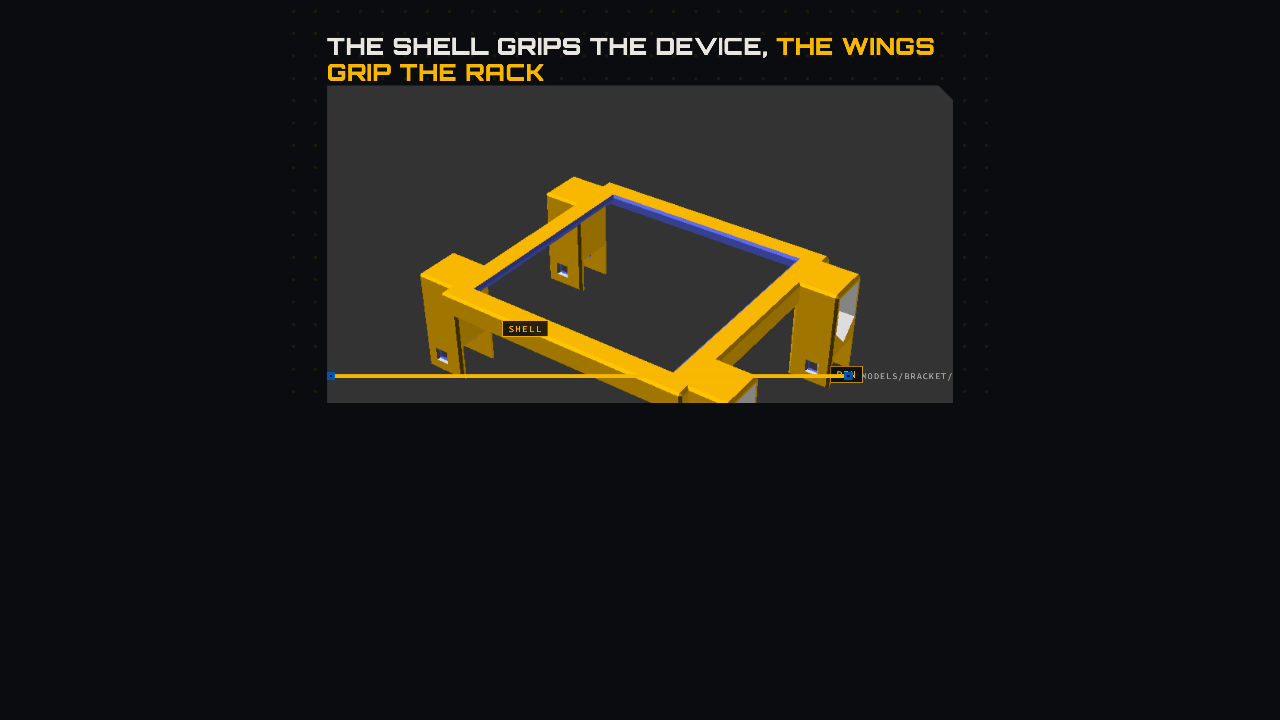
The part has two halves. The shell sits on the device: a top plate with a window, and side walls down its flanks. On each side, a mount wing caps a vertical support, and a lock pin goes through each cap. The rest of the device stays uncovered, so airflow and cabling stay clear.
Slide text
The shell grips the device, the wings grip the rack
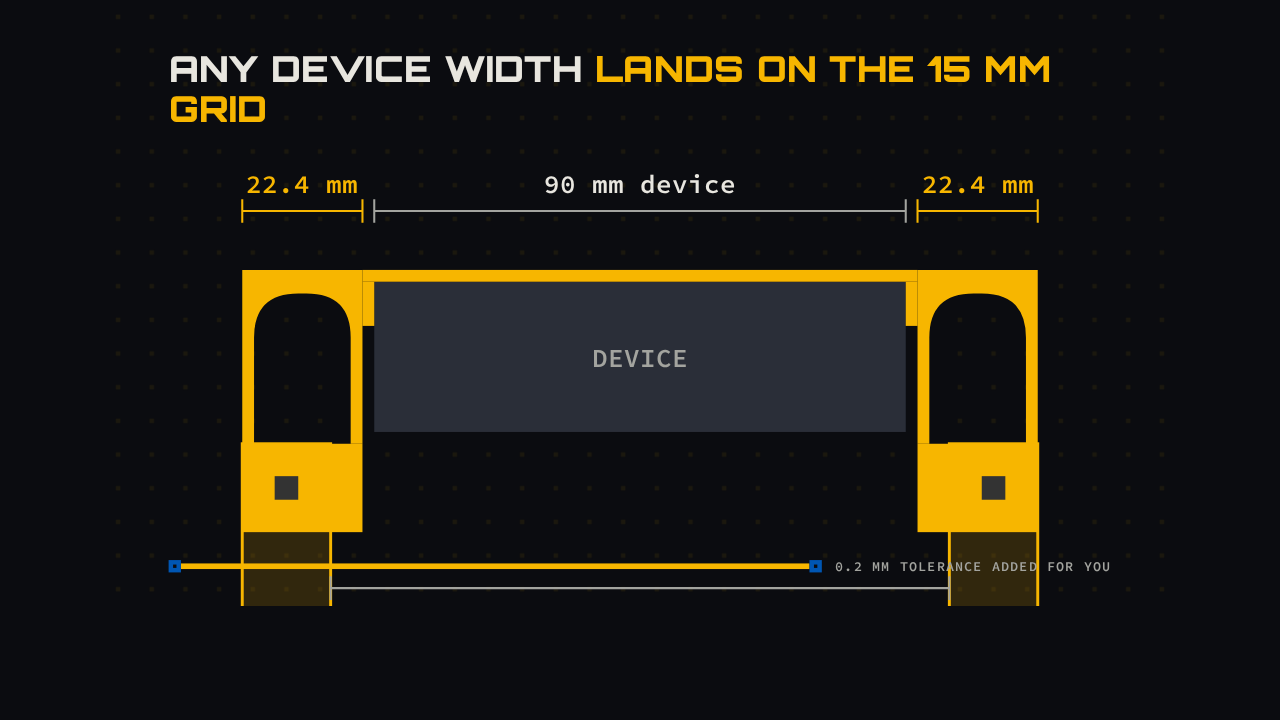
SHELLWINGPINShellTop plate with a window, side walls down the flanksMount wingsOn both flanks, each caps a vertical supportLock pinThrough each cap, into the supportmodels/bracket/Supports sit on a 15 millimeter grid, and devices come in any size. Take a 90 millimeter device. With the 0.2 millimeter tolerance added, the nearest supports it fits between are 105 millimeters apart, seven grid units. So each wing widens by half the difference, to just over 22 millimeters, and its lock pin still lands on a support. Measure the device itself. The tolerance is added for you.
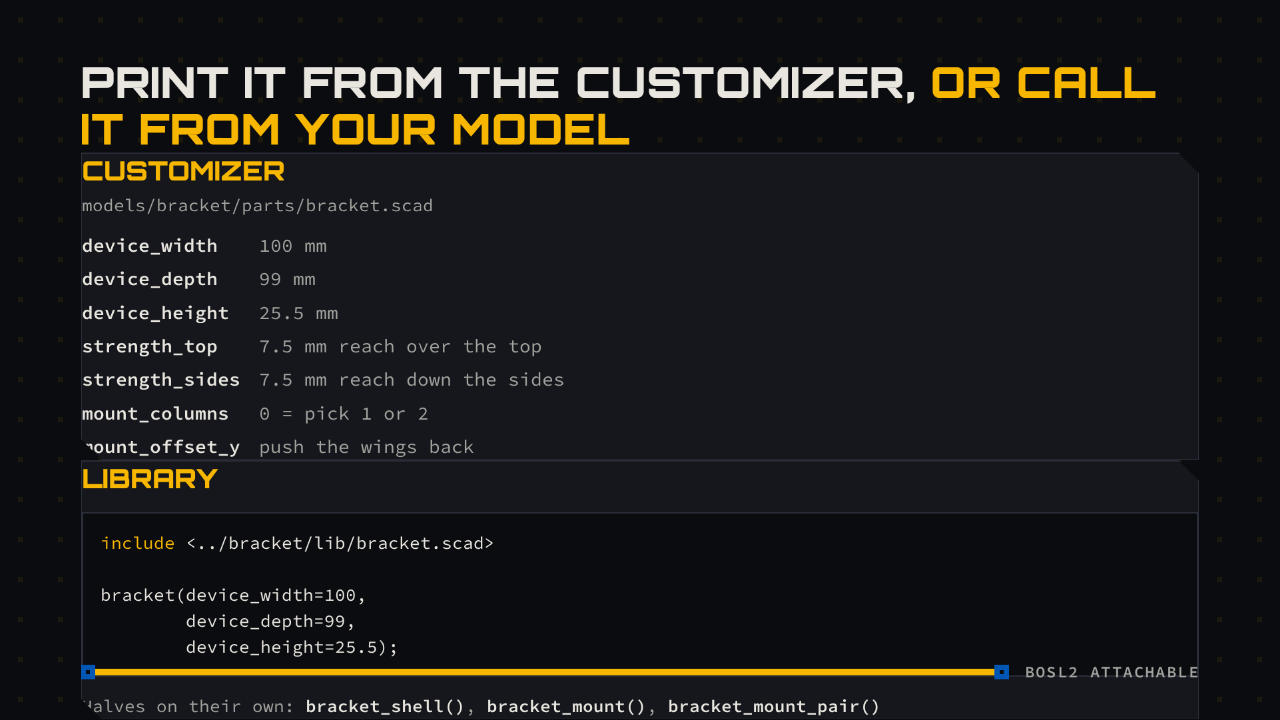
To print one, open the bracket part in the OpenSCAD Customizer. Enter the device's width, depth and height. Two strengths set how far the top plate and the side walls reach over it. To build it into your own model, include the library and call bracket. The shell and the wings are also exposed as their own modules.
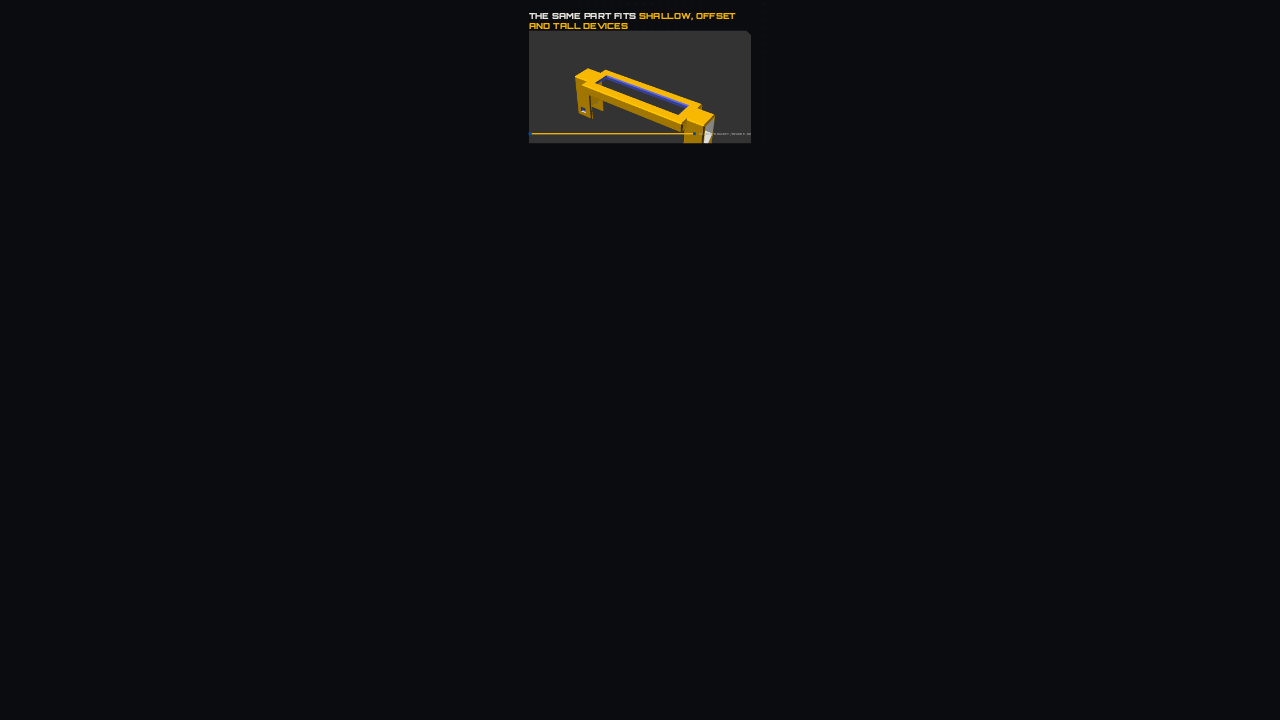
One file covers very different devices. A shallow device gets one column of wings per side, and from 45 millimeters of depth it gets two. The mount offset pushes the wings back, which is how a bracket clears a front panel. Side walls can wrap a tall device almost to the bottom. And a wide enough top plate closes the window completely.
Slide text
The same part fits shallow, offset and tall devices
 One column30 mm deep. Two columns from 45 mm.
 Mount offset
mount_offset_y=34clears a front panel Deep sidesWalls stop 2 mm short of a 120 mm device
 Closed top
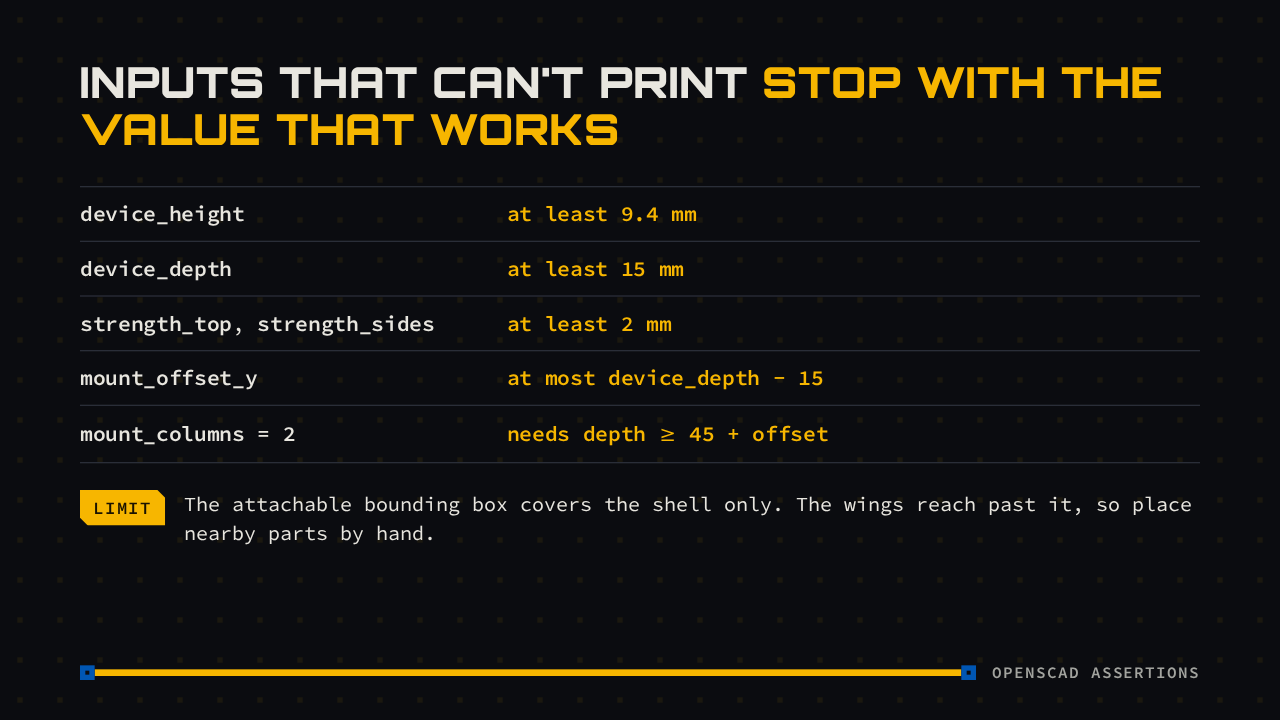
strength_top=50closes the windowmodels/bracket/README.mdFive settings are refused outright, with an error naming the value that works. A device needs at least 9.4 millimeters of height and 15 of depth, and the walls need at least 2. If you compose with the library, its bounding box covers only the shell, so place anything near the wings by hand.
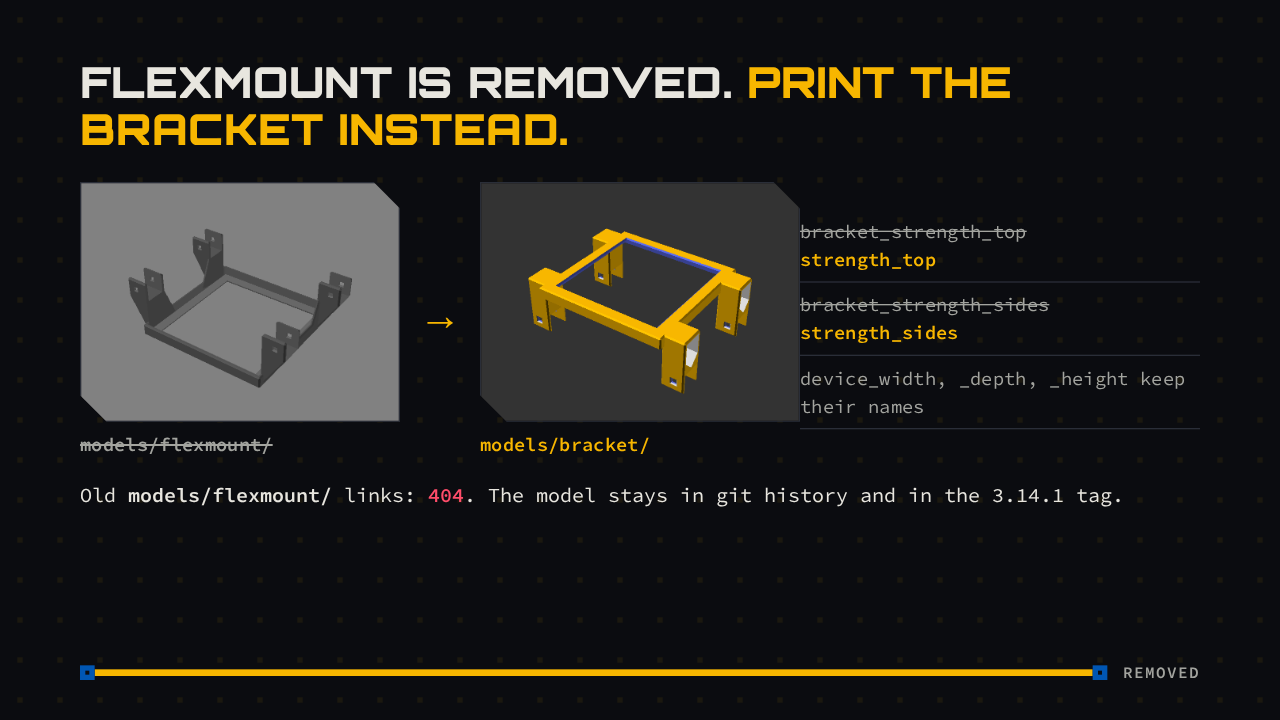
Flexmount was already deprecated, and this release deletes its folder. If you printed from it, open the bracket instead. The device sizes keep their names, and the two strength settings drop their bracket prefix. Old links to the flexmount folder now lead to a missing page, and the model stays in the git history.
Slide text
Flexmount is removed. Print the bracket instead.
 models/flexmount/→models/bracket/bracket_strength_top
strength_topbracket_strength_sides
strength_sidesdevice_width, _depth, _height keep their namesOld
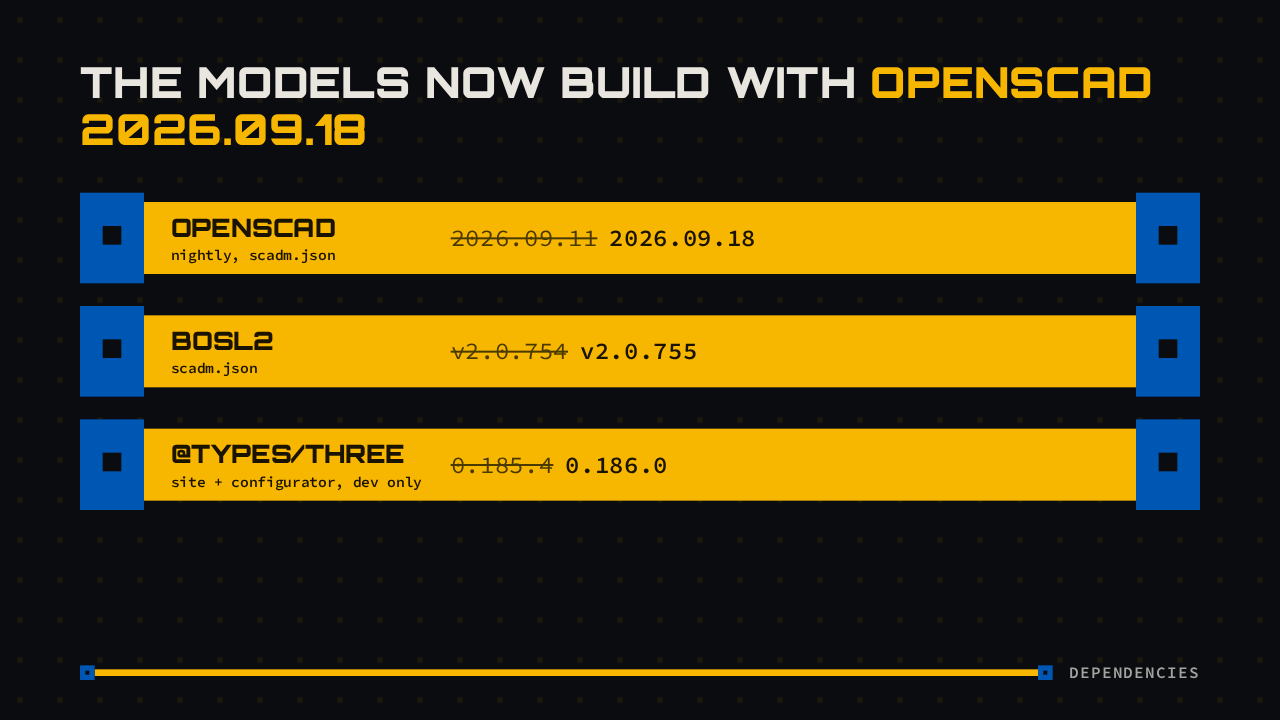
models/flexmount/links: 404. The model stays in git history and in the 3.14.1 tag.RemovedThe release also moves three version pins. The models now build against the OpenSCAD nightly from September 18th and the next BOSL2 patch, the library the bracket is built on. The three.js type definitions moved too, which only matters for site and configurator development.
To try it, open the bracket part from the 3.15.0 release in OpenSCAD and enter your device's measurements. If you still need flexmount, it's in the 3.14.1 tag. The release notes are linked here, and the bracket's own readme lists every parameter and limit. HomeRacker has an open-source device mount again.