wtfi 0.7.0 can save every sweep, so yesterday's dead zone stays on the graph
3 hours ago
This is wtfi, the terminal tool that draws your connection as a chain of hops and shows where it breaks. Until now, its live trend lines started from scratch every time you opened it. Version 0.7.0 adds two flags. Record saves each sweep to a file on disk, and history reads them back, so a dead zone you walked through yesterday is still on the graph today.
Ask about this presentation
Chapters
Show transcriptHide transcript
This is wtfi, the terminal tool that draws your connection as a chain of hops and shows where it breaks. Until now, its live trend lines started from scratch every time you opened it. Version 0.7.0 adds two flags. Record saves each sweep to a file on disk, and history reads them back, so a dead zone you walked through yesterday is still on the graph today.
Slide text
wtfi2 · v0.7.0--record --historywtfi 0.7.0 can save every sweep, so yesterday's dead zone stays on the graph

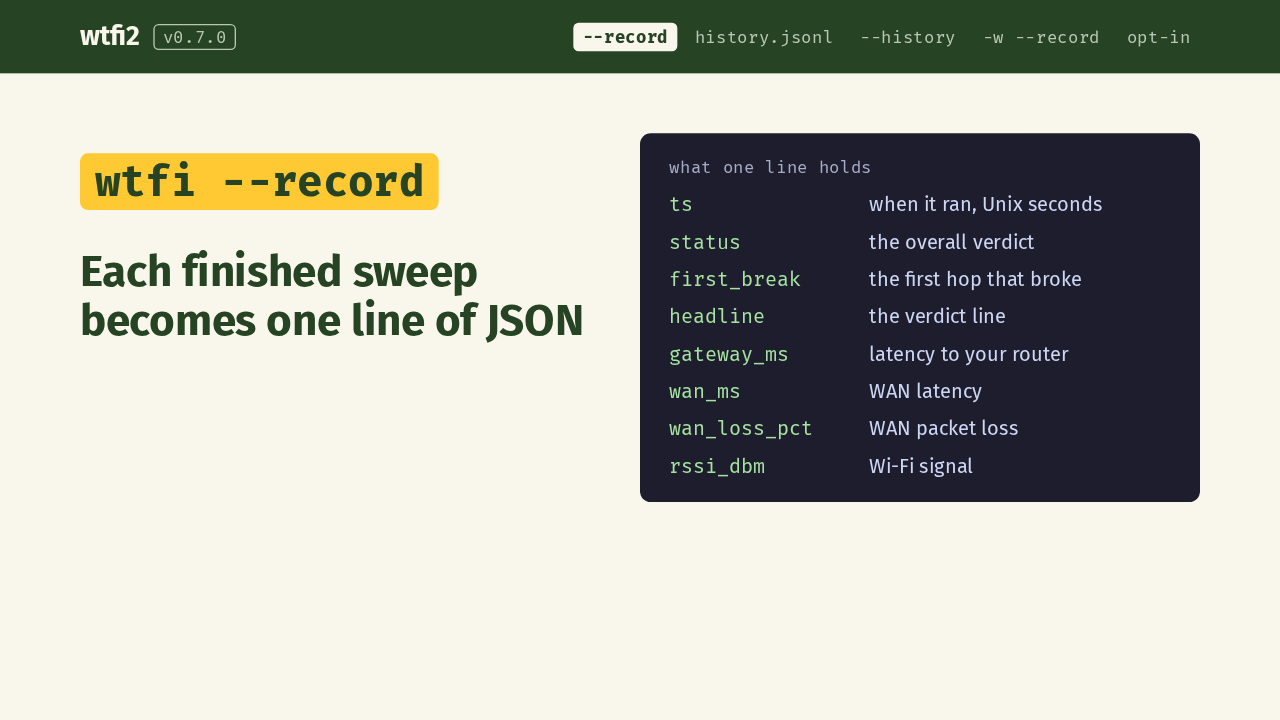
The first flag is record. Add it to a run, and when the sweep finishes, wtfi appends one line of JSON to a history file. Each line keeps the numbers a trend is drawn from: when it ran, the overall status, the first hop that broke, the verdict headline, latency to your router and across the WAN, WAN packet loss, and your Wi-Fi signal strength.
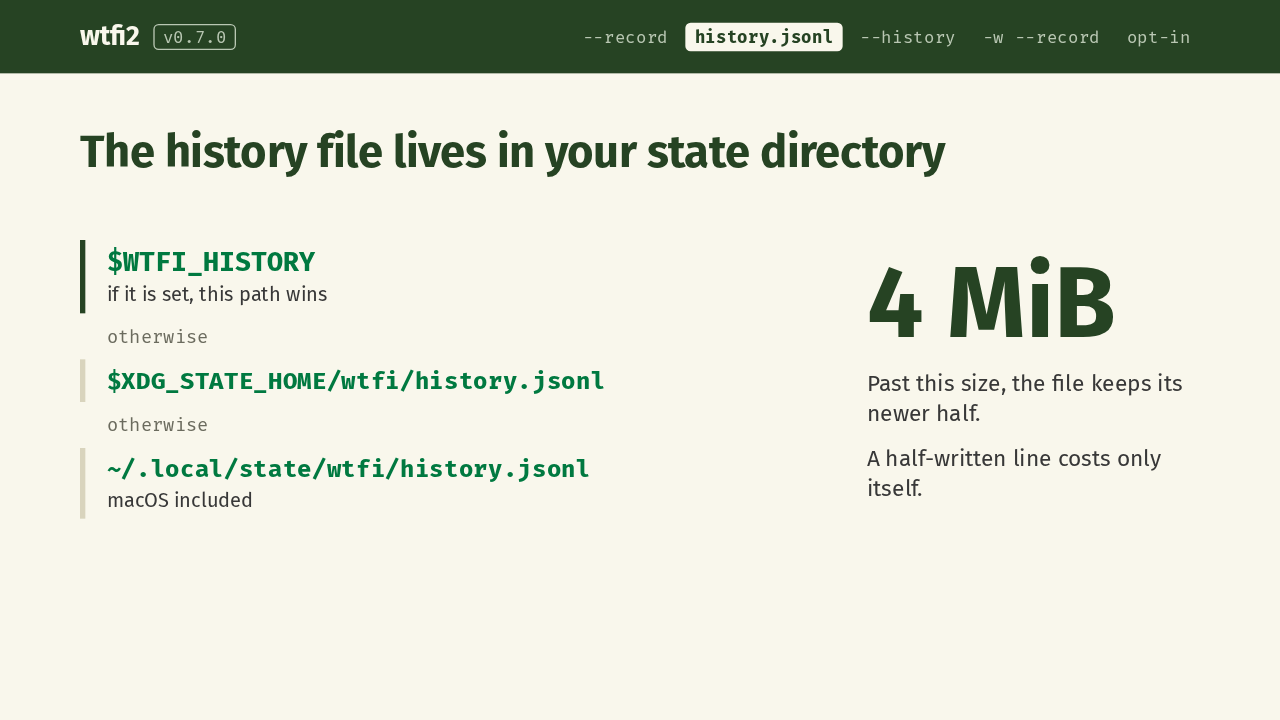
Where does that file go? If you set WTFI_HISTORY, that path wins. Otherwise it goes under your XDG state home, and when that isn't set, under .local/state in your home folder, on macOS too. The file looks after itself. Past 4 MiB, it cuts back to its newer half, and a line that a killed process left half-written costs only that one line.
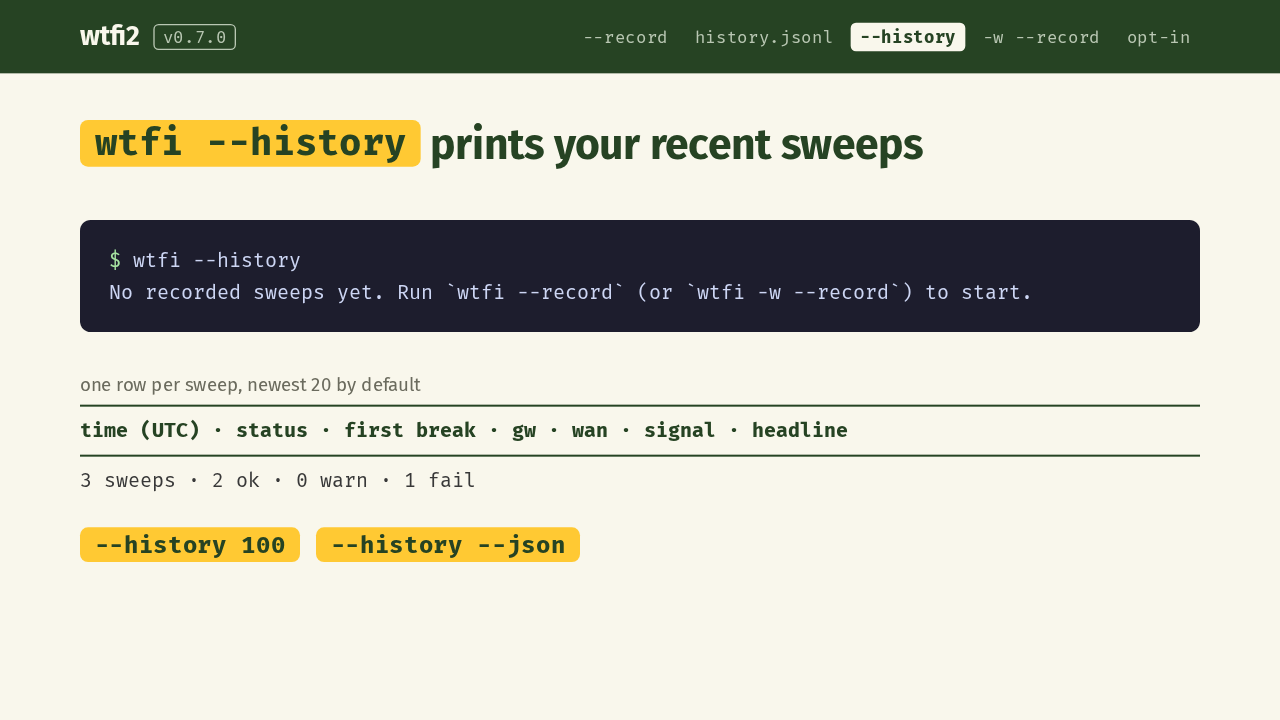
The second flag reads the file back. On a fresh machine, history tells you how to start, and exits cleanly. Once you've recorded, it prints your last 20 sweeps, one row each: the time in UTC, the status, where the path broke, gateway and WAN latency, signal, and the headline. A tally of ok, warn and fail closes the list. Pass a number for more rows, or add json for scripts.
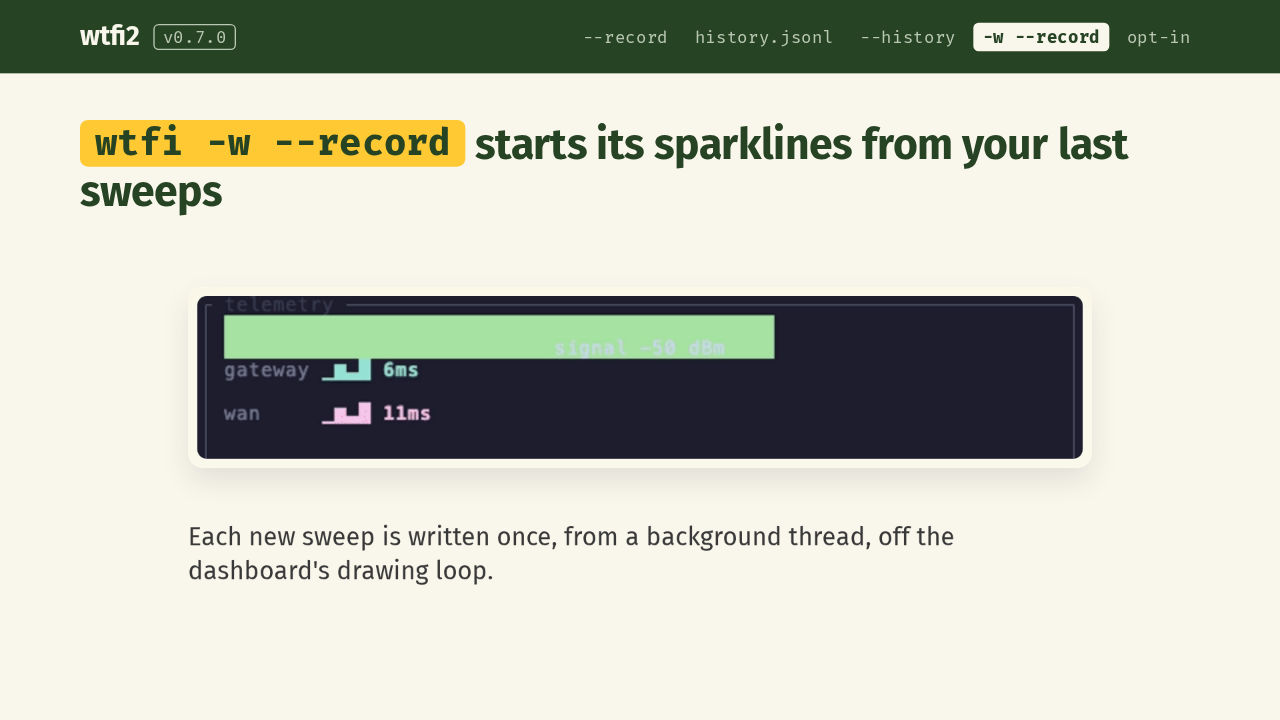
Record also works with the live dashboard. In a fresh session, the gateway and WAN sparklines start nearly empty, like here. Start the dashboard with record, and they start from your last recorded sweeps instead. Each new sweep is written once, from a background thread, so file writes stay off the dashboard's drawing loop.
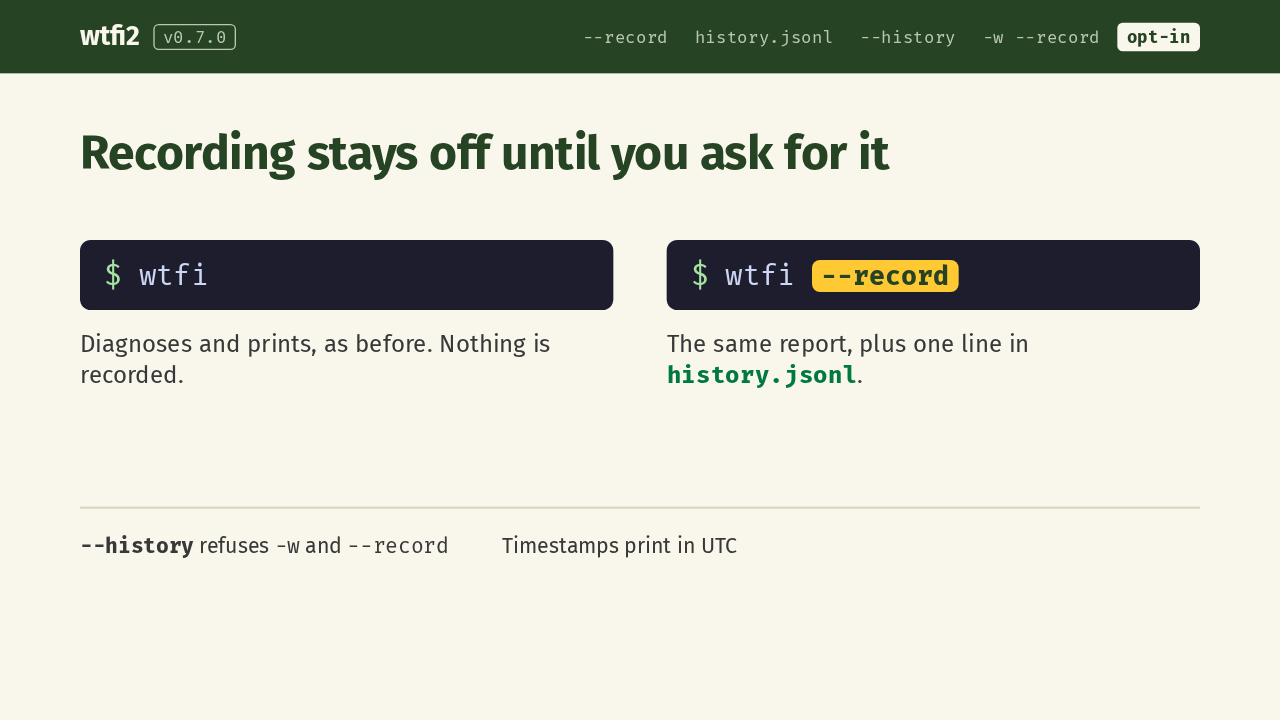
Recording is opt-in. A plain run diagnoses and prints as before, and records nothing. Add record, and you get the same report plus one line in the history file. History refuses to combine with the dashboard or with record. Its times print in UTC, since local time would need a time zone database. And if wtfi can't work out where the file goes, it warns and skips recording.
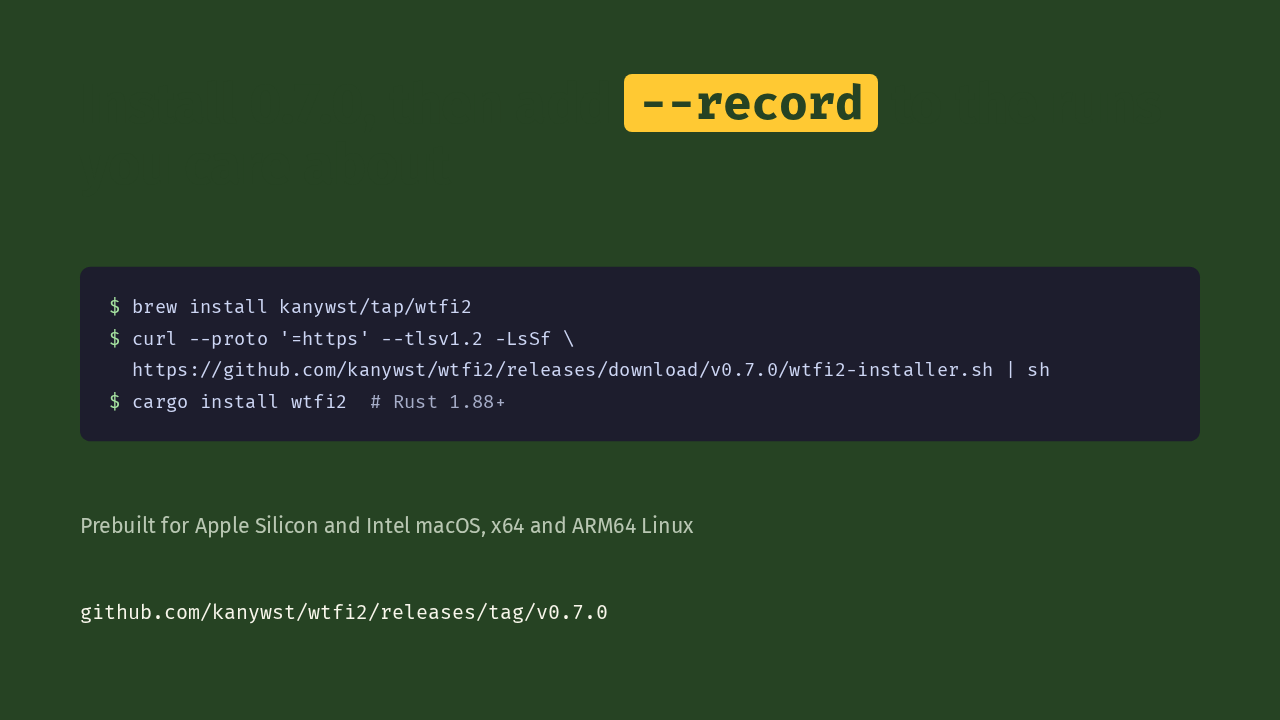
Here's how to get it. Use Homebrew, the install script on the release page, or cargo, which needs Rust 1.88 or newer. Prebuilt binaries cover Apple Silicon and Intel Macs, and x64 and ARM64 Linux. Then add record to the runs you care about. Your history starts empty, so the first graphs are short. After a few days of recording, yesterday's dead zone stays on the graph.