Grid buttons and list rows on one CarPlay or Android Auto screen
3 hours ago
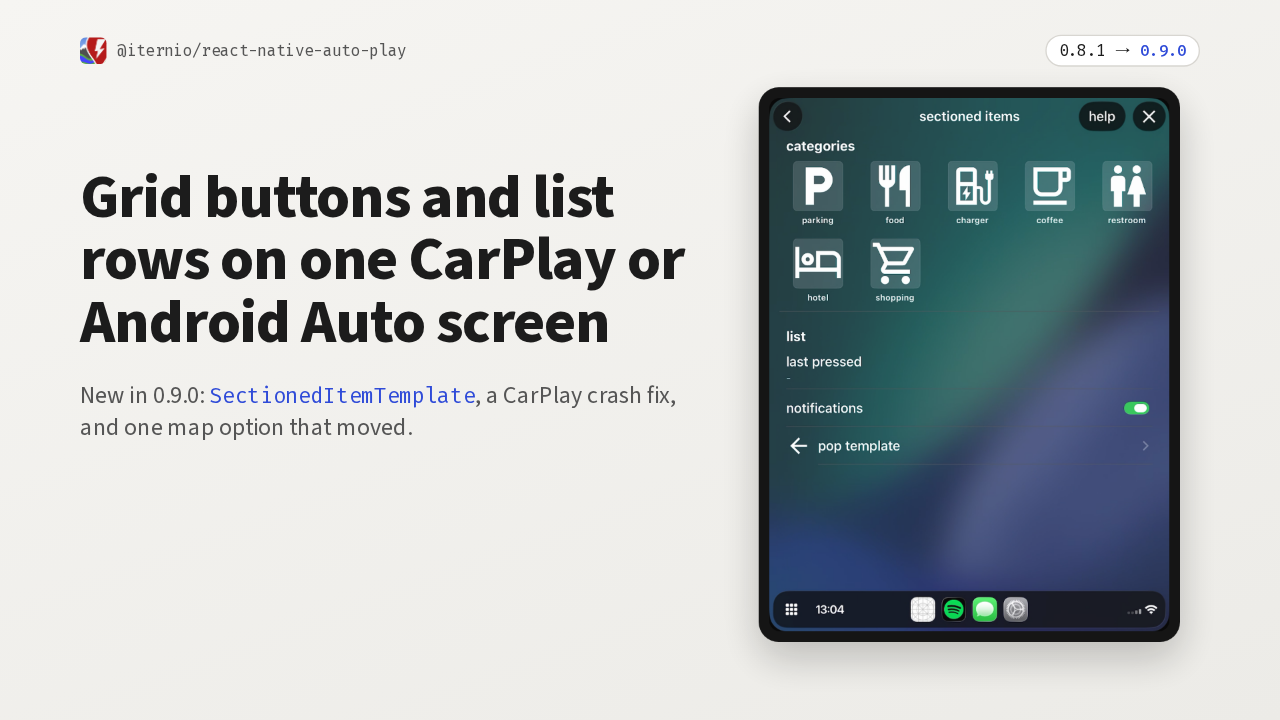
Version 0.9.0 of react-native-auto-play puts grid buttons and list rows on one CarPlay or Android Auto screen. Here it is on CarPlay: parking, food and chargers as a grid, with a list underneath. This release also fixes a CarPlay navigation crash, and it moves one map option.
Ask about this presentation
Chapters
Show transcriptHide transcript
Version 0.9.0 of react-native-auto-play puts grid buttons and list rows on one CarPlay or Android Auto screen. Here it is on CarPlay: parking, food and chargers as a grid, with a list underneath. This release also fixes a CarPlay navigation crash, and it moves one map option.
Slide text
@iternio/react-native-auto-play 0.8.1 → 0.9.0Grid buttons and list rows on one CarPlay or Android Auto screen
New in 0.9.0: SectionedItemTemplate, a CarPlay crash fix, and one map option that moved.

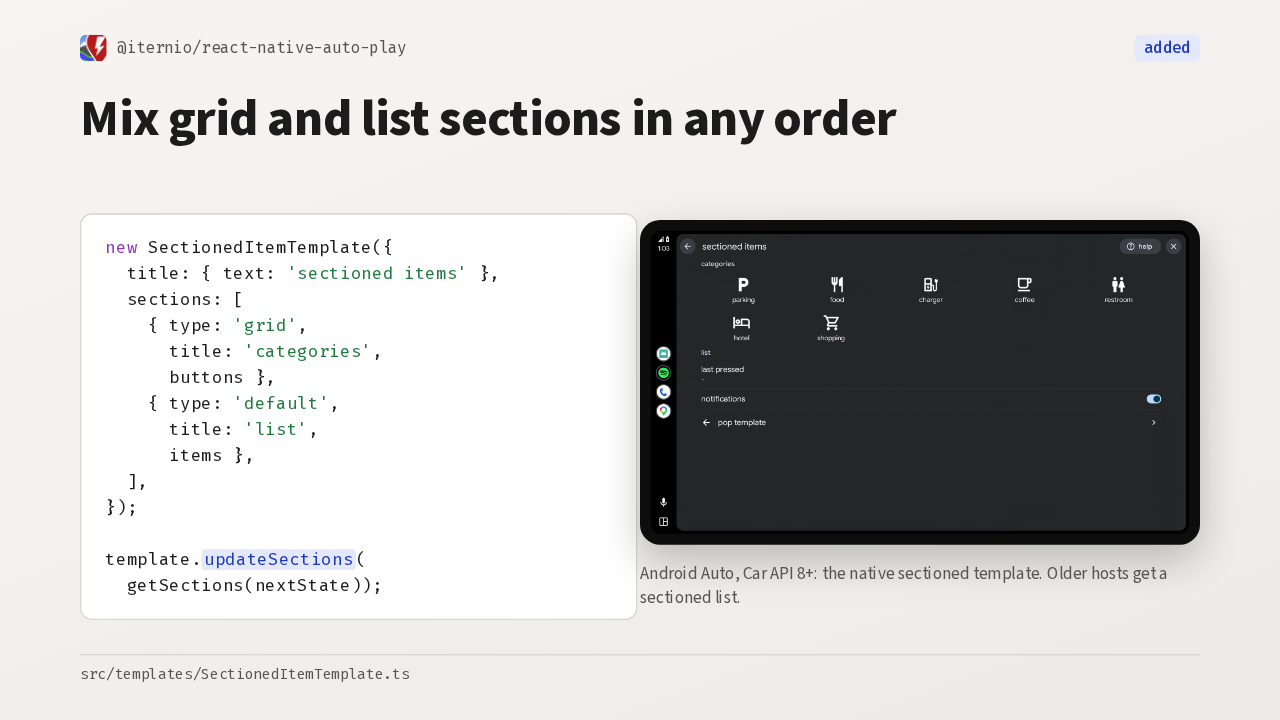
The new template is called SectionedItemTemplate. Each section is either a grid of buttons or a list of rows, in any order, and updateSections changes them later. On Android Auto with Car API 8 or newer, it becomes the native sectioned template.
Slide text
@iternio/react-native-auto-play addedMix grid and list sections in any order
new SectionedItemTemplate({
  title: { text: 'sectioned items' },
  sections: [
    { type: 'grid',
      title: 'categories',
      buttons },
    { type: 'default',
      title: 'list',
      items },
  ],
});

template.updateSections(
  getSections(nextState));

Android Auto, Car API 8+: the native sectioned template. Older hosts get a sectioned list.
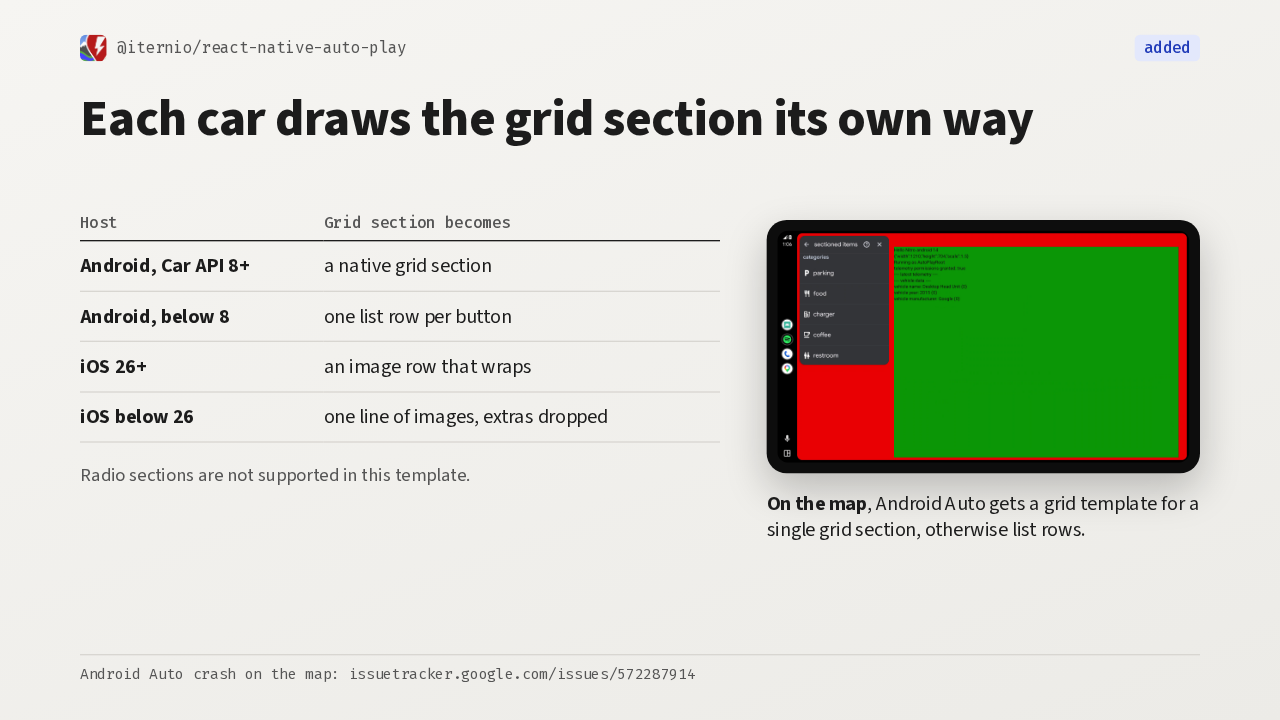
src/templates/SectionedItemTemplate.tsEach platform draws the grid its own way. Older Android hosts get one list row per button, and before iOS 26, CarPlay shows a single line of buttons and drops the rest. On the map, this template crashes Android Auto, so the library swaps in a grid or a list instead.
Slide text
@iternio/react-native-auto-play addedEach car draws the grid section its own way
Host Grid section becomes Android, Car API 8+ a native grid section Android, below 8 one list row per button iOS 26+ an image row that wraps iOS below 26 one line of images, extras dropped Radio sections are not supported in this template.

On the map, Android Auto gets a grid template for a single grid section, otherwise list rows.
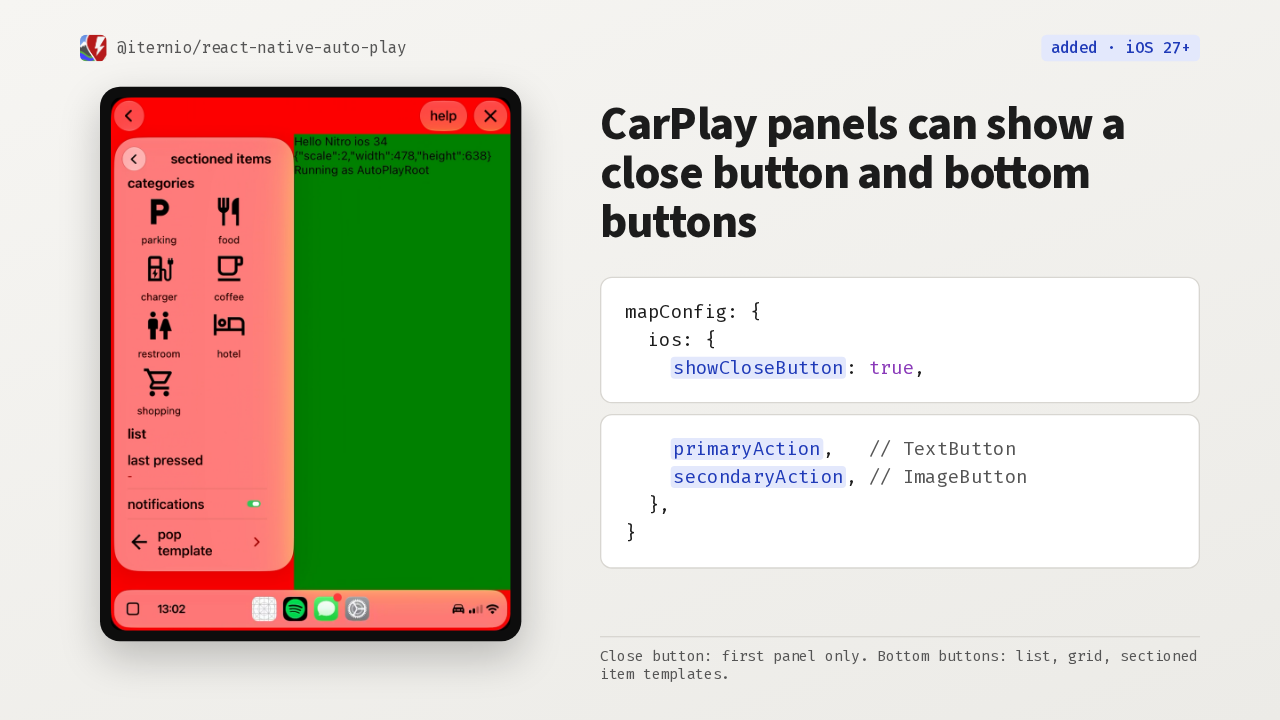
Android Auto crash on the map: issuetracker.google.com/issues/572287914On iOS 27, a template with a map config opens as a panel over the map. showCloseButton adds CarPlay's own close button to the first panel. primaryAction and secondaryAction add buttons along the bottom, though on the iOS 27 beta the icon-only button doesn't respond to taps.
Slide text
@iternio/react-native-auto-play added · iOS 27+
CarPlay panels can show a close button and bottom buttons
mapConfig: { ios: { showCloseButton: true,primaryAction, // TextButton secondaryAction, // ImageButton }, }
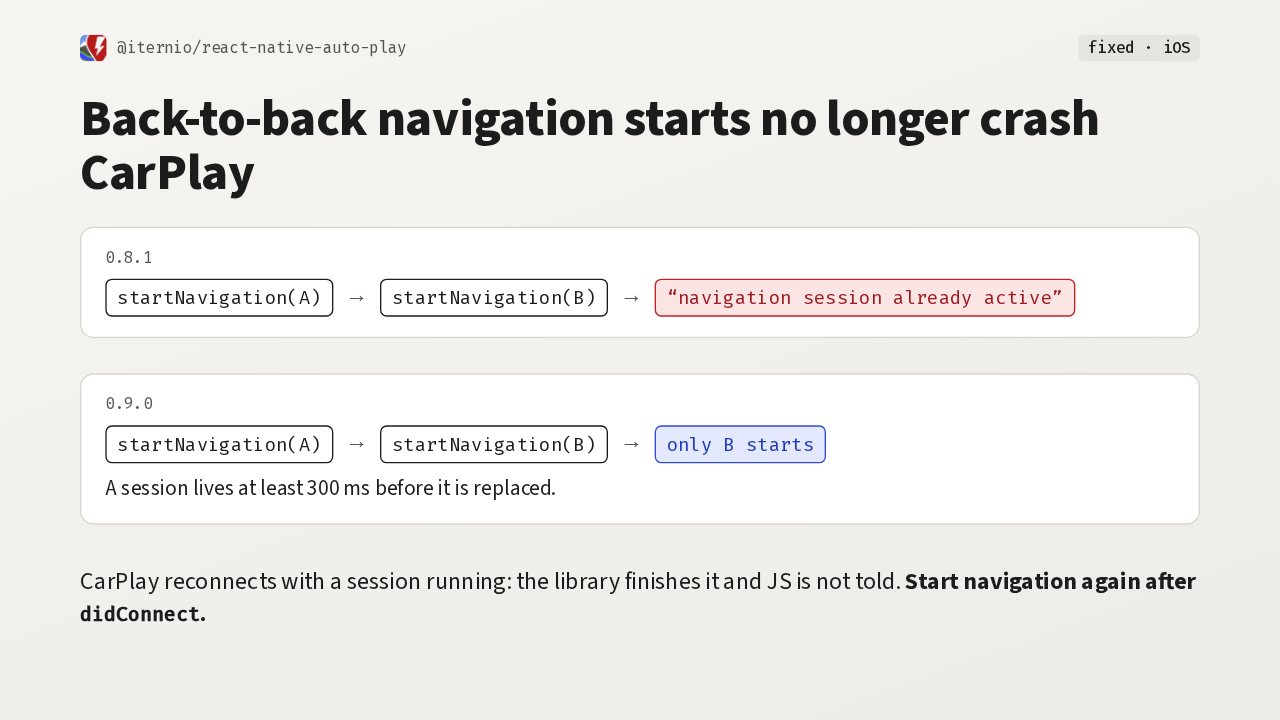
Close button: first panel only. Bottom buttons: list, grid, sectioned item templates.The biggest fix is a CarPlay crash. Two quick startNavigation calls finished the first session before CarPlay had confirmed it, and the app crashed. Now back-to-back starts collapse to the last trip, and a session lives at least 300 milliseconds. If CarPlay reconnects mid-session, the library ends that session without telling your JavaScript, so start navigation again after didConnect.
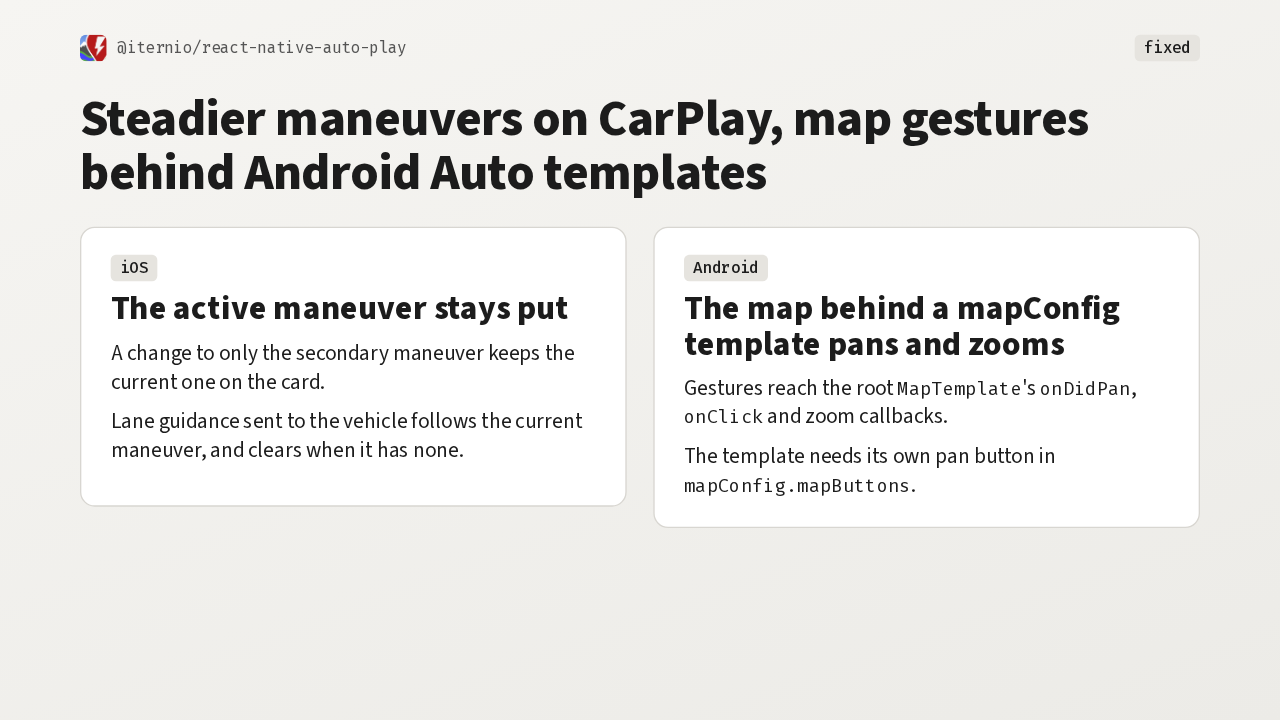
Two more fixes, one on each platform. On CarPlay, the active maneuver stays on the card when only the secondary one changes, and the lane guidance sent to the vehicle follows the current maneuver. On Android Auto, the map behind a map config template now pans and zooms, as long as that template has its own pan button.
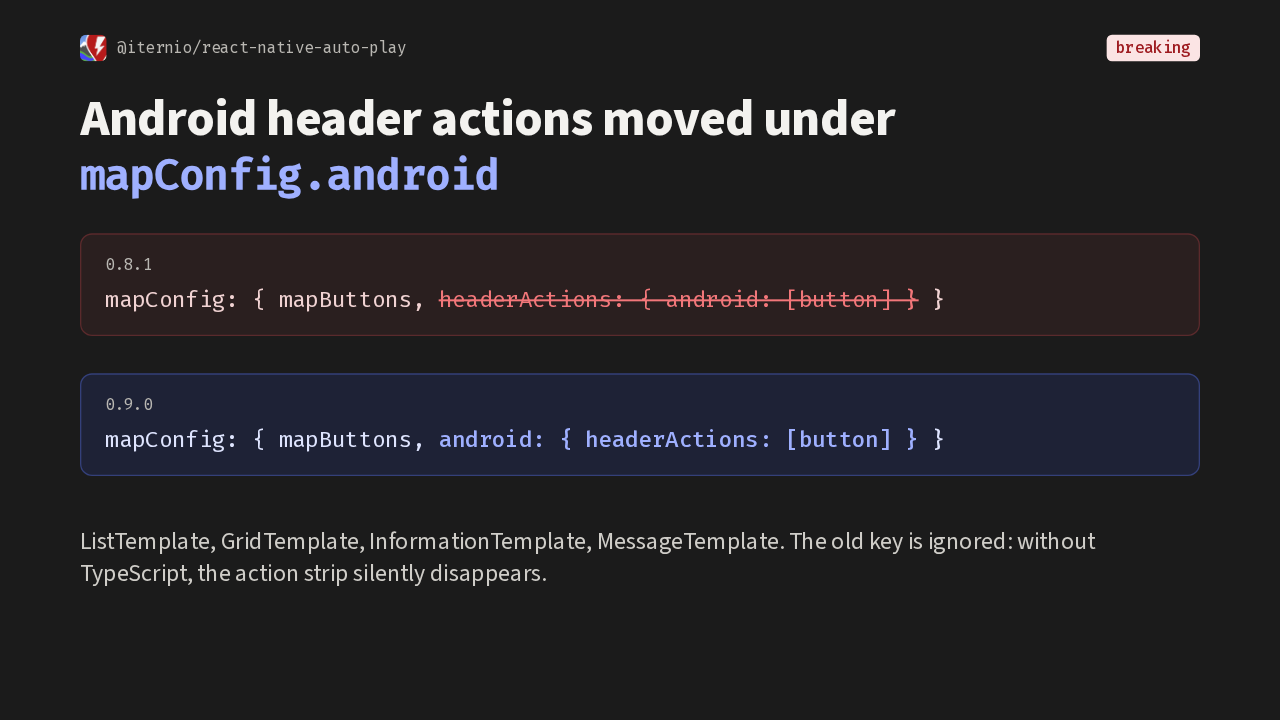
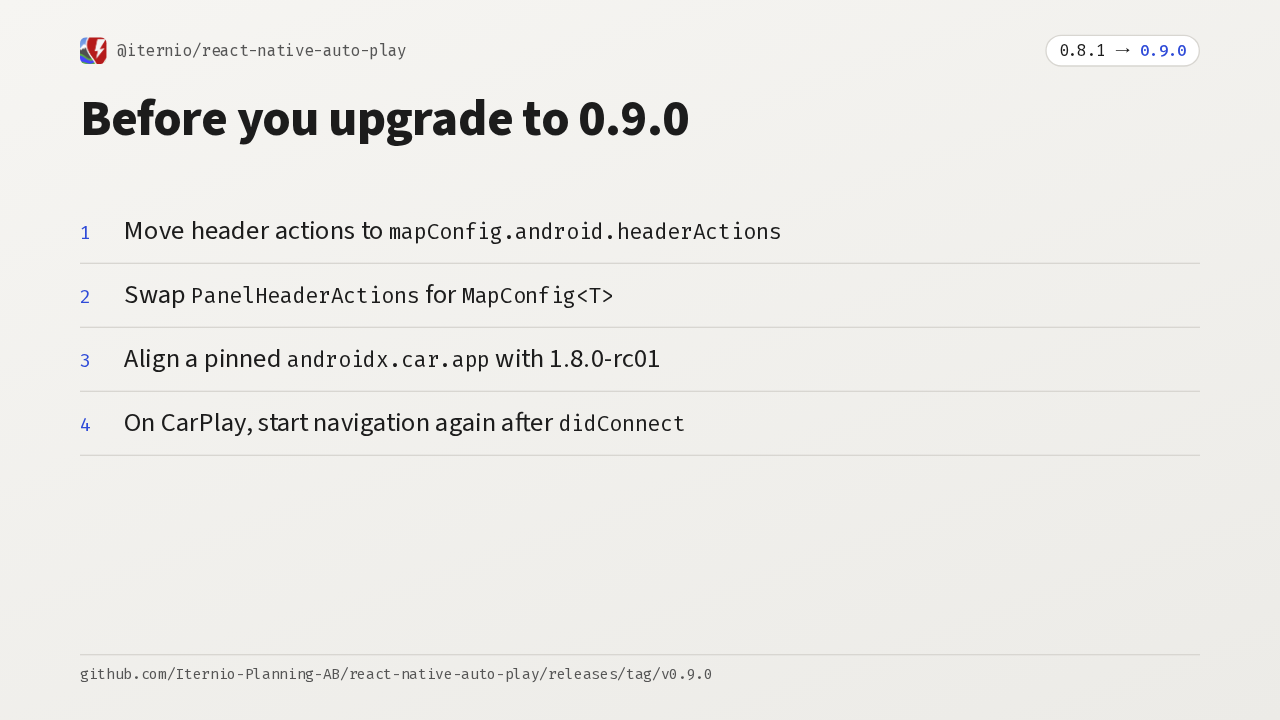
Now the migration. In 0.8.1, Android header actions sat in the map config, wrapped in an android key. Now an android key holds the header actions, and the value is the button array itself. The old key is ignored, so without TypeScript the action strip silently disappears.
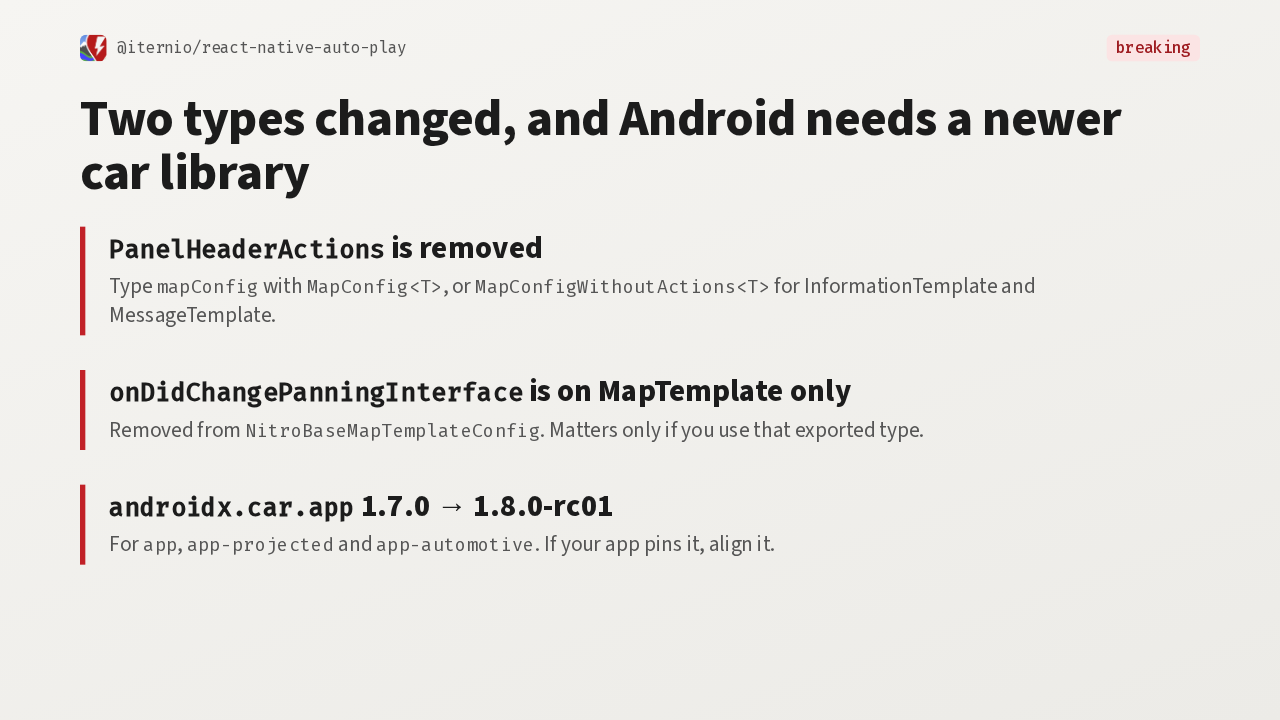
The other breaking changes are smaller. The panel header actions type is gone, so type your map config with MapConfig instead. The panning interface callback lives on the map template only. And the Android car app library moves to 1.8.0-rc01, so align it if your app pins it.
So before you upgrade, move the header actions, swap the removed type, align the car library, and start navigation again after CarPlay connects. That library is a release candidate, so test on the head units you support. Then you get grid buttons and list rows on one CarPlay or Android Auto screen.