Large repos list in seconds
 huggingface_hub v2.3.0
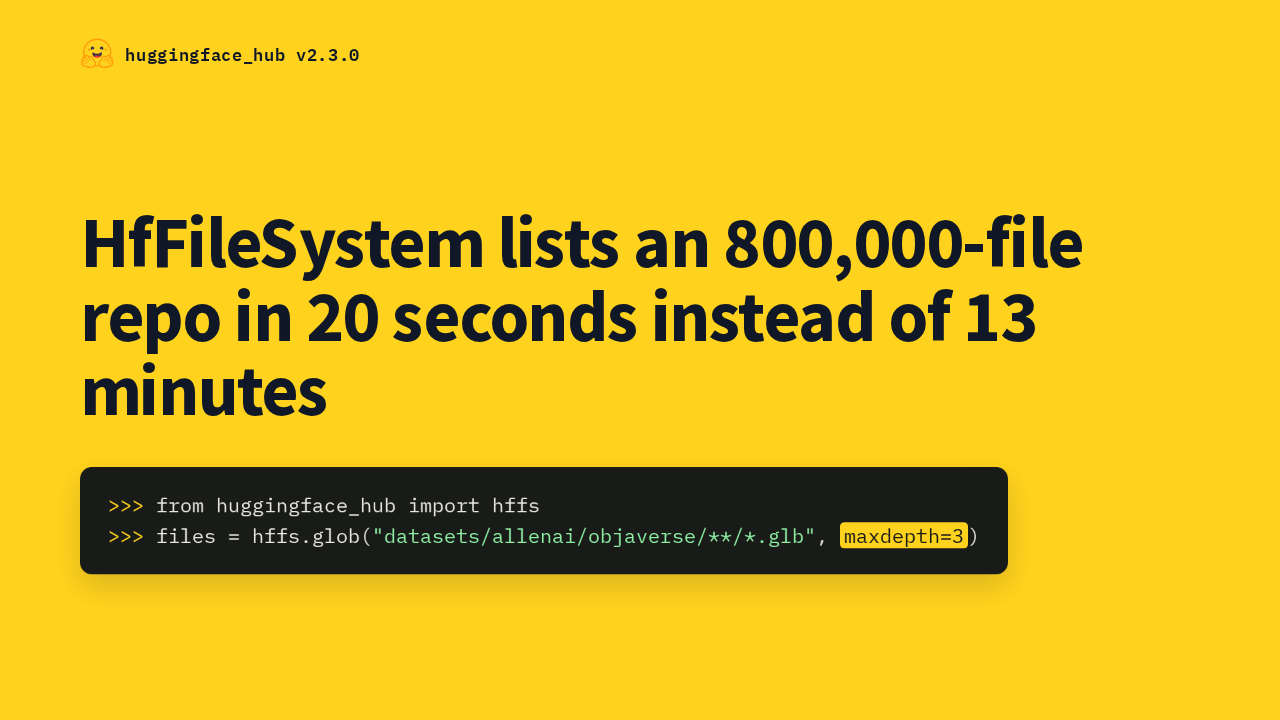
HfFileSystem lists an 800,000-file repo in 20 seconds instead of 13 minutes
Version 2.3 makes recursive listings on large repos fast. A find over the Objaverse dataset, about 800,000 files, used to take 13 minutes. Now it takes about 20 seconds. The same glob and find calls get faster with no code changes.
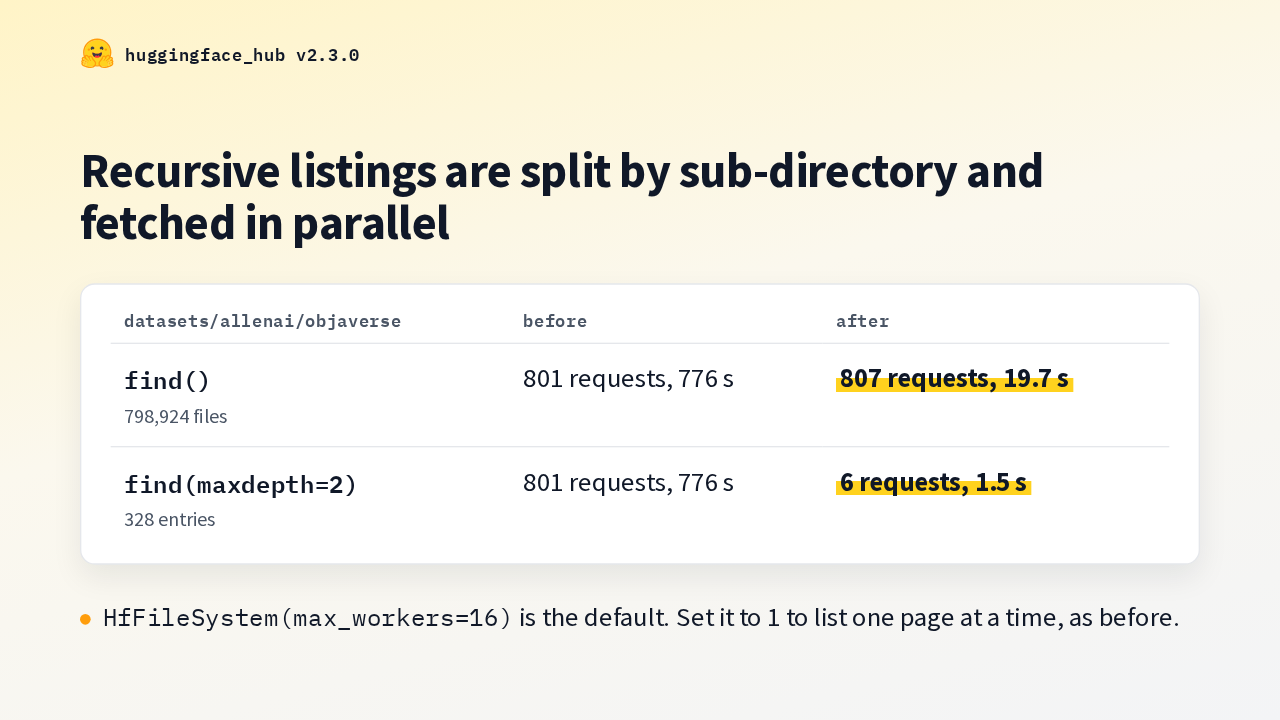
Listing objaverse, before and after
huggingface_hub v2.3.0Recursive listings are split by sub-directory and fetched in parallel
| datasets/allenai/objaverse | before | after |
|---|---|---|
| find() 798,924 files | 801 requests, 776 s | 807 requests, 19.7 s |
| find(maxdepth=2) 328 entries | 801 requests, 776 s | 6 requests, 1.5 s |
HfFileSystem(max_workers=16) is the default. Set it to 1 to list one page at a time, as before.
The Hub returns a file tree 1,000 entries at a time, one page after another. Now the listing is split by sub-directory and run in parallel. A full find makes about the same 800 requests in 20 seconds. With a max depth, it takes 6 requests and under 2 seconds. The new max workers argument sets the concurrency.
live_follow for Buckets
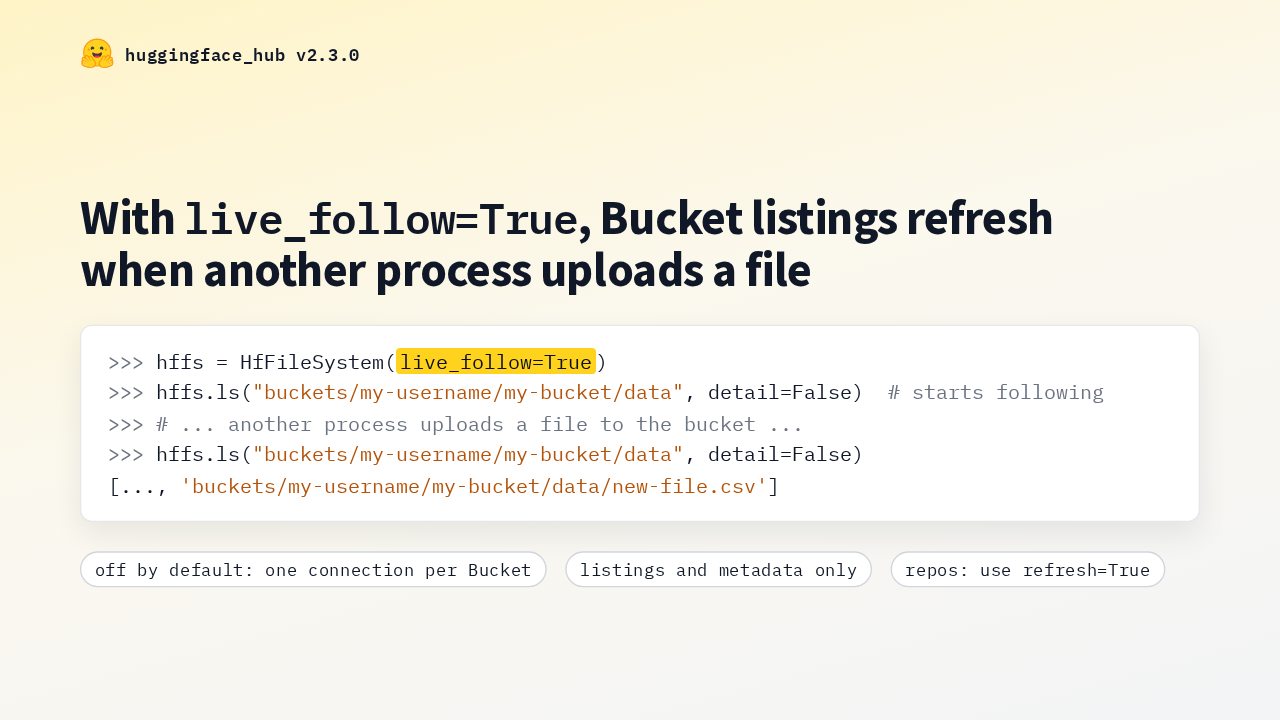
huggingface_hub v2.3.0With live_follow=True, Bucket listings refresh when another process uploads a file
Cached listings used to miss files another process added to a Bucket. With live follow turned on, each listed Bucket gets a background connection that receives changes from the Hub and drops stale listings. It works through fsspec and pandas too. It's off by default, and it's for Buckets only.
upload_attachment and sharded safetensors metadata
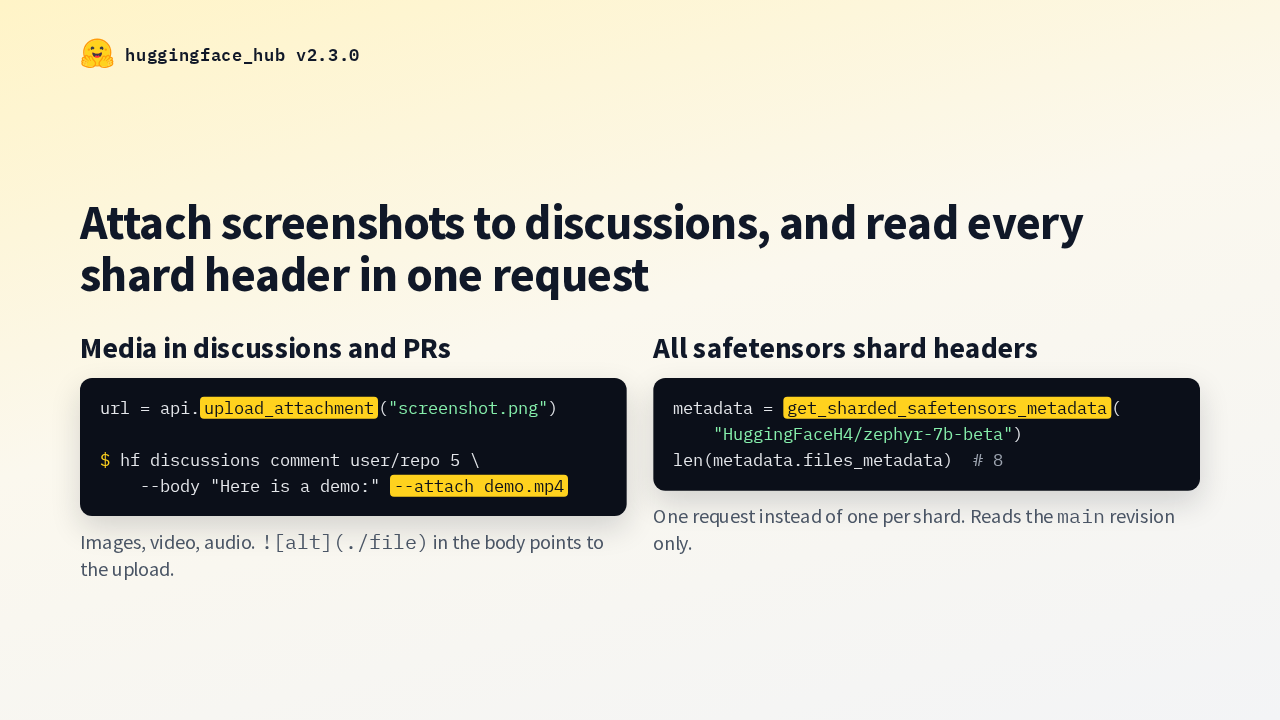
huggingface_hub v2.3.0Attach screenshots to discussions, and read every shard header in one request
Two new calls. Upload attachment sends an image, video or audio file to the Hub and returns its URL, and the discussions commands take an attach option that embeds it. And get sharded safetensors metadata reads every shard header of a model in one request.
hf jobs run keeps streaming
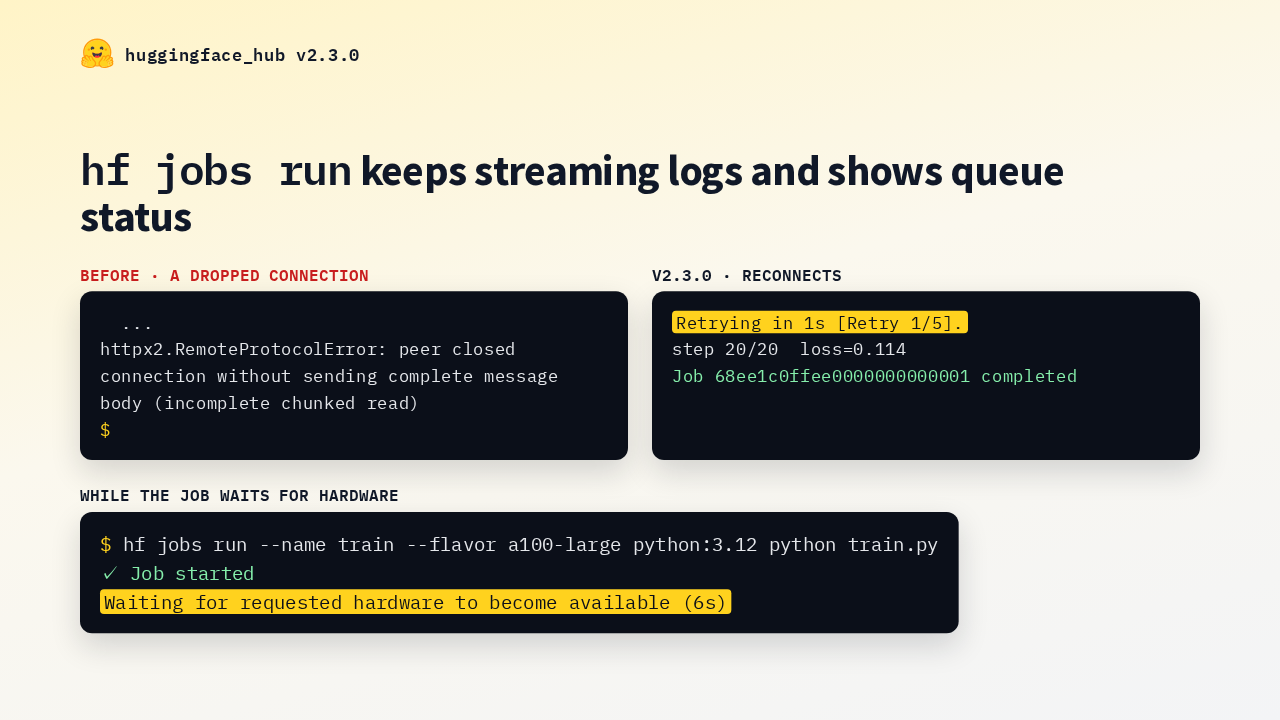
huggingface_hub v2.3.0hf jobs run keeps streaming logs and shows queue status
The jobs run command got two fixes. It used to crash after a few dropped log connections. Now it reconnects until the Job finishes, and control C exits right away with a hint. While a Job waits for hardware, it now shows the Hub's status message and how long it has waited.
create_commit keeps re-added files
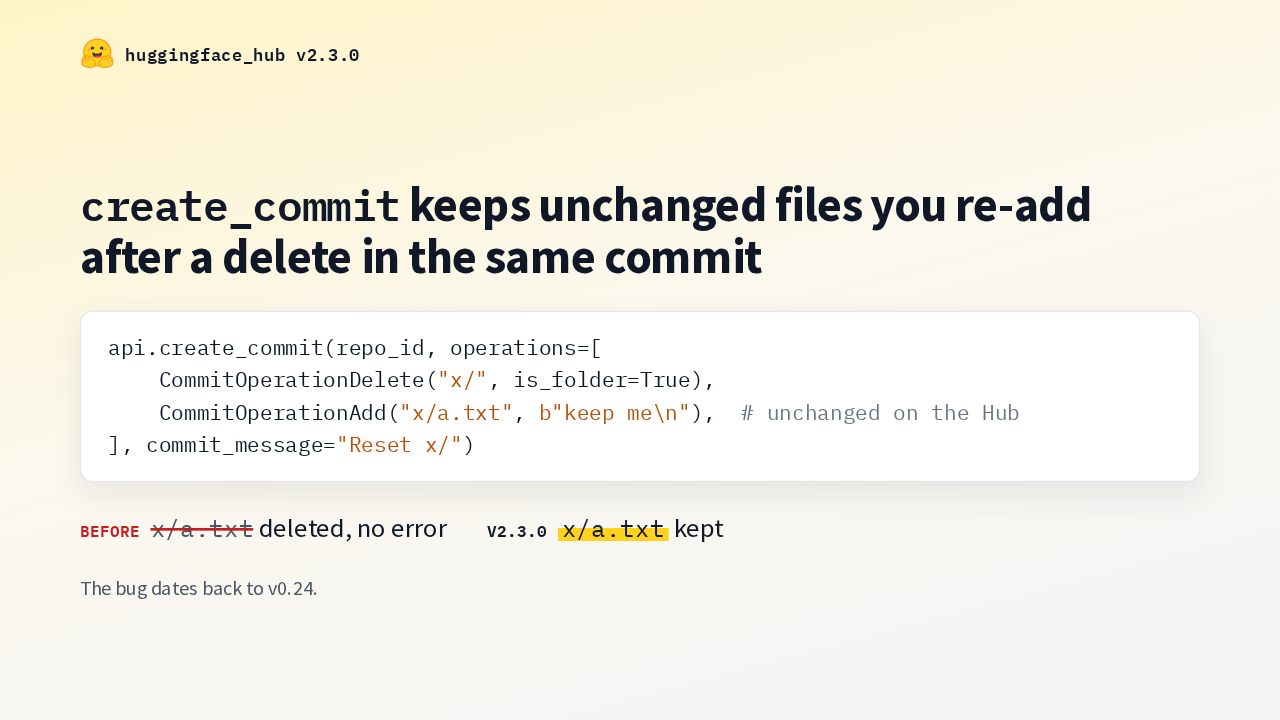
huggingface_hub v2.3.0create_commit keeps unchanged files you re-add after a delete in the same commit
The bug dates back to v0.24.
This fix is about lost data. Create commit skips uploads whose content is already on the Hub. So a commit that deleted a folder and pushed the same files back sent only the delete. The files vanished without an error, since version 0.24. Now they're kept.
Custom endpoint respected
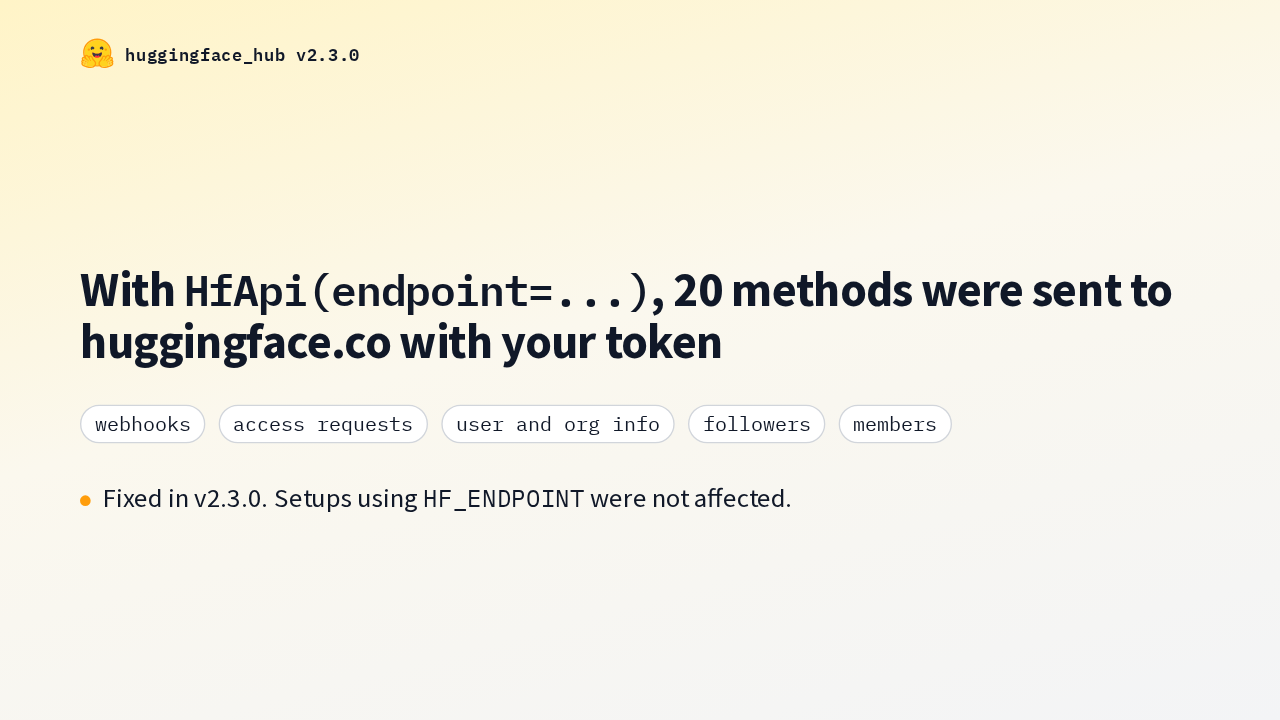
huggingface_hub v2.3.0With HfApi(endpoint=...), 20 methods were sent to huggingface.co with your token
Fixed in v2.3.0. Setups using HF_ENDPOINT were not affected.
If you set a custom endpoint on HfApi, 20 methods ignored it. Webhooks, access requests, user and org info, followers and members went to huggingface dot co with that instance's token. Now they go to your endpoint. If you set the endpoint through the HF_ENDPOINT environment variable instead, you were not affected.
Fixes you may have hit
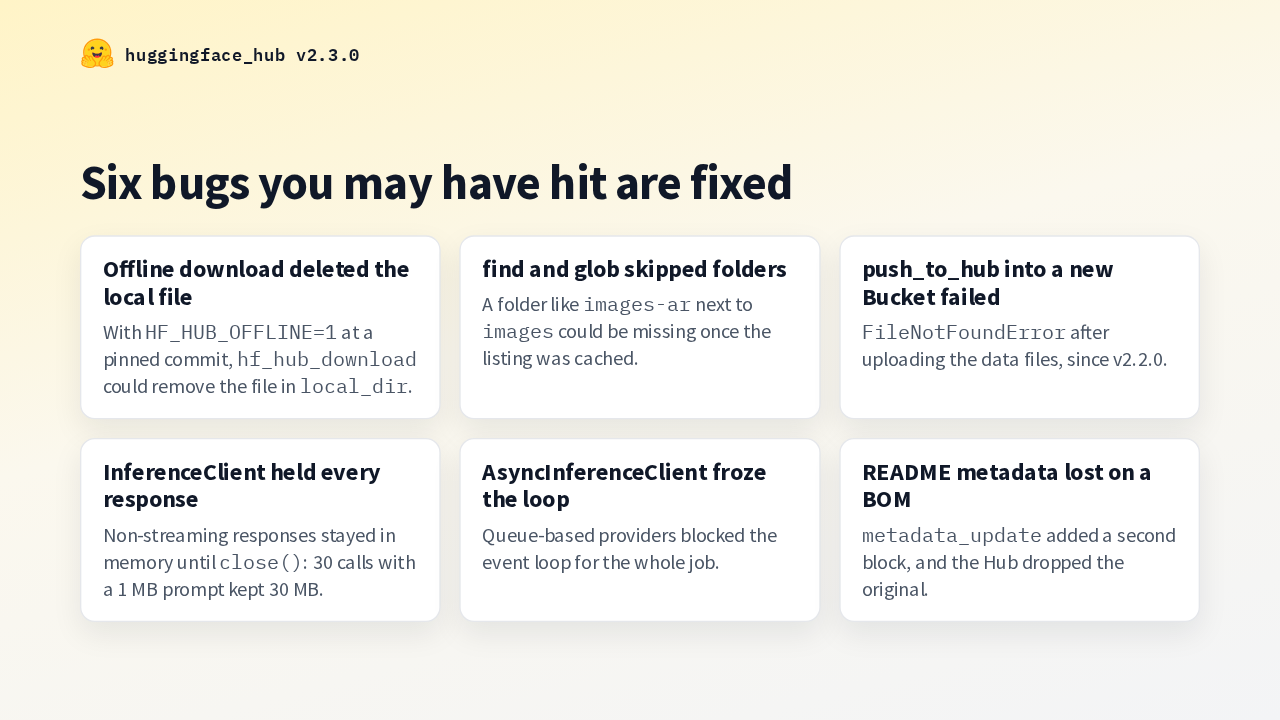
huggingface_hub v2.3.0Six bugs you may have hit are fixed
These are fixed too. Offline downloads at a pinned commit could delete your local file. Cached listings could make glob skip a folder. Pushing a dataset into a new Bucket failed. And a reused inference client kept every non-streaming response in memory.
What could break
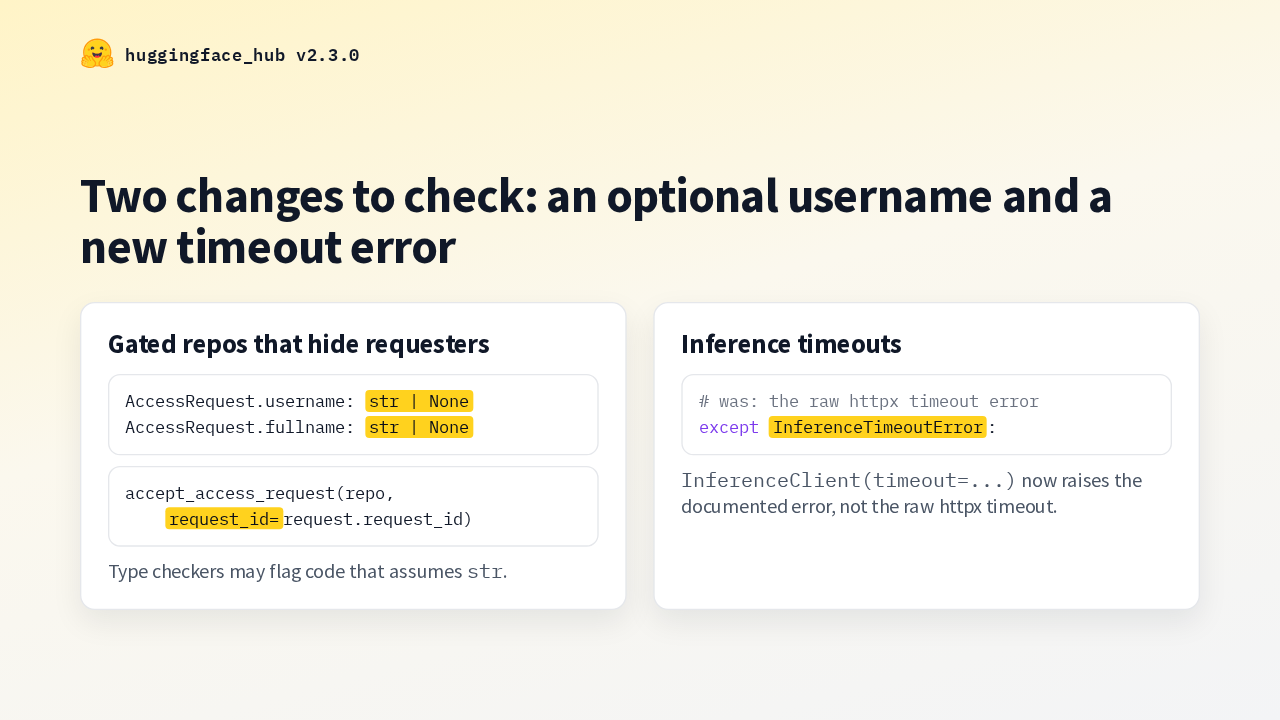
huggingface_hub v2.3.0Two changes to check: an optional username and a new timeout error
Two changes need a look before you upgrade. Gated repos can now hide who's requesting access, so access requests carry a request ID to accept by, and the username is typed as optional, which type checkers may flag. And inference timeouts now raise inference timeout error, so code that catches the raw httpx timeout should catch that instead.
Upgrade
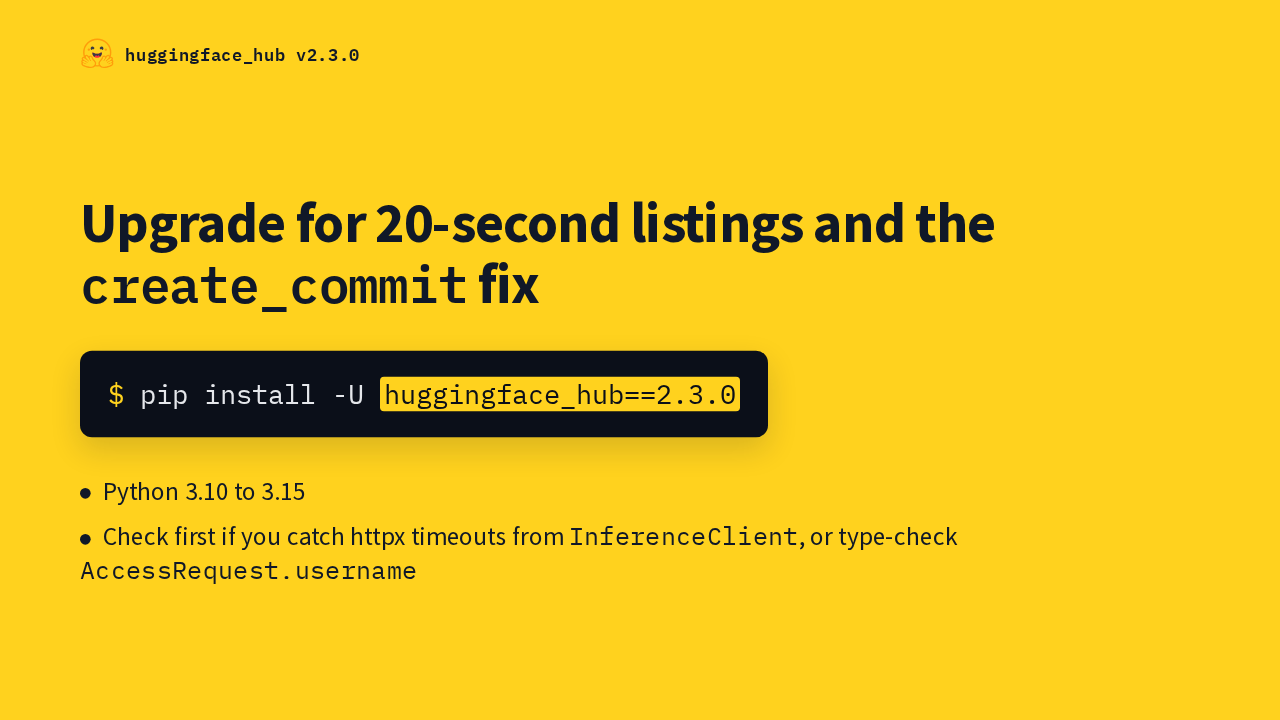
huggingface_hub v2.3.0Upgrade for 20-second listings and the create_commit fix
Live follow is opt-in, so most people will notice the faster listings and the commit fix first. Upgrade with pip. Python 3.15 is now supported. First, check code that catches inference timeouts or assumes a username is set. Then the Objaverse listing that took 13 minutes takes 20 seconds.