gstack’s browse now follows the proxy your shell already uses

14 hours ago

gstack 1.91.83.0 to 1.91.86.0 (2026-10-11), for Claude Code users: browse now uses the proxy your shell already sets (HTTPS_PROXY, NO_PROXY) and refuses a daemon that routes differently. Also: /cso works on Git for Windows 2.56 and uses Docker on macOS, /land-and-deploy runs a deploy command only with your approval, and fixes for Windows PDFs, Bun crashes and zsh loops. https://github.com/garrytan/gstack/blob/main/CHANGELOG.md#191860---2026-10-11 https://github.com/garrytan/gstack/blob/main/CHANGELOG.md#191850---2026-10-11 https://github.com/garrytan/gstack/blob/main/CHANGELOG.md#191840---2026-10-11 https://github.com/garrytan/gstack/blob/main/CHANGELOG.md#191830---2026-10-11 https://github.com/garrytan/gstack/blob/main/BROWSER.md

Ask

Ask about this presentation

Answers are generated from this presentation.

Chapters

  1. 0:00Proxy
  2. 0:12Safeguards
  3. 0:29/cso
  4. 0:45Deploy
  5. 0:59Fixes
Show transcript

Proxy

gstack logo

gstack’s browse now follows the proxy your shell already uses

HTTPS_PROXY · HTTP_PROXY · ALL_PROXYused without --proxy
NO_PROXYChromium bypass list
Loopback addressesalways bypassed
ProxySafeguards/csoDeployFixes
garrytan/gstack · CHANGELOG.md 1.91.86.0

gstack's browser no longer needs a proxy flag. It routes through the proxy variables your shell already sets, skips the hosts you exempt, and never proxies localhost.

Safeguards

browse refuses a running daemon that routes differently

Different proxy environment · refused, with the variable named
browse stop · stops any daemon, whatever its proxy
Bad --proxy or BROWSE_PROXY_URL · still fails
Unparseable HTTPS_PROXY · a warning, then a direct connection
ProxySafeguards/csoDeployFixes
garrytan/gstack · CHANGELOG.md 1.91.86.0

A session with a different proxy setup is refused, with the variable named. Browse stop clears any daemon. A typo in the browse proxy setting fails, keeping your address hidden. A malformed shell variable warns and connects directly.

/cso

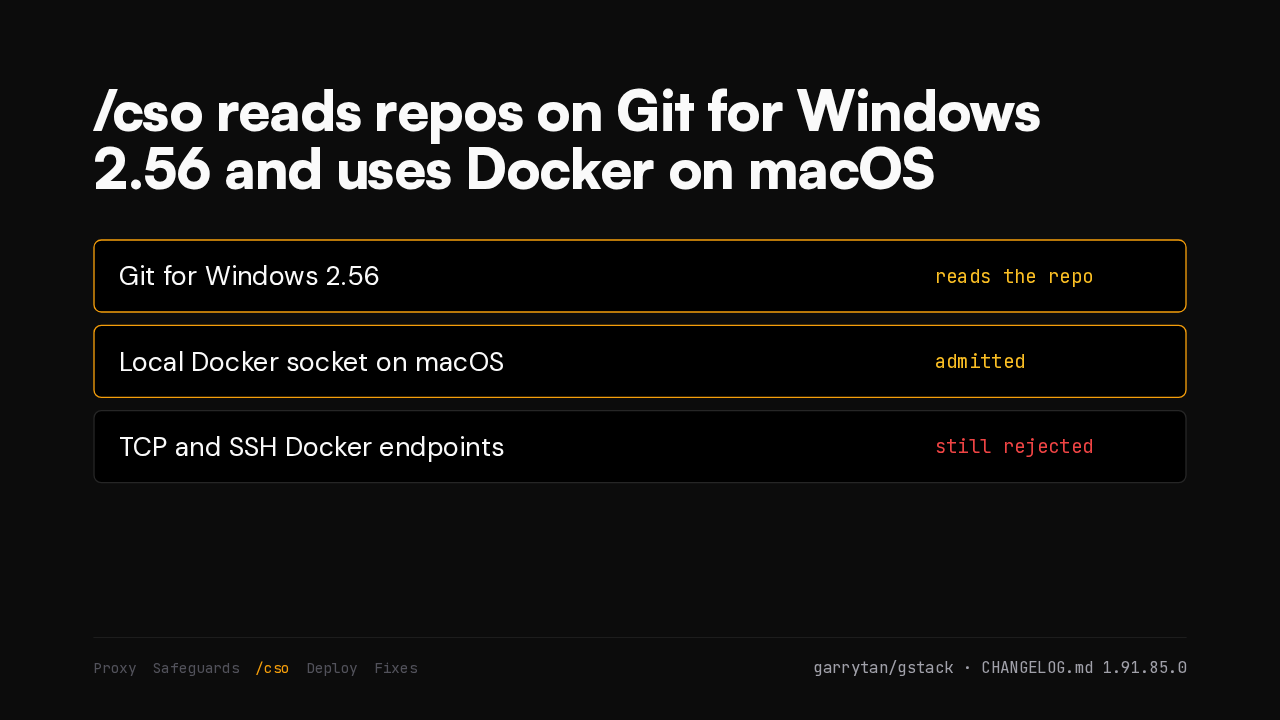
/cso reads repos on Git for Windows 2.56 and uses Docker on macOS

Git for Windows 2.56reads the repo
Local Docker socket on macOSadmitted
TCP and SSH Docker endpointsstill rejected
ProxySafeguards/csoDeployFixes
garrytan/gstack · CHANGELOG.md 1.91.85.0

/cso could not open any repository on Git for Windows 2.56. Now it can. On a Mac it now uses the local Docker socket instead of static checks alone. Remote Docker endpoints stay blocked.

Deploy

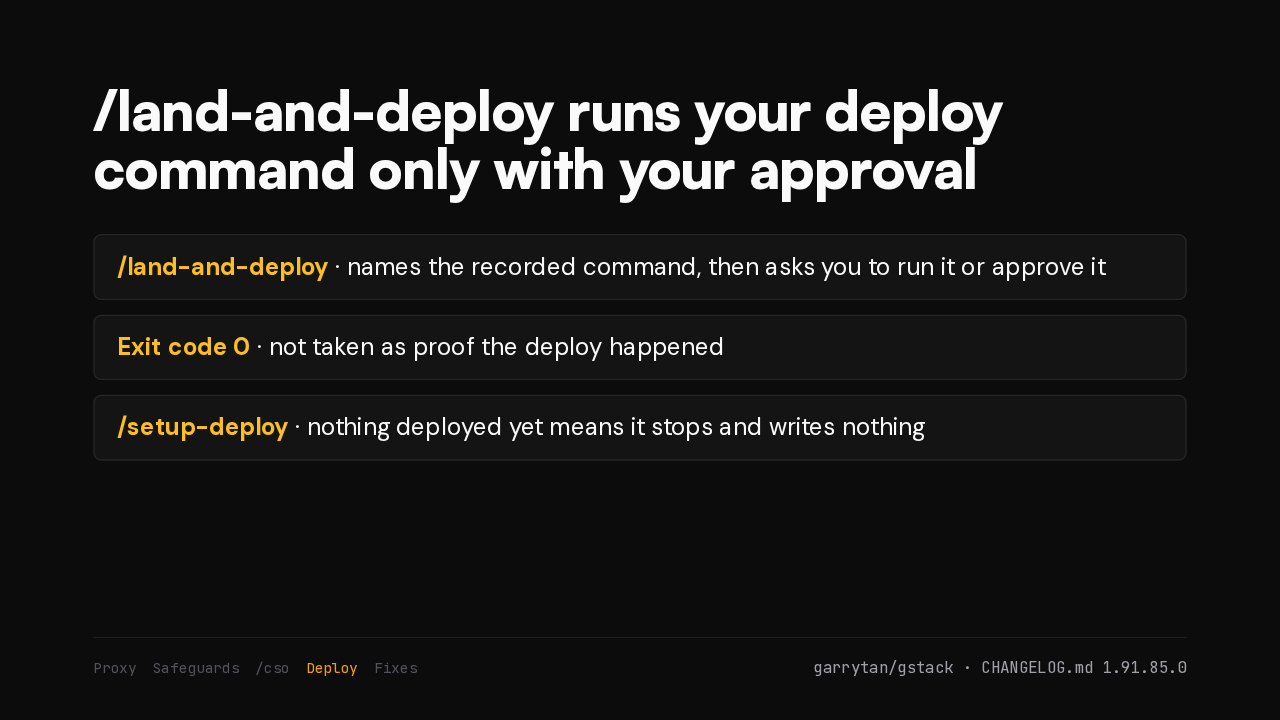
/land-and-deploy runs your deploy command only with your approval

/land-and-deploy · names the recorded command, then asks you to run it or approve it
Exit code 0 · not taken as proof the deploy happened
/setup-deploy · nothing deployed yet means it stops and writes nothing
ProxySafeguards/csoDeployFixes
garrytan/gstack · CHANGELOG.md 1.91.85.0

After the merge, /land-and-deploy says production has not moved yet. It then waits for a deployment tied to the merge. /setup-deploy halts when nothing is deployed yet, so you bring the site up first.

Fixes

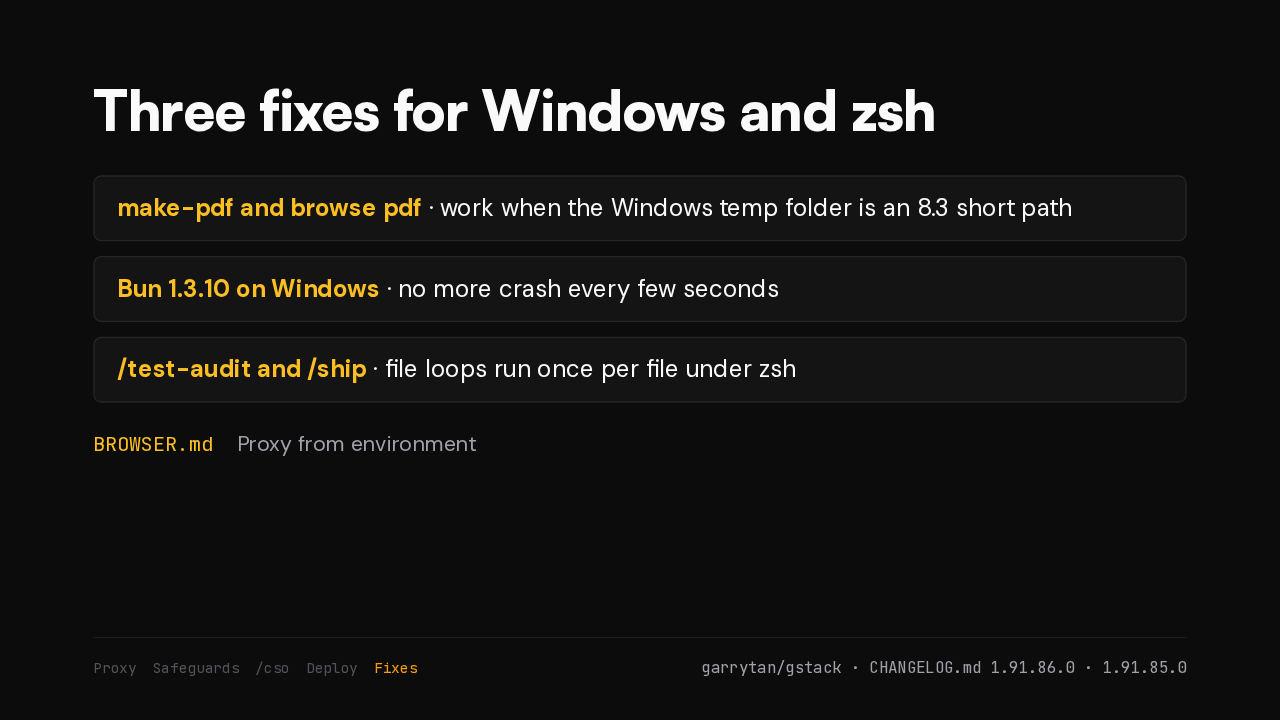
Three fixes for Windows and zsh

make-pdf and browse pdf · work when the Windows temp folder is an 8.3 short path
Bun 1.3.10 on Windows · no more crash every few seconds
/test-audit and /ship · file loops run once per file under zsh
BROWSER.mdProxy from environment
ProxySafeguards/csoDeployFixes
garrytan/gstack · CHANGELOG.md 1.91.86.0 · 1.91.85.0

PDFs now save on Windows when the temp path is shortened. The terminal agent and cookie helper stop crashing Bun. /test-audit and /ship handle every file under zsh. The browser guide covers proxy setup.