gemini models lists every model the CLI offers, as text or JSON

2 days ago

This change adds a models command to Gemini CLI. Run gemini models and it prints every model the CLI can use, with its context limits. Ask for JSON output and the same list comes back as an array you can pipe straight into jq. A matching flag, list models, does the same thing.

Ask about this presentation

Chapters
  1. 0:00gemini models
  2. 0:19Why a models flag
  3. 0:35Three ways in
  4. 0:52Text output
  5. 1:11JSON output
  6. 1:31One function behind both
  7. 1:54Exit before the sandbox
  8. 2:15Clean stdout for jq
  9. 2:40What review changed
  10. 3:04Evidence: the tests
  11. 3:24What the listing doesn't know yet
  12. 3:43Try it
Show transcript
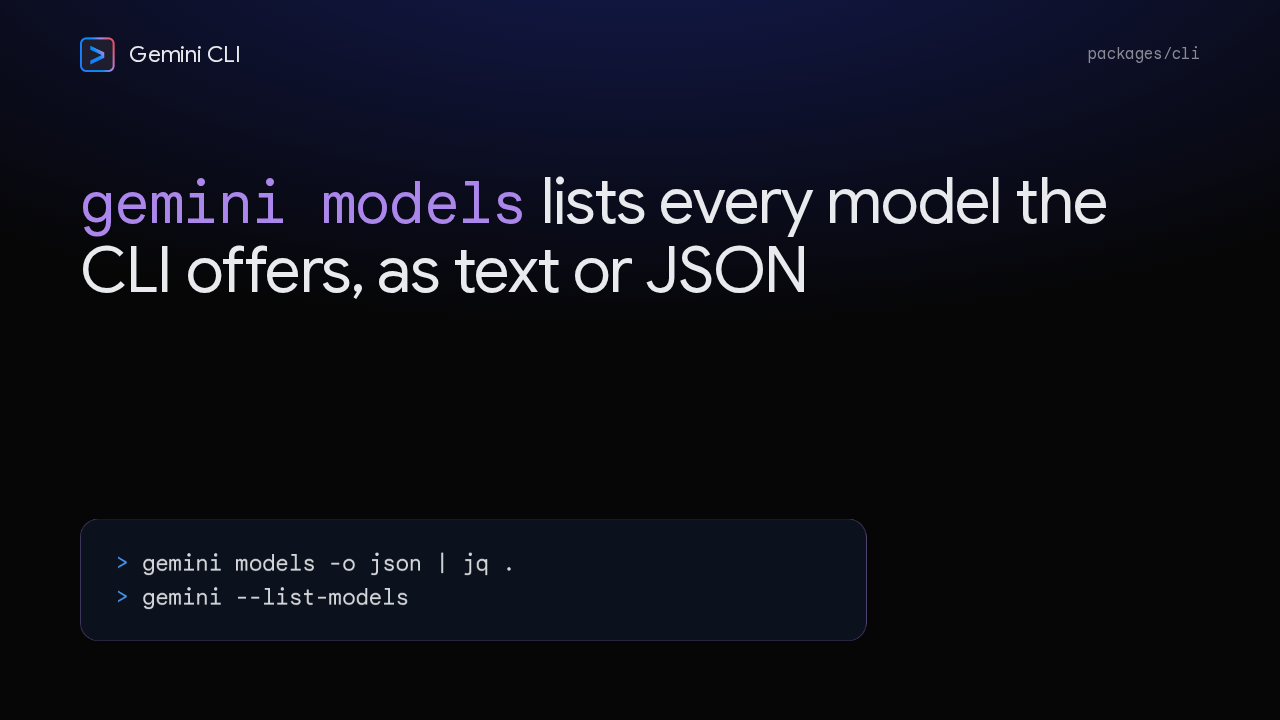
  1. This change adds a models command to Gemini CLI. Run gemini models and it prints every model the CLI can use, with its context limits. Ask for JSON output and the same list comes back as an array you can pipe straight into jq. A matching flag, list models, does the same thing.

    Slide text
    Gemini CLI packages/cli

    gemini models lists every model the CLI offers, as text or JSON

    > gemini models -o json | jq . > gemini --list-models
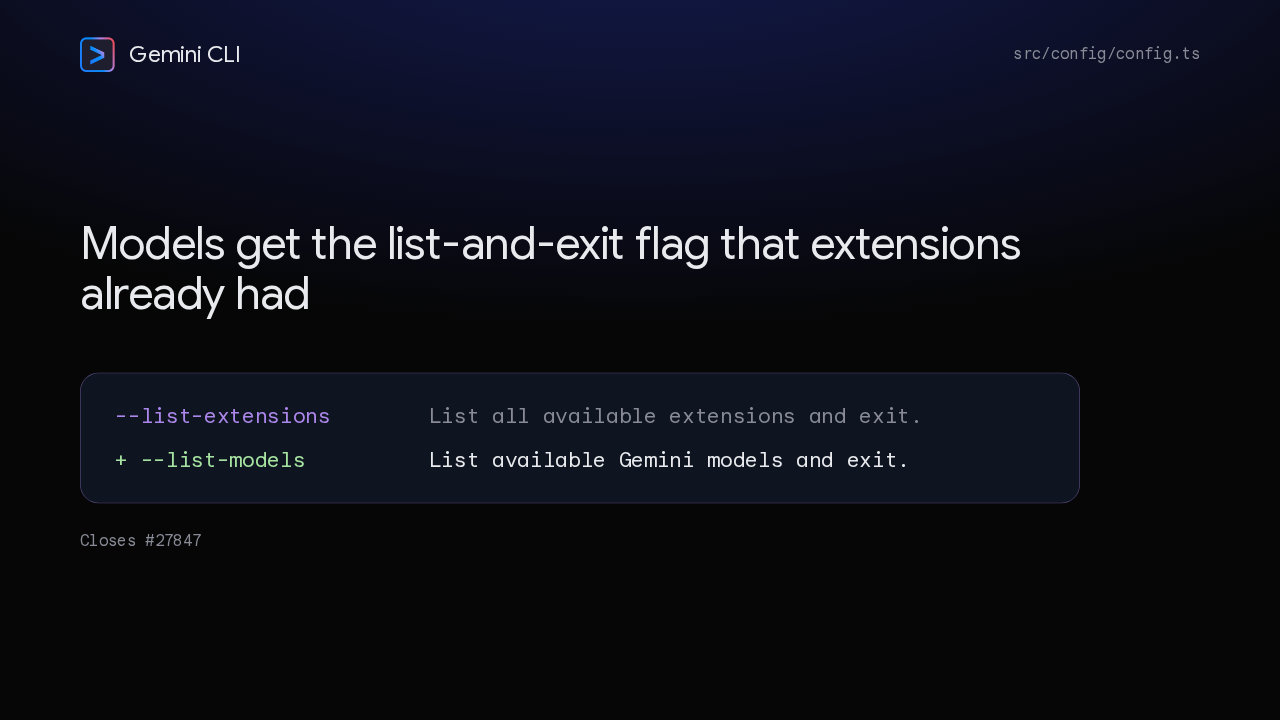
  2. The author wants programmatic model discovery: JSON for scripts, and readable text for people. The CLI already had a flag that lists extensions and exits. This adds the matching flag for models, with the same style of help text.

    Slide text
    Gemini CLI src/config/config.ts

    Models get the list-and-exit flag that extensions already had

    --list-extensions List all available extensions and exit. + --list-models List available Gemini models and exit.

    Closes #27847

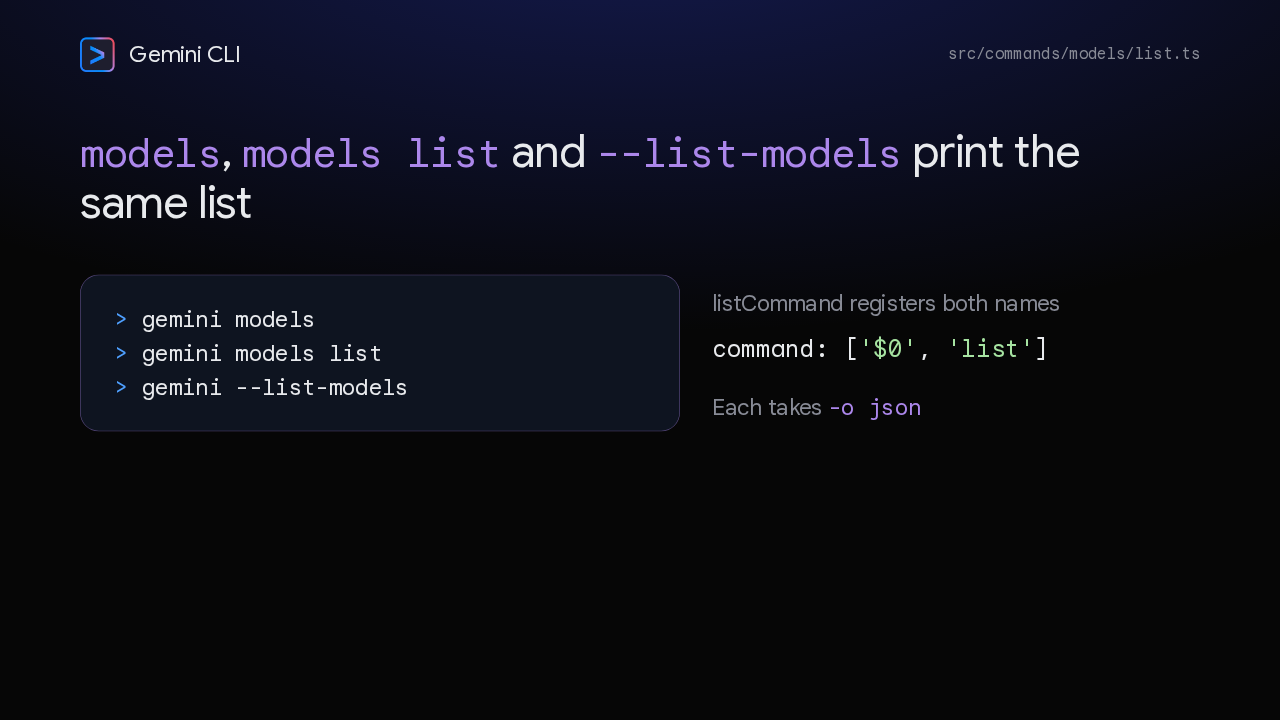
  3. You can reach the list three ways. Gemini models, gemini models list, or the list models flag, and all three land in the same handler. The bare command works because the list command registers as both $0 and list. Every form takes the JSON output format.

    Slide text
    Gemini CLI src/commands/models/list.ts

    models, models list and --list-models print the same list

    > gemini models > gemini models list > gemini --list-models

    listCommand registers both names

    command: ['$0', 'list']

    Each takes -o json

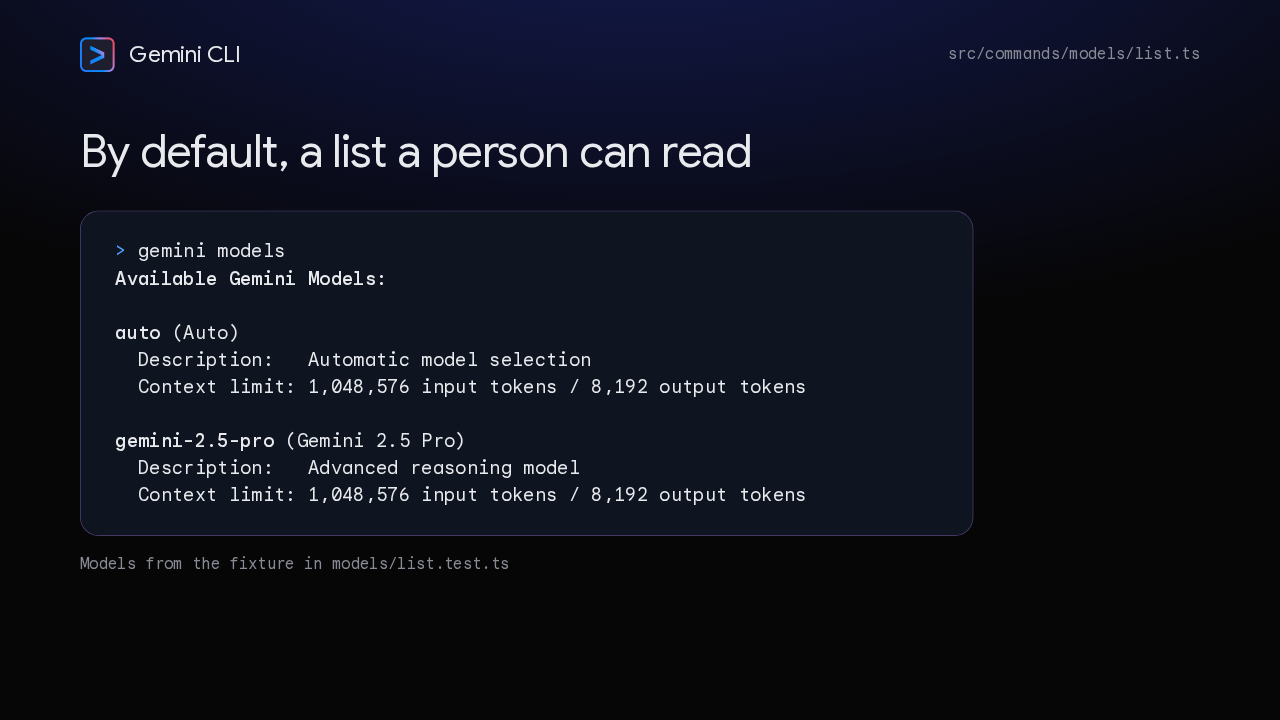
  4. With no format option you get text. A bold heading, then each model's ID and display name, its description, and its context limit in input and output tokens. These rows use the test fixture's models, auto and Gemini 2.5 Pro, each with about a million input tokens.

    Slide text
    Gemini CLI src/commands/models/list.ts

    By default, a list a person can read

    > gemini models Available Gemini Models: auto (Auto) Description: Automatic model selection Context limit: 1,048,576 input tokens / 8,192 output tokens gemini-2.5-pro (Gemini 2.5 Pro) Description: Advanced reasoning model Context limit: 1,048,576 input tokens / 8,192 output tokens

    Models from the fixture in models/list.test.ts

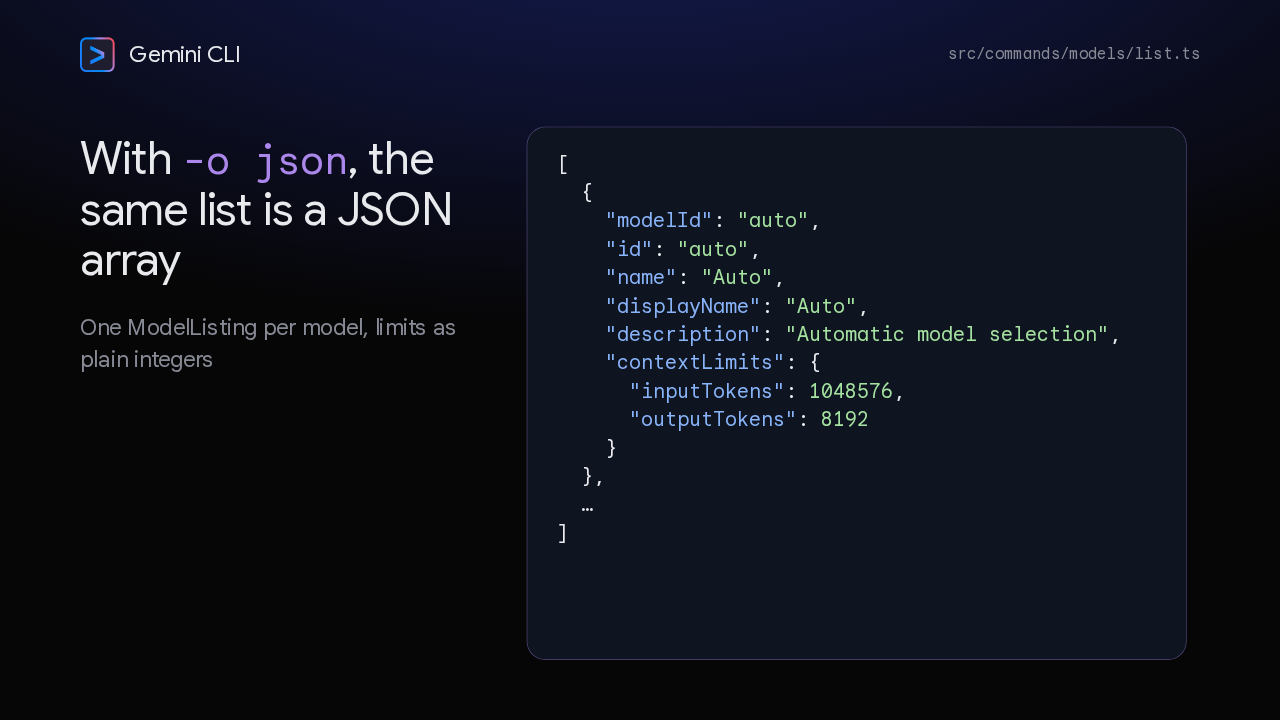
  5. Ask for JSON and you get an array, one object per model. Each object carries the model ID twice, as model ID and as id. The name appears twice as well, as name and display name. Then the context limits, written as plain integers, so jq can compare them without parsing commas.

    Slide text
    Gemini CLI src/commands/models/list.ts

    With -o json, the same list is a JSON array

    One ModelListing per model, limits as plain integers

    [
      {
        "modelId": "auto",
        "id": "auto",
        "name": "Auto",
        "displayName": "Auto",
        "description": "Automatic model selection",
        "contextLimits": {
          "inputTokens": 1048576,
          "outputTokens": 8192
        }
      },
      …
    ]
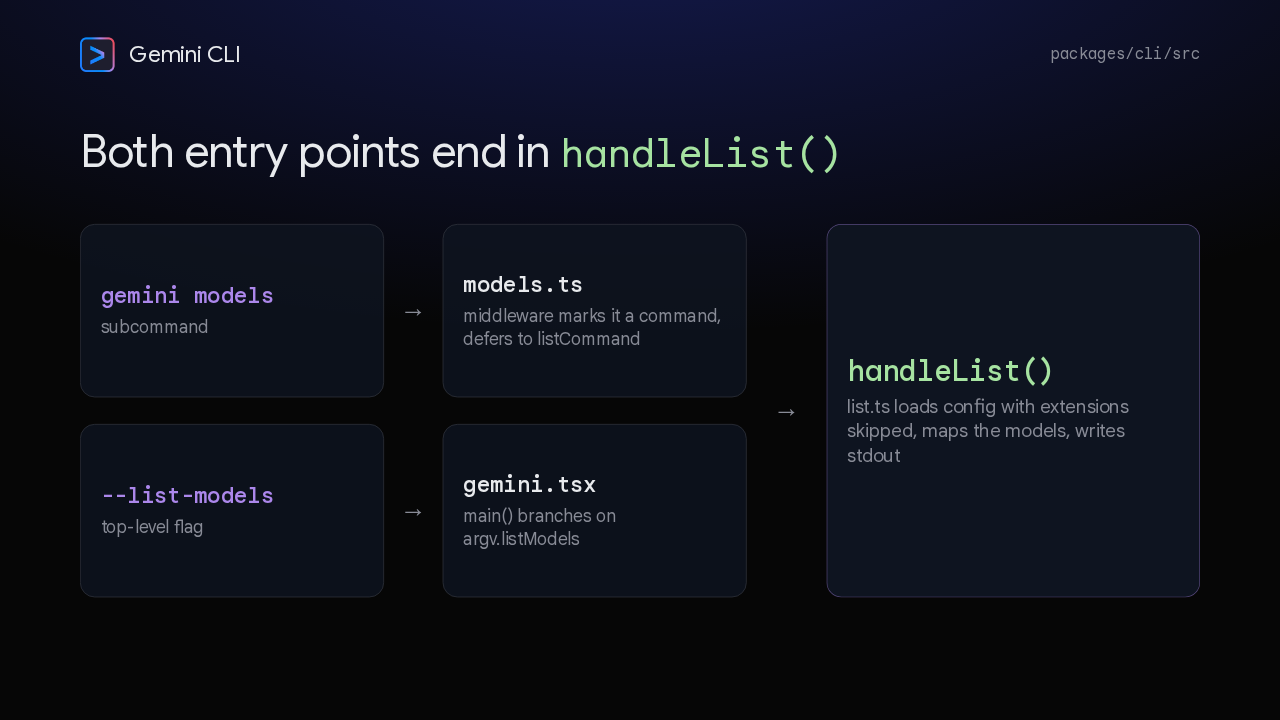
  6. Here's how the pieces connect. The subcommand lives in models.ts, a yargs module whose middleware marks the run as a command and defers to the list command. The flag is parsed in config, and main, in gemini.tsx, branches on it. Both paths call handleList, which loads config with extensions skipped, maps the models, and writes the listing.

    Slide text
    Gemini CLI packages/cli/src

    Both entry points end in handleList()

    gemini models
    subcommand
    →
    models.ts
    middleware marks it a command, defers to listCommand
    →
    handleList()
    list.ts loads config with extensions skipped, maps the models, writes stdout
    --list-models
    top-level flag
    →
    gemini.tsx
    main() branches on argv.listModels
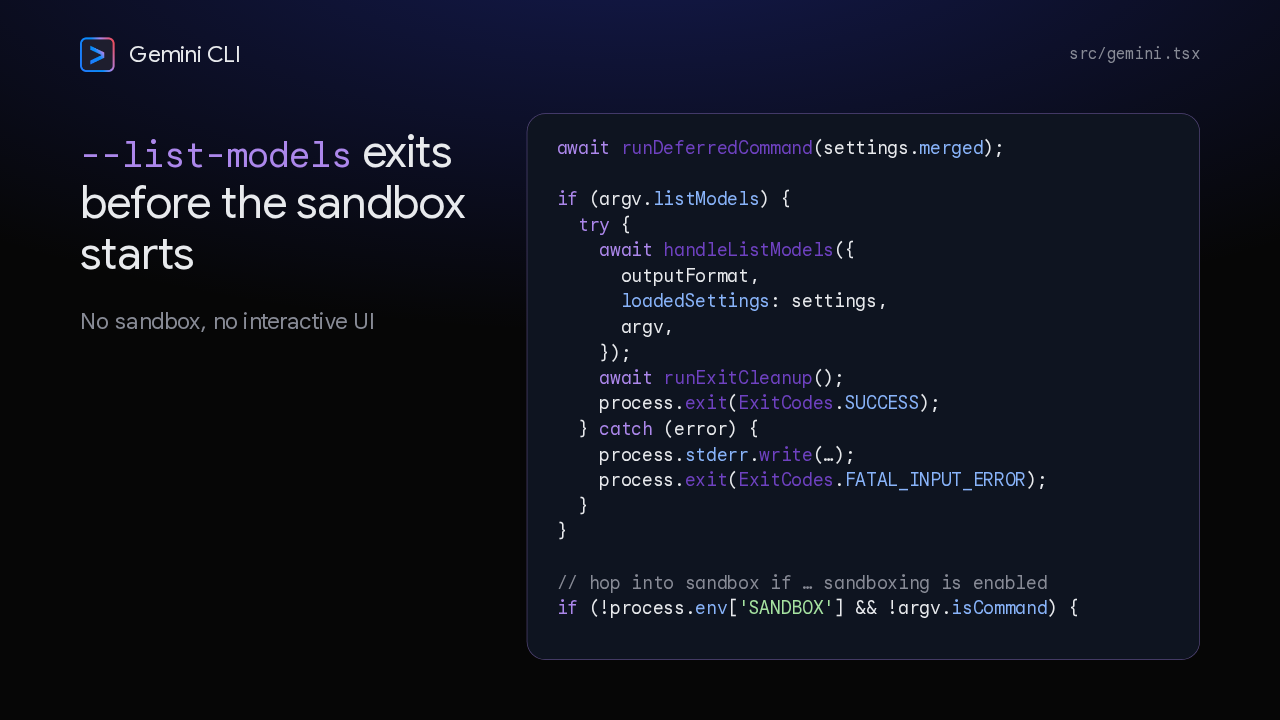
  7. The flag's branch sits in main, right after deferred commands run. When it's set, it lists the models, cleans up, and exits with success. A failure goes to standard error and exits with the fatal input error code. All of this runs before the sandbox check, so listing models never starts a sandbox or the interactive UI.

    Slide text
    Gemini CLI src/gemini.tsx

    --list-models exits before the sandbox starts

    No sandbox, no interactive UI

    await runDeferredCommand(settings.merged);
    
    if (argv.listModels) {
      try {
        await handleListModels({
          outputFormat,
          loadedSettings: settings,
          argv,
        });
        await runExitCleanup();
        process.exit(ExitCodes.SUCCESS);
      } catch (error) {
        process.stderr.write(…);
        process.exit(ExitCodes.FATAL_INPUT_ERROR);
      }
    }
    
    // hop into sandbox if … sandboxing is enabled
    if (!process.env['SANDBOX'] && !argv.isCommand) {
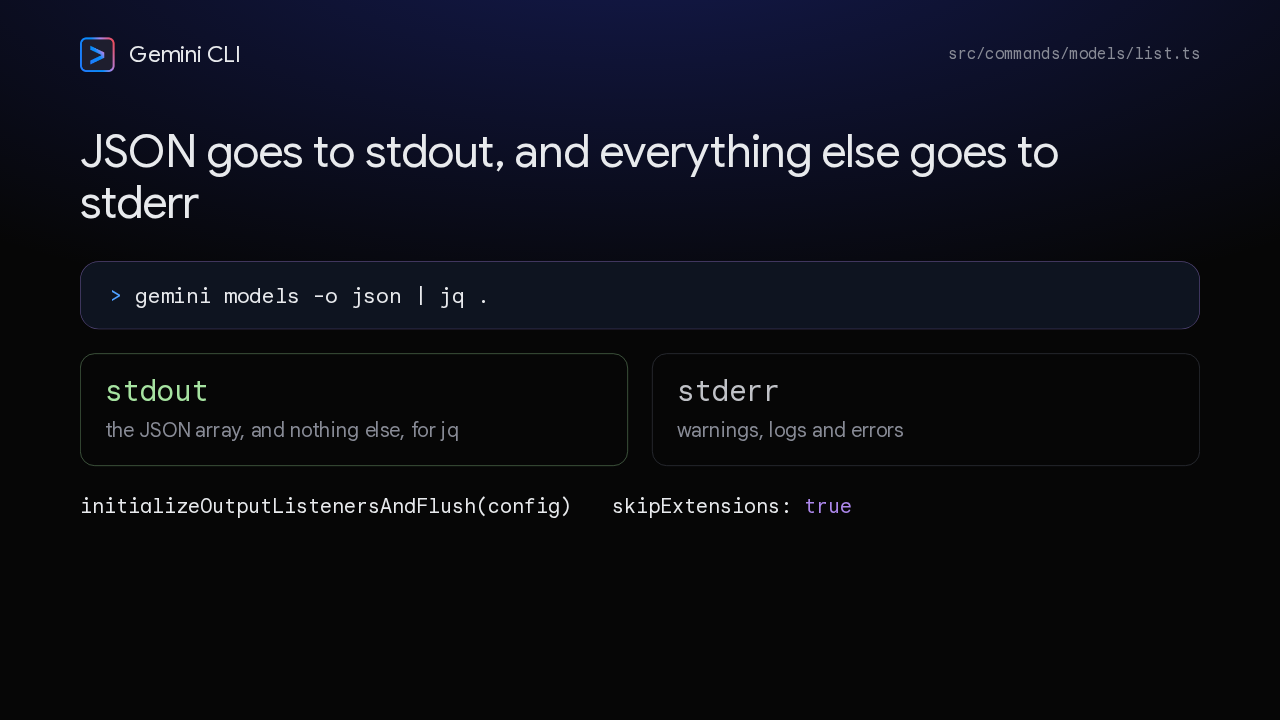
  8. Piping into jq only works if standard output carries nothing but JSON. The listing is the only thing written there, and everything else goes to standard error. The handler sets up the CLI's output listeners right after loading config, which routes the rest to standard error. Config loads with extensions skipped, and listing bypasses the non-interactive auth refresh, so credential logs stay out of the pipe.

    Slide text
    Gemini CLI src/commands/models/list.ts

    JSON goes to stdout, and everything else goes to stderr

    > gemini models -o json | jq .
    stdout
    the JSON array, and nothing else, for jq
    stderr
    warnings, logs and errors
    initializeOutputListenersAndFlush(config) skipExtensions: true
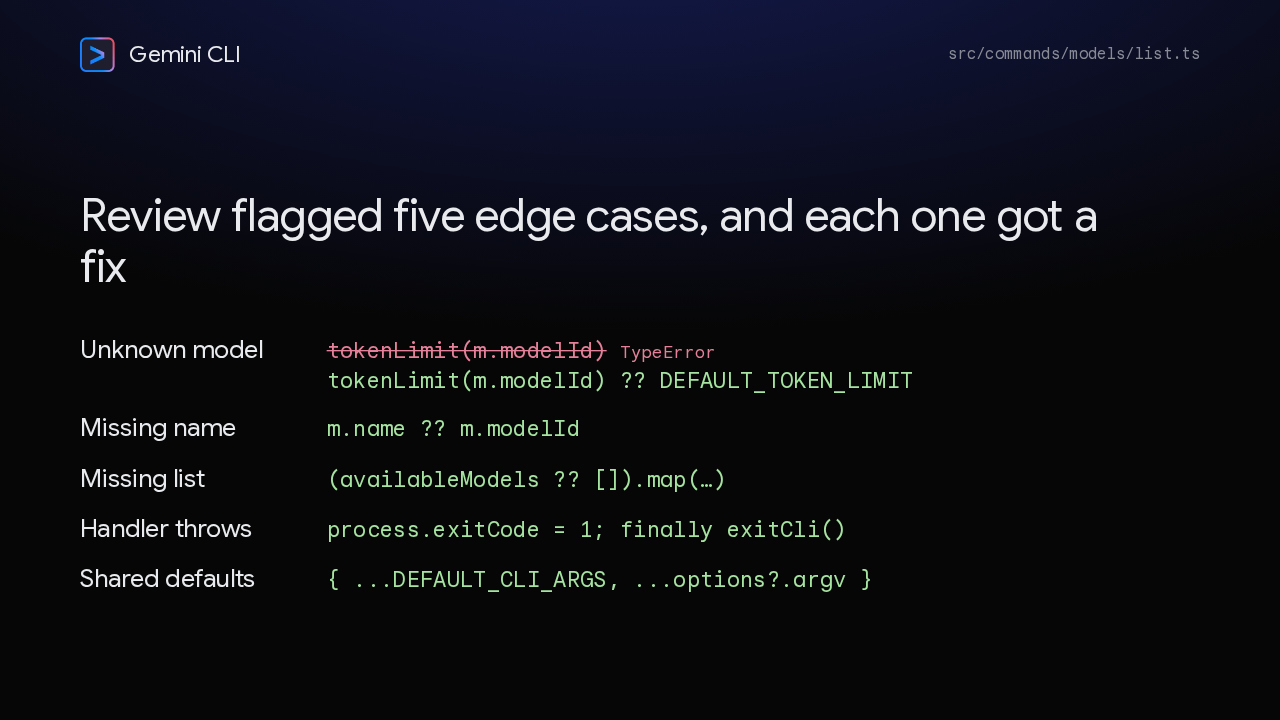
  9. The automated reviewer, Gemini Code Assist, flagged several edge cases. The sharpest: a model missing from the token table could get an undefined limit, and the text formatter would crash calling to locale string on it. It now falls back to the default token limit. Missing names and lists got defaults too, failures now set an exit code, and the shared default arguments are copied.

    Slide text
    Gemini CLI src/commands/models/list.ts

    Review flagged five edge cases, and each one got a fix

    Unknown model
    tokenLimit(m.modelId) TypeError
    tokenLimit(m.modelId) ?? DEFAULT_TOKEN_LIMIT
    Missing name
    m.name ?? m.modelId
    Missing list
    (availableModels ?? []).map(…)
    Handler throws
    process.exitCode = 1; finally exitCli()
    Shared defaults
    { ...DEFAULT_CLI_ARGS, ...options?.argv }
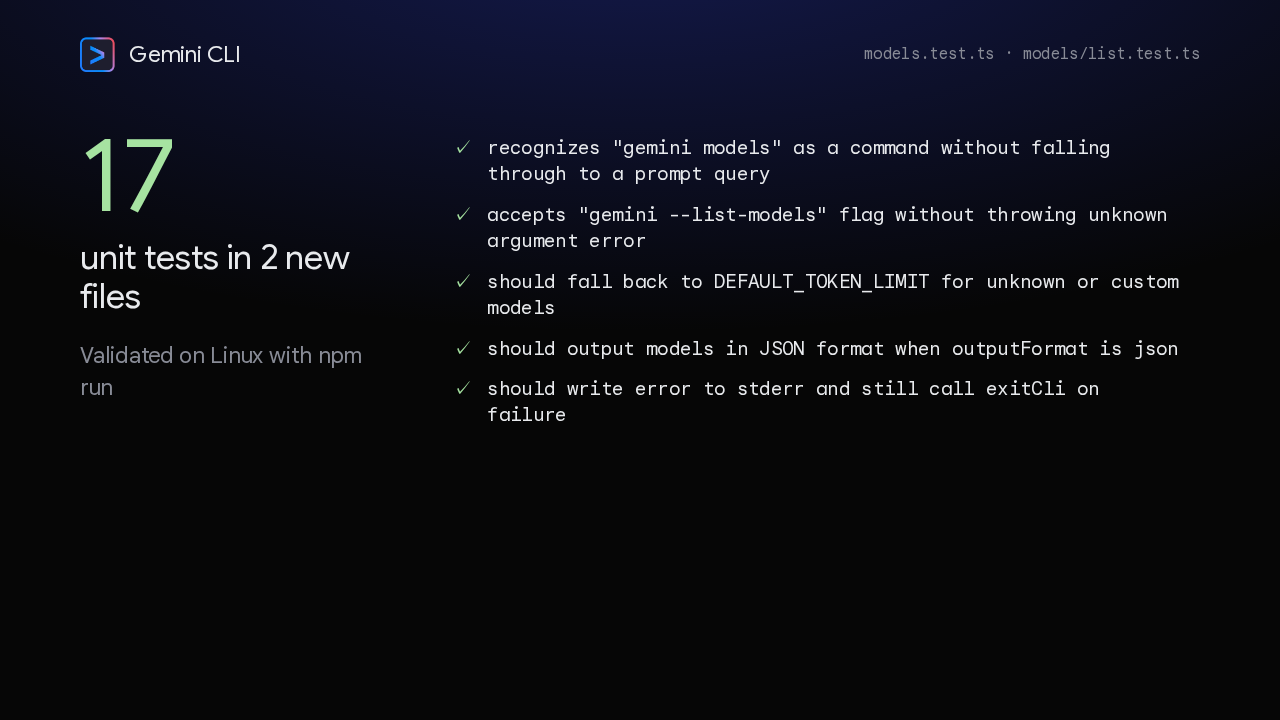
  10. Seventeen unit tests across two new files back this up. They check that gemini models parses as a command rather than a prompt, that the flag is accepted, that unknown models get the default limit, that JSON output parses, and that a failure still exits cleanly. The author validated on Linux with npm run.

    Slide text
    Gemini CLI models.test.ts · models/list.test.ts
    17

    unit tests in 2 new files

    Validated on Linux with npm run

    • recognizes "gemini models" as a command without falling through to a prompt query
    • accepts "gemini --list-models" flag without throwing unknown argument error
    • should fall back to DEFAULT_TOKEN_LIMIT for unknown or custom models
    • should output models in JSON format when outputFormat is json
    • should write error to stderr and still call exitCli on failure
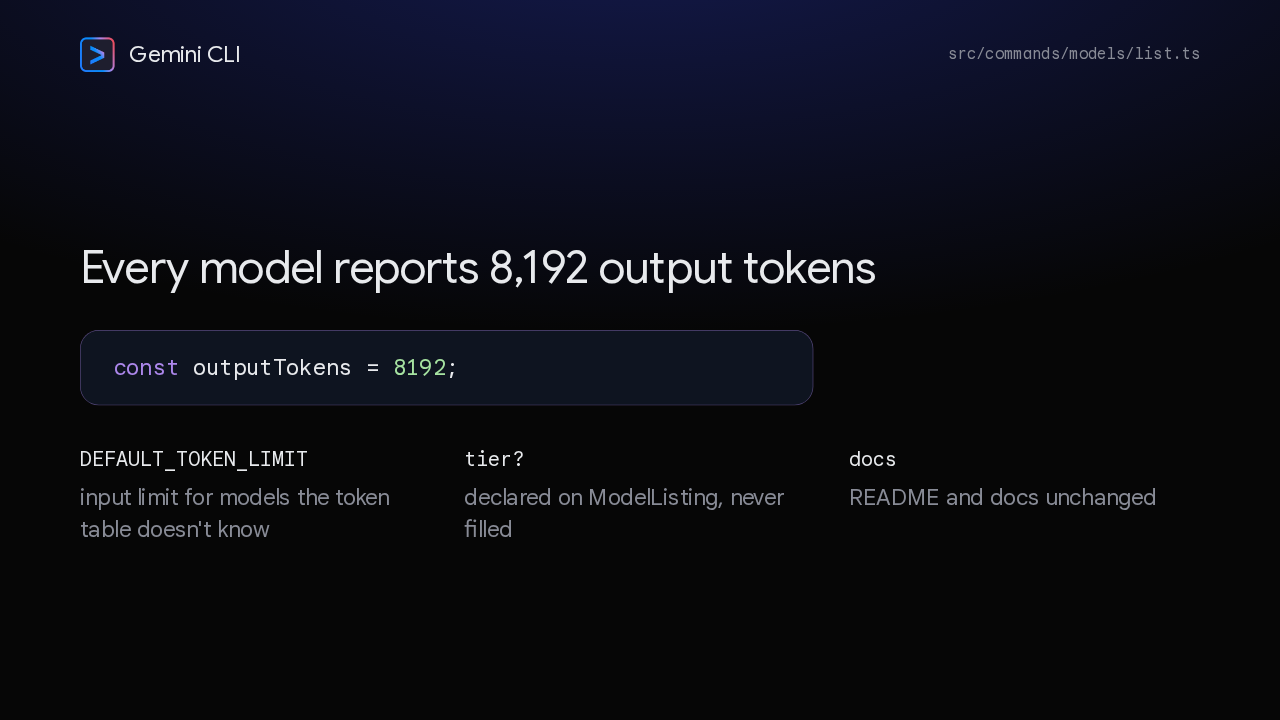
  11. Two values in the listing are fixed rather than looked up. Output tokens is the constant 8,192 for every model. A model missing from the token table reports the default input limit. The tier field is declared but unused, and the docs and README are unchanged.

    Slide text
    Gemini CLI src/commands/models/list.ts

    Every model reports 8,192 output tokens

    const outputTokens = 8192;

    DEFAULT_TOKEN_LIMIT

    input limit for models the token table doesn't know

    tier?

    declared on ModelListing, never filled

    docs

    README and docs unchanged

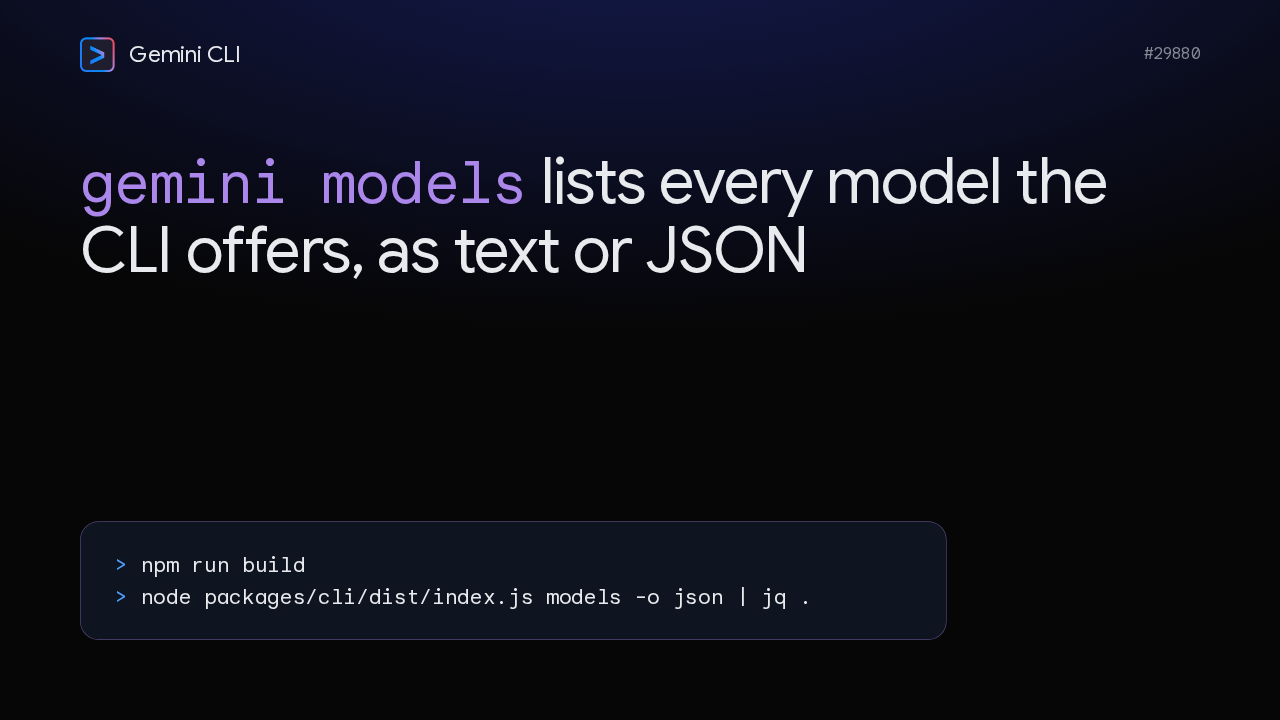
  12. To try it from a checkout, follow the pull request's validation steps. Build, then run the models command from the built package with JSON output, piped into jq. Gemini models lists every model the CLI offers, as text or JSON.
    Slide text
    Gemini CLI #29880

    gemini models lists every model the CLI offers, as text or JSON

    > npm run build > node packages/cli/dist/index.js models -o json | jq .

What happened in AI today, in your inbox

One short email each evening. Read it and you’re caught up.

Built in New York with ❤️