DesktopManager window layouts now remember virtual desktops, pins and Explorer folders

1 hour ago

DesktopManager 4.6.0 for PowerShell saves more than window positions. A layout can now record each window's virtual desktop, what is pinned, each desktop's wallpaper, and the folder every Explorer window has open. Then it can put all of that back.

Ask about this presentation

Chapters

  1. 0:00Window layouts remember virtual desktops
  2. 0:18Capture
  3. 0:37Preview, then restore
  4. 0:56How windows are matched
  5. 1:20Optional restore actions
  6. 1:44DPI-safe screenshots
  7. 2:06PortableDesktopService in the .NET library
  8. 2:28Limits
  9. 2:56Upgrade
Show transcript
  1. DesktopManager 4.6.0 for PowerShell saves more than window positions. A layout can now record each window's virtual desktop, what is pinned, each desktop's wallpaper, and the folder every Explorer window has open. Then it can put all of that back.

    Slide text

    Window layouts now remember your virtual desktops

    Desktops, pins, wallpapers and Explorer folders are saved with the windows, and come back on request.

    DesktopManager 4.6.0 · PowerShell module
    DesktopManager icon: a wrench over a laptop screen
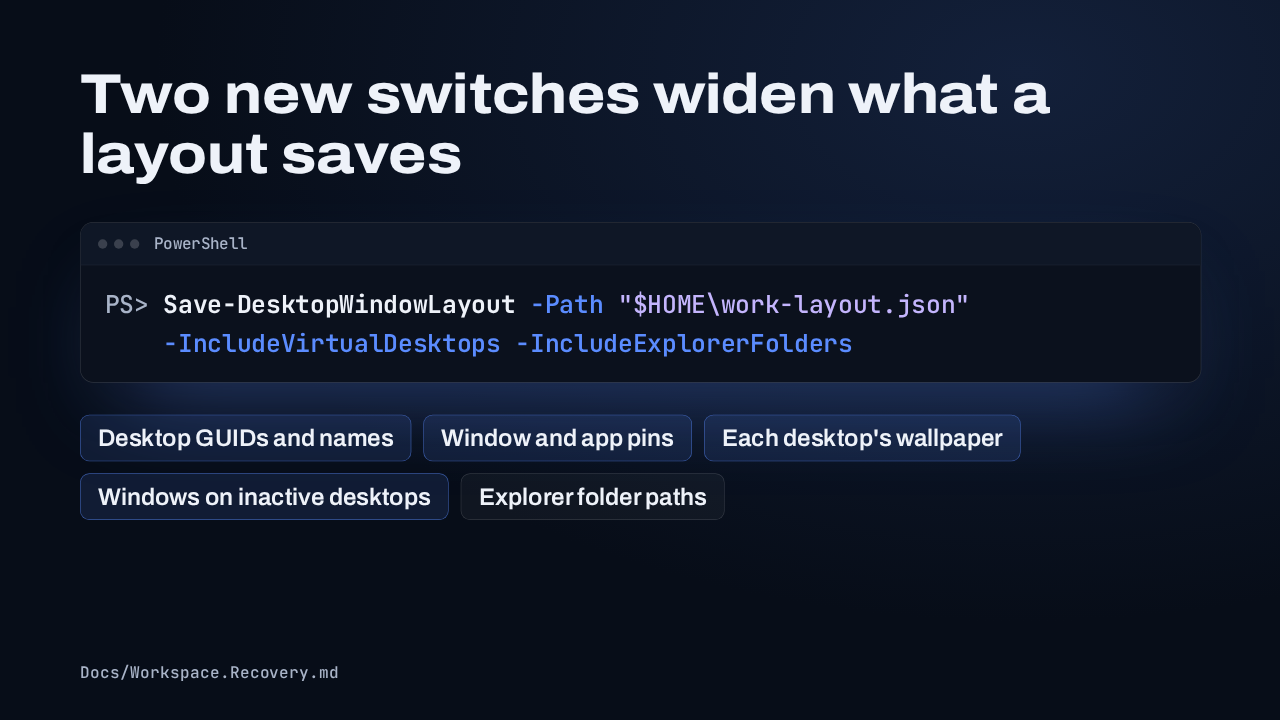
  2. Capturing is still Save-DesktopWindowLayout, with two new switches. IncludeVirtualDesktops records each desktop by its GUID, with its name, wallpaper and pins, including windows on desktops you aren't looking at. IncludeExplorerFolders saves the path behind each folder window.

    Slide text

    Two new switches widen what a layout saves

    PowerShell
    PS> Save-DesktopWindowLayout -Path "$HOME\work-layout.json"
        -IncludeVirtualDesktops -IncludeExplorerFolders
    Desktop GUIDs and names Window and app pins Each desktop's wallpaper Windows on inactive desktops Explorer folder paths
    Docs/Workspace.Recovery.md
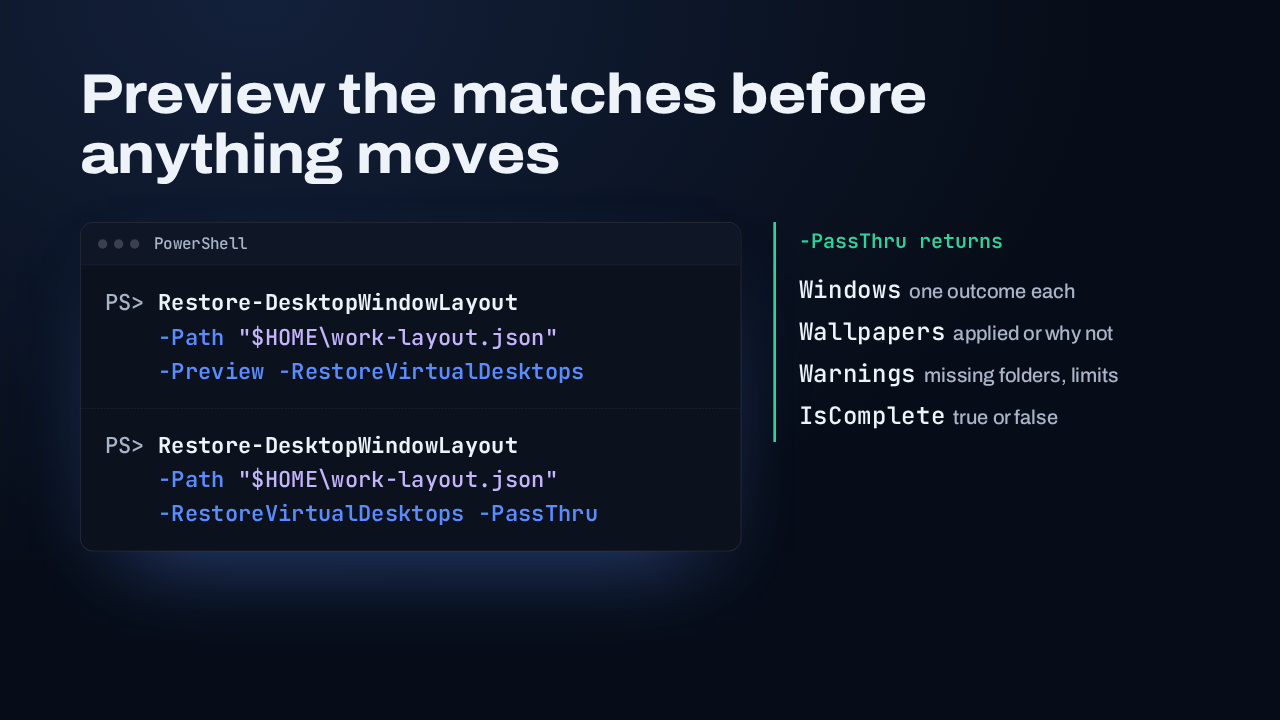
  3. Restore-DesktopWindowLayout gains a Preview switch, which shows which saved window matches which live one and moves nothing. When the plan looks right, run it with RestoreVirtualDesktops. Add PassThru for an outcome per window, including the missing and ambiguous ones, plus each wallpaper and warning.

    Slide text

    Preview the matches before anything moves

    PowerShell
    PS> Restore-DesktopWindowLayout
        -Path "$HOME\work-layout.json"
        -Preview -RestoreVirtualDesktops
    PS> Restore-DesktopWindowLayout
        -Path "$HOME\work-layout.json"
        -RestoreVirtualDesktops -PassThru
    -PassThru returns
    • Windowsone outcome each
    • Wallpapersapplied or why not
    • Warningsmissing folders, limits
    • IsCompletetrue or false
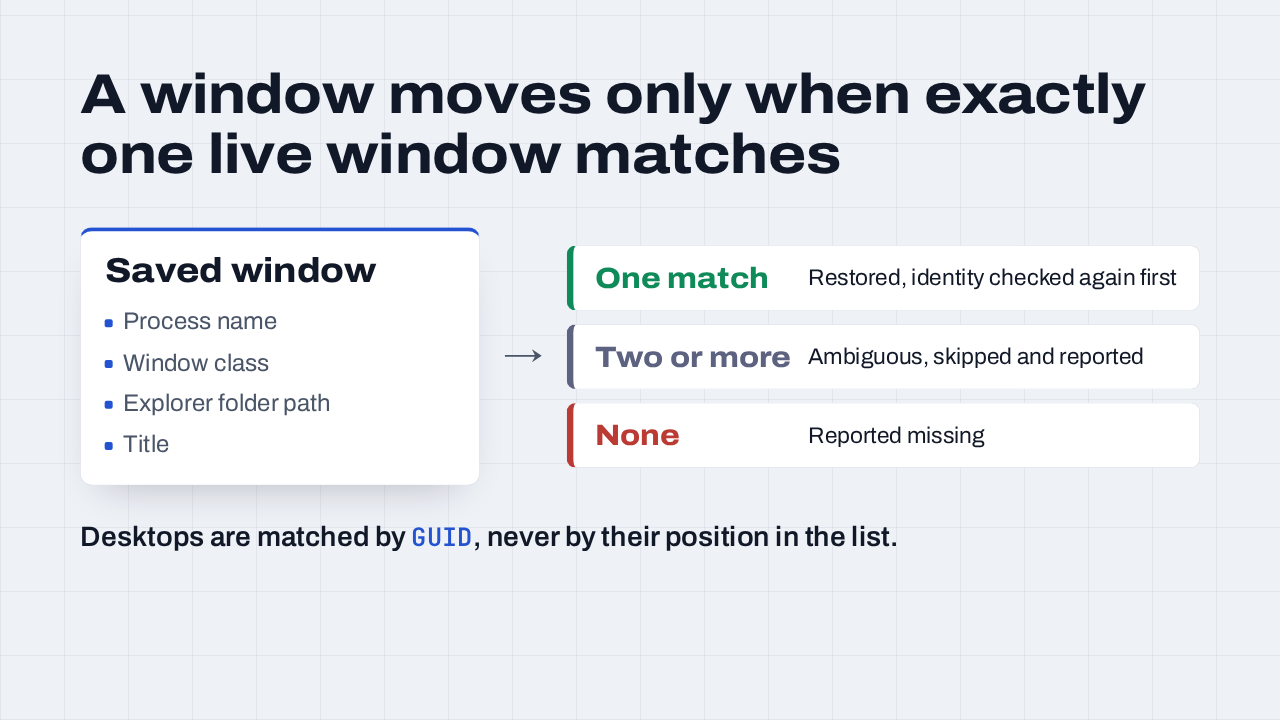
  4. Process and class names narrow the candidates, and the Explorer path separates folder windows that share a title. Exactly one match gets restored. Two or more is skipped as ambiguous, and zero is reported missing. Identity is checked again right before a window moves. Desktops match by GUID too, so a deleted desktop's windows don't land on whichever desktop took its place.

    Slide text

    A window moves only when exactly one live window matches

    Saved window
    • Process name
    • Window class
    • Explorer folder path
    • Title
    →
    One match Restored, identity checked again first
    Two or more Ambiguous, skipped and reported
    None Reported missing

    Desktops are matched by GUID, never by their position in the list.

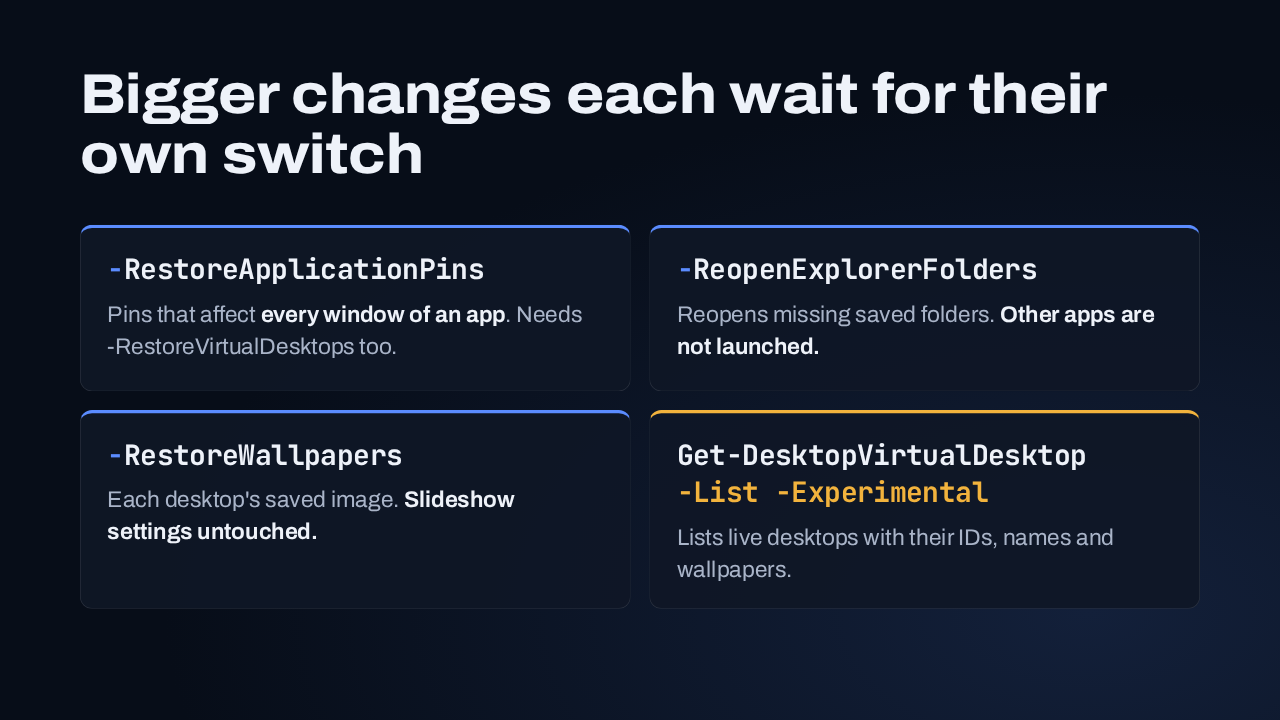
  5. Anything bigger than a window waits for its own switch. Application pins change every window of an app, so they need one on top of virtual desktops. ReopenExplorerFolders reopens missing folders, and only folders. RestoreWallpapers puts back each desktop's image and leaves slideshows alone. And Get-DesktopVirtualDesktop, with List and Experimental, shows the live desktops.

    Slide text

    Bigger changes each wait for their own switch

    -RestoreApplicationPins

    Pins that affect every window of an app. Needs -RestoreVirtualDesktops too.

    -ReopenExplorerFolders

    Reopens missing saved folders. Other apps are not launched.

    -RestoreWallpapers

    Each desktop's saved image. Slideshow settings untouched.

    Get-DesktopVirtualDesktop
    -List -Experimental

    Lists live desktops with their IDs, names and wallpapers.

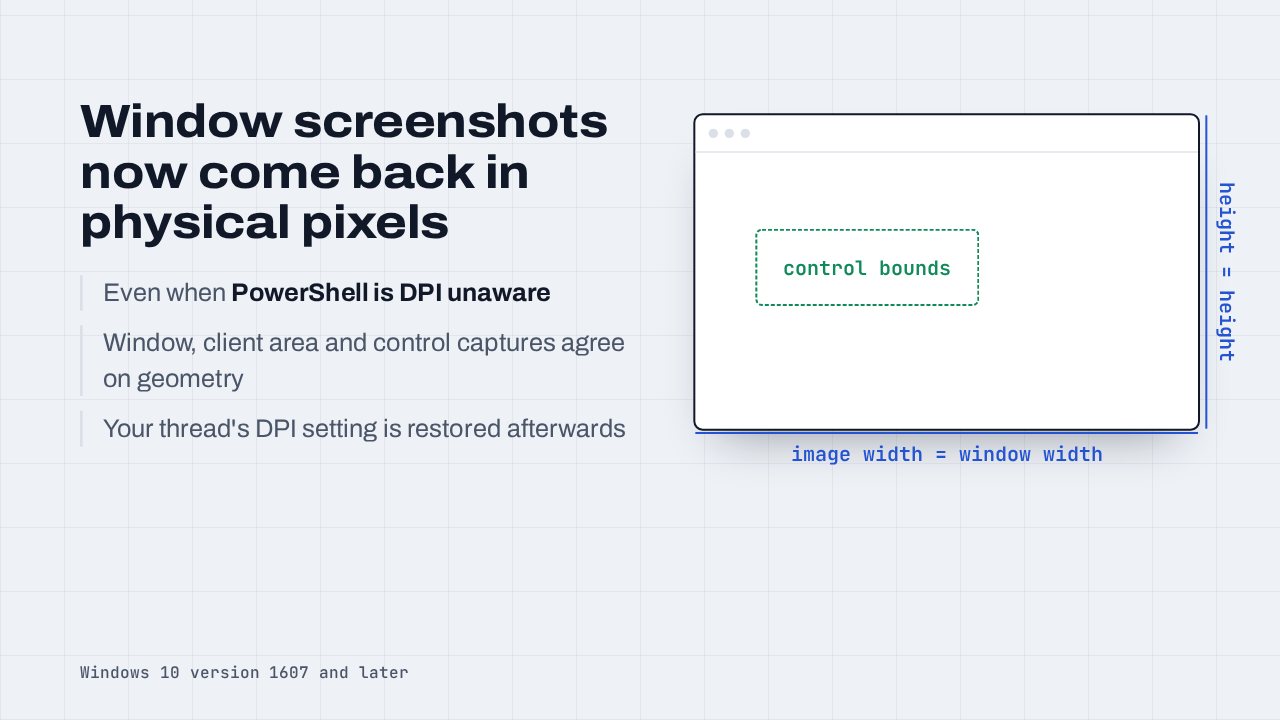
  6. A separate fix for scripts that capture windows. Even when PowerShell runs DPI unaware, window, client area and control screenshots now come back at physical pixel size, with control positions that line up with the image. Your thread's DPI setting is restored afterwards. This needs Windows 10 version 1607 or later.

    Slide text

    Window screenshots now come back in physical pixels

    Even when PowerShell is DPI unaware

    Window, client area and control captures agree on geometry

    Your thread's DPI setting is restored afterwards

    control bounds
    image width = window width
    height = height
    Windows 10 version 1607 and later
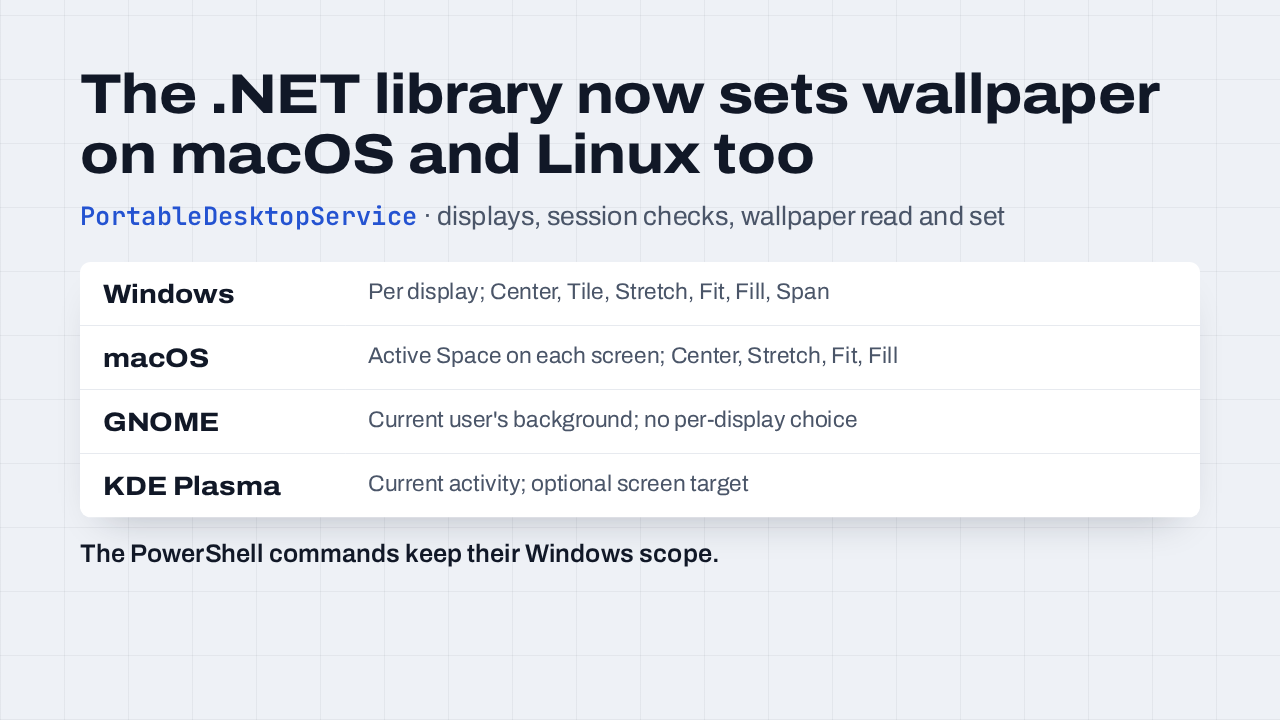
  7. This one is in the DesktopManager .NET library, released at the same version. PortableDesktopService lists displays, reads the wallpaper and sets a local image, on Windows, macOS, GNOME and KDE Plasma, and each backend reports what it supports. The PowerShell commands, the CLI and the tray app stay Windows-only.

    Slide text

    The .NET library now sets wallpaper on macOS and Linux too

    PortableDesktopService · displays, session checks, wallpaper read and set

    WindowsPer display; Center, Tile, Stretch, Fit, Fill, Span
    macOSActive Space on each screen; Center, Stretch, Fit, Fill
    GNOMECurrent user's background; no per-display choice
    KDE PlasmaCurrent activity; optional screen target

    The PowerShell commands keep their Windows scope.

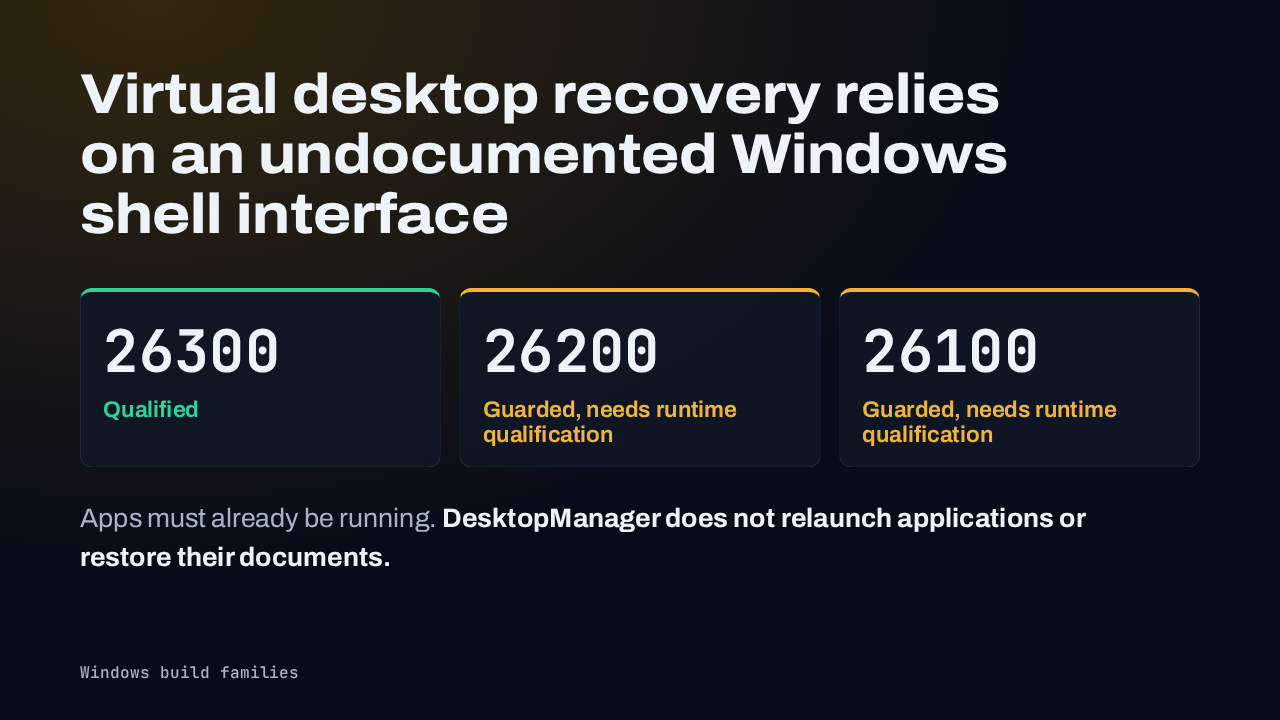
  8. Desktop capture and restore use an undocumented Windows shell interface, which is why listing desktops asks for the Experimental switch. It's qualified on build family 26300. Families 26200 and 26100 have interface checks but still need runtime qualification. An unsupported build gives you a capture warning or a reported restore failure. And your apps must already be running: DesktopManager doesn't relaunch your applications.

    Slide text

    Virtual desktop recovery relies on an undocumented Windows shell interface

    26300
    Qualified
    26200
    Guarded, needs runtime qualification
    26100
    Guarded, needs runtime qualification

    Apps must already be running. DesktopManager does not relaunch applications or restore their documents.

    Windows build families
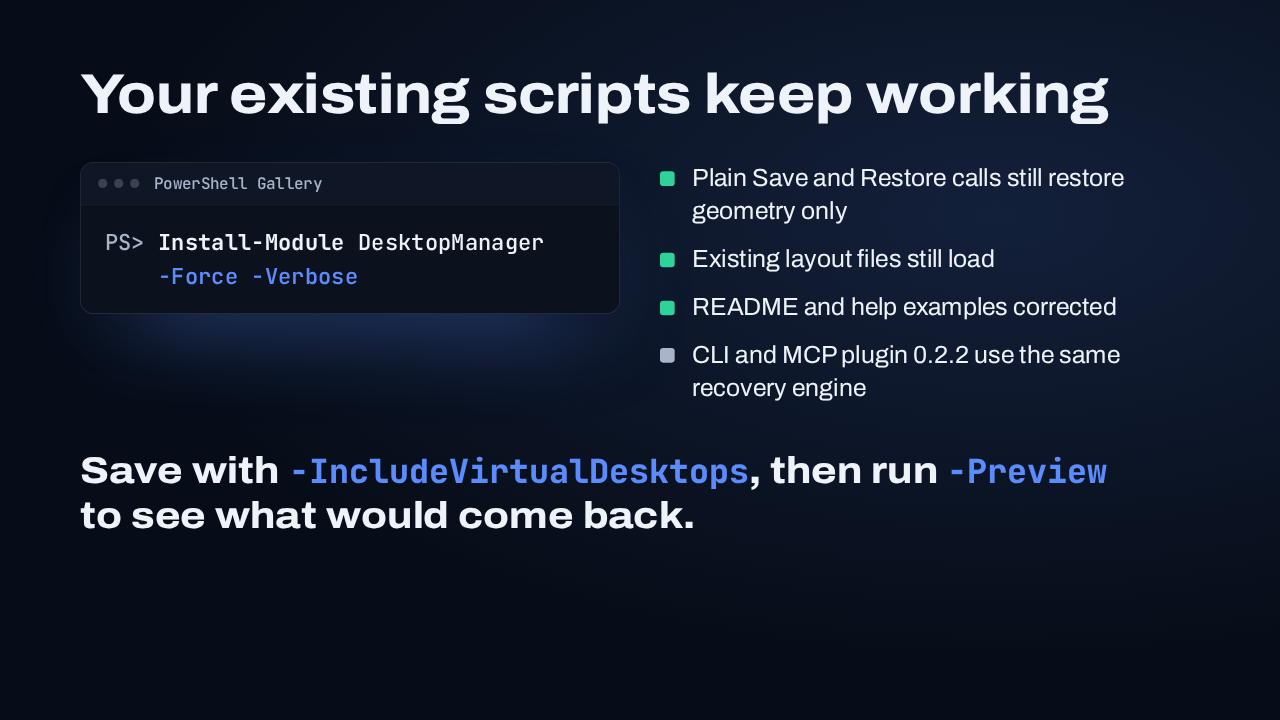
  9. The module installs from the PowerShell Gallery. Plain Save and Restore calls still restore geometry only, existing layout files still load, and the README examples were corrected. The CLI and MCP plugin share the engine and ship as 0.2.2. Save a layout with virtual desktops included, then run Preview to see what would come back.

    Slide text

    Your existing scripts keep working

    PowerShell Gallery
    PS> Install-Module DesktopManager
        -Force -Verbose
    • Plain Save and Restore calls still restore geometry only
    • Existing layout files still load
    • README and help examples corrected
    • CLI and MCP plugin 0.2.2 use the same recovery engine

    Save with -IncludeVirtualDesktops, then run -Preview to see what would come back.

What happened in AI today, in your inbox

One short email each evening. Read it and you’re caught up.

Built in New York with ❤️