Check a torrent's exact size before mkbrr hashes it
3 hours ago
mkbrr 1.27 can tell you a torrent's exact size before it hashes anything. This release also makes presets behave the same in the command line, the desktop app and batch files. And a batch job without a private key now comes out private, with a new info hash, so batch users should stay for the end.
Ask about this presentation
Chapters
Show transcriptHide transcript
mkbrr 1.27 can tell you a torrent's exact size before it hashes anything. This release also makes presets behave the same in the command line, the desktop app and batch files. And a batch job without a private key now comes out private, with a new info hash, so batch users should stay for the end.
Slide text
$ mkbrr version v1.27.0
Check a torrent's exact size before mkbrr hashes it
Presets now resolve the same way in the CLI, the GUI and batch files, and batch jobs are private by default.
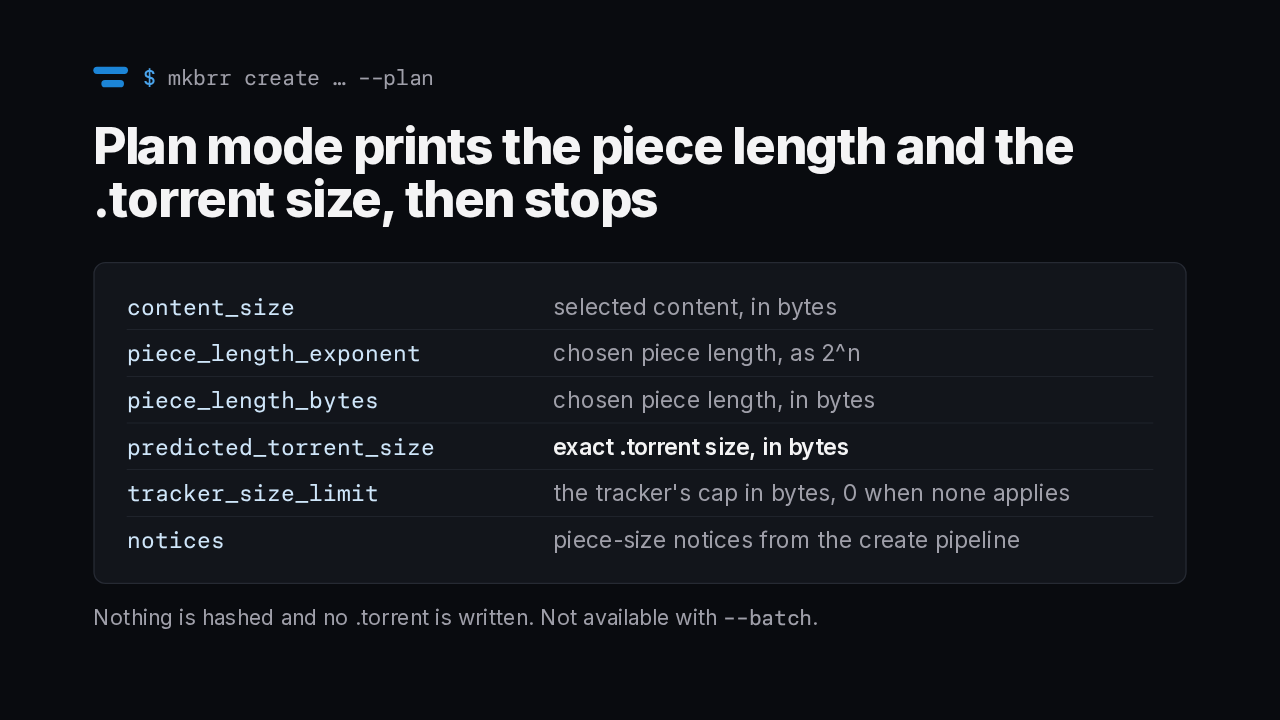
autobrr/mkbrr v1.26.0 → v1.27.0The new plan flag on create walks and filters your files exactly like a real create and picks the final piece length. Then it prints one JSON object and stops. The predicted torrent size is exact, so you can check it against a tracker's size limit first. It doesn't hash your content or write a torrent, and it doesn't work together with batch mode.
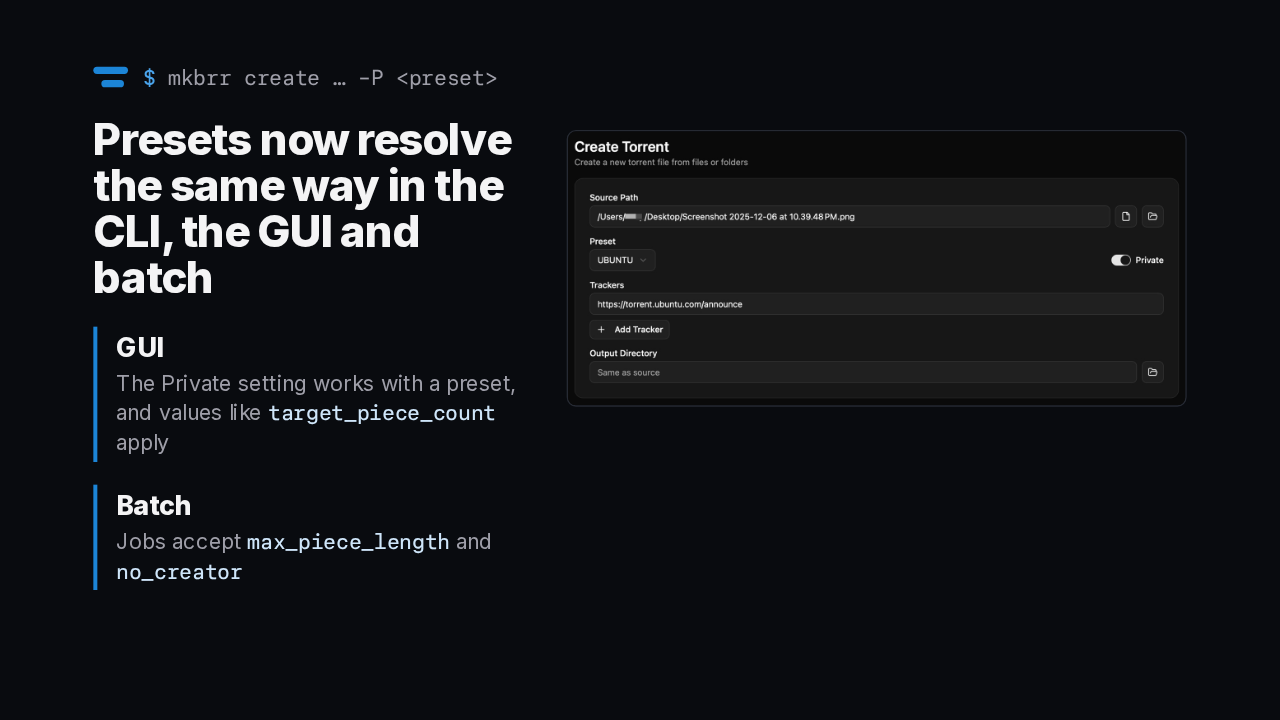
The command line, the desktop app and batch mode now resolve their settings in one order. In the desktop app, the private setting works when a preset is selected, and preset values such as target piece count now apply. Batch jobs also gain two keys, max piece length and no creator.
Slide text
$ mkbrr create … -P <preset>Presets now resolve the same way in the CLI, the GUI and batch
GUIThe Private setting works with a preset, and values liketarget_piece_countapplyBatchJobs acceptmax_piece_lengthandno_creator
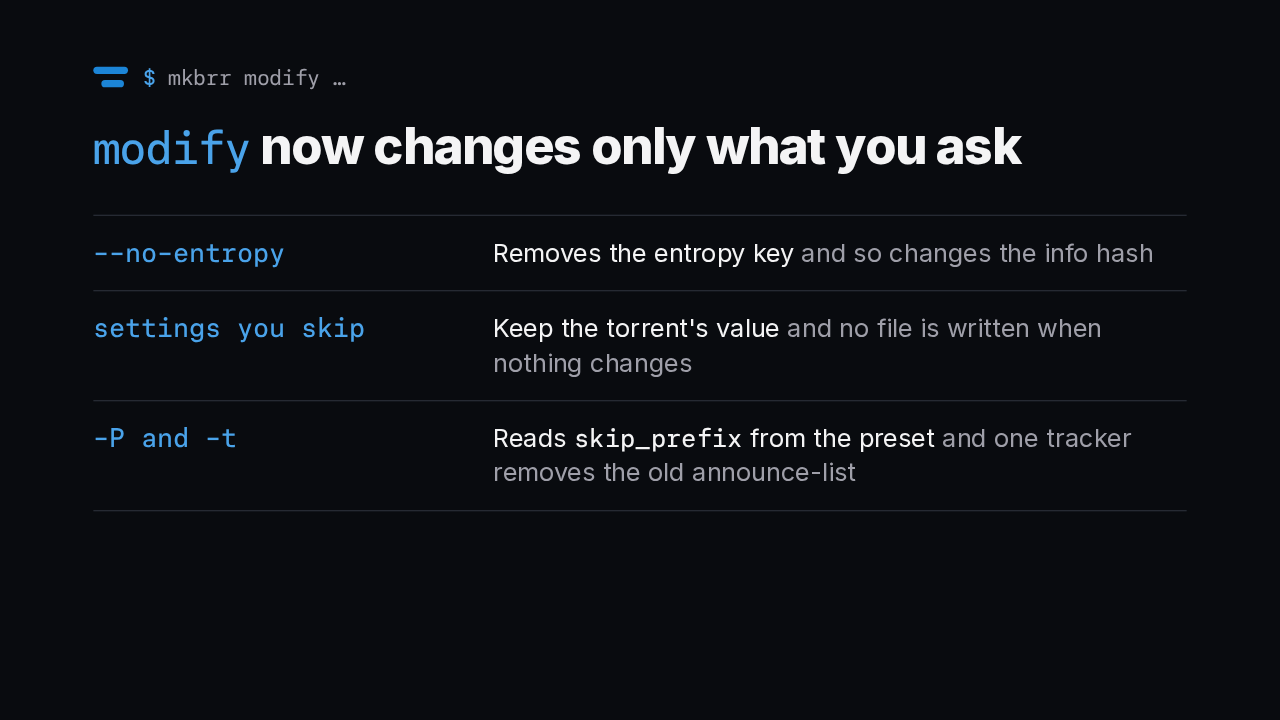
Modify now touches only the fields you name. A new no entropy flag removes the entropy key, which changes the info hash. Any setting you leave out keeps the torrent's existing value, and when nothing changes, modify doesn't write a file at all. It also reads skip prefix from a preset, and giving it a single tracker now removes the old announce list.
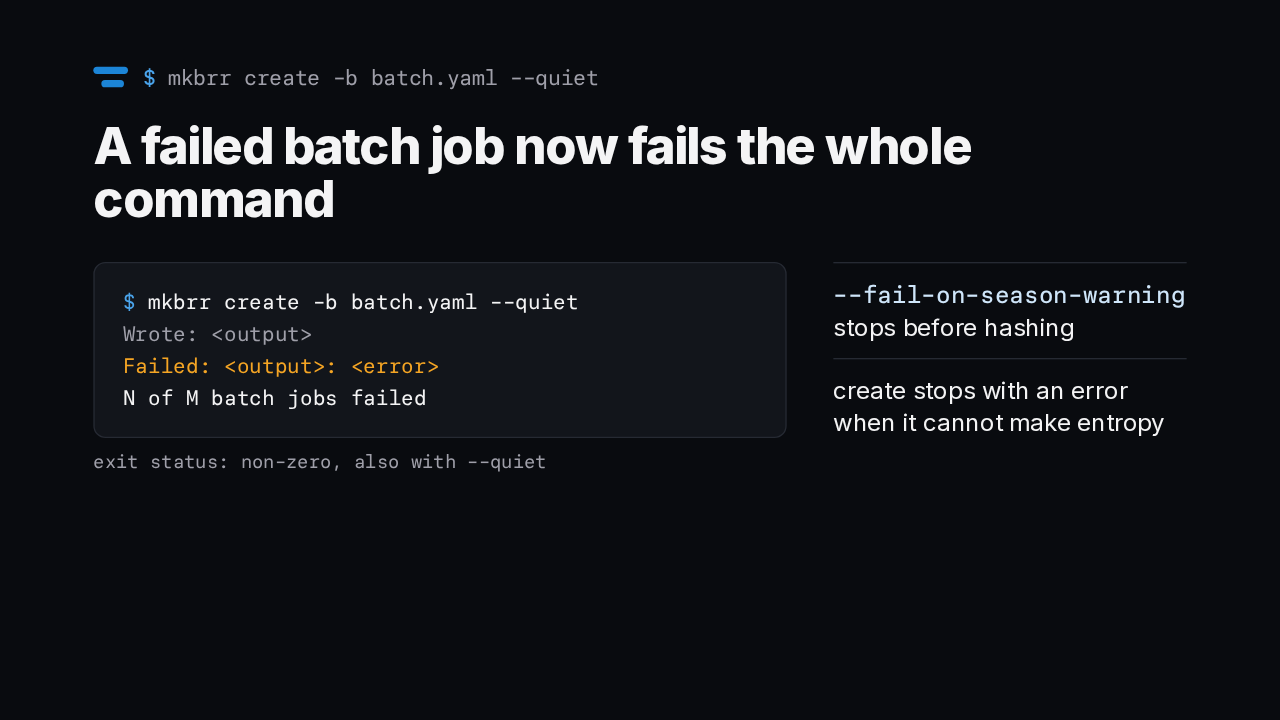
Batch failures are now visible to scripts. When any job fails, create exits with a non-zero status and says how many of the jobs failed, even in quiet mode, where each failure also goes to standard error. Two other problems now stop the run. With fail on season warning set, an incomplete season pack stops create before it hashes anything, and create stops with an error when it can't generate entropy.
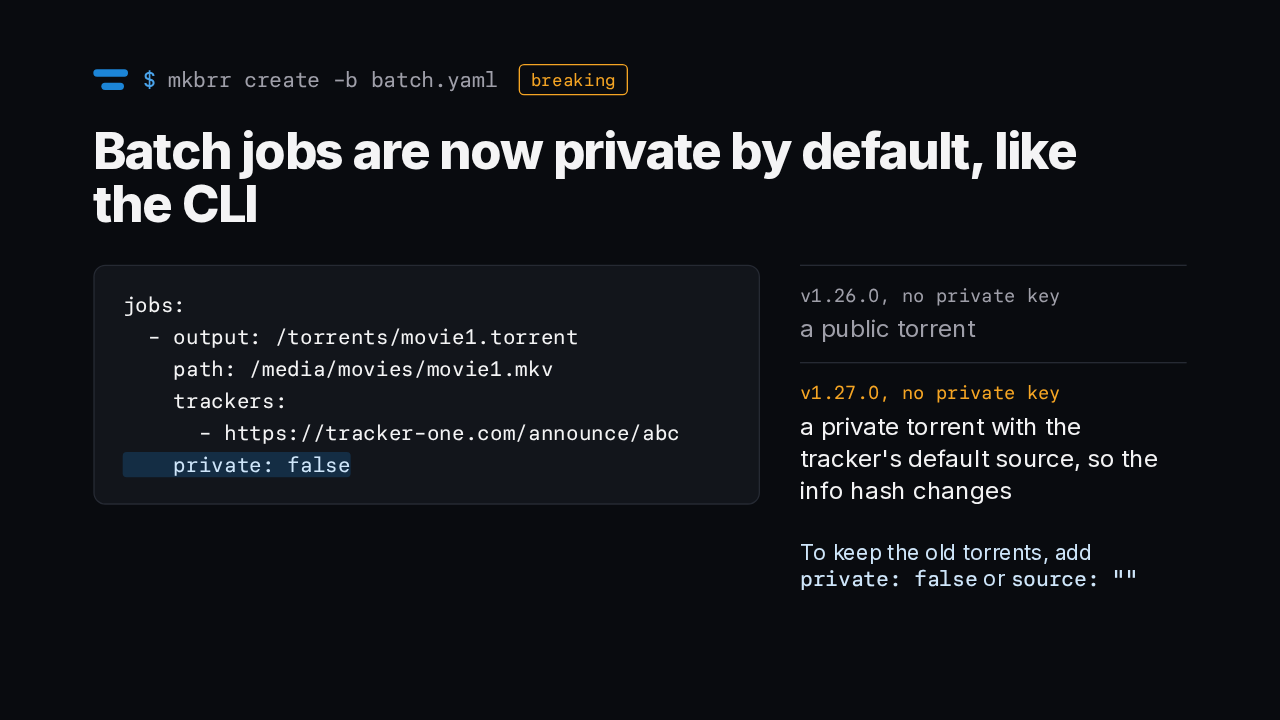
Batch jobs now match the command line. Before, a job without a private key made a public torrent. Now it makes a private torrent and picks up the tracker's default source, so its info hash changes. To keep your old torrents, add private false to the job, or set source to an empty string.
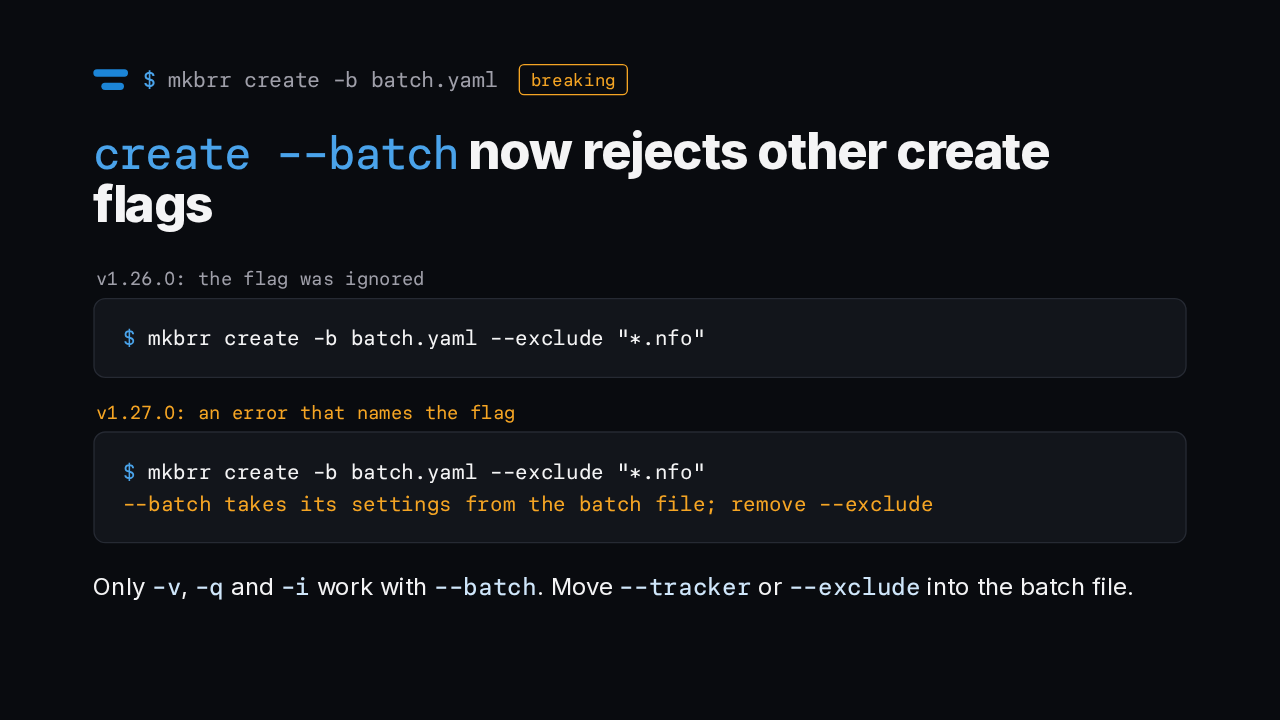
Batch mode used to quietly ignore any other create flags you passed. Now it refuses to run and names each flag it won't take. Only verbose, quiet and info only still work alongside batch. Anything that shapes the torrent, like a tracker or an exclude pattern, belongs in the batch file itself.
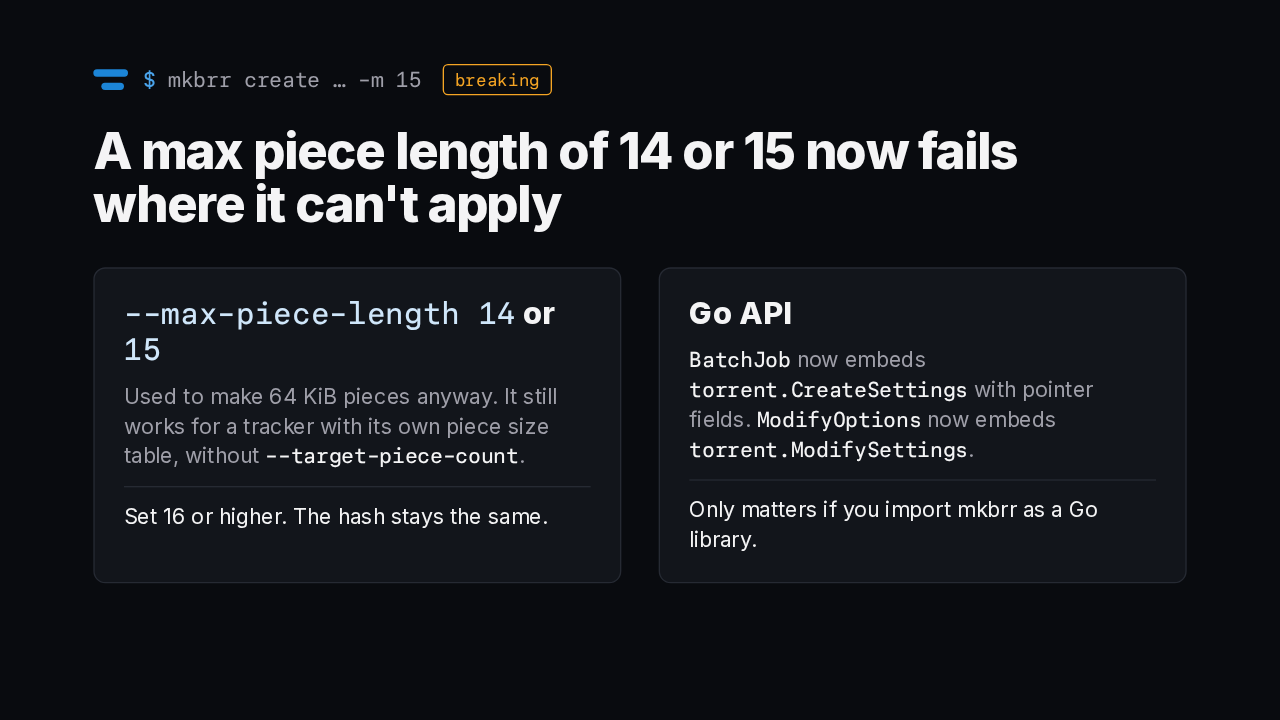
A max piece length of 14 or 15 used to produce 64 KiB pieces anyway. Now it's an error, except for a tracker with its own piece size table and no target piece count. Set it to 16 or higher and your hash stays the same. If you use mkbrr as a Go library, the batch job and modify options types now embed shared settings structs.
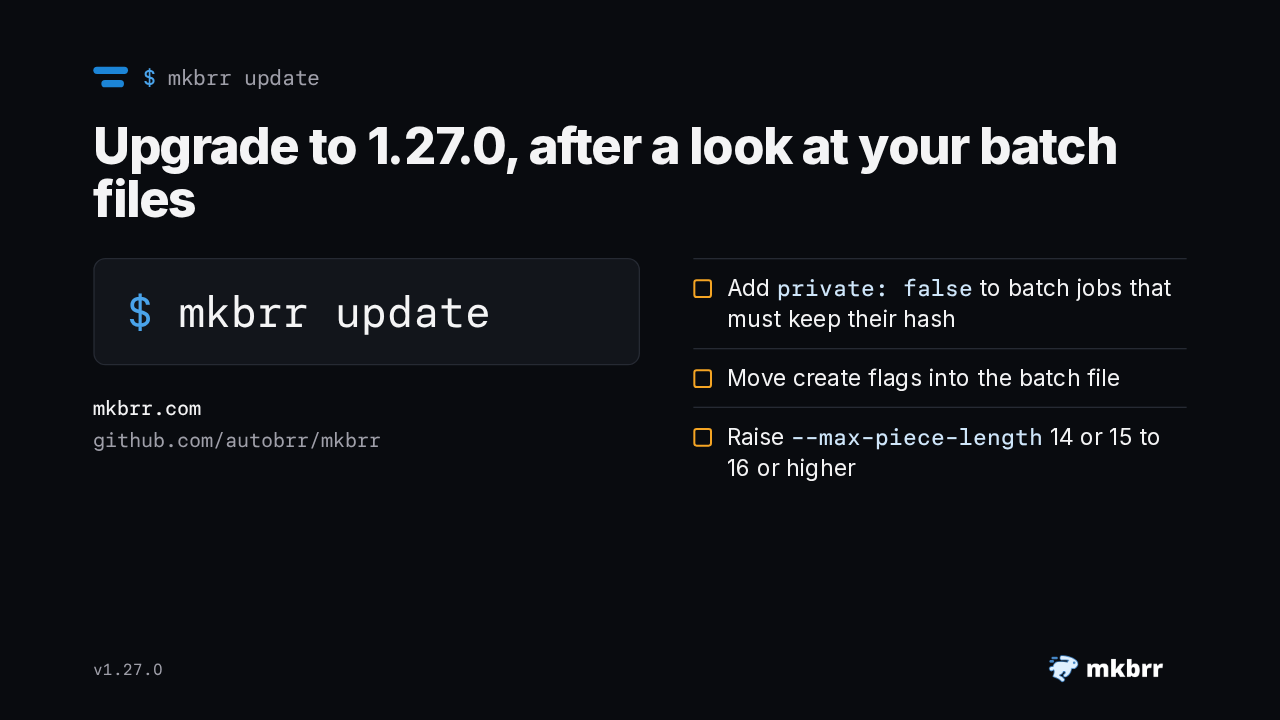
The built in update command fetches the new release. If you run batch files, check them first. Add private false to any job whose hash has to stay the same, move create flags into the file, and raise a max piece length of 14 or 15 to at least 16. Then try the plan flag, and check a torrent's exact size before mkbrr hashes it.
Slide text
$ mkbrr updateUpgrade to 1.27.0, after a look at your batch files
$ mkbrr updatemkbrr.com
github.com/autobrr/mkbrrAddprivate: falseto batch jobs that must keep their hashMove create flags into the batch fileRaise--max-piece-length14 or 15 to 16 or higherv1.27.0