Six core skills, five optional
 SpecWeavev3.1.0
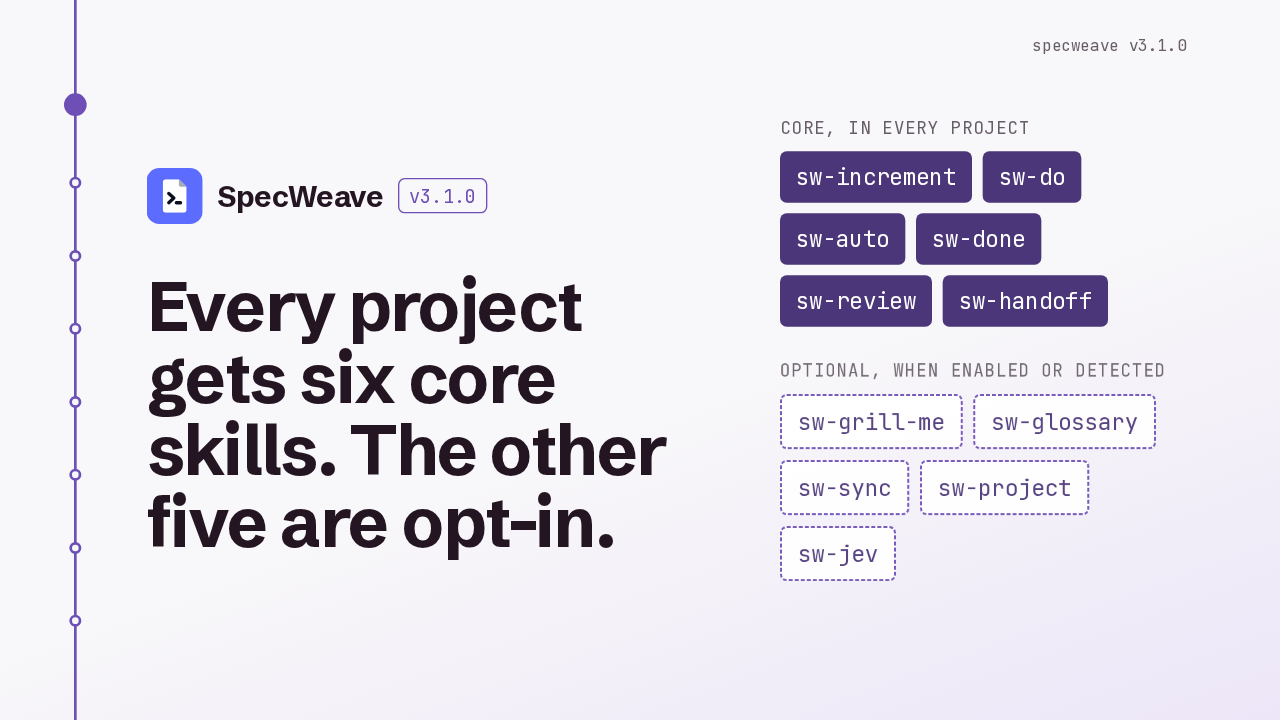
Every project gets six core skills. The other five are opt-in.
Core, in every project
Optional, when enabled or detected
SpecWeave 3.1 changes which skills a project gets. Six core skills install everywhere: increment, do, auto, done, review and handoff. Five more, grill-me, glossary, sync, project and jev, install only when you turn them on or when your project's files call for them.
How optional skills turn on
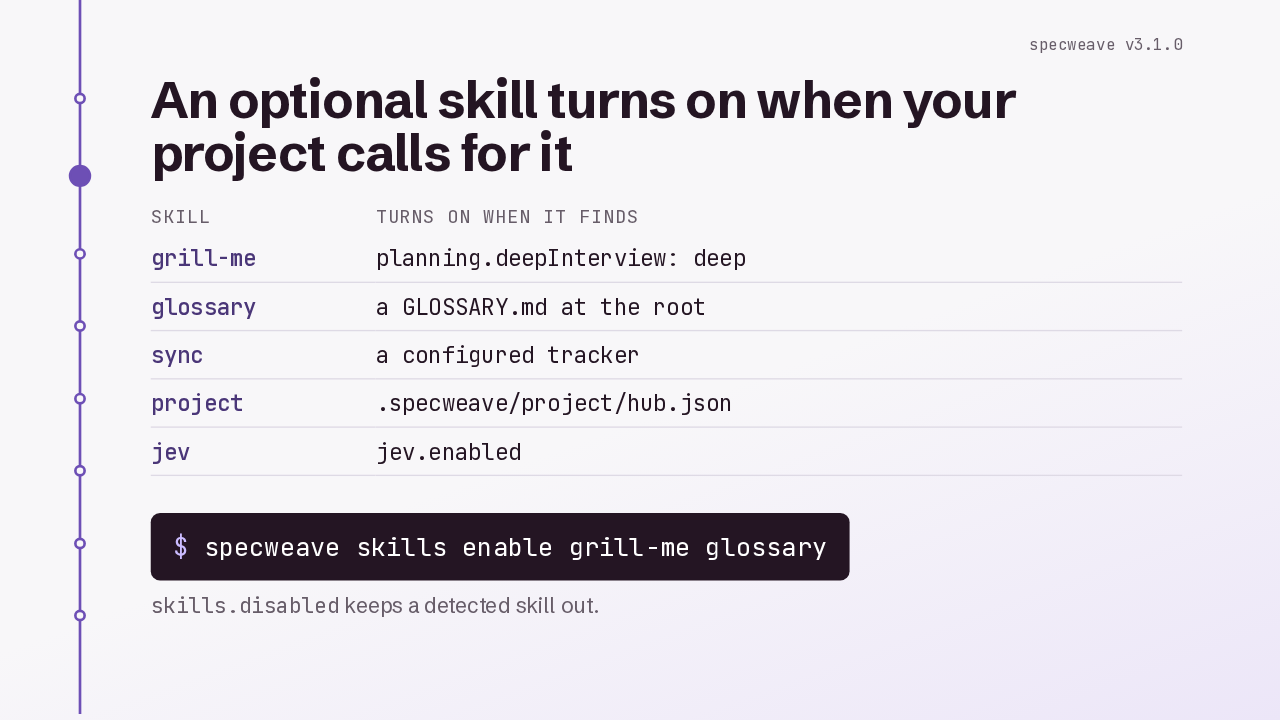
An optional skill turns on when your project calls for it
| Skill | Turns on when it finds |
|---|---|
| grill-me | planning.deepInterview: deep |
| glossary | a GLOSSARY.md at the root |
| sync | a configured tracker |
| project | .specweave/project/hub.json |
| jev | jev.enabled |
skills.disabled keeps a detected skill out.
Optional skills turn on in two ways. SpecWeave turns one on when it finds what that skill needs: deep interview mode for grill-me, a glossary file for glossary, a tracker for sync, a hub file for project, and Jev enabled for jev. Or you name it yourself with specweave skills enable. Disabling a skill keeps it out even when it's detected.
sw-grill-me
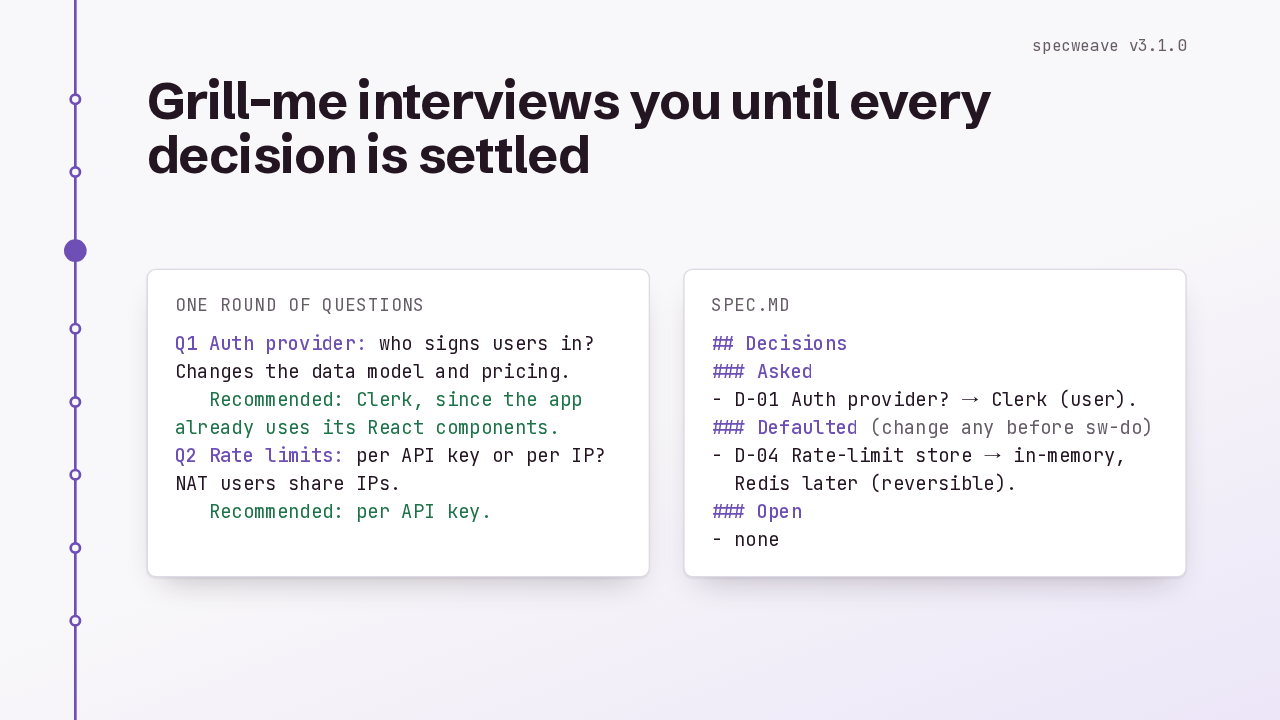
Grill-me interviews you until every decision is settled
One round of questions
Q1 Auth provider: who signs users in? Changes the data model and pricing.
   Recommended: Clerk, since the app already uses its React components.
Q2 Rate limits: per API key or per IP? NAT users share IPs.
   Recommended: per API key.
spec.md
## Decisions
### Asked
- D-01 Auth provider? → Clerk (user).
### Defaulted (change any before sw-do)
- D-04 Rate-limit store → in-memory,
  Redis later (reversible).
### Open
- none
Grill-me interviews you before any code is written. It asks in rounds, and each question carries a recommended answer you can accept with a yes. When nothing is left open, it records the decisions in the spec, including the defaults it picked, which you can still change before the work starts.
sw-glossary
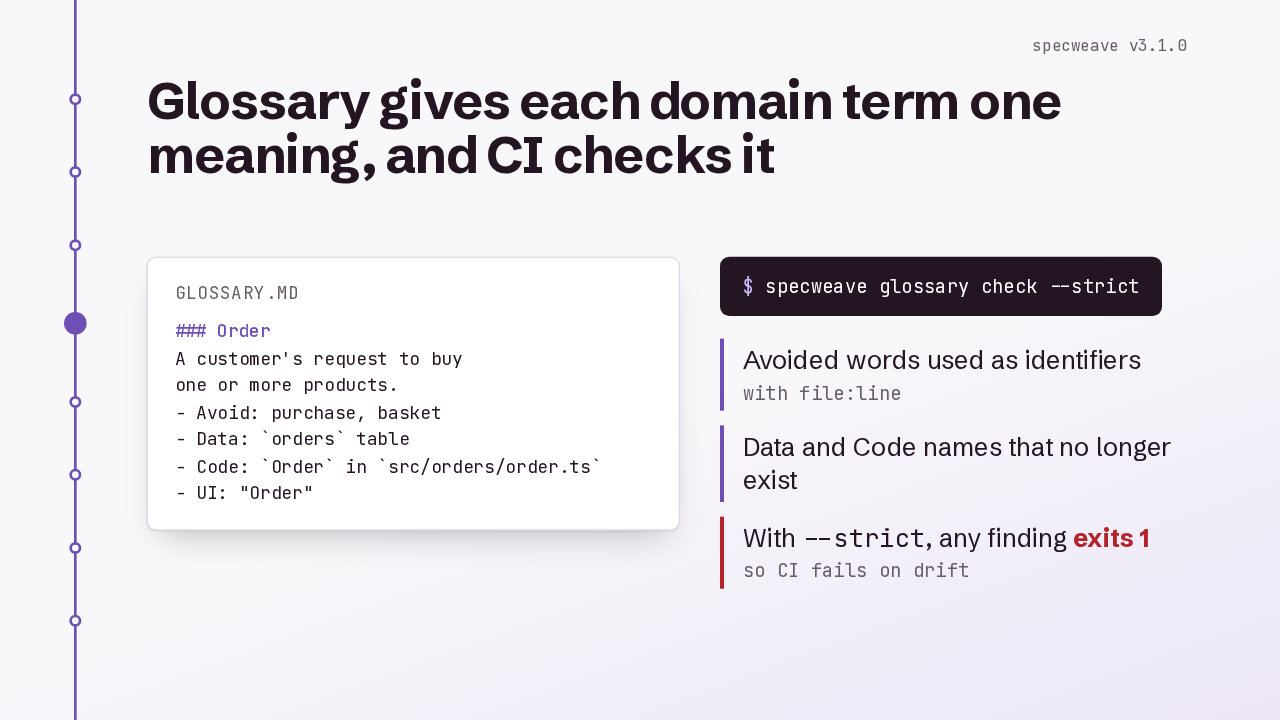
Glossary gives each domain term one meaning, and CI checks it
GLOSSARY.md
### Order
A customer's request to buy
one or more products.
- Avoid: purchase, basket
- Data: `orders` table
- Code: `Order` in `src/orders/order.ts`
- UI: "Order"--strict, any finding exits 1so CI fails on driftGlossary builds a GLOSSARY file: what each domain term means in the business, the data, the code and the UI, and which words to avoid. Then specweave glossary check finds drift, like avoided words used as identifiers, or code names that no longer exist. With strict, it exits 1, so CI can fail on it.
specweave review
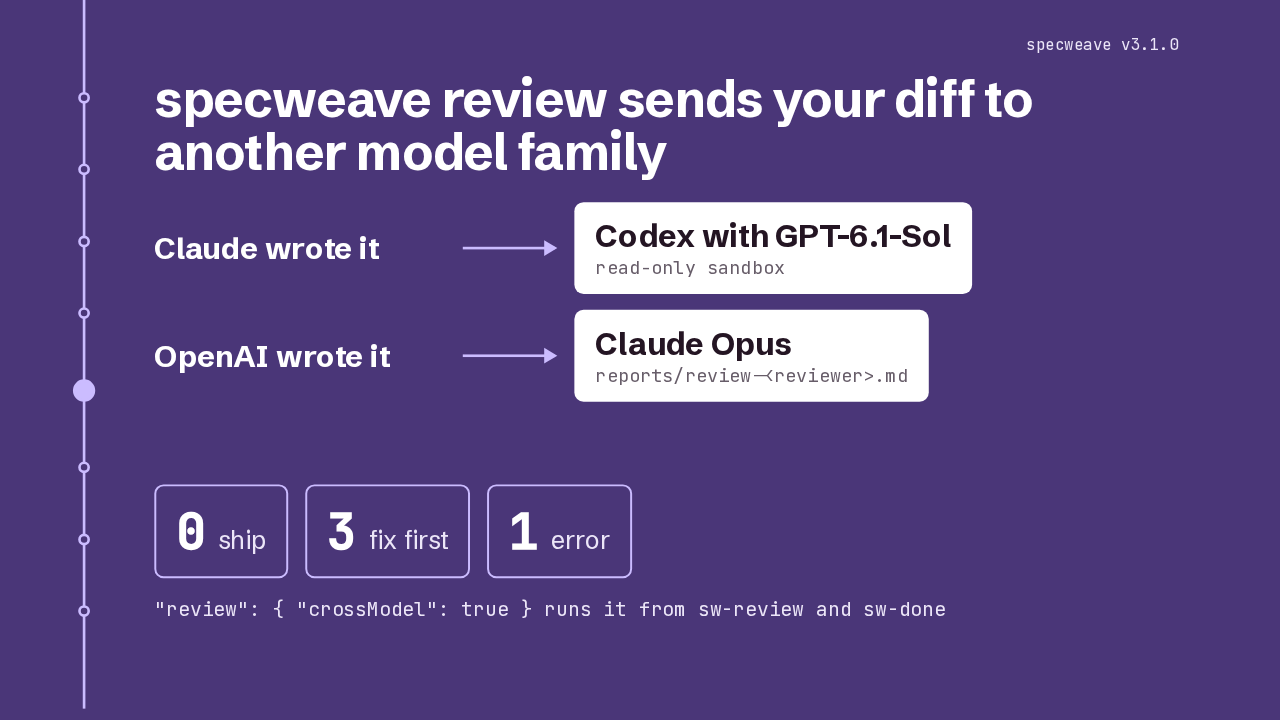
specweave review sends your diff to another model family
"review": { "crossModel": true } runs it from sw-review and sw-done
The new review command hands an increment's diff to a reviewer from a different model family. Code Claude wrote goes to Codex running GPT-6.1-Sol, in a read-only sandbox, and code an OpenAI model wrote goes to Claude Opus. It exits 0 for ship, or 3 for fix first. Turn on cross model in the review config, and the review and done skills run it themselves.
Removed skills
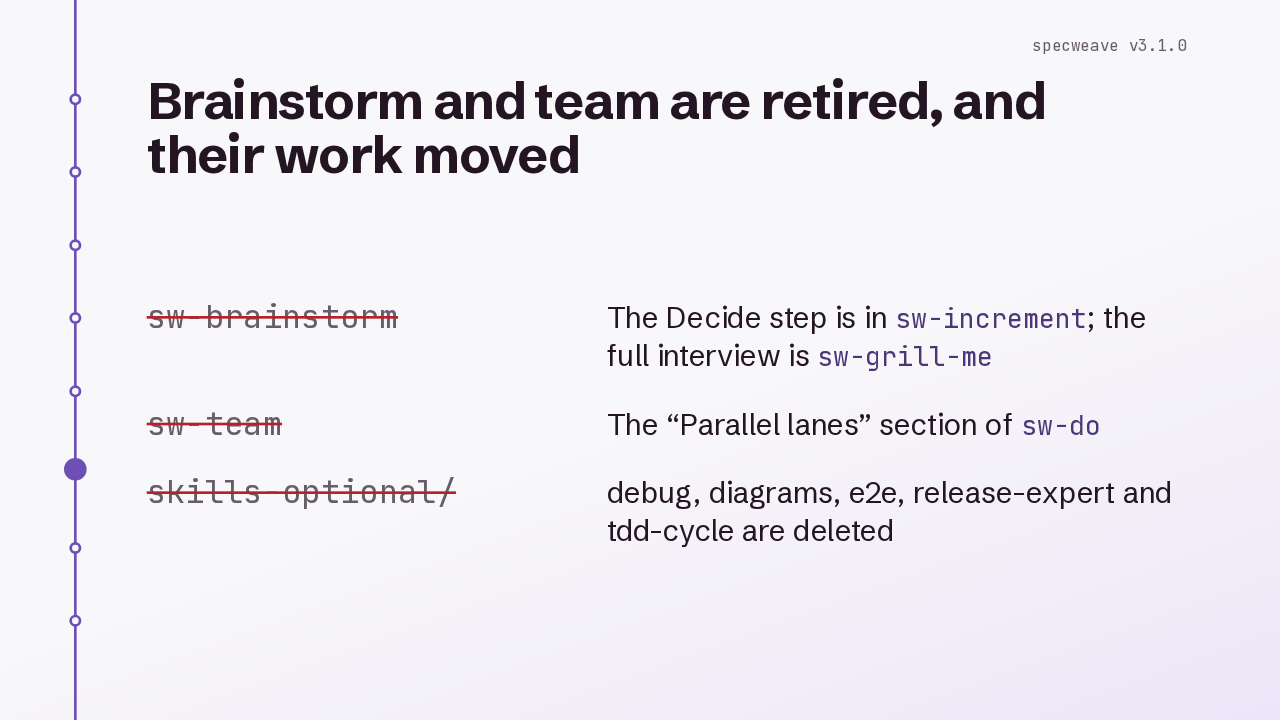
Brainstorm and team are retired, and their work moved
sw-increment; the full interview is sw-grill-mesw-doBrainstorm and team are retired. Brainstorm's decide step now lives in increment, and the full interview is grill-me. Team became the Parallel lanes section of do, a worktree per agent. And the unused optional procedures, debug, diagrams, e2e, release-expert and tdd-cycle, are deleted.
What specweave update removes
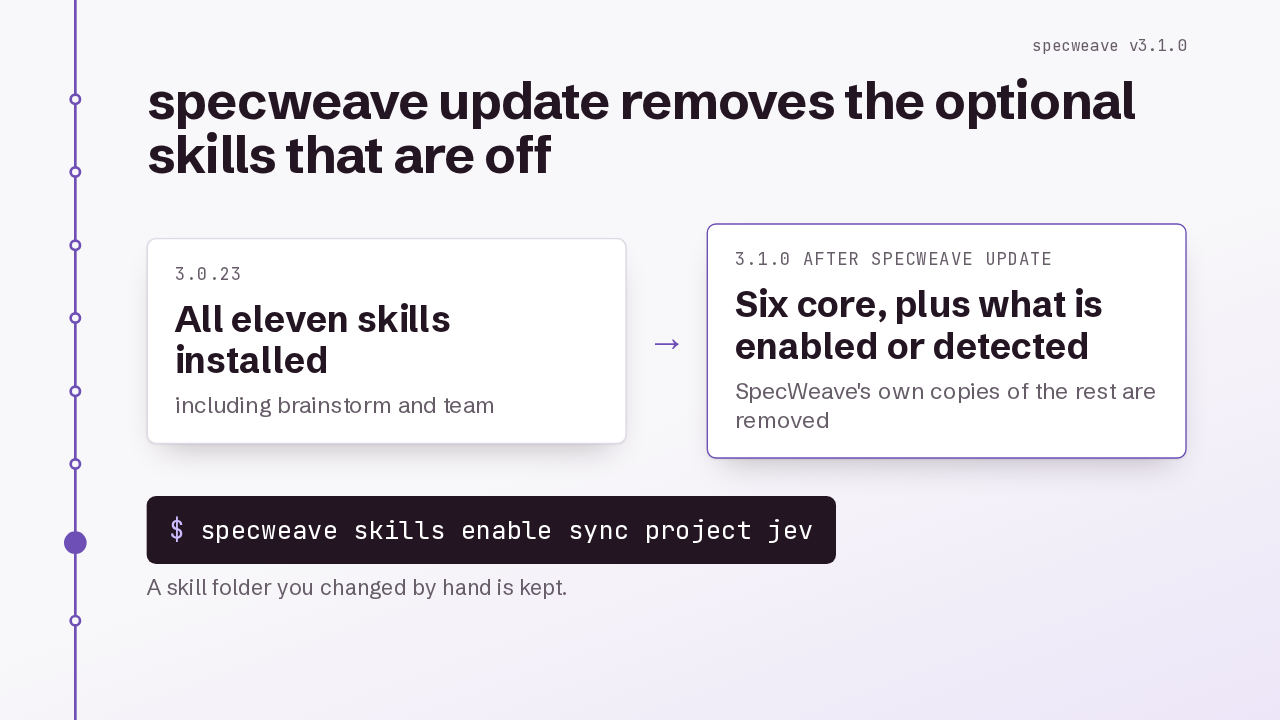
specweave update removes the optional skills that are off
3.0.23
3.1.0 after specweave update
A skill folder you changed by hand is kept.
Check this when you upgrade. The update command, specweave update, removes SpecWeave's own copies of retired skills, and of optional skills that are off. So sync, project and jev go unless your project has a tracker, a hub file or Jev turned on. Enable one to keep it, and its copy is reinstalled. A skill folder you changed by hand stays.
Upgrade
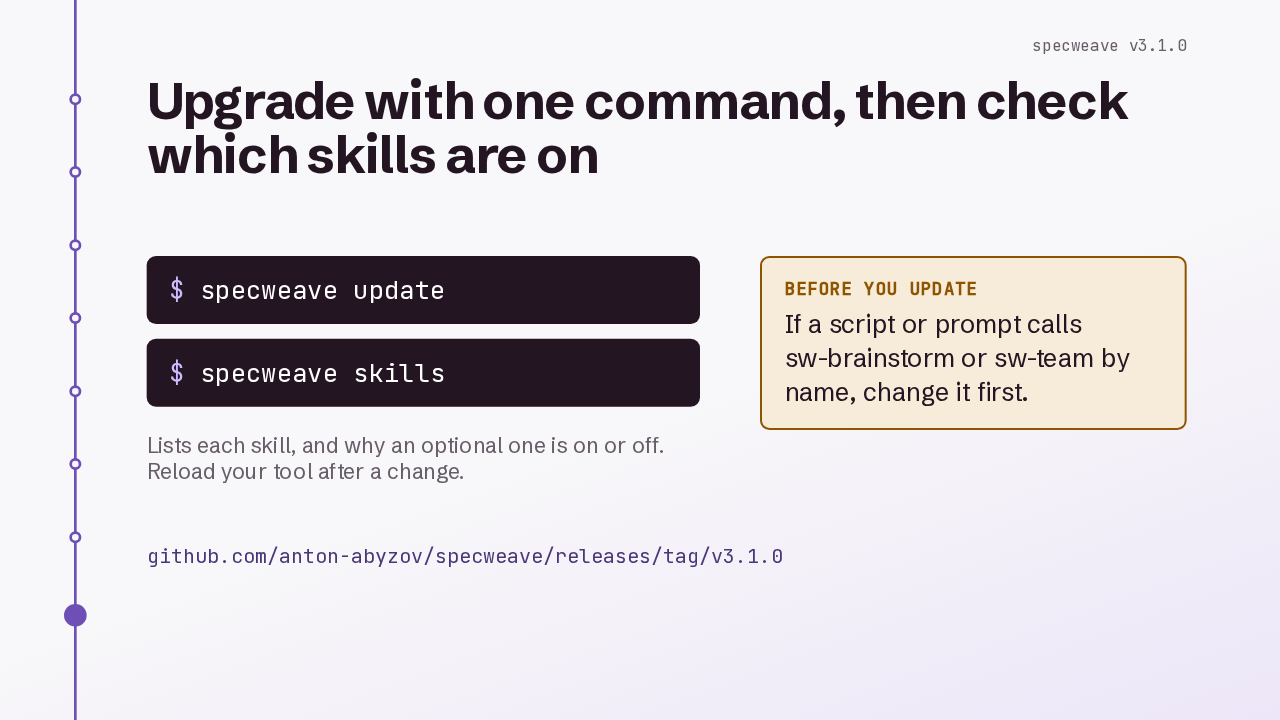
Upgrade with one command, then check which skills are on
Lists each skill, and why an optional one is on or off. Reload your tool after a change.
github.com/anton-abyzov/specweave/releases/tag/v3.1.0
To upgrade, run specweave update, then specweave skills to see what's on and why. The core skills can't be disabled. If a script or a prompt of yours calls brainstorm or team by name, change it first. That's SpecWeave 3.1: six core skills, five more when you need them, and a review from another model family.